
TL;DR

Get privacy and security gear delivered free with Prime
- Fast, free delivery on millions of items
- Prime Video, Amazon Music and more included
- Member-only deals all year
A personal VPN encrypts your internet traffic, hiding your activity from local networks and ISPs. But it’s not a magic shield—trust, policy, and performance matter. Use it wisely for better online privacy.
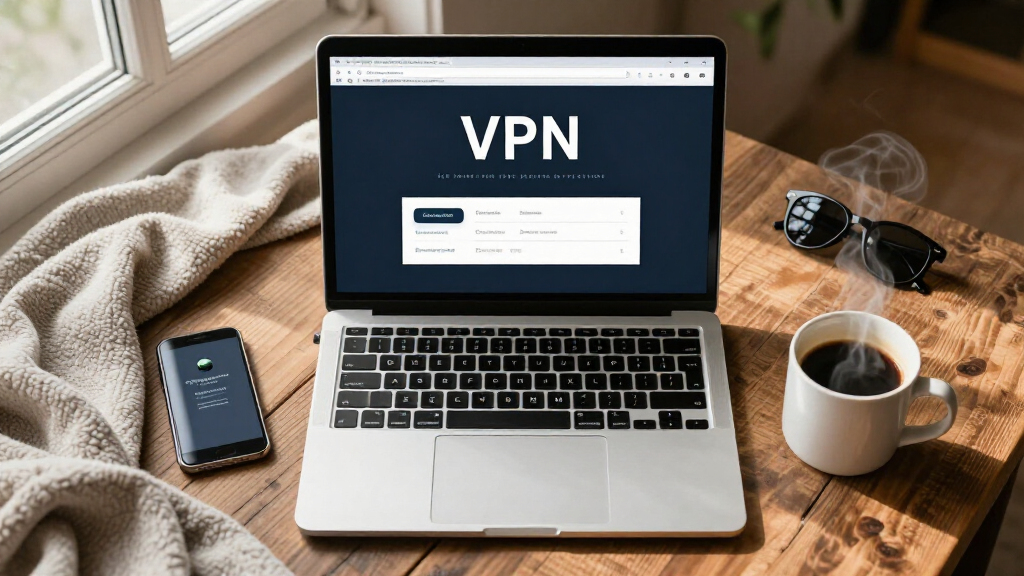
Imagine sitting in a crowded café, sipping coffee while your laptop connects to the Wi-Fi. Your data zips through the air — vulnerable, exposed to anyone with the skills to snoop. That’s where a personal VPN comes in. It’s like a secret tunnel that shields your online activity from prying eyes.
But not all VPNs are created equal. Some promise privacy but keep logs, others hide your IP but leak DNS info. Knowing what to look for can mean the difference between true safety and false security. This guide walks you through what personal VPN services do, what they don’t, and how to pick one that genuinely protects your digital life.
Always verify the ownership, privacy policy, and audit history of your VPN provider before trusting it.
Choose protocols like WireGuard or OpenVPN for better security and performance, and test kill switches to ensure they work during outages.
Server location, virtual vs. physical servers, and load can greatly affect your speed and access — pick wisely based on your needs.
Features like split tunneling and multi-hop routing add privacy and flexibility but aren’t necessary for everyone.
A VPN isn’t a magic bullet for complete anonymity or security — use it as part of a layered approach to online safety.
What a VPN actually does — and what it doesn’t
Think of a VPN as a secure tunnel between your device and the internet. It encrypts your traffic, making it unreadable to anyone on your local network or your internet provider. When you browse, websites see only the VPN server’s IP address, not yours. It’s like wearing a disguise in the digital world.
But VPNs aren’t magic cloaks. They don’t make you anonymous in every sense. They won’t stop cookies, fingerprinting, or account logins from tracking you. If you log into your social media, your profile remains identifiable. And they don’t stop malware or phishing attacks. A VPN is a privacy tool, not a full security shield. Understanding this distinction is crucial because many users assume a VPN alone can prevent all forms of online tracking or threat. This misconception can lead to overconfidence, leaving other vulnerabilities unaddressed. The real value of a VPN lies in its ability to obscure your IP address and encrypt your data in transit, which is just one piece of a comprehensive privacy and security strategy.
As an affiliate, we earn on qualifying purchases.
How to pick a trustworthy VPN — the four must-know rules
- Check ownership and jurisdiction: Know who runs the VPN and where they’re based. A provider owned by a company in a privacy-friendly country is less likely to cooperate with government data requests. This matters because jurisdiction can influence data retention laws and government access policies, impacting your privacy. For instance, a VPN based in a country with strong privacy laws offers a higher chance of protecting your data from unwarranted surveillance.
- Read the privacy policy: Look for clear, specific details about what data they collect, how long they keep it, and whether they share with authorities. Policies that are vague or overly broad can hide practices like logging user activity, which defeats the purpose of a VPN. A transparent privacy policy indicates the provider’s commitment to user privacy and helps you assess the potential risks involved.
- Verify independent audits: Prefer providers that have undergone recent security and privacy audits by reputable firms. This demonstrates a third-party verification of their claims and infrastructure. Audits can reveal vulnerabilities and ensure the VPN’s security measures are effective, giving you confidence that your data is protected against breaches or leaks.
- Inspect protocols and features: Use services with WireGuard or OpenVPN, which are known for their security and performance. Additionally, features like a kill switch prevent data leaks if the connection drops unexpectedly, and leak protection safeguards your DNS and IP from exposure. Choosing a VPN with robust protocols and features is essential because it directly affects your security posture, especially in sensitive or high-risk scenarios.
As an affiliate, we earn on qualifying purchases.
The trade-offs: speed, privacy, and server choices
Choosing a VPN isn’t just about privacy — speed matters too. Nearby servers tend to be faster because data has less distance to travel, reducing latency. However, if you need a different country’s IP—for example, to access geo-restricted content—you’ll need to connect to distant servers, which can slow down your connection due to increased travel time for data. Larger server networks often promise more options, but this isn’t always better. Many providers use virtual servers, which are physically located in one country but configured to appear as though they are in another. This can be useful for bypassing restrictions but may introduce additional latency or security concerns.
Imagine streaming a show from another country. A VPN with a well-maintained, regional server network will typically give you a smoother experience. But if those servers are overcrowded or poorly maintained, your connection quality will suffer, resulting in buffering or lag. Therefore, balancing your needs is vital: if speed is your priority, test different servers to find the best options. If privacy and access are more critical, prioritize providers with transparent policies, independent audits, and a reputation for maintaining secure, dedicated servers. Remember, the optimal choice depends on your specific use case—streaming, secure browsing, or both—and understanding the implications of server location and virtual vs. physical infrastructure can help you make smarter decisions.
As an affiliate, we earn on qualifying purchases.
What features really matter — and what’s just fluff
- Split tunneling: Lets you choose which traffic goes through the VPN. This feature is valuable when you want to keep certain activities, like accessing local network devices or streaming content, outside the VPN to optimize speed and reduce latency. For example, you might route your work VPN traffic through the VPN while keeping your local browsing unencrypted for faster access.
- Multi-hop routing: Chains your connection through two or more servers, providing an extra layer of anonymity and complicating tracking. However, this added privacy comes at the cost of significantly slower speeds and increased latency, which can impact streaming or real-time communication. Use this feature if your primary concern is maximum privacy and you’re willing to accept reduced performance.
- Obfuscation: Masks VPN traffic to resemble regular internet traffic, helping you bypass restrictions in countries with heavy censorship or networks that block VPNs. This is crucial in high-risk environments where VPN detection could lead to legal or security issues. It’s a tradeoff because obfuscation can sometimes reduce connection speed and increase complexity in setup.
- Dedicated IP: Provides a static address that remains consistent across sessions, useful for remote work, accessing secure systems, or avoiding blacklists. However, since this IP is unique to you, it can reduce anonymity compared to shared IPs, making it easier for entities to track your activity if they associate the IP with your identity. Weigh this feature’s benefits against privacy considerations based on your needs.
- Ad and tracker blocking: Can improve privacy and speed by preventing unwanted scripts and ads from loading. While helpful, it’s not a substitute for comprehensive browser or device protections. Combining these features with other privacy tools offers a layered approach, increasing overall security and reducing exposure to tracking and malicious content.
As an affiliate, we earn on qualifying purchases.
Recent VPN trends you should know about
WireGuard has gone from niche to mainstream — it’s faster, leaner and easier to audit. Its streamlined design reduces code complexity, making vulnerabilities easier to identify and fix, thus enhancing overall security. Major providers now offer it by default, which means users benefit from more reliable, faster connections that don’t compromise security. This shift signifies a focus on performance without sacrificing safety, reflecting industry acknowledgment of WireGuard’s advantages.
Independently verified privacy policies are becoming standard. Companies increasingly publish transparency reports, undergo third-party audits, and even open-source their apps, which boosts user trust. These practices help users verify claims, identify potential security flaws, and hold providers accountable, creating a more trustworthy ecosystem.
Ownership consolidation means some brands are now owned by the same parent company. While this can lead to shared infrastructure and resources, it also raises questions about data-sharing practices and potential conflicts of interest. Investigating the parent company’s privacy stance and history is vital before trusting multiple brands under the same umbrella.
Server security has improved with the adoption of RAM-only servers that wipe data on reboot, reducing the risk of data leaks or persistent malware infections. Post-quantum cryptography is emerging as a future safeguard against quantum computing threats, but it remains experimental. Meanwhile, VPN blocking by governments and streaming services is growing more sophisticated, employing techniques like deep packet inspection and IP blacklisting. This ongoing arms race requires providers to innovate continuously to maintain access and privacy for their users.
Debunking common VPN myths — what’s real, what’s not
“A VPN makes you anonymous” — not quite. It masks your IP and encrypts your traffic, but your login info, cookies, and device fingerprinting can still reveal your identity. While a VPN significantly enhances privacy, it’s not foolproof. For true anonymity, users must combine VPN use with other privacy measures like secure browsers, anti-fingerprinting tools, and minimal data sharing.
Many believe HTTPS alone keeps them safe. While HTTPS encrypts content between your browser and the website, it doesn’t hide your IP address, browsing patterns, or metadata—key identifiers for tracking. A VPN adds this layer of concealment, making it harder for third parties to link your activity back to you, especially when combined with other privacy tools.
“Incognito mode hides activity” — wrong. It only stops your browser from storing local history, cookies, and cache. Your ISP, network administrator, or the websites you visit can still track your activity through network logs, fingerprinting, and server-side data. Relying solely on incognito mode gives a false sense of security; a VPN can help obscure your network footprint but should be part of a broader privacy approach.
And don’t forget — a VPN can’t make illegal activity legal, nor can it guarantee access to all streaming content. It’s a privacy booster, not a universal key. Users must understand legal boundaries and content licensing restrictions to avoid unintended consequences.
Legal stuff and practical tips for using a VPN safely
VPN legality varies worldwide. In most countries, it’s legal, but some nations restrict or ban certain services or require registration. Always check local laws before connecting, as violations can lead to fines, imprisonment, or service bans. Being informed helps you avoid legal trouble and choose providers operating within your jurisdiction.
Using a VPN might violate platform rules. Many streaming services, banking sites, or corporate networks have policies against VPN use, which can lead to account suspensions or blocks. While legal in many places, activities that breach terms of service can still result in account restrictions or legal issues. It’s essential to balance your privacy needs with platform policies and understand the risks involved.
For sensitive situations — activism, journalism, or whistleblowing — a reputable VPN combined with strong device security (like end-to-end encryption, multi-factor authentication, and regular updates) is critical. Remember, no single tool guarantees safety; layered security and cautious behavior are key. Staying informed about current laws and best practices ensures responsible, effective use of VPNs in high-stakes scenarios.
Frequently Asked Questions
Do I really need a VPN at home?
It depends on your threat model. If you’re concerned about your ISP tracking your browsing, or want to mask your home IP from websites, a VPN can help. But it might slow your connection and shifts trust to the provider. Weigh your privacy needs against performance costs.Is public Wi-Fi safe without a VPN?
While HTTPS has made public Wi-Fi safer, a VPN offers extra protection by encrypting all your traffic. It shields you from local snoopers, malicious hotspots, and misconfigured networks. Still, keep your device updated and avoid sharing sensitive info on open networks.Can my ISP see what I do when I use a VPN?
Your ISP can usually see that you’re connected to a VPN, along with data volume and timing. But it typically cannot see what you’re browsing or the content inside the tunnel if your VPN is properly configured. That’s the magic of encryption.Will a VPN stop targeted ads?
Not completely. A VPN can hide your IP address, but ad networks use cookies, device IDs, and fingerprinting to track you across sites. For full ad privacy, combine a VPN with browser protections and ad blockers.Is free VPN safe?
Some free VPNs are okay but many rely on invasive data collection or show ads. Always scrutinize their privacy policy and business model. Paid services tend to be more trustworthy, but no VPN is perfect — do your research.Conclusion
Think of a personal VPN as a sturdy, private pathway through the chaotic traffic of the internet. It’s an essential tool for protecting your data on public Wi-Fi, hiding your location, and maintaining a degree of privacy in a data-driven world.
But remember — trust relies on transparency, proper configuration, and understanding its limits. A VPN is a helpful guardrail, not a magic shield. Use it with clear expectations, and your online journey becomes safer and more private.
Halloween Picks
halloween
As an affiliate, we earn on qualifying purchases.