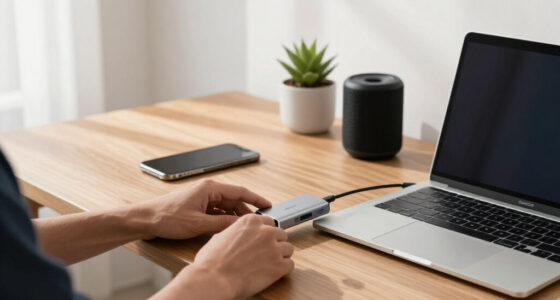

Discreet laptop webcam covers all do the same basic job — blocking your camera when you’re not using it — but they differ in how invisible they sit on your laptop, how smoothly the slide mechanism works, and whether the adhesive survives months of opening and closing. After comparing 12 options, the Yilador Webcam Cover 3 Pack (0.03 inch) stands out as the best overall pick for balancing a near-invisible profile with a durable metal slider at a sensible pack size. If budget is the priority, the JOS California 9 Pack delivers solid coverage for a whole household, while the CloudValley Metal 0.023 Inch 2-Pack is the thinnest and most premium-feeling option for sleek ultrabooks like MacBooks. The main tradeoff in this category is thinness versus rigidity: ultra-thin covers hide better but can feel flimsy, and no-adhesive clip-on designs trade permanence for reusability. Read on for the full breakdown of all 12 covers.

Get privacy and security gear delivered free — and shop member deals
- Fast, free delivery on millions of items
- Access to Prime Big Deal Days deals on October 6–7
- Prime Video, Amazon Music and more included
Key Takeaways
- Metal sliders (Yilador, CloudValley) consistently felt smoother and more durable than plastic ones, which tend to loosen after a few months of daily use.
- Thickness differences between 0.022 and 0.03 inch barely matter visually on most laptops — but on edge-to-edge glass screens, only the thinnest covers avoid interfering with lid closure.
- Large multipacks (9- and 25-packs) are better value per unit but only make sense for families, offices or anyone who replaces covers frequently; a 2- or 3-pack suits single-device buyers.
- The no-adhesive clip-on option is the only reusable choice, but its slightly bulkier profile makes it the least discreet pick in the lineup — a real tradeoff, not a free win.
- Extra-large covers fit phone and tablet cameras too, but they look oversized on a laptop bezel and undercut the ‘discreet’ goal unless you need cross-device coverage.


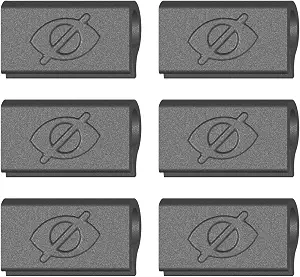


| discreet laptop webcam cover | Compatibility | Thickness | Color | Material |
|---|---|---|---|---|
| Yilador Webcam Cover 3 Pack | Laptops, phones, tablets, desktops | 0.027 inches | Black | — |
| Laptop Camera Cover Slide | Laptops, tablets, smartphones, MacBook, iPad, iPhone | 0.022 inches | Black | ABS |
| Webcam Cover Slide for Laptop | MacBook, PC, Chromebook laptops | — | — | Flexible TPU |
| Webcam Cover Slide | Laptops, tablets, PCs, smartphones (not full-screen or curved devices) | — | Black | — |
| JOS California 9 Pack Webcam C | Laptops, tablets, smartphones, desktops, Tesla Model 3/Y interior camera | 0.03 inches | Black | Adhesive-backed plastic |
| 25 Pack Laptop Camera Cover Sl | Most laptops, tablets, desktops, and smartphones with front cameras | 0.022 inches | Black | ABS plastic |
| Laptop Camera Cover Slide 3 Pa | Most laptops and tablets including MacBook Pro, iPad Pro, Retina models | 0.7mm (0.026 inches) | — | Plastic |
| CloudValley Laptop Camera Cove | MacBook, HP, Dell, Asus, Acer, Lenovo, iPad, Surface Pro, Galaxy Tab, Fire HD, Google Pixel Tablet | 0.023 inches (0.6 mm) | Silver/black | Space aluminum alloy |
| CloudValley Laptop Camera Cove | Laptops, tablets, and smartphones with front-facing cameras | 0.023 inches (0.6mm) | Blue | Metal |
| Yilador 6 Pack Ultra Thin Webc | Laptops, phones, tablets, desktops | 0.027 inches | Black | — |
| Webcam Cover Slide for Laptop | Most laptops and tablets with standard bezels | — | — | — |
| Laptop and Phone Camera Cover | Laptops, tablets, and smartphones with flat screens | 0.027 inches | — | High-strength ABS plastic |
More Details on Our Top Picks
Yilador Webcam Cover 3 Pack, 0.03 Inch Ultra Thin Laptop Camera Cover Slide
This three-pack from Yilador earns the top spot because it balances a genuinely low 0.027-inch profile with an upgraded 3.0 adhesive that holds firm over months of daily sliding. Compared with the 6-pack ABS covers from the same roundup, you get fewer pieces, but the slimness here is the real draw: on most laptops the cover disappears visually and never interferes with lid closure. The tradeoff is compatibility — it will not work on MacBooks released after 2023 or any device with a protruding front camera, and it refuses to play nice with notch-style tempered glass protectors. For buyers who want one reliable cover per device rather than a drawer full of spares, this pick makes the most sense.
Pros:- Ultra-thin 0.027-inch profile keeps laptop lids closing flush
- Upgraded 3.0 adhesive holds securely through daily sliding
- Simple installation and clean removal
- Works across laptops, phones, tablets, and desktops
Cons:- Incompatible with post-2023 MacBooks and protruding front cameras
- Cannot be applied over full-screen or notch-style tempered glass
- Not suitable for rear camera protection
Best for: Owners of standard-bezel laptops and phones who want a near-invisible cover that stays put long-term
Not ideal for: Recent MacBook owners and anyone using full-screen or notch-style screen protectors — the fit simply won’t work
- Thickness:0.027 inches
- Number of pieces:3
- Compatibility:Laptops, phones, tablets, desktops
- Adhesive:3.0 upgraded adhesive
- Design:Ultra-thin sliding cover
- Color:Black
Our verdict“The best all-around choice if you want a discreet, dependable cover for conventional laptop and phone bezels.”
Laptop Camera Cover Slide, 6 Pack Ultra-Thin 0.022in Webcam Cover Blocker
At 0.022 inches, this 6-pack is thinner than the Yilador 3-pack while doubling the piece count, which makes it the standout value play for multi-device households. The flexible ABS construction slides smoothly and the covers mount cleanly on MacBooks, iPads, and iPhones alike — a broader practical range than the clip-on TPU model, which skips phones and tablets entirely. The catch is the adhesive: it grips well, but removal can leave residue, so this isn’t the pick for leased hardware or devices you plan to resell. There’s also no spring or assisted mechanism — you slide it manually every time, same as every budget cover in this category. Still, for covering every gadget in a family at once, few options match the per-device value here.
Pros:- Thinnest profile in this batch at 0.022 inches
- Six covers cover an entire household of devices
- Broad compatibility including MacBook, iPad, and iPhone
- Lid closes normally without interference
Cons:- Adhesive may leave residue when removed
- Manual sliding only, no assisted mechanism
Best for: Households outfitting several laptops, tablets, and phones at once without spending much per device
Not ideal for: Anyone planning to remove and reposition covers often, since the adhesive can leave residue on the bezel
- Material:ABS
- Thickness:0.022 inches
- Color:Black
- Number of packs:6
- Compatibility:Laptops, tablets, smartphones, MacBook, iPad, iPhone
- Weight:9.93 g
- Installation:Adhesive-backed, manual slide
Our verdict“The smart buy if you need to cover many devices on a budget and don’t plan to peel the covers off.”
Webcam Cover Slide for Laptop, Clip-On, Thin, Flexible, Push-On Camera Cover for MacBook, PC & Chromebook, 6 Pack
This clip-on design solves the single biggest complaint about adhesive covers like the Yilador and the 6-pack ABS blockers: no sticky residue, ever. The flexible TPU frame pushes onto the bezel and can be pulled off and repositioned repeatedly, which makes it ideal for corporate laptops and leased devices where markings matter at return time. The tradeoff is fit precision — clip-on designs depend on bezel thickness, so chunkier laptop frames may hold it loosely, and unlike the ABS 6-pack it’s laptop-only, leaving tablets and phones uncovered. Compared with the other no-adhesive 4-pack in this roundup, getting six pieces here gives you spares for future machines. If your priority is a clean bezel when you eventually remove it, this is the model to beat.
Pros:- No adhesive means zero residue on removal
- Reusable and repositionable across different laptops
- Slim TPU profile allows normal lid closure
- Six pieces provide spares for future devices
Cons:- Fit depends on bezel thickness and may sit loosely on thicker frames
- Not designed for tablets or phones
- Requires manual sliding to open or close
Best for: Remote workers on company-issued or leased laptops who must return hardware without adhesive marks
Not ideal for: Anyone wanting to cover phone or tablet cameras too — the clip design is laptop-specific
- Material:Flexible TPU
- Attachment:Clip-on / push-on, no adhesive
- Number of pieces:6
- Compatibility:MacBook, PC, Chromebook laptops
- Package dimensions:4.5 x 3 x 0.05 inches
- Item weight:0.81 ounces
- Reusability:Removable and reusable
Our verdict“The pick for anyone whose laptop has to go back spotless — clipping beats sticking here.”
Webcam Cover Slide (6-Pack) – Extra-Large Privacy Shield for Laptop, Tablet, PC & Smartphone – Ultra-Thin Camera Blocker, Black
Where most covers in this lineup, like the 0.022-inch ABS 6-pack, are sized narrowly for standard webcam openings, this set goes extra-large with double shielding capacity — meaning more of the camera area is blocked and stray light or partial-view angles are less of a worry. That larger footprint matters for older laptops and external monitors with bigger camera housings, where standard covers can look undersized. Installation and removal are clean, with adhesive that doesn’t gum up the bezel. The downside of the bigger shield is compatibility at the other end: it’s unusable on full-screen or curved devices, and the one-size approach means the fit on slim modern bezels can look bulky rather than discreet. If your priority is maximum blocking area over minimal visibility, this is the stronger choice.
Pros:- Extra-large shield blocks more of the camera area
- Double shielding capacity for stronger privacy
- Universal compatibility across laptops, tablets, PCs, and smartphones
- Installs and removes without residue
Cons:- Not suitable for full-screen or curved devices
- Larger size may look bulky on slim modern bezels
- May not fit all device models perfectly
Best for: Owners of older laptops, external monitors, and tablets with larger camera areas who want maximum blocking coverage
Not ideal for: Users of full-screen phones or curved-edge devices, and anyone wanting the smallest possible visual footprint
- Quantity:6-pack
- Design:Extra-large ultra-thin privacy shield
- Shielding:Double shielding capacity
- Compatibility:Laptops, tablets, PCs, smartphones (not full-screen or curved devices)
- Adhesive:Strong adhesive backing
- Color:Black
- Profile:Ultra-thin, slim
Our verdict“Choose this when coverage area matters more than staying invisible — ideal for big bezels and monitors.”
JOS California 9 Pack Webcam Cover Slide Camera Blocker for Privacy and Security
Nine covers in three different shapes and sizes — that’s the whole pitch here, and it’s a smart one. Instead of forcing one dimensions onto every device like the Yilador 3-pack or the extra-large 6-pack, JOS California gives you large ovals, medium rectangles, and standard ovals so you can match each cover to each bezel. It even fits the Tesla Model 3/Y interior camera, a niche no other product in this roundup addresses. The compromises are real, though: the adhesive-backed plastic is lighter-duty than the metal CloudValley options elsewhere in this guide, and the stickiness can weaken over time, especially if you reposition a cover. For a household mixing laptops, tablets, phones, and a car, this variety approach beats buying multiple single-size packs.
Pros:- Three sizes (large oval, medium rectangle, standard oval) match different devices
- Nine pieces cover a whole household plus spares
- Removable without residue
- Fits Tesla Model 3/Y interior cameras
Cons:- Adhesive may weaken over time, especially after repositioning
- Some sizes may not fit all device models
- Plastic construction feels less durable than metal options
Best for: Buyers covering a mixed fleet — laptops, tablets, phones, and even a Tesla — who need different sizes for different bezels
Not ideal for: Anyone wanting a single heavy-duty long-term cover, since the adhesive and plastic build are lighter-duty than metal alternatives
- Package quantity:9 pieces
- Sizes:3 large ovals, 3 medium rectangles, 3 standard ovals
- Thickness:0.03 inches
- Color:Black
- Material:Adhesive-backed plastic
- Compatibility:Laptops, tablets, smartphones, desktops, Tesla Model 3/Y interior camera
- Removal:Residue-free
Our verdict“The most flexible set for mixed-device households — variety of sizes beats single-size packs if your gadgets vary.”
25 Pack Laptop Camera Cover Slide, Ultra-Thin Webcam Cover
Most webcam cover buyers lose, break, or reposition a cover within a year, and this 25-pack treats that reality as the design brief. At 0.022 inches thick, these ABS slides are among the thinnest in this roundup, sitting flush enough that a MacBook lid closes without a gap. Compared with the CloudValley 2-Pack metal covers, you trade premium materials for sheer quantity — one purchase covers every laptop, tablet, and phone in a household plus spares. The flexible ABS also forgives slightly uneven surfaces better than rigid metal. The tradeoff is longevity: the adhesive is the weak point, and repeated repositioning or textured bezels can loosen it over time, which is partly why the pack size works in its favor.
Pros:- 25 pieces covers every device in a household with plenty of spares
- 0.022-inch thickness clears laptop lids without interference
- Flexible ABS conforms to slightly curved or textured bezels
- Works across laptops, tablets, desktops, and smartphones
Cons:- Adhesive can lose grip over time, especially on textured surfaces
- Black only — no color or finish options for style-conscious buyers
Best for: Families, small offices, or IT managers equipping many devices at once with replacement spares
Not ideal for: Anyone wanting a single premium cover that stays put for years — the adhesive here is serviceable, not exceptional
- Thickness:0.022 inches
- Material:ABS plastic
- Number of pieces:25
- Compatibility:Most laptops, tablets, desktops, and smartphones with front cameras
- Color:Black
- Attachment:Adhesive backing
Our verdict“Buy this if you’d rather outfit a dozen devices cheaply than fuss over one premium cover.”
Laptop Camera Cover Slide 3 Packs, Ultra Thin Webcam Privacy Protector
This three-pack makes the most sense for a buyer who just wants to cover a laptop, a tablet, and maybe a monitor — no storage drawer full of spares. At 2 grams per cover and 0.026 inches thin, the sticker-style form factor disappears on a bezel more completely than chunkier slider designs. Compared with the Yilador 6-Pack, you get half the quantity, but the smaller footprint suits devices with tight bezels where a wider slide would overlap the screen edge. The compromises are real, though: the petite size can fall short on larger external webcam housings, and there’s no water resistance, so a damp cleaning cloth can weaken the adhesive over time. Treat these as functional, disposable privacy shields rather than heirloom accessories.
Pros:- Featherlight 2-gram sticker design adds virtually no bulk
- Small footprint fits narrow-bezel devices like iPad Pro and Retina laptops
- Three covers suit a typical laptop-plus-tablet setup
- Tool-free installation with simple peel-and-stick application
Cons:- Compact size may not fully cover larger camera lenses
- Not water resistant — moisture and cleaning can degrade the adhesive
Best for: Students or single-device owners who need one cover per device and prefer the smallest possible footprint
Not ideal for: Owners of external monitors or webcams with larger lens housings — the compact size may not fully cover them
- Material:Plastic
- Thickness:0.7mm (0.026 inches)
- Dimensions:0.7 x 0.35 x 0.026 inches
- Weight:2 g per cover
- Form factor:Sticker slide
- Compatibility:Most laptops and tablets including MacBook Pro, iPad Pro, Retina models
- Water resistance:Not water resistant
Our verdict“A sensible pick if you need exactly three low-profile covers and nothing more.”
CloudValley Laptop Camera Cover Slide, Metal, Ultra-Thin 0.023 Inch, 2-Pack
This option stands out for its space aluminum alloy construction, which feels more substantial and slides more smoothly than any plastic cover in this lineup. At 0.023 inches, it matches the 25-pack ABS covers in clearance while offering a more durable slider mechanism that won’t wear loose after months of daily opening and closing. Compared with the three-pack plastic protectors, you get fewer pieces but a noticeably better sliding action and a more premium look on a metal laptop lid. Installation is the main friction point — careful alignment matters, because a crooked metal cover looks worse than a crooked plastic one and can sit slightly proud of the bezel. Note the obvious but honest limitation: this blocks the lens physically and does nothing about software-level camera access.
Pros:- Space aluminum alloy body is more durable than plastic alternatives
- Smooth, precise slider action holds up to daily use
- 0.023-inch profile clears laptop lids without a gap
- Broad compatibility from MacBook and Surface Pro to Galaxy Tab and Fire HD
Cons:- Requires careful alignment during installation for a clean fit
- Only two covers in the box — poor value for multi-device households
Best for: Buyers who want a durable, premium-feeling cover for a primary work laptop they open and close daily
Not ideal for: Anyone expecting software-level privacy protection — this is purely a physical lens blocker
- Material:Space aluminum alloy
- Thickness:0.023 inches (0.6 mm)
- Package contents:2 webcam covers and installation guide
- Compatibility:MacBook, HP, Dell, Asus, Acer, Lenovo, iPad, Surface Pro, Galaxy Tab, Fire HD, Google Pixel Tablet
- Attachment:Adhesive backing
- Color:Silver/black
Our verdict“The pick for a single daily-driver laptop where build quality matters more than quantity.”
CloudValley Laptop Camera Cover Slide, Metal, 2 Pack
Functionally, this is the sibling of the CloudValley aluminum 2-Pack — same 0.023-inch thickness, same metal slider mechanism — but the blue finish gives it a distinct identity for buyers who’d rather their cover complement a device than vanish into it. Against the sea of black-only options like the 25-pack ABS set, this is one of the few picks where color actually differentiates the product. The sliding action is smooth and the profile stays clear of the lid, so the style doesn’t cost you function. The same caveats apply as its colorless twin: alignment takes patience during installation, and a two-piece quantity limits you to a laptop and a tablet at most. If you want color on more devices, you’ll need to buy multiple sets.
Pros:- Blue finish adds personality where nearly every rival is black
- Metal slider glides smoothly and resists wear
- 0.023-inch thickness won’t interfere with device closure
- Works across laptops, tablets, and smartphones
Cons:- Careful alignment needed during installation to avoid a tilted fit
- Only two covers per pack — poor coverage for multi-device users
Best for: Buyers with blue or colorful devices who want a cover that matches rather than disappears
Not ideal for: Households outfitting more than two devices — the two-pack runs out fast at this price tier
- Material:Metal
- Thickness:0.023 inches (0.6mm)
- Color:Blue
- Package quantity:2 pieces
- Compatibility:Laptops, tablets, and smartphones with front-facing cameras
- Mechanism:Sliding cover
Our verdict“Choose this over the standard silver CloudValley if color coordination matters to you.”
Yilador 6 Pack Ultra Thin Webcam Cover Slides for Privacy
This model is better suited to buyers whose main frustration is covers peeling off after a few months — its 3.0 upgraded adhesive is the standout feature in this batch, gripping firmly while still removing without residue or damage. Compared with the 25-pack ABS set, the six-piece count splits the difference between bulk-buying and single-pair premium sets, fitting a typical household of laptops, phones, and tablets. The styling is also a step up from generic black rectangles, if that matters on a visible lid. At 0.027 inches, it runs a hair thicker than the CloudValley metal covers — usually still lid-safe, but worth checking on devices with extremely tight clearance. The one real exclusion is unusual: it won’t work properly on full-screen or notched tempered-film devices, where the film edge interferes with adhesion.
Pros:- Upgraded 3.0 adhesive holds firmly and removes without damage
- Six pieces balance quantity and quality for a typical family’s devices
- Stylish design elevates it above generic black sliders
- Easy install and smooth slide operation across laptops, phones, and tablets
Cons:- Incompatible with full-screen and notched tempered-film devices
- Slightly thicker than the thinnest options in this roundup at 0.027 inches
Best for: Households covering several devices who prioritize an adhesive that holds long-term without residue
Not ideal for: Owners of phones or tablets with tempered glass screen protectors or notched full-screen designs
- Thickness:0.027 inches
- Number of pieces:6
- Adhesive:3.0 upgraded adhesive, non-damaging
- Compatibility:Laptops, phones, tablets, desktops
- Mechanism:Sliding cover
- Color:Black
Our verdict“The sweet-spot pick for most households — strong adhesive, decent quantity, and device-wide compatibility minus tempered-film setups.”
Webcam Cover Slide for Laptop & Tablet Privacy, No Adhesive, Reusable, 4 Pack
Almost every webcam cover in this roundup — including the Yilador 6 Pack and the CloudValley metal slides — relies on adhesive to stay put. This one takes a different approach: it slides over the bezel itself, which means zero residue and zero sticky edge collecting lint over time. That flexibility also makes it fully reusable, so you can move it between a laptop and a tablet without the weakening grip that plagues adhesive models after a few repositionings.
The tradeoff is fit. Because it grips the bezel rather than sticking to the screen surround, it works best on slim, uncased devices with standard bezels. Compared with the ultra-thin Laptop Camera Cover Slide 6 Pack, which sticks to nearly any flat surface, this option is fussier about where it lives.
Pros:- No adhesive, so no residue or gunk on your screen bezel
- Reusable and easy to transfer between devices
- Simple to clean and reattach
- Made in the USA with flexible, durable material
Cons:- Only fits devices with standard, accessible bezels
- Doesn’t work well on devices wearing heavy cases
Best for: Owners of slim, uncased laptops and tablets who hate adhesive residue and want to move one cover between devices
Not ideal for: Anyone with a thick case, a bezel-less display, or a non-standard bezel — the grip-based design needs a standard edge to hold onto
- Attachment Method:Bezel-grip slide (no adhesive)
- Reusability:Fully reusable and repositionable
- Compatibility:Most laptops and tablets with standard bezels
- Quantity:4 covers per pack
- Package Dimensions:3.15 x 2.01 x 0.55 inches
- Item Weight:0.317 ounces
- Origin:Made in the USA
Our verdict“Choose this if adhesive residue is your dealbreaker and your devices have slim standard bezels; skip it for cased or bezel-less hardware.”
Laptop and Phone Camera Cover Slide – 6 Pack Ultra Thin Webcam Privacy Covers
This set stands out for covering every screen you own: three larger slides for laptops and tablets, plus three smaller ones sized for phone cameras. Most competitors, like the Yilador 3 Pack or the CloudValley 2-Pack metal covers, assume you only care about your laptop. At 0.027 inches thick, these won’t stop a MacBook or phone from closing properly, and they stay clear of the camera indicator light.
The ABS plastic build is sturdy for the thickness, but it isn’t the premium feel of the CloudValley metal options. Also, the slider can pop out of its track if knocked, and these need a flat mounting surface — curved or full-screen devices are out. Compared with the JOS California 9 Pack, you get fewer covers but a more purposeful size split across device types.
Pros:- Two size options cover laptops, tablets, and phones with one purchase
- Ultra-thin profile won’t block device closure
- Installs and removes without sticky residue
- Durable high-strength ABS construction
Cons:- Requires a flat surface, so it won’t fit curved or full-screen devices
- Sliding shutter can dislodge from its track and need reattachment
Best for: Households or remote workers who want to cover a laptop, tablet, and phone cameras in one purchase
Not ideal for: Owners of curved-screen phones or bezel-less full-screen devices where there’s no flat surface to mount on
- Material:High-strength ABS plastic
- Thickness:0.027 inches
- Quantity:6 covers per pack
- Large Cover Size:1.10 x 0.43 x 0.027 inches (3 pieces)
- Small Cover Size:0.71 x 0.36 x 0.027 inches (3 pieces)
- Compatibility:Laptops, tablets, and smartphones with flat screens
- Closure Fit:Does not interfere with device closure or indicator lights
Our verdict“The most practical pick if you want discreet camera coverage across a whole family of devices rather than just one laptop.”

How We Picked
Because every cover in this category blocks the camera equally well when closed, I ranked these products on the factors that actually separate good covers from frustrating ones: profile thickness relative to screen gap, slide mechanism smoothness and longevity, adhesive strength on curved or textured bezels, and value per pack given how many covers a typical buyer actually needs. I also weighed how each cover looks once installed — a ‘discreet’ cover that clashes with a silver MacBook bezel or adds visible bulk fails its core purpose. Pack size played a real role in ranking: a 25-pack is only a good buy for multi-device households, while 2- and 3-packs suit most individuals.
The ranking logic favors covers that balance thinness with a confident, mechanical slide action over covers that chase one spec at the expense of the other. No-adhesive and oversized options ranked lower for the specific ‘discreet laptop’ use case even though they win on reusability or device versatility — those tradeoffs are spelled out in each entry so you can weight them differently if your needs differ.
| discreet laptop webcam cover | Color |
|---|---|
| Yilador Webcam Cover 3 Pack | Black |
| Laptop Camera Cover Slide | Black |
| Webcam Cover Slide for Laptop | — |
| Webcam Cover Slide | Black |
| JOS California 9 Pack Webcam C | Black |
| 25 Pack Laptop Camera Cover Sl | Black |
| Laptop Camera Cover Slide 3 Pa | — |
| CloudValley Laptop Camera Cove | Silver/black |
| CloudValley Laptop Camera Cove | Blue |
| Yilador 6 Pack Ultra Thin Webc | Black |
| Webcam Cover Slide for Laptop | — |
| Laptop and Phone Camera Cover | — |
Factors to Consider When Choosing Discreet Laptop Webcam Covers
A webcam cover is a five-dollar purchase that you’ll interact with every single day for years, so the small differences between options compound quickly. Before choosing, here are the factors that actually affect long-term satisfaction.Thickness and Your Laptop’s Screen Gap
The most common mistake buyers make is chasing the thinnest number on the listing without checking their own laptop first. Most modern laptops have a screen gap between 0.02 and 0.06 inch, and a cover thicker than that gap creates pressure on the display when the lid closes — over time this can cause screen marks or panel stress. Covers in the 0.022–0.03 inch range are safe for nearly every laptop made in the last five years, including MacBooks with edge-to-edge glass. The real risk zone is older budget laptops or devices with flush displays, where even a ‘thin’ cover may be too thick. If you own a device with a known tight lid, look for the thinnest metal option rather than a plastic one, since metal covers hold their shape at lower profiles.
Metal Versus Plastic Sliders
Plastic sliders almost always feel fine out of the box, which is why cheap multipacks get away with them. The difference emerges after months of daily sliding: plastic tracks wear down, the slider develops play, and eventually the shutter drifts half-open on its own — silently defeating the privacy purpose. Metal sliders, like those in the Yilador and CloudValley options, keep a firmer, more deliberate action for far longer. The tradeoff is cost per unit: metal covers typically come in smaller packs. My advice is to put a metal cover on the device you use daily and reserve plastic multipack covers for secondary devices, tablets and phones where the slider sees less action.
Adhesive Quality and Residue
Adhesive is the failure point nobody thinks about until a cover peels off in a laptop bag or leaves sticky residue on a work machine. Good covers use a 3M-style adhesive that bonds to smooth bezels but releases cleanly; cheap covers either bond so weakly they slide out of position or so aggressively they leave residue. Textured or curved bezels are the hardest case — metal covers with full-width adhesive pads grip better than small-footprint plastic ones. If you’re installing on a device you’ll resell or return, test the adhesive edge after 24 hours: a cover that’s already lifting at the corners will fail within weeks. Also clean the bezel with isopropyl alcohol before applying; most adhesion complaints trace back to fingerprint oils.
Pack Size and Realistic Usage
The per-cover price in large multipacks is tempting, but be honest about how many you need. A single person with one laptop needs exactly one cover, with maybe one spare — a 2- or 3-pack is the rational buy. Families with multiple laptops, tablets and phones, or IT managers equipping an office, are the actual audience for 9- and 25-packs. One overlooked consideration: covers have a shelf life. Adhesive degrades over years in a drawer, so a 25-pack is not a lifetime supply. Buy the pack that matches your devices today, not an imaginary future need.
Adhesive-Free and Clip-On Tradeoffs
No-adhesive clip-on covers solve a genuine problem — they leave zero residue and move freely between devices — but they carry costs that listings downplay. Without adhesive, they grip the bezel mechanically, which means a slightly thicker, more visible profile and occasional readjustment, especially on laptops with rounded lid edges. They’re also easier to knock off when sliding a laptop into a tight sleeve. This style makes the most sense for shared devices, rental hardware or anyone who resells laptops regularly. For a personal machine that stays yours, an adhesive cover is more discreet and more secure, which is the entire point of this category.
Matching the Cover to Your Bezel Color and Finish
Discretion is visual, not just dimensional. A glossy black cover on a matte black bezel disappears; the same cover on a silver or white laptop becomes a small black rectangle that draws the eye. Most of the market only offers black, which is fine for the majority of devices, but a few listings include silver or white variants worth hunting for if you own a MacBook or a lighter-toned Windows machine. Oversized covers compound this problem — an extra-large shield built to cover phone camera clusters looks clunky on a narrow laptop bezel. If maximum invisibility is your goal, prioritize correct sizing and color matching over extra features.
Frequently Asked Questions
Will a webcam cover damage my laptop screen when I close the lid?
It depends entirely on the thickness of the cover relative to your laptop’s screen gap. Most covers in this lineup measure between 0.022 and 0.03 inch, which fits within the gap of virtually every modern laptop, including MacBooks with edge-to-edge glass displays. The risk arises with older or budget laptops that have nearly flush screens — in those cases, even a thin cover can press against the panel and leave marks over time. A quick check: close the lid slowly with the cover installed and watch whether the screen touches it before the lid fully seats. If you feel any resistance or see contact, switch to the thinnest metal option available rather than a plastic one, since metal maintains its shape at lower profiles.
Do adhesive webcam covers leave residue, and can they be removed cleanly?
Quality covers from brands like Yilador and CloudValley use adhesives designed to release cleanly after months of attachment — a slow, steady peel at a shallow angle usually leaves nothing behind. Cheaper covers from bulk multipacks are less predictable and may leave a sticky film, particularly if they’ve been attached for over a year or exposed to heat inside a laptop bag. If residue does appear, a small amount of isopropyl alcohol on a microfiber cloth removes it without harming the bezel. If you plan to resell your laptop or use a leased work machine, the no-adhesive clip-on option in this lineup is the safest choice, accepting its slightly bulkier profile as the cost of guaranteed cleanliness.
Is a big multipack actually better value, or will I waste most of them?
Per-cover cost drops sharply in 9- and 25-packs, but that only translates into real value if you have devices to put them on. A single laptop owner will use one or two covers from the pack and store the rest — and adhesive does degrade over years of sitting in a drawer, so a big pack isn’t a lifetime supply. Multipacks make sense for families covering laptops, tablets and phones at once, or for offices equipping multiple machines. There’s also a practical middle ground many buyers miss: a 3- or 6-pack covers your laptop, phone and one spare at a modest premium per unit. Match the pack size to the devices you own today rather than the price-per-unit math alone.
Do webcam covers interfere with the camera image or automatic brightness sensors?
A properly installed cover sits entirely on the bezel and never touches the lens, so image quality when the shutter is open is unaffected. Problems occur when a cover is positioned slightly over the lens edge — you’ll see a dark shadow or blur in a corner of the frame — or when it blocks an ambient light sensor located near the camera, which can confuse automatic screen brightness. Before peeling the adhesive backing, hold the cover in place dry and test a video call to confirm placement. On laptops where the sensor sits very close to the camera, a narrower cover may be needed even if a wider one would feel more secure. This is a five-second check that saves a frustrating reinstall.
How long does a webcam cover last before the slider wears out?
Plastic sliders typically hold up for six months to a year of daily use before the mechanism develops play or the shutter starts drifting half-open — a silent failure that undermines the privacy protection you bought it for. Metal sliders, found in the Yilador and CloudValley options, generally maintain a firm, deliberate action for several years of daily sliding, which is why they rank higher in this roundup despite the higher cost per cover. The failure signs to watch for are looseness in the closed position and a gritty or sticking slide. Since failures are gradual rather than sudden, it’s worth glancing at your cover’s shutter position once a month to confirm it’s actually closed when you think it is.
Conclusion
Choosing among these 12 covers comes down to three questions: how visible you want the cover to be, how many devices you’re outfitting, and whether you’ll accept adhesive. For most buyers, the Yilador Webcam Cover 3 Pack (0.03 inch) is the best overall pick — it combines a metal slider, an ultra-thin profile and a sensible pack size in one package. If pure value is the goal, the JOS California 9 Pack covers a household’s worth of devices at a low cost per cover, provided you accept plastic sliders on secondary screens. Buyers who want the most premium, barely-there option for a MacBook or high-end ultrabook should go with the CloudValley Metal 0.023 Inch 2-Pack, the thinnest and most refined cover in the lineup.
For beginners who just want a no-fuss first cover, the Laptop Camera Cover Slide 6-Pack (ultra-thin 0.022 inch) offers forgiving installation and spares for mistakes. Specific needs round out the map: the no-adhesive clip-on 4-pack is best for resold, rented or shared devices; the extra-large 6-pack suits anyone covering phones and tablets alongside a laptop; and the 25-pack exists for offices and large families. Whatever you choose, install it on a clean bezel, test the lid closure, and check the shutter position occasionally — the best cover is the one that’s actually closed.
Fall Picks
fall essentials
As an affiliate, we earn on qualifying purchases.