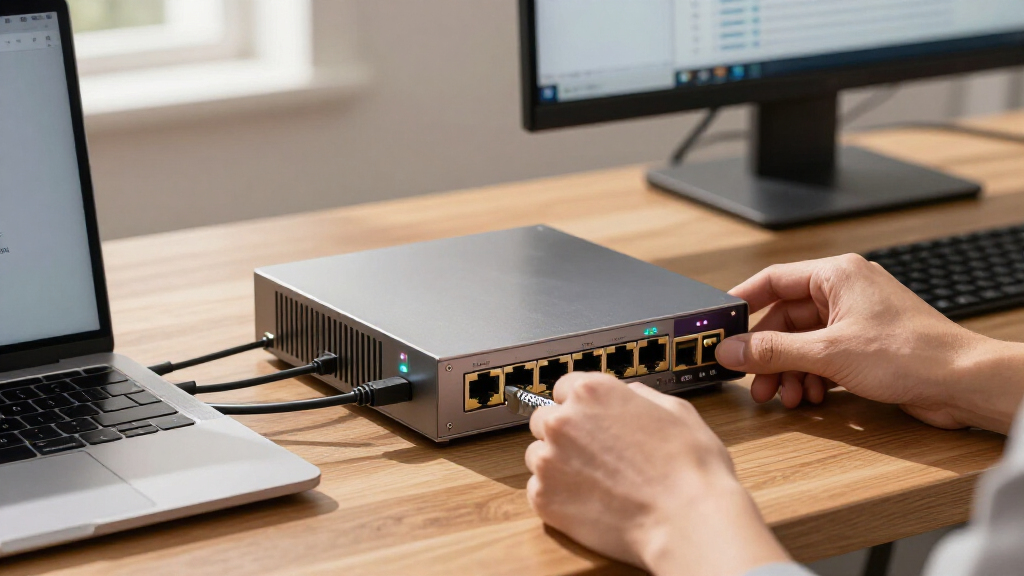

For most home labs and small offices, I’d start with the Glovary N150: its six 2.5GbE ports and included memory and storage make it a capable, ready-to-configure option. The MOGINSOK N100 is a simpler four-port pick, while the OAKNODE MGNASN adds 10GbE SFP+ for networks that need faster uplinks. The key tradeoffs are port count, processor headroom, included components, and whether you need rack mounting or 10GbE expansion. Older J3710 and N5105 models may suit lighter routing jobs, but their age and configuration details deserve closer scrutiny. Read on for the full comparison and help matching an appliance to your network.

Get privacy and security gear delivered free — and shop member deals
- Fast, free delivery on millions of items
- Access to Prime Big Deal Days deals on October 6–7
- Prime Video, Amazon Music and more included
Key Takeaways
- The Glovary N150 combines six 2.5GbE ports with 8GB DDR5 and a 128GB NVMe SSD, so it can handle a more complete setup without a barebone parts list.
- The MOGINSOK N100 keeps the layout simpler with four 2.5GbE ports; it is a better fit when a separate switch handles most LAN connections.
- The OAKNODE MGNASN is the clear expansion pick because its two 10GbE SFP+ ports add fast uplink options alongside four 2.5GbE ports.
- The HUNSN RJ16 is the rack-oriented choice, though its older second-generation Core i5 platform makes it less compelling for buyers who do not need a 1U chassis.
- Several listings use J3710 or N5105 processors, and one N5105 option is barebone; buyers should verify RAM, storage, NIC chipset support, and software compatibility before choosing.
| MOGINSOK Fanless Firewall Mini PC with Intel N100, 4×2.5GbE Ports |  | Best for a Customizable Quiet Build | Processor: Intel Alder Lake-N100, 4 cores/4 threads, up to 3.4 GHz | Networking: 4 × Intel I226 2.5GbE ports | Memory: 1 DDR5-4800 slot, up to 32 GB | VIEW LATEST PRICE | See Our Full Breakdown |
| Glovary N150 Fanless Mini PC Firewall, 6-Port 2.5GbE, 8GB DDR5 RAM, 128GB NVMe SSD |  | Best Ready-to-Run Six-Port Pick | Processor: Intel N150, 4 cores/4 threads, up to 3.6 GHz, 6 W TDP | Networking: 6 × 2.5GbE LAN with Intel i226-V controllers | Memory: 8GB DDR5 SO-DIMM | VIEW LATEST PRICE | See Our Full Breakdown |
| Fanless Firewall Mini PC with Intel Celeron N5105 and 4× 2.5GbE Ports (Barebone, No RAM or SSD) |  | Best for Flexible Storage Choices | Processor: Intel Celeron N5105, 4 cores/4 threads, up to 2.90 GHz | Networking: 4 × Intel i226-V 2.5GbE LAN | Memory support: 2 × DDR4 slots, up to 16GB at 2400 MHz | VIEW LATEST PRICE | See Our Full Breakdown |
| SJRC Fanless Mini PC with Intel Core i3-8130U, 6×2.5GbE LAN, 8GB DDR3L RAM and 128GB NVMe SSD |  | Best for Cellular Expansion | Processor: Intel Core i3-8130U, 2 cores/4 threads, up to 3.40 GHz | Ethernet: 6 × 2.5GbE Intel i226-V | Memory: 8GB DDR3L SO-DIMM at 1600 MHz; supports up to 16GB | VIEW LATEST PRICE | See Our Full Breakdown |
| HUNSN RJ16 1U Firewall Appliance with 6 x 2.5GbE and 2 x SFP+ 10GbE Ports, Intel 2nd Gen Core i5, OPNsense/pfSense Compatible |  | Best for Rack-Based 10GbE Uplinks | Form factor: 1U rack mount | Processor: Intel Core i5 2430M, 2520M, or 2540M, 2nd generation | Networking: 6 × 2.5GbE Intel I226-V LAN and 2 × 10GbE SFP+ Intel 82599ES | VIEW LATEST PRICE | See Our Full Breakdown |
| OAKNODE MGNASN Firewall Appliance Mini PC with Intel Alder Lake N100, 2x 10GbE SFP+ and 4x 2.5GbE |  | Best for 10GbE Uplinks | Processor: Intel Alder Lake N100, 4 cores/4 threads, up to 3.4 GHz | Ethernet: 2x 10GbE SFP+ (Intel 82599ES); 4x 2.5GbE (Intel I226-V) | Memory: Dual SO-DIMM slots; listing conflicts on DDR4/DDR5 | VIEW LATEST PRICE | See Our Full Breakdown |
| Firewall Mini PC Router, Intel J6412, 6-Port 2.5GbE, 8GB RAM, 128GB SSD |  | Best Ready-to-Configure Six-Port Pick | Processor: Intel J6412, up to 3.0 GHz burst | Memory: 8GB DDR4 SO-DIMM; two slots, up to 32GB | Storage: 128GB SSD; M-SATA and SATA 3.0 support | VIEW LATEST PRICE | See Our Full Breakdown |
| Fanless Firewall Appliance with Intel J3710, 4 Intel I226 LAN Ports, 8GB RAM, and 64GB SSD |  | Best Compact VESA-Mount Firewall | Processor: Intel J3710, 4 cores/4 threads, up to 2.64 GHz | Network ports: 4x Intel I226 LAN | Memory: 8GB DDR3; maximum 8GB | VIEW LATEST PRICE | See Our Full Breakdown |
| Fanless J3710 Mini PC Firewall Appliance with 4-Port 2.5GbE LAN |  | Best for Firewall and Virtualization Experiments | Processor: Intel Pentium J3710, 4 cores/4 threads, up to 2.64 GHz | Ethernet: 4x 2.5GbE LAN (Intel i225V) | Memory: 8GB DDR3L; 1x SO-DIMM slot | VIEW LATEST PRICE | See Our Full Breakdown |
| Fanless Micro Firewall Appliance with Intel J3710 Quad Core CPU, 4x Intel i226-V LAN Ports, 8GB RAM, 240GB SSD |  | Best Included Storage | Processor: Intel Pentium J3710 quad core, up to 2.64 GHz | Memory: 8GB DDR3; maximum 8GB | Storage: 240GB mSATA SSD; supports up to 512GB; HDD not supported | VIEW LATEST PRICE | See Our Full Breakdown |
| 2.5GbE firewall appliance | Processor | Memory | Storage | Cooling |
|---|---|---|---|---|
| MOGINSOK Fanless Firewall Mini | Intel Alder Lake-N100, 4 cores/4 threads, up to 3.4 GHz | 1 DDR5-4800 slot, up to 32 GB | 1 M.2 PCIe 3.0 slot | Fanless |
| Glovary N150 Fanless Mini PC F | Intel N150, 4 cores/4 threads, up to 3.6 GHz, 6 W TDP | 8GB DDR5 SO-DIMM | 128GB NVMe SSD; 2 × M.2 2280 NVMe slots; 1 × SATA 3.0 | Fanless aluminum alloy body; optional 80 × 10 mm fan support |
| Fanless Firewall Mini PC with | Intel Celeron N5105, 4 cores/4 threads, up to 2.90 GHz | — | — | — |
| SJRC Fanless Mini PC with Inte | Intel Core i3-8130U, 2 cores/4 threads, up to 3.40 GHz | 8GB DDR3L SO-DIMM at 1600 MHz; supports up to 16GB | 128GB SSD; M.2 M-Key 2280 supports NVMe PCIe 3.0 x4 or SATA | Fanless aluminum chassis; optional 12V fan header |
| HUNSN RJ16 1U Firewall Applian | Intel Core i5 2430M, 2520M, or 2540M, 2nd generation | 2GB RAM | 64GB SSD | — |
| OAKNODE MGNASN Firewall Applia | Intel Alder Lake N100, 4 cores/4 threads, up to 3.4 GHz | Dual SO-DIMM slots; listing conflicts on DDR4/DDR5 | M.2 2280 NVMe/PCIe 3.0 x1 and externally installed SATA 3.0 drive support | — |
| Firewall Mini PC Router | Intel J6412, up to 3.0 GHz burst | 8GB DDR4 SO-DIMM; two slots, up to 32GB | 128GB SSD; M-SATA and SATA 3.0 support | Fanless aluminum alloy chassis |
| Fanless Firewall Appliance wit | Intel J3710, 4 cores/4 threads, up to 2.64 GHz | 8GB DDR3; maximum 8GB | 64GB mSATA SSD; supports up to 512GB; HDD not supported | Fanless |
| Fanless J3710 Mini PC Firewall | Intel Pentium J3710, 4 cores/4 threads, up to 2.64 GHz | 8GB DDR3L; 1x SO-DIMM slot | 128GB SSD; mSATA and SATA 3.0 slots | Fanless aluminum alloy chassis |
| Fanless Micro Firewall Applian | Intel Pentium J3710 quad core, up to 2.64 GHz | 8GB DDR3; maximum 8GB | 240GB mSATA SSD; supports up to 512GB; HDD not supported | Fanless aluminum alloy chassis |
More Details on Our Top Picks
MOGINSOK Fanless Firewall Mini PC with Intel N100, 4×2.5GbE Ports
The MOGINSOK pairs a fanless chassis with four Intel I226 2.5GbE ports, a practical layout for a home firewall separating a few network segments. Its Intel N100 and DDR5 support make it a newer platform than the Celeron N5105 appliance in this lineup, while the MOGINSOK’s four ports suit simpler setups better than the six-port Glovary N150. The tradeoff is that this described configuration leaves out both memory and SSD, so buyers must choose and install those before deployment. It also gives less room for expansion than units with multiple storage options. I’d shortlist it for a silent, configurable pfSense or OPNsense build, but skip it if you want a ready-to-run box or need six physical LAN connections.
Pros:- Four Intel I226 2.5GbE ports for multi-segment firewall setups
- Fanless cooling keeps a home office or media cabinet quiet
- DDR5 memory support and an M.2 PCIe 3.0 slot allow a tailored build
- Supports pfSense Plus, OPNsense, OpenWrt, and other operating systems
Cons:- Memory and SSD are not included in the described configuration
- Four network ports provide less room for separate segments than the six-port Glovary N150
- Network driver compatibility may vary by operating system
Best for: Home network owners who want a silent N100 firewall and prefer choosing their own RAM and M.2 storage.
Not ideal for: Buyers who want a complete appliance out of the box or need six LAN ports for several network segments.
- Processor:Intel Alder Lake-N100, 4 cores/4 threads, up to 3.4 GHz
- Networking:4 × Intel I226 2.5GbE ports
- Memory:1 DDR5-4800 slot, up to 32 GB
- Storage:1 M.2 PCIe 3.0 slot
- Cooling:Fanless
- Operating systems:pfSense Plus preinstalled; supports OPNsense, OpenWrt, Windows 10/11, and others
- Warranty:12 months
Our verdict“Choose the MOGINSOK if you want a quiet, configurable four-port N100 firewall and are prepared to supply its memory and storage.”
Glovary N150 Fanless Mini PC Firewall, 6-Port 2.5GbE, 8GB DDR5 RAM, 128GB NVMe SSD
The Glovary N150 is the clearest fit here for buyers who need six 2.5GbE ports and want to begin with memory and storage already installed. Its 8GB DDR5 and 128GB NVMe SSD make it more deployment-ready than the barebone MOGINSOK and N5105 models, while its two M.2 slots plus SATA leave room to expand later. The N150’s four-core processor and fanless cooling suit a compact routing appliance, though the listing provides no basis for judging sustained performance under heavy firewall or virtualization loads. Compared with the older, included-memory SJRC i3 model, this Glovary offers newer N150 silicon and more specified storage expansion, but it lacks the SJRC’s listed cellular expansion slot. Choose it for a quiet, well-connected OPNsense setup; look elsewhere if sustained high load is central to your workload.
Pros:- Six Intel i226-V 2.5GbE ports support several wired network segments
- Includes 8GB DDR5 RAM and a 128GB NVMe SSD
- Two M.2 NVMe slots and SATA support provide storage expansion options
- Fanless aluminum chassis supports quiet placement
Cons:- Fanless cooling may be a limitation under sustained high load
- No firsthand performance information is provided in the product details
- No cellular expansion is listed, unlike the SJRC i3 appliance
Best for: Home lab builders who need six physical LAN connections and want an OPNsense-capable appliance with RAM and NVMe storage included.
Not ideal for: Operators planning sustained heavy workloads who need proven thermal performance or buyers who want cellular expansion.
- Processor:Intel N150, 4 cores/4 threads, up to 3.6 GHz, 6 W TDP
- Networking:6 × 2.5GbE LAN with Intel i226-V controllers
- Memory:8GB DDR5 SO-DIMM
- Storage:128GB NVMe SSD; 2 × M.2 2280 NVMe slots; 1 × SATA 3.0
- Cooling:Fanless aluminum alloy body; optional 80 × 10 mm fan support
- Display outputs:2 × HDMI and 1 × USB-C; up to 4K at 60 Hz
- Supported systems:OPNsense, Linux, and OpenWrt
- Included accessories:Power adapter, SATA 3.0 cable, 4-pin fan cable, and VESA bracket
Our verdict“Pick the Glovary if you want six 2.5GbE connections in a quiet appliance that includes its initial RAM and NVMe storage.”
Fanless Firewall Mini PC with Intel Celeron N5105 and 4× 2.5GbE Ports (Barebone, No RAM or SSD)
This N5105 appliance gives buyers a four-port 2.5GbE firewall base with more specified storage flexibility than the MOGINSOK: it accepts an M.2 NVMe drive or a 2.5-inch SATA drive. Its two DDR4 slots allow up to 16GB, but that ceiling and the older Celeron platform make it a more restrained choice than the N100 MOGINSOK for buyers building around a newer processor. The AES-NI support and compatibility with pfSense, OPNsense, and OpenWrt suit firewall use, while the console and expansion interfaces may appeal to tinkerers. This listing is barebone, so RAM and storage are extra setup decisions. There’s also conflicting cooling information in the description, which makes its thermal setup less clear than the fanless Glovary. I’d consider it when SATA storage flexibility matters more than a ready-to-run configuration.
Pros:- Four Intel i226-V 2.5GbE ports for firewall and router duties
- Supports both M.2 NVMe and 2.5-inch SATA storage
- AES-NI support and compatibility with pfSense, OPNsense, and OpenWrt
- Includes a console interface and a wireless expansion slot
Cons:- RAM and SSD are not included
- Maximum supported memory is 16GB
- The description conflicts on whether cooling is fanless or fan-cooled
Best for: DIY firewall builders who want a compact four-port appliance with a choice of NVMe or 2.5-inch SATA storage.
Not ideal for: Buyers seeking included RAM and storage, a higher memory ceiling, or clear confirmation of fanless cooling.
- Processor:Intel Celeron N5105, 4 cores/4 threads, up to 2.90 GHz
- Networking:4 × Intel i226-V 2.5GbE LAN
- Memory support:2 × DDR4 slots, up to 16GB at 2400 MHz
- Storage support:1 × M.2 NVMe 2280 and 1 × 2.5-inch SATA
- Video outputs:HDMI 2.0 and DisplayPort 1.4; dual 4K at 60 Hz
- Other interfaces:RJ45 COM console, 2 × USB 2.0, 2 × USB 3.0, Mini PCIe, and SIM slot
- Operating systems:Windows listed; compatible with pfSense, OPNsense, OpenWrt, and others
- Included memory and storage:None
Our verdict“Choose this N5105 barebone if you value NVMe or SATA storage choice and are comfortable supplying components and confirming the cooling setup.”
SJRC Fanless Mini PC with Intel Core i3-8130U, 6×2.5GbE LAN, 8GB DDR3L RAM and 128GB NVMe SSD
The SJRC stands apart through its six 2.5GbE ports, included 8GB RAM and 128GB SSD, and expansion provisions for cellular or WLAN modules. That makes it a stronger fit for a network edge project than the four-port barebone N5105, particularly when a SIM-based connection is part of the plan. The tradeoff is its older Core i3-8130U platform and DDR3L memory, with a 16GB ceiling that gives less headroom than the DDR5 Glovary N150. Its fanless aluminum chassis supports quiet use, while a listed fan header offers an option for added airflow. Buyers should remember that cellular and WLAN modules are separate purchases. I’d choose it for a six-port router with expansion needs, but the Glovary is a better match when newer listed CPU and memory specifications matter more.
Pros:- Six Intel i226-V 2.5GbE ports support multiple wired segments
- Includes 8GB DDR3L RAM and a 128GB SSD
- M.2 B-Key with Nano SIM supports cellular expansion
- Fanless aluminum chassis and optional fan header offer cooling flexibility
Cons:- Older Core i3 platform and DDR3L memory trail the Glovary N150’s listed N150 and DDR5 configuration
- Memory support is limited to 16GB
- Cellular and WLAN modules are sold separately
Best for: Network integrators who need six wired 2.5GbE connections, included basic memory and storage, and the option to add cellular connectivity.
Not ideal for: Buyers who want a newer processor platform, more than 16GB RAM, or cellular and WLAN modules included.
- Processor:Intel Core i3-8130U, 2 cores/4 threads, up to 3.40 GHz
- Ethernet:6 × 2.5GbE Intel i226-V
- Memory:8GB DDR3L SO-DIMM at 1600 MHz; supports up to 16GB
- Storage:128GB SSD; M.2 M-Key 2280 supports NVMe PCIe 3.0 x4 or SATA
- Additional storage:Onboard SATA 3.0 port
- Expansion:M.2 B-Key with Nano SIM and M.2 E-Key 2230
- Cooling:Fanless aluminum chassis; optional 12V fan header
- Dimensions and weight:6.42 × 4.92 × 2.17 inches; 2.7 pounds
Our verdict“Choose the SJRC if you need six Ethernet ports and possible cellular expansion, and its older platform and 16GB memory limit fit your workload.”
HUNSN RJ16 1U Firewall Appliance with 6 x 2.5GbE and 2 x SFP+ 10GbE Ports, Intel 2nd Gen Core i5, OPNsense/pfSense Compatible
The HUNSN RJ16 is the rack-focused choice: its six 2.5GbE ports handle local network segments, while two SFP+ 10GbE ports provide faster links to compatible switches or other equipment. That combination makes it more suited to a rack with mixed-speed connections than the desktop-sized Glovary N150 or SJRC. It also arrives with 2GB RAM and a 64GB SSD, so it has basic included memory and storage, though 2GB leaves limited room for firewall add-ons and other services. The listed second-generation Core i5 is older than the N150 and N100 options, so I would not make it my first pick for demanding workloads. Choose it when rack mounting and SFP+ connectivity carry more weight than modern processing or memory capacity.
Pros:- Combines six 2.5GbE LAN ports with two 10GbE SFP+ ports
- 1U rack-mount form factor fits rack-based network installations
- Includes 2GB RAM and a 64GB SSD for a basic starting configuration
- Supports pfSense, OPNsense, FreeBSD, Linux, and Windows
Cons:- The included 2GB RAM may constrain add-ons and multi-service deployments
- Second-generation Core i5 options are older than the N100 and N150 appliances
- 64GB SSD provides limited storage capacity
Best for: Small offices and home lab operators with a 1U rack who need six 2.5GbE LAN connections plus SFP+ uplinks.
Not ideal for: Buyers running memory-heavy firewall services or seeking a newer processor platform and larger included RAM capacity.
- Form factor:1U rack mount
- Processor:Intel Core i5 2430M, 2520M, or 2540M, 2nd generation
- Networking:6 × 2.5GbE Intel I226-V LAN and 2 × 10GbE SFP+ Intel 82599ES
- Memory:2GB RAM
- Storage:64GB SSD
- Interfaces:RS232 console, GPIO, 2 × USB 2.0, and VGA
- Power and cooling:ATX power with AC socket; silent turbo cooling fan
- Dimensions:440 × 255 × 45 mm
Our verdict“Pick the HUNSN RJ16 when you need a rack-mount firewall with SFP+ uplinks and can work within its older processor and 2GB memory configuration.”
OAKNODE MGNASN Firewall Appliance Mini PC with Intel Alder Lake N100, 2x 10GbE SFP+ and 4x 2.5GbE
The OAKNODE MGNASN is the unusual pick here for a firewall build that needs both several 2.5GbE connections and two 10GbE SFP+ ports. Those uplinks can connect to compatible switches or fiber networks without an add-on card, while four 2.5GbE ports cover LAN, WAN, and segmented networks. Compared with the six-port J6412 appliance, it gives up two 2.5GbE ports but adds 10GbE headroom and an N100 processor. That flexibility comes with setup work: memory and storage are not included, the listing conflicts on DDR4 versus DDR5, and network-card driver support may vary by operating system. I’d choose it for a configurable home lab or NAS-oriented gateway, but buyers seeking a ready-to-configure firewall should look at the J6412 model instead.
Pros:- Combines four 2.5GbE ports with two 10GbE SFP+ uplinks
- N100 platform supports firewall, router, NAS, and home-server roles
- M.2 NVMe and externally installed SATA storage options
- Mini PCIe slot and SIM support allow an optional 4G modem
Cons:- RAM and storage must be supplied separately
- Memory type is inconsistent across the listing
- Some operating systems may lack drivers for the network cards
Best for: Home-lab builders connecting a 2.5GbE firewall to 10GbE SFP+ switches or storage
Not ideal for: Buyers who want a complete appliance out of the box or need six 2.5GbE copper ports
- Processor:Intel Alder Lake N100, 4 cores/4 threads, up to 3.4 GHz
- Ethernet:2x 10GbE SFP+ (Intel 82599ES); 4x 2.5GbE (Intel I226-V)
- Memory:Dual SO-DIMM slots; listing conflicts on DDR4/DDR5
- Storage:M.2 2280 NVMe/PCIe 3.0 x1 and externally installed SATA 3.0 drive support
- Video outputs:HDMI 2.0, DisplayPort 1.4, USB-C DisplayPort 1.2
- Expansion:Mini PCIe slot for optional 4G modem; SIM and TF card boot support
- Included memory and storage:None
Our verdict“Choose the OAKNODE if 10GbE SFP+ uplinks matter more than a ready-to-run setup or six 2.5GbE ports.”
Firewall Mini PC Router, Intel J6412, 6-Port 2.5GbE, 8GB RAM, 128GB SSD
For buyers who want six 2.5GbE connections without sourcing memory and a drive separately, this J6412 appliance includes 8GB RAM and a 128GB SSD. Its six Intel i226-V ports make it easier to dedicate interfaces to WAN links, VLANs, and separate networks than the four-port J3710 models in this batch. It also comes with pfSense pre-installed and supports OPNsense, VyOS, and Linux, though the firewall still needs user configuration. The tradeoff is a modest 10W platform with only 8GB included; heavier logging, packages, or virtualized services may call for an upgrade, and that memory ceiling is 32GB. Compared with the OAKNODE, it lacks 10GbE SFP+ uplinks, but it is a more complete starting point for a multi-WAN or segmented home network.
Pros:- Six Intel i226-V 2.5GbE ports for WAN, LAN, and VLAN separation
- Includes 8GB DDR4 RAM and a 128GB SSD
- Fanless aluminum cooling supports quiet operation
- AES-NI hardware support and compatibility with several firewall systems
Cons:- pfSense is pre-installed but still requires configuration
- Included 8GB RAM may limit heavier packages and workloads
- No 10GbE SFP+ ports, unlike the OAKNODE
Best for: Home-network administrators who need six 2.5GbE interfaces and included RAM and SSD for multi-WAN or VLAN setups
Not ideal for: Users needing 10GbE uplinks or a preconfigured firewall policy that works without setup
- Processor:Intel J6412, up to 3.0 GHz burst
- Memory:8GB DDR4 SO-DIMM; two slots, up to 32GB
- Storage:128GB SSD; M-SATA and SATA 3.0 support
- Network ports:6x Intel i226-V 2.5GbE
- Power consumption:10 watts
- Cooling:Fanless aluminum alloy chassis
- Operating system compatibility:Windows, Linux, pfSense, OPNsense, VyOS, RouterOS
- Video output:HDMI and USB-C; up to 4K
Our verdict“Pick this J6412 model for six 2.5GbE ports and included components, provided you are comfortable configuring the firewall yourself.”
Fanless Firewall Appliance with Intel J3710, 4 Intel I226 LAN Ports, 8GB RAM, and 64GB SSD
This four-port J3710 appliance suits buyers who want a small, fanless firewall that can be mounted behind a display or in a tight wiring area. Its 8GB RAM and 64GB mSATA SSD are included, so it is a simpler starting point than the barebones OAKNODE, though its storage is much smaller. Four Intel I226 ports cover a basic WAN-and-LAN layout with room for a guest or device network; the six-port J6412 offers more interface capacity for multi-WAN or extensive segmentation. The older J3710 and 8GB memory ceiling make this a better fit for straightforward routing than a busy network running many add-ons. Buyers should also note that the listed storage support excludes HDDs. I’d favor it when mounting footprint matters more than expansion or processing headroom.
Pros:- Four Intel I226 LAN ports for a basic multi-interface firewall
- Includes 8GB RAM and a 64GB mSATA SSD
- Fanless aluminum enclosure supports quiet operation
- Compact chassis includes a VESA mount
Cons:- J3710 is an older, modest platform for demanding workloads
- Memory is capped at 8GB
- No HDD support, and included SSD capacity is limited
Best for: Apartment residents or small-office owners who need a quiet four-port firewall that can mount behind a monitor
Not ideal for: Users planning multi-WAN networks, heavy firewall packages, or substantial storage expansion
- Processor:Intel J3710, 4 cores/4 threads, up to 2.64 GHz
- Network ports:4x Intel I226 LAN
- Memory:8GB DDR3; maximum 8GB
- Storage:64GB mSATA SSD; supports up to 512GB; HDD not supported
- AES-NI:Supported
- Cooling:Fanless
- Mounting:VESA mount included
- Dimensions:5.27 × 4.98 × 1.43 inches
Our verdict“Choose this compact J3710 for quiet, VESA-mounted routing when four ports and modest workloads are enough.”
Fanless J3710 Mini PC Firewall Appliance with 4-Port 2.5GbE LAN
This J3710 model is aimed at a buyer who wants to try a firewall platform alongside ESXi or Proxmox, with four 2.5GbE ports for separating network roles. Its fanless aluminum case and HDMI and DisplayPort outputs make it a compact lab box, while the listed mSATA and SATA slots provide two storage paths. Compared with the VESA-mount J3710, it lists broader virtualization compatibility and 128GB of included SSD storage, but it has the same older processor class and an 8GB DDR3L memory limit. The port chipset is listed as Intel i225V, whereas the other four-port J3710 options specify I226 variants, so buyers should check operating-system support for their intended setup. It makes more sense as a modest lab or routing appliance than as a platform for demanding virtual machines.
Pros:- Four 2.5GbE LAN ports in a fanless aluminum chassis
- Lists compatibility with OPNsense, Linux, ESXi, and Proxmox
- Includes 8GB RAM and a 128GB SSD
- mSATA and SATA 3.0 storage slots provide expansion paths
Cons:- Older J3710 processor limits demanding firewall or virtualization workloads
- Memory is limited to 8GB in a single DDR3L SO-DIMM slot
- Listing specifies Intel i225V ports, unlike the I226 ports on the other J3710 options
Best for: Home-lab users running a lightweight firewall alongside basic ESXi or Proxmox experiments
Not ideal for: Buyers who need substantial VM memory, newer processing capacity, or a clearly specified I226 port chipset
- Processor:Intel Pentium J3710, 4 cores/4 threads, up to 2.64 GHz
- Ethernet:4x 2.5GbE LAN (Intel i225V)
- Memory:8GB DDR3L; 1x SO-DIMM slot
- Storage:128GB SSD; mSATA and SATA 3.0 slots
- Expansion:1x Mini PCIe slot
- Video outputs:HDMI and DisplayPort
- Cooling:Fanless aluminum alloy chassis
- Compatibility:OPNsense, Linux, ESXi, Proxmox
Our verdict“Pick this J3710 for a compact, low-demand firewall lab that benefits from the listed virtualization compatibility.”
Fanless Micro Firewall Appliance with Intel J3710 Quad Core CPU, 4x Intel i226-V LAN Ports, 8GB RAM, 240GB SSD
Among these four-port J3710 choices, this model arrives with the largest listed SSD: 240GB, which gives a firewall build more room for logs, updates, and modest add-ons than the 64GB VESA-mount appliance. It also includes 8GB DDR3 RAM and four Intel i226-V 2.5GbE ports in a compact, fanless case. That makes it a more complete small-network package than the barebones OAKNODE, though the OAKNODE has a newer N100 platform and two 10GbE SFP+ connections. Here, the J3710 is older, memory cannot exceed 8GB, and no HDD is supported. The listing also says no operating system is installed, so buyers need to install and configure pfSense, OPNsense, or another supported system themselves. I’d choose it for included storage, not for future workload growth.
Pros:- Includes a 240GB mSATA SSD, more than the other listed J3710 appliances
- Four Intel i226-V 2.5GbE LAN ports
- Fanless 6W design suits quiet, continuous operation
- Compact case includes a VESA mount
Cons:- Older J3710 processor limits heavier firewall workloads
- RAM is capped at 8GB and HDD storage is unsupported
- Ships without an operating system installed
Best for: Home users who want a four-port 2.5GbE firewall with a larger included SSD for logs and lightweight services
Not ideal for: Buyers who want a newer CPU, more than 8GB RAM, HDD storage, or a pre-installed operating system
- Processor:Intel Pentium J3710 quad core, up to 2.64 GHz
- Memory:8GB DDR3; maximum 8GB
- Storage:240GB mSATA SSD; supports up to 512GB; HDD not supported
- LAN ports:4x Intel i226-V, up to 2.5GbE
- Power consumption:6W
- Cooling:Fanless aluminum alloy chassis
- Interfaces:2x USB 3.0, RS232 COM, 2x HD ports, HDMI, VGA
- Features:AES-NI, Wake-on-LAN, VESA mount
Our verdict“Choose this J3710 if included SSD capacity matters more than newer processing power or memory expansion.”

How We Picked
I compared these appliances against the needs implied by a 2.5GbE firewall: enough network ports for the intended layout, a processor suited to the planned firewall features, and a configuration that can be installed and maintained without surprises. I also weighed included RAM and storage, chassis format, and expansion options. A port count alone does not establish firewall throughput, since traffic inspection, VPN use, and software configuration affect performance.
The ranking favors balanced, clearly specified systems first. The Glovary N150 leads for its six ports and included DDR5 memory and NVMe storage; the MOGINSOK N100 follows as a simpler four-port appliance. The OAKNODE ranks highly for buyers who need 10GbE uplinks, while the HUNSN earns a distinct place for rack use. Older CPU platforms and barebone configurations rank lower for general buyers, though they may still fit modest networks or hands-on builders.
| 2.5GbE firewall appliance | Cooling |
|---|---|
| MOGINSOK Fanless Firewall Mini | Fanless |
| Glovary N150 Fanless Mini PC F | Fanless aluminum alloy body; optional 80 × 10 mm fan support |
| Fanless Firewall Mini PC with | — |
| SJRC Fanless Mini PC with Inte | Fanless aluminum chassis; optional 12V fan header |
| HUNSN RJ16 1U Firewall Applian | — |
| OAKNODE MGNASN Firewall Applia | — |
| Firewall Mini PC Router | Fanless aluminum alloy chassis |
| Fanless Firewall Appliance wit | Fanless |
| Fanless J3710 Mini PC Firewall | Fanless aluminum alloy chassis |
| Fanless Micro Firewall Applian | Fanless aluminum alloy chassis |
Factors to Consider When Choosing Best 2.5GbE Firewall Appliance
I’d choose an appliance by mapping the network it must connect before comparing CPU names. These decisions affect installation, headroom, and future upgrades more than a headline port count does.
Map the ports to your actual network
Count the connections that must land directly on the firewall: WAN, LAN segments, access points, lab networks, and any isolated devices. A four-port appliance can be enough when a managed switch carries most internal traffic. Six ports offer room for segmentation without requiring extra switching hardware, but each firewall interface still needs configuration and a clear purpose. Avoid assuming every port must run at 2.5GbE for the appliance to be useful. Sketching the connections first can prevent buying extra ports you will not use or running out as soon as you add a network segment.
Match processor headroom to firewall features
Basic routing and filtering ask less of a CPU than encrypted VPN traffic or intensive intrusion detection and prevention. Throughput figures from a network interface do not tell you how quickly the full firewall configuration can inspect packets. Think about the number of clients, simultaneous VPN users, and security features you plan to keep enabled. Older, low-power processors can be sensible for modest traffic, but leave less room for heavier workloads and future changes. If you depend on a particular feature, look for performance results for that feature and software combination instead of inferring capacity from core count alone.
Check the network chipset and software support
Firewall operating systems depend on drivers for the appliance’s network controllers, so the chipset matters as much as the port label. Intel I226 appears in several listings here, but a buyer should still check current support for the exact OS version and hardware revision. Confirm whether the appliance boots the intended software and whether all ports are detected before planning a permanent deployment. Listing titles can omit chipset revisions or firmware details, which makes seller documentation useful. This check helps avoid a setup where the CPU and ports appear suitable but the chosen firewall system cannot use the interfaces reliably.
Account for barebone parts and maintenance
A barebone appliance gives you control over RAM and storage, but it also adds compatibility checks and installation work. Compare the supported memory type, maximum capacity, storage interface, and physical fit before selecting parts. Preconfigured systems reduce setup effort, though their supplied capacity may not match your logging or add-on needs. Storage affects more than boot time: logs, package updates, and recovery workflows all rely on it. Leave a practical backup and replacement plan, especially if the firewall will serve as the single gateway for a household or office.
Decide whether you need 10GbE or rack mounting
10GbE SFP+ is useful when a fast connection to a core switch or storage network is part of the design; it does not make every client connection faster by itself. Check the transceiver or direct-attach cable requirements, supported link modes, and switch compatibility before choosing that path. A 1U chassis can suit a rack with planned airflow and power, while a compact fanless appliance fits a desk or wiring cabinet more easily. Rack placement can simplify cabling but make access and cooling more demanding. Pay for these features when they solve a real layout constraint, rather than treating them as automatic upgrades.
Plan for heat, noise, and long-term access
Fanless construction avoids a moving part, but it relies on the case shedding heat into the surrounding air. A unit tucked into a closed cabinet may run hotter than one placed in an open, ventilated area. Check the manufacturer’s operating conditions and leave space around the chassis rather than stacking it under other warm equipment. Also consider how easily you can reach the power connection, storage, and reset controls if the firewall needs recovery. A quiet, compact appliance is most useful when its installation spot supports the cooling and service access it needs.
Frequently Asked Questions
Is four-port 2.5GbE enough if I already have a managed switch?
Often, yes. A managed switch can connect most wired clients while the firewall handles WAN access, routing between selected networks, and policy enforcement. Four ports can cover a WAN link and several direct connections or network segments, depending on your layout. Check whether your switch supports the VLAN setup you intend to use, since that can change how many physical firewall ports you need. The MOGINSOK’s four-port layout is a reasonable starting point when switching capacity already exists.
Should I choose the six-port N150 or an N100 appliance?
Start with the number of interfaces and the firewall features you plan to run, rather than treating the CPU label as a complete performance measure. The Glovary N150 includes six ports, DDR5 memory, and NVMe storage, which makes it attractive for buyers who want more direct connections in a ready-configured system. The MOGINSOK N100 has four ports and may be a cleaner fit when a switch handles the LAN side. For VPN or traffic inspection workloads, find relevant throughput results for the software and configuration you expect to use. The product listings alone do not establish a definitive performance winner.
Does a 10GbE SFP+ port speed up my regular 2.5GbE devices?
No; a 10GbE uplink can increase capacity between the firewall and a compatible switch or network, but a 2.5GbE client remains limited by its own link. The OAKNODE’s SFP+ ports are most useful when the rest of the network has matching 10GbE equipment and suitable cabling or optics. Check the SFP+ module or cable requirements and confirm compatibility with the switch on the other end. If your WAN and local traffic do not exceed 2.5GbE, those ports may add little practical benefit. Choose them for an identified uplink need or planned expansion.
Is a barebone firewall appliance a good choice for a first build?
It can be, if you are comfortable choosing compatible memory and storage and installing the operating system yourself. The barebone N5105 model listed here arrives without RAM or an SSD, so the finished system depends on parts you select and install. Before ordering, confirm supported memory, storage type, NIC support, and the installer’s boot requirements. A preconfigured appliance reduces those setup decisions and may be easier to bring online. For a first firewall build, weigh the learning value of assembling it against the time needed to troubleshoot hardware and software together.
When does a rackmount model make more sense than a fanless mini PC?
A rackmount appliance makes sense when the firewall belongs in an existing rack and its port layout fits your cabling plan. The HUNSN RJ16 offers 1U mounting and 10GbE SFP+ ports, features that can simplify a rack-based network. A mini PC is usually easier to place near a modem or switch in a home or small office without dedicated rack space. Compare ventilation and access as well as the chassis dimensions, since rack placement can complicate cooling or service. The HUNSN’s older processor is another reason to choose it for the rack format rather than assuming that format brings more processing capacity.
Conclusion
For the best overall balance, I’d choose the Glovary N150 when six 2.5GbE ports and an included memory and storage configuration fit the plan. The MOGINSOK N100 is my best value in terms of straightforward capability for a four-port network, while the OAKNODE MGNASN is the best premium fit for buyers who can use 10GbE SFP+ uplinks. Beginners may find the Glovary’s supplied RAM and SSD easier to set up than the barebone N5105. For a rack-based installation, the HUNSN RJ16 has the specific form factor; for a lighter, compact build, consider a J3710 unit only after checking software support and expected workload. Match the appliance to your ports, firewall features, and installation space, then verify the exact hardware revision before ordering.
Fall Picks
fall essentials
As an affiliate, we earn on qualifying purchases.