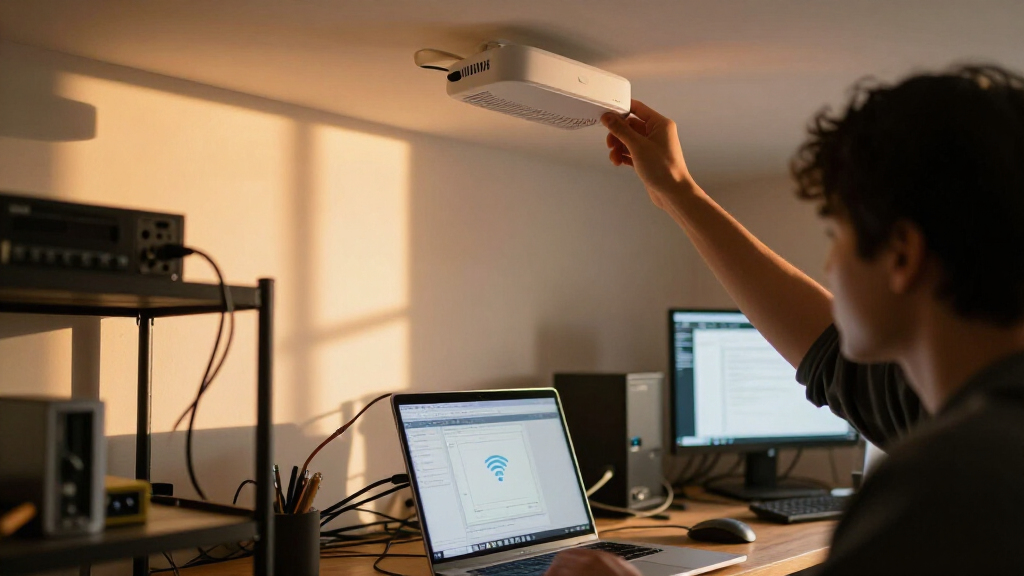

For most home labs, I’d choose the TP-Link Omada EAP650 as the best overall balance of Wi-Fi 6 capability and practical deployment, while the Ubiquiti UniFi U6 Enterprise suits labs that need 6 GHz and the Omada EAP610 is a simpler value pick. The main tradeoffs are newer wireless standards versus cost and client compatibility, plus controller convenience versus the time needed to learn a managed network ecosystem. Older UniFi Wi-Fi 5 models can still make sense for multi-AP experiments, but they lack the newer radios found in the leading picks. I compare all 10 options by lab fit, management, expansion potential, and deployment demands below. Continue reading for the full breakdown and a guide to choosing the right access point for your setup.

Get privacy and security gear delivered free — and shop member deals
- Fast, free delivery on millions of items
- Access to Prime Big Deal Days deals on October 6–7
- Prime Video, Amazon Music and more included
Key Takeaways
- The EAP650 is the roundup’s balanced Wi-Fi 6 choice: it offers a more capable step up from the EAP610 without making 6 GHz adoption a requirement.
- The U6 Enterprise models are the premium route: their Wi-Fi 6E support makes the 6 GHz band relevant for compatible clients, but not every home lab needs that added radio.
- The EAP610 is the straightforward value-oriented option: it covers core Wi-Fi 6 needs while giving up some of the EAP650’s capacity headroom.
- Several UniFi entries overlap substantially: the U6 Enterprise listings are close variants, so buyers should check included accessories and regional model details rather than treating them as distinct performance tiers.
- The nanoHD and older AC models fit specific lab goals: they can suit Wi-Fi 5 testing or multi-access-point practice, but the U6+ and Wi-Fi 6 Omada models are stronger starting points for a new network.
| Ubiquiti UniFi UAP-PRO Enterprise Wi-Fi Access Point |  | Best for a Legacy UniFi Lab | Model: UAP-PRO | Wireless standards: 802.11a/b/g/n | Frequency bands: 2.4 GHz and 5 GHz | VIEW LATEST PRICE | See Our Full Breakdown |
| TP-Link Omada EAP610 AX1800 Wi-Fi 6 Ceiling-Mount Access Point |  | Best Value for a Flexible Omada Lab | Model: EAP610 V2 | Wi-Fi standard: Wi-Fi 6 (802.11ax) | Wireless speed: Up to 1800 Mbps | VIEW LATEST PRICE | See Our Full Breakdown |
| Ubiquiti UniFi nanoHD 802.11ac Wave 2 MU-MIMO Access Point | 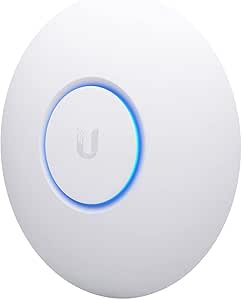 | Best Compact High-Density UniFi Pick | Model: UAP-NANOHD-US | Wireless standard: 802.11ac Wave 2 (Wi-Fi 5) | Frequency band: Dual-band | VIEW LATEST PRICE | See Our Full Breakdown |
| Ubiquiti UniFi U6 Enterprise Wi-Fi 6E Access Point |  | Best Premium 6E Upgrade | Model: U6 Enterprise | Wi-Fi generation: Wi-Fi 6E | Wireless standard: 802.11ax | VIEW LATEST PRICE | See Our Full Breakdown |
| Ubiquiti UniFi U6 Enterprise WiFi 6E Access Point (US Model, PoE Adapter Not Included) |  | Best for PoE+ 6E Installs | Model: U6-Enterprise-US | Wi-Fi bands: 2.4 GHz, 5 GHz, and 6 GHz | Aggregate throughput: 10.2 Gbps | VIEW LATEST PRICE | See Our Full Breakdown |
| Ubiquiti UniFi AC HD 802.11ac Wave 2 Enterprise Wi-Fi Access Point (UAP-AC-HD-US) |  | Best for a Wi-Fi 5 High-Density Lab | Model: UAP-AC-HD-US | Wi-Fi standard: 802.11ac (Wi-Fi 5) | Frequency: Dual-band; 5 GHz listed | VIEW LATEST PRICE | See Our Full Breakdown |
| Ubiquiti U6+ Dual-Band Wi-Fi 6 Wireless Access Point | 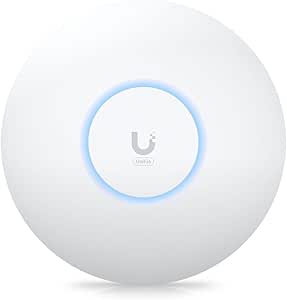 | Best Simple Wi-Fi 6 Upgrade | Model: U6+ (U6US) | Wi-Fi generation: Wi-Fi 6 (802.11ax) | Frequency bands: 2.4 GHz and 5 GHz | VIEW LATEST PRICE | See Our Full Breakdown |
| TP-Link Omada EAP650 AX3000 Wi-Fi 6 Ceiling-Mount Access Point |  | Best for Flexible Management and Power | Model: EAP650 | Wi-Fi generation: Wi-Fi 6 (802.11ax) | Frequency: Dual-band | VIEW LATEST PRICE | See Our Full Breakdown |
| Ubiquiti U6 Enterprise Wi-Fi 6E Indoor Access Point |  | Best Premium 6 GHz Lab Platform | Model: U6-Enterprise | Wireless standard: Wi-Fi 6E (802.11ax) | Frequency band: 6 GHz | VIEW LATEST PRICE | See Our Full Breakdown |
| Ubiquiti UniFi nanoHD Wi-Fi 5 Access Point, 5-Pack |  | Best for Multi-Room Wi-Fi 5 Labs | Model: UAP-NANOHD-5-US | Quantity: 5 access points | Wi-Fi generation: Wi-Fi 5 (802.11ac Wave 2) | VIEW LATEST PRICE | See Our Full Breakdown |
| enterprise access point for home lab | Model |
|---|---|
| Ubiquiti UniFi UAP-PRO Enterpr | UAP-PRO |
| TP-Link Omada EAP610 AX1800 Wi | EAP610 V2 |
| Ubiquiti UniFi nanoHD 802.11ac | UAP-NANOHD-US |
| Ubiquiti UniFi U6 Enterprise W | U6 Enterprise |
| Ubiquiti UniFi U6 Enterprise W | U6-Enterprise-US |
| Ubiquiti UniFi AC HD 802.11ac | UAP-AC-HD-US |
| Ubiquiti U6+ Dual-Band Wi-Fi 6 | U6+ (U6US) |
| TP-Link Omada EAP650 AX3000 Wi | EAP650 |
| Ubiquiti U6 Enterprise Wi-Fi 6 | U6-Enterprise |
| Ubiquiti UniFi nanoHD Wi-Fi 5 | UAP-NANOHD-5-US |
More Details on Our Top Picks
Ubiquiti UniFi UAP-PRO Enterprise Wi-Fi Access Point
I’d choose the UAP-PRO for a home lab built around older wireless clients or for practicing with an established UniFi setup on a limited feature set. Its two Gigabit Ethernet ports and included PoE adapter make it more self-contained than the nanoHD, which may require a separate power purchase. Wall or ceiling mounting also suits a fixed lab layout. The tradeoff is its Wi-Fi 4 (802.11n) radio: the listed 750 Mbps maximum is far behind the Wi-Fi 6 EAP610 and Wi-Fi 6E U6 Enterprise options, and it lacks newer security features listed for those models. I’d treat this as a legacy-network learning tool, not a forward-looking primary access point. Its included UniFi Controller software is useful for management practice, but doesn’t make the older radio faster.
Pros:- Includes UniFi Controller software without a license or subscription fee
- Two Gigabit Ethernet ports provide more wired connectivity than a single-port design
- Wall or ceiling mounting supports a fixed lab installation
- 48V Gigabit PoE adapter is included
Cons:- Wi-Fi 4 is substantially older than the Wi-Fi 6 EAP610 and Wi-Fi 6E U6 Enterprise
- Maximum listed data rate is 750 Mbps
- One-year warranty is shorter than the EAP610’s five-year warranty
Best for: Home-lab builders who specifically want to learn UniFi management or support legacy 802.11n devices on a wired Gigabit network.
Not ideal for: Buyers building a modern daily-use wireless network, especially those who want Wi-Fi 6, WPA3, or a longer upgrade runway.
- Model:UAP-PRO
- Wireless standards:802.11a/b/g/n
- Frequency bands:2.4 GHz and 5 GHz
- Maximum data rate:750 Mbps
- MIMO:2×2 and 3×3
- Ethernet ports:2 Gigabit
- Coverage:Up to 122 m (400 ft)
- Power and mounting:Included 48V Gigabit PoE adapter; wall or ceiling mount
Our verdict“Choose the UAP-PRO for a legacy UniFi learning setup, but pick the EAP610 or a U6 Enterprise for a current-generation home network.”
TP-Link Omada EAP610 AX1800 Wi-Fi 6 Ceiling-Mount Access Point
The Omada EAP610 is my practical pick for a home lab that needs current Wi-Fi without committing to an expensive multi-band design. Its Wi-Fi 6 support, WPA3, and flexible management modes give a lab room to explore controller-managed networking while retaining standalone operation. Power is flexible too: it accepts PoE+, passive PoE, or the included DC adapter, which can simplify a bench setup when a PoE switch isn’t available. Compared with the older UAP-PRO, it offers a much newer wireless generation; unlike the U6 Enterprise, it has no 6 GHz band or 2.5GbE uplink. One limitation matters for lab experiments: mesh and seamless roaming require an Omada SDN controller. I’d pick it for a capable, manageable access point, not for testing the highest-end throughput tier.
Pros:- Wi-Fi 6 with a listed wireless speed of up to 1800 Mbps
- Supports WPA3, mesh, and seamless roaming
- Can be managed through Omada cloud, a hardware or software controller, or standalone mode
- Supports PoE+, passive PoE, and 12V DC power
Cons:- Mesh and seamless roaming require an Omada SDN controller
- Gigabit LAN port is a lower-capacity uplink than the U6 Enterprise’s 2.5GbE port
- Dual-band design lacks the U6 Enterprise’s 6 GHz band
Best for: Home-lab users who want Wi-Fi 6, WPA3, and multiple management choices, including people powering an access point from a DC adapter rather than a PoE switch.
Not ideal for: Buyers who need 6 GHz testing, a 2.5GbE uplink, or mesh and roaming features without running an Omada SDN controller.
- Model:EAP610 V2
- Wi-Fi standard:Wi-Fi 6 (802.11ax)
- Wireless speed:Up to 1800 Mbps
- Frequency band:Dual-band
- LAN port:10/100/1000 Mbps
- Power options:802.3at PoE+, 48V/0.5A passive PoE, or 12V/1.5A DC
- Security:WPA3
- Management:Omada cloud, hardware or software controller, or standalone mode
- Warranty:5 years
Our verdict“Pick the EAP610 for a flexible Wi-Fi 6 Omada lab, and look to the U6 Enterprise if 6 GHz or a faster uplink is part of the project.”
Ubiquiti UniFi nanoHD 802.11ac Wave 2 MU-MIMO Access Point
The UniFi nanoHD suits a home lab where compact mounting and many connected clients matter more than having the newest wireless generation. Its 4×4 MU-MIMO design and stated support for 200+ concurrent users make it a more targeted high-density choice than the older UAP-PRO, while its small footprint is easier to place discreetly than a larger enterprise-style unit. It remains a Wi-Fi 5 access point, though, so the Wi-Fi 6 EAP610 is the stronger fit for a lab focused on newer client standards. I’d also verify the listed port details before building around wired throughput: the specs say two ports but list LAN bandwidth at 100 Mbps. Power is another setup cost, since a compatible PoE switch or adapter may be needed, and optional covers are separate.
Pros:- 4×4 MU-MIMO is suited to environments with many active clients
- Listed support for 200+ concurrent users
- Compact 6.3-inch-square design with optional covers
- Compatible with 802.3af PoE
Cons:- Wi-Fi 5 is an older generation than the EAP610’s Wi-Fi 6
- PoE switch or 48V adapter may need to be purchased separately
- Specs list 100 Mbps LAN bandwidth, which can constrain wired throughput
Best for: UniFi users who need a compact ceiling or wall access point for a busy test network with many simultaneous clients.
Not ideal for: Buyers prioritizing Wi-Fi 6, WPA3, a high-speed wired uplink, or a complete setup with power hardware included.
- Model:UAP-NANOHD-US
- Wireless standard:802.11ac Wave 2 (Wi-Fi 5)
- Frequency band:Dual-band
- MIMO:4×4 MU-MIMO
- Data transfer rate:1733 Mbps
- Concurrent users:200+
- PoE compatibility:802.3af
- Ports and LAN bandwidth:2 ports; listed LAN bandwidth 100 Mbps
- Dimensions:6.3 x 6.3 x 1.3 in
Our verdict“Choose the nanoHD for compact, client-dense UniFi testing, but favor the EAP610 for Wi-Fi 6 or the U6 Enterprise for 6 GHz.”
Ubiquiti UniFi U6 Enterprise Wi-Fi 6E Access Point
For a home lab designed to test newer client devices and high-capacity wireless, the U6 Enterprise stands out with tri-band Wi-Fi 6E and a 2.5GbE LAN port. That faster wired connection gives the radio more room than the EAP610’s Gigabit port, while 6 GHz adds a band that the nanoHD and EAP610 don’t provide. The listed 10.2 Gbps aggregate rate is a headline capacity figure, not a promise that one client will reach that speed. This is the premium, infrastructure-heavy choice: buyers need compatible 6 GHz clients and a network path capable of using its 2.5GbE port. Product details give limited setup and mounting information, and warranty coverage is not specified, so I’d verify those points before planning an installation.
Pros:- Tri-band Wi-Fi 6E supports testing across 2.4, 5, and 6 GHz
- 2.5GbE LAN port provides more wired capacity than the EAP610
- Listed coverage is up to 140 m² (1,500 ft²)
- Ten internal antennas are listed
Cons:- Many existing clients may not support the 6 GHz band
- A 2.5GbE-capable switch or network path is needed to use the faster uplink fully
- Setup, included mounting hardware, and warranty details are not specified
Best for: Home-lab builders with Wi-Fi 6E clients, a 2.5GbE-capable switch, and a specific need to experiment with tri-band wireless.
Not ideal for: Buyers with mostly older clients, a Gigabit-only wired network, or a preference for clearly documented setup and included mounting details.
- Model:U6 Enterprise
- Wi-Fi generation:Wi-Fi 6E
- Wireless standard:802.11ax
- Frequency band class:Tri-band
- LAN port bandwidth:2500 Mbps
- Data transfer rate:10.2 Gbps
- Coverage:140 m² (1,500 ft²)
- Antennas:10 internal
- Warranty:Not specified
Our verdict“Choose this U6 Enterprise when your lab can use 6 GHz and 2.5GbE, and favor the EAP610 if a simpler dual-band Wi-Fi 6 setup is enough.”
Ubiquiti UniFi U6 Enterprise WiFi 6E Access Point (US Model, PoE Adapter Not Included)
This US-model U6 Enterprise makes sense for a ceiling- or wall-mounted home lab that already has PoE+ available. Like the other U6 Enterprise listing, it brings 2.4, 5, and 6 GHz radios and up to 10.2 Gbps aggregate throughput; its product details are more explicit about mounting and PoE+ input. That clarity helps with installation planning, but the adapter is not included, so a buyer without a PoE+ switch or compatible injector must account for that separately. Compared with the EAP610, this is the more capable 6E option, but it asks for a faster wired network and compatible clients to make the extra capacity useful. It overlaps heavily with the other U6 Enterprise entry, so I’d choose between them based on included power and the listing details rather than expecting a different radio tier.
Pros:- Tri-band support covers 2.4, 5, and 6 GHz
- Listed aggregate throughput reaches 10.2 Gbps
- 2.5GbE RJ45 port supports a faster wired uplink than the EAP610
- Can be mounted on a ceiling or wall
Cons:- PoE adapter is not included and PoE+ power is required
- Requires compatible 6 GHz clients to use its newest band
- Overlaps substantially with the other U6 Enterprise listing
Best for: UniFi home-lab owners who already have PoE+ power and want a ceiling- or wall-mounted Wi-Fi 6E access point for compatible high-density clients.
Not ideal for: Buyers without PoE+ power hardware, those with mostly non-6E clients, or anyone seeking a distinct alternative to the other U6 Enterprise listing.
- Model:U6-Enterprise-US
- Wi-Fi bands:2.4 GHz, 5 GHz, and 6 GHz
- Aggregate throughput:10.2 Gbps
- Ethernet port:1 × 2.5GbE RJ45 (PoE In)
- Power:PoE+; 48 V DC
- Mounting:Ceiling or wall mountable
- Dimensions:8.66 × 8.66 × 1.89 in
- Security protocols:WPA2-Enterprise, WPA2-PSK, WPA3
- Included quantity:1
Our verdict“Pick this listing for a clearly specified PoE+ 6E installation if you already have suitable power, or choose the EAP610 for a less demanding dual-band setup.”
Ubiquiti UniFi AC HD 802.11ac Wave 2 Enterprise Wi-Fi Access Point (UAP-AC-HD-US)
The UniFi AC HD suits a home lab where many clients share an access point and testing Wi-Fi 5 behavior matters more than adopting the newest generation. Its 4×4 MU-MIMO design and stated 1,733 Mbps maximum upstream rate give it a different emphasis from the Wi-Fi 6 U6+, which is the more current choice for newer client devices. Gigabit Ethernet remains the wired ceiling, so this is not the pick for a multi-gig lab backbone. It supports 802.3at PoE+ and includes a PoE adapter and mounting kit, easing a single-unit installation. The supplied data lists WEP as its security protocol; I would verify supported security options before putting it on a current network. Choose it for legacy Wave 2 experiments, not future-facing speed.
Pros:- 4×4 MU-MIMO is suited to testing busy Wi-Fi 5 client environments.
- 802.3at PoE+ support fits a centrally powered lab network.
- Includes a Gigabit PoE adapter and ceiling or wall mounting kit.
Cons:- Wi-Fi 5 is an older generation than the U6+ and EAP650.
- Its single Gigabit LAN port limits wired throughput.
- The supplied security listing names WEP, so security capabilities need confirmation before deployment.
Best for: Home-lab operators with many Wi-Fi 5 clients who want to study high-density Wave 2 behavior and need the included PoE adapter.
Not ideal for: Buyers building around Wi-Fi 6 or 6E clients, multi-gig wired links, or a modern security requirement without verifying the access point’s supported security modes.
- Model:UAP-AC-HD-US
- Wi-Fi standard:802.11ac (Wi-Fi 5)
- Frequency:Dual-band; 5 GHz listed
- MIMO:4×4 MU-MIMO
- Maximum upstream data rate:1,733 Mbps
- LAN:1 x Gigabit Ethernet
- Power:802.3at PoE+; 48 V 0.5 A Gigabit PoE adapter included
- Mounting:Ceiling or wall
Our verdict“Pick the AC HD for a PoE-ready, high-density Wi-Fi 5 lab, but choose the U6+ for a newer Wi-Fi generation.”
Ubiquiti U6+ Dual-Band Wi-Fi 6 Wireless Access Point
The U6+ is a straightforward way to add Wi-Fi 6 to a home lab without jumping to the larger 6 GHz and multi-gig ambitions of the U6 Enterprise. It supports 2.4 GHz and 5 GHz, with a stated maximum wireless rate of 3 Gbit/s, while its single Gigabit Ethernet port sets a practical wired limit for traffic back to the lab. That makes it a sensible fit for general client testing and everyday wireless coverage, rather than a throughput test bed. PoE+ keeps power off the access point’s mounting location, but the supplied data does not list a power adapter or outlet-powered option. Compared with the TP-Link EAP650, the U6+ has a lower stated wireless maximum and fewer listed management and power details, so I’d favor it for a compact UniFi-centered setup.
Pros:- Wi-Fi 6 support covers current 2.4 GHz and 5 GHz clients.
- PoE+ allows one cable to carry power and network traffic.
- Listed coverage of up to 140 m² suits a broad home-lab area.
- Wall or ceiling mounting offers flexible placement.
Cons:- The single Gigabit Ethernet port is a bottleneck for high-throughput lab links.
- No power adapter or direct outlet-power option is stated in the supplied data.
- Dual-band operation lacks the 6 GHz testing available from the U6 Enterprise.
Best for: Home-lab owners who want a compact, dual-band Wi-Fi 6 access point for client testing and already have PoE+ available.
Not ideal for: Builders who need 6 GHz, a multi-gig uplink, or an access point that can be powered directly from a wall outlet without sourcing suitable PoE equipment.
- Model:U6+ (U6US)
- Wi-Fi generation:Wi-Fi 6 (802.11ax)
- Frequency bands:2.4 GHz and 5 GHz
- Maximum wireless data rate:3 Gbit/s
- Ethernet:1 x Gigabit Ethernet
- Power:PoE+, up to 25.5 W; listed consumption 9 W
- Coverage:Up to 140 m² (1,500 ft²)
- Mounting:Wall or ceiling
Our verdict“Choose the U6+ for a compact UniFi Wi-Fi 6 setup with PoE+ on hand, not for multi-gig or 6 GHz experiments.”
TP-Link Omada EAP650 AX3000 Wi-Fi 6 Ceiling-Mount Access Point
The Omada EAP650 stands out for a home lab that needs to compare management approaches, rather than simply add another radio. It supports Omada cloud, hardware or software controller, and standalone mode, giving a lab room to explore centralized administration or operate the unit independently. Its Wi-Fi 6 dual-band rating of up to 2,976 Mbps is close to the U6+’s stated 3 Gbit/s, while both are constrained by a single Gigabit Ethernet port. The EAP650 pulls ahead on deployment flexibility: it lists PoE+ and passive PoE as well as a DC adapter. WPA3 support is also specified. Mesh and seamless roaming depend on an Omada SDN controller, though, so those features are not turnkey in standalone mode. Compared with the U6+, this is the more configurable platform, but it asks buyers to account for controller setup.
Pros:- Supports cloud, hardware-controller, software-controller, and standalone management.
- Includes WPA3 and WPA2 security support.
- PoE+, passive PoE, and DC power options widen placement choices.
- Mesh and seamless roaming support provide controller-based lab scenarios.
Cons:- Mesh and seamless roaming require an Omada SDN controller.
- The single Gigabit Ethernet port caps its wired connection.
- The management feature set may add setup work compared with a simple standalone deployment.
Best for: Home-lab users who want to test controller-based networking, standalone access-point operation, and multiple power methods on Wi-Fi 6.
Not ideal for: Buyers who want mesh or seamless roaming without an Omada SDN controller, or who need a multi-gig wired uplink.
- Model:EAP650
- Wi-Fi generation:Wi-Fi 6 (802.11ax)
- Frequency:Dual-band
- Maximum data rate:2,976 Mbps
- Ethernet:1 x 10/100/1000 Mbps
- Security:WPA3, WPA2
- Power options:802.3at PoE+, 48 V/0.5 A passive PoE, or 12 V/1.5 A DC
- Management modes:Omada cloud, hardware or software controller, standalone
- Warranty:5 years
Our verdict“Choose the EAP650 if management and power flexibility matter more than a multi-gig uplink or controller-free roaming.”
Ubiquiti U6 Enterprise Wi-Fi 6E Indoor Access Point
For lab work centered on newer client radios, the U6 Enterprise is the clear premium option here: its Wi-Fi 6E support brings 6 GHz into the lineup, while 4×4 MU-MIMO and a stated 9,600 Mbps maximum upstream rate target heavier wireless loads. Its 10,000 Mbps LAN port also avoids the Gigabit ceiling that holds back the U6+ and EAP650, making it a better match for a multi-gig or 10GbE lab backbone. That capability is useful only if the switch, cabling, and client devices can make use of it; older 2.4 GHz and 5 GHz clients will not benefit from 6 GHz alone. The supplied listing identifies it as an indoor unit and provides no mounting or power details. I’d choose it for advanced radio and uplink experiments, not as a casual replacement for a simpler dual-band AP.
Pros:- Wi-Fi 6E adds 6 GHz testing beyond the dual-band U6+ and EAP650.
- 4×4 MU-MIMO supports higher-density wireless scenarios.
- 10,000 Mbps LAN bandwidth suits a high-speed wired lab backbone.
- WPA3 and WPA2 security protocols are listed.
Cons:- 6 GHz has limited value without compatible client devices.
- A multi-gig wired network is needed to make full use of its LAN capacity.
- The supplied product data specifies indoor use and omits power and mounting details.
Best for: Advanced home-lab builders with Wi-Fi 6E clients and a multi-gig or 10GbE wired network who want to test 6 GHz performance.
Not ideal for: Users with only older dual-band clients, a Gigabit-only switch, or a need for outdoor deployment.
- Model:U6-Enterprise
- Wireless standard:Wi-Fi 6E (802.11ax)
- Frequency band:6 GHz
- MIMO:4×4 MU-MIMO
- Maximum upstream data rate:9,600 Mbps
- LAN bandwidth:10,000 Mbps
- Security:WPA3, WPA2
- Usage:Indoor
Our verdict“Pick the U6 Enterprise for a capable 6 GHz and 10GbE lab; skip it if your clients and switch remain Gigabit or Wi-Fi 5.”
Ubiquiti UniFi nanoHD Wi-Fi 5 Access Point, 5-Pack
This five-pack of nanoHD access points is the lineup’s choice for building out several rooms or testing a multi-AP UniFi environment with Wi-Fi 5 hardware. Each unit pairs 4×4 MU-MIMO on 5 GHz with 2×2 MIMO on 2.4 GHz, a useful split for labs with varied client types. Unlike the single AC HD, the pack supports broader placement across a home, but it does not include PoE injectors; buyers need compatible 802.3af power from a switch or separate injectors. Each AP also has a Gigabit LAN port, so the set is suited to coverage and roaming exercises rather than multi-gig throughput testing. The listed WPA2-PSK and WPA3 support gives it a more clearly stated security profile than the AC HD listing. Compared with the Wi-Fi 6 EAP650, this pack trades newer client support for multiple APs.
Pros:- Five units support multi-room placement and multi-AP lab experiments.
- 4×4 MU-MIMO on 5 GHz supports higher-density Wi-Fi 5 use.
- WPA2-PSK and WPA3 are listed.
- 802.3af PoE compatibility works with suitable PoE switches.
Cons:- PoE injectors are not included.
- Wi-Fi 5 lacks the newer client features of the U6+ and EAP650.
- Each access point has a Gigabit LAN port, limiting wired throughput.
Best for: Home-lab builders who need several indoor access points for coverage, roaming, and multi-AP Wi-Fi 5 experiments and already have 802.3af PoE.
Not ideal for: Buyers seeking Wi-Fi 6 or 6E, a single compact deployment, or a package with PoE injectors included.
- Model:UAP-NANOHD-5-US
- Quantity:5 access points
- Wi-Fi generation:Wi-Fi 5 (802.11ac Wave 2)
- Frequency bands:2.4 GHz and 5 GHz
- 5 GHz radio:4×4 MU-MIMO; up to 1,733 Mbps PHY rate
- 2.4 GHz radio:2×2 MIMO; up to 300 Mbps PHY rate
- PoE:802.3af; injectors not included
- LAN:1,000 Mbps
- Security:WPA2-PSK, WPA3
Our verdict“Choose the nanoHD five-pack for a multi-room Wi-Fi 5 lab when you already have PoE, not for next-generation speeds.”

How We Picked
I ranked these access points for a home lab, not for a large campus deployment. My criteria were wireless generation and band support, practical capacity for multiple clients, controller and ecosystem demands, PoE and installation considerations, and how useful each model is for building or expanding a managed network. I gave extra weight to features that change what a home-lab buyer can do—such as Wi-Fi 6E or a more scalable controller setup—rather than treating a higher specification as automatically better.
The ranking favors models that combine capable radios with a manageable deployment path. The EAP650 leads as a balanced Wi-Fi 6 pick; the EAP610 and U6+ offer less costly or simpler routes, while the U6 Enterprise is aimed at buyers who can use 6 GHz and accept a more premium setup. Older UniFi Wi-Fi 5 options rank lower for most new builds, though their distinct value for legacy-client testing or multi-AP practice keeps them in the comparison. The two U6 Enterprise listings are treated as closely related choices, with model and accessory differences worth verifying before purchase.
Factors to Consider When Choosing Best Enterprise Access Point For Home Lab
The right access point depends less on the word “enterprise” and more on how you plan to operate your lab. I’d decide first what you want to learn or support, then match the radio, controller, and power setup to that goal.
Choose Wi-Fi 6 or 6E Based on Your Clients
Wi-Fi 6 is a strong baseline for a new home lab because it serves current devices without requiring a separate 6 GHz client fleet. Wi-Fi 6E adds access to 6 GHz, which can provide a less-congested band for compatible devices, but it does not improve connections from clients that lack 6E support. Before paying for that capability, check the wireless specifications of the laptops, phones, and test devices you actually use. A mixed lab can still benefit from 6E for selected clients while older devices remain on 2.4 or 5 GHz. If your goal is protocol testing, a variety of client generations may matter more than choosing the newest access point.
Treat the Controller as Part of the Purchase
A managed access point is only one part of the system: configuration, monitoring, and multi-AP coordination may depend on a controller or software platform. Check whether you can host that management software on hardware you already own, whether it must remain available, and how its setup fits your network skills. An ecosystem can make VLANs, guest access, and several access points easier to manage once configured, but learning its interface adds work. Do not assume that a standalone access point and a managed system will offer the same day-to-day controls. If the lab is meant to teach network administration, that extra management layer may be a benefit; if it only needs reliable Wi-Fi, it may be unnecessary overhead.
Plan PoE and Mounting Before Ordering
Ceiling-mount access points are easiest to place well when the cable run and PoE source are planned in advance. Check the access point’s power requirements against your switch or injector, and verify whether the specific listing includes an adapter; the U6 Enterprise listing that says its PoE adapter is not included makes this detail especially relevant. A compatible PoE switch can simplify a multi-AP setup, while a separate injector may be more practical for one unit. Also account for mounting hardware, cable routing, and where the access point can be placed without being blocked by shelves or metal equipment. A capable radio in a poor location can perform worse than a less ambitious model placed well.
Match Capacity to the Lab, Not the Spec Sheet
Home-lab traffic can be unusual: many clients may be connected, but only a few may be moving large amounts of data at once. Think about simultaneous video calls, wireless test clients, smart devices, and downloads rather than relying on a headline wireless rate. A higher-capacity model may help when many active devices share airtime, but it will not fix a slow internet connection, a congested channel, or a weak wired uplink. If your lab spans multiple rooms, coverage and the option to add another access point may matter more than the maximum capability of a single unit. For controlled testing, separating devices onto distinct SSIDs or VLANs can matter more than adding radio features.
Decide Whether You Need One AP or a Multi-AP Lab
One centrally placed access point is easier to configure and troubleshoot, making it a sensible start for a modest lab. Multiple units let you practice roaming, channel planning, and client handoff, but they also introduce wired backhaul, power, placement, and controller decisions. Buying older Wi-Fi 5 hardware in a pack can support that learning goal, yet it may not be the best foundation for a new network expected to serve current clients for years. If you want to experiment with enterprise-style management, check whether all units belong to the same ecosystem and can be managed together. Add access points to solve a coverage or learning need, not simply to increase the device count.
Check Model Variants and Regional Details
Similar product names do not always mean identical bundles or regional configurations. The U6 Enterprise entries in this roundup illustrate why it pays to compare the exact model, included power accessories, and intended market before buying. Confirm the supported wireless bands and local radio rules, especially when 6 GHz is part of the plan. A missing injector or a different plug can change what else you need for installation, even when the access point itself is the same family. Read the full listing and manufacturer documentation rather than relying on a shortened product title. This quick check can prevent a mismatch between the lab’s power setup, client devices, and chosen model.
Frequently Asked Questions
Should I choose the EAP650 or the U6 Enterprise for a home lab?
I’d choose the EAP650 if Wi-Fi 6 is enough and you want a balanced access point without making 6 GHz a requirement. The U6 Enterprise makes more sense when you have Wi-Fi 6E clients and a clear reason to test or use the 6 GHz band. Your controller preference also matters because Omada and UniFi place you in different management ecosystems. Check the exact U6 Enterprise listing for included power accessories before comparing the full setup. If most of your clients are Wi-Fi 5 or Wi-Fi 6, the EAP650 may be the more practical fit.
Is Wi-Fi 6E useful if most of my devices only support Wi-Fi 6?
It can be useful for a small number of compatible clients, but Wi-Fi 6 devices cannot connect on the 6 GHz band. They will use the bands they support, so a 6E access point does not upgrade older radios. Check the capabilities of your main laptops and test devices before choosing a 6E model. If your lab is specifically for evaluating 6 GHz, the U6 Enterprise has a clear purpose; otherwise, a Wi-Fi 6 option such as the EAP650 or EAP610 may cover your needs. Client support, not just access point capability, determines whether that band helps.
Can I use one of these access points without a dedicated controller?
Management options vary by ecosystem and setup, so I’d check the manufacturer’s current documentation for the specific model before planning a controller-free installation. A controller can be software hosted on existing equipment rather than a separate appliance, but it still adds configuration and maintenance to the lab. If you plan to manage several access points, centralized settings and monitoring can make the extra setup worthwhile. For a single access point used mainly for basic wireless coverage, those features may be more than you need. Decide whether learning managed networking is part of the goal or simply a means to provide Wi-Fi.
Does buying a nanoHD five-pack make sense for a new home lab?
It makes sense if your project specifically needs several Wi-Fi 5 access points for roaming practice, coverage experiments, or legacy-client testing. For a new everyday network, buying five older-generation units may add deployment work without giving you the newer wireless capabilities of the EAP610, EAP650, or U6+ models. You will also need to plan wired connections, PoE, and placement for every unit. Start by deciding whether you have a real multi-AP use case rather than assuming more access points will improve service. If the goal is learning UniFi management with Wi-Fi 5 equipment, the pack has a more focused role.
What should I check before choosing the U6 Enterprise listings?
Compare the exact model name, regional version, supported bands, and included power accessories across the listings. One listing explicitly says the PoE adapter is not included, which may affect your setup if you do not already have a compatible PoE switch or injector. Confirm that your clients support 6 GHz if that is the reason you are selecting this model. Also check the manufacturer’s documentation for power and mounting requirements rather than assuming related listings have identical bundles. These checks help distinguish an accessory or regional variant from a meaningful difference in the access point itself.
Conclusion
For most home labs, I recommend the TP-Link Omada EAP650 as the best overall: it balances modern Wi-Fi 6 capability with a practical role in a managed network. The EAP610 is my best value-oriented pick for buyers who want Wi-Fi 6 basics without needing the EAP650’s added headroom, while the U6 Enterprise is the best premium choice for a lab with compatible clients and a clear use for 6 GHz. For beginners, I’d start with the Ubiquiti U6+ if the goal is a straightforward UniFi entry point, or the EAP610 if Omada better fits the intended management setup. Choose the nanoHD five-pack for multi-AP Wi-Fi 5 practice, and the older UniFi AC models for focused legacy testing rather than a new general-purpose build. Match your clients, controller preference, and PoE plan first; those details matter more than choosing the most advanced radio on the list.
Halloween Picks
halloween
As an affiliate, we earn on qualifying purchases.