
TL;DR

Get privacy and security gear delivered free — and shop member deals
- Fast, free delivery on millions of items
- Access to Prime Big Deal Days deals on October 6–7
- Prime Video, Amazon Music and more included
An asset inventory is an organized, living record of the technology your organization owns or uses, including devices, software, cloud resources, and SaaS. Start with a clear scope, record an identifier, owner, purpose, location, status, and last-verified date, then update the record whenever assets change. A spreadsheet can work for a small, stable environment if access is controlled and someone owns the upkeep.
A forgotten cloud account can be as important to your business as the laptop sitting on your desk. If nobody knows it exists, nobody may be checking its access, renewal date, or backup arrangements. That is why a useful asset inventory is more than a list of serial numbers: it connects the technology you rely on to the people responsible for it.
This guide shows you how to build a simple asset inventory that your team can keep current. You’ll decide what belongs in scope, choose practical fields, find resources people may have missed, and set a manageable review routine. Think of it like a labeled pantry: the labels help only if they match what’s actually on the shelves.
A spreadsheet is often enough to get started. What matters most is that your inventory reflects reality and helps people make everyday decisions about support, security, renewals, and recovery.
Define which technology and business resources belong in scope before collecting records.
Start with an identifier, purpose, owner, location or account, status, and last-verified date.
Compare purchasing, device, cloud, SaaS, and department records to catch assets missing from the first list.
Tie updates to purchase, deployment, reassignment, onboarding, offboarding, and retirement events.
Protect the inventory, keep secrets out of it, and choose a tool your team can maintain reliably.
Choose a scope your team can actually maintain
A simple asset inventory is an organized record of the resources your organization relies on, with enough detail to identify each one and understand who is responsible for it. Start by deciding which resources count for your purpose; a scope that is clear and manageable gives you a record people can keep up to date. For a small office, that might mean work laptops, network equipment, business software, cloud services, and the company’s main data stores.
Write the scope in one sentence at the top of the spreadsheet or procedure. For example: “This inventory covers company technology used to store, process, or access business information.” That wording gives your team a practical test. A desk lamp probably does not qualify, while a shared SaaS account used to send customer invoices probably does.
Scope depends on the job the inventory needs to do. A facilities team may need to track building equipment; an IT team may focus on devices and services; a continuity plan may need both. If a resource affects operations, information, or recovery, it deserves at least a conversation about inclusion.
It can help to treat the inventory as a simple asset in its own right: useful when maintained, burdensome when overloaded. Begin with a manageable range, then add categories when a real need appears. A small nonprofit, for instance, might first record laptops, its website domain, and its donor database, then expand to office equipment if insurance or continuity planning requires it.
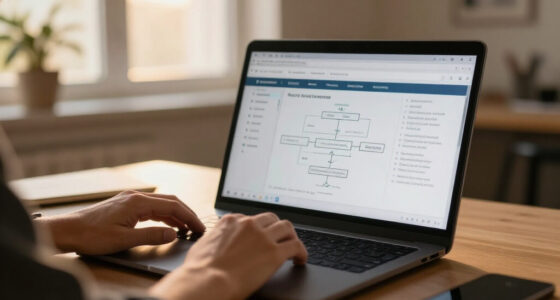
asset inventory spreadsheet template
As an affiliate, we earn on qualifying purchases.
As an affiliate, we earn on qualifying purchases.
Use fields that answer who, what, and where
To build a useful asset inventory, record enough information for someone to identify each resource, contact the responsible person, and understand its current status. A practical first row of fields includes an asset ID or name, type, business purpose, owner or custodian, location or account, status, and last-verified date. Add a serial number when one exists, and vendor or renewal details when they help with support or purchasing.
Picture a staff member reporting that a laptop is missing. “Laptop” is too vague; a record with the asset tag, assigned employee, model, and current status gives the support team a place to start. For a SaaS service, the equivalent might be its product name, tenant or account, department owner, purpose, and renewal date. The details differ, but the questions stay the same.
Keep fields consistent. Use a short list of statuses such as planned, active, in repair, retired, and disposed. If every department invents its own wording, a filter for active devices can miss entries labeled “in use,” “deployed,” or “current.” A dropdown in a spreadsheet can prevent that small mess before it spreads.
Only add fields that support a decision. Replacement cost may matter for budgeting, while criticality may help recovery planning. If you use a criticality scale, define it in plain language; “high” could mean that losing the service stops payments, rather than simply that someone prefers it. Never store passwords, private keys, or recovery codes in an inventory.
A useful set of key points for each record is simple: what it is, why the business uses it, who owns it, where it lives, and when someone last checked it. For a department spreadsheet, include a note explaining terms and an example row. That makes the record easier to use when a colleague is covering for someone on holiday.
As an affiliate, we earn on qualifying purchases.
Follow these five steps to create your first inventory
- Write down the scope. Choose the types of resources your inventory will cover and state the reason. A small retailer might start with point-of-sale devices, staff laptops, the online store, and its payment service.
- Choose one shared record. Use a controlled spreadsheet or an existing system your team can access. Give it a clear name and limit editing access to people who need it.
- Set the fields and labels. Include an identifier, category, purpose, owner, location or account, status, and last-verified date. Add optional fields only when someone can explain how they will use them.
- Gather records from several places. Compare the first list with purchasing records, device management, cloud accounts, SaaS administration, and department leads. Each list is a flashlight pointed at one corner of the room; none shows everything.
- Assign owners and a review date. Give each asset or group a named person who can confirm the details. Set the next review based on how quickly things change, and update records when resources are added, reassigned, or retired.
These steps work because they turn a vague cleanup project into small decisions. Imagine a 12-person design studio. Its office manager can collect purchase records, while the IT lead checks managed devices and team leads identify creative software subscriptions. A shared review meeting resolves uncertain owners before the spreadsheet becomes an abandoned side project.
Keep the first pass honest. Mark uncertain entries for follow-up rather than guessing. If an employee says a service is “probably still used,” record that uncertainty and ask the service owner to confirm it. A visibly incomplete record is easier to improve than a confident-looking one built on assumptions.
Once the initial list exists, treat it as a working organized record of business resources, not a one-time report. Give the file a clear owner and put its review date somewhere people will see it. A sheet nobody can find is no more useful than a key that no longer fits the lock.
As an affiliate, we earn on qualifying purchases.
Find the devices and services people forgot to mention
The first list rarely contains everything, so check more than one source and ask people who use the technology. Purchasing records can reveal laptops and subscriptions; endpoint management can show enrolled computers; cloud consoles can list hosted resources; and department leads can name services bought on a team card. Comparing these views helps you spot gaps without assuming any single system knows the whole environment.
Remote work makes the hunt more interesting. A laptop may be at an employee’s kitchen table, while the company’s customer support platform lives in a separate SaaS tenant. A marketing team may have set up a newsletter service with a corporate card months ago. These are ordinary ways resources slip past central lists, not proof that anyone acted carelessly.
For example, a finance manager might mention that invoices come from a cloud tool absent from the IT register. Add the service, its business purpose, tenant or account identifier, owner, and renewal date. Then check who can administer it through the normal access review process. Keep credentials and secret keys out of the inventory; it should point to the right managed system, not become a container for sensitive access details.
Make discovery a conversation, not an interrogation. Ask each team: “What technology would make your work difficult to do if it disappeared tomorrow?” The answer may reveal a shared drive, a domain renewal, or a specialist application nobody considers “IT.” If a service is unused, confirm that with its owner before marking it for retirement.
Reconcile records at a cadence that fits the organization. A stable office may review quarterly; a team creating cloud resources every week may need more frequent checks or automated discovery. Tool output needs human review, since duplicates and temporary resources can look like permanent assets. The goal is a trustworthy view, not a pile of machine-generated rows.
As an affiliate, we earn on qualifying purchases.
Keep ownership and lifecycle clear as things change
An asset inventory stays useful when every record has an accountable owner and a visible lifecycle status. The owner may be the person who uses a laptop, the manager responsible for a service, or a system custodian who verifies the record. A central team can set the rules, but people closest to each resource often know when its purpose or use changes.
Consider a laptop that moves from one employee to another. If the record still names the former user, a support request can go to the wrong person and offboarding checks may miss the device. Update the assigned user and location as part of the handoff. When the laptop enters repair or retirement, change its status and record the relevant date so it does not appear among active equipment.
Connect these updates to events that already happen. Procurement can trigger an entry when a device or subscription is purchased. Deployment can confirm its owner and purpose. Onboarding and offboarding can prompt teams to assign or recover devices, review service access, and update records. This resembles returning a library book: the handoff works because someone records that the item moved.
Set a rhythm for verification as well. Ask owners to confirm their records on a schedule that reflects the pace of change. A small clinic with a stable set of equipment may choose a periodic review; a fast-growing software team may check cloud and SaaS records more often. If an owner has left, assign someone new rather than letting the record drift.
Write down what “retired” means. A device can be marked inactive before data-wiping and disposal steps finish, so track return, wipe, or disposal status in the right operational process. The inventory should make its state clear without replacing the organization’s approved handling procedures.
Use the inventory to guide security and continuity work
An asset inventory helps your team decide what needs attention by showing what exists, who owns it, and how the business relies on it. It can support vulnerability management, incident response, software licensing, audits, and resilience planning. The record does not patch a device or restore a backup by itself; it points people toward the systems and owners that need follow-through.
Suppose a vendor announces a security issue affecting a certain application. A current inventory can help your team check whether the organization uses that application and who can confirm its version or exposure. If the record says “Customer portal, owned by Operations, critical for order processing,” the next conversation has a clear starting point. If it says only “web app,” staff may lose time working out which system it means.
Business importance can help shape recovery priorities. A team may mark payroll or a customer order system as high impact because a prolonged outage disrupts essential work. Define the scale and ask business owners to validate it; technical staff should not have to guess how costly an interruption would be. Replacement cost and operational importance are related questions, but they are not the same thing.
As systems grow, teams may connect inventory data with endpoint management, cloud platforms, procurement, identity systems, or a configuration management database. Automation can reduce repetitive updates and expose forgotten resources, while creating duplicates or misidentified temporary entries that someone must review. A small organization may have no reason to adopt a dedicated platform yet; a well-kept spreadsheet can do the job when volume and change remain manageable.
Compliance rules and terminology vary by industry and jurisdiction, so one template cannot promise compliance everywhere. Use the inventory to support the controls, audits, or reporting your organization actually needs, and check applicable requirements with the responsible people. The useful question is practical: can your team identify the resources in scope, find their owners, and show when the information was checked?
Protect the inventory and keep it easy to trust
An inventory can reveal what technology your organization uses, where it runs, and which services matter most, so store it with sensible access controls. Give editing rights to people responsible for changes and make it available to staff who need to consult it. A restricted, managed shared location is usually safer and easier to maintain than copies scattered across email attachments.
Keep secrets elsewhere. A record can name a cloud account or point to a password manager without containing a password, private key, or recovery token. Think of it like a map to a locked cabinet: the map helps the right person find the cabinet, but it should not include the key taped to the page.
Freshness helps build trust. Include a last-verified date and make it easy for an owner to flag a change. If an employee sees that an entry lists a retired laptop as active, they should know whom to tell and where the update belongs. A short monthly check can catch obvious drift in a changing environment; a slower-moving organization may use a different interval.
Use a few plain rules: one record per asset or clearly defined service, consistent status labels, a named owner, and a retirement trail. If a spreadsheet becomes slow to update, difficult to control, or too limited for reporting and integrations, consider a more suitable system. The signal to change tools is repeated upkeep trouble, not a desire for a shinier dashboard.
For instance, a 20-person consultancy might begin with a protected spreadsheet and named department contacts. If it grows to several hundred staff across multiple cloud accounts, manual updates may fall behind. At that point, integrations can help—but the organization still needs people to confirm ambiguous records and decide who owns each resource.
Frequently Asked Questions
What counts as an asset in a simple inventory?
It depends on your scope, but technology inventories commonly include laptops, servers, network equipment, software, cloud resources, SaaS services, domains, and important data stores. If losing a resource would interrupt work or affect business information, ask whether it belongs in your record. A team’s newsletter service may matter as much as a laptop if customers rely on it.
Can I use a spreadsheet for an asset inventory?
Yes. A spreadsheet can work well for a small, relatively stable environment when it lives in a controlled shared location, uses consistent fields, and has a named owner. If manual updates become unreliable or your reporting and access needs outgrow it, consider a dedicated tool. The number of rows alone does not decide whether it is time to change.
How often should I update the inventory?
Update records when resources are purchased, deployed, reassigned, changed, retired, or disposed of, and schedule periodic checks. The right review interval depends on how quickly your environment changes. A small office might use a quarterly review, while a team that frequently creates cloud resources may need more regular checks.
How can I find assets people have forgotten to report?
Compare your list with purchase records, endpoint and network discovery, cloud accounts, SaaS administration, and conversations with department leads. Each source can reveal a different part of the picture, and none is guaranteed to show everything. For example, a marketing team may identify a newsletter service that never appeared in central IT records.
Should I include asset value or criticality?
Include those fields when they help with budgeting, protection, or recovery decisions. Define what the terms mean: replacement cost differs from business impact, and a service’s importance depends on how people rely on it. A payroll system could have a modest replacement cost but a high operational impact if unavailable at payday.
What should I record about cloud and SaaS assets?
Record the service or resource name, account or tenant, business purpose, owner, status, and useful review or renewal date. Add other details only when they support a real task, such as incident response or renewal planning. Do not place passwords, private keys, or other secrets in the inventory.
Who should own the inventory?
A central team can define fields and manage the overall process, while department or system owners verify the resources they use. Name a responsible person for each record or clearly defined group. When someone leaves, transfer that responsibility so the record does not become an orphan.
Conclusion
Start with a scope your team can explain, then record each resource’s purpose, owner, status, and last-verified date. Compare your list with the systems and people that know different parts of the business, and update it whenever an asset changes hands or leaves service.
A trustworthy inventory is a clear label on a shelf: small, practical, and useful when the lights go out.
Fall Picks
fall essentials
As an affiliate, we earn on qualifying purchases.