
TL;DR

Get privacy and security gear delivered free — and shop member deals
- Fast, free delivery on millions of items
- Access to Prime Big Deal Days deals on October 6–7
- Prime Video, Amazon Music and more included
A home lab is a controlled environment where learners can practice cybersecurity on systems they own or have permission to use. It makes abstract ideas visible, gives you room to recover from mistakes, and can help you document practical skills. Start small, isolate vulnerable systems from your everyday devices, and treat authorization as a firm boundary.
A cybersecurity lesson feels different when you can watch a change alter a system in front of you. A firewall rule stops traffic. A log entry appears after a login. A misconfiguration breaks a small test network, and a saved snapshot brings it back. That hands-on loop is one reason home labs are useful for learning cybersecurity safely.
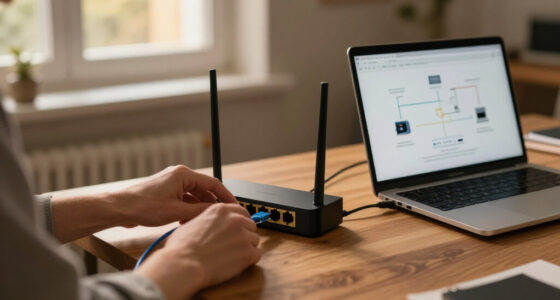
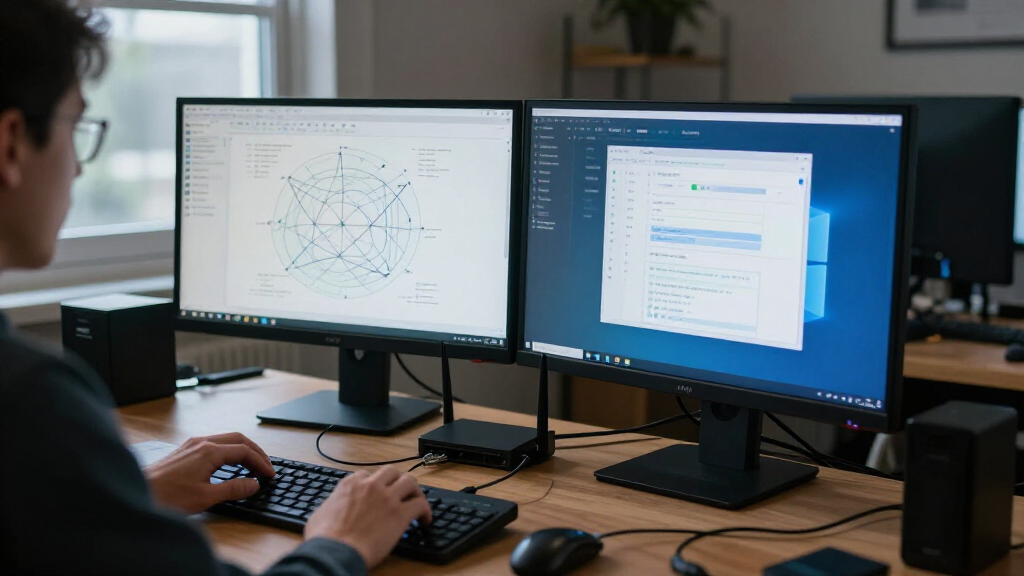
A home lab is a controlled environment where learners can practice on systems they own or have explicit permission to use. It can be a single computer with virtual machines, a separate network, or a browser-based training environment. You do not need a rack of blinking servers or a programming background to start.
This guide explains what a lab helps you learn, how to keep it separate from the devices you use every day, and how to turn practice into evidence of your progress. The goal is simple: learn by doing while keeping your experiments within a safe, authorized space.
Start with one computer and one or two virtual machines; add hardware only when a learning goal requires it.
Use snapshots and isolated virtual or lab networks to make recovery easier and reduce the chance that experiments reach everyday devices.
Give each practice session one clear question, then record what you observed and how you checked the result.
Test only systems you own or have explicit permission to use, and treat public reachability as no permission at all.
Check cloud usage rules and charges, shut down unused resources, and verify AI-suggested commands before running them.
Field guide / Cybersecurity learning
Why Home Labs Are Useful for Learning Cybersecurity Safely
A controlled practice space makes security ideas visible, gives you room to recover from mistakes, and helps turn hands-on work into evidence of progress. Start small, stay isolated, and keep authorization as a firm boundary.
01 / Why it works
Make abstract ideas observable
Change one thing, watch what happens, and ask what evidence shows you the result.
See security in action
A firewall rule can stop a test connection. A login can create a log entry. The concept becomes something you can inspect.
Run the experiment again
Change a setting, observe the result, then restore the earlier state. Repetition helps connect decisions to outcomes.
Build a useful record
Short notes, configuration details, and log screenshots help you revisit what you learned and explain your reasoning.
02 / Safe by design
Make room for mistakes
Recovery and isolation work together: a reset helps repair the lab, while a boundary helps protect everything outside it.
Boundary check
Keep the experiment in its lane
Use an isolated virtual network or separate lab network. Avoid exposing vulnerable machines directly to the internet, and keep personal devices outside the experiment.
Before a risky exercise, identify the target, check which systems it can reach, and know how you will undo the change.
Save a starting point. Take a snapshot before changing settings.
Limit network access. Isolate practice systems from everyday devices.
Stay authorized. Test only systems you own or have explicit permission to use.
Reset when needed. Restore a known state after an exercise or misconfiguration.
03 / The learning loop
Give every session a purpose
A narrow question makes practice easier to check, repeat, and explain.
Choose a goal
Example: learn what logs record after a test sign-in.
Set the boundary
Identify the machine and isolated lab network.
Save a snapshot
Keep a clean starting point before changes.
Run the exercise
Generate test activity and inspect logs or settings.
Make and check a fix
Apply a defensive change; verify what it altered.
Record and reset
Note observations, results, and questions to revisit.
Example: Create a limited test account, try a normal task, and review which access it received. Connect the decision to observable evidence.
Goal → evidence04 / Build the setup
Start with the smallest useful lab
Add equipment when a learning goal calls for it. A small setup is often easier to understand and recover.
Use what fits the next lesson
A desktop or spare computer can run a practice operating system in a virtual machine. Browser-based training and cloud labs are other options. Physical devices can teach hardware and network equipment, but they often take more setup and can be harder to reset.
| Option | Good for | Keep in mind |
|---|---|---|
| Virtual machines | Flexible practice and snapshots | Run one or two at a time to start |
| Browser-based training | Guided exercises with little setup | Check platform rules and available control |
| Cloud lab | Convenient access and varied environments | Check charges; shut down idle resources |
| Physical devices | Hardware and network equipment lessons | More setup; recovery may take longer |
05 / Keep the boundary clear
Permission is part of the practice
A lab is useful because it gives you control over the environment and a clear right to experiment within it.
Owned systems
Practice on systems you own, configured for learning and kept inside your lab boundary.
Authorized targets
Use systems only when you have explicit permission and follow the stated scope and rules.
Public reachability
A system being reachable from the internet does not mean you have permission to test it.
Traceability / Turn practice into progress
Leave a trail you can explain
Documentation makes experiments repeatable and gives practical skills a clear shape.
Turn abstract security ideas into things you can see
Home labs are useful because they let you see cybersecurity concepts at work on systems you control. You can change a setting, observe what happens, and connect the result to the lesson. That makes ideas such as network traffic, access control, and logging feel less like vocabulary on a page and more like cause and effect.
For example, suppose you are learning how a computer records sign-ins. In a lab, you can create a test account, sign in, and inspect the system’s logs. You can compare a successful sign-in with a failed one and notice which details appear. The screen may look quiet, but the log gives you a small trail of events to follow.
This is useful for learning cybersecurity safely because you can repeat the same experiment. Change one setting, observe the result, then restore the earlier state. If you are practicing network concepts, a small test network can show how a device communicates with another device under rules you set. You can build the habit of asking, “What changed, and what evidence shows me?”
That habit travels well beyond your lab. At home or work, you may need to understand a security alert or explain why a configuration change mattered. A simple written note, such as “I tightened this rule and confirmed the test connection no longer passed,” gives your learning a clear shape.
Make room for mistakes without risking your everyday devices
Home labs give you a place to make and recover from practice mistakes, provided you set them up with isolation in mind. Virtual machines, isolated virtual networks, and saved snapshots can limit the effect of a misconfiguration. You can try a change, see where it leads, and return to a known state if the test system stops working.
Imagine you are learning to adjust a service setting on a practice machine. A wrong change could make that machine unreachable or stop an exercise from working. If you saved a snapshot first, you can restore it and try again. It feels a little like keeping a clean copy of a drawing before adding a risky brushstroke.
Isolation deserves as much care as recovery. A deliberately vulnerable machine is still unsafe if it can be reached by strangers or communicate freely with your personal devices. Keep practice systems on an isolated virtual network or a separate lab network, and avoid exposing vulnerable machines directly to the internet. Your work laptop, family photos, and smart-home devices should stay outside the experiment.
Before a risky exercise, pause and check the boundary: which machine is the target, which network can it reach, and how will you undo the change? That quick check helps make learning cybersecurity safely a routine, not an afterthought.
Start small with equipment you may already own
A useful home lab can begin with one capable computer and one or two virtual machines. You do not need dedicated servers to learn basic administration, networking, or defensive monitoring. Running fewer systems at once also keeps the setup easier to understand, especially when you are new to virtualization.
For instance, you might use a spare computer or your current desktop to run a practice operating system inside a virtual machine. Take a snapshot before a major change, then work through a guided exercise and reset when you finish. Free virtualization software and deliberately vulnerable systems designed for practice can reduce the cost of getting started, though you should check the current rules for any training resource you use.
More memory and storage help if you want several systems running at once, but you can learn a lot from a modest setup by taking turns with your machines. A browser-based training environment or cloud lab can also be convenient if your computer cannot run virtual machines comfortably. Check usage rules and costs first; cloud resources may keep billing while they sit idle.
Physical devices can teach you about hardware, embedded systems, or network equipment. They take more setup and may be harder to reset than a virtual machine. Pick the smallest setup that supports your next learning goal, then add equipment only when the work calls for it.
Use a simple practice loop to learn with purpose
A home lab teaches more when each session has one clear question and a way to check the result. You can build that routine with a small practice loop: choose a goal, prepare the lab, observe a change, make a correction, and record what happened. The written record turns a one-off experiment into something you can repeat and explain.
- Pick one goal. For example, learn what a system log records after a test sign-in.
- Set the boundary. Identify the practice machine and confirm it sits on an isolated lab network.
- Save a starting point. Take a snapshot before changing settings.
- Run the exercise. Generate only the test activity needed for the lesson, then inspect the relevant logs or configuration.
- Make and check a fix. Apply a defensive change and verify what it altered.
- Write a short note and reset. Record the goal, observations, result, and any question to revisit.
Consider a learner exploring access control. They might create a test account with limited permissions, try a normal task, and review which access the account received. The point is not to race through commands; it is to connect a decision to observable evidence. A log screenshot or short configuration note can make that evidence easy to revisit.
Keep each session narrow. If you try to learn Linux administration, network monitoring, incident response, and forensics in one evening, it is easy to finish with a jumble of tabs and no clear result. One focused question gives you a satisfying finish line.
Build skills that you can explain to someone else
A well-documented home lab project gives you a concrete example of how you approach cybersecurity work. It can show that you set a goal, worked within an authorized environment, observed a problem, and explained your reasoning. That evidence can support a portfolio or a job interview, though it does not replace professional experience, qualifications, or an employer’s own requirements.
For example, you could write a short project note about a small defensive monitoring exercise. Describe the test setup in broad terms, what signal you looked for, what you learned from the logs, and what you changed. A clear before-and-after explanation helps someone follow your thinking without requiring them to take your word for it.
Documentation also helps you learn. Two weeks later, a brief note can remind you why a setting mattered or which part of an exercise confused you. Include the date, goal, observations, result, and any open question. Avoid posting sensitive details about personal systems, credentials, or networks.
You do not need a polished website or a large collection of projects. One carefully explained exercise may say more about your learning habits than a long list of tool names. Focus on what you understood and how you verified it.
Keep cloud tools and AI helpers inside clear boundaries
Cloud environments, containers, automation, and AI-assisted tools can make a lab more flexible, but each adds something you need to manage. Cloud resources can be exposed by a configuration mistake or left running after an exercise, creating cost and access concerns. Treat every setting and usage rule as part of the lesson.
Say you create a temporary cloud machine to follow a training exercise. When you finish, check what resources remain active and remove or stop what you no longer need. A browser tab closing does not necessarily shut down the machine behind it. Keep a note of what you created so you can find and clean it up later.
AI tools can explain a concept or suggest a command, but their answers can be inaccurate or out of date. Read what a command is meant to do before running it, and verify its output against documentation or what you can observe in your lab. If an explanation feels vague, test the idea with a small, reversible exercise rather than trusting a confident-sounding answer.
Specific products and features change over time, so avoid building your learning plan around one tool’s current interface. The durable skills are setting a clear goal, respecting authorization, controlling the environment, and checking evidence.
Keep your practice authorized, even when a system is public
A safe home lab uses systems you own or have explicit permission to test. A computer or website being reachable from the public internet does not make it fair game for experiments. Laws and acceptable-use rules vary, so treat clear authorization as the boundary for your practice.
For example, a learner may find an unfamiliar device on a home network and feel tempted to probe it. That device could belong to a housemate, a guest, or a service provider. Ask the owner or administrator before testing it; if you want to learn a technique, use a purpose-built training system instead.
Practice with malware calls for extra care. Do not download or run real malware casually, and never connect a sample to personal systems or the public internet. Use purpose-built training materials and a strongly isolated environment designed for that work. Beginners can learn plenty from safe exercises in logs, system configuration, and simulated incidents without handling live malware.
When you are uncertain whether an exercise is allowed, stop and check the platform’s rules or ask the system owner. Staying within authorization protects other people’s devices and keeps your learning grounded in responsible habits.
Frequently Asked Questions
Do I need a powerful computer to start a home lab?
No. A modest computer can support a small lab, especially if you run one or two virtual machines at a time. More memory and storage help when you want several systems running together, but a focused exercise often needs less.
Is it legal to practice cybersecurity at home?
Practicing on systems you own or have explicit permission to test is the safe boundary. Laws and platform rules vary, so do not assume a public system is available for testing just because you can reach it.
Can I use my regular home network for practice?
It is safer to place vulnerable practice systems on an isolated virtual network or a separate lab network. That separation helps keep a misconfigured machine away from personal devices and other networks.
Do I need to know how to code before I start?
No. You can begin with networking, operating systems, logs, and secure configuration without being a programmer. Basic scripting may help automate tasks later, but it is not a prerequisite for learning the fundamentals.
Should I use virtual machines or physical hardware?
Virtual machines are usually easier to snapshot, reset, and isolate, which makes them a practical starting point. Physical devices can help with hardware, embedded systems, or network equipment, but they often need more setup.
Will a home lab help me get a cybersecurity job?
A documented lab project can give you a concrete example to discuss in an interview or portfolio. It can show curiosity and practical reasoning, but hiring requirements vary and lab work alone does not guarantee a role.
Conclusion
Start with one authorized system, one isolated practice environment, and one question you want to answer. Save a snapshot, observe what changes, and write down what the evidence tells you. Those simple habits make a home lab useful for learning cybersecurity safely without turning your everyday devices into part of the experiment.
Your first lab does not need to hum like a server room. A single screen, a careful test, and a clear note can be enough to make the next lesson stick.
Fall Picks
fall essentials
As an affiliate, we earn on qualifying purchases.