
TL;DR

Get privacy and security gear delivered free with Prime
- Fast, free delivery on millions of items
- Prime Video, Amazon Music and more included
- Member-only deals all year
Network documentation is a current record of an office’s devices, connections, important settings, support contacts, and recovery steps. For a small office, a simple diagram and inventory can cut troubleshooting guesswork, make staff less dependent on one person, and support safer changes. Keep credentials in a password manager, restrict access to sensitive records, and update the documentation whenever the network changes.
A router fails on Monday morning, the office printer disappears, and the only person who remembers the Wi-Fi setup is on a train with no signal. That is when a small network can feel less like a tidy set of devices and more like a drawer full of unlabeled cables.
Network documentation gives you a current record of what connects to what, where equipment sits, and how the office gets support. This guide explains why small offices need network documentation, what to record first, how to keep sensitive details safe, and how to make the records useful during a change or outage.
You do not need a large IT department or a polished technical manual. A clear diagram, a short inventory, and a few reliable procedures can give your staff and IT provider a much better starting point when something changes or stops working.
Start with a simple diagram, device inventory, provider details, and recovery contacts.
Record who owns updates and who is authorized to make network changes.
Store credentials in a password manager; keep sensitive settings access-controlled.
Update the record after meaningful changes and review it every three to six months.
Treat documentation as support for security and recovery, not a substitute for updates, backups, and access controls.
Small office IT · Field guide
Why Small Offices Need Network Documentation
A clear, current map of devices, connections, support details, and recovery steps gives your team a better starting point when the network changes or stops working.
01
02
03–6
1
01 / Why it matters
Make the network easier to understand
A small office does not need a polished technical manual. A reliable diagram, inventory, and a few procedures can make everyday support more predictable.
Diagnose
Find the likely fault faster
See which devices and connections serve each area, so a local printer issue does not become an unnecessary search through the whole network.
Handoff
Keep work moving
Give an authorized colleague or IT provider enough context to help when the usual network expert is away or has left the office.
Plan
Make safer changes
Understand what may depend on a router, access point, or service before replacing equipment or changing settings.
Secure
Notice what is forgotten
An inventory can surface unknown or unsupported devices and systems that still need attention. Records support security work; they do not secure the network by themselves.
Recover
Reduce outage delays
Provider contacts, dependencies, configuration backups, and recovery steps give staff and support a shared starting point.
Budget
See costs coming
Knowing what equipment exists, how old it is, and what it supports can help plan upgrades before an emergency purchase.
02 / Use it in the moment
Turn a change into a clear handoff
Good records help staff and service providers see what is affected, who can act, and where to begin.
Find the device
Use its name, purpose, and room location to identify the right equipment.
Check dependencies
Follow the diagram to see which teams, services, or devices rely on it.
Reach the right support
Use provider details and escalation contacts without searching old email threads.
Update after the work
Note what changed, who changed it, and when; refresh any affected diagrams or procedures.
03 / Build the useful minimum
Start with the records people need
Keep the first version practical. Add detail when it helps someone support, change, or recover the office network.
Internet, router or firewall, switches, access points, printers, servers, and key links.
Make, model, serial, location, purpose, and support or warranty details.
Service details, account identifiers, and support contacts.
DHCP, DNS, file sharing, backups, remote access, and essential cloud portals.
Configuration backup location, procedures, and authorized approvers.
Name who maintains each record and when it was last checked.
04 / Keep it dependable
A small routine keeps the map useful
Networks change with new staff, devices, services, and office moves. Record meaningful changes while the details are still fresh.
Simple cadence
Update after a change.
Review every 3–6 months.
Update device locations, connections, settings notes, and the change log after equipment or service changes.
Check that inventory, support details, owners, and recovery procedures are current and accessible to authorized people.
Keep secure configuration backups where supported. A diagram helps explain the network, but may not be enough to restore a device.
A shared record connects the work
Fix common network problems without tracing every cable
Network documentation helps you narrow down a network problem by showing which devices and connections serve each part of the office. A current diagram lets you see whether a lost connection affects one desk, one Wi-Fi area, or the whole building. This clarity matters because it guides troubleshooting efforts, saving time and reducing frustration. When you understand what should be connected where, you can quickly identify if a device is disconnected, misconfigured, or if there’s a broader infrastructure failure. The implications are significant: instead of random guessing, you’ll have a logical starting point, which often leads to faster resolution. However, tradeoffs exist—maintaining an accurate diagram requires ongoing effort, and overly simplified visuals might omit critical dependencies that could cause misdiagnosis. A well-maintained record ensures that your troubleshooting is based on reliable information, reducing the risk of unnecessary repairs or overlooked issues.
Say the team near the front desk can print, but the accounting staff cannot. Your diagram shows that both groups use the same router, while the back-office access point also serves the printer. That points your support provider toward a smaller set of likely causes. Without the record, someone may spend time checking the internet connection even though it still works for everyone else. This emphasizes why detailed documentation isn’t just a convenience; it fundamentally improves diagnostic accuracy, enabling targeted fixes and minimizing downtime.
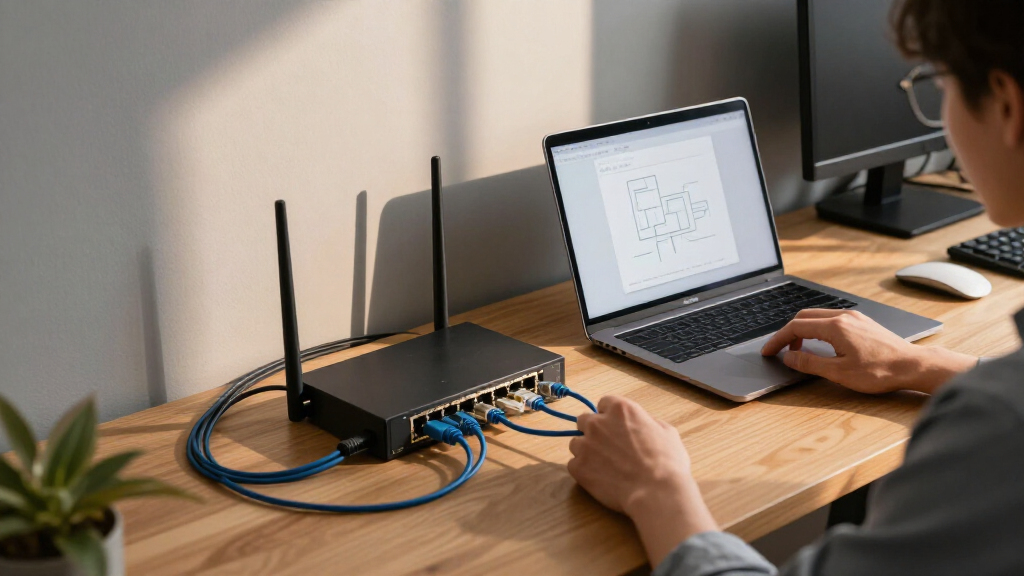
A useful diagram does not have to resemble a contractor’s blueprint. It can show the internet connection, router or firewall, switches, access points, printers, servers, and major connections using plain labels. Add room names or clear locations, so “switch 2” means something when a technician is standing beside a row of gray boxes. The key is clarity—visuals that are easy to interpret quickly—so that support staff or technicians can make informed decisions efficiently. The tradeoff involves balancing detail with simplicity: too much complexity can overwhelm, but too little can obscure important dependencies. An effective diagram strikes a balance, serving as a quick reference that enhances understanding during troubleshooting.
Network documentation is a map for diagnosis, not a promise that every fault will be easy to fix. A failed device, bad cable, or provider outage can still take time to resolve. The record simply gives everyone a shared view, like a labeled fuse box instead of a wall of mystery switches. This shared understanding reduces miscommunication, prevents redundant efforts, and helps prioritize repairs. It also enables non-expert staff to assist in basic troubleshooting, which can be invaluable during urgent situations. The tradeoff is that maintaining such a map requires discipline—regular updates and accuracy are essential because outdated records can mislead rather than help. Ultimately, the value lies in the clarity and consistency of the shared view, making outages less chaotic and more manageable.
network diagram software for small office
As an affiliate, we earn on qualifying purchases.
As an affiliate, we earn on qualifying purchases.
Keep the office running when one person is away
Network documentation lets another authorized person take over when the usual network expert is unavailable. In a small office, the person who installed the router may also handle invoices, meetings, or customer calls. When that person is sick or leaves the company, their memory can leave with them, risking operational delays or errors. Having a documented record ensures continuity, as others can reference key details—such as configuration settings, provider contacts, or device locations—without needing to rely solely on memory. This reduces dependency on a single individual and mitigates the risk of critical knowledge loss, which can stall essential operations during staff absences or turnover. The tradeoff is that maintaining comprehensive records requires discipline; however, the payoff is a resilient, more adaptable office environment where support and troubleshooting can proceed smoothly regardless of personnel changes.
Imagine your office manager is on vacation when the internet provider replaces a modem. The support technician asks which router connects to it and whether the phones use that same connection. A simple network diagram and provider contact record help a colleague answer without searching old email threads or calling the person at the beach. This quick access to accurate info prevents delays, minimizes frustration, and keeps the office productive. The key is to assign responsibility for maintaining these records and to store them securely, so they remain reliable and accessible in emergencies.
Record who owns each important task, who is allowed to approve a change, and where authorized staff can find the current records. Include provider names, service details, account identifiers, and support contacts where useful. Store account recovery information and passwords in a password manager with suitable access controls; do not paste secrets into a diagram that may be shared broadly. The tradeoff involves balancing security with accessibility—records must be protected but also available when needed. Clear ownership and access controls ensure that critical information is neither lost nor misused, supporting operational resilience during staff absences or emergencies.
A named owner matters even when an outside IT provider does most of the technical work. Your office should know who checks that records are updated and how a backup administrator can gain legitimate access. That small handoff can keep a routine staff absence from turning into a stalled morning. Regular reviews and clear accountability help maintain the integrity of the documentation, ensuring it remains a reliable resource for ongoing operations and emergencies.
password manager for business credentials
As an affiliate, we earn on qualifying purchases.
As an affiliate, we earn on qualifying purchases.
Make network changes with fewer surprises
Network documentation helps you spot what a change could affect before anyone moves, replaces, or reconfigures equipment. When planning modifications, understanding dependencies is critical to avoid unintended disruptions. For instance, replacing a switch without recognizing that it also connects critical servers or shared printers can cause unexpected outages. By reviewing the documentation first, you can identify these dependencies and plan accordingly—perhaps scheduling downtime or notifying affected staff. This proactive approach minimizes operational risk and helps ensure that upgrades or repairs don’t inadvertently impact unrelated services. The tradeoff is that thorough documentation review adds steps to change management, but it significantly reduces the chance of costly mistakes or extended downtime. The key implication is that understanding your network’s interconnectedness is essential for safe, predictable changes.
For example, a new employee needs a wired desk connection. Your inventory shows that the nearest switch has one open port, while the diagram shows it also links the shared printer and file server. The person planning the change can check the right connection and ask the right questions before moving a cable or buying another switch. Recognizing these dependencies allows for better planning, reducing the risk of service interruptions and ensuring that changes are made efficiently and safely. The tradeoff involves dedicating time to review documentation before making modifications, but this process ultimately leads to more reliable network management and fewer emergency fixes.
Use this short sequence before a meaningful network change:
- Check the current record. Confirm the equipment, location, and services involved.
- Identify dependencies. Note which staff, devices, and business tasks rely on the affected connection.
- Assign the change. Record who is authorized to make it and who can approve it.
- Plan a way back. Keep secure configuration backups where supported, and know who can help restore service.
- Update the record. Add what changed, who changed it, and when.
This process not only helps prevent accidental disruptions but also fosters a culture of mindful change management. Recognizing dependencies ahead of time enables better communication, reduces downtime, and supports a more resilient network infrastructure.
network device inventory spreadsheet
As an affiliate, we earn on qualifying purchases.
As an affiliate, we earn on qualifying purchases.
Spot forgotten devices and plan safer security work
A network inventory can reveal devices that have been forgotten, replaced, or left outside normal support. Maintaining an accurate inventory is crucial because forgotten or unmanaged devices can become security vulnerabilities or points of failure. For instance, an outdated printer left connected but no longer in use might still be accessible or could be an entry point for cyber threats. Knowing what devices are present, their locations, and their support status helps prioritize updates, decommissioning, or security audits. The implications are significant: untracked devices pose risks, and addressing them proactively can prevent breaches or disruptions. The tradeoff involves dedicating time to keep inventories current, but the security benefits far outweigh the effort. Regularly reviewing and updating your device list ensures you’re aware of all connected assets and reduces the attack surface of your network.
Include equipment that can connect to the network, such as printers, phones, cameras, smart displays, and other connected devices. Note relevant segmentation or network placement where you know it, and flag details that need verification. If the office uses cloud-managed networking, record which management portal controls each device, who owns the account, and how authorized administrators recover access. Protect those accounts with multifactor authentication where available. The implications are clear: comprehensive and accurate inventories are foundational to security, enabling targeted updates, identifying rogue devices, and ensuring proper segmentation. Neglecting this step can leave gaps that cybercriminals or internal mistakes might exploit.
Documentation supports security work, but it does not secure the network by itself. An inventory can help you find outdated equipment or unknown access points, yet updates, access controls, sound configuration, and staff habits still matter. Think of the list as the flashlight that helps you see what needs attention, not the repair itself. Without proper security practices, even the most detailed inventory can be rendered ineffective if vulnerabilities are not addressed through patches, strong passwords, and disciplined staff procedures. The tradeoff is that inventorying alone is insufficient; it must be part of a broader security strategy that includes regular updates, staff training, and robust access controls to truly protect your network.
small office network troubleshooting kit
As an affiliate, we earn on qualifying purchases.
As an affiliate, we earn on qualifying purchases.
Recover faster after an outage, move, or hardware failure
Recovery notes help your office restore important connections with fewer delays after equipment fails or the workplace changes. Detailed recovery documentation reduces downtime by providing clear, step-by-step guidance on restoring services. When a device fails or an office is rearranged, knowing the exact configuration, dependencies, and procedures speeds up recovery. The implications are profound: this minimizes operational disruption, reduces support costs, and accelerates return to normal. The tradeoff involves maintaining and updating these notes regularly—an effort that pays off during emergencies. The key is that well-prepared recovery information empowers staff and support providers to act swiftly, reducing the impact of failures and ensuring business continuity.
Suppose a router stops working just before a busy afternoon. Your records identify the internet provider, the support route, the router’s role, and which office services rely on that connection. A support provider can use the information to plan a replacement and ask whether phone service or remote access depends on the same equipment. This detailed knowledge streamlines the repair process, avoiding trial-and-error and unnecessary delays. The implications are clear: comprehensive recovery notes are an investment in resilience, helping your office bounce back faster from setbacks. The tradeoff is that keeping these notes current requires discipline, but the payoff is a more prepared, responsive operation during crises.
Record key dependencies in plain language: which system provides network addressing, where file sharing or backups live, and what approved remote-access method staff use. Keep secure configuration backups where the equipment supports them, and note where authorized people can retrieve them. A diagram alone may show that two devices connect, but it will not necessarily contain enough detail to restore settings. The more detailed and accurate your recovery records, the quicker and smoother your recovery process will be, reducing downtime and minimizing data loss or service interruption.
A recovery record is useful only if the right people can reach it when they need it. Keep it in a secure, access-controlled location and plan for the possibility that the primary administrator is unavailable. During an office move, test the contact details and mark any uncertain connections for confirmation before boxes cover the wall sockets. Regularly reviewing and testing recovery procedures ensures that the information remains reliable and actionable when emergencies strike, making your office more resilient and responsive in times of crisis.
Keep records useful without buying special software
A small office can start with a spreadsheet and a simple diagram if both stay accurate, readable, and available to authorized people. The key is that the information remains current and accessible—regardless of the tools used. While specialized software can offer automation and centralized management, it often introduces complexity and costs that small offices may not need. Instead, a well-maintained spreadsheet and a basic diagram can serve as a reliable foundation, provided they are kept up to date. This approach emphasizes practicality: the goal is to ensure that the information is understandable and easy to update, not to adopt overly complicated solutions that might hinder regular maintenance. The tradeoff is that manual updates require discipline, but the simplicity and flexibility often outweigh the benefits of more advanced tools for small setups.
For a four-person studio, one diagram might show the provider modem, router, two access points, printer, and a small file server. A spreadsheet can list each device’s location, purpose, model, and support date. A link to the relevant password-manager entry can point an authorized administrator toward a credential without exposing it in the inventory. The key is establishing routines for updates—after replacing a router, adding an access point, changing Wi-Fi, or moving equipment. Periodic reviews—every three to six months—help catch small changes that staff might forget to record. Label uncertain details as unverified so a technician does not mistake a guess for a fact. The tradeoff involves ongoing diligence, but this simple approach often provides sufficient security and clarity for small offices without the need for complex systems.
Keep sensitive details access-controlled. Public addresses, security settings, and credentials can create risk if the records are emailed casually, left by a printer, or shared with everyone. Put secrets in a password manager, limit access to the broader documentation, and keep a date and owner on each record so people can judge whether it is current. This careful management ensures sensitive information remains protected while still being accessible to authorized personnel when needed, balancing security with operational usability.
Spend less on emergency fixes and last-minute replacements
A current equipment record makes network spending easier to plan because it shows what you own, how old it is, and what it supports. When you have a clear picture of your assets, you can make informed decisions about upgrades, replacements, and repairs, reducing impulsive purchases that might not fit your needs or budget. The implications are that better planning minimizes downtime, supports cost-effective investments, and prevents unnecessary expenses. For example, knowing that an access point is several years old and at the far end of the building allows you to schedule a planned upgrade rather than risking a sudden failure. The tradeoff is that maintaining detailed records requires periodic updates, but the benefits of proactive management—cost savings, reduced downtime, and strategic planning—are well worth the effort. Ultimately, a comprehensive asset view supports smarter, more predictable network management.
Picture a shop whose Wi-Fi drops each time staff move a tablet toward the stockroom. The inventory shows that the access point is several years old and located at the opposite end of the building. With that information, the owner can ask for a planned coverage review instead of buying the first router available after a frustrating outage. This foresight prevents reactive spending and promotes strategic upgrades that align with actual needs, ultimately saving money and minimizing disruptions.
Documentation also helps when you compare a repair with a replacement. A model and support record can help a provider check whether the device is still supported, while the diagram shows which teams might lose service during the work. These details do not guarantee a lower bill, but they can replace guesswork with a clearer discussion about timing and impact. Proper planning based on accurate records ensures that investments are justified and that network reliability is maintained efficiently.
Planning is especially useful when a small business depends on a few shared services. If phones, payment terminals, and file access all use the same connection, a planned upgrade can be scheduled around quieter hours. The record gives you a practical basis for that conversation and helps prevent an emergency purchase from becoming the only plan. This proactive approach supports operational stability, cost control, and smoother service delivery, making your network more resilient and predictable.
Frequently Asked Questions
Is network documentation only for larger companies?
No. A small office may have fewer devices, but it can rely heavily on one person’s memory or an outside technician’s notes. A short diagram and inventory help a colleague take over when that person is unavailable.
What is the minimum documentation a small office needs?
Start with a diagram, device inventory, provider details, secure credential storage, and recovery contacts. Add important configuration and dependency notes as the network grows. A spreadsheet and a simple drawing may be enough for a very small office.
How often should network documentation be updated?
Update it whenever a meaningful change happens, such as replacing a router, adding an access point, changing Wi-Fi, or moving equipment. Review it every three to six months to catch changes that staff forgot to record.
Should passwords go in the network diagram?
No. Diagrams and inventories often get shared more widely than credentials should. Keep passwords and other secrets in a password manager, then point authorized administrators to the right entry.
Can a spreadsheet be enough for a small office?
Yes, if it stays accurate and easy for authorized people to access. A spreadsheet can list devices, locations, models, and support details, while a simple diagram shows connections. The tool matters less than keeping the information current.
Does network documentation prevent outages or cyberattacks?
No. Documentation helps people understand the network and respond more effectively, but it does not prevent failures or attacks on its own. You still need sound configurations, updates, access controls, backups, and safe staff practices.
Conclusion
Make one clear record of your network, name an owner, and update it whenever equipment or connections change. Keep passwords in a password manager and make sure authorized staff can find the recovery details when the usual administrator is away.
Your network does not need to be complicated to deserve a map. A few accurate notes can turn a Monday morning outage from a guessing game into a short, orderly conversation.
Halloween Picks
halloween
As an affiliate, we earn on qualifying purchases.