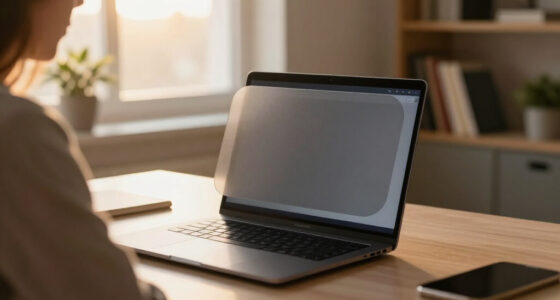
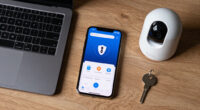
Discreet laptop privacy screens work by narrowing your display’s visible angle, so anyone glancing from the side sees nothing but a dark panel while you keep working normally. After comparing twelve popular filters across blocking angle, screen dimming, attachment method, and fit accuracy, the Mamol Magnetic Laptop Privacy Screen 14 inch stands out as the best overall pick thanks to its tool-free magnetic mounting and reliable 60-degree privacy zone. The SightPro 15.6 Inch Privacy Screen Filter is the stronger choice for larger work laptops, while the PYS Magnetic 14 Inch wins for anyone who wants to pop the filter on and off throughout the day. The main tradeoffs in this category come down to privacy strength versus screen brightness and permanent mounting versus removable convenience. Read on for the full breakdown of all twelve filters and which one fits your laptop and workflow.

Get privacy and security gear delivered free with Prime
- Fast, free delivery on millions of items
- Prime Video, Amazon Music and more included
- Member-only deals all year
Key Takeaways
- Magnetic attachment models (Mamol, PYS, SightPro magnetic) consistently beat adhesive-slide-tab filters for anyone who shares a laptop between private and collaborative work, because they detach in seconds without leaving residue.
- Every privacy filter in this roundup dims the screen by roughly 30-40%; the anti-glare matte side compensates somewhat, but users with older, dimmer laptop displays should budget extra brightness headroom before buying.
- Aspect ratio mismatches caused the most buyer regret: several 14-inch options exist in both 16:9 and 16:10 versions, and ordering the wrong one leaves visible gaps that leak side visibility.
- The 30-degree blocking angle found on premium picks like SightPro is noticeably stricter than the 60-degree standard on budget filters — worth paying more for in high-traffic spaces like cafes, airports, and open offices.
- Double-sided matte/glossy designs (like the 14-inch Anti-Scratch pick) offer a flexibility most buyers overlook: matte for glare-heavy environments, glossy for maximum color clarity when privacy is the only concern.


| discreet laptop privacy screen | Aspect Ratio | Screen Size | Compatibility | Material |
|---|---|---|---|---|
| 13.3 Inch Laptop Privacy Scree | 16:9 | 13.3 inches | Lenovo, HP, Acer, Asus, ThinkPad, XPS (not MacBook or Dell 7350) | — |
| Mamol Magnetic Laptop Privacy | 16:9 | 14 inches | HP, Dell, Acer, Asus, Samsung, Lenovo, ThinkPad | Magnetic, anti-glare |
| 15.6 Inch Laptop Privacy Scree | 16:9 | 15.6 inches | — | Polyethylene Terephthalate |
| 15.6 Inch Privacy Screen Filte | 16:9 | 15.6 inches | — | — |
| 14 Inch Laptop Privacy Screen | 16:10 | 14 inches | — | Polyethylene Terephthalate |
| SightPro 15.6 Inch Laptop Priv | — | — | Lenovo, HP, Dell, Acer, Asus, Samsung, and other laptops | — |
| PYS Magnetic Laptop Privacy Sc | — | — | — | Polyethylene Terephthalate (PET) |
| 360° Laptop Privacy Screen 13. | 16:9 | — | — | Nano silicone |
| SightPro Magnetic Laptop Priva | — | — | Lenovo, HP, Dell, Acer, Asus, Samsung, and others | — |
| Nano-Suction Laptop Privacy Sc | 16:10 | 14 inches | Lenovo, HP, Dell, Acer, Asus, ThinkPad | — |
| 14 Inch 16:9 Laptop Privacy Sc | 16:9 | 14 inches (355.6 mm diagonal) | 14-inch 16:9 laptops (not compatible with MacBooks) | — |
| Laptop Privacy Screen 14 Inch | 16:9 | 14 inches | — | Polyethylene Terephthalate (PET) |
More Details on Our Top Picks
13.3 Inch Laptop Privacy Screen Filter, Anti-Glare Blue Light Protector
Small-screen laptops are underserved in the privacy filter market, and this 13.3-inch filter fills that gap with a clever trick most rivals lack: a reversible matte/glossy design. Flip it one way for glare-free outdoor work, the other for maximum indoor clarity. The 95% blue light blocking also outpaces the 15.6-inch filter from the same roundup (B0CJXRMS5M), which blocks only 30%, making this the stronger pick for anyone logging long hours. Installation offers both tape and slide-mount options, though slide mounting works best if your bezel has room for it. The tradeoff is compatibility friction: MacBook and Dell 7350 owners are out of luck, and 16:9-only sizing means measuring before buying.
Pros:- Reversible matte and glossy surfaces for different lighting conditions
- Blocks 95% of blue light and 92% of UV — far above average for the category
- Two mounting options (tape or slide mount) for flexibility
- Effective privacy beyond a 30-degree viewing angle
Cons:- Not compatible with MacBooks or the Dell 7350
- Requires careful screen measurement before purchase to avoid fit issues
Best for: Students and travelers with 13.3-inch Windows laptops who work in cafes and libraries
Not ideal for: MacBook owners and anyone with a 16:10 display — the filter simply won’t fit
- Screen Size:13.3 inches
- Aspect Ratio:16:9
- Compatibility:Lenovo, HP, Acer, Asus, ThinkPad, XPS (not MacBook or Dell 7350)
- Blue Light Block:95%
- UV Light Block:92%
- Design:Reversible matte/glossy
- Installation:Tape mount or slide mount
Our verdict“The clear choice for compact 13.3-inch Windows laptops, especially for buyers who want serious blue light filtering alongside privacy.”
Mamol Magnetic Laptop Privacy Screen 14 inch
The magnetic snap-on attachment is what separates this Mamol filter from tape-mounted competitors like the 13.3-inch filter (B0D1JJ1TMM). You can pull it off before a presentation so colleagues can see your screen, then click it back on at the airport — no adhesive residue, no repositioning struggle. That convenience mirrors what the PYS Magnetic and SightPro Magnetic 14-inch models offer in the same roundup, but Mamol pairs it with anti-glare treatment and blue light reduction at a friendlier price. The honest tradeoff: magnetics demand a laptop with a compatible steel-framed screen, and all privacy filters dim the display somewhat — this one noticeably. If you leave a filter on permanently, a cheaper adhesive model may serve you just as well.
Pros:- Snap-on magnetic attachment leaves no residue and reattaches in seconds
- Reduces blue light and UV exposure for long sessions
- Anti-glare surface keeps the screen readable under office lighting
- Doubles as scratch and dust protection
Cons:- Slightly reduces screen brightness, which matters for detailed visual work
- Requires precise screen measurement — off-size screens get poor edge coverage
Best for: Consultants and remote workers who toggle between private work and screen-sharing presentations
Not ideal for: Laptop owners whose screens lack magnetic compatibility, or anyone needing full brightness for color-critical work
- Screen Size:14 inches
- Aspect Ratio:16:9
- Width:12 3/16 inches
- Height:6 7/8 inches
- Material:Magnetic, anti-glare
- Compatibility:HP, Dell, Acer, Asus, Samsung, Lenovo, ThinkPad
- Attachment:Magnetic snap-on
Our verdict“The best pick for anyone who needs privacy on demand rather than permanently installed.”
15.6 Inch Laptop Privacy Screen with Anti-Glare Blue Light Filter
For big 15.6-inch laptops — the default choice for finance, healthcare, and engineering work — this filter delivers the most complete spec sheet in the batch. The 5H hardness rating and anti-fingerprint coating mean it survives daily handling better than softer filters, while electrostatic adsorption installation avoids the tape residue that plagues the 15.6-inch SightPro alternative. Compared with the similarly sized B0CJXRMS5M filter, this one adds anti-reflective treatment and water resistance, making it better suited to hectic environments where screens take abuse. The matte surface trades a bit of punch and saturation for glare control, which photographers and video editors may dislike. MacBook users must look elsewhere entirely.
Pros:- 5H hardness with anti-scratch and anti-fingerprint durability
- Electrostatic installation avoids adhesive residue
- Combined anti-glare, anti-reflective, and blue light reduction
- Water-resistant surface handles messy work environments
Cons:- Not compatible with MacBooks
- Matte finish dulls color vibrancy for visual work
Best for: Professionals handling sensitive data on 15.6-inch laptops — healthcare, finance, legal
Not ideal for: MacBook owners and creative professionals who need accurate color and maximum brightness
- Screen Size:15.6 inches
- Aspect Ratio:16:9
- Dimensions:13.5″ L x 7.6″ W
- Material:Polyethylene Terephthalate
- Hardness:5H
- Surface:Matte
- Water Resistance:Water resistant
- Installation:Electrostatic adsorption
Our verdict“The most durable and fully featured option for large-screen laptops in demanding professional settings.”
15.6 Inch Privacy Screen Filter for 16:9 Monitors 1920 x 1080
Privacy on a budget is this filter’s whole argument. It covers the basics — side-view blocking, modest blue light reduction, and two installation methods — at a lower price than the better-specified B0GL8BG971, and that’s the honest comparison: you’re giving up anti-fingerprint coating, water resistance, and higher hardness to save money. The 30% blue light block is the lowest in this lineup, so buyers with eye-strain concerns should pay the premium elsewhere. Where it earns its place is open offices and public spaces, where occasional privacy matters more than daily durability. Fit is the big caveat: it demands exact 344mm x 194mm dimensions and won’t work on touchscreens, so measure twice before ordering.
Pros:- Effective privacy blocking at an accessible price point
- Two mounting options (slide-on/off or mounted)
- Well suited to open workspaces and public areas
- Simple installation with no special tools
Cons:- Only 30% blue light blocking — the weakest eye-comtection figures in the roundup
- Fits a single exact dimension set and excludes touchscreens
Best for: Budget-conscious buyers who need basic side-view privacy in shared or public spaces
Not ideal for: Touchscreen laptop users and anyone wanting strong blue light reduction for long work sessions
- Screen Size:15.6 inches
- Aspect Ratio:16:9
- Resolution:1920 x 1080
- Width:344mm
- Height:194mm
- Blue Light Block:30%
- Touchscreen Compatible:No
- Installation:Slide-on/off or mounted
Our verdict“A sensible budget buy for occasional privacy needs, as long as your screen dimensions match exactly.”
14 Inch Laptop Privacy Screen Filter (16:10) for HP, Dell, Acer, Samsung, Asus, Lenovo, Toshiba
Most privacy filters assume a 16:9 panel, but newer laptops increasingly ship with 16:10 aspect ratios — and this filter is one of the few built for them. That alone makes it the go-to for recent HP, Dell, and Lenovo models where a 16:9 filter like the Mamol magnetic would leave an ugly gap. It uses micro-louver technology, the same approach as premium SightPro filters, and pairs it with standout numbers: 98% UV reduction and 92% blue light reduction, far beyond the budget B0CJXRMS5M. Reusability adds value if you switch laptops. The tradeoffs are familiar — side viewers see a very dark screen (which is the point, but expect comments from desk mates), and careless installation traps bubbles or skews alignment.
Pros:- One of the few filters sized for modern 16:10 aspect ratio screens
- Micro-louver technology matches premium-tier privacy performance
- 98% UV and 92% blue light reduction lead the category
- Reusable across laptops with both removable and permanent mounting options
Cons:- Installation requires patience to avoid bubbles and misalignment
- May not fit laptops with non-standard bezel frames
Best for: Owners of newer 14-inch laptops with 16:10 aspect ratio screens who want strong eye protection
Not ideal for: Owners of older 16:9 laptops — a standard filter costs less — and anyone impatient with fiddly installation
- Screen Size:14 inches
- Aspect Ratio:16:10
- Dimensions:11 x 8 inches
- Material:Polyethylene Terephthalate
- Blue Light Reduction:92%
- UV Light Reduction:98%
- Surface:Matte
- Hardness:5H
- Installation:Removable and permanent options
Our verdict“The right pick if your 14-inch laptop has a 16:10 screen and older-style filters leave exposed edges.”
SightPro 15.6 Inch Laptop Privacy Screen Filter – Anti-Glare and Privacy Shield
Most privacy filters in this category cluster around 13.3 and 14 inches, which makes the SightPro 15.6-inch a natural fit for buyers with full-size work laptops. Where the PYS Magnetic 14-inch locks you into magnetic-frame laptops, SightPro keeps things simple with two attachment methods — adhesive strips or slide-mount tabs — so it works across Lenovo, HP, Dell, Acer, Asus, and Samsung machines without compatibility guesswork. The anti-glare matte finish is genuinely useful under harsh office lighting, and the blue light and UV filtering adds eye comfort on long days in open-plan spaces. The tradeoff: it only blocks side angles, so someone standing directly behind you can still read your screen, and touchscreen users will find the surface interferes with touch response.
Pros:- Two attachment options (adhesive and slide-mount) fit nearly any 15.6-inch laptop
- Effective side-angle privacy plus glare reduction for bright environments
- Blue light and UV filtering reduces eye strain over long sessions
- Lightweight and portable for frequent travel
Cons:- Doesn’t block visibility from someone directly behind you at close range
- Not optimized for touchscreen laptops
Best for: Remote workers and travelers with 15.6-inch laptops who split time between cafes, airports, and open offices
Not ideal for: Touchscreen laptop owners — the filter surface isn’t optimized for touch input and will frustrate daily use
- Diagonal Size:15.6 inches (396.24 mm)
- Filter Dimensions:13 9/16″ W x 7 5/8″ H
- Compatibility:Lenovo, HP, Dell, Acer, Asus, Samsung, and other laptops
- Attachment Options:Adhesive strips or slide-mount tabs
- Protection:Privacy, anti-glare, UV, blue light
Our verdict“This pick makes the most sense for full-size laptop owners who want flexible installation and travel-ready privacy without brand-specific mounting hardware.”
PYS Magnetic Laptop Privacy Screen 14 Inch (16:9 Aspect) – Anti-Glare Blue Light Filter
The standout feature here is magnetic attachment — you can pop the filter on before a flight and remove it at your desk in seconds, with no adhesive residue. Compared with the SightPro Magnetic 14-inch, which also uses magnets, the PYS goes further with a claimed 95% blue light block and an anti-fingerprint matte coating that keeps smudges from accumulating on high-touch days. The 3H surface hardness is softer than the 360° filter’s 9H rating, so it scratches more easily if tossed loose in a bag — plan on a sleeve. Buyers also need to measure carefully: it’s built for 14-inch 16:9 screens only, and it won’t work with MacBooks or touchscreens at all.
Pros:- Magnetic attachment enables instant on/off without adhesive residue
- Up to 95% blue light blocking reduces eye strain during long sessions
- Anti-fingerprint matte finish resists smudges
- Waterproof PET construction holds up to travel wear
Cons:- Requires precise screen measurement before ordering — wrong size means a return
- 3H surface hardness scratches more easily than harder competitors
- Limited to specific laptop models with compatible magnetic frames
Best for: Commuters and frequent travelers with standard 14-inch Windows laptops who want tool-free, on-demand privacy
Not ideal for: MacBook and touchscreen owners — the magnetic frame and filter design simply don’t support either
- Size:14 inches, 16:9 aspect ratio
- Dimensions:12.2″ W x 6.9″ H
- Material:Polyethylene Terephthalate (PET)
- Surface Hardness:3H
- Finish:Matte
- Blue Light Block:Up to 95%
- Clarity:99.9%
- Water Resistance:Waterproof
Our verdict“This model is better suited to buyers who value grab-and-go magnetic convenience and strong blue light filtering over maximum scratch resistance.”
360° Laptop Privacy Screen 13.3 Inch for 16:9 Monitors, Anti-Glare Blue Light Filter Protector
Most filters in this lineup — including the SightPro 15.6-inch — only block side views. This one delivers 4-way anti-peep protection within a 28° viewing angle, meaning the person angled above or below your screen on a train or plane sees black too. The 9H hardness rating is the toughest in this batch, comfortably outclassing the PYS’s 3H surface, while 93% transmittance keeps text crisp for the person sitting directly in front. Installation uses nano-s silicone auto-adsorption for a bubble-free fit, though the tradeoff is strict sizing: 13.3-inch 16:9 screens only, with no tolerance for non-standard display shapes or bezel designs.
Pros:- 4-way privacy blocks viewing from above and below as well as the sides
- 9H hardness is the most scratch-resistant surface in this group
- 95% blue light and 92% UV reduction for extended use
- Bubble-free automatic adsorption installation
Cons:- Limited strictly to 13.3-inch 16:9 screens — precise measurement required
- Won’t fit non-standard or irregularly shaped displays
Best for: Students and commuters on crowded trains and planes who need privacy from all viewing directions, not just the sides
Not ideal for: Anyone with a 16:10 display, a MacBook, or an irregularly shaped screen — the fit is unforgiving
- Size:13.3 inches
- Aspect Ratio:16:9
- Material:Nano silicone
- Hardness:9H
- Viewing Angle:28° (4-way privacy)
- Blue Light Reduction:95%
- UV Light Reduction:92%
- Transmittance:93%
Our verdict“This option stands out for people in tight public spaces where prying eyes come from every angle, not just left and right.”
SightPro Magnetic Laptop Privacy Screen 14 Inch 16:9
What separates this SightPro from the PYS Magnetic 14-inch is everything in the box. Beyond the filter itself, you get a webcam cover, cleaning cloth, and storage folder — the folder matters more than it sounds, because magnetically attached filters live or die by how they’re transported when off the screen. Like the PYS, installation is a patented magnetic snap-on system that takes seconds, and the side-view blackout is effective for typical open-office angles. Compared with the 360° filter, privacy here is two-directional rather than four, so it’s weaker against overhead snoops on planes. The blue light and UV protection is standard for the category, and touchscreen users once again lose out on touch response.
Pros:- Magnetic attachment allows quick, residue-free installation and removal
- Includes webcam cover, cleaning cloth, and storage folder
- Effective side-view privacy with blue light and UV protection
- Storage folder protects the filter during travel
Cons:- Not optimized for touchscreen laptops
- Requires verification of exact screen dimensions before purchase
- Two-way privacy only — no overhead or below-angle blocking
Best for: Business travelers with 14-inch laptops who want privacy plus physical security extras like a webcam cover in one package
Not ideal for: Touchscreen laptop users and anyone who needs overhead privacy — this filter only blocks side angles
- Diagonal Size:14 inches (355.6 mm)
- Filter Dimensions:12 3/16″ W x 6 7/8″ H
- Attachment:Patented magnetic mount
- Compatibility:Lenovo, HP, Dell, Acer, Asus, Samsung, and others
- Protection:Side-view privacy, UV, blue light
- Included Accessories:Webcam cover, cleaning cloth, storage folder
Our verdict“This pick makes the most sense for buyers who see privacy as a kit — screen filter, webcam cover, and storage — rather than a single accessory.”
Nano-Suction Laptop Privacy Screen 14 Inch 16:10 for Lenovo, HP, Dell, Acer, Asus, Thinkpad
Nearly every filter in this roundup assumes a 16:9 panel, but many modern Lenovos, HPs, and ThinkPads ship with 16:10 aspect ratios — and forcing a 16:9 filter onto one leaves an ugly strip of exposed screen. This is the pick that solves that problem. The nano-suction attachment is its second differentiator: unlike the SightPro Magnetic‘s magnet system or the PYS’s frame requirements, suction works on any flat bezel and peels off cleanly, and it’s removable and reusable across machines. The catch is maintenance — suction strength degrades as the surface picks up dust, so periodic cleaning is part of the deal. Matte finish and blue light reduction are solid but standard next to the 360° filter’s harder coating.
Pros:- One of the few filters sized correctly for 16:10 aspect ratio screens
- Nano-suction attachment works on any flat bezel without magnets or adhesive
- Removable and reusable across multiple laptops
- Blue light and UV reduction with anti-glare matte finish
Cons:- Suction strength weakens when dusty, requiring regular cleaning
- Not suitable for MacBook models
- Limited to 14-inch screens with 16:10 aspect ratio
Best for: Owners of newer 14-inch 16:10 laptops (ThinkPad, modern Lenovo, HP) who can’t use standard 16:9 filters
Not ideal for: MacBook owners and anyone unwilling to clean the suction surface periodically to maintain grip
- Screen Size:14 inches
- Aspect Ratio:16:10
- Measurements:12″ L x 7.91″ W
- Surface:Matte
- Attachment:Nano-suction, removable and reusable
- Compatibility:Lenovo, HP, Dell, Acer, Asus, ThinkPad
- Protection:Privacy, anti-glare, blue light, UV
Our verdict“If your laptop has a 16:10 display, this is the filter that actually fits — everyone else can stick with the magnetic and 4-way options above.”
14 Inch 16:9 Laptop Privacy Screen Filter, Anti-Scratch, Anti-Spy, Anti-Glare, Blue Light Screen Guard, Removable, Matte/Glossy Double-Sided
Most privacy filters force a single tradeoff: matte for glare control or glossy for image clarity. This model sidesteps that choice with a double-sided matte/glossy design, letting you flip the filter depending on whether you’re working under harsh office lighting or watching video in a dim room. Compared with the Mamol Magnetic Laptop Privacy Screen 14 inch, which locks you into one finish, this flexibility is a genuine advantage — though Mamol’s magnetic attachment is faster to swap on and off. The 92% blue light reduction is solid, if a step below the Laptop Privacy Screen 14 Inch 16:9 at 95%.
The tradeoff is mounting: adhesive tape or slide-mount tabs work fine but feel less polished than magnetic options, and this filter won’t fit MacBooks at all.
Pros:- Reversible matte and glossy finishes for glare control or maximum clarity
- Two mounting methods (adhesive or slide-mount) suit permanent and occasional use
- 92% blue light reduction eases eye strain during long sessions
- Anti-scratch coating adds durability for travel-heavy workflows
Cons:- No MacBook compatibility, which excludes a large share of 14-inch laptop owners
- Adhesive mounting is slower and messier than the magnetic systems on Mamol or SightPro filters
- Requires careful dimension verification — non-standard bezels can leave gaps
Best for: Windows laptop owners who switch between bright offices and dim environments and want one filter for both
Not ideal for: MacBook users and anyone who removes their filter frequently — adhesive mounting wears down faster than magnets
- Screen Size:14 inches (355.6 mm diagonal)
- Aspect Ratio:16:9
- Dimensions:12.2″ W x 6.9″ H (310 x 175 mm)
- Finish:Dual-sided: matte on one side, glossy on the other
- Blue Light Reduction:92%
- Installation:Fixed adhesive tape or removable slide-mount tabs
- Compatibility:14-inch 16:9 laptops (not compatible with MacBooks)
Our verdict“Pick this if lighting conditions vary across your week and you want the flexibility to flip finishes; skip it if you own a MacBook or expect to remove the filter daily.”
Laptop Privacy Screen 14 Inch 16:9 Aspect Ratio
This filter earns its spot with the strongest light-filtering numbers in the lineup — 95% blue light and 92% UV reduction — making it the standout pick for anyone whose privacy needs are as much about eye fatigue as shoulder-surfers. The 9H hardness rating also matches the scratch resistance of pricier options like the SightPro 15.6 Inch Laptop Privacy Screen Filter, despite this being a budget-tier 14-inch unit.
The compromises are in fit and mounting. Like the 14 Inch Laptop Privacy Screen Filter Compatible with HP, Dell, Acer, it demands precise measurement before ordering, and buyers report uneven fit on certain monitor frames. There’s no magnetic attachment either — the trade you make for the lower price compared with the PYS Magnetic Laptop Privacy Screen 14 Inch.
Pros:- 95% blue light reduction — the highest eye-protection figure among comparable picks
- 9H hardness coating resists scratches from keyboards and bags
- Anti-glare surface keeps the screen readable in bright cafés and offices
- Straightforward installation with multiple mounting options included
Cons:- Fit can be imprecise on some 14-inch screens, leaving slight edge gaps
- Installation is fiddly on monitors with deep or angled frames
- No magnetic attachment, so repeated removal risks wearing the adhesive
Best for: Students and remote workers on a budget who spend long hours on their laptop and want maximum blue light filtering alongside privacy
Not ideal for: Owners of laptops with recessed or unusual bezels, where the fit issues become frustrating rather than cosmetic
- Screen Size:14 inches
- Aspect Ratio:16:9
- Dimensions:12.2″ x 6.9″
- Material:Polyethylene Terephthalate (PET)
- Blue Light Reduction:95%
- UV Light Reduction:92%
- Anti-Glare:Yes
- Hardness:9H
Our verdict“The smart pick if eye strain and budget drive your decision more than premium mounting convenience — just measure your screen twice before ordering.”

How We Picked
I evaluated each privacy screen against four criteria that directly affect real-world discretion. First, blocking angle and privacy strength: filters that black out the display at 30 degrees off-center ranked higher than those requiring a wider 60-degree viewing deviation, because tighter angles protect against the person seated closest to you. Second, attachment method: magnetic and nano-suction mounts scored above slide-tab adhesive strips for removability and cleanliness, since many buyers want privacy at a café but full brightness at home. Third, fit and compatibility: filters were judged on how precisely they match common 13.3, 14, and 15.6-inch panels in both 16:9 and 16:10 aspect ratios, because a half-millimeter gap undermines the privacy claim entirely. Fourth, value and extras: anti-glare coating, blue light filtering, scratch resistance, and included accessories justified price differences only when they genuinely improved daily use.
The ranking order reflects a simple philosophy: a discreet privacy screen must first and foremost block sidelong viewing without wrecking your own viewing experience. Picks that paired strong off-angle blackout with clean, removable mounting rose to the top. Budget options ranked lower not because they fail at privacy, but because dimmer panels, flimsier tabs, or looser fits create friction that eventually pushes the filter into a drawer.
| discreet laptop privacy screen | Material |
|---|---|
| 13.3 Inch Laptop Privacy Scree | — |
| Mamol Magnetic Laptop Privacy | Magnetic, anti-glare |
| 15.6 Inch Laptop Privacy Scree | Polyethylene Terephthalate |
| 15.6 Inch Privacy Screen Filte | — |
| 14 Inch Laptop Privacy Screen | Polyethylene Terephthalate |
| SightPro 15.6 Inch Laptop Priv | — |
| PYS Magnetic Laptop Privacy Sc | Polyethylene Terephthalate (PET) |
| 360° Laptop Privacy Screen 13. | Nano silicone |
| SightPro Magnetic Laptop Priva | — |
| Nano-Suction Laptop Privacy Sc | — |
| 14 Inch 16:9 Laptop Privacy Sc | — |
| Laptop Privacy Screen 14 Inch | Polyethylene Terephthalate (PET) |
Factors to Consider When Choosing Discreet Laptop Privacy Screens
Choosing a privacy screen is less about finding the most expensive filter and more about matching the attachment style, size, and coating to how you actually work. These are the factors that separated satisfying purchases from returned ones across this lineup.Measure Your Screen Correctly — Diagonal, Not Bezel
The single most common mistake buyers make is assuming their “14-inch laptop” takes a 14-inch filter. Privacy screens are sized to the visible display diagonal, corner to corner, excluding the bezel, and a mismatch of even a few millimeters leaves a strip of exposed screen that defeats the purpose. Measure with a ruler before ordering, and check your aspect ratio: a 14-inch 16:9 panel is shorter than a 14-inch 16:10 panel, and the two filters are not interchangeable. Several products in this roundup ship in both ratios for exactly this reason. Also note whether your laptop has raised bezels or a flush display, since flush-edge screens work better with magnetic filters while recessed displays may need adhesive tabs.
Attachment Method: Magnetic vs. Adhesive vs. Nano-Suction
How the filter attaches determines how often you’ll actually use it. Magnetic filters attach only to laptops with metal-framed displays or an included adhesive magnetic strip, and they peel off instantly — ideal if privacy is situational. Slide-tab adhesive filters stay put permanently but leave small tabs on your bezel and can collect dust along the edges. Nano-suction mounting, seen on one 14-inch pick here, clings without adhesive and washes clean, though its grip weakens over time in dusty bags. If you present your screen to colleagues regularly, avoid permanent mounts entirely; if your laptop never leaves a private office, a cheaper adhesive filter does the same job for less money.
Blocking Angle: 30 vs. 60 Degrees
Privacy filters specify the off-center angle at which the screen blacks out, and the difference between standards is bigger than it sounds. A 60-degree blocking angle — the common budget spec — means the person directly beside you on a train might still catch a hazy glimpse. A 30-degree angle blacks out view almost immediately beyond your shoulders, which matters in cafés, airplanes, and open-plan offices where strangers sit close. The tradeoff is your own comfort: stricter angles demand you sit squarely in front of the screen, and any lean to one side starts dimming your view. Frequent travelers and anyone handling sensitive client data should pay the premium for tighter angles; casual home-office users rarely need it.
Brightness Loss and Anti-Glare Coatings
Every filter in this category reduces brightness, typically by 30-40%, because the micro-louver technology that blocks side views also filters light headed toward you. Before buying, check whether your laptop’s display can push 300 nits or more — modern MacBooks and premium Windows machines handle the dimming fine, while budget panels with 220-nit screens can become frustratingly dark indoors and unusable in daylight. The anti-glare matte finish on most picks here helps offset this by diffusing reflections, but it also slightly softens text sharpness. Photographers and designers who need color accuracy should look for double-sided filters and use the glossy side when glare isn’t an issue.
Blue Light Claims: Nice Bonus, Not a Reason to Buy
Nearly every filter in this roundup advertises blue light reduction, and it’s worth calibrating expectations. The privacy louver itself blocks some blue light incidentally, and the matte coating reduces perceived eye strain, but these filters are not calibrated therapeutic devices. If eye comfort is your primary concern, a dedicated blue light filter or your operating system’s night mode will do more. Treat blue light filtering as a tiebreaker between two otherwise similar privacy screens, not a primary buying reason — the ranking in this roundup reflects that logic, with privacy performance and mount quality weighted far more heavily.
When to Pay More — and When Not To
Price differences in this category run from around $20 to $50, and the premium usually buys three things: a tighter blocking angle, cleaner magnetic mounting hardware, and better edge finishing that prevents peeling. Pay the premium if you handle financial, medical, or legal data, or if you work in public several times a week — a filter that stays mounted beats a cheap one you stop bothering to attach. Skip the premium if you need occasional privacy on a personal laptop, since the sub-$25 adhesive options here block side views nearly as well. One exception: if your laptop has a 16:10 display, your choices are limited enough that paying more for the correct fit, like the nano-suction 14-inch model, is unavoidable.
Frequently Asked Questions
Do privacy screens make your laptop screen too dark to use comfortably?
They dim the display noticeably — expect a 30-40% brightness reduction on every filter in this roundup — but comfort depends on your laptop’s baseline brightness. Modern displays pushing 300+ nits remain perfectly usable, and the matte anti-glare side compensates by cutting reflections that would otherwise wash out a dimmer panel. Where problems appear is on older budget laptops with dim screens, especially in bright rooms where you can’t raise brightness further. If your laptop already struggles with glare or dimness, prioritize filters with a glossy side option, and test your display at reduced brightness before buying to see whether you can live with the tradeoff.
Are magnetic privacy filters safe for your laptop screen?
Yes, with one caveat about fit. Magnetic filters rely either on a metal-rimmed display or on a thin adhesive magnetic strip you apply around the bezel once, and neither approach damages the panel itself. The strip leaves minimal residue compared with full-edge adhesive, and it lets you attach and remove the filter hundreds of times. The caveat: poorly cut magnetic strips can overlap the display’s active area on bezel-free edge-to-edge screens, creating a visible line or pressing against the glass when the lid closes. Check buyer photos for your specific laptop model before ordering, since fit quality varies more by machine than by filter brand.
Can people sitting directly behind me see my screen with a privacy filter installed?
No — this is the one direction privacy filters fully protect. The micro-louver layer blacks out views at roughly 30 to 60 degrees off-center depending on the model, and anyone positioned behind your shoulder is well within that blocked zone. What filters do not protect against is someone standing directly over you or a well-positioned mirror, since your straight-on view remains visible at your exact viewing angle. If your concern is shoulder-surfing from the row behind you on a plane or in a lecture hall, any filter in this roundup handles it; the tighter 30-degree models simply start blocking sooner as the viewer moves toward your periphery.
Will a privacy filter fit a 16:10 laptop, or do they only come in 16:9?
Most privacy screens are cut for 16:9 panels because that long dominated the laptop market, but 16:10 versions exist and are growing — the nano-suction 14-inch pick in this roundup is one of them. The two are not interchangeable: a 16:9 filter on a 16:10 screen leaves a visible strip of exposed display at the top or bottom, which both looks bad and leaks a sliver of content to side viewers. Measure your screen’s width and height in millimeters and compare against the filter’s listed dimensions rather than trusting the diagonal alone. MacBook users and recent ThinkPad, XPS, and Surface Laptop owners are the groups most likely to need 16:10 or 3:2 cuts.
Is it better to get a removable filter or leave one attached permanently?
It depends entirely on how often your screen is exposed to strangers versus collaborators. If you frequently show your display to coworkers or clients, a magnetic or nano-suction filter you can remove in two seconds is far more practical, and you’ll actually keep using it. If your laptop mostly travels between home and coffee shops, a permanently attached filter with slide-tab mounts costs less and you’ll never fumble with it. The hidden factor is durability: filters that live in a bag between uses collect dust and scratches on the louver surface, gradually weakening the blackout effect. Users who mount once and forget it often get two or more years of consistent performance, which is why frequent removers should buy a filter with a protective storage sleeve.
Conclusion
The right pick here depends less on budget and more on how you work. For the best overall, the Mamol Magnetic 14-inch balances strong blackout performance, clean magnetic mounting, and a fair price — it suits the largest group of buyers. The best value goes to the 15.6-inch anti-glare filter for 16:9 laptops, which delivers core privacy protection at a budget price if you don’t mind adhesive mounting. For premium buyers, the SightPro 15.6-inch with its tighter 30-degree blocking angle is the pick for sensitive data in crowded spaces. Beginners who want a frustration-free first experience should start with the PYS Magnetic 14-inch, since magnetic attachment removes the most common installation failure. For specific needs: the nano-suction 14-inch is the go-to for 16:10 displays, the double-sided matte/glossy 14-inch suits photo and design work, and the 13.3-inch options fit ultraportables where the 360° filter also covers travelers who need coverage in tight seating. Whatever you choose, measure your display first — the best filter in this lineup is useless if it’s cut for the wrong screen.