
Encrypted USB flash drives differ most in how they authenticate access, how much they hold, and how much setup they ask of you. I’d start with the Kingston IronKey Vault Privacy 50 as the best overall pick for buyers seeking a purpose-built encrypted drive, while the Apricorn Aegis Secure Key 3 NX stands out for keypad access and the Integral Crypto-197 for a compact-capacity option. Smaller drives may suit sensitive documents, while larger models are more practical for frequent transfers—but capacity alone does not tell you how easy a device is to use or manage. Compare each model’s authentication method, supported systems, and recovery options before choosing. Read on for the full breakdown and a guide to matching the drive to your needs.

Get privacy and security gear delivered free — and shop member deals
- Fast, free delivery on millions of items
- Access to Prime Big Deal Days deals on October 6–7
- Prime Video, Amazon Music and more included
Key Takeaways
- Kingston’s IronKey range gives this roundup its broadest spread of capacities: Locker+ 50 G2 models come in 32GB, 64GB, and 128GB, while Vault Privacy 50 and Keypad 200 offer different security and access approaches.
- Keypad models suit computers where you do not want to rely on installed software: the Apricorn Aegis Secure Key 3 NX and Kingston IronKey Keypad 200 are the most distinct choices for PIN-based access.
- Capacity changes the job a drive can do: the 4GB and 8GB options fit smaller document collections, while 32GB to 128GB models provide more room for ongoing file transfers.
- The Integral Crypto-197 appears at both 4GB and 16GB: buyers can choose between a smaller storage footprint and more capacity without changing product family.
- Security labels alone do not settle the choice: the lineup spans hardware-encrypted, keypad, and software-oriented approaches, so buyers should check daily workflow and recovery needs alongside encryption claims.
| Integral Crypto-197 4GB USB 3.0 Encrypted Flash Drive |  | Best for Simple, Tamper-Responsive Protection | Storage capacity: 4GB | Interface: USB 3.0 | Encryption: 256-bit AES hardware encryption | VIEW LATEST PRICE | See Our Full Breakdown |
| Kingston IronKey Vault Privacy 50 16GB Encrypted USB Drive |  | Best for Enterprise and Government Workflows | Storage capacity: 16GB | Interface: USB 3.2 Gen 1 | Encryption: FIPS 197 XTS-AES 256-bit hardware encryption | VIEW LATEST PRICE | See Our Full Breakdown |
| Kingston IronKey Locker+ 50 G2 64GB Encrypted USB Drive |  | Best Capacity for Everyday Secure Transfers | Storage capacity: 64GB | Interface: USB 3.2 Gen 1 | Encryption: XTS-AES 256-bit hardware encryption | VIEW LATEST PRICE | See Our Full Breakdown |
| Apricorn Aegis Secure Key 3 NX 32GB Encrypted USB 3.0 Flash Drive |  | Best for Cross-Platform Administration | Storage capacity: 32GB | Interface: USB 3.0 | Encryption: 256-bit AES-XTS hardware encryption | VIEW LATEST PRICE | See Our Full Breakdown |
| iStorage datAshur PRO 4 GB Encrypted USB Flash Drive |  | Best for PIN-Based Physical Access Control | Storage capacity: 4GB | Interface: USB 3.2, backward compatible | Encryption: AES-XTS 256-bit hardware encryption | VIEW LATEST PRICE | See Our Full Breakdown |
| Integral Crypto-197 16GB USB 3.0 Hardware-Encrypted Flash Drive | | Best for Automatic Lockdown | Storage capacity: 16GB | Interface: USB 3.0 | Encryption: 256-bit AES hardware encryption | VIEW LATEST PRICE | See Our Full Breakdown |
| Integral 32GB Secure 360 Encrypted USB 3.0 Flash Drive (256-bit AES) |  | Best for More Everyday Storage | Capacity: 32GB | Interface: USB 3.0 (SuperSpeed) | Encryption: 256-bit AES | VIEW LATEST PRICE | See Our Full Breakdown |
| Apricorn 8GB Aegis Secure Key 3 NX 256-bit Encrypted FIPS 140-2 Level 3 Validated Secure USB 3.0 Flash Drive (ASK3-NX-8GB), Black | | Best for Granular Access Controls | Capacity: 8GB | Interface: USB 3.0 | Encryption: 256-bit | VIEW LATEST PRICE | See Our Full Breakdown |
| Kingston IronKey Keypad 200 16GB Encrypted USB Flash Drive |  | Best for Cross-Platform Keypad Access | Storage capacity: 16GB | Interface: USB 3.2 Gen 1 | Connector: USB Type-A | VIEW LATEST PRICE | See Our Full Breakdown |
| Kingston Digital DataTraveler Vault Privacy 3.0 8GB USB Flash Drive |  | Best for Corporate and Government Procurement | Capacity: 8GB | Interface: USB 3.0 | Encryption: 256-bit AES hardware-based encryption | VIEW LATEST PRICE | See Our Full Breakdown |
| Kingston IronKey Locker+ 50 G2 32GB Encrypted USB Drive | 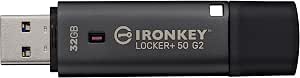 | Best for Security on a Smaller Capacity | Capacity: 32GB | Encryption: XTS-AES 256-bit hardware encryption | Certification: FIPS 197 | VIEW LATEST PRICE | See Our Full Breakdown |
| Kingston IronKey Locker+ 50 G2 128GB Encrypted USB Drive |  | Best High-Capacity Pick | Capacity: 128GB | Encryption: 256-bit XTS-AES hardware encryption | Certification: FIPS 197 | VIEW LATEST PRICE | See Our Full Breakdown |
| encrypted USB flash drife | Interface | Encryption | Certification | Storage capacity |
|---|---|---|---|---|
| Integral Crypto-197 4GB USB 3. | USB 3.0 | 256-bit AES hardware encryption | FIPS 197 | 4GB |
| Kingston IronKey Vault Privacy | USB 3.2 Gen 1 | FIPS 197 XTS-AES 256-bit hardware encryption | — | 16GB |
| Kingston IronKey Locker+ 50 G2 | USB 3.2 Gen 1 | XTS-AES 256-bit hardware encryption | FIPS 197 | 64GB |
| Apricorn Aegis Secure Key 3 NX | USB 3.0 | 256-bit AES-XTS hardware encryption | — | 32GB |
| iStorage datAshur PRO 4 GB Enc | USB 3.2, backward compatible | AES-XTS 256-bit hardware encryption | FIPS 140-2 Level 3, NLNCSA DEP-V, NATO Restricted | 4GB |
| Integral Crypto-197 16GB USB 3 | USB 3.0 | 256-bit AES hardware encryption | FIPS 197 | 16GB |
| Integral 32GB Secure 360 Encry | USB 3.0 (SuperSpeed) | 256-bit AES | — | — |
| Apricorn 8GB Aegis Secure Key | USB 3.0 | 256-bit | FIPS 140-2 Level 3 validated | — |
| Kingston IronKey Keypad 200 16 | USB 3.2 Gen 1 | XTS-AES 256-bit hardware encryption | FIPS 140-3 Level 3 pending | 16GB |
| Kingston Digital DataTraveler | USB 3.0 | 256-bit AES hardware-based encryption | — | — |
| Kingston IronKey Locker+ 50 G2 | USB 3.2 Gen 1 | XTS-AES 256-bit hardware encryption | FIPS 197 | — |
| Kingston IronKey Locker+ 50 G2 | USB 3.2 Gen 1 | 256-bit XTS-AES hardware encryption | FIPS 197 | — |
More Details on Our Top Picks
Integral Crypto-197 4GB USB 3.0 Encrypted Flash Drive
I’d choose the Integral Crypto-197 when a small amount of sensitive data matters more than keeping a large archive on hand. Its 256-bit AES hardware encryption and FIPS 197 certification provide a clear security basis, while the drive works without installed software—useful on managed computers where software installation is restricted. Compared with the iStorage datAshur PRO, it uses a password rather than a keypad PIN, so access depends on remembering an alphanumeric credential instead of entering digits on the device. The waterproof, dual-layer casing adds physical protection, but the biggest tradeoff is its 4GB capacity. Also, six failed access attempts erase the data: that is a strong response to guessing, but a real risk if the password is mistyped repeatedly or forgotten.
Pros:- FIPS 197-certified 256-bit AES hardware encryption
- No software installation required
- Waterproof dual-layer casing
- Erases stored data after six unsuccessful access attempts
Cons:- Only 4GB of storage
- Repeated incorrect password attempts permanently erase data
- Requires an 8–16 character alphanumeric password
Best for: People carrying a small set of confidential documents who want hardware encryption, no software setup, and automatic data erasure after repeated failed access attempts.
Not ideal for: Anyone storing large files or who needs a forgiving recovery path; the 4GB capacity is restrictive, and six incorrect attempts erase the stored data.
- Storage capacity:4GB
- Interface:USB 3.0
- Encryption:256-bit AES hardware encryption
- Certification:FIPS 197
- Password length:8–16 characters
- Failed-access protection:Data erased after 6 unsuccessful attempts
- Physical protection:Dual-layer waterproof casing
- Software required:No
Our verdict“Choose the Crypto-197 for modest amounts of sensitive data when simple setup and a strong failed-access response matter more than capacity or recovery flexibility.”
Kingston IronKey Vault Privacy 50 16GB Encrypted USB Drive
The Kingston IronKey Vault Privacy 50 is the lineup’s enterprise-focused choice: its FIPS 197 XTS-AES 256-bit hardware encryption, defenses against brute-force and BadUSB attacks, and TAA compliance suit organizations with procurement and security requirements beyond basic file locking. Its listed read and write speeds also make it a stronger fit for repeated transfers than the Integral Crypto-197, which offers less capacity and no speed figures in the supplied data. The tradeoff is that 16GB limits how much working material can stay on the drive, especially beside the 64GB IronKey Locker+ 50 G2. Multi-password options give teams more flexibility, but this remains a physical device: users must keep it under control, and it does not offer cloud access if the drive is elsewhere.
Pros:- FIPS 197-certified XTS-AES 256-bit hardware encryption
- Protection against brute-force and BadUSB attacks
- TAA compliant for government and enterprise procurement
- Listed transfer speeds of up to 250 MB/s read and 180 MB/s write
Cons:- 16GB capacity is modest for large work files
- Physical possession is required for access
- Enterprise-focused security options may be more than casual users need
Best for: Government and enterprise teams that need TAA-compliant procurement, hardware encryption, attack protections, and a portable store for a limited set of work files.
Not ideal for: Buyers moving large datasets or needing shared remote access; 16GB is limited, and access depends on having the physical drive.
- Storage capacity:16GB
- Interface:USB 3.2 Gen 1
- Encryption:FIPS 197 XTS-AES 256-bit hardware encryption
- Read speed:Up to 250 MB/s
- Write speed:Up to 180 MB/s
- Attack protections:Brute-force and BadUSB protection
- Compliance:TAA compliant
- Color:Blue
Our verdict“Pick the Vault Privacy 50 for compliance-focused teams that value attack protections and transfer speed over generous storage capacity.”
Kingston IronKey Locker+ 50 G2 64GB Encrypted USB Drive
With 64GB of storage, the Kingston IronKey Locker+ 50 G2 is the practical middle ground for people who need room for regular work files without giving up certified hardware encryption. It carries FIPS 197-certified XTS-AES 256-bit encryption and offers admin and user password modes, giving it more capacity than the Vault Privacy 50’s 16GB and the 4GB Integral Crypto-197. Listed speeds of up to 145 MB/s read and 115 MB/s write suit routine transfers, though the Vault Privacy 50 is faster on its published figures. The extra space is not unlimited: video collections or full project archives can still outgrow 64GB. Its admin/user setup is useful in managed settings, but buyers who need the Vault’s stated BadUSB and brute-force protections should compare those specific defenses before choosing.
Pros:- 64GB capacity exceeds the 16GB Vault Privacy 50 and 4GB options
- FIPS 197-certified XTS-AES 256-bit hardware encryption
- Admin and user password modes
- Five-year manufacturer warranty
Cons:- May not hold large media collections or extensive project archives
- Published read and write speeds are lower than the Vault Privacy 50
- Its larger capacity may be unnecessary for users carrying only a few documents
Best for: Professionals who regularly carry a moderate volume of confidential documents and want certified encryption with separate admin and user access modes.
Not ideal for: People moving large media libraries or prioritizing the highest listed transfer speeds; 64GB may be insufficient, and the Vault Privacy 50 lists faster speeds.
- Storage capacity:64GB
- Interface:USB 3.2 Gen 1
- Encryption:XTS-AES 256-bit hardware encryption
- Certification:FIPS 197
- Read speed:Up to 145 MB/s
- Write speed:Up to 115 MB/s
- Access modes:Admin and user modes
- Warranty:5 years
Our verdict“Choose the Locker+ 50 G2 when 64GB of encrypted, portable storage is more useful than the Vault Privacy 50’s higher listed speeds.”
Apricorn Aegis Secure Key 3 NX 32GB Encrypted USB 3.0 Flash Drive
The Apricorn Aegis Secure Key 3 NX stands out for buyers who move protected files among a mix of operating systems and need more control than a basic encrypted stick provides. Its listed compatibility spans Windows, iOS, Linux, Android, and Chrome, while admin and user modes, read-only settings, and recovery PINs support managed access and reduce the chance that a forgotten credential leaves no recovery route. Compared with the iStorage datAshur PRO, it offers 32GB rather than 4GB, but the datAshur’s listed FIPS 140-2 Level 3 certification is stated as certified, while this product’s supplied description says validation was pending at data capture. That qualification matters to buyers with formal certification requirements. The 77 MB/s read and 60 MB/s write figures are also less compelling than the Kingston Vault Privacy 50’s listed speeds.
Pros:- AES-XTS 256-bit hardware encryption
- Admin and user modes, read-only settings, and data recovery PINs
- Listed compatibility across Windows, iOS, Linux, Android, and Chrome
- 32GB capacity is larger than the 4GB datAshur PRO
Cons:- FIPS 140-2 Level 3 validation was listed as pending at data capture
- Listed transfer speeds trail the Kingston Vault Privacy 50
- 32GB may be too little for large datasets
Best for: IT administrators and cross-platform teams that need 32GB of encrypted storage, separate user controls, read-only access, and recovery PIN functionality.
Not ideal for: Buyers whose procurement rules require confirmed FIPS 140-2 Level 3 validation; the supplied product data says validation was pending at capture.
- Storage capacity:32GB
- Interface:USB 3.0
- Encryption:256-bit AES-XTS hardware encryption
- Security standard:FIPS 140-2 Level 3; validation listed as pending at data capture
- Read speed:Up to 77 MB/s
- Write speed:Up to 60 MB/s
- Access features:Admin and user modes, read-only capabilities, data recovery PINs
- Compatibility:Windows, iOS, Linux, Android, Chrome
Our verdict“Choose the Aegis Secure Key 3 NX for cross-platform administration and recovery controls, but verify certification status if formal validation is mandatory.”
iStorage datAshur PRO 4 GB Encrypted USB Flash Drive
The iStorage datAshur PRO puts access control on the device itself: a 7–15 digit PIN unlocks its AES-XTS 256-bit hardware encryption, and no software is required. That keypad approach suits buyers who prefer entering a PIN over the alphanumeric password used by the Integral Crypto-197. It also adds IP57 dust and water resistance and lists compatibility across desktop, mobile, and virtualized environments. The supplied data names FIPS 140-2 Level 3 certification, along with other security credentials, making it a more credential-heavy choice than the basic Crypto-197. Its central limitation is the same one that constrains that Integral drive: only 4GB. Although the listed USB 3.2 speeds are high, quick transfers do not make this a roomy option for large files or ongoing backups.
Pros:- AES-XTS 256-bit hardware encryption without software
- 7–15 digit PIN authentication
- IP57-rated dust and water resistance
- Broad compatibility across operating systems, thin clients, and virtualized environments
Cons:- Only 4GB of storage
- Requires entering a PIN on the device for access
- Listed transfer speeds do not offset the limited capacity for large files
Best for: Security-conscious professionals who want PIN entry on the drive, broad operating-system compatibility, and dust and water resistance for a small set of files.
Not ideal for: People carrying large files or backups; 4GB is restrictive, and users who prefer password-based access may find keypad PIN entry less convenient.
- Storage capacity:4GB
- Interface:USB 3.2, backward compatible
- Encryption:AES-XTS 256-bit hardware encryption
- Authentication:7–15 digit PIN
- Certification:FIPS 140-2 Level 3, NLNCSA DEP-V, NATO Restricted
- Ingress protection:IP57
- Read speed:Up to 169 MB/s
- Write speed:Up to 135 MB/s
- Compatibility:Windows, macOS, Linux, Chrome, Android, thin clients, zero clients, embedded systems, Citrix, VMware
Our verdict“Pick the datAshur PRO when PIN-based unlocking and rugged protection matter more than storage space.”
Integral Crypto-197 16GB USB 3.0 Hardware-Encrypted Flash Drive
The Integral Crypto-197 suits buyers who want hardware encryption with protective actions that happen automatically. Its FIPS 197-certified 256-bit AES encryption pairs with auto-locking when the drive is unplugged or the host computer locks, reducing the chance that an unattended drive stays accessible. After six incorrect password attempts, it erases the data and encryption key—a stronger response than the 10-attempt erase limit on the Integral Secure 360, but one that also leaves less room for forgotten-password mistakes. The double-layer waterproof casing adds physical protection that the Secure 360’s rotating case does not emphasize. The tradeoff is capacity: 16GB is modest beside the Secure 360’s 32GB, and the six-attempt limit can turn repeated typos into permanent data loss. I’d choose it for carefully managed sensitive files, not a general-purpose archive.
Pros:- FIPS 197-certified 256-bit AES hardware encryption
- Auto-locks when disconnected or when the host computer locks
- Erases data and the encryption key after six failed access attempts
- Double-layer waterproof casing with a hardened inner case and silicone outer layer
Cons:- 16GB capacity limits use for large files or broad backups
- Six incorrect password attempts trigger irreversible data and key erasure
Best for: People carrying a small set of sensitive files who want automatic locking, certified encryption, and added protection from water exposure.
Not ideal for: Users who store large collections or are likely to mistype passwords, since capacity is limited to 16GB and six failed attempts erase the data.
- Storage capacity:16GB
- Interface:USB 3.0
- Encryption:256-bit AES hardware encryption
- Certification:FIPS 197
- Password:8–16 character alphanumeric password
- Failed access protection:Data and encryption key erased after 6 failed attempts
- Compatibility:PC and Mac
- Water resistance:Double-layer waterproof design
Our verdict“Choose the Crypto-197 if automatic locking and a waterproof build matter more than capacity or a forgiving password retry limit.”
Integral 32GB Secure 360 Encrypted USB 3.0 Flash Drive (256-bit AES)
For buyers who want room for more documents without moving to a larger, more specialized security device, the Integral Secure 360 offers 32GB capacity and 256-bit AES encryption. Its zero-footprint setup requires no software installation, which can be useful on managed computers where installing utilities is restricted. The dual-partition design separates secure storage from the rest of the drive, while its capless rotating body avoids a loose cap. Compared with the 16GB Integral Crypto-197, it doubles capacity and allows 10 failed password attempts before erasing data, though the Crypto-197 adds FIPS 197 certification and automatic locking tied to the computer’s lock state. The Secure 360’s encryption software may take some getting used to, and its 10-attempt erase rule still makes forgotten credentials a serious risk. I’d pick it for routine secure file transport, not for buyers seeking the strongest documented certification in this lineup.
Pros:- 32GB capacity provides more working room than the 16GB Integral Crypto-197
- 256-bit AES encryption with a dual-partition design
- Zero-footprint use requires no software installation
- Capless rotating case avoids a separate cap to lose
Cons:- Data is permanently erased after 10 failed password attempts
- Encryption software may take time to learn
- No certification is specified in the supplied product details
Best for: Office users who need 32GB for regular document transfers and cannot install software on every computer they use.
Not ideal for: Buyers who need a stated FIPS certification or want auto-locking when the host computer locks; the Crypto-197 better matches those priorities.
- Capacity:32GB
- Interface:USB 3.0 (SuperSpeed)
- Encryption:256-bit AES
- Compatibility:Windows and macOS
- Security feature:Auto-erase after 10 failed attempts
- Design:Dual partition; capless rotating case
- Software setup:Zero-footprint use; no software installation required
- Warranty:2 years
Our verdict“Pick the Secure 360 for higher capacity and software-free setup, but choose the Crypto-197 if certification and automatic locking matter more.”
Apricorn 8GB Aegis Secure Key 3 NX 256-bit Encrypted FIPS 140-2 Level 3 Validated Secure USB 3.0 Flash Drive (ASK3-NX-8GB), Black
The Apricorn Aegis Secure Key 3 NX is the pick here for organizations or technically confident users who need more control over how a drive can be accessed. Its FIPS 140-2 Level 3 validation, separate admin and user modes, two read-only modes, and data recovery PINs offer a richer set of controls than the simpler security details supplied for the Integral Crypto-197. Those controls can support managed sharing and recovery planning, rather than relying on one password and one access pattern. The cost of that flexibility is a smaller 8GB capacity and more configuration complexity. The Kingston IronKey Keypad 200 also offers admin and user PIN options, but adds stated brute-force and BadUSB protections and broader listed compatibility; the Apricorn’s distinction is its validated certification and read-only modes. I’d favor it for policy-driven use, not casual file storage or buyers who want simple setup.
Pros:- FIPS 140-2 Level 3 validated
- Separate admin and user modes support managed access
- Two read-only modes offer control over data changes
- Data recovery PINs provide an additional recovery path
Cons:- 8GB capacity is restrictive for larger files or broad work collections
- Specialized security controls may require technical knowledge to configure
- The supplied specifications do not list compatible operating systems
Best for: IT administrators and security-conscious teams that need separate admin and user access, read-only options, and recovery PINs.
Not ideal for: Users who need to carry large files or prefer a straightforward setup; the 8GB capacity and specialized controls may be limiting.
- Capacity:8GB
- Interface:USB 3.0
- Encryption:256-bit
- Certification:FIPS 140-2 Level 3 validated
- Model:ASK3-NX-8GB
- Access modes:Separate admin and user modes
- Read-only modes:Two
- Recovery:Data recovery PINs
- Color:Black
Our verdict“Choose the Aegis Secure Key 3 NX for validated security and configurable access controls, provided 8GB is enough for your workload.”
Kingston IronKey Keypad 200 16GB Encrypted USB Flash Drive
The Kingston IronKey Keypad 200 stands apart from the software-oriented Integral Secure 360 by placing PIN entry on the drive itself. Its alphanumeric keypad and hardware-based XTS-AES 256-bit encryption let users unlock it without depending on a particular computer’s encryption software, while admin and user PIN options support more than one access role. The listed compatibility spans Windows, macOS, Linux, Chrome OS, and Android devices that support USB mass storage, making it a strong fit for mixed-device workflows. Brute-force and BadUSB protections add safeguards beyond the keypad. The main qualification is certification status: its FIPS 140-3 Level 3 certification is pending, unlike the validated FIPS 140-2 Level 3 Apricorn Aegis Secure Key 3 NX. At 16GB, capacity is also limited for larger media libraries. I’d choose this model for broad compatibility and keypad-based access, not when completed certification is a requirement.
Pros:- XTS-AES 256-bit hardware encryption
- On-device alphanumeric keypad with admin and user PIN options
- Brute-force and BadUSB protection
- Broad listed compatibility across desktop and mobile operating systems
Cons:- FIPS 140-3 Level 3 certification is pending
- 16GB capacity may not suit large file collections
- USB Type-A connector may require an adapter for devices without a matching port
Best for: People who move sensitive files among Windows, Mac, Linux, Chrome OS, or compatible Android devices and want PIN entry on the drive.
Not ideal for: Organizations that require a completed FIPS 140-3 Level 3 validation, or users who need more than 16GB of storage.
- Storage capacity:16GB
- Interface:USB 3.2 Gen 1
- Connector:USB Type-A
- Encryption:XTS-AES 256-bit hardware encryption
- PIN access:Alphanumeric keypad; admin and user PIN options
- Certification:FIPS 140-3 Level 3 pending
- Read speed:145 MB/s
- Write speed:115 MB/s
- Compatible systems:Windows, macOS, Linux, Chrome OS, Android, and systems supporting USB mass storage
Our verdict“Choose the Keypad 200 for PIN-based access across varied operating systems, but opt for the validated Apricorn if completed FIPS 140-2 Level 3 validation is your priority.”
Kingston Digital DataTraveler Vault Privacy 3.0 8GB USB Flash Drive
The Kingston DataTraveler Vault Privacy 3.0 is aimed less at configurable personal security and more at organizations buying drives under procurement rules. It combines 256-bit AES hardware-based encryption with TAA compliance and the option to customize the drive for corporate IT requirements. That makes it a different proposition from the Integral Secure 360: the Secure 360 offers 32GB and a no-install setup, while this Kingston emphasizes procurement fit and policy customization. Optional ESET anti-virus protection may appeal to managed environments, but it is not included as a standard feature in the supplied details and may require added setup. The 8GB capacity is the clearest limitation, especially beside the 16GB Crypto-197 or 32GB Secure 360. I’d shortlist it for organizations with specific compliance or configuration needs, while individual buyers seeking more space or richer stated access controls should compare other options first.
Pros:- 256-bit AES hardware-based encryption
- TAA compliant for procurement requirements
- Customizable for corporate IT policies
- USB 3.0 interface
Cons:- 8GB capacity is limited compared with the Integral Secure 360’s 32GB
- ESET anti-virus protection is optional and may need separate setup
- The supplied specifications do not identify compatible operating systems
Best for: Corporate or government procurement teams that need TAA-compliant encrypted drives and want customization for internal IT policies.
Not ideal for: Individuals or teams moving large files, since 8GB is limited; also skip it if you need keypad access or detailed access-control modes listed in the product data.
- Capacity:8GB
- Interface:USB 3.0
- Encryption:256-bit AES hardware-based encryption
- Model:DTVP30/8GB
- Compliance:TAA compliant
- Customization:Customizable for corporate IT requirements
- Optional protection:ESET anti-virus protection
- Brand:Kingston Digital
Our verdict“Choose the DataTraveler Vault Privacy 3.0 when TAA compliance and IT customization matter more than storage capacity or on-drive keypad controls.”
Kingston IronKey Locker+ 50 G2 32GB Encrypted USB Drive
The 32GB Locker+ 50 G2 suits buyers who prioritize protected work files over carrying a large archive. Its 256-bit XTS-AES hardware encryption and FIPS 197 certification give it a strong security basis, while separate Admin and User passwords allow access to be managed at two levels. Compared with the 128GB version in this lineup, it offers the same stated encryption and transfer speeds in a smaller capacity; the tradeoff is less room for bulky projects or long-term backups. Its USB 3.2 Gen 1 connection is rated for up to 145MB/s reads and 115MB/s writes, useful for routine transfers, though actual performance can vary. Choose it over smaller-capacity options such as the Integral Crypto-197 4GB when you need more working space, but skip it if 32GB would force frequent file cleanup.
Pros:- 256-bit XTS-AES hardware encryption with FIPS 197 certification
- Separate Admin and User password options
- Rated read speeds up to 145MB/s and write speeds up to 115MB/s
- 32GB offers more working space than the 4GB Integral Crypto-197
Cons:- 32GB may be restrictive for large media files or backups
- Advanced security features may require specific management software
Best for: Professionals carrying a focused set of confidential documents who want hardware encryption, Admin and User access, and more space than a 4GB drive.
Not ideal for: Photographers, video editors, and backup users with large files, since 32GB can fill quickly; also a poor fit if you need roomy storage rather than a compact work set.
- Capacity:32GB
- Encryption:XTS-AES 256-bit hardware encryption
- Certification:FIPS 197
- Password security:Admin and User options
- Interface:USB 3.2 Gen 1
- Read speed:Up to 145MB/s
- Write speed:Up to 115MB/s
- Model:IKLP50G2/32GB
Our verdict“Choose this version for a modest collection of sensitive files with strong hardware encryption, but pick the 128GB model if capacity matters more than keeping the drive small.”
Kingston IronKey Locker+ 50 G2 128GB Encrypted USB Drive
The 128GB Locker+ 50 G2 is the better fit when encrypted storage needs to hold more than a small set of documents. It pairs 256-bit XTS-AES hardware encryption and FIPS 197 certification with separate Admin and User passwords, including complex or passphrase modes. Compared with the 32GB Locker+ 50 G2, it keeps the same stated speed ratings and security approach while providing four times the capacity, so larger work folders need less frequent pruning. That extra room does not make it the right choice for everyone: buyers carrying only a few sensitive files may prefer a smaller-capacity option, and the listing gives limited compatibility detail beyond computers. The USB Type-A connector also makes it less suitable for devices that lack that port without an adapter.
Pros:- 128GB capacity offers substantially more room than the 32GB version
- 256-bit XTS-AES hardware encryption with FIPS 197 certification
- Admin and User passwords support complex or passphrase modes
- Rated read speeds up to 145MB/s and write speeds up to 115MB/s
Cons:- USB Type-A connector may require an adapter for newer devices without that port
- Compatibility details are limited, so buyers should check their target computer setup
- More capacity may be unnecessary for users carrying only a small set of files
Best for: Consultants, field teams, and office users who carry sizable confidential project folders and want Admin and User password controls.
Not ideal for: People storing only a few documents who would rather carry a smaller drive, or users whose computers lack USB Type-A ports and who do not want an adapter.
- Capacity:128GB
- Encryption:256-bit XTS-AES hardware encryption
- Certification:FIPS 197
- Password security:Separate Admin and User passwords; complex or passphrase modes
- Interface:USB 3.2 Gen 1
- Connector:USB Type-A
- Read speed:Up to 145MB/s
- Write speed:Up to 115MB/s
- Dimensions:0.73 × 0.37 × 0.37 in (D × W × H)
Our verdict“Pick the 128GB model over the 32GB version when you need room for larger confidential work folders without giving up the same stated encryption and speed ratings.”

How We Picked
I compared the 12 listed drives by the factors that affect everyday secure storage: the stated encryption and authentication approach, available capacity, connection and setup requirements, and how well each model fits a particular user. I gave more weight to clear security-oriented design and practical access than to capacity by itself. A drive can hold more files yet still be a poor fit if its unlock process or computer compatibility conflicts with the buyer’s routine.
The order reflects distinct roles rather than treating every model as interchangeable. I favored models that balance security-focused features with broad usefulness for the lead positions, then placed more specialized keypad, lower-capacity, and closely related capacity variants where their narrower use cases make sense. Since product names and capacities do not establish compatibility with every operating system or the details of recovery and management, I treat those as buyer checks rather than assumed advantages.
| encrypted USB flash drife | Interface | Certification |
|---|---|---|
| Integral Crypto-197 4GB USB 3. | USB 3.0 | FIPS 197 |
| Kingston IronKey Vault Privacy | USB 3.2 Gen 1 | — |
| Kingston IronKey Locker+ 50 G2 | USB 3.2 Gen 1 | FIPS 197 |
| Apricorn Aegis Secure Key 3 NX | USB 3.0 | — |
| iStorage datAshur PRO 4 GB Enc | USB 3.2, backward compatible | FIPS 140-2 Level 3, NLNCSA DEP-V, NATO Restricted |
| Integral Crypto-197 16GB USB 3 | USB 3.0 | FIPS 197 |
| Integral 32GB Secure 360 Encry | USB 3.0 (SuperSpeed) | — |
| Apricorn 8GB Aegis Secure Key | USB 3.0 | FIPS 140-2 Level 3 validated |
| Kingston IronKey Keypad 200 16 | USB 3.2 Gen 1 | FIPS 140-3 Level 3 pending |
| Kingston Digital DataTraveler | USB 3.0 | — |
| Kingston IronKey Locker+ 50 G2 | USB 3.2 Gen 1 | FIPS 197 |
| Kingston IronKey Locker+ 50 G2 | USB 3.2 Gen 1 | FIPS 197 |
Factors to Consider When Choosing Encrypted USB Flash Drives
Before choosing a drive, match its security workflow to the way you handle files. The right option depends not only on what is stored, but also on where you unlock it, how often you need access, and what happens if you forget a credential.
Choose an Unlock Method You Will Actually Use
Encrypted drives can rely on keypad entry, software-assisted unlocking, or other device-specific authentication steps. A keypad can be useful on shared or tightly controlled computers because it may reduce dependence on installing an unlock utility, but it adds steps each time you connect the drive. Software-based workflows can feel more familiar, yet may be restricted by workplace permissions or computer compatibility. Check the manufacturer’s instructions for the exact unlock process on your operating systems before buying. A security feature that is inconvenient in your real routine can encourage risky workarounds, such as leaving files unprotected elsewhere.
Size Capacity Around File Types, Not Just File Count
A handful of text documents needs far less space than video, design files, or recurring system backups. Smaller capacities, such as 4GB or 8GB, can limit how much data is carried at once, which may suit a narrowly defined document set. Larger capacities offer room to grow, but they also make it easier to accumulate files you no longer need on a portable device. Estimate your current storage use, then leave room for growth without treating maximum capacity as a security benefit. If you plan to move large files often, confirm the connection and performance details as well as the capacity.
Read Security Claims as a Whole System
Encryption strength is only one part of a drive’s protection. Authentication, lockout behavior, physical construction, credential setup, and the handling of forgotten PINs or passwords all affect how well the device fits your risk. Avoid choosing from an encryption number or certification label alone; verify what the claim applies to and whether it matches your organization’s requirements. For work data, ask an IT or security administrator which standards and procurement rules apply before ordering. For personal use, give equal attention to how the drive protects against guessing and how you will regain access when credentials are lost.
Check Computer and Port Compatibility Before Purchase
USB connectors and unlock utilities can determine whether a drive works smoothly across your computers. Check the physical connector, operating-system support, and any required software or administrator permissions. A drive intended for a personal laptop may not behave the same way on a locked-down office machine, a shared workstation, or an older computer. If you move between systems, prioritize documented support for each one and confirm whether the unlock process requires installation. This check is especially helpful when choosing between keypad-oriented models and drives that depend more on a computer-based workflow.
Plan for Lost Credentials and Recovery
Strong access controls can also make forgotten credentials harder to recover. Before storing the only copy of important files on an encrypted drive, find out what the manufacturer says about password resets, recovery options, and data loss after failed attempts. Keep an authorized backup in a separate, appropriately protected location rather than assuming the drive can be reset without affecting its contents. Businesses should document who controls credentials and how access is handled if an employee leaves. These steps prevent a security measure from becoming an avoidable data-access problem.
Decide Whether You Need a Personal Device or a Managed One
Individual buyers can often focus on ease of use, capacity, and compatibility, while organizations may need oversight, consistent configurations, and procurement approval. A drive that works well for one person does not automatically meet a company’s rules for encryption or device management. Ask whether the device supports the administrative process your organization already uses, and do not assume several drives in one product family have identical features. Paying for a more specialized model makes sense when its access method or validation addresses a real requirement. If you cannot name that requirement, a simpler option may be easier to maintain.
Frequently Asked Questions
Is a keypad-encrypted USB drive better than one that uses software?
Neither approach is automatically better; the right choice depends on where you unlock the drive. A keypad model can be a practical fit when you use computers where you cannot install software or want to enter a PIN on the device itself. A software-based workflow may be more convenient on a personal computer where the required utility is supported. Check supported operating systems, administrator restrictions, and the exact unlock steps before deciding. Also compare credential recovery policies, since convenience and recovery can differ by model.
How much capacity should I choose for documents and regular file transfers?
Start by estimating the size and type of files you expect to carry, rather than buying the largest drive by default. Small document collections may fit a 4GB or 8GB model, while recurring transfers or mixed media can call for 16GB, 32GB, or more. Larger drives reduce the need to remove files often, but they can also encourage carrying unnecessary data. Keep a separate backup of important files, since a secure portable drive is not a substitute for backup storage. If your needs may grow, a mid-size option can offer room without making capacity the deciding factor.
Can I use one encrypted USB drive on both work and personal computers?
Possibly, but compatibility depends on the drive’s connector, supported operating systems, and unlock method. A computer that blocks software installation can prevent access to a drive that requires an unlock utility, even when the USB connection itself fits. Keypad-based models may reduce that particular obstacle, but you should still verify support for the systems you use. For employer-owned computers, check workplace policy before connecting personal storage. Testing the workflow with your IT team can prevent a locked-out situation later.
What happens if I forget the PIN or password?
The answer depends on the specific device, so check its recovery instructions before storing anything important. Some security designs may limit attempts or require a reset that erases stored data, rather than offering a simple password reset. Keep essential files backed up somewhere separate and protected, and store credentials using a method allowed by your personal or workplace security rules. Organizations should assign responsibility for credential records and access continuity. Never assume that customer support can retrieve encrypted files without the credential.
Should I choose a certified model for personal files?
A certification can matter when a workplace, contract, or regulated environment specifically requires it. For personal use, it is only one piece of the decision; compatibility, authentication, capacity, and recovery arrangements still affect whether the drive suits you. Verify the exact certification and what product configuration it covers instead of relying on a label in a product name. If no policy requires certification, compare the everyday workflow and protection features against your needs. Paying for a specialized model is most sensible when its documented requirements solve a real problem for you.
Conclusion
For most buyers, I’d begin with the Kingston IronKey Vault Privacy 50 as the best overall choice in this lineup, then compare its workflow with the Apricorn Aegis Secure Key 3 NX if keypad access is a priority. For a value-focused shortlist, the Integral Crypto-197 gives buyers a straightforward lower-capacity option, with both 4GB and 16GB versions to match different storage needs. Beginners should favor the model whose unlock process and computer support are easiest to confirm before purchase, rather than choosing by security labels alone. For a premium or specialized need, look closely at the Kingston IronKey Keypad 200 or Apricorn’s keypad models, especially if you need device-based PIN entry; for more storage, the Locker+ 50 G2 128GB is the largest listed capacity. Match the drive to your access routine, file volume, and recovery plan, and keep a separate protected backup of anything you cannot afford to lose.
Halloween Picks
halloween
As an affiliate, we earn on qualifying purchases.