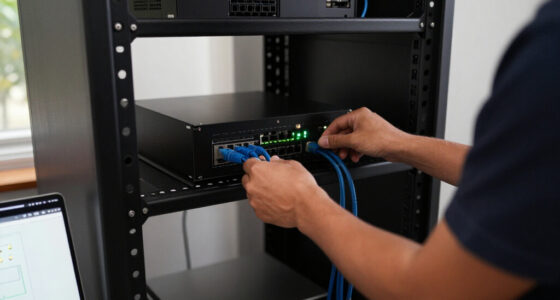

Among router firewall appliances for home networks, I rank the TP-Link Omada ER707-M2 as the best overall for its multi-gig connectivity and approachable managed-router format. The Netgate 1100 pfSense+ Security Gateway is a strong fit for buyers who want hands-on control in a compact package, while the Partaker S12 offers more expansion and processing headroom for advanced networks. The main tradeoff is between a ready-to-manage appliance and a flexible mini PC that requires more setup and upkeep. Business-oriented firewalls can add managed security features, but may bring licensing and administration demands that exceed a typical household’s needs. Read on for the full breakdown of all 15 options and how to choose among them.

Get privacy and security gear delivered free with Prime
- Fast, free delivery on millions of items
- Prime Video, Amazon Music and more included
- Member-only deals all year
Key Takeaways
- The ER707-M2 leads for balanced home use: its multi-gig design makes it a stronger fit for faster local networks than the gigabit ER605 and ER7206, without requiring a DIY firewall build.
- Purpose-built gateways favor simplicity: the Netgate 1100, Firewalla Purple SE, and TP-Link routers offer more guided paths than mini PCs, though their management styles and customization limits differ.
- Mini PCs trade convenience for flexibility: the J6412 and Partaker S12 provide more ports or expansion potential, but buyers must choose, install, and maintain their firewall software.
- Port speed and port count are separate needs: four-port 2.5GbE mini PCs suit multi-gig wired layouts, while a 10Gb SFP option like the Partaker S12 targets more demanding equipment and network plans.
- Business firewall features can be a mismatch: SonicWall and Fortinet appliances may suit households with specific managed-security needs, but setup, subscriptions, and ongoing administration deserve scrutiny.
| SonicWall TZ280 Next-Generation Firewall Appliance |  | Best for Subscription-Based Business Security | Model: TZ280 | Firewall inspection throughput: Up to 2.5 Gbps | Threat prevention throughput: Up to 1 Gbps | VIEW LATEST PRICE | See Our Full Breakdown |
| TP-Link ER7206 Multi-WAN Gigabit VPN Router |  | Best for Multi-WAN Home Offices | WAN ports: Up to 4, including 1 Gigabit SFP WAN, 1 Gigabit WAN, and 2 Gigabit WAN/LAN | Dedicated LAN ports: 1 Gigabit LAN | Data transfer rate: 1 Gbps | VIEW LATEST PRICE | See Our Full Breakdown |
| TP-Link Omada ER707-M2 Multi-Gigabit VPN Router |  | Best Multi-Gigabit Managed Router | Model: ER707-M2 | WAN ports: 2 × 2.5 Gigabit | Other ports: 4 × Gigabit WAN/LAN, 1 × Gigabit SFP WAN/LAN, 1 × USB 2.0 | VIEW LATEST PRICE | See Our Full Breakdown |
| J6412 Firewall Mini PC with Six 2.5GbE Ports, 8GB RAM and 128GB SSD |  | Best for Open-Source Firewall Customization | Processor: Intel J6412, up to 3.0 GHz burst | Network ports: 6 × Intel i226-V 2.5GbE | Installed memory: 8GB SO-DIMM DDR4 | VIEW LATEST PRICE | See Our Full Breakdown |
| VNOPN Fanless Firewall Mini PC with Intel J3710, 4 Intel i226 LAN Ports, 8GB RAM, 128GB SSD |  | Best Compact Fanless Firewall | Processor: Intel J3710, 4 cores/4 threads, up to 2.64 GHz | Memory: 8GB DDR3, maximum 8GB | Storage: 128GB mSATA SSD; supports up to 512GB; HDD not supported | VIEW LATEST PRICE | See Our Full Breakdown |
| Partaker S12 1U Rackmount Firewall Appliance, Intel Core i5-12400, 16GB RAM, 512GB SSD, 6×2.5GbE, 2×10Gb SFP |  | Best for a Home Network Lab | Processor: Intel Core i5-12400 or equivalent replacement | Memory: 16GB DDR4 3200 MT/s SO-DIMM; up to 64GB | Storage: 512GB SSD; one M.2 NVMe slot; chassis supports one SATA drive | VIEW LATEST PRICE | See Our Full Breakdown |
| Ubiquiti UniFi Security Gateway (USG), White |  | Best for Existing UniFi Homes | Ports: 4 Ethernet ports | LAN bandwidth: 10/100/1000 Mbps | Data transfer rate: 3 Gbps listed | VIEW LATEST PRICE | See Our Full Breakdown |
| SonicWall TZ80 High Availability Firewall |  | Best for Redundant SonicWall Setups | Model: SonicWall TZ80, part number 03-SSC-2749 | Form factor: Desktop | Ports: 4 × 1GbE; 1 × SFP | VIEW LATEST PRICE | See Our Full Breakdown |
| Fortinet FortiGate 40F Firewall Appliance (FG-40F) |  | Best for Quiet, Managed Security | Ports: 5 Gigabit Ethernet RJ45: 1 WAN and 4 internal | IPS throughput: Up to 1 Gbps | Threat-protection throughput: Up to 600 Mbps | VIEW LATEST PRICE | See Our Full Breakdown |
| Glovary J3710 Fanless Firewall Mini PC with 4-Port 2.5GbE LAN, 8GB RAM and 128GB SSD |  | Best Compact Multi-Gig DIY Pick | Processor: Intel Pentium J3710, 4 cores and 4 threads, up to 2.64 GHz | Memory: 8GB DDR3L SO-DIMM | Storage: 128GB SSD | VIEW LATEST PRICE | See Our Full Breakdown |
| EGSMTPC M3 J1900L4 i210 Firewall Mini PC, 4-Port Router, 4GB RAM, 64GB SSD |  | Best for a Basic DIY pfSense Build | Processor: Intel Celeron J1900 quad-core, up to 2.0 GHz | Memory: 4GB DDR3L RAM | Storage: 64GB mSATA SSD | VIEW LATEST PRICE | See Our Full Breakdown |
| VNOPN Fanless Mini Firewall PC with Intel J3710, 4 Intel i226-V LAN Ports, 8GB RAM, 240GB SSD |  | Best for Multi-Gig DIY Routing | Processor: Intel J3710 quad-core, up to 2.40GHz | Memory: 8GB DDR3 RAM | Storage: 240GB mSATA SSD; supports up to 512GB | VIEW LATEST PRICE | See Our Full Breakdown |
| Netgate 1100 pfSense+ Security Gateway |  | Best for a Supported pfSense Gateway | Model: SG-1100 | Processor: Dual-core ARM Cortex-A53, 1.2 GHz | Ports: 3 switched 1 GbE ports | VIEW LATEST PRICE | See Our Full Breakdown |
| Firewalla Purple SE Cybersecurity Firewall |  | Best for App-Based Home Security Controls | Model: Purple SE | IPS throughput: Up to 500 Mbps | Data transfer rate: 500 Mbps | VIEW LATEST PRICE | See Our Full Breakdown |
| TP-Link ER605 Wired Gigabit VPN Router |  | Best for Multi-WAN Home Networks | Model: ER605 | Ethernet ports: 5 Gigabit ports: 1 WAN, 2 WAN/LAN, 2 LAN | USB WAN: Supports 4G/3G modem backup | VIEW LATEST PRICE | See Our Full Breakdown |
More Details on Our Top Picks
SonicWall TZ280 Next-Generation Firewall Appliance
The SonicWall TZ280 is the clearest fit here for a home network that needs business-oriented firewall inspection and VPN capacity, rather than a general-purpose wired router. Its stated 2.5 Gbps firewall inspection and 1 Gbps threat prevention give buyers separate performance figures for traffic inspection and security processing. Eight Ethernet ports also make it easier to connect wired devices directly than with the TP-Link ER7206, which lists one dedicated LAN port. The tradeoff is ongoing dependence on SonicWall subscriptions: security services, firmware updates, and support are not included with the appliance. That makes it less appealing than the self-configured J6412 Firewall Mini PC for a buyer who wants to choose an open-source firewall platform and manage updates independently. I’d shortlist the TZ280 when vendor-backed business security matters more than avoiding recurring service requirements.
Pros:- Up to 2.5 Gbps firewall inspection throughput
- Eight 1GbE ports and two 1G SFP ports provide substantial wired connectivity
- Supports up to 1.2 Gbps IPsec VPN throughput
- Includes SonicOS 8 and supports secure SD-WAN features
Cons:- Security services, firmware updates, and support require a separate subscription
- The supplied package is hardware only, so the included security coverage is limited
- A business-oriented feature set may be more involved than a basic home router needs
Best for: Home offices and small-business households that want a vendor-managed security appliance, several wired connections, and IPsec VPN capability.
Not ideal for: DIY firewall users seeking a platform they can configure and maintain without a separate subscription for security services, firmware updates, and support.
- Model:TZ280
- Firewall inspection throughput:Up to 2.5 Gbps
- Threat prevention throughput:Up to 1 Gbps
- IPsec VPN throughput:Up to 1.2 Gbps
- Ports:8 × 1GbE, 2 × 1G SFP
- Operating system:SonicOS 8
- Form factor and weight:Desktop; 1.8 lb
- Included:Hardware appliance only; subscription not included
Our verdict“Choose the TZ280 if you want a business-focused firewall appliance with ample ports and accept subscription-based security and support.”
TP-Link ER7206 Multi-WAN Gigabit VPN Router
The TP-Link ER7206 suits a home office that prioritizes multiple internet connections and centralized management over multi-gigabit ports. Its WAN arrangement supports up to four WAN connections, giving users options for load balancing or a more resilient setup, while Omada can manage the router alongside other network gear. Compared with the newer ER707-M2, though, the ER7206 is limited to gigabit data transfer and does not list 2.5GbE WAN ports; the ER707-M2 is the stronger match for faster broadband. The ER7206’s appeal is its broad VPN protocol support, firewall policies, and ability to run in standalone mode. It is a wired router, not a Wi-Fi access point, and its listed client figures should not be confused with wireless capacity. I’d pick it for a managed, wired network with multiple WAN links.
Pros:- Supports up to four WAN connections, including a Gigabit SFP WAN port
- Offers IPsec, OpenVPN, L2TP, and PPTP VPN support
- Omada SDN management is available alongside standalone operation
- Includes firewall policies, DoS defense, and IP, MAC, and URL filtering
Cons:- Gigabit data transfer is a limit for multi-gigabit broadband
- Only one port is listed as a dedicated Gigabit LAN port
- Cloud-controller plan details are not specified in the supplied product information
Best for: Home-office owners with multiple internet connections who want Omada management, VPN options, and wired firewall control.
Not ideal for: Households with multi-gigabit internet or buyers who need Wi-Fi built into the router; this is a wired gigabit device.
- WAN ports:Up to 4, including 1 Gigabit SFP WAN, 1 Gigabit WAN, and 2 Gigabit WAN/LAN
- Dedicated LAN ports:1 Gigabit LAN
- Data transfer rate:1 Gbps
- VPN connections:Up to 100 IPsec, 50 OpenVPN, 50 L2TP, and 50 PPTP
- Security features:Firewall policies, DoS defense, IP/MAC/URL filtering
- Management:Omada hardware controller, software controller, cloud-based controller, or standalone
- RAM:512 MB
- Connectivity:Wired Ethernet
Our verdict“Choose the ER7206 for a gigabit home office that needs multi-WAN flexibility and Omada management, but skip it for multi-gigabit service or built-in Wi-Fi.”
TP-Link Omada ER707-M2 Multi-Gigabit VPN Router
The Omada ER707-M2 is the best fit in this group for buyers who want a managed wired router that can keep pace with multi-gigabit internet. Its dual 2.5Gbps WAN ports distinguish it from the gigabit-only ER7206, while four flexible Gigabit WAN/LAN ports and an SFP WAN/LAN port leave room to shape the network around available connections. The stated capacity of 500,000 concurrent sessions and broad VPN support suit busy home offices or households with several remote-access needs. Omada management also helps when the home network is part of a larger multi-site setup. This is still a router, not an all-in-one wireless gateway: no Wi-Fi is specified, and LTE backup requires a separate compatible dongle. Compared with the SonicWall TZ280, it emphasizes port flexibility and management rather than stated threat-prevention throughput.
Pros:- Dual 2.5Gbps WAN ports support faster broadband connections
- Flexible Gigabit WAN/LAN ports and an SFP WAN/LAN port provide room for varied layouts
- Supports multiple VPN protocols and up to 500,000 concurrent sessions
- Omada cloud and app management can help administer networks across multiple sites
Cons:- No wireless connectivity is specified, so a separate access point is needed for Wi-Fi
- LTE backup requires a compatible dongle purchased separately
- Its many routing and management options may be excessive for a basic home network
Best for: Power users and home-office administrators with multi-gigabit broadband, multiple WAN links, or an Omada-managed network.
Not ideal for: Buyers seeking a simple Wi-Fi router or an appliance with included LTE backup hardware.
- Model:ER707-M2
- WAN ports:2 × 2.5 Gigabit
- Other ports:4 × Gigabit WAN/LAN, 1 × Gigabit SFP WAN/LAN, 1 × USB 2.0
- Maximum concurrent sessions:500,000
- Maximum clients:1,000+
- VPN support:Up to 100 IPsec, 66 OpenVPN, 60 L2TP, and 60 PPTP connections
- Data transfer rate:2,500 Mbps
- Weight and dimensions:1.1 kg; 12.9 × 9.5 × 3.1 in
- Warranty:5 years
Our verdict“Choose the ER707-M2 when multi-gigabit WAN capacity and Omada management matter more than built-in Wi-Fi or a plug-and-play setup.”
J6412 Firewall Mini PC with Six 2.5GbE Ports, 8GB RAM and 128GB SSD
This J6412 firewall mini PC is the most flexible pick for a home-network builder willing to choose and configure a firewall operating system. Six Intel i226-V 2.5GbE ports give it more room than the four-port VNOPN J3710 for separating a WAN connection, LAN segments, guest devices, and other network zones. Its compatibility list includes pfSense, OPNsense, VyOS, Linux, and Windows, while the fanless aluminum case keeps operating noise down. The tradeoff is that this is not a finished, guided router experience: configuration falls to the buyer, and the supplied OS details are inconsistent, listing RouterOS while the description says pfSense comes pre-installed. I’d favor it over the ER707-M2 when operating-system choice and port-by-port control matter more than Omada cloud management.
Pros:- Six Intel i226-V 2.5GbE ports support multi-WAN and network segmentation
- Compatible with pfSense, OPNsense, VyOS, Linux, and Windows
- Fanless aluminum chassis is designed for quiet operation and heat dissipation
- Memory and storage can be expanded
Cons:- The buyer must configure the firewall and networking software
- The listed operating system conflicts with the description’s claim about pre-installed pfSense
- No wireless connectivity is specified
Best for: Technically confident home-network users who want six 2.5GbE interfaces for VLANs, multi-WAN, and a self-selected firewall platform.
Not ideal for: Beginners who want a clearly specified, ready-to-use router with guided setup and minimal firewall administration.
- Processor:Intel J6412, up to 3.0 GHz burst
- Network ports:6 × Intel i226-V 2.5GbE
- Installed memory:8GB SO-DIMM DDR4
- Maximum memory:32GB
- Storage:128GB SSD
- Storage expansion:1 × M-SATA and 1 × SATA 3.0 (6Gb/s)
- Power consumption:10 watts
- Cooling:Fanless aluminum alloy chassis
- Compatible systems:pfSense, OPNsense, VyOS, Linux, Windows 10, WES10
Our verdict“Choose this mini PC for a customizable, silent multi-gigabit firewall build if you are comfortable resolving its software setup details.”
VNOPN Fanless Firewall Mini PC with Intel J3710, 4 Intel i226 LAN Ports, 8GB RAM, 128GB SSD
The VNOPN J3710 mini PC is the compact choice for a home network that needs a quiet, dedicated firewall but not six network interfaces. Its four Intel i226 LAN ports provide enough connections for a straightforward WAN, LAN, and segmented network layout, and the small VESA-mountable case can be tucked behind a display or on a desk. Compared with the six-port J6412 mini PC, this model takes less space but has a four-core J3710 processor and memory capped at 8GB, so it leaves less room for heavier workloads or future expansion. It supports pfSense and OPNsense, but buyers should expect to install and manage their chosen system rather than rely on a guided appliance interface. There is no built-in Wi-Fi listed, and HDD storage is unsupported.
Pros:- Four Intel i226 LAN ports provide wired connectivity for firewall and network segmentation
- Fanless passive cooling supports quiet operation
- Compatible with pfSense, OPNsense, Ubuntu, and other operating systems
- Compact case supports VESA mounting
Cons:- Memory is limited to 8GB with no listed expansion beyond that capacity
- HDDs are not supported, and mSATA storage is capped at 512GB
- Firewall installation and configuration require user involvement
Best for: Home users building a quiet, compact pfSense or OPNsense firewall for a small wired network with a few network zones.
Not ideal for: Power users planning extensive segmentation, substantial future memory expansion, or workloads that call for more than four ports.
- Processor:Intel J3710, 4 cores/4 threads, up to 2.64 GHz
- Memory:8GB DDR3, maximum 8GB
- Storage:128GB mSATA SSD; supports up to 512GB; HDD not supported
- Network ports:4 × Intel i226 LAN
- Other ports:2 × USB 3.0, RS232 or VGA, HD video output, DC input
- Operating system compatibility:pfSense, OPNsense, Ubuntu, and other popular open-source operating systems
- Cooling and power:Fanless passive cooling; 6–6.5 watts
- Dimensions and weight:5.27 × 4.98 × 1.43 in; 500 g
- Mounting:VESA mount
Our verdict“Choose the VNOPN J3710 for a small, silent open-source firewall build; choose the six-port J6412 if you need more interfaces and expansion headroom.”
Partaker S12 1U Rackmount Firewall Appliance, Intel Core i5-12400, 16GB RAM, 512GB SSD, 6×2.5GbE, 2×10Gb SFP
The Partaker S12 is the most expandable choice here for a home network built around a rack, multiple VLANs, or fast wired links. Its six 2.5GbE ports and two 10Gb SFP ports offer far more room for multi-gig segmentation and fiber uplinks than the five-Gigabit-port FortiGate 40F. The Core i5-12400, 16GB of RAM, and pfSense or OPNsense compatibility also make it a stronger fit for heavier firewall rules or additional network services than the small Glovary J3710 box. That capacity comes with a larger footprint and more setup responsibility: this is a 1U rackmount appliance, not a simple plug-in home router. Storage expansion is less flexible than the four motherboard SATA ports suggest, since the chassis supports only one SATA drive, and the processor may be an equivalent replacement.
Pros:- Six 2.5GbE ports plus two 10Gb SFP ports support fast, segmented wired networks.
- 16GB RAM and support for up to 64GB give more headroom than the Glovary J3710 mini PC.
- Compatible with pfSense, OPNsense, and other firewall software.
- 1U rackmount form factor suits a home network cabinet.
Cons:- The rackmount chassis is larger and less convenient for typical living spaces than compact desktop appliances.
- Although the motherboard has four SATA ports, the chassis supports only one SATA drive.
- The listed processor may be replaced with an equivalent model, and HDMI is optional by request.
Best for: Home lab builders with a 19-inch rack, multi-gig devices, and plans to run pfSense or OPNsense with room to expand memory.
Not ideal for: Households wanting a quiet, simple router on a shelf; the rackmount chassis and open-source firewall setup are more appliance than most homes need.
- Processor:Intel Core i5-12400 or equivalent replacement
- Memory:16GB DDR4 3200 MT/s SO-DIMM; up to 64GB
- Storage:512GB SSD; one M.2 NVMe slot; chassis supports one SATA drive
- Network ports:6 × Intel I226 2.5GbE; 2 × Intel 82599 10Gb SFP
- Form factor:1U, 19-inch rackmount
- Expansion:PCIe x16, PCIe x4 FPC, M.2 for 5G/Wi-Fi, Mini PCIe for 4G
- Firewall software compatibility:pfSense, OPNsense, and other open-source firewall software
- Dimensions:440 × 257 × 45 mm, excluding rack ears
Our verdict“Choose the S12 if you want rack-mounted, multi-gig firewall capacity and are prepared to manage a more configurable appliance.”
Ubiquiti UniFi Security Gateway (USG), White
The USG makes the most sense when a home already uses UniFi equipment and its owner wants routing and firewall policies managed through the UniFi Controller. VLAN support can separate guest, smart-home, and work devices, while QoS gives voice traffic a way to take priority. That integration is its main distinction from the FortiGate 40F, which offers a more dedicated security platform but belongs to Fortinet’s management ecosystem. The USG is a Gigabit-only wired gateway, so it lacks the 2.5GbE ports of the Glovary mini PC and the S12’s multi-gig and SFP options. Its listed 3 Gbps data-transfer figure should not be treated as a promise of equivalent firewall inspection performance. I’d skip it for a new, standalone security setup if UniFi management is not already part of the household network.
Pros:- UniFi Controller management fits naturally into an existing UniFi network.
- VLAN support helps separate guest, smart-home, and work devices.
- QoS support can prioritize enterprise VoIP traffic.
- Wall-mountable or desktop placement offers flexible installation.
Cons:- Gigabit Ethernet limits its fit for multi-gig home internet and LAN links.
- Wired-only design provides no built-in wireless connectivity.
- The listed 512MB RAM and limited product details make capacity and performance harder to judge against newer appliances.
Best for: Households already managing UniFi access points or switches that want controller-based routing, VLANs, and wired Gigabit connections.
Not ideal for: Buyers building a multi-gig network or seeking a standalone firewall platform with no reliance on a UniFi Controller.
- Ports:4 Ethernet ports
- LAN bandwidth:10/100/1000 Mbps
- Data transfer rate:3 Gbps listed
- Installed memory:512 MB RAM
- Management:UniFi Controller
- Network features:VLANs, QoS for enterprise VoIP, and VPN communications
- Mounting:Wall-mountable or desktop
- Connectivity:Wired Ethernet
Our verdict“Pick the USG if UniFi Controller integration matters more to you than multi-gig ports or a dedicated security-service ecosystem.”
SonicWall TZ80 High Availability Firewall
The TZ80 has a narrow but useful role: it is a secondary appliance for active/standby failover, not a self-contained first firewall for most homes. If uninterrupted connectivity matters and a matching primary SonicWall is already in place, its failover design and cloud-management support offer a route to redundancy that the FortiGate 40F and Ubiquiti USG do not provide in the supplied details. But the requirement for a matching primary changes the buying decision: this is an additional part of a system, not a direct alternative to a single-box router firewall. It has four Gigabit Ethernet ports and one SFP port, with listed throughput up to 750 Mbps. Security services and support are excluded, and threat protection needs an active subscription, making the FortiGate 40F a more straightforward standalone candidate for homes willing to use Fortinet’s platform.
Pros:- Active/standby stateful failover provides a standby option for a matching SonicWall primary.
- Listed firewall, threat-prevention, and IPsec VPN throughput is up to 750 Mbps.
- Four Gigabit Ethernet ports and one SFP port support wired connections and an SFP link.
- Zero-touch deployment and cloud management are supported.
Cons:- Requires a matching primary firewall, so it cannot serve as a typical standalone home gateway.
- Security services and support are not included.
- Threat protection features require an active service subscription.
Best for: Home offices or advanced home labs already running a compatible primary SonicWall and needing standby firewall failover.
Not ideal for: Households shopping for their first or only firewall appliance; this unit requires a matching primary, and security services are not included.
- Model:SonicWall TZ80, part number 03-SSC-2749
- Form factor:Desktop
- Ports:4 × 1GbE; 1 × SFP
- Firewall throughput:Up to 750 Mbps
- Threat prevention throughput:Up to 750 Mbps
- IPsec VPN throughput:Up to 750 Mbps
- Operating system:SonicOS
- High availability:Active/standby failover; requires a matching primary firewall
Our verdict“Buy the TZ80 as a redundancy component only if you already have a compatible SonicWall primary and have accounted for service subscriptions.”
Fortinet FortiGate 40F Firewall Appliance (FG-40F)
The FortiGate 40F suits homes that want a compact, purpose-built security appliance rather than a configurable mini PC. Its fanless desktop design avoids adding a cooling fan to a living space or home office, while FortiOS and FortiGuard threat-protection capabilities offer a managed security path. The listed 1 Gbps IPS throughput and 600 Mbps threat-protection throughput make it a more security-focused choice than the UniFi USG, whose supplied details emphasize controller management, VLANs, and QoS instead. The tradeoff is that the 40F has only five Gigabit Ethernet ports, so it falls behind the Partaker S12 and Glovary in port speed. The appliance also comes without a subscription, so buyers need to factor in that ongoing service requirement rather than treating its threat features as fully included.
Pros:- Fanless desktop form factor supports quiet placement in a home office.
- Five Gigabit Ethernet ports provide one WAN and four internal connections.
- Listed IPS throughput reaches up to 1 Gbps, with threat-protection throughput up to 600 Mbps.
- FortiOS and FortiGuard capabilities provide a dedicated security-management platform.
Cons:- Subscription is not included, so threat-protection services may add ongoing cost.
- Gigabit ports offer less headroom than the Partaker S12 or Glovary 2.5GbE options.
- No wireless connectivity is indicated.
Best for: Home-office owners who want a quiet, compact Fortinet firewall with managed threat-protection features and Gigabit wired connections.
Not ideal for: Multi-gig households or buyers who want threat protection without an ongoing service subscription.
- Ports:5 Gigabit Ethernet RJ45: 1 WAN and 4 internal
- IPS throughput:Up to 1 Gbps
- Threat-protection throughput:Up to 600 Mbps
- Operating system:FortiOS
- Form factor:Fanless desktop
- Power:12 V DC
- Weight:1.58 kg
- Subscription:Not included
Our verdict“Choose the 40F if quiet operation and Fortinet-managed security matter more than multi-gig ports or included service coverage.”
Glovary J3710 Fanless Firewall Mini PC with 4-Port 2.5GbE LAN, 8GB RAM and 128GB SSD
The Glovary is a compact route into a self-managed firewall, pairing a fanless mini PC with four 2.5GbE ports and support for OPNsense, pfSense, Linux, ESXi, and Proxmox. That makes it more flexible than the Ubiquiti USG for buyers who want multi-gig wired links and control over the operating system, while taking up much less space than the rackmount Partaker S12. The compromise is capacity: its Pentium J3710, 8GB DDR3L memory, and 128GB SSD are modest beside the S12’s Core i5 and 16GB baseline. It can suit a home firewall and lighter network tasks, but buyers should not assume it will offer the same headroom for heavier inspection or virtualization workloads. HDMI and DisplayPort simplify local setup, though it lists only two USB ports.
Pros:- Four 2.5GbE ports support faster wired links than the Gigabit-only Ubiquiti USG.
- Fanless design and compact dimensions suit a shelf or small network cabinet.
- Supports OPNsense, pfSense, Linux, ESXi, and Proxmox.
- HDMI and DisplayPort provide local display options during setup.
Cons:- 8GB DDR3L RAM and the Pentium J3710 provide less headroom than the Partaker S12.
- 128GB SSD limits onboard storage compared with the S12’s 512GB SSD.
- Only two USB 3.0 ports are listed.
Best for: DIY-minded homeowners seeking a small, quiet appliance for OPNsense or pfSense with four 2.5GbE connections and modest network workloads.
Not ideal for: Users planning heavy virtualization or demanding firewall workloads who need more memory and processor headroom than the J3710 and 8GB provide.
- Processor:Intel Pentium J3710, 4 cores and 4 threads, up to 2.64 GHz
- Memory:8GB DDR3L SO-DIMM
- Storage:128GB SSD
- Network:4 × i225V 2.5GbE LAN
- Video outputs:HDMI and DisplayPort
- USB:2 × USB 3.0
- Expansion:1 × mSATA, 1 × SATA 3.0, 1 × Mini PCIe
- Cooling and dimensions:Fanless; 11 × 10 × 3.5 cm
- Operating system compatibility:OPNsense, pfSense, Linux, ESXi, and Proxmox
Our verdict“Choose the Glovary for a compact, quiet DIY firewall with 2.5GbE, but look to the Partaker S12 for heavier workloads and expansion headroom.”
EGSMTPC M3 J1900L4 i210 Firewall Mini PC, 4-Port Router, 4GB RAM, 64GB SSD
The EGSMTPC M3 is a straightforward starting point for a DIY wired firewall: pfSense comes preinstalled, and four Intel i210 Gigabit ports give you room to separate a WAN connection from several home network segments. Its fanless case avoids the noise of a conventional PC, while support for OPNsense and VyOS leaves room to change software later. Compared with the VNOPN J3710 mini PC, though, this model has slower Gigabit-only ports, half the memory, and much less storage. That limits its appeal for faster broadband or heavier add-ons such as extensive monitoring and VPN workloads. Preinstallation is not the same as a ready-to-use network: you still need to configure pfSense and understand its interface. Choose it for a modest, hands-on setup, not a turnkey appliance.
Pros:- Four Intel i210 Gigabit Ethernet ports support a wired WAN and separate LAN segments.
- Fanless cooling keeps operation silent in a living space.
- pfSense is preinstalled, reducing the initial software installation work.
- Supports Linux, Windows 10, OPNsense, and VyOS as alternatives.
Cons:- Requires the buyer to complete pfSense configuration.
- 4GB RAM and 64GB storage constrain heavier services and future expansion.
- Gigabit ports are a poor fit for multi-gigabit home internet.
Best for: Home-network hobbyists who want a silent, four-port pfSense appliance for Gigabit internet and are comfortable completing the firewall setup themselves.
Not ideal for: Households with multi-gigabit broadband or buyers planning memory-intensive firewall add-ons; its four ports are Gigabit-only and its 4GB RAM and 64GB SSD leave limited headroom.
- Processor:Intel Celeron J1900 quad-core, up to 2.0 GHz
- Memory:4GB DDR3L RAM
- Storage:64GB mSATA SSD
- Network ports:4 × Intel i210 Gigabit Ethernet
- Maximum data transfer rate:1 Gbps
- Operating system:pfSense preinstalled
- Compatible systems:Windows 10, Linux, pfSense, OPNsense, VyOS
- Cooling:Fanless
Our verdict“Choose the EGSMTPC M3 for a quiet, low-cost-in-complexity DIY pfSense setup on a Gigabit home connection, provided you are willing to configure it yourself.”
VNOPN Fanless Mini Firewall PC with Intel J3710, 4 Intel i226-V LAN Ports, 8GB RAM, 240GB SSD
For a home firewall built around faster wired links, the VNOPN offers a clear step up from the EGSMTPC M3: its four 2.5GbE ports can connect multi-gigabit internet and local devices without the M3’s Gigabit ceiling. The 8GB RAM and 240GB SSD also give a DIY firewall more room for software and logs than the M3’s 4GB and 64GB, while fanless cooling keeps it quiet. It has been tested with pfSense, OPNsense, and Ubuntu, but this is still a mini PC rather than a guided, preconfigured gateway, so buyers should expect OS setup and network configuration. Its J3710 processor and 8GB memory are not aimed at demanding workloads, and the listing gives conflicting dimensions and weights. It also has no built-in Wi-Fi.
Pros:- Four 2.5GbE LAN ports support faster wired connections than the Gigabit-only EGSMTPC M3.
- 240GB SSD provides more storage headroom than the EGSMTPC M3’s 64GB.
- Fanless aluminum case supports silent placement in a home network cabinet.
- VESA mount allows installation behind a monitor or display.
Cons:- No wireless networking is included, so Wi-Fi requires a separate access point.
- 8GB RAM limits headroom for more demanding services.
- Product information lists conflicting dimensions and weights.
Best for: Technically confident households with multi-gigabit wired devices that want four 2.5GbE ports and the flexibility to choose pfSense or OPNsense.
Not ideal for: Buyers seeking built-in Wi-Fi, guided setup, or a platform for demanding services; this appliance is a DIY firewall with 8GB RAM and a modest processor.
- Processor:Intel J3710 quad-core, up to 2.40GHz
- Memory:8GB DDR3 RAM
- Storage:240GB mSATA SSD; supports up to 512GB
- Network ports:4 Intel I226-V LAN ports, up to 2.5Gbps
- Other ports:2 USB 3.0, 1 RS232 COM, 2 HD, 1 DC
- Cooling:Fanless
- Power consumption:6W in description; 6.5W in product information
- Mounting:VESA mount
- Wireless:Not included
Our verdict“Pick the VNOPN when 2.5GbE ports matter more than turnkey setup or built-in Wi-Fi, and you are comfortable configuring a firewall OS.”
Netgate 1100 pfSense+ Security Gateway
The Netgate 1100 suits buyers who want pfSense+ without assembling a mini PC. The software is preloaded, lifetime software updates are included, and TAC Lite support gives a home administrator a path to help that DIY options such as the EGSMTPC M3 do not promise. Its compact, fanless design and three switched Gigabit ports make it a tidy wired gateway for a modest network. The tradeoff is flexibility and capacity: the EGSMTPC has four distinct Ethernet ports, while this model has three switched ports and only 1GB of RAM. Its stated firewall throughput is over 650 Mbps, so it is not the right fit for every fast broadband plan. It also has no Wi-Fi, and the hardware warranty is one year. This is the more guided choice, not the more expandable one.
Pros:- pfSense+ is preloaded with lifetime software updates.
- TAC Lite support is included for setup and troubleshooting assistance.
- Compact, low-power, fanless design suits discreet home installation.
- Three switched Gigabit ports support wired network connections.
Cons:- Three switched ports offer less interface flexibility than the EGSMTPC M3’s four Ethernet ports.
- 1GB RAM limits room for additional services.
- Wired-only connectivity and a one-year hardware warranty may not suit every household.
Best for: Home users who want a compact, silent pfSense+ gateway with included software updates and support rather than a configurable mini-PC project.
Not ideal for: Homes needing Wi-Fi, multiple physical network interfaces, or ample memory for add-on services; the Netgate has three switched ports and 1GB RAM.
- Model:SG-1100
- Processor:Dual-core ARM Cortex-A53, 1.2 GHz
- Ports:3 switched 1 GbE ports
- Firewall throughput:Over 650 Mbps
- Data transfer rate:Up to 940 Mbps
- RAM:1 GB
- Operating system:pfSense+ (FreeBSD)
- Warranty:1 year hardware warranty
Our verdict“Choose the Netgate 1100 if you want a supported, preloaded pfSense+ gateway for a modest wired network and can work within its port and throughput limits.”
Firewalla Purple SE Cybersecurity Firewall
The Firewalla Purple SE is the pick for households that want security and parental controls managed through an app, rather than building a firewall around a PC. Intrusion prevention, malware and phishing blocking, content filtering, and network activity monitoring put everyday protections and visibility in one system. It can run as a router or in transparent bridge mode, giving it more placement options than the wired-only Netgate 1100. The tradeoff is that setup depends on the Firewalla app, and router mode still needs a modem and separate Wi-Fi access points. Its stated IPS throughput is up to 500 Mbps, with 100 Mbps LAN port bandwidth listed, so buyers should check those limits against their connection and wired devices. It is a simpler security-management proposition than a configurable mini PC, but less suited to faster network links.
Pros:- Intrusion prevention and malware and phishing blocking add network-level security features.
- Parental controls and content filtering help manage household access.
- Router and transparent bridge modes allow different network placements.
- Network activity and bandwidth monitoring make connected-device behavior easier to review.
Cons:- IPS throughput is listed at up to 500 Mbps, limiting suitability for faster connections.
- Setup requires the Firewalla app.
- Router mode requires a modem and separate Wi-Fi access points.
Best for: Families who want app-managed parental controls, threat blocking, and network activity visibility, and who already have or plan to use separate Wi-Fi access points.
Not ideal for: Homes with internet or wired-device needs above its listed throughput limits, or buyers who want browser-based setup and an all-in-one Wi-Fi router.
- Model:Purple SE
- IPS throughput:Up to 500 Mbps
- Data transfer rate:500 Mbps
- LAN port bandwidth:100 Mbps
- Installed RAM:3 GB
- Connectivity:Ethernet, Wi-Fi
- Wi-Fi generation:Wi-Fi 5 (802.11ac)
- Operating system:Linux
- Control method:App
Our verdict“Choose the Purple SE for app-managed security and parental controls on a home network that fits its throughput limits and uses separate Wi-Fi access points.”
TP-Link ER605 Wired Gigabit VPN Router
The TP-Link ER605 is built for homes where connection flexibility matters more than Wi-Fi. Five Gigabit Ethernet ports include up to three WAN connections for load balancing, and a USB port can provide 4G/3G modem backup when a primary connection fails. That makes it a more compelling fit for a home office with multiple internet links than the Netgate 1100, which focuses on pfSense+ and has three switched ports. The ER605 also supports several VPN protocols and integrates with Omada SDN for centralized management. It is not a mini-PC platform for choosing pfSense or OPNsense, and it has no built-in wireless, so a separate access point is needed. Buyers relying on USB cellular backup should check modem compatibility before purchase. Choose it for a managed, multi-WAN setup, not for app-led parental controls like the Firewalla Purple SE.
Pros:- Up to three WAN connections support load balancing and connection redundancy.
- USB port supports a 4G/3G modem as a WAN backup.
- Multiple VPN protocols support remote access and site-to-site connections.
- Omada SDN integration enables centralized management with compatible equipment.
Cons:- No built-in Wi-Fi; a separate access point is required for wireless coverage.
- USB modem compatibility should be checked before relying on cellular backup.
- Does not offer the custom firewall OS flexibility of mini-PC appliances.
Best for: Home offices and technically engaged households that want multi-WAN failover or load balancing, VPN support, and Omada management across wired network equipment.
Not ideal for: Buyers wanting built-in Wi-Fi, Firewalla-style app-led parental controls, or the freedom to install a custom firewall OS such as pfSense.
- Model:ER605
- Ethernet ports:5 Gigabit ports: 1 WAN, 2 WAN/LAN, 2 LAN
- USB WAN:Supports 4G/3G modem backup
- VPN connections:Up to 20 IPsec, 16 OpenVPN, 16 L2TP, and 16 PPTP
- Security features:SPI firewall, DoS defense, IP/MAC/URL filtering
- Data transfer rate:1 Gbps
- Management:Omada SDN integration
- Dimensions:6.22 × 3.98 × 0.98 in
- Warranty:5 years
Our verdict“Choose the ER605 if your home network needs multi-WAN routing, VPN options, and Omada management, and you are comfortable adding a separate Wi-Fi access point.”
How We Picked
I ranked these appliances for home network usefulness, not for the longest feature list. I weighed wired throughput potential, port speeds and counts, VPN and firewall capabilities, management effort, software flexibility, physical fit, and the likely demands of a household. A fast appliance that needs extensive configuration is not automatically a better home choice than a simpler gateway that fits a buyer’s actual network.
The order favors a balance of capability and day-to-day usability, followed by more specialized picks for beginners, DIY users, rack builds, and business-style security setups. I treated listed hardware specifications as indicators of potential rather than guarantees of real-world throughput, since firewall software, enabled security features, and network conditions can change performance. I also considered the tradeoffs of platform maintenance and licensing, where applicable, rather than assuming every feature is included or equally useful for home use.
Factors to Consider When Choosing Router Firewall Appliances For Home Networks
Before choosing an appliance, I would map the network it needs to protect and the amount of administration I am willing to take on. A home gateway is a long-term part of the network, so the best fit depends on more than processor speed or a port count.
Match Firewall Throughput to Your Internet Plan
Router throughput figures do not always reflect performance with every firewall, VPN, or inspection feature turned on. A device that routes quickly in a simple setup may handle less traffic once deeper security checks are enabled. If your internet plan is near gigabit speeds or higher, check whether the appliance can sustain your target with the features you intend to use. Leave some headroom for future service upgrades and busy household use rather than buying to the exact current line rate. For a slower connection, a multi-gig platform may add little value unless you also move large files across the local network. I would prioritize tested performance data for the relevant software configuration over processor names alone.
Plan the Port Layout Before Paying for More Ports
Count the wired devices that need direct connections, then decide whether you want the firewall itself to handle VLANs or whether a managed switch will do that work. A multi-port appliance can simplify a small layout, but it may not replace a switch once televisions, access points, servers, and wired workstations accumulate. Multi-gig ports matter when the modem, switch, access point, or storage device can use those speeds; otherwise they may sit unused. SFP ports are useful for compatible fiber or network links, but they are not a universal upgrade for every home. Avoid choosing a high port count without checking port speed, management features, and whether ports can be assigned as needed. A simple diagram of the modem, firewall, switch, and access points can prevent an expensive mismatch.
Choose a Management Style You Can Maintain
A guided appliance interface can make routine tasks such as setting rules or checking device status easier, while a flexible firewall platform offers more control at the cost of learning and maintenance. Before buying, decide who will handle updates, backups, rule changes, and recovery if the gateway stops working. DIY mini PCs can support varied software choices, but compatibility and configuration become your responsibility. A managed ecosystem may reduce setup friction, yet it can tie administration to a particular controller or vendor workflow. Home users often make the mistake of enabling complex rules they cannot later explain or troubleshoot. I would favor a setup whose controls and documentation match the time you are prepared to spend.
Separate Security Features from Subscription Costs
Business-oriented appliances may advertise services that depend on an active subscription, a vendor account, or a specific support plan. Check which protections work without recurring services and which features stop or change when a term expires. This matters when comparing a security gateway with an open firewall platform, because their ongoing costs and responsibilities can differ even if both filter traffic. Also check update availability and the vendor’s stated support lifecycle before relying on a device for network protection. Do not assume that a larger list of security features makes a home network safer by default; misconfigured or unused features add little practical protection. Choose a feature set you can keep updated and understand.
Decide Whether DIY Flexibility Is Worth the Upkeep
A mini PC can be an attractive foundation for a custom router, especially when you need several 2.5GbE ports or want to select your own firewall software. That flexibility brings extra steps: selecting an operating system, checking network adapter compatibility, planning updates, and arranging backups. Fanless systems avoid a moving fan, but still need sensible ventilation and a place where their ports and cables remain accessible. A purpose-built gateway is usually a cleaner choice when you want a supported appliance rather than a small computer project. If you do choose DIY hardware, test restore procedures and keep a known-good configuration copy before changing network rules. The right question is not only what the hardware can do, but who will keep it working.
Plan for Failure, Recovery, and Network Growth
The firewall sits between your household and the internet, so a failed update or hardware fault can take every connected device offline. Look for a recovery path you can manage, such as configuration backups, documented reset steps, or a spare gateway plan. High-availability features are useful only when the rest of the network and your household’s needs justify the extra hardware and configuration. Consider whether the appliance can grow with planned additions such as a managed switch, faster internet, or separate guest and smart-device networks. A compact gateway may be easier to place but offer less room for expansion than a rackmount appliance. I would buy for realistic growth, not a hypothetical network that may never be built.
Frequently Asked Questions
Should I buy a firewall appliance or use the firewall built into my router?
For many households, a current router with active updates and well-configured security settings is enough. A separate appliance makes more sense when you need finer control over network segments, VPN routing, multi-gig wired links, or a firewall platform that your existing router lacks. It also adds another device to configure and maintain, and may require a separate access point or switch. First identify a specific limitation in your current setup rather than buying extra hardware for a feature you may not use. If the existing router is unsupported or cannot meet your network needs, a dedicated gateway becomes easier to justify.
Do I need a subscription to use a business firewall at home?
That depends on the model and which security services you want to use. Basic routing and firewall functions may differ from cloud management, threat services, or vendor support that require a subscription or registration. Check the current product documentation for what remains available without recurring service, and confirm the support period for the exact appliance. A subscription-based feature set can be worthwhile if you will actively use and maintain it, but it may be unnecessary for a household that needs only basic traffic rules. Compare the ongoing obligations with an appliance whose core functions are managed directly by the owner.
Is a multi-gig firewall useful if my internet plan is only gigabit?
It can still help with traffic inside your home, such as moving files between a workstation and network storage, if those devices and the intervening switch support multi-gig speeds. For internet access alone, a gigabit connection may not benefit from faster ports unless you expect a service upgrade or need extra capacity for simultaneous routed traffic. Check the speed of every link in the path; one slower port can limit the whole connection. Multi-gig hardware can also cost you in complexity or unused capability, so match it to a real local-network need. The ER707-M2 and multi-gig mini PCs are easier to justify when the rest of the network can use their faster links.
Will a firewall appliance improve Wi-Fi coverage?
Not by itself in most network designs. A firewall appliance primarily handles routing and traffic control, while wireless coverage usually comes from a separate router in access-point mode or dedicated access points. You may need to add or reposition wireless equipment after replacing an all-in-one router with a wired gateway. Check how the chosen appliance connects to your access points and whether VLANs or guest-network settings can be managed across both systems. If your main problem is weak Wi-Fi rather than security or routing limits, upgrading access points may be a more direct fix than buying a firewall.
Can I replace my ISP gateway with one of these appliances?
Sometimes, but compatibility depends on how your provider delivers service and whether its gateway handles features such as fiber authentication, voice service, or television. Many homes can place the ISP device into bridge or passthrough mode and use a separate firewall behind it, but the exact steps vary by provider. Ask the ISP which settings are supported before disconnecting its equipment, and save the current configuration in case you need to restore service. If the ISP gateway cannot be removed, a separate firewall can still work behind it, though double NAT may require adjustments for gaming, VPNs, or inbound connections. Confirm the topology before choosing hardware.
Conclusion
My best overall pick is the TP-Link Omada ER707-M2 for households seeking a managed gateway with multi-gig capability. For best value, I would look at the TP-Link ER605 when gigabit routing and a wired VPN router meet the need; the ER7206 is a step up for buyers who need its additional routing flexibility. The Netgate 1100 is my choice for buyers who want a compact gateway and are comfortable managing pfSense+, while the Firewalla Purple SE is a more approachable option for people who prefer a guided security appliance. For a best premium or expandable setup, the Partaker S12 is the standout for rack space, multi-gig ports, and 10Gb SFP links, though its DIY demands make it a poor fit for hands-off homes. If you need a specific business security ecosystem, compare the SonicWall and Fortinet models with care around subscriptions and administration. Choose the appliance that fits your network and maintenance habits—not simply the one with the biggest specification list.
Halloween Picks

Gemmy 6-Foot Leatherface Animatronic Halloween Decoration

ELAMAS 11ft Animatronic Flying Witch Halloween Decoration

DomKom 6-Foot Halloween Inflatable Ghosts Roasting Marshmallows
As an affiliate, we earn on qualifying purchases.