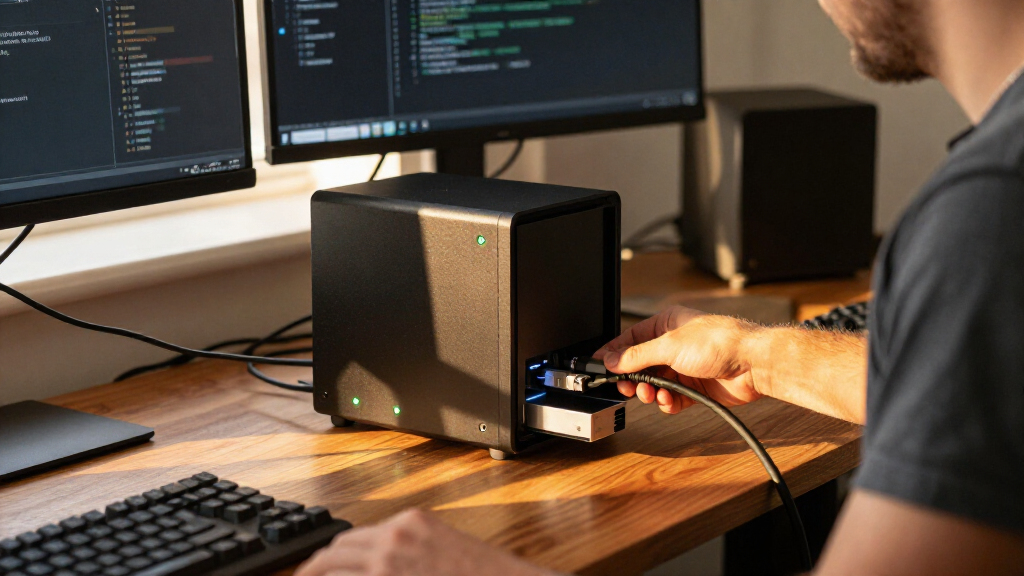

For an all-flash NAS built around collaborative video editing, I would start with the QNAP TS-h1290FX: its 12-bay desktop design is aimed at demanding team workflows, though the supplied details leave important connectivity and drive-format questions unanswered. The QNAP TBS-h574TX is my pick for mobile production because it combines Thunderbolt 4, 10GbE, and hot-swappable NVMe media in a compact NASbook. For a small, quiet setup, the Synology FS200T offers six SATA SSD bays and DSM, but its 2.5GbE connection sets a lower network ceiling than the creator-focused QNAP models.

Get privacy and security gear delivered free with Prime
- Fast, free delivery on millions of items
- Prime Video, Amazon Music and more included
- Member-only deals all year
These systems are not interchangeable just because each can use flash storage. I ranked them by how clearly their hardware and stated features serve an all-flash workload: drive type and bay count, network or direct-attach speed, workflow fit, and the practical limits buyers should account for. The central tradeoff is capacity and throughput versus size, simplicity, and noise. A high bay count does not automatically mean fast client access, and a 10GbE or Thunderbolt port cannot deliver its full benefit unless the rest of the network and workstation can keep up. I also distinguish systems with NVMe slots from models built around SATA SSDs, since those drive choices affect compatibility and the intended workflow.
Key Takeaways
- Best for a fixed creative team: QNAP TS-h1290FX pairs 12 bays with a video-editing focus, but buyers should confirm drive compatibility, included network interfaces, and system configuration before choosing it.
- Best for mobile editing: QNAP TBS-h574TX has dual Thunderbolt 4, 10GbE, hot-swappable E1.S NVMe bays, and stated M.2 use with adapters; its five-bay design is less spacious than the 12-bay models.
- Best for compact NVMe capacity: ASUSTOR Flashstor 12 Pro provides 12 M.2 NVMe slots in a compact enclosure, though its 2.5GbE port and 4GB of memory may constrain demanding multi-user use.
- Best for a quiet small-office NAS: Synology FS200T combines six SATA SSD bays with DSM and 2.5GbE, but it is not the strongest fit for high-bitrate editing shared over a fast network.
- Best for small-footprint 10GbE: TerraMaster F8 SSD offers eight M.2 2280 slots, 8GB DDR5, and 10GbE; confirm its software, expansion, and drive-compatibility needs before treating it as a team production platform.
| TS-h1290FX-7302P-256G-US QNAP 12-Bay All-Flash Desktop NAS |  | Best Overall for Fixed Creative Teams | Drive bays: 12 bays | Form factor: Desktop, tabletop | Stated workload: 4K/8K video editing and collaborative editing | VIEW LATEST PRICE | See Our Full Breakdown |
| QNAP TBS-h574TX-i5U-16G 5-Bay Portable Thunderbolt 4 All-Flash NASbook |  | Best for Mobile Video Production | Drive bays: 5 hot-swappable E1.S NVMe bays | M.2 support: M.2 NVMe SSDs supported with adapters | Processor: Intel Core i5-1235U, 10-core/12-thread | VIEW LATEST PRICE | See Our Full Breakdown |
| TERRAMASTER F8 SSD NAS 8-Bay All SSD, Intel N95 4-Core, 8GB DDR5 (Diskelss) |  | Best Compact 10GbE NVMe NAS | Drive bays: 8 x M.2 2280 NVMe | Maximum stated capacity: Up to 8TB per drive; 64TB total stated | Processor: Intel N95, 4-core/4-thread | VIEW LATEST PRICE | See Our Full Breakdown |
| ASUSTOR Flashstor 12 Pro FS6712X 12-Bay All-Flash NAS |  | Best for High-Density NVMe Storage | Drive bays: 12 x M.2 NVMe | Processor: Intel Celeron N5105, quad-core, 2GHz | Memory: 4GB DDR4-2933 | VIEW LATEST PRICE | See Our Full Breakdown |
| Synology FlashStation FS200T All-Flash NAS – 6-Bay 2.5-inch SATA SSD, Intel Celeron J4125, 4GB DDR4 (Up to 8GB), 2.5GbE + 1GbE |  | Best for Quiet, Straightforward Small-Office Storage | Drive bays: 6 x 2.5-inch SATA SSD | Processor: Intel Celeron J4125, quad-core | Memory: 4GB DDR4, expandable up to 8GB | VIEW LATEST PRICE | See Our Full Breakdown |
| all flash NAS | Drive bays | Processor | Memory | Operating system |
|---|---|---|---|---|
| TS-h1290FX-7302P-256G-US QNAP | 12 bays | — | — | — |
| QNAP TBS-h574TX-i5U-16G 5-Bay | 5 hot-swappable E1.S NVMe bays | Intel Core i5-1235U, 10-core/12-thread | 16GB | QuTS hero with ZFS |
| TERRAMASTER F8 SSD NAS 8-Bay A | 8 x M.2 2280 NVMe | Intel N95, 4-core/4-thread | 8GB DDR5 4800MHz | — |
| ASUSTOR Flashstor 12 Pro FS671 | 12 x M.2 NVMe | Intel Celeron N5105, quad-core, 2GHz | 4GB DDR4-2933 | ASUSTOR Data Master (ADM) |
| Synology FlashStation FS200T A | 6 x 2.5-inch SATA SSD | Intel Celeron J4125, quad-core | 4GB DDR4, expandable up to 8GB | Synology DiskStation Manager (DSM) |
More Details on Our Top Picks
TS-h1290FX-7302P-256G-US QNAP 12-Bay All-Flash Desktop NAS
The QNAP TS-h1290FX takes the first position because its 12-bay desktop format and explicit focus on 4K/8K and collaborative video editing make it the clearest fit here for a production team that wants shared flash storage in a stationary setup. The description names compatibility with Adobe Premiere, Final Cut Pro X, and DaVinci Resolve, making the intended use more specific than a general-purpose home NAS. Compared with the five-bay TBS-h574TX, it is positioned for a larger pool of drives and a settled studio rather than a portable field workflow.
That recommendation has a qualification: the supplied listing does not spell out the TS-h1290FX’s drive interface, network ports, processor details beyond the model suffix, or expansion options. Those omissions matter when a buyer is sizing storage for multiple editors. The description’s editing focus is encouraging, but I would verify the exact configuration, supported SSD types, included memory, and client connectivity before planning a shared editing system. The listing also shows 256GB under storage volume, which should not be mistaken for the NAS’s full usable capacity or a clear statement of installed drive capacity.
Against the ASUSTOR Flashstor 12 Pro, this QNAP is the better-defined choice for video-team software workflows, while the ASUSTOR is clearer about having 12 M.2 NVMe slots. Against the TBS-h574TX, the TS-h1290FX favors bay count and stationary team use, whereas the smaller QNAP supplies the more explicit high-speed connection details. Choose this model if the workflow is the priority and the configuration can be confirmed. Skip it if you need fully published specifications before purchase or want a compact, portable system.
Pros:- 12-bay desktop format offers more drive positions than the five- and six-bay options.
- Description specifically targets 4K/8K and collaborative editing workflows.
- Names compatibility with Premiere, Final Cut Pro X, and DaVinci Resolve.
- Stationary form factor suits a fixed studio better than a portable NASbook.
Cons:- Supplied details do not identify drive interface, network ports, or full system specifications.
- The listed 256GB storage-volume figure does not clarify installed or usable NAS capacity.
- Buyers must confirm configuration and compatibility rather than relying on the short listing.
Best for: Video-editing teams seeking a 12-bay desktop NAS for shared 4K/8K project work, provided they verify the exact drive and connectivity configuration.
Not ideal for: Buyers who need a compact field NAS, a clearly documented NVMe interface, or complete port and memory specifications before selecting hardware.
- Drive bays:12 bays
- Form factor:Desktop, tabletop
- Stated workload:4K/8K video editing and collaborative editing
- Named software compatibility:Adobe Premiere, Final Cut Pro X, DaVinci Resolve
- Model configuration:7302P-256G-US
- Listed storage volume:256GB; listing does not clarify usable system capacity
Our verdict“I rank the TS-h1290FX first for fixed creative teams because its 12-bay design and editing focus fit the job, but only after the seller confirms the configuration details the listing omits.”
QNAP TBS-h574TX-i5U-16G 5-Bay Portable Thunderbolt 4 All-Flash NASbook
For editors who need shared media access on set or in a small studio, the QNAP TBS-h574TX has the most distinctive connection mix in this group. It pairs dual Thunderbolt 4 with 10GbE and 2.5GbE, so it can serve a directly connected workstation as well as a compatible wired network. Five hot-swappable E1.S NVMe bays are the core of its portable workflow; M.2 NVMe SSDs can also be used with adapters, according to the description. Compared with the 12-bay TS-h1290FX, the TBS is easier to position as a mobile production tool, not a large central media store.
The Core i5-1235U, 16GB configuration, and QuTS hero with ZFS features give this model a more specific production profile than the entry-level Synology. The description cites snapshots, self-healing, immutability, and SSD optimization, all useful capabilities for teams protecting active projects and managing fast-changing media. These features do not replace a separate backup, but they add safeguards and workflow options. HDMI and USB 3.2 Gen 2 also support monitoring and media import without making the NAS depend on a single connection path.
Its five-bay limit is the main compromise. The ASUSTOR Flashstor 12 Pro and QNAP TS-h1290FX offer 12 slots, while TerraMaster provides eight M.2 positions; those options may suit a larger always-on media pool better. The TBS also relies on a particular E1.S format unless adapters are used for M.2, so buyers should check drive availability, adapter requirements, and capacities before loading it with project media. I would choose it for a location-aware editing team that values direct attach and network flexibility, not as the default high-capacity archive.
Pros:- Dual Thunderbolt 4 plus 10GbE and 2.5GbE provide flexible workstation and network connections.
- Five hot-swappable E1.S NVMe bays support media rotation without stopping the workflow.
- M.2 NVMe SSD use is supported with adapters, broadening drive options.
- QuTS hero ZFS includes snapshots, immutability, self-healing, and SSD optimization features.
Cons:- Five bays provide less drive capacity than the 12-bay QNAP and ASUSTOR systems.
- M.2 drives require adapters, so buyers need to check the exact configuration and fit.
- Specialized NVMe drive formats may take more planning than a simple SATA SSD setup.
Best for: DITs, on-location video crews, and small studios that want hot-swappable NVMe media, Thunderbolt workstation access, and 10GbE networking.
Not ideal for: Buyers whose main goal is the largest possible drive count, low-complexity SATA SSD storage, or a dedicated long-term archive with many drive bays.
- Drive bays:5 hot-swappable E1.S NVMe bays
- M.2 support:M.2 NVMe SSDs supported with adapters
- Processor:Intel Core i5-1235U, 10-core/12-thread
- Memory:16GB
- High-speed connections:2 x Thunderbolt 4; 10GbE
- Additional network:2.5GbE
- Operating system:QuTS hero with ZFS
- Other I/O:USB 3.2 Gen 2 and HDMI
Our verdict“I would choose the TBS-h574TX over the larger NAS units when a production crew needs a portable, high-speed editing hub more than maximum drive count.”
TERRAMASTER F8 SSD NAS 8-Bay All SSD, Intel N95 4-Core, 8GB DDR5 (Diskelss)
The TerraMaster F8 SSD offers a useful middle ground: eight M.2 2280 NVMe slots, a compact enclosure, 8GB of DDR5 memory, and a stated 10GbE port. That combination gives it more drive positions than the portable five-bay QNAP and the six-bay Synology, while keeping a smaller footprint than a conventional multi-bay desktop system. Its 10GbE connection is also an advantage over the 2.5GbE ASUSTOR and Synology for buyers with a compatible switch and client computer.
TerraMaster specifies an Intel N95 quad-core processor and describes a Business Backup Suite with centralized backup, synchronization, cloud recovery, off-site recovery, and snapshots. This places the F8 beyond a simple single-user SSD enclosure: it may fit a small business or home user who wants local sharing and backup features. The listing claims support for up to 8TB per M.2 drive and 64TB total, but the unit is diskless, so that capacity depends on purchasing and installing compatible SSDs. Treat the advertised 1024MB/s transfer figure as a stated maximum, not a guarantee of the speed a particular workflow will achieve.
Compared with the ASUSTOR Flashstor 12 Pro, TerraMaster trades four NVMe slots for 10GbE and more memory in the listed configuration. Compared with the TBS-h574TX, it does not list Thunderbolt, so a direct-attached editor may prefer QNAP’s connection options. The description also names plastic as the enclosure material, and it does not provide the same detailed processor, memory, and I/O picture as the QNAP NASbook. I would select it when the compact size and 10GbE link matter; buyers building a mission-critical team editing platform should verify software support, expansion, and compatibility first.
Pros:- Eight M.2 2280 NVMe slots provide more drive positions than the five-bay QNAP NASbook.
- 10GbE offers a higher network ceiling than the 2.5GbE Synology and ASUSTOR.
- 8GB DDR5 memory is specified, exceeding the listed memory in those two systems.
- Business Backup Suite features cover synchronization, snapshots, and backup workflows.
Cons:- Diskless configuration requires separate SSD purchases and compatibility checks.
- No Thunderbolt connection is listed for direct-attached editing.
- Plastic enclosure and limited platform detail may give demanding buyers less confidence than the better-documented QNAP NASbook.
Best for: Home users and small businesses seeking a compact eight-slot NVMe NAS with 10GbE and included backup-suite software.
Not ideal for: Editors who require Thunderbolt direct attachment, buyers who prefer a metal enclosure, or teams that need confirmed advanced platform and expansion details.
- Drive bays:8 x M.2 2280 NVMe
- Maximum stated capacity:Up to 8TB per drive; 64TB total stated
- Processor:Intel N95, 4-core/4-thread
- Memory:8GB DDR5 4800MHz
- Network:10GbE port
- Operating software:TerraMaster Business Backup Suite
- Drive status:Diskless
- Enclosure material:Plastic
Our verdict“The F8 SSD is my compact 10GbE pick for buyers who want eight NVMe slots and backup tools, but it is not as clearly tailored to direct-attached editing as the TBS-h574TX.”
ASUSTOR Flashstor 12 Pro FS6712X 12-Bay All-Flash NAS
The ASUSTOR Flashstor 12 Pro is the clearest pick for buyers who want a large number of NVMe positions in a compact NAS: it has 12 M.2 NVMe slots, matching the QNAP TS-h1290FX’s bay count while specifying the drive interface more clearly. That matters if the goal is to build an SSD pool with NVMe drives rather than populate a system with 2.5-inch SATA SSDs. It also includes HDMI, USB connectivity, and a quad-core Intel Celeron N5105, giving it a straightforward desktop role for a home lab or small media environment.
Its main weakness is the 2.5GbE network connection. Twelve NVMe drives can provide substantial storage capability, but client access still passes through the network link. A single user handling ordinary files may find the system appropriate; multiple editors moving large media files could run into a network bottleneck sooner than with the 10GbE TerraMaster or the Thunderbolt/10GbE QNAP TBS-h574TX. The system also ships without drives and has 4GB of memory in the listed configuration, so capacity planning and workload demands need attention.
Compared with the TerraMaster F8 SSD, the Flashstor gives you four more NVMe slots but a slower stated network interface and less listed memory. Compared with the TS-h1290FX, it provides a clearer account of its 12 M.2 slots, though the QNAP listing is more directly aimed at collaborative editing software. ASUSTOR’s ADM software and compact dimensions make it attractive for users who value dense NVMe storage without a large chassis. I would skip it for a busy editing team unless 2.5GbE is sufficient for the actual workload or the full networking configuration is confirmed.
Pros:- 12 M.2 NVMe slots provide the largest explicitly described NVMe bay count in this lineup.
- Compact chassis includes HDMI and USB connectivity.
- Quad-core Intel Celeron N5105 provides a specified processor platform.
- ADM software provides an established NAS management environment.
Cons:- 2.5GbE can limit access speed for large media transfers and multiple active users.
- The listed 4GB memory may be restrictive for heavier workloads.
- Diskless design requires buyers to select and install compatible NVMe drives.
Best for: Home-lab builders and compact-storage users who want 12 M.2 NVMe slots and can work within a 2.5GbE network link.
Not ideal for: Multi-editor teams that need 10GbE or direct Thunderbolt access, and buyers seeking a drive-included or high-memory configuration.
- Drive bays:12 x M.2 NVMe
- Processor:Intel Celeron N5105, quad-core, 2GHz
- Memory:4GB DDR4-2933
- Network:2.5 Gigabit Ethernet
- Video output:HDMI
- Operating system:ASUSTOR Data Master (ADM)
- Dimensions:7.6 x 12.09 x 1.89 inches
- Drive status:Diskless
Our verdict“I favor the Flashstor 12 Pro for dense NVMe storage in a compact box, but the TerraMaster or QNAP TBS-h574TX is a better fit when faster client access is the priority.”
Synology FlashStation FS200T All-Flash NAS – 6-Bay 2.5-inch SATA SSD, Intel Celeron J4125, 4GB DDR4 (Up to 8GB), 2.5GbE + 1GbE
The Synology FS200T is the most approachable choice here for a modest all-flash setup built around 2.5-inch SATA SSDs. It has six bays, a small tabletop enclosure, and a stated 2.5GbE port alongside 1GbE. Unlike the NVMe-focused ASUSTOR and TerraMaster systems, it is not aiming at maximum M.2 density; its appeal is a quiet, compact NAS for backups, media serving, containers, and multi-user office files. Synology’s DSM software and built-in backup and photo-management tools give it a clear general-purpose role.
The lower network ceiling defines the tradeoff. 2.5GbE can be a practical improvement over standard gigabit for everyday sharing, but this is not the pick I would put at the center of a high-bitrate collaborative video workflow. The QNAP TBS-h574TX offers Thunderbolt 4 and 10GbE for editors, while TerraMaster also lists 10GbE. The FS200T instead makes more sense when low noise, familiar management, and less demanding client traffic are more important than maximum throughput.
Its Intel Celeron J4125 and 4GB of DDR4 memory, upgradeable to 8GB, suit a small environment more than a heavy virtualization or multitasking workload. Compared with the TerraMaster F8 SSD, it has fewer bays and no stated 10GbE, but it uses common 2.5-inch SATA SSDs rather than M.2 NVMe drives and has an explicitly stated 3-year limited warranty. The listing describes the unit as whisper-quiet, though actual noise can depend on installation and workload. I would pick Synology for a compact backup or media server; I would pass if NVMe performance or fast shared editing is the central requirement.
Pros:- Six 2.5-inch SATA SSD bays suit buyers who want a familiar SSD format.
- DSM includes backup and photo-management tools for routine storage tasks.
- 2.5GbE plus 1GbE provides flexible network connections.
- Small tabletop footprint and quiet-operation focus fit shared home or office spaces.
Cons:- 2.5GbE is a lower network ceiling than the 10GbE options in this comparison.
- Four gigabytes of included memory and an 8GB maximum limit heavier workloads.
- Six bays provide less drive capacity than the 12-bay models.
Best for: Home-lab owners and small offices seeking a compact, quiet SATA SSD NAS for backups, media, containers, and everyday shared files.
Not ideal for: Video teams needing Thunderbolt or 10GbE, users who want M.2 NVMe drive slots, or workloads requiring more than the listed 8GB maximum memory.
- Drive bays:6 x 2.5-inch SATA SSD
- Processor:Intel Celeron J4125, quad-core
- Memory:4GB DDR4, expandable up to 8GB
- Network:2.5GbE and 1GbE
- Operating system:Synology DiskStation Manager (DSM)
- Dimensions:8.9 x 7.99 x 7.28 inches
- Warranty:3-year limited hardware warranty; extension available in select markets
- Form factor:Compact tabletop enclosure
Our verdict“The FS200T is my pick for quiet, everyday SATA SSD storage, but I would choose QNAP or TerraMaster instead when media throughput and multi-user editing matter more.”
How We Picked
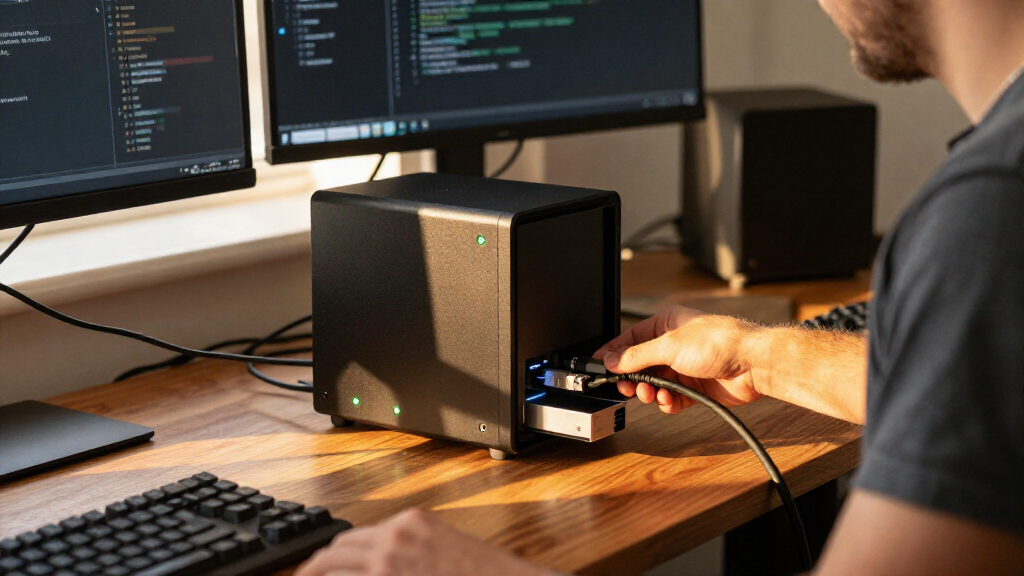
I ranked these systems for the specific job implied by all-flash NAS: storing SSD or NVMe media on a shared device while making files accessible for editing, backup, synchronization, or lab use. I gave weight to the number and type of drive bays, the quality of the stated network and direct-connect options, and whether the product description points to a clear workload. A NAS that is merely diskless is not automatically a strong all-flash choice; the drive interface and system-level bottlenecks matter just as much as the maximum number of drives.
I also looked at how each system connects to clients. Thunderbolt 4 can suit an editor working directly with a NASbook, while 10GbE can serve compatible computers and switches across a wired network. A 2.5GbE connection can be a sensible step above gigabit for home and office file sharing, but it can become the limiting link for several people editing high-resolution media at once. I did not assume that listed headline transfer figures represent sustained real-world performance; workload, SSD selection, RAID layout, network equipment, and file sizes all influence results.
Finally, I weighed operating environment and tradeoffs: physical size, memory, management software, drive format, and the clarity of the supplied specifications. Product descriptions do not provide every detail a buyer needs, especially for the TS-h1290FX, so I call out what should be verified rather than filling gaps with assumptions. The order favors products with a well-defined role and a persuasive mix of flash capacity and access options. It is not a claim that every buyer should choose the first-ranked system; the right pick depends on whether the priority is editing, mobile work, compact NVMe storage, or straightforward shared storage.
| all flash NAS | Processor | Operating system |
|---|---|---|
| TS-h1290FX-7302P-256G-US QNAP | — | — |
| QNAP TBS-h574TX-i5U-16G 5-Bay | Intel Core i5-1235U, 10-core/12-thread | QuTS hero with ZFS |
| TERRAMASTER F8 SSD NAS 8-Bay A | Intel N95, 4-core/4-thread | — |
| ASUSTOR Flashstor 12 Pro FS671 | Intel Celeron N5105, quad-core, 2GHz | ASUSTOR Data Master (ADM) |
| Synology FlashStation FS200T A | Intel Celeron J4125, quad-core | Synology DiskStation Manager (DSM) |
Factors to Consider When Choosing Best All Flash NAS
I would choose an all-flash NAS by matching the drive format and client connection to the work, rather than counting bays alone. The faster the SSDs, the more important it becomes to check the network, memory, and software around them.Start with SATA SSD or NVMe
The Synology FS200T uses 2.5-inch SATA SSDs, while the ASUSTOR Flashstor 12 Pro and TerraMaster F8 SSD specify M.2 NVMe slots. The QNAP TBS-h574TX centers on hot-swappable E1.S NVMe and supports M.2 NVMe with adapters. These formats are not interchangeable: compare drive size, interface, adapter needs, capacity, and compatibility before buying. SATA can be a practical fit for general shared storage; NVMe makes more sense when the workload benefits from higher local drive performance. A NAS with fast drives still needs suitable networking to deliver that benefit to clients.
Match networking to the number of users
Thunderbolt 4 and 10GbE stand out for direct-attached editing and high-throughput wired networks, as shown by the TBS-h574TX. TerraMaster lists 10GbE, while the Synology FS200T and ASUSTOR Flashstor list 2.5GbE. The latter can suit ordinary backups and file sharing, but may limit a team moving large media files. The network switch, cabling, workstation adapter, and NAS port all need to support the intended speed. If one link is slower, that link can cap transfers no matter how many fast SSDs sit inside the NAS.
Treat bay count as capacity flexibility, not a speed guarantee
The 12-bay QNAP and ASUSTOR models offer the most slots in this group, followed by TerraMaster with eight, Synology with six, and the portable QNAP with five. More bays can allow a larger pool or more flexibility in organizing storage, but usable capacity depends on drive sizes and the chosen storage layout. Redundancy also affects how much capacity remains available for data. I would decide on a realistic media or backup growth plan, then check supported drive combinations and the system’s storage-management options rather than assuming every bay will translate directly into usable space.
Check memory and workload limits
Memory and processor capacity influence how well a NAS handles several tasks at once: backup jobs, indexing, containers, file sharing, and media workflows. The supplied listings specify 16GB for the QNAP TBS-h574TX, 8GB DDR5 for TerraMaster, and 4GB for both ASUSTOR and Synology; Synology states an upgrade path to 8GB. Full details for the TS-h1290FX are not included in the supplied information, so I would confirm its exact configuration. A basic backup server has different needs from a multi-user production system, and advertised processor features alone do not settle that question.
Choose management software for the people who will maintain it
The systems bring different software approaches: DSM on Synology, QuTS hero with ZFS on the QNAP NASbook, ADM on ASUSTOR, and TerraMaster’s Business Backup Suite. Look at the features you will actually use, such as snapshots, synchronization, backup scheduling, access controls, and recovery tools. For a business, test how a NAS fits existing backup and identity practices. Snapshots can help recover from some unwanted changes, but they are not a substitute for an independent backup copy, including an off-site copy when the data warrants it.
Plan for heat, noise, and installation
Flash storage removes spinning-drive noise, but it does not make every NAS silent: processors, fans, and SSD heat still matter. The FS200T and TerraMaster F8 SSD descriptions emphasize quiet operation; the TerraMaster also describes SSD heat sinks and active cooling. Compact models can be easier to place, but they still need airflow and a location suited to sustained operation. If the NAS will sit beside an editing desk or in a quiet room, look beyond the drive type and check the cooling design, expected workload, and the manufacturer’s placement guidance.
Verify what is included before planning capacity
The ASUSTOR Flashstor 12 Pro and TerraMaster F8 SSD are explicitly diskless, and the QNAP TBS-h574TX’s listed bays do not mean SSDs are included. Confirm the exact bundle and whether adapters, memory upgrades, or required network equipment are part of it. For the TS-h1290FX, the supplied details are too incomplete to infer a full installed configuration, so ask for the precise model and included components. Also verify drive compatibility and warranty terms for the market where the system will be used.
Frequently Asked Questions
What is the best all-flash NAS for video editing?
For a fixed editing team, the QNAP TS-h1290FX is the most directly positioned around collaborative 4K/8K editing and has 12 bays, but I would confirm its exact drive format and network configuration before choosing it. For on-location work or a smaller studio, the QNAP TBS-h574TX is more clearly specified, with dual Thunderbolt 4, 10GbE, and hot-swappable NVMe media. In either case, match the NAS connections to the workstations and network, since fast SSDs cannot compensate for a slow client link.
Is NVMe always a better choice than SATA SSD for a NAS?
No. NVMe can suit workloads that benefit from fast storage access, and it gives the ASUSTOR, TerraMaster, and QNAP NASbook their distinct all-flash profiles. SATA SSDs, as used by the Synology FS200T, can be a sensible match for backups, media serving, and everyday office files. The right format depends on drive compatibility, capacity needs, NAS workload, and client networking. I would avoid paying for a faster drive interface if the network or workload cannot make use of it.
Does a 10GbE port guarantee 10GbE file transfers?
No. A 10GbE port gives the NAS a higher-capacity network connection, but actual throughput also depends on the client’s network adapter, switch, cabling, storage layout, SSD performance, file size, and concurrent activity. The TerraMaster F8 SSD and QNAP TBS-h574TX list 10GbE, while the Synology and ASUSTOR list 2.5GbE. To benefit from 10GbE, the rest of the connection needs compatible hardware and a workload that can sustain the transfer.
Are these NAS systems sold with SSDs included?
Do not assume the drives are included. The ASUSTOR Flashstor 12 Pro and TerraMaster F8 SSD are identified as diskless, and the QNAP TBS-h574TX description specifies drive bays without confirming that SSDs come with the unit. The supplied TS-h1290FX details also do not establish the full drive configuration. Before purchase, check the exact bundle, supported drive models, adapters required for M.2 use, and the system’s usable capacity after the storage layout is configured.
Can an all-flash NAS replace a backup?
No. An all-flash NAS can store shared files and may provide snapshots or backup software, but the NAS itself can still be affected by hardware failure, mistakes, theft, or other disruptions. Treat it as one part of a backup plan, not the only copy. Keep an independent copy on a separate device or service, and consider an off-site copy for data that would be difficult to recreate. Check that recovery procedures work before relying on any NAS for important projects.
Conclusion
For a fixed video-editing team, I would start with the QNAP TS-h1290FX because its 12-bay desktop format and stated 4K/8K collaboration focus fit that role; I would confirm the complete configuration before committing. For a mobile crew or compact studio, the QNAP TBS-h574TX is the stronger match when Thunderbolt 4, 10GbE, and hot-swappable NVMe matter more than bay count.
If your priority is compact NVMe storage with 10GbE, consider the TerraMaster F8 SSD, while checking drive compatibility and software requirements. For a high-density home lab on a 2.5GbE network, the ASUSTOR Flashstor 12 Pro provides 12 M.2 NVMe slots. For quiet, straightforward home or small-office SATA SSD storage, the Synology FS200T is the better fit. I would not choose any one of these on bay count alone: the best all-flash NAS is the system whose drive format, network, workload support, and capacity plan line up with the clients that will use it.
Halloween Picks

Kalolary 12ft Halloween Witch Haunted House Inflatable Archway

10 ft Halloween Inflatable Archway – Pumpkin, Skeleton & Candy Yard Décor

Vexalify 11-Inch Halloween Pumpkin Fog Machine with Bluetooth Speaker and 12-Color LED Lights
As an affiliate, we earn on qualifying purchases.