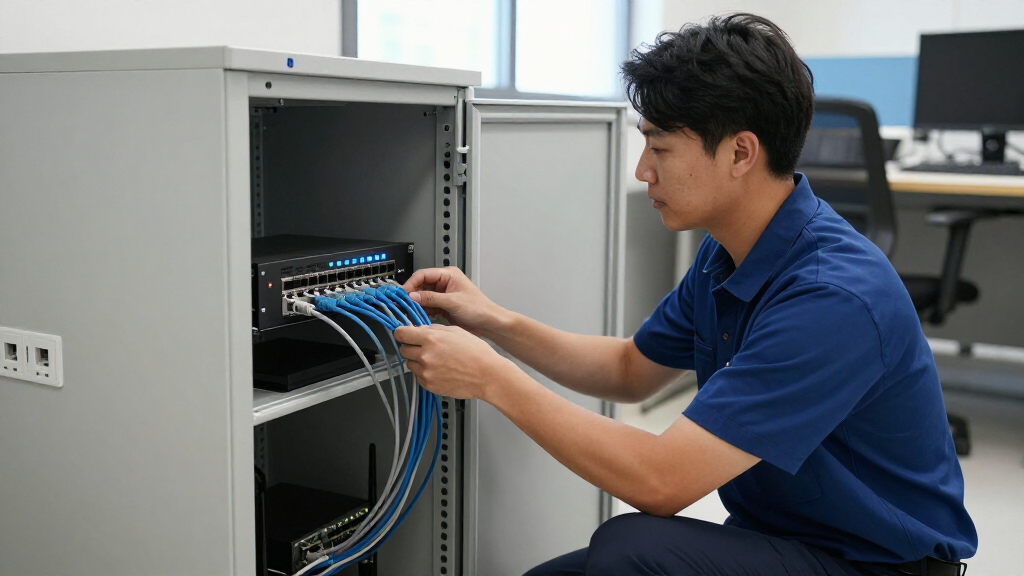

Choosing the right layer 3 switch for small business environments requires balancing routing capability with manageability and cost. My analysis identifies the Grandstream GWN7822P as the best overall pick due to its multi-gigabit speeds and integrated PoE support, which simplifies infrastructure for growing offices. For those prioritizing simplicity and cloud management, the Ubiquiti USW-Pro-Max-24-PoE offers a streamlined experience, while the GoodTop 10-Port 2.5G PoE++ serves as a strong value option for smaller setups needing high-speed device support. The primary tradeoff in this category is between advanced feature sets, which often require technical expertise, and user-friendly interfaces that may lack granular control. Read on to see how these eight options stack up against specific business needs.

Get privacy and security gear delivered free with Prime
- Fast, free delivery on millions of items
- Prime Video, Amazon Music and more included
- Member-only deals all year
Key Takeaways
- Multi-gigabit ports are becoming standard for future-proofing, with models like the Grandstream GWN7822P offering 2.5G/5G/10G uplinks to handle bandwidth-intensive applications.
- Cloud-managed solutions like Ubiquiti provide easier deployment for non-specialist IT staff but offer less granular control than traditional CLI-based switches.
- Power over Ethernet (PoE) budgets vary widely; businesses with many IP cameras or access points must verify total wattage capacity before purchasing.
- Refurbished enterprise gear like the Cisco Catalyst 3850 offers powerful routing features at a lower cost but lacks modern security patches and warranty support.
- Layer 3 routing on small switches is often static or basic dynamic; complex enterprise routing protocols are rarely supported in this price tier.
| GoodTop 10-Port 2.5G PoE++ Layer 3 Managed Network Switch |  | Best for High-Power Edge Devices | Ports: 8x 2.5G RJ45, 2x 10G SFP+ | Switching Capacity: 80 Gbps | PoE Standard: IEEE 802.3bt (PoE++) | VIEW LATEST PRICE | See Our Full Breakdown |
| Grandstream GWN7822P 24-Port Layer 3 Managed Multi-Gigabit PoE Switch |  | Best for Scalable Multi-Gigabit Networks | Ports: 16x 1G RJ45, 8x 2.5G RJ45, 4x SFP+ | Switch Type: Managed Layer 3 PoE | Data Transfer Rate: 100 Gbps | VIEW LATEST PRICE | See Our Full Breakdown |
| Cisco Catalyst 3550-24 Ethernet Switch (WS-C3550-24-SMI) |  | Best for Legacy Network Upgrades | Model: WS-C3550-24-SMI | Ports: 24x 10/100 Ethernet, 2x GBIC | Form Factor: 1RU Rack Mount | VIEW LATEST PRICE | See Our Full Breakdown |
| Grandstream GWN7813 24-Port Gigabit Layer 3 Managed Network Switch |  | Best Value for Standard Gigabit Networks | Ports: 24x 1G RJ45, 4x 10G SFP+ | Switch Type: Managed Layer 3 | Data Transfer Rate: 1 Gbps per port | VIEW LATEST PRICE | See Our Full Breakdown |
| Grandstream GWN7832 12-Port Gigabit Ethernet Layer 3 Managed Aggregation Switch |  | Best for Core Network Aggregation | Ports: 2/4x 1G RJ45, 6/24x 1G SFP, 4/12x 10G SFP+ | Switch Type: Managed Aggregation Layer 3 | Data Transfer Rate: 10 Gbps | VIEW LATEST PRICE | See Our Full Breakdown |
| GoodTop 8-Port 10G SFP+ Layer 3 Managed Switch |  | Best Compact 10G Aggregation | Ports: 8 x SFP+ | Switching Capacity: 160Gbps | Routing Protocols: Static, RIP v1/v2, OSPF v2 | VIEW LATEST PRICE | See Our Full Breakdown |
| Cisco Catalyst 3850 48-Port PoE+ Layer 3 Managed Switch (Renewed) |  | Best Enterprise Value (Renewed) | Ports: 48 x RJ-45 | PoE Type: PoE+ | Management: Layer 3 Managed | VIEW LATEST PRICE | See Our Full Breakdown |
| Ubiquiti USW-Pro-Max-24-PoE 24-Port Layer 3 Managed PoE Switch |  | Best Modern Managed Ecosystem | Ports: 24 x RJ-45 + 2 x SFP+ | PoE Budget: 400W | Port Speeds: 8x 2.5G, 16x 1G | VIEW LATEST PRICE | See Our Full Breakdown |
| layer 3 switch for small business | Ports | Management | Warranty |
|---|---|---|---|
| GoodTop 10-Port 2.5G PoE++ Lay | 8x 2.5G RJ45, 2x 10G SFP+ | Web UI, CLI, SSH, Console | — |
| Grandstream GWN7822P 24-Port L | 16x 1G RJ45, 8x 2.5G RJ45, 4x SFP+ | Embedded Controller, GDMS, CLI, GWN Manager | 3 Years |
| Cisco Catalyst 3550-24 Etherne | 24x 10/100 Ethernet, 2x GBIC | — | 90 Days Limited |
| Grandstream GWN7813 24-Port Gi | 24x 1G RJ45, 4x 10G SFP+ | Web UI, CLI, GWN Platforms | 1 Year |
| Grandstream GWN7832 12-Port Gi | 2/4x 1G RJ45, 6/24x 1G SFP, 4/12x 10G SFP+ | Embedded Controller, GWN.Cloud, GWN Manager | 1 Year |
| GoodTop 8-Port 10G SFP+ Layer | 8 x SFP+ | — | 1 Year |
| Cisco Catalyst 3850 48-Port Po | 48 x RJ-45 | Layer 3 Managed | 90-Day Limited |
| Ubiquiti USW-Pro-Max-24-PoE 24 | 24 x RJ-45 + 2 x SFP+ | UniFi Network Controller | — |
More Details on Our Top Picks
GoodTop 10-Port 2.5G PoE++ Layer 3 Managed Network Switch
This switch stands out for its robust PoE++ capability, delivering up to 90W on four ports, which is ideal for high-demand devices like PTZ cameras or wireless access points. Compared to the Grandstream GWN7813, which focuses on standard Gigabit throughput, the GoodTop prioritizes multi-gigabit edge connectivity with its eight 2.5G RJ45 ports. The inclusion of 10G SFP+ uplinks ensures that the aggregated traffic from those high-speed ports doesn’t bottleneck at the core. However, the active fan cooling can be noisy, making it less suitable for quiet office environments compared to fanless alternatives. It is a powerful choice for small networks needing significant power delivery and multi-gigabit speed, but the mixed port speeds require careful planning to maximize utility.Pros:- Delivers up to 90W PoE++ on four dedicated ports for heavy-duty devices
- Combines eight 2.5G RJ45 ports with two 10G SFP+ uplinks for flexible topology
- Includes comprehensive Layer 3 routing features like OSPF and static routing
- Offers a generous 275W total PoE budget for mixed device loads
Cons:- Active fan cooling generates audible noise during operation
- Only half of the copper ports support the highest PoE++ standard
Best for: Small offices deploying high-power wireless access points or 4K cameras that need 2.5G connections and substantial PoE budgets.
Not ideal for: Quiet home offices or libraries where fan noise is a concern, or networks that do not require multi-gigabit speeds.
- Ports:8x 2.5G RJ45, 2x 10G SFP+
- Switching Capacity:80 Gbps
- PoE Standard:IEEE 802.3bt (PoE++)
- Total PoE Budget:275W
- Layer 3 Features:Static Routing, OSPF v2, DHCP Server
- Management:Web UI, CLI, SSH, Console
- Dimensions:12.6 x 8.15 x 1.77 inches
Our verdict“Choose this model if your priority is powering high-draw devices over multi-gigabit links in a space where fan noise is acceptable.”
Grandstream GWN7822P 24-Port Layer 3 Managed Multi-Gigabit PoE Switch
The GWN7822P offers a balanced mix of 1G and 2.5G ports, making it a versatile upgrade path for growing businesses. Unlike the Cisco Catalyst 3550, which is limited to legacy 10/100 speeds, this switch provides future-proofing with its eight 2.5G ports and four SFP+ uplinks. The ability to stack multiple units allows for unified management and redundancy, a feature absent in many single-unit competitors. Its support for PoE, PoE+, and PoE++ ensures compatibility with a wide range of powered devices. While the PoE budget isn’t explicitly detailed in all specs, the hardware design supports substantial power delivery. This model is better suited for medium-sized offices needing both port density and multi-gigabit core connectivity without replacing existing 1G infrastructure entirely.Pros:- Combines 16 Gigabit and eight 2.5G ports for flexible device connectivity
- Supports stacking for redundant backup and unified management
- Includes advanced Layer 3 features like QoS and access control
- Supports multiple PoE standards including PoE++ for high-power devices
Cons:- PoE power budget specifications are not clearly defined in standard documentation
- Larger footprint and weight (5.6 kg) may limit desktop placement options
Best for: Growing businesses that need a mix of legacy 1G and future-proof 2.5G ports with stacking capabilities for redundancy.
Not ideal for: Users who need a simple plug-and-play solution without the complexity of Layer 3 routing or stacking configuration.
- Ports:16x 1G RJ45, 8x 2.5G RJ45, 4x SFP+
- Switch Type:Managed Layer 3 PoE
- Data Transfer Rate:100 Gbps
- PoE Support:PoE, PoE+, PoE++
- Stacking:Supported
- Management:Embedded Controller, GDMS, CLI, GWN Manager
- Warranty:3 Years
Our verdict“This switch is the ideal choice for network administrators planning for growth who need stacking and mixed-speed port flexibility.”
Cisco Catalyst 3550-24 Ethernet Switch (WS-C3550-24-SMI)
This refurbished unit serves a specific niche: legacy network maintenance. With 24 autosensing 10/100 ports, it is significantly slower than modern options like the Grandstream GWN7813, which offers Gigabit speeds across all ports. However, for businesses still relying on older infrastructure that cannot support Gigabit, or for testing environments, this switch provides reliable Layer 3 routing at a fraction of the cost of new equipment. The GBIC uplink ports allow for fiber connectivity, though finding compatible GBIC modules can be challenging compared to modern SFPs. It is not suitable for modern bandwidth-intensive applications like video conferencing or cloud backups. This pick makes sense only if you are replacing a failed unit in an existing Cisco-centric legacy setup or need a cheap Layer 3 router for a non-critical segment.Pros:- Cost-effective entry into Cisco Layer 3 routing for legacy setups
- Includes two GBIC ports for fiber uplink capability
- Professionally inspected and tested for reliability
Cons:- Limited to 10/100 Mbps speeds, creating a major bandwidth bottleneck
- Refurbished condition with a short 90-day warranty
- Uses obsolete GBIC modules instead of modern SFP/SFP+
Best for: IT managers maintaining legacy 10/100 networks or testing environments where Gigabit speeds are not required.
Not ideal for: Any new deployment or network requiring modern bandwidth, as the 100Mbps limit is a severe bottleneck today.
- Model:WS-C3550-24-SMI
- Ports:24x 10/100 Ethernet, 2x GBIC
- Form Factor:1RU Rack Mount
- Layer:Layer 3
- Condition:Refurbished/Pre-owned
- Warranty:90 Days Limited
- Weight:2.3 kg
Our verdict“Buy this only if you are maintaining a legacy 10/100 network; otherwise, the performance limitations make it obsolete for new builds.”
Grandstream GWN7813 24-Port Gigabit Layer 3 Managed Network Switch
The GWN7813 is the pragmatic choice for small businesses that need reliable Gigabit connectivity without the premium cost of multi-gig ports. Compared to the GoodTop 10-Port, it lacks 2.5G copper ports but offers double the port density at 24 Gigabit RJ45s. This makes it better suited for general office workstations, printers, and standard IP cameras. The inclusion of four 10G SFP+ uplinks ensures that the core network remains fast, even if the edge is limited to 1G. Its stacking capability allows for easy expansion, unlike many single-unit switches in this price range. While the warranty is shorter than some enterprise-grade options, the feature set—including ARP inspection and DHCP snooping—provides robust security for typical SMB needs. It strikes a balance between performance, security, and cost.Pros:- Offers 24 Gigabit ports for high-density standard device connectivity
- Includes four 10G SFP+ uplinks for high-speed core aggregation
- Features robust security tools like ARP Inspection and DHCP Snooping
- Supports stacking for simplified management and redundancy
Cons:- Console cable is sold separately, adding to initial setup costs
- Standard 1-year warranty is shorter than some competing enterprise switches
Best for: Small to medium businesses needing high port density for standard 1G devices with secure Layer 3 routing.
Not ideal for: Networks requiring multi-gigabit copper connections for high-speed workstations or heavy video editing equipment.
- Ports:24x 1G RJ45, 4x 10G SFP+
- Switch Type:Managed Layer 3
- Data Transfer Rate:1 Gbps per port
- Security Features:ARP Inspection, DHCP Snooping, QoS
- Management:Web UI, CLI, GWN Platforms
- Stacking:Supported
- Warranty:1 Year
Our verdict“This is the most balanced option for standard SMB networks that prioritize port count and security over multi-gigabit speeds.”
Grandstream GWN7832 12-Port Gigabit Ethernet Layer 3 Managed Aggregation Switch
The GWN7832 is designed specifically as an aggregation layer switch, not for direct device connection. With a mix of Gigabit and 10G SFP ports, it serves as the backbone that connects multiple access switches, such as the Grandstream GWN7813. This specialization means it lacks the PoE capabilities found in the GoodTop or GWN7822P, as its job is to route traffic, not power devices. The 10 Gbps data transfer rate and support for IPv4/IPv6 make it efficient for centralizing network traffic. Its compact 1 kg weight and rack-mount design fit easily into server racks. This switch is ideal for businesses with existing access layers that need a smarter, managed core to handle routing and security policies centrally. It is not a replacement for edge switches but a complement to them.Pros:- Specialized design for core aggregation with high-speed SFP/SFP+ ports
- Includes advanced security features like DoS protection and IP Source Guard
- Lightweight and compact for easy rack integration
- Supports cloud and on-premise management for flexible administration
Cons:- External redundant power supply is optional and sold separately
- Lacks PoE capabilities, requiring separate switches for powered devices
Best for: Network administrators building a hierarchical network who need a dedicated Layer 3 core to aggregate access switches.
Not ideal for: Users looking for a single all-in-one switch to connect end devices, as it lacks PoE and sufficient copper ports for that role.
- Ports:2/4x 1G RJ45, 6/24x 1G SFP, 4/12x 10G SFP+
- Switch Type:Managed Aggregation Layer 3
- Data Transfer Rate:10 Gbps
- Security Features:ARP Inspection, DoS Protection, Port Security
- Management:Embedded Controller, GWN.Cloud, GWN Manager
- Weight:1 kg
- Warranty:1 Year
Our verdict“Select this switch if you are designing a multi-layer network and need a dedicated, secure aggregation point for your access switches.”
GoodTop 8-Port 10G SFP+ Layer 3 Managed Switch
This switch is a niche solution for small businesses needing 10G fiber aggregation in a silent, compact form factor. Unlike the Ubiquiti USW-Pro-Max-24-PoE, which prioritizes copper PoE distribution, the GoodTop focuses entirely on fiber backbone connectivity. It supports OSPF and RIP routing, making it suitable for multi-site setups that require dynamic routing without the bulk of enterprise gear. However, buyers must be aware of the shared port mode limitation; you cannot mix 1G and 10G modules on different ports simultaneously. This restricts flexibility compared to multi-rate switches. It is ideal for a dedicated uplink or core distribution point where noise and space are concerns, but it lacks the PoE capabilities needed for powering endpoints.
Pros:- Fanless metal chassis ensures silent operation in office environments
- Supports dynamic routing protocols like OSPF and RIP for complex networks
- Compact 8-port design fits easily into tight rack or wall spaces
- High 160Gbps switching capacity prevents bottlenecks on the fiber backbone
Cons:- All ports must operate in the same speed mode (no mixed 1G/10G)
- Lacks PoE capabilities for powering cameras or access points
- Limited to SFP+ fiber modules; no native copper Ethernet ports
Best for: IT managers needing a silent, wall-mountable 10G fiber core for multi-site routing
Not ideal for: Offices requiring mixed-speed copper ports or PoE power for devices
- Ports:8 x SFP+
- Switching Capacity:160Gbps
- Routing Protocols:Static, RIP v1/v2, OSPF v2
- Port Mode:All-or-nothing 10G/1G or 10G/2.5G
- Cooling:Fanless
- Dimensions:8.66 × 4.96 × 1.1 inches
- Warranty:1 Year
Our verdict“Choose this if you need a quiet, compact 10G fiber router for your network core but skip it if you need PoE or mixed port speeds.”
Cisco Catalyst 3850 48-Port PoE+ Layer 3 Managed Switch (Renewed)
For businesses accustomed to Cisco IOS, the Catalyst 3850 offers a cost-effective entry into enterprise-grade Layer 3 switching. Compared to the Grandstream GWN7822P, which offers modern hardware and simpler cloud management, the 3850 provides deeper command-line control and industry-standard protocols that many IT staff already know. The 48 PoE+ ports support high-density deployments of phones and cameras. However, this is a renewed unit, meaning it comes with a limited 90-day warranty and lacks the latest hardware revisions. It is a robust choice for those who need legacy compatibility and high port density, but less appealing for startups wanting the latest features and new-hardware peace of mind.
Pros:- 48 PoE+ ports support extensive device connectivity
- Mature Layer 3 routing features backed by Cisco IOS
- Rack-mountable 1U design integrates into standard server racks
- Inspected and tested by qualified suppliers for reliability
Cons:- Short 90-day warranty typical of renewed electronics
- Pre-owned condition may lack latest firmware or hardware revisions
- Heavier and larger than modern compact switches
Best for: IT teams with existing Cisco expertise needing high-density PoE+ on a budget
Not ideal for: Small offices without rack space or those preferring cloud-managed simplicity
- Ports:48 x RJ-45
- PoE Type:PoE+
- Management:Layer 3 Managed
- Condition:Renewed (Inspected & Tested)
- Warranty:90-Day Limited
- Mounting:Rack Mount
- Model:WS-C3850-48P-S
Our verdict“Ideal for Cisco-skilled admins needing 48 PoE ports cheaply, but risky for those wanting new-hardware warranties.”
Ubiquiti USW-Pro-Max-24-PoE 24-Port Layer 3 Managed PoE Switch
The USW-Pro-Max-24-PoE stands out for its blend of modern hardware and user-friendly management. Unlike the GoodTop 8-Port which requires manual CLI or web configuration for routing, this Ubiquiti switch integrates seamlessly with the UniFi Network controller, offering visual topology maps and easy VLAN setup. It features a generous 400W PoE budget and includes 2.5G ports, future-proofing the network for higher-speed endpoints. The 1.3-inch touchscreen provides real-time status without needing a laptop. While it lacks the 48-port density of the Cisco Catalyst 3850, its mixed-speed ports (2.5G and 1G) offer more flexibility than the GoodTop’s single-mode limitation. It is best for businesses already invested in or willing to adopt the UniFi ecosystem.
Pros:- 400W PoE budget supports high-density powered devices
- Mix of 2.5G and 1G ports allows flexible device connectivity
- Touchscreen and UniFi controller simplify monitoring and management
- 10G SFP+ uplinks provide high-speed backbone connectivity
Cons:- Requires UniFi Network controller for full feature set
- 24 ports may require stacking or additional switches for larger offices
- Some advanced features depend on specific compatible cabling
Best for: Growing businesses adopting the UniFi ecosystem needing flexible multi-gig speeds
Not ideal for: Networks requiring strict CLI-only control or more than 24 ports per switch
- Ports:24 x RJ-45 + 2 x SFP+
- PoE Budget:400W
- Port Speeds:8x 2.5G, 16x 1G
- Uplinks:2 x 10G SFP+
- Management:UniFi Network Controller
- Display:1.3-inch Touchscreen
- Switching Capacity:112 Gb/s
Our verdict“The best choice for modern SMBs wanting easy management and mixed-speed ports, provided they accept the UniFi ecosystem lock-in.”
How We Picked
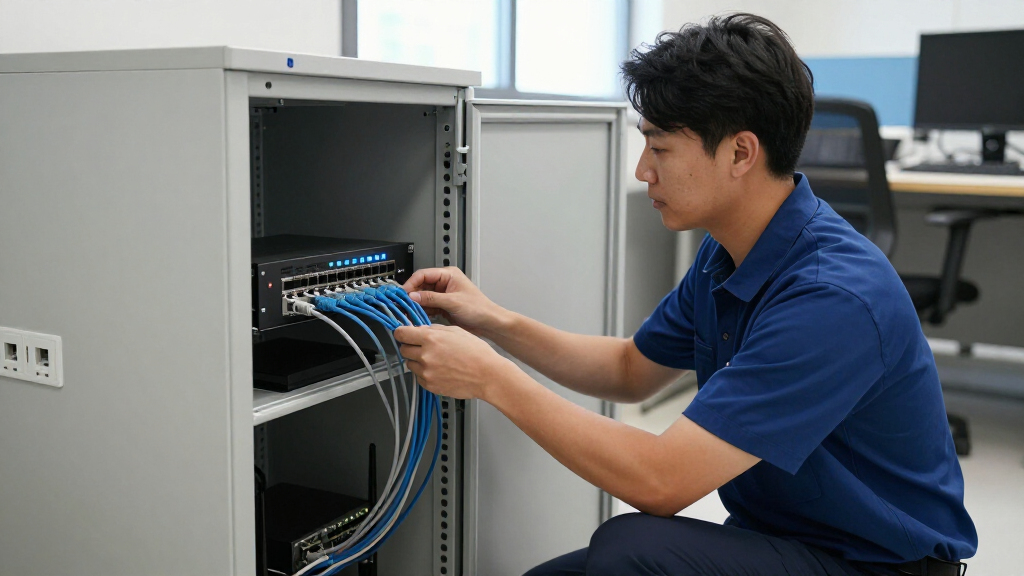
I evaluated these switches based on three primary factors: routing capability, management interface, and physical connectivity. Routing capability determined whether the switch could effectively manage inter-VLAN traffic, a core requirement for Layer 3 functionality. I examined the ease of configuration, prioritizing devices with intuitive web interfaces or robust cloud apps that reduce the learning curve for small business owners. Physical connectivity was assessed by looking at port speeds, PoE budgets, and uplink options, ensuring each pick could handle modern bandwidth demands without bottlenecking.
The ranking logic favors devices that offer the best balance of performance and usability. Products that require extensive command-line knowledge were ranked lower unless they offered exceptional value or specialized features. I also considered long-term maintenance, favoring models with active firmware support over discontinued enterprise hardware, even if the latter offers more raw features. This approach ensures the recommendations are practical for small businesses that may not have dedicated network engineers on staff.
| layer 3 switch for small business | Management |
|---|---|
| GoodTop 10-Port 2.5G PoE++ Lay | Web UI, CLI, SSH, Console |
| Grandstream GWN7822P 24-Port L | Embedded Controller, GDMS, CLI, GWN Manager |
| Cisco Catalyst 3550-24 Etherne | — |
| Grandstream GWN7813 24-Port Gi | Web UI, CLI, GWN Platforms |
| Grandstream GWN7832 12-Port Gi | Embedded Controller, GWN.Cloud, GWN Manager |
| GoodTop 8-Port 10G SFP+ Layer | — |
| Cisco Catalyst 3850 48-Port Po | Layer 3 Managed |
| Ubiquiti USW-Pro-Max-24-PoE 24 | UniFi Network Controller |
Factors to Consider When Choosing Best Layer 3 Switch For Small Business
Selecting a network core involves more than just counting ports. These factors help you avoid common pitfalls and align your purchase with actual business growth.Routing Performance vs. Management Complexity
Many small businesses underestimate the complexity of configuring Layer 3 routing. While a switch can route traffic between VLANs, the setup process varies wildly between vendors. Traditional enterprise switches often require command-line interface (CLI) proficiency, whereas newer SMB-focused brands offer web-based or cloud-managed interfaces. If your team lacks a dedicated network engineer, prioritize user-friendly management platforms like UniFi or Grandstream’s cloud portal. However, be aware that simplified interfaces sometimes hide advanced features like BGP or OSPF, which larger networks might eventually need. Always check if the management software requires a subscription or a local controller server, as this adds to long-term operational costs.
PoE Budget and Device Density
Power over Ethernet is a critical feature for modern offices deploying IP phones, cameras, and wireless access points. The total PoE budget, measured in watts, dictates how many high-power devices you can support simultaneously. A common mistake is buying a switch with sufficient ports but an inadequate power supply, leading to device dropouts. For example, a switch with a 150W budget might support twenty low-power devices but only three high-power PTZ cameras. Calculate your maximum potential load before buying. If you anticipate adding more high-draw devices, look for switches with 802.3bt (PoE++) support, which delivers up to 90W per port, ensuring compatibility with future hardware.
Port Speed and Uplink Flexibility
Network bottlenecks often occur at uplinks rather than access ports. A 24-port gigabit switch will struggle if all ports are active and the uplink is only 1Gbps. Modern small business switches increasingly offer multi-gigabit ports (2.5G, 5G, or 10G) to handle aggregated traffic. This is particularly important for businesses using Network Attached Storage (NAS) or cloud backups. Additionally, SFP+ slots provide flexibility for fiber connections, allowing you to extend your network across buildings without running copper. When comparing models, consider not just the number of ports but the throughput capacity of the backplane and the speed of the uplinks.
New vs. Refurbished Enterprise Hardware
Buying refurbished enterprise gear like Cisco Catalyst switches can seem like a smart financial move, offering robust features for a fraction of the original price. However, this path comes with risks. Older models may lack support for modern security protocols, newer Wi-Fi standards, or efficient power management. They also often run end-of-life firmware, leaving your network exposed to known vulnerabilities. Furthermore, warranty support is rarely available. Unless you have the technical expertise to manage legacy CLI configurations and accept the security risks, new SMB-focused switches are generally a safer and more sustainable investment for long-term network health.
Scalability and Ecosystem Lock-in
Some switch manufacturers design their products to work best within a proprietary ecosystem. If you plan to deploy access points, routers, and cameras from the same brand, staying within that ecosystem can simplify management. However, this can lead to vendor lock-in, where mixing brands becomes difficult or impossible. Evaluate whether the switch supports standard protocols like SNMP, Syslog, and NetFlow, which allow integration with third-party monitoring tools. A vendor-agnostic approach offers more flexibility but requires more manual configuration. For most small businesses, sticking to one reliable ecosystem reduces troubleshooting time, provided the vendor has a strong track record of firmware updates and customer support.
Frequently Asked Questions
Do I really need a Layer 3 switch for a small business with under 50 employees?
Not necessarily. If your network is flat, meaning all devices are on the same subnet, a Layer 2 switch combined with a router is sufficient. You need a Layer 3 switch when you start segmenting your network into VLANs for security or traffic management, such as separating guest Wi-Fi from corporate data. Without VLANs, the routing functions of a Layer 3 switch sit idle. However, buying one now can be a smart future-proofing move if you anticipate network growth or increased security requirements in the next few years, as replacing a core switch later is more disruptive than starting with the right hardware.
What is the difference between PoE, PoE+, and PoE++ on these switches?
The difference lies in the amount of power delivered to connected devices. Standard PoE (802.3af) provides up to 15.4W, suitable for basic IP phones. PoE+ (802.3at) delivers up to 30W, which is required for most modern wireless access points and fixed cameras. PoE++ (802.3bt) offers up to 60W or 90W, necessary for high-performance PTZ cameras, digital signage, or thin clients. If your business uses older, low-power devices, PoE+ is adequate. But if you are deploying modern security systems or high-throughput Wi-Fi 6/7 access points, look for switches with PoE++ support to avoid power shortages that cause devices to reboot or fail.
Is cloud management secure enough for a small business network core?
Yes, reputable cloud-managed platforms like Ubiquiti’s UniFi or Grandstream’s GWN Cloud use encryption and two-factor authentication to protect access. For most small businesses, the security benefits of easy patching and centralized monitoring outweigh the risks. The primary concern is vendor reliability; if the cloud service experiences an outage, you may lose remote management capabilities, though local switching and routing usually continue to function. To mitigate this, ensure you can access the switch locally via its IP address or console port as a backup. Cloud management significantly reduces the administrative burden, making it an excellent choice for businesses without 24/7 IT staff.
Why are multi-gigabit ports important if my internet speed is only 1Gbps?
Internet speed is only one part of your network traffic. Local traffic, such as file transfers to a Network Attached Storage (NAS) server, video editing, or internal backups, occurs within your LAN and is not limited by your internet connection. Multi-gigabit ports allow these local transfers to happen much faster, reducing wait times for employees. As devices like laptops and desktops increasingly come with 2.5G or 10G Ethernet ports, having a switch that supports these speeds ensures your internal network does not become a bottleneck. Investing in multi-gigabit infrastructure now prevents the need for a costly network upgrade when your local data demands increase.
Can I mix different brands of Layer 3 switches in my network?
Technically, yes, because Layer 3 switches communicate using standard protocols like OSPF or static routing. However, mixing brands often complicates management, as you will need to maintain separate management interfaces and potentially different firmware update schedules. It can also make troubleshooting more difficult, as features like spanning tree protocol or link aggregation may behave slightly differently across vendors. For small businesses, it is generally better to stick with a single brand to leverage unified management dashboards and consistent configuration templates. If you must mix brands, ensure they both support the same routing protocols and keep the network design simple to minimize interoperability issues.
Conclusion
Choosing the best layer 3 switch for small business depends on your specific technical resources and growth plans. For most users, the Grandstream GWN7822P stands out as the best overall choice, offering a rare combination of multi-gigabit speeds, robust PoE++ support, and manageable cloud controls. If you prioritize ease of use and already use UniFi devices, the Ubiquiti USW-Pro-Max-24-PoE is the best pick for its seamless ecosystem integration. Small businesses on a tighter budget should consider the GoodTop 10-Port 2.5G PoE++ for its high value and modern port speeds, though it lacks the extensive port count of larger models. Avoid the temptation of cheap, refurbished enterprise gear unless you have the expertise to manage legacy systems; the security and support benefits of new, SMB-focused switches are well worth the investment. Match your choice to your current device load and your three-year growth projection to make a decision that lasts.
Fall Picks
fall essentials
As an affiliate, we earn on qualifying purchases.