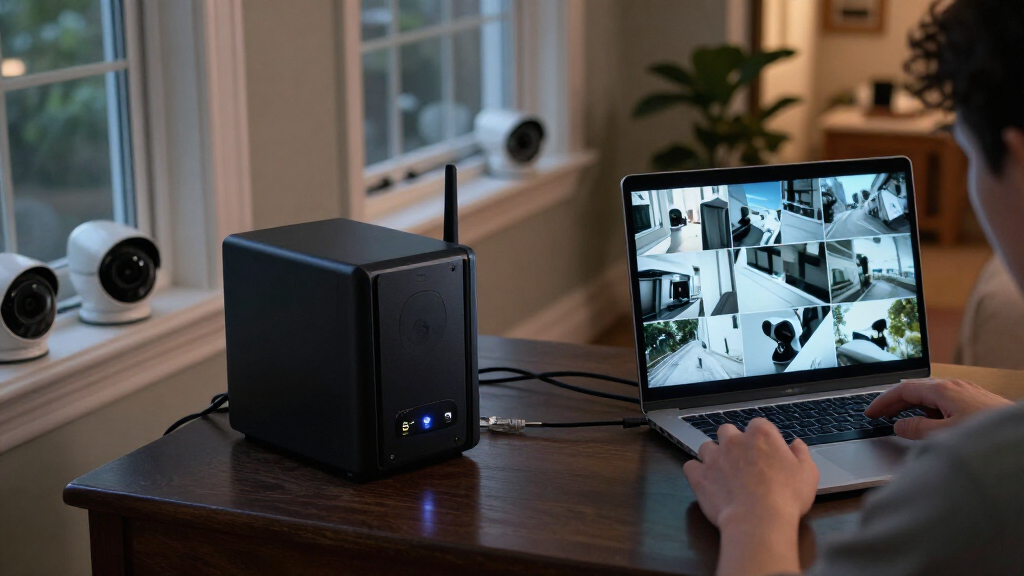

For most surveillance setups, I’d start with the Synology DS425+: its four bays give a useful balance of drive capacity and room to grow. The UGREEN DXP4800 GT stands out for buyers who need faster networking, while the BUFFALO LinkStation 220 offers a simpler route for smaller systems that value included storage. The main tradeoffs are bay count, network speed, included drives, and how much setup and maintenance you’re prepared to handle. A NAS is only one part of a camera system, so check that its software and recording method match your cameras before buying. Read on for how these eight options compare and which fits your surveillance workload.

Get privacy and security gear delivered free with Prime
- Fast, free delivery on millions of items
- Prime Video, Amazon Music and more included
- Member-only deals all year
Key Takeaways
- Four bays offer more retention flexibility: The DS425+, DS423, and three UGREEN four-bay models give buyers more drive-layout options than the two-bay DS725+, DXP2800, and LinkStation 220.
- Network speed matters when footage moves across the LAN: The DXP4800 GT’s dual 10GbE is a distinct advantage for high-throughput transfers, but it may add little for a small camera system whose network is slower.
- Drive inclusion changes the setup equation: The LinkStation 220 includes hard drives, while the other listed NAS units are diskless; buyers should plan drive selection and setup separately.
- Software fit can outweigh raw hardware: Camera compatibility, recording support, and licensing affect whether a NAS fits a surveillance workflow; confirm those details before choosing by bay count alone.
- Capacity and simplicity point to different picks: The four-bay Synology and UGREEN models suit longer retention or future expansion, while two-bay systems can be a better match for limited camera counts and compact setups.
| UGREEN NAS DH4300 Plus 4-Bay Network Attached Storage |  | Best for Straightforward Home Surveillance | Drive bays: 4 | Maximum storage capacity: 128 TB | Memory: 8 GB LPDDR4X RAM | VIEW LATEST PRICE | See Our Full Breakdown |
| UGREEN NAS DXP4800 GT 4-Bay NAS with AMD Ryzen R2514 and Dual 10GbE |  | Best for High-Throughput Camera Systems | Drive bays: 4 | Processor: AMD Ryzen Embedded R2514, 4 cores and 8 threads, up to 3.70GHz | Memory: 8GB DDR4 non-ECC; expandable to 64GB | VIEW LATEST PRICE | See Our Full Breakdown |
| UGREEN DXP4800 Plus 4-Bay NAS |  | Best for Flexible Storage Expansion | Drive bays: 4 | Maximum storage capacity: 144 TB | Processor: Intel 5-core CPU | VIEW LATEST PRICE | See Our Full Breakdown |
| Synology DS423 4-Bay Diskless NAS |  | Best for Managed Multi-Camera Surveillance | Drive bays: 4 | Disk configuration: Diskless | Surveillance capacity: Up to 30 IP cameras | VIEW LATEST PRICE | See Our Full Breakdown |
| UGREEN NAS DXP2800 2-Bay Network Attached Storage |  | Best Compact NAS for Small Camera Setups | HDD bays: 2 | Maximum storage capacity: 80TB | Processor: Intel N100 quad-core | VIEW LATEST PRICE | See Our Full Breakdown |
| Synology DS725+ 2-Bay Diskless NAS Storage |  | Best for Expandable Surveillance | Drive bays: 2; expandable to 7 with DX525 | Maximum storage capacity: 140 TB | IP camera support: Up to 30 cameras | VIEW LATEST PRICE | See Our Full Breakdown |
| Synology DS425+ 4-Bay Diskless NAS |  | Best for Four-Bay Surveillance Setups | Drive bays: 4 | Disk configuration: Diskless | Networking: 2.5GbE | VIEW LATEST PRICE | See Our Full Breakdown |
| BUFFALO LinkStation 220 4TB 2-Bay NAS with Hard Drives |  | Best Ready-to-Use Entry for Small Archives | Model: LS220D0402 | Total capacity: 4 TB | Drive bays: 2 | VIEW LATEST PRICE | See Our Full Breakdown |
| NAS for surveillance storage | Drive bays | Maximum storage capacity | Networking | Warranty |
|---|---|---|---|---|
| UGREEN NAS DH4300 Plus 4-Bay N | 4 | 128 TB | 2.5GbE wired Ethernet | — |
| UGREEN NAS DXP4800 GT 4-Bay NA | 4 | Up to 144TB total | 2 x 10GbE | — |
| UGREEN DXP4800 Plus 4-Bay NAS | 4 | 144 TB | 1 x 10GbE and 1 x 2.5GbE | — |
| Synology DS423 4-Bay Diskless | 4 | — | — | 2 years |
| UGREEN NAS DXP2800 2-Bay Netwo | — | 80TB | 2.5GbE | 2 years |
| Synology DS725+ 2-Bay Diskless | 2; expandable to 7 with DX525 | 140 TB | — | 3 years |
| Synology DS425+ 4-Bay Diskless | 4 | — | 2.5GbE | 3 years |
| BUFFALO LinkStation 220 4TB 2- | 2 | — | — | 2 years, including hard drives |
More Details on Our Top Picks
UGREEN NAS DH4300 Plus 4-Bay Network Attached Storage
I’d choose the DH4300 Plus for a home setup where surveillance shares space with family backups and media storage. Its four bays offer room to grow beyond a two-bay unit like the UGREEN DXP2800, while 2.5GbE provides a faster wired link than basic gigabit networking for moving footage and backups. Automatic backups and remote access add useful everyday roles, but the supplied details don’t specify a camera limit or a particular surveillance platform, so buyers should confirm camera compatibility before committing. The diskless design also means drive selection and installation are part of the setup. This is a less suitable choice than the UGREEN DXP4800 GT for demanding multi-user surveillance workflows: it lacks the GT’s listed ONVIF/RTSP compatibility, dual 10GbE, and virtual-machine support.
Pros:- Four bays provide more room to expand than the two-bay UGREEN DXP2800.
- 2.5GbE wired networking supports faster transfers than standard gigabit Ethernet.
- Automatic backups, remote access, and AI photo organization add useful home-storage functions.
- Docker support and 4K HDMI output provide flexibility beyond basic file storage.
Cons:- Drives are not included, so the complete storage setup requires separate drive selection and installation.
- The supplied product data does not state a camera limit or named surveillance compatibility standard.
- No Wi-Fi or virtual-machine support limits placement and advanced application options.
Best for: Home users who want four drive bays for camera footage alongside personal backups and media, and who are comfortable choosing and installing their own drives.
Not ideal for: Buyers building a camera-heavy system who need specified ONVIF/RTSP compatibility, a stated camera capacity, virtual machines, or built-in Wi-Fi.
- Drive bays:4
- Maximum storage capacity:128 TB
- Memory:8 GB LPDDR4X RAM
- Networking:2.5GbE wired Ethernet
- Drive interface and form factor:Serial ATA; 3.5-inch drives
- Diskless:Yes; drives not included
- Docker support:Yes
- Virtual machine support:No
- Video output:4K HDMI
Our verdict“Pick the DH4300 Plus for a four-bay home NAS that combines surveillance storage with backups, but verify camera compatibility before buying.”
UGREEN NAS DXP4800 GT 4-Bay NAS with AMD Ryzen R2514 and Dual 10GbE
For a surveillance setup where network capacity and application flexibility matter more than a simple plug-in experience, I’d put the DXP4800 GT ahead of the other UGREEN picks. It is the only model here with listed ONVIF/RTSP camera compatibility, and its dual 10GbE ports are better suited to heavy transfers and several users accessing footage than the DH4300 Plus’s 2.5GbE connection. The four bays, two NVMe slots, expandable memory, and virtual-machine support leave room for a broader storage and software setup. The tradeoff is that drives are not included, and its pre-installed RAM is non-ECC; ECC requires a compatible upgrade. Buyers should also expect more configuration work than with a simpler household NAS. For a less demanding home system, the DXP2800 may be easier to size and set up.
Pros:- Listed ONVIF/RTSP compatibility gives surveillance buyers a clear camera integration starting point.
- Dual 10GbE ports support high-throughput transfers and multi-user workflows.
- Expandable memory, two M.2 slots, and virtual-machine support offer room for a more capable system.
- Built-in SD card slot and USB connections simplify direct imports and backups.
Cons:- Hard drives and SSDs are not included.
- The included 8GB DDR4 memory is non-ECC; ECC requires a compatible upgrade.
- Plex requires manual setup through Docker, adding configuration work.
Best for: Small businesses and technically confident home users running compatible ONVIF/RTSP cameras who need high network throughput, expandable memory, and room for additional services.
Not ideal for: Buyers seeking an uncomplicated entry-level NAS, an out-of-the-box drive set, or ECC memory without upgrading from the included non-ECC RAM.
- Drive bays:4
- Processor:AMD Ryzen Embedded R2514, 4 cores and 8 threads, up to 3.70GHz
- Memory:8GB DDR4 non-ECC; expandable to 64GB
- Networking:2 x 10GbE
- M.2 slots:2 x M.2 NVMe
- Maximum storage capacity:Up to 144TB total
- Surveillance compatibility:ONVIF/RTSP cameras
- Virtual machine support:Supported
- Included drives:None
Our verdict“Choose the DXP4800 GT for compatible camera systems that can benefit from dual 10GbE and software flexibility, and budget for separate drives.”
UGREEN DXP4800 Plus 4-Bay NAS
The DXP4800 Plus is a balanced four-bay option for buyers who want faster networking and room to run applications without stepping up to the DXP4800 GT’s dual 10GbE setup. Its combination of 10GbE and 2.5GbE gives a household or small office faster transfer potential while keeping a second network connection available. Compared with the Synology DS423, this UGREEN model lists Docker, virtual machines, and a maximum capacity of 144TB, making it more appealing to buyers who want to add services as well as store footage. The DS423, however, specifies support for up to 30 IP cameras and ransomware-resistant snapshots, clearer surveillance details than the DXP4800 Plus provides. Drives are still sold separately, and actual transfer rates depend on the drives and network; its headline speed is not guaranteed in every setup.
Pros:- Four bays and listed capacity up to 144TB give footage and other files room to grow.
- 10GbE and 2.5GbE connections offer more network flexibility than the DH4300 Plus.
- Docker and virtual-machine support allow additional services alongside storage.
- RAID options, automated backups, and remote access support a broader home or office storage role.
Cons:- Hard drives are not included, and the included 128GB SSD does not replace the need for bulk storage drives.
- The supplied data does not state a camera limit or named surveillance compatibility standard.
- Real transfer speeds depend on the network, installed drives, and other hardware; Wi-Fi is not supported.
Best for: Home offices and technically minded households that want four bays, fast wired transfers, RAID options, and Docker or virtual-machine flexibility for a mixed storage workload.
Not ideal for: Buyers who need a stated IP-camera capacity or surveillance-specific details before purchase, or who want included hard drives or wireless networking.
- Drive bays:4
- Maximum storage capacity:144 TB
- Processor:Intel 5-core CPU
- Memory:8 GB DDR5 RAM
- Networking:1 x 10GbE and 1 x 2.5GbE
- Included SSD:128 GB
- Maximum data transfer rate:1250 MB/s
- Drive compatibility:2.5-inch and 3.5-inch drives
- Virtual machine support:Supported
Our verdict“Pick the DXP4800 Plus if you want an expandable four-bay NAS with fast networking and application support, but verify surveillance compatibility for your cameras.”
Synology DS423 4-Bay Diskless NAS
I’d rank the Synology DS423 highest for buyers who want the clearest stated camera support rather than the most impressive network hardware. Synology specifies video surveillance for up to 30 IP cameras, giving it a concrete capacity reference that the UGREEN DH4300 Plus and DXP4800 Plus lack in their supplied details. Its DSM software also includes file tools, photo management, and ransomware-resistant snapshots, useful when recordings need protection from accidental changes or malicious encryption. Against the more powerful UGREEN DXP4800 GT, the DS423 offers less emphasis on high-speed networking and virtual-machine flexibility, but its surveillance capacity is easier to assess from the published information. The key cost in planning is not only adding drives: camera licenses are purchased separately. It suits buyers who value an established software-led setup, not those expecting every camera connection to be covered without extra licensing.
Pros:- Specifies support for up to 30 IP cameras, making camera capacity easier to plan.
- DSM includes video surveillance, file syncing, and photo-management tools.
- Ransomware-resistant snapshots add a recovery option for stored footage and other files.
- Four bays provide room to build a larger storage pool than a two-bay NAS.
Cons:- Hard drives are not included.
- Camera licenses must be purchased separately.
- Compared with the UGREEN DXP4800 GT, the supplied details offer less emphasis on high-speed networking and virtual-machine flexibility.
Best for: Home and small-office operators who want a four-bay NAS with a stated capacity of up to 30 IP cameras and built-in snapshot and file-management tools.
Not ideal for: Buyers who need included drives, camera licenses in the box, or the dual 10GbE and virtual-machine capabilities listed for the UGREEN DXP4800 GT.
- Drive bays:4
- Disk configuration:Diskless
- Surveillance capacity:Up to 30 IP cameras
- Camera licensing:Licenses purchased separately
- Warranty:2 years
- Dimensions:9 x 6.6 x 7.24 in (D x W x H)
- Mounting type:Tabletop
- Enclosure material:Metal
Our verdict“Choose the DS423 when clear multi-camera capacity and Synology’s software tools matter more than high-end networking or included camera licenses.”
UGREEN NAS DXP2800 2-Bay Network Attached Storage
For a small camera setup where footprint and a simpler storage plan matter more than future bay expansion, I’d pick the DXP2800. Its two HDD bays and capacity of up to 80TB can suit a home that records from a modest number of cameras, while 2.5GbE and two NVMe slots add faster networking and storage options beyond a basic two-bay NAS. It is a more compact alternative to the four-bay UGREEN DH4300 Plus, but that smaller enclosure means less room to expand with additional HDDs. The listed features include surveillance support, though no camera limit or compatibility standard is provided here, so buyers should check their camera and recording software requirements first. Drives are sold separately, and setup involves choosing compatible HDDs or SSDs; it is not the best fit for a system expected to grow into a large camera installation.
Pros:- Two HDD bays and up to 80TB capacity suit smaller surveillance and home-storage workloads.
- 2.5GbE provides faster wired networking than standard gigabit Ethernet.
- Two NVMe slots add storage options beyond the HDD bays.
- Supports cross-device access, backups, media, Docker, and virtual-machine use.
Cons:- Only two HDD bays limit expansion compared with the four-bay UGREEN DH4300 Plus and Synology DS423.
- HDDs and SSDs are sold separately, requiring the buyer to select compatible drives.
- The supplied product data does not specify a camera limit or surveillance compatibility standard.
Best for: Home users with a modest camera system who want a two-bay NAS for surveillance footage, backups, and media, with NVMe slots available for added flexibility.
Not ideal for: Small businesses or homeowners planning many cameras, extensive retention, or future expansion that would benefit from four HDD bays and clearly documented camera capacity.
- HDD bays:2
- Maximum storage capacity:80TB
- Processor:Intel N100 quad-core
- Memory:8GB DDR5 RAM
- Networking:2.5GbE
- M.2 slots:2 NVMe slots
- Drive compatibility:SATA HDDs and M.2 NVMe SSDs
- Included drives:None
- Warranty:2 years
Our verdict“Choose the DXP2800 for a compact, modest-scale camera setup with useful storage flexibility, but favor a four-bay model if you expect footage needs to grow.”
Synology DS725+ 2-Bay Diskless NAS Storage
The DS725+ is a fit for a small office that wants a compact two-drive start without closing off a larger camera archive later. It supports up to 30 IP cameras, while its two bays can expand to seven and up to 140 TB with a separately purchased DX525. That upgrade path is its defining advantage over the Synology DS425+, which has four bays built in but a stated 80 TB storage volume. Synology DSM also brings snapshots, backups, and sharing tools that can help protect footage alongside ordinary files. The tradeoff is that expansion depends on extra hardware, and this diskless unit needs drives before it can store recordings. Choose it when staged capacity growth matters more than having four bays ready from day one.
Pros:- Supports surveillance for up to 30 IP cameras.
- Can expand from two to seven drives with a DX525 unit.
- Supports up to 140 TB of storage with the expansion unit.
- Two M.2 slots support SSD caching, alongside DSM backup and snapshot features.
Cons:- Ships diskless, so recording storage requires separately purchased drives.
- Reaching seven drives requires purchasing a separate DX525 expansion unit.
- A two-bay starting configuration offers less built-in drive flexibility than the DS425+.
Best for: Small businesses that want to start with two drives and plan to expand surveillance capacity as camera retention needs grow.
Not ideal for: Buyers who need four or more drive bays immediately, or who want a ready-to-record system without purchasing drives and an expansion unit separately.
- Drive bays:2; expandable to 7 with DX525
- Maximum storage capacity:140 TB
- IP camera support:Up to 30 cameras
- M.2 slots:2
- Dimensions:8.78 x 4.17 x 6.54 in
- Weight:1510 g
- Warranty:3 years
Our verdict“Choose the DS725+ if you want a compact surveillance NAS with a defined path to much higher capacity, and can accept buying the expansion hardware separately.”
Synology DS425+ 4-Bay Diskless NAS
For a small business choosing a surveillance NAS, the DS425+ makes a practical case for four bays built into one compact enclosure. More bays give buyers room to configure RAID and grow capacity without adding an expansion unit, unlike the DS725+, which starts with two bays and needs a separate DX525 for its larger drive count. The DS425+ supports up to 30 IP cameras, with RAID, snapshots, automated backups, and granular access controls to help manage recordings and shared files. Its 2.5GbE networking can support faster transfers than standard gigabit networking when the rest of the network is equipped for it. The listed storage volume is 80 TB, below the DS725+ expansion ceiling, and the diskless design leaves drive selection and setup to the buyer.
Pros:- Four built-in drive bays provide more configuration flexibility than a two-bay starter NAS.
- Supports surveillance for up to 30 IP cameras.
- 2.5GbE networking supports faster transfers when paired with compatible network equipment.
- RAID, snapshots, automated backups, and access controls support storage management.
Cons:- Diskless configuration requires separate drive purchases and installation.
- Listed storage volume of 80 TB is lower than the DS725+ expansion capacity.
- Taking advantage of 2.5GbE requires compatible networking equipment.
Best for: Small offices or multi-camera households that want four drive bays, faster-than-gigabit networking, and room for RAID from the outset.
Not ideal for: Buyers who want included drives, a plug-in-and-record setup, or a higher stated maximum capacity than 80 TB.
- Drive bays:4
- Disk configuration:Diskless
- Networking:2.5GbE
- Transfer speed:Up to 278 MB/s
- Surveillance camera support:Up to 30 IP cameras
- Storage volume:80 TB
- Warranty:3 years
Our verdict“Pick the DS425+ if you want four bays and 2.5GbE in a single surveillance NAS, and are prepared to supply the drives yourself.”
BUFFALO LinkStation 220 4TB 2-Bay NAS with Hard Drives
The LinkStation 220 is the only option here that includes hard drives, making it a simpler entry point for a home user who wants basic centralized storage and backups rather than a large camera system. Its two installed drives can run in RAID 1 for 2 TB of mirrored capacity, or RAID 0 for the full 4 TB without mirroring. That choice gives buyers a straightforward tradeoff between redundancy and usable space, though neither mode replaces a separate backup. Compared with the diskless Synology DS425+, the LinkStation avoids drive shopping but offers a smaller two-bay setup and does not specify support for IP camera counts. Its listed compatibility covers Windows and macOS 15 and earlier, so buyers on newer macOS versions should verify fit before choosing it.
Pros:- Includes two hard drives and 4 TB total capacity.
- RAID 1 offers 2 TB of mirrored usable storage; RAID 0 provides the full 4 TB.
- Subscription-free personal cloud access and automated computer backups are included.
- Includes a network cable, software, and 24/7 US-based support.
Cons:- Only two drive bays limit capacity and configuration flexibility compared with the DS425+.
- RAID 1 leaves 2 TB usable from the included 4 TB; RAID 0 does not provide drive mirroring.
- Listed compatibility is limited to Windows and macOS 15 and earlier, and IP camera support is not specified.
Best for: Home users seeking an included-drive NAS for modest file storage and computer backups, with occasional or limited surveillance needs.
Not ideal for: Businesses building a multi-camera recording system, or users who need specified IP camera support, larger capacity options, or stated compatibility beyond macOS 15.
- Model:LS220D0402
- Total capacity:4 TB
- Drive bays:2
- RAID modes:RAID 1 (2 TB usable) or RAID 0 (4 TB usable)
- Compatibility:Windows and macOS 15 and earlier
- Included items:NAS server, network cable, software
- Warranty:2 years, including hard drives
Our verdict“Choose the LinkStation 220 for a small home archive where included drives and basic backups matter more than documented multi-camera surveillance capacity.”
How We Picked
I compared these NAS systems through a surveillance-storage lens: drive-bay capacity, network capability, setup demands, included storage, and the practical scope for maintaining and expanding a camera archive. I also treated camera compatibility and recording software as buying checks rather than assuming that any NAS will work with every camera or surveillance platform. The available product details identify a few concrete differences, such as the DXP4800 GT’s dual 10GbE and the LinkStation 220’s included drives; they do not establish identical software features across the lineup.
The ranking favors options that can serve a broad range of surveillance workloads without making buyers pay for a feature they may not use. Four-bay units rank ahead for buyers who need more retention flexibility, while two-bay models have a clear place for smaller systems. The DXP4800 GT rises for high-throughput networks, and the LinkStation is a simpler included-drive option, but neither is a universal winner. Before purchase, I’d verify camera and software compatibility, drive support, and any recording-license requirements for the exact setup.
Factors to Consider When Choosing Best NAS For Surveillance Storage
Choosing a NAS for surveillance starts with the footage you need to keep, not the number of bays on a product page. I’d work through these questions before comparing models, since they help prevent capacity shortfalls, network bottlenecks, and compatibility surprises.
Estimate retention before choosing drive bays
Start with the number of cameras, recording resolution, frame rate, and whether each camera records continuously or only when motion is detected. These settings can change storage use far more than a small difference in NAS specifications. Estimate how many days of footage your policy or operating needs require, then add room for growth and unexpected events. A four-bay NAS provides more options for capacity and drive arrangement, but it does not automatically mean more usable space; RAID or redundancy choices can reduce capacity. A two-bay unit may be sufficient for a handful of cameras with shorter retention, especially if footage is also archived elsewhere. Avoid buying drives based only on advertised raw capacity without accounting for the protection scheme you plan to use.
Check camera and recording-software compatibility
A NAS may store files well but still be a poor fit if your cameras or preferred recording software cannot send footage to it in the way you need. Confirm support for the camera’s recording protocol, any required surveillance application, and the number of cameras the software permits. Some platforms may require licenses or limit features by camera count, so include those terms in the system plan. If your cameras already record to a dedicated network video recorder, check whether the NAS can serve as a compatible archive rather than assuming the two systems will cooperate. Test one camera and one recording workflow before scaling up when possible. This check can matter more than choosing a faster processor or adding another drive bay.
Match network capacity to the camera workload
Camera streams add continuous traffic, but a large network port does not make every surveillance setup faster. Calculate the combined bitrate of the cameras and leave capacity for other network activity, playback, and footage exports. Standard Ethernet can suit modest systems, while high-throughput connections such as the DXP4800 GT’s dual 10GbE are more relevant when many streams, large exports, or other demanding workloads share the NAS. The faster connection only helps if the switches, cabling, and connected devices can use it. A common mistake is to buy for headline speed while the rest of the network remains the bottleneck. For remote viewing, assess the internet upload connection separately; the NAS’s local network speed cannot compensate for limited upstream bandwidth.
Decide how much redundancy and backup you need
Drive redundancy can keep a system available after a drive failure, but it is not a backup of footage that was deleted, corrupted, or lost with the entire NAS. Decide whether uninterrupted recording or preservation of selected clips matters more, then plan redundancy and a separate backup or archive accordingly. A multi-bay NAS gives more flexibility for drive layouts, but each layout has a different balance of usable space and fault tolerance. For important evidence, consider a second destination that is physically separate or otherwise protected from the same incident. Also plan how you will notice a failed drive or a recording interruption; storage that is not monitored can silently stop serving its purpose. Do not assume RAID alone meets your retention or evidence-preservation needs.
Plan for heat, noise, and ongoing maintenance
Surveillance storage often runs around the clock, so placement and maintenance affect the system well after setup. Put the NAS somewhere with ventilation, stable power, and limited exposure to dust or accidental disconnection. Check the manufacturer’s supported-drive information and choose drives suited to sustained recording workloads rather than selecting solely by capacity. Account for the time needed to install updates, review health alerts, replace a failed drive, and verify that cameras are still recording. A small, quiet home setup may favor a simpler two-bay system, while a larger installation may justify more capacity and a planned maintenance routine. Include power protection and a response plan for outages if missing footage would be costly.
Compare the full setup, not just the NAS enclosure
The NAS is only one line in the surveillance-storage plan. Diskless models require compatible drives, and the drives can affect both usable capacity and the total setup cost. The LinkStation 220 includes hard drives, which can simplify initial setup, but buyers should still check whether its capacity and recording features match their requirements. Budget time and resources for network equipment, backup storage, software or licensing, and any power protection the system needs. A more capable enclosure is worthwhile when its extra bays or network features solve a clear workload problem; otherwise, those capabilities may go unused. Compare the complete system against your retention target and camera count before deciding.
Frequently Asked Questions
Can I connect security cameras directly to any NAS?
No. Compatibility depends on the camera’s recording protocols and the NAS software or recording application you plan to use. Confirm support for each camera model, the needed recording mode, and your intended camera count before buying. Check whether the software requires a license or places limits on features. If the setup is business-critical, test a camera-to-NAS recording path before deploying the full system.
Is a four-bay NAS always better than a two-bay NAS for surveillance?
Not always: four bays give more flexibility for capacity and drive layouts, but they do not guarantee better surveillance performance. A two-bay NAS can suit a smaller camera system with modest retention needs, particularly when a compact setup matters more than future expansion. Compare usable capacity after your chosen redundancy arrangement, not just the number of drive slots. Choose four bays when the expected footage volume or planned growth justifies them.
How do I estimate how much footage a NAS can retain?
Use the number of cameras, their bitrates, recording hours, and retention target to estimate the amount of footage generated. Continuous recording uses more space than event-based recording, and resolution and frame rate also affect the total. Then account for filesystem overhead and the capacity reserved for drive redundancy. Because actual stream sizes can vary, leave headroom and validate the estimate with a sample recording period before relying on the system for a fixed retention window.
Do I still need a backup if the NAS uses RAID?
Yes, if the footage must survive more than a drive failure. RAID can help keep storage online when a supported drive fails, but it does not protect against accidental deletion, theft, fire, malware, or failure of the NAS itself. For important recordings, keep a separate copy of selected footage or use a second storage destination appropriate to your retention policy. Decide which clips need backup and how quickly they must be recoverable.
Should I choose a NAS with included drives or a diskless model?
An included-drive NAS can simplify initial setup, but its installed capacity and supported recording workload still need to match your plan. A diskless model gives you control over drive choice and capacity, though it adds a separate compatibility and installation step. Compare the complete system, including suitable drives, recording software, and backup needs, rather than treating the enclosure as the whole purchase. For the LinkStation 220 in this roundup, verify that its included storage is enough for your retention target before choosing it for convenience.
Conclusion
For the broadest mix of capacity flexibility and surveillance use, my best overall pick is the Synology DS425+, subject to confirming that its software and licensing fit your cameras. The best value depends on what you already own: consider the UGREEN DXP4800 Plus for a four-bay diskless setup, or the LinkStation 220 if its included drives suit a smaller system. For a best premium choice built around faster networking, look at the UGREEN DXP4800 GT, but only if the rest of your network can use dual 10GbE. The best for beginners is the LinkStation 220 for buyers who want drives included and have a modest workload; confirm its capacity and software fit first. For specific needs, choose a four-bay model for more storage-layout flexibility, or a two-bay model such as the DXP2800 or DS725+ when a smaller footprint fits better. The right choice is the one that meets your retention target, works with your cameras, and has a clear plan for backup and maintenance.
Halloween Picks

Haunted Hill Farm 4.6‑Ft Head‑Spinning Beatrix Halloween Animatronic Prop

27FT Giant Inflatable Pumpkin Lighted Outdoor Halloween Decor

Panefright Halloween Window Projector – Scary Projector for Spooky Decor
As an affiliate, we earn on qualifying purchases.