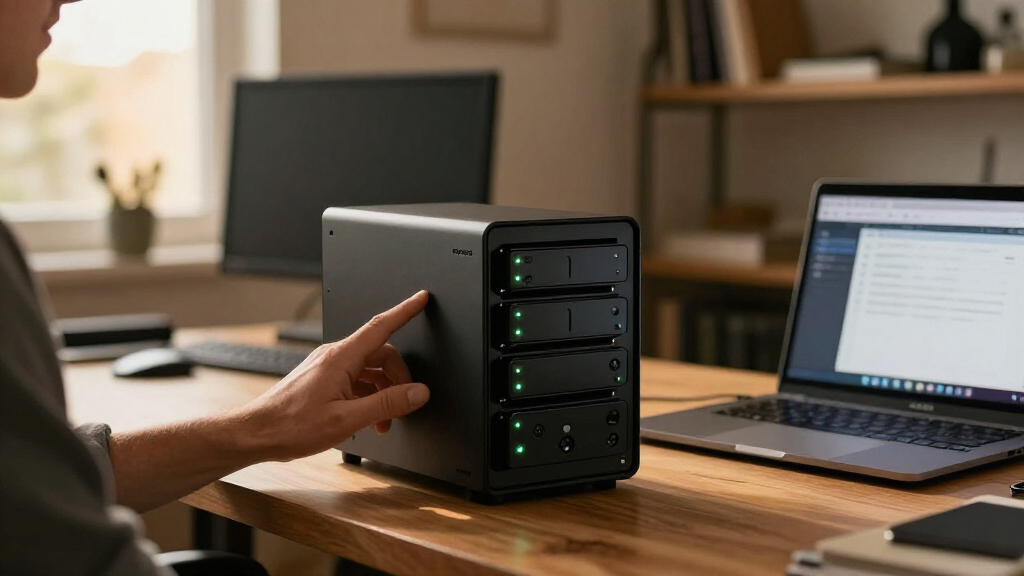

For most small businesses, I’d start with the QNAP TS-464-8G-US, which offers a strong balance of memory, connectivity, and room to grow. The UGREEN NASync DXP4800 Plus stands out for businesses prioritizing capable hardware, while the Synology DS423 is a more approachable choice for teams that value straightforward file sharing and backup workflows. The main tradeoff is between faster hardware and expansion options versus simpler administration or a ready-to-use bundle. A four-bay system can also serve very different needs, from shared files to surveillance and backup, so the right pick depends on workload and support preferences. Read on for how all nine options compare and which business profiles they suit best.

Get privacy and security gear delivered free with Prime
- Fast, free delivery on millions of items
- Prime Video, Amazon Music and more included
- Member-only deals all year
Key Takeaways
- The QNAP TS-464-8G-US is the strongest all-rounder in this lineup for businesses seeking a capable desktop NAS with 8 GB of memory and flexible connectivity.
- The UGREEN NASync DXP4800 Plus is the hardware-forward alternative, while buyers should weigh its software and support fit against more established NAS ecosystems.
- The Synology DS423 prioritizes approachable file sharing and backup; it is a better fit for straightforward office workflows than buyers seeking the most powerful hardware.
- The BUFFALO TeraStation Essentials bundle includes 16 TB across four drives, which can simplify procurement but offers less freedom than a diskless NAS for selecting drives.
- Four bays do not automatically mean four-drive fault tolerance: usable capacity, redundancy, backup, and recovery plans depend on the storage configuration and separate safeguards.
| UGREEN NAS DH4300 Plus 4-Bay Network Attached Storage |  | Best for Media and Automatic Photo Backups | Drive bays: 4 | Maximum advertised capacity: 128 TB | Memory: 8 GB LPDDR4X | VIEW LATEST PRICE | See Our Full Breakdown |
| QNAP TS-433 4-Bay NAS, 4 GB RAM, Diskless |  | Best for Straightforward Office Backups | Drive bays: 4 | Processor: ARM Cortex-A55 quad-core, 2.0 GHz | Memory: 4 GB DDR4 | VIEW LATEST PRICE | See Our Full Breakdown |
| UGREEN NASync DXP4800 Plus 4-Bay NAS |  | Best for Advanced Apps and Fast Networks | Drive bays: 4 | Maximum storage capacity: 144 TB | Processor: Intel 5-core CPU | VIEW LATEST PRICE | See Our Full Breakdown |
| QNAP TS-464-8G-US 4-Bay Desktop NAS |  | Best for Expandable Office Storage | Drive bays: 4 | Processor: Intel Celeron N5105/N5095, quad-core, up to 2.9 GHz | Memory: 8 GB DDR4, expandable to 16 GB | VIEW LATEST PRICE | See Our Full Breakdown |
| BUFFALO TeraStation Essentials 2025 4-Bay Desktop NAS, 16TB (4 × 4TB) |  | Best Ready-to-Run Business Bundle | Drive bays: 4 | Included drives: 4 × 4 TB | Installed capacity: 16 TB | VIEW LATEST PRICE | See Our Full Breakdown |
| Synology DS423 4-Bay Diskless NAS for File Sharing, Backup, Photos, and Surveillance |  | Best for Small Offices That Need Surveillance | Drive bays: 4 | Drive configuration: Diskless | Surveillance support: Up to 30 IP cameras | VIEW LATEST PRICE | See Our Full Breakdown |
| QNAP TS-462A-4G 4-Bay Desktop NAS |  | Best for Media-Heavy Small Offices | Drive bays: 4 x 3.5-inch SATA | Processor: Intel quad-core, burst up to 2.9 GHz | Network: 2.5GbE | VIEW LATEST PRICE | See Our Full Breakdown |
| Synology DS425+ 4-Bay Diskless NAS |  | Best for Growing Small Teams | Drive bays: 4 | Drive configuration: Diskless | Networking: Built-in 2.5GbE | VIEW LATEST PRICE | See Our Full Breakdown |
| Synology DiskStation DS925+ 4-Bay NAS (Diskless) |  | Best for Expansion and High Transfer Speeds | Drive bays: 4 | Expansion capacity: Up to 9 drives with expansion unit | Network ports: Dual 2.5GbE | VIEW LATEST PRICE | See Our Full Breakdown |
| 4 bay NAS for small business | Drive bays | Warranty |
|---|---|---|
| UGREEN NAS DH4300 Plus 4-Bay N | 4 | — |
| QNAP TS-433 4-Bay NAS | 4 | 2 years |
| UGREEN NASync DXP4800 Plus 4-B | 4 | 2 years |
| QNAP TS-464-8G-US 4-Bay Deskto | 4 | 3 years |
| BUFFALO TeraStation Essentials | 4 | 3 years, including hard drive coverage |
| Synology DS423 4-Bay Diskless | 4 | 2 years |
| QNAP TS-462A-4G 4-Bay Desktop | 4 x 3.5-inch SATA | 3 years |
| Synology DS425+ 4-Bay Diskless | 4 | 3 years |
| Synology DiskStation DS925+ 4- | 4 | 3-year limited hardware warranty |
More Details on Our Top Picks
UGREEN NAS DH4300 Plus 4-Bay Network Attached Storage
The UGREEN NAS DH4300 Plus suits a small office that wants shared storage alongside staff photo backups and local media playback. Its 2.5GbE connection and 8 GB of memory give it more headroom than the 4 GB QNAP TS-433 for simultaneous file access and supported apps such as Docker. The 4K HDMI output also makes it useful as a directly connected media device, a less central feature for a conventional office file server. Its AI-assisted photo organization and remote access can help teams that collect images across phones and computers. The tradeoff is limited workload flexibility: it does not support virtual machines, and the wired-only network may not suit a workspace without Ethernet nearby. Drives are not included, so capacity adds setup work.
Pros:- Four SATA bays support a substantial shared-storage pool.
- 2.5GbE networking and 8 GB of memory suit everyday small-team file access.
- Automatic mobile photo and video backups include AI-powered organization.
- Docker support and 4K HDMI add options for apps and local media playback.
Cons:- Diskless setup means the business must source and install drives separately.
- No virtual machine support limits its usefulness for more varied server workloads.
- Wired Ethernet only; it does not include Wi-Fi.
Best for: Small creative teams that want shared files, automatic phone photo backups, and Docker support in one wired NAS.
Not ideal for: Businesses planning to run virtual machines or those that need a NAS with included drives or Wi-Fi.
- Drive bays:4
- Maximum advertised capacity:128 TB
- Memory:8 GB LPDDR4X
- Network:2.5GbE wired Ethernet
- Drive interface:Serial ATA
- Drive form factor:3.5 inches
- Read speed:312 MB/s
- Included storage:None
Our verdict“Choose the DH4300 Plus for a wired small office that values photo backup and media features more than virtual machine support.”
QNAP TS-433 4-Bay NAS, 4 GB RAM, Diskless
The QNAP TS-433 is a practical fit for a small business focused on centralized files and routine computer backups rather than heavier applications. Its Windows backup and Mac Time Machine support give mixed-device teams familiar ways to protect workstations, while hardware-accelerated encryption adds a useful layer for shared business data. Compared with the UGREEN NAS DH4300 Plus, the TS-433 has half the listed memory and fewer media-oriented extras, so it is a more restrained choice for app workloads. It does, however, provide both 2.5GbE and 1GbE ports, which can help integrate it into a network with different connection speeds. The diskless configuration keeps drive choice open but requires a separate drive purchase, and 4 GB of RAM may constrain more demanding multitasking.
Pros:- Four SATA bays provide centralized storage for an office.
- Supports backups from Windows computers and Mac Time Machine.
- Hardware-accelerated AES-NI 256 encryption supports protected volumes and shared folders.
- Includes both 2.5GbE and Gigabit Ethernet ports.
Cons:- The 4 GB of memory is less generous than the 8 GB in the UGREEN DH4300 Plus and DXP4800 Plus.
- No hard drives are included, adding drive selection and installation to setup.
- The listed product data does not specify advanced app or virtual machine support.
Best for: Small offices with Windows PCs and Macs that need a central file store, workstation backups, and hardware-accelerated encryption.
Not ideal for: Teams that expect to run many apps or virtualized workloads, or buyers seeking a NAS with drives already installed.
- Drive bays:4
- Processor:ARM Cortex-A55 quad-core, 2.0 GHz
- Memory:4 GB DDR4
- Network ports:1 × 2.5GbE, 1 × 1GbE
- Drive support:Four SATA 6Gb/s drives
- Encryption:AES-NI 256 hardware-accelerated encryption
- Included storage:Diskless
- Warranty:2 years
Our verdict“Pick the TS-433 when familiar PC and Mac backup tools matter more than extra memory or broader app capabilities.”
UGREEN NASync DXP4800 Plus 4-Bay NAS
For a small business with demanding network and application needs, the UGREEN NASync DXP4800 Plus offers the broadest workload range in this group. Its 10GbE port, 10Gbps USB connectivity, 8 GB of DDR5 memory, and included 128 GB SSD give it more room for fast transfers and software than the TS-433 or DH4300 Plus. Support for Docker and virtual machines can let a technically capable team consolidate some services alongside file storage. That flexibility comes with extra setup and administration; it is less straightforward than the Buffalo TeraStation Essentials, which arrives with drives and RAID configured. The DXP4800 Plus is also diskless, and the advertised capacity depends on compatible drives. Its 10GbE advantage requires a suitably equipped network and compatible clients.
Pros:- 10GbE networking supports faster transfers on a compatible business network.
- Docker and virtual machine support allow a wider range of workloads.
- Includes 8 GB DDR5 memory and a 128 GB SSD.
- Four bays support up to 144 TB with compatible drives, alongside RAID and automatic backup features.
Cons:- Drives are sold separately, unlike the preconfigured Buffalo TeraStation Essentials.
- Real transfer speeds depend on network equipment, drives, and file sizes.
- Advanced app and virtual machine features call for more technical administration.
Best for: Technically capable small businesses that need 10GbE file access, Docker or virtual machines, and room to expand storage.
Not ideal for: Teams seeking a ready-to-run NAS with included drives, or offices whose network cannot take advantage of 10GbE.
- Drive bays:4
- Maximum storage capacity:144 TB
- Processor:Intel 5-core CPU
- Memory:8 GB DDR5
- Network ports:1 × 10GbE, 1 × 2.5GbE
- USB speed:10 Gbps
- Internal storage:128 GB SSD
- Included drives:None
- Warranty:2 years
Our verdict“Choose the DXP4800 Plus if your business can use 10GbE and wants a four-bay NAS that can also run apps or virtual machines.”
QNAP TS-464-8G-US 4-Bay Desktop NAS
The QNAP TS-464-8G-US is a balanced option for offices that want room to improve performance without moving to the DXP4800 Plus’s 10GbE setup. Its dual 2.5GbE ports can support faster transfers across compatible network equipment, while two M.2 NVMe slots offer a path to caching or SSD storage pools. That combination makes it more adaptable than the QNAP TS-433, which has 4 GB of RAM and no M.2 slots listed. The Intel quad-core processor and 8 GB of memory provide a stronger starting point for mixed office workloads, and memory can expand to 16 GB. Still, the system ships without drives, and its memory ceiling is lower than a more extensible server-class system might offer. Buyers must also decide whether NVMe additions fit their workload.
Pros:- Dual 2.5GbE ports provide flexible higher-speed network connectivity.
- Two PCIe Gen 3 x2 M.2 slots support caching or SSD storage pools.
- Intel quad-core processor and 8 GB of DDR4 memory provide a capable base.
- Hot-swappable SATA drives simplify drive replacement.
Cons:- Diskless configuration requires the buyer to source drives.
- Memory expansion is capped at 16 GB.
- Unlike the UGREEN DXP4800 Plus, it does not list 10GbE networking.
Best for: Small offices that want dual 2.5GbE connectivity and the option to add NVMe caching or SSD storage as needs grow.
Not ideal for: Businesses that require 10GbE networking, higher memory expansion, or a pre-populated drive set.
- Drive bays:4
- Processor:Intel Celeron N5105/N5095, quad-core, up to 2.9 GHz
- Memory:8 GB DDR4, expandable to 16 GB
- Network:Dual 2.5GbE ports
- M.2 slots:2 PCIe Gen 3 x2 NVMe
- Drive interface:SATA 6 Gb/s
- USB:USB 3.2 Gen 2 Type-A
- Drive status:Diskless
- Warranty:3 years
Our verdict“Choose the TS-464-8G-US for an office that wants NVMe flexibility and dual 2.5GbE without requiring 10GbE.”
BUFFALO TeraStation Essentials 2025 4-Bay Desktop NAS, 16TB (4 × 4TB)
The BUFFALO TeraStation Essentials 2025 stands apart by arriving with four pre-tested 4 TB drives and RAID 5 configured, so a small business can start with 12 TB of usable capacity without buying disks separately. That makes it simpler to deploy than the diskless QNAP TS-464-8G-US and UGREEN DXP4800 Plus, both of which leave drive selection to the buyer. Its 2.5GbE networking, 256-bit drive encryption, backup and replication tools, and cloud sync cover common office storage needs. The tradeoff is less flexibility in installed capacity and performance: RAID 5 reserves space for redundancy, and the included drives run at 5400 rpm. It supports RAID 6 and RAID 0 as alternatives, but the listed data does not describe app or virtual machine support.
Pros:- Includes four pre-tested 4 TB drives and ships configured in RAID 5.
- 12 TB of usable capacity is available without a separate drive purchase.
- 2.5GbE, drive encryption, backup, and replication features suit common office needs.
- Cloud sync supports Amazon S3, Dropbox, Azure, and OneDrive; warranty includes hard drive coverage.
Cons:- RAID 5 leaves 12 TB usable from 16 TB of installed drive capacity.
- Included 5400 rpm drives may be a less suitable fit for workloads with demanding access patterns.
- Less appealing to buyers who want to select drives or need listed Docker and virtual machine support.
Best for: Small businesses that want a four-bay NAS with drives, RAID, and basic backup infrastructure ready at deployment.
Not ideal for: Teams that need to choose their own drive capacity, run demanding NAS applications, or maximize usable space from the installed disks.
- Drive bays:4
- Included drives:4 × 4 TB
- Installed capacity:16 TB
- RAID configuration:RAID 5; 12 TB usable; also supports RAID 6 and RAID 0
- Network connectivity:2.5GbE and 1.0GbE Ethernet
- Encryption:256-bit drive encryption
- Drive interface:Serial ATA-600
- Drive rotational speed:5400 rpm
- Warranty:3 years, including hard drive coverage
Our verdict“Pick the TeraStation Essentials if you value a ready-configured, drive-included office NAS more than customization or advanced app support.”
Synology DS423 4-Bay Diskless NAS for File Sharing, Backup, Photos, and Surveillance
The Synology DS423 suits a small business that wants file storage and surveillance tools in one appliance. Its support for up to 30 IP cameras gives it a broader monitoring role than the QNAP TS-462A-4G, whose listed strengths center more on 2.5GbE networking and hardware transcoding. Snapshots and multi-destination backups also help teams keep copies of important files, while photo management adds a practical option for organizing image libraries. The tradeoff is that the DS423 has no listed 2.5GbE connection, so I would favor the newer DS425+ for a team that prioritizes faster network transfers. This model is diskless, and its camera licenses are sold separately, adding setup costs beyond the enclosure and drives.
Pros:- Supports snapshots and backups to multiple destinations
- Includes file-sharing and remote-access features
- Photo management and surveillance tools broaden its small-office role
- Supports up to 30 IP cameras
Cons:- Diskless configuration requires separate drive purchases
- Surveillance camera licenses are sold separately
- No 2.5GbE networking is listed
Best for: Small offices that want shared files, backup tools, photo organization, and support for a multi-camera surveillance system in one NAS.
Not ideal for: Teams that need built-in 2.5GbE or want to avoid separate camera-license purchases; the DS425+ is a better fit for faster networking.
- Drive bays:4
- Drive configuration:Diskless
- Surveillance support:Up to 30 IP cameras
- Warranty:2 years
- Dimensions:9 x 6.6 x 7.24 in
- Weight:2210 g
- Enclosure material:Metal
Our verdict“Choose the DS423 if surveillance and straightforward backup matter more to your office than built-in 2.5GbE speed.”
QNAP TS-462A-4G 4-Bay Desktop NAS
The QNAP TS-462A-4G is a strong match for a small business that stores and streams large media files alongside routine backups. Its 2.5GbE connection can move data faster than the DS423’s listed networking, while hardware video transcoding helps when staff need media delivered in formats their devices can play. Dual M.2 PCIe slots offer an upgrade path for SSD use, and snapshots plus AES-NI encryption add useful protection features. Compared with the Synology DS425+, this QNAP emphasizes transcoding and flexible SSD expansion, while the DS425+ lists support for 10 or more concurrent users and a larger surveillance role. The TS-462A-4G remains diskless, and its four bays cap in-unit drive capacity; the listed 16 GB cloud allocation is also modest for business data.
Pros:- 2.5GbE networking supports faster transfers than standard gigabit connections
- Hardware video transcoding helps with media playback across devices
- Dual M.2 PCIe slots provide an SSD expansion option
- Snapshots and AES-NI encryption support data protection
Cons:- Diskless configuration requires separate drive purchases
- Four bays limit in-unit storage expansion
- Included myQNAPcloud storage is limited to 16 GB
Best for: Small creative, marketing, or production teams that share media files and want 2.5GbE, hardware transcoding, and M.2 expansion.
Not ideal for: Businesses seeking a ready-to-use storage bundle or a larger drive-bay count; drives are not included and the chassis has four bays.
- Drive bays:4 x 3.5-inch SATA
- Processor:Intel quad-core, burst up to 2.9 GHz
- Network:2.5GbE
- Expansion:Dual M.2 PCIe SSD slots
- USB:10Gbps USB 3.2 Gen 2 with One Touch Copy
- Encryption:AES-NI
- Cloud storage:16 GB of myQNAPcloud space
- Warranty:3 years
Our verdict“Pick the TS-462A-4G if your small office handles shared media and values transcoding and SSD options over a larger surveillance feature set.”
Synology DS425+ 4-Bay Diskless NAS
The Synology DS425+ balances everyday business storage with networking and access features suited to a growing office. Its built-in 2.5GbE and stated support for 10 or more concurrent users make it a more fitting shared-workspace hub than the DS423, which does not list faster networking or a user-capacity figure. RAID, automated backups, snapshots, and access controls give administrators several ways to protect files and manage who can reach them. It also handles media, synchronization, and surveillance, including up to 30 IP cameras. The QNAP TS-462A-4G is a stronger alternative for hardware transcoding and M.2 slots; Synology’s appeal here is its mix of team access and backup features. The DS425+ is diskless, so the full storage setup requires separate drives.
Pros:- Built-in 2.5GbE supports faster office file transfers
- Listed support for 10 or more concurrent users
- RAID, automated backups, snapshots, and access controls support managed data protection
- Combines file sharing, synchronization, media, and surveillance features
Cons:- Diskless configuration requires separate drive purchases
- The QNAP TS-462A-4G lists hardware transcoding and dual M.2 slots, which are not listed here
Best for: Small businesses with a growing staff that need shared files, access controls, automated backup, and faster-than-gigabit networking.
Not ideal for: Teams whose main priority is hardware video transcoding or listed M.2 expansion; the QNAP TS-462A-4G better matches those needs.
- Drive bays:4
- Drive configuration:Diskless
- Networking:Built-in 2.5GbE
- Transfer speed:Up to 278 MB/s
- Concurrent users:10+
- IP camera support:Up to 30
- Storage volume:80 TB
- Warranty:3 years
Our verdict“Choose the DS425+ for a growing team that wants 2.5GbE and built-in access and backup controls in a single four-bay NAS.”
Synology DiskStation DS925+ 4-Bay NAS (Diskless)
The Synology DS925+ is the most flexible pick here for a business that expects storage demands to grow beyond four drives. Pairing it with an expansion unit can raise capacity to up to nine drives, a path the DS425+ does not list. Dual 2.5GbE ports and two M.2 NVMe slots also suit offices that want faster network transfers and caching options; the listed sequential speeds reach 522 MB/s read and 565 MB/s write. Compared with the QNAP TS-462A-4G, the DS925+ offers a stated expansion path beyond its four bays, while QNAP lists hardware video transcoding. The Synology’s added flexibility may be unnecessary for a small team with stable storage needs, and the diskless setup means drives must be sourced separately.
Pros:- Expansion unit can raise supported drive count to nine
- Dual 2.5GbE ports support fast transfers and network redundancy
- Two M.2 NVMe slots provide caching options
- Listed sequential speeds reach 522 MB/s read and 565 MB/s write
Cons:- Diskless configuration requires separate drive purchases
- An expansion unit is needed to exceed the four internal bays
- Hardware video transcoding is not listed, unlike on the QNAP TS-462A-4G
Best for: Small businesses planning substantial data growth that want a four-bay starting point with a route to nine drives and dual 2.5GbE.
Not ideal for: Small offices with modest, predictable storage needs or teams prioritizing hardware video transcoding; the TS-462A-4G lists that feature.
- Drive bays:4
- Expansion capacity:Up to 9 drives with expansion unit
- Network ports:Dual 2.5GbE
- M.2 slots:2
- Sequential read speed:Up to 522 MB/s
- Sequential write speed:Up to 565 MB/s
- Dimensions:8.78 x 7.83 x 6.54 in
- Warranty:3-year limited hardware warranty
Our verdict“Choose the DS925+ if you want a four-bay NAS that can grow to nine drives and support faster network workflows.”

How We Picked
I compared these nine systems as small-business tools rather than home media boxes. The main criteria were whether the hardware can support typical office workloads, how well each model suits shared files and backup, and how much room it gives a business to adapt as storage or application needs change. I also considered setup and administration, drive purchasing flexibility, bundled storage, and the practical cost of maintaining a NAS over time.
The ranking favors models that balance capability with a realistic small-team workload. The QNAP TS-464-8G-US leads for its mix of memory and connectivity; the UGREEN DXP4800 Plus is a strong alternative for buyers who put hardware capability first. Synology models rank well for teams that want an established software-led approach, while the TS-433 and DS423 better suit less demanding use. The bundled BUFFALO system earns a distinct place for buyers who want drives included, but that convenience comes with less choice over the storage configuration.
Factors to Consider When Choosing Best 4 Bay NAS For Small Business
Before choosing a model, I’d map the NAS to the work it must support and the person responsible for keeping it running. A four-bay enclosure is only one part of the decision: drive layout, network speed, backup strategy, software, and future growth can matter more than a headline specification.
Match performance to the actual workload
Start by listing who will use the NAS and what they will do: browse shared documents, edit large files, run business apps, or manage surveillance footage. A file server for a small office may not need the same processing headroom as a system supporting multiple services or heavy concurrent transfers. Memory and network connectivity affect responsiveness when several people are active, but they do not make a slow network or unsuitable drives disappear. Avoid paying for capacity you cannot use because your switches, client devices, or internet connection are the bottleneck. If workloads may expand, favor room to grow over specifications that solve no current problem.
Plan usable capacity and redundancy separately
Four installed drives do not provide the sum of their capacities as usable space when redundancy is enabled. A redundant layout can keep data accessible after certain drive failures, but the usable capacity depends on the chosen scheme and drive sizes. Do not mistake redundancy for backup: accidental deletion, malware, theft, and damage to the NAS can still take out the working copy. Estimate current storage, yearly growth, and the space needed for snapshots or version history before buying drives. Leave headroom so routine growth does not force an urgent replacement decision.
Choose diskless flexibility or a ready-to-run bundle
A diskless NAS lets you choose drive models and capacities, and can make it easier to replace or expand drives on your own schedule. It also means checking compatibility, sourcing drives, and configuring the array before the system is ready for business use. A bundle such as the BUFFALO TeraStation Essentials with 16 TB installed reduces setup work and gives the buyer a known starting configuration. The tradeoff is less control over the included drive mix and future upgrade choices. Compare the whole deployment, including drives, setup time, and replacement planning, rather than the enclosure alone.
Treat backup and recovery as part of the purchase
A NAS can centralize business files, but it should not be the only place those files exist. Plan a second copy on a separate device or service, and decide how often it will update and who will check that restores work. Think through recovery time as well as backup frequency: a business that cannot operate without its shared files may need a faster recovery path than a team with a short manual workaround. Set access permissions by role and limit administrative accounts to the people who need them. A clear recovery plan often matters more than a small difference in processor performance.
Consider administration, support, and software fit
The interface and available apps shape the workload for whoever manages the NAS. A small team without dedicated IT staff may favor software that makes users, shared folders, backup jobs, and alerts easy to manage. Businesses with specific application or surveillance requirements should confirm those functions before purchase instead of assuming every NAS platform handles them the same way. Check how updates are delivered, how security settings are maintained, and what support routes are available to your organization. A capable device that no one can confidently maintain is a poor fit for a business-critical file store.
Check network and expansion needs before buying
Network ports only help when the rest of the office network can use them. Confirm the NAS, switch, cabling, and client devices can support the transfer speeds your team expects, and remember that multiple ports do not automatically make one user’s connection faster. Consider whether you need faster local access for large project files or simply dependable access to shared documents. Also check what expansion paths matter to you, such as memory, cache, or additional storage options, rather than treating every upgrade feature as equally valuable. Buying for a plausible next workload is sensible; buying for a speculative one can leave useful budget tied up in unused capacity.
Frequently Asked Questions
Is a 4-bay NAS enough for a small business?
For many small offices, four bays provide a useful balance of capacity and redundancy without requiring a rack system. Whether it is enough depends on file growth, the number of people accessing it, and whether the NAS will also run applications or store surveillance footage. Estimate several years of growth and account for the capacity lost to your chosen redundant drive layout. If storage needs are likely to rise quickly, check expansion options before settling on a four-bay enclosure. A separate backup destination is still needed regardless of bay count.
Should I buy a diskless NAS or one with drives included?
A diskless unit suits buyers who want control over drive capacity, selection, and replacement timing, but it requires more planning before deployment. A preconfigured bundle can shorten purchasing and setup work, which may suit a business that wants a defined starting capacity. Compare the included drive arrangement with your expected usable capacity after redundancy, not just the listed total. Also ask who will handle drive replacement and whether the business wants to standardize on particular models. The right choice depends on whether flexibility or deployment simplicity matters more.
Does RAID mean my business files are backed up?
No. RAID or another redundant storage layout can help keep the NAS available after some drive failures, but it does not protect against every cause of data loss. A user can delete files, malware can encrypt accessible data, and a fire or theft can remove the entire device. Keep another copy on a separate system or service, and retain versions so you can recover earlier files. Test a restore before relying on the plan for business continuity.
How much network speed does a small office NAS need?
The right connection depends on the work, not just the NAS specification. Shared documents and routine backups may work well on a standard office network, while large media or project files can benefit from faster local connections. The switch, cabling, and computers must all support the intended speed for users to see a benefit. Multiple NAS ports can help with network organization or combined traffic, but they do not automatically increase the speed of a single connection. Check where the current bottleneck sits before paying for faster networking.
Which matters more for a small business: stronger hardware or easier software?
It depends on who will administer the system and what it must run. A team with limited IT support may gain more from clear setup, user management, backup tools, and straightforward alerts than from extra processing headroom. Businesses running several services or handling heavy concurrent workloads may get more value from stronger hardware and memory. Also weigh the software platform’s fit with required applications and the support options available to your organization. The best choice is the one your team can maintain while meeting its workload, not simply the model with the largest specification sheet.
Conclusion
For most small businesses, I recommend the QNAP TS-464-8G-US as the best overall because its memory and connectivity make it a balanced choice for shared office workloads. The QNAP TS-433 is the best value-oriented option for simpler file sharing and backup needs, while the Synology DS423 is my beginner-friendly pick for teams that prioritize approachable administration. For a hardware-forward setup, I’d shortlist the UGREEN NASync DXP4800 Plus; for buyers who want storage included, the BUFFALO TeraStation Essentials 16 TB bundle reduces drive-selection work. The Synology DS925+ is the premium pick for buyers who specifically want a higher-tier Synology option, while the DS425+ and QNAP TS-462A-4G give buyers other platform and workload options. Choose based on the files, users, support capacity, and recovery plan you actually have—not bay count alone.
Fall Picks
fall essentials
As an affiliate, we earn on qualifying purchases.