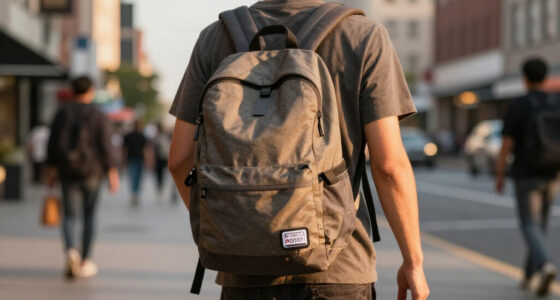

Students who want webcam privacy without a clunky plastic nub stuck to their laptop have more options than ever, and the differences come down to thickness, adhesive quality, and whether a cover is universal or fitted. The CloudValley Metal Ultra-Thin Cover earns my best overall pick because its 0.023-inch metal body sits nearly flush with the screen and closes reliably after months of daily sliding. For outfitting a dorm’s worth of devices on a student budget, the 50-piece Ultra-Thin Universal pack is unbeatable on value, while the fitted Logitech C920 shutter is the right call for anyone using an external webcam. The main tradeoff in this category is thinness versus durability, with bulk packs sacrificing finish quality for price. Keep reading for the full breakdown of all nine options.

Get privacy and security gear delivered free — and shop member deals
- Fast, free delivery on millions of items
- Access to Prime Big Deal Days deals on October 6–7
- Prime Video, Amazon Music and more included
Key Takeaways
- Metal sliders like the CloudValley (0.023 in) outlasted thin plastic film covers, which tended to peel at the sliding seam after repeated use on laptops that travel in backpacks daily.
- Bulk packs of 25-50 covers cost pennies per unit but include weaker adhesive — a real issue for students whose laptops get tossed into lecture bags.
- Fitted covers for specific Logitech models (C270, C920) block the lens cleanly without covering the mic or LED indicator, but they lock you into one webcam and don’t work when you upgrade.
- Ultra-thin universal sliders are the only safe choice for laptops with tight-fitting lids or cases; anything thicker than roughly 0.03 inches can press into the screen when closed.
- Multi-packs make the most sense for students with several devices — laptop, tablet, phone, external webcam — since a single two-pack often isn’t enough to cover everything.
| Webcam Cover for Logitech C270/C310 HD Webcam, Privacy Slide Shutter with Mic & LED Cutouts |  | Best Fit for Budget Logitech Webcams | Compatibility: Logitech C270/C310 webcams | Installation: Snap-on, no tools required | Material: Plastic | VIEW LATEST PRICE | See Our Full Breakdown |
| 2 Pack Universal Webcam Cover for Logitech and More |  | Best Value for Shared Setups | Material: High-strength plastic | Adhesive: 3M adhesive layer | Number of packs: 2 covers | VIEW LATEST PRICE | See Our Full Breakdown |
| 50 Pcs Ultra-Thin Universal Webcam Cover Slide for Laptop, Phone, and Computer |  | Best Bulk Buy for Groups and Giveaways | Quantity: 50 pieces | Thickness: 0.023 inch | Material: ABS plastic | VIEW LATEST PRICE | See Our Full Breakdown |
| CloudValley Laptop Camera Cover Slide, Metal, Ultra-Thin 0.023 Inch, 2 Packs |  | Best Overall Discretion | Material: Space aluminum alloy | Thickness: 0.023 inches (0.6 mm) | Number of packs: 2 covers | VIEW LATEST PRICE | See Our Full Breakdown |
| Webcam Cover for Logitech C920, C930e, C922x – Privacy Shutter Slider |  | Best for Streaming and Presentation Webcams | Compatibility: Logitech C920x HD Pro, C920, C930e, C922 Pro Stream | Function: Privacy shutter slider | Material: Plastic | VIEW LATEST PRICE | See Our Full Breakdown |
| 25 Pack Laptop Camera Cover Slide, Ultra-Thin Webcam Cover |  | Best Bulk Buy for Clubs and Group Purchases | Thickness: 0.022 inches | Material: ABS plastic | Number of pieces: 25 | VIEW LATEST PRICE | See Our Full Breakdown |
| JOS California 9 Pack Webcam Cover Slide Camera Blocker |  | Best for Mixed Device Collections | Package includes: 3 Large + 3 Medium + 3 Small covers | Material: Plastic | Color: Black | VIEW LATEST PRICE | See Our Full Breakdown |
| Yilador Webcam Cover (3 Pack), Ultra Thin Laptop Camera Cover Slider |  | Best Minimalist Starter Set | Thickness: 0.027 inches | Number of pieces: 3 | Color: Black | VIEW LATEST PRICE | See Our Full Breakdown |
| Laptop Camera Cover Slide, 6 Pack Ultra-Thin Webcam Cover Blocker |  | Best Value for a Personal Device Kit | Quantity: 6 pack | Material: ABS | Thickness: 0.022 inches | VIEW LATEST PRICE | See Our Full Breakdown |
| discreet webcam covers for student | Compatibility | Material | Installation | Color |
|---|---|---|---|---|
| Webcam Cover for Logitech C270 | Logitech C270/C310 webcams | Plastic | Snap-on, no tools required | Black |
| 2 Pack Universal Webcam Cover | — | High-strength plastic | — | — |
| 50 Pcs Ultra-Thin Universal We | Most laptops, desktops, and smartphones | ABS plastic | — | — |
| CloudValley Laptop Camera Cove | Most laptops, tablets, and computers | Space aluminum alloy | Adhesive, requires careful alignment | — |
| Webcam Cover for Logitech C920 | Logitech C920x HD Pro, C920, C930e, C922 Pro Stream | Plastic | Fitted to camera body | Black |
| 25 Pack Laptop Camera Cover Sl | Most laptops, tablets, desktops, and smartphones | ABS plastic | Peel-and-stick adhesive | Black |
| JOS California 9 Pack Webcam C | Laptops, smartphones, tablets, desktops, PS4, Tesla Model 3/Y | Plastic | Adhesive, residue-free removal | Black |
| Yilador Webcam Cover | Most laptops, phones, tablets, desktops (excludes post-2023 MacBooks and notch cameras) | — | Adhesive backing | Black |
| Laptop Camera Cover Slide | Laptops, tablets, computers, Echo Show, Apple devices | ABS | Peel-and-stick adhesive | Black |
More Details on Our Top Picks
Webcam Cover for Logitech C270/C310 HD Webcam, Privacy Slide Shutter with Mic & LED Cutouts
Most universal covers like the 2 Pack Universal Webcam Cover make you work around a one-size design, but this model flips the approach: it is purpose-built for the C270 and C310, two of the most common student webcams out there. The payoff is precision — cutouts keep the microphone and LED indicator exposed, so you can still see when the camera is live, something adhesive slider covers simply cannot do on these models. Installation is a snap-on affair with no adhesive, which means no residue and no surface prep. That specialization is also the tradeoff. Compared with the 50-piece universal set, this cover is useless on any other device, and if a roommate borrows it for a different webcam, it will not fit. It is physical privacy only — no digital security — but for the right hardware, the fit is unmatched.
Pros:- Tailored fit for two of the most popular student webcams
- Mic and LED cutouts keep functionality and live-status visibility intact
- Snap-on installation with no adhesive residue
- Simple slide operation with one finger
Cons:- Only fits Logitech C270 and C310 — no versatility at all
- Cannot be repositioned to other devices if you upgrade your webcam
Best for: Students who own a Logitech C270 or C310 and want a perfectly fitted cover that preserves the LED indicator
Not ideal for: Anyone with a laptop webcam or a non-Logitech camera — the snap-on design only works on these two specific models
- Compatibility:Logitech C270/C310 webcams
- Installation:Snap-on, no tools required
- Material:Plastic
- Color:Black
- Operation:Slide shutter
- Adhesive:None — snap-on fit
Our verdict“If your desk setup runs on a C270 or C310, this is the most precise and fuss-free cover in the roundup; everyone else should look at universal options.”
2 Pack Universal Webcam Cover for Logitech and More
This two-pack earns its spot through a different kind of math than the CloudValley metal covers. Instead of premium materials, you get practical redundancy: one cover for the laptop, one for a desktop monitor or external webcam, which is exactly how most students actually work. The 3M adhesive layer is the standout here — compared with the multi-packs in this roundup where adhesive quality can vary between units, a known 3M backing means the slider stays put through a semester of backpack abuse. The covers handle both flat and protruding lenses, which covers most external Logitech webcams that flat-only sliders skip. The catch: you must clean the surface properly before applying, and like every universal cover, deeply recessed or unusually curved lenses will defeat it.
Pros:- Trusted 3M adhesive that holds up to daily laptop handling
- Two covers cover a dual-device setup for one low price
- Works on both flat and slightly protruding lenses
- Slim profile stays out of sight on shared or classroom devices
Cons:- Surface must be cleaned thoroughly or the adhesive fails early
- Only two units included — poor value for multi-device households
Best for: Students juggling a laptop plus an external webcam who want reliable adhesive without buying in bulk
Not ideal for: Buyers who want to cover many devices at once — two pieces run out fast compared with the 50-pack option
- Material:High-strength plastic
- Adhesive:3M adhesive layer
- Number of packs:2 covers
- Lens compatibility:Flat or protruding lenses
- Device types:Laptops, desktops, Logitech webcams and more
- Design:Slim slide shutter
Our verdict“The smartest pick for a two-device student setup that prioritizes dependable adhesion over quantity or premium materials.”
50 Pcs Ultra-Thin Universal Webcam Cover Slide for Laptop, Phone, and Computer
Fifty covers sounds excessive until you consider the student reality this set targets: a dorm floor, a study group, a club, or simply a phone, tablet, laptop, and backup laptop all needing coverage. At 0.023 inches thick, these match the ultra-thin profile of the CloudValley metal covers, so laptop lids close without gaps — but where CloudValley charges premium pricing for two, this set spreads the cost across dozens. The tradeoff is consistency. Because these are ABS plastic rather than metal, and because bulk production means adhesive quality can vary between units, a few sliders in the pack may feel looser or stick less reliably than others. Compared with the 2 Pack Universal Cover, you give up the 3M adhesive assurance in exchange for sheer volume. For individual buyers wanting one perfect cover, that gamble is not worth it; for groups, it is.
Pros:- Lowest per-cover cost in the roundup by a wide margin
- 0.023-inch thickness clears laptop lids without interference
- Universal fit spans laptops, desktops, and smartphones
- Durable ABS construction with smooth sliding action
Cons:- Adhesive quality is inconsistent across the 50 units
- Fit is not perfect on every camera size — some slack possible
Best for: Students buying for a group — roommates, clubs, or study teams — or anyone covering phones and laptops together
Not ideal for: Buyers who want one guaranteed-perfect cover — bulk packs mean variable slider tightness and adhesive strength
- Quantity:50 pieces
- Thickness:0.023 inch
- Material:ABS plastic
- Compatibility:Most laptops, desktops, and smartphones
- Operation:Sliding mechanism
- Design:Slim, modern profile
Our verdict“The obvious choice when quantity matters more than perfection; solo buyers after one refined cover should pay up for the CloudValley instead.”
CloudValley Laptop Camera Cover Slide, Metal, Ultra-Thin 0.023 Inch, 2 Packs
When the entire point is discretion, material matters, and this is the only cover in the lineup built from space-grade aluminum alloy rather than plastic. The difference shows up in daily use: the slider action stays smooth and tight over months, where plastic options like the 50-piece bulk set can loosen or feel gritty. At 0.023 inches (0.6 mm), it is thin enough that most laptop lids close cleanly, and the metal construction gives it a finish that reads as part of the device rather than an accessory stuck onto it — a real advantage for students using shared or school-issued laptops where appearance counts. The tradeoff is installation: unlike the snap-on C270/C310 cover, this requires careful alignment on a clean surface, and a crooked first application is hard to fix without weakening the adhesive.
Pros:- Metal build outlasts plastic sliders and keeps its smooth action
- 0.023-inch profile avoids interfering with laptop closure
- Understated design reads as part of the device, not an add-on
- Removes cleanly without damaging the screen bezel
Cons:- Installation demands careful alignment — mistakes are hard to correct
- Higher per-cover price than plastic alternatives
Best for: Students who want one refined, long-lasting cover that looks intentional on a laptop they carry everywhere
Not ideal for: Buyers on a tight budget covering multiple devices — two metal covers cost far more per unit than bulk plastic packs
- Material:Space aluminum alloy
- Thickness:0.023 inches (0.6 mm)
- Number of packs:2 covers
- Compatibility:Most laptops, tablets, and computers
- Installation:Adhesive, requires careful alignment
- Finish:Sleek metal slider
Our verdict“The best single cover you can buy for a personal laptop if you value durability and a low-profile look over bulk value.”
Webcam Cover for Logitech C920, C930e, C922x – Privacy Shutter Slider
This cover targets the C920, C930e, and C922 family — the webcams students use for presentations, streaming, and hybrid classes where image quality matters. Like the C270/C310 cover, it trades universality for fit, but the stakes are different: these higher-end cameras sit on tripods and monitor arms in shared spaces, so a cover that slides cleanly between “recording” and “private” states gets used constantly rather than forgotten. The slider is easy to operate mid-call without fumbling, which matters when a professor suddenly says “cameras on.” Compared with adhesive options like the CloudValley, you avoid sticky residue on an expensive peripheral, but you also get none of the flexibility — it is useless on laptops, phones, or any other webcam brand. It is purely physical privacy too, with no electronic features.
Pros:- Precise fit across the popular C920/C930e/C922 webcam family
- Smooth slider toggles privacy instantly during live calls
- No adhesive means no residue on an expensive external webcam
- Simple installation matched to the camera’s shape
Cons:- Locked to three Logitech models with no laptop or phone use
- Offers physical blocking only — no digital or software privacy features
Best for: Students with a C920-series webcam who present, stream, or take hybrid classes and toggle privacy frequently
Not ideal for: Laptop users or owners of non-Logitech webcams — this cover is locked to three specific camera models
- Compatibility:Logitech C920x HD Pro, C920, C930e, C922 Pro Stream
- Function:Privacy shutter slider
- Material:Plastic
- Installation:Fitted to camera body
- Operation:Manual slide open/close
- Color:Black
Our verdict“The right pick only if a C920-series camera anchors your setup; everyone else gets more value from universal sliders.”
25 Pack Laptop Camera Cover Slide, Ultra-Thin Webcam Cover
Most webcam cover packs top out at six pieces, but this option goes to 25 covers in a single purchase, which changes the math entirely for students buying on behalf of a group. At roughly pocket change per cover, this option stands out for dorm floors, student clubs, or computer labs where a single bulk order covers everyone. The ABS construction and 0.022-inch thickness match the thinner 6 Pack Ultra-Thin Webcam Cover Blocker, so buyers aren’t sacrificing slimness for quantity. The tradeoff is uniformity: unlike the JOS California 9 Pack, which mixes three sizes for different devices, these are one-size-fits-most, so odd camera placements may not sit perfectly. Adhesive longevity is also the weak point — covers reapplied multiple times tend to lose their grip.
Pros:- Lowest per-cover cost in the roundup
- Ultra-thin 0.022-inch profile won’t block laptop closure
- Works across laptops, tablets, desktops, and smartphones
- Simple peel-and-stick installation
Cons:- One-size design fits some devices imperfectly
- Adhesive weakens with repositioning and over time
- Black only — no option to match lighter devices
Best for: Student organization leaders, RA’s stocking a dorm floor, or anyone outfitting an entire study group’s devices cheaply
Not ideal for: Anyone who just needs one or two covers — most of the pack will sit unused, and smaller sets like the Yilador 3 Pack cost less upfront
- Thickness:0.022 inches
- Material:ABS plastic
- Number of pieces:25
- Color:Black
- Compatibility:Most laptops, tablets, desktops, and smartphones
- Installation:Peel-and-stick adhesive
Our verdict“Buy this only if you’re covering many devices at once; solo buyers should pick a smaller pack.”
JOS California 9 Pack Webcam Cover Slide Camera Blocker
What separates this set from every other slider in the lineup is sizing strategy: three large, three medium, and three small covers in one box. That matters because a MacBook webcam, a phone front camera, and a tablet bezel each need different footprints, and single-size packs — like the 25 Pack Laptop Camera Cover Slide — force compromises. This model is better suited to students juggling a laptop, phone, and tablet who want a clean, tailored fit on each device. The included compatibility with Tesla Model 3/Y interior cameras and PS4 is a genuine oddity that adds value for students with a car or console. The 0.03-inch thickness is slightly chunkier than the thinnest options here, and the adhesive shows wear if you frequently remove and reapply covers.
Pros:- Three sizes ensure proper fit across laptops, phones, and tablets
- Removes cleanly without adhesive residue
- Unusual extras: Tesla Model 3/Y and PS4 compatibility
- Nine covers split across a household or roommates
Cons:- Thicker than competing sliders at 0.03 inches
- Adhesive degrades with repeated removal
- Black-only color options
Best for: Students with three or more devices of different sizes who want correctly fitted covers on each one
Not ideal for: Buyers with only a single laptop — the multi-size assortment goes to waste, and the Yilador 3 Pack covers one device set for less
- Package includes:3 Large + 3 Medium + 3 Small covers
- Material:Plastic
- Color:Black
- Thickness:0.03 inches
- Compatibility:Laptops, smartphones, tablets, desktops, PS4, Tesla Model 3/Y
- Installation:Adhesive, residue-free removal
Our verdict“The only pick where every device in your bag gets a cover cut to its size — worth it for multi-device students.”
Yilador Webcam Cover (3 Pack), Ultra Thin Laptop Camera Cover Slider
Three covers is the honest number: one for the laptop, one for the tablet, one spare. Compared with the 6 Pack Ultra-Thin Webcam Cover Blocker, this set costs less and skips the surplus, which makes it the most sensible entry point for a student who just wants privacy handled today. The sliding mechanism feels smoother than cheaper bulk sliders, and the adhesive holds up noticeably better over a semester of daily open-close cycles. Where this pick stumbles is compatibility — it explicitly won’t work on MacBooks released after 2023 or any device with a protruding or notch-style camera, a real limitation as bezels shrink. Rear phone cameras and full-screen tempered glass are also off the table, so check your device before buying.
Pros:- Smooth, durable slider mechanism
- Strong adhesive that survives months of daily use
- Sleek low-profile look that blends into the bezel
- Right-sized three-pack with no wasted extras
Cons:- Incompatible with post-2023 MacBooks and notch or protruding cameras
- Cannot be used on rear cameras or full-screen tempered glass
- Fit varies across device models
Best for: Students with a standard-bezel laptop and phone who want a small, quality set instead of bulk surplus
Not ideal for: Owners of recent MacBooks or notch-camera devices — the adhesive footprint simply won’t sit correctly on those screens
- Thickness:0.027 inches
- Number of pieces:3
- Color:Black
- Mechanism:Manual slider
- Compatibility:Most laptops, phones, tablets, desktops (excludes post-2023 MacBooks and notch cameras)
- Installation:Adhesive backing
Our verdict“The cleanest choice for one laptop and one phone — as long as your webcam isn’t tucked into a notch.”
Laptop Camera Cover Slide, 6 Pack Ultra-Thin Webcam Cover Blocker
This option splits the difference between the tiny Yilador 3 Pack and the excessive 25-pack bulk options: six covers is enough for a laptop, tablet, phone, and a few spares without paying for hardware that ends up in a drawer. The 0.022-inch ABS build ties for the thinnest in this roundup, which translates to no resistance when closing a laptop lid — a daily annoyance with thicker sliders like the JOS California set at 0.03 inches. Compatibility stretches to Echo Show and Apple devices, a nice touch for students with a smart display in the dorm. Compared with the Yilador, the adhesive is the weaker link: it holds initially but loses grip over a long semester, so mount it once and leave it.
Pros:- Six covers covers a full personal device kit with spares
- 0.022-inch thickness allows full laptop closure
- Broad compatibility including Echo Show and Apple devices
- Budget-friendly per-cover price
Cons:- Adhesive loses strength over time
- Front-camera devices only
- Available in black exclusively
Best for: Students outfitting two or three personal devices plus a roommate share, without buying in bulk
Not ideal for: Anyone who frequently repositions covers or needs them for rear-facing cameras — the adhesive and design won’t support that
- Quantity:6 pack
- Material:ABS
- Thickness:0.022 inches
- Color:Black
- Compatibility:Laptops, tablets, computers, Echo Show, Apple devices
- Installation:Peel-and-stick adhesive
Our verdict“The balanced middle option — enough covers for your devices, none wasted, at a price that beats smaller premium sets.”

How We Picked
I ranked these covers on four student-specific criteria: profile thickness (anything that creates screen pressure or won’t close a laptop lid was penalized), adhesive reliability (covers that slide off after a few weeks in a backpack are worthless), slide mechanism smoothness (a stiff slider gets abandoned, which defeats the purpose), and price per cover across each pack. Because students rarely buy just one cover — most own a laptop, phone, and possibly a tablet — multi-pack value weighed heavily in the rankings.
Universal covers were judged against each other on build and finish, while model-specific covers (the Logitech C270 and C920 shutters) were judged on fit precision and whether the mic and LED cutouts actually align. The ranking favors options that balance all four criteria rather than excelling in one, which is why a premium metal two-pack sits above cheaper bulk packs despite the higher per-unit cost.
| discreet webcam covers for student | Installation | Material |
|---|---|---|
| Webcam Cover for Logitech C270 | Snap-on, no tools required | Plastic |
| 2 Pack Universal Webcam Cover | — | High-strength plastic |
| 50 Pcs Ultra-Thin Universal We | — | ABS plastic |
| CloudValley Laptop Camera Cove | Adhesive, requires careful alignment | Space aluminum alloy |
| Webcam Cover for Logitech C920 | Fitted to camera body | Plastic |
| 25 Pack Laptop Camera Cover Sl | Peel-and-stick adhesive | ABS plastic |
| JOS California 9 Pack Webcam C | Adhesive, residue-free removal | Plastic |
| Yilador Webcam Cover | Adhesive backing | — |
| Laptop Camera Cover Slide | Peel-and-stick adhesive | ABS |
Factors to Consider When Choosing Discreet Webcam Covers For Students
A webcam cover is a five-dollar purchase that most students make without thinking — and then regret when it peels off mid-semester or leaves adhesive gunk on a screen bezel. Here is what actually separates a good cover from a bad one, beyond anything in the individual reviews above.
Thickness and Lid Clearance
The single most common mistake students make is buying a cover that is too thick for their laptop. Covers above roughly 0.03 inches can press against the screen when the lid closes, and on newer MacBooks and slim ultrabooks that pressure can leave marks or even damage the display over a semester of constant opening and closing. Universal thin sliders in the 0.015-0.025 inch range are safe for nearly every machine. If your laptop has an especially tight hinge tolerance or you use a hard-shell case, stick to the thinnest metal options like the CloudValley. And if your laptop was recently repaired or the bezel sits flush, test one corner with any cover before committing a multi-pack to all your devices.
Adhesive Quality and Residue
Adhesive is where cheap bulk packs cut corners, and it matters more for students than for office workers because laptops travel. A cover that survives a desk may still slide off inside a backpack’s heat and friction after a few weeks. Metal-backed covers and name-brand sliders tend to use stronger 3M-style adhesive than generic 50-count packs. Also think about the day you remove it: some adhesives harden and leave residue that attracts dust to the bezel, which is especially visible on black laptop frames. If you plan to resell your laptop after graduation, choose a cover known for clean removal rather than the cheapest option available.
Universal vs. Model-Specific Fit
Universal covers work on almost any flat surface, but fitted covers designed for a specific webcam — like the Logitech C270 or C920 shutters in this lineup — block the lens precisely without covering the LED recording light or microphone holes. That precision matters: covering the LED means you can’t visually confirm whether your camera is actually live, which undermines the whole point of a privacy cover. The tradeoff is lock-in. If you upgrade your external webcam next year, a fitted cover becomes useless while universal sliders just move to the new device. Students on Logitech webcams they plan to keep should get the fitted version; everyone else should stay universal.
Pack Size and Real Coverage Needs
Count how many cameras you actually own before choosing a pack size: laptop, phone, tablet, external webcam, maybe a gaming monitor. Most students find they need three to five covers, which makes three- and six-packs the sweet spot, while 50-count packs only make sense for sharing with roommates or covering a whole study group’s devices. Be wary of buying too small, though — a two-pack leaves nothing for a phone, and single covers often cost nearly as much as a three-pack. Bulk packs also give you spares when adhesive fails, which, as noted above, happens more often with budget options. Match the pack size to your device count plus one or two spares.
Sliding Mechanism Durability
A cover only protects you if you actually use it, and stiff or gritty sliders get ignored fast. Metal sliders tend to glide more smoothly and survive thousands of open-close cycles, while thin plastic film covers can develop a sticky seam or crack at the sliding track. Students who toggle their camera multiple times per day during classes should prioritize mechanism feel over saving a dollar or two per unit. One practical test: if a slider requires two fingers or a fingernail to move, it will annoy you within a week. The best covers in this roundup open with a light one-finger push and lock firmly in the closed position.
Discretion and Campus Aesthetics
Some students want a cover that disappears entirely; others, especially those in shared dorms, prefer one that visibly signals “this camera is covered.” Matte black metal covers blend into most modern bezels and are the most discreet option. Bulk plastic covers often come in bright packaging but neutral black units, so check the listing photos. Decorative options like the JOS California pack offer state-flag and graphic designs, which trade invisibility for personality. Neither approach is wrong, but decide which you want before ordering — swapping covers means cleaning off old adhesive and reapplying, which weakens the replacement’s stick.
Frequently Asked Questions
Will a webcam cover damage my laptop screen when I close the lid?
It depends entirely on thickness. Covers at or below 0.025 inches — like the CloudValley metal slider — sit low enough that most modern laptop lids close without pressure. Anything thicker risks pressing into the display, and on laptops with very slim bezels that pressure can leave permanent marks over months of daily use. If your laptop manufacturer warns against anything between the keyboard and screen (Apple does for MacBooks), opt for the thinnest cover available and check for resistance the first few times you close the lid. A lid that requires force to close is a clear sign the cover is too thick for your machine.
Are bulk 50-pack webcam covers worth it, or should I pay more for fewer quality ones?
If you only need to cover one or two devices, skip the bulk pack — the per-cover savings don’t compensate for weaker adhesive and flimsier sliders. Bulk packs make sense when you’re covering a laptop, phone, tablet, and a roommate’s or partner’s devices at once, or when you expect to replace covers as they wear out. The realistic failure mode for cheap covers is adhesive peeling within a couple of months of backpack travel, so a 50-pack effectively functions as a resupply. A middle option like a 6- or 9-pack often hits the best balance of quality and quantity for a typical student’s device count.
Do fitted webcam covers for Logitech models block the recording light?
The well-designed ones don’t — that’s their main advantage over universal sliders. The C270/C310 and C920/C922 covers in this roundup include cutouts specifically positioned so the LED indicator stays visible and the microphone holes stay unobstructed. Keeping the LED visible actually improves your security awareness, because you can confirm whether the camera is live even when the cover is open. The catch is fit precision: these covers only work on the exact webcam model listed, and a universal cover slapped on an external webcam will almost certainly cover both the LED and mic. If you use an external webcam for streaming, lectures, or recordings, the fitted version is worth the model restriction.
Can I use one of these covers on my phone or tablet camera too?
Yes, most universal ultra-thin sliders work on phone and tablet screens, but with caveats. Flat glass surfaces like an iPad front camera take covers well, while curved phone edges can cause adhesive to lift at the corners within weeks. Multi-packs like the 25- and 50-count options exist partly for this reason — you can afford to experiment across devices and reapply if the first placement fails. Also confirm the cover doesn’t interfere with a phone case edge or screen protector, which is the most common reason a phone cover peels. Many students find that covering a phone’s front camera matters more than the laptop, since phones sit face-up on desks all day.
How do I remove a webcam cover without leaving sticky residue?
Gently slide a fingernail or a plastic card under one edge and lift slowly rather than prying straight up, which spreads the adhesive instead of shearing it clean. If residue remains, a small amount of isopropyl alcohol on a microfiber cloth will dissolve most cover adhesives without harming the bezel — just avoid letting liquid seep into the camera housing itself. Metal covers with quality adhesive (like the CloudValley) tend to remove more cleanly than thin film-style covers, which can tear and leave a sticky film behind. Removing covers slowly at room temperature also helps; cold adhesive cracks and leaves more residue. Always fully clean the spot before applying a replacement cover, since old residue dramatically weakens the new adhesive bond.
Conclusion
For most students, the CloudValley Metal Ultra-Thin 2-Pack is the best overall choice — it pairs a truly discreet 0.023-inch profile with durable metal construction and smooth sliding, and it comes with a spare. If raw value is the priority and you have multiple devices to cover, the 50-piece Ultra-Thin Universal pack delivers functional privacy for pennies per cover, as long as you accept weaker adhesive and plan on replacements. Students who want a step up in finish without going full bulk should look at the 25-pack ultra-thin set, which balances per-unit cost with better build than the largest packs.
Beginners who just want one reliable cover with zero research can grab the Yilador 3-pack — simple, thin, and enough for a laptop and phone. For specific needs: Logitech C920/C922 users get the best experience from the fitted C920 shutter with its LED and mic cutouts, C270 owners should buy the C270/C310 fitted cover, and students who want their cover to say something can pick the JOS California 9-pack for its designs. Whatever you choose, match the cover’s thickness to your laptop’s lid and the pack size to your actual device count, and you’ll end up with privacy that lasts the semester — not just the first week.
Fall Picks
fall essentials
As an affiliate, we earn on qualifying purchases.