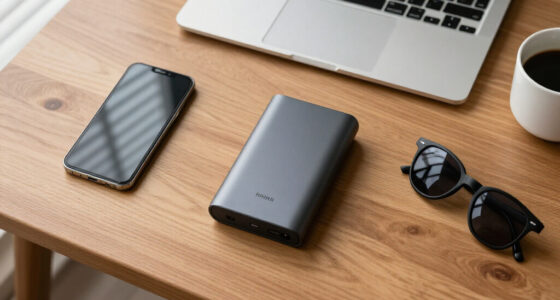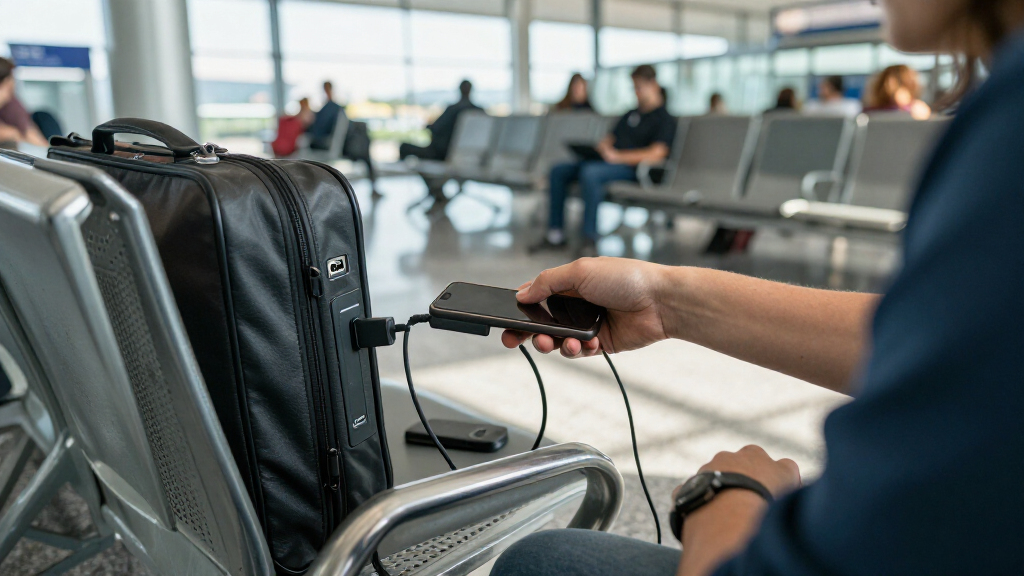
USB data blockers for charging are small adapters that let you plug into public USB ports without exposing your phone to juice jacking — the risk that a compromised port reads your data or installs malware while you charge. After comparing 15 popular options, the PortaPow USB-A Data Blocker, 2-Pack stands out as my best overall pick because it physically severs the data pins while supporting faster charging currents than most generic blockers. For anyone with modern devices, the PortaPow USB-C Data Blocker, Twin Pack and the JSAUX USB-A and USB-C 6-Pack are the standout alternatives, offering both connector types in a single purchase. The main tradeoff in this category is charging speed versus security: blockers that cut data lines aggressively can also negotiate slower charging, and USB-C blockers are trickier because the USB-C spec routes charging negotiation through the same pins used for data. Multi-pack value matters too, since these adapters are tiny and easy to lose. Keep reading for the full breakdown of which blockers balance speed, compatibility, and price.

Get privacy and security gear delivered free — and shop member deals
- Fast, free delivery on millions of items
- Access to Prime Big Deal Days deals on October 6–7
- Prime Video, Amazon Music and more included
Key Takeaways
- PortaPow dominated the USB-A side of the lineup with documented high-current charging support, while most generic blockers silently capped charging at slower rates.
- USB-C data blockers are the weakest spot in this category — several generic USB-C options in this roundup blocked data but also blocked fast charging or failed to charge some devices at all.
- Multi-packs from JSAUX and BUISAMG offered the best per-adapter value, but only JSAUX‘s gray 6-pack combined both connector types with reliable charging behavior.
- Red-colored blockers (USKY and JSAUX‘s red 4-pack) made the adapter easier to spot in a bag, a small but real usability edge over gray and black competitors.
- Dedicated single units like the Plugable USB-MC1 and StarTech adapter made sense for one-device buyers, but cost more per adapter than any multi-pack option.
| PortaPow USB-A Data Blocker, 2-Pack |  | Best Overall | Brand: PortaPow | Connector Type: USB Type-A | Compatible Devices: Android, iPhone | VIEW LATEST PRICE | See Our Full Breakdown |
| JSAUX USB and USB-C Charge-Only Data Blockers, Gray, 6-Pack |  | Best Premium Performance | Pack Size: 6 blockers | Included Connectors: 2 USB-A, 2 USB-A to USB-C, 2 USB-C to USB-C | USB-C Charging Support: Up to 100 W with PD 3.0/2.0 | VIEW LATEST PRICE | See Our Full Breakdown |
| BUISAMG USB-A and USB-C Data Blockers, 4-Pack |  | Best Balanced Starter Set | Brand: BUISAMG | Connector Types: USB Type-A, USB Type-C | Number of Ports: 4 | VIEW LATEST PRICE | See Our Full Breakdown |
| USKY T USB-A Data Blocker for Charge-Only Charging, 5-Pack, Red |  | Best Value for USB-A Households | Connector: USB-A | Function: Charging only; blocks data transfer and syncing | Maximum Charging Current: Up to 2.4A | VIEW LATEST PRICE | See Our Full Breakdown |
| USB-C and USB-A Data Blocker, 6-Pack |  | Best Bulk Budget Option | Pack Size: 6 blockers | Connector Types: USB Type-A, USB Type-C | Number of Ports: 1 per blocker | VIEW LATEST PRICE | See Our Full Breakdown |
| BUISAMG USB-A to USB-C Data Blocker, 4-Pack |  | Best Budget Multi-Pack | Brand: BUISAMG | Connectors: USB Type-A to USB Type-C | Number of ports: 4 | VIEW LATEST PRICE | See Our Full Breakdown |
| 4-Piece USB Data Blocker Adapter Set for USB-A and USB-C |  | Best Connector Flexibility | Set size: 4 adapters | Connector types: USB-A to USB-A, USB-A to USB-C, USB-C to USB-C, USB-C to USB-A | Maximum charging power: 100 W | VIEW LATEST PRICE | See Our Full Breakdown |
| USB Data Blocker Adapter 4-Pack, USB-A and USB-C |  | Best Build Quality | Pack contents: 2 USB-C data blockers and 2 USB-A data blockers | Function: Blocks data transfer; allows charging | Charging protocols: USB-C PD 3.0 and 2.0 | VIEW LATEST PRICE | See Our Full Breakdown |
| JSAUX USB-A and USB-C Data Blockers, Charge-Only, 4-Pack, Grey |  | Best Overall | Pack contents: 2 USB-A data blockers and 2 USB-C data blockers | Function: Charging only; blocks data transfer and syncing | USB-C charging: Up to 100 W (20V/5A); supports PD 3.0/2.0 | VIEW LATEST PRICE | See Our Full Breakdown |
| PortaPow USB-C Data Blocker, Twin Pack |  | Best Brand Reliability | Brand: PortaPow | Model number: PPCCPB-TP | Connector type: USB Type-C | VIEW LATEST PRICE | See Our Full Breakdown |
| OFFGRID USB-C Data Blocker, 2-Pack |  | Best for USB-C Laptops | Pack size: 2 | Connector type: USB Type-C | Data transfer: Blocked | VIEW LATEST PRICE | See Our Full Breakdown |
| USB C and USB A Data Blocker 3 Pack |  | Best for Mixed Port Coverage | Quantity: 3 pack | USB C charging support: 100W max (20V/5A) | USB A charging support: 5V/2.0A | VIEW LATEST PRICE | See Our Full Breakdown |
| Plugable USB Data Blocker (USB-MC1) |  | Most Established Pick | Compatible devices: Desktop, smartphone, tablet | Connector type: USB-A | Number of ports: 1 | VIEW LATEST PRICE | See Our Full Breakdown |
| JSAUX USB-A Charge-Only Data Blocker, 4-Pack, Red |  | Best Value for Families | Pack size: 4 | Connector type: USB-A to USB-A | Function: Charge only; no data sync | VIEW LATEST PRICE | See Our Full Breakdown |
| StarTech.com USB-A Charge-Only Data Blocker Adapter |  | Best Warranty and Support | Connector: USB-A male-to-female | Compatible devices: Cellular phones, tablets | Ports: 1 | VIEW LATEST PRICE | See Our Full Breakdown |
More Details on Our Top Picks
PortaPow USB-A Data Blocker, 2-Pack
PortaPow practically built this category, and that track record shows in the details most budget sets skip: a clear two-year warranty and a no-nonsense red housing that makes the blocker obvious in a crowded cable bag. This option stands out for buyers who want a proven USB-A blocker rather than a generic multi-pack — compared with the USKY 5-Pack, you get fewer adapters but a warranty-backed product from a specialist brand. The tradeoff is real, though: this is USB-A only, so anyone carrying a modern USB-C-to-C cable will need the PortaPow USB-C twin pack or the JSAUX 6-Pack instead. Charging is limited to standard USB-A speeds, with no fast-charge passthrough on this variant.
Pros:- Blocks data transfer while allowing charging
- Two-year warranty from a specialist brand
- Compatible with Android and iPhone devices
- Bright red color makes it easy to spot in a bag
- Two blockers included for spare or dual-device use
Cons:- USB-A only; USB-C version sold separately
- Only two adapters per pack, which feels thin next to five- and six-piece sets
Best for: Travelers who charge mostly through USB-A cables at airports and hotels and want a warranty-backed brand
Not ideal for: Users with USB-C-to-USB-C charging setups — this version physically won’t fit their cables
- Brand:PortaPow
- Connector Type:USB Type-A
- Compatible Devices:Android, iPhone
- Quantity:2 blockers
- Color:Red
- Item Weight:9 g
- Warranty:2 years
Our verdict“The safest default pick if you charge over USB-A and want brand accountability over raw quantity.”
JSAUX USB and USB-C Charge-Only Data Blockers, Gray, 6-Pack
This is the only set in this lineup that treats fast charging as a first-class feature: with USB-C PD 3.0/2.0 passthrough up to 100 W, it can charge a laptop or fast-charge a phone through a public port without giving up data protection. Compare that with the BUISAMG 4-Pack or the generic 6-pack (B0CRDVDYCR), both capped at 2.4 A — fine for overnight phone charging, painful for a MacBook at an airport gate. The three connector variants (USB-A, USB-A to C, C to C) cover nearly every modern charging scenario, which the PortaPow 2-Pack simply can’t. The catch: actual speed still depends on your charger and cable, so a weak public port won’t magically deliver 100 W.
Pros:- Supports USB-C PD fast charging up to 100 W
- Three connector types cover USB-A, USB-A to C, and C to C
- Six blockers in one travel-ready set
- Compact and lightweight design suited to carry-on packing
Cons:- Real-world charging speed depends on the charger and cable used
- Higher tier of the category; overkill for basic USB-A charging needs
Best for: Laptop and fast-charging phone owners who need PD speeds without data exposure at public ports
Not ideal for: Budget buyers who only top up an older phone over USB-A at 2.4 A — the PD capability goes unused
- Pack Size:6 blockers
- Included Connectors:2 USB-A, 2 USB-A to USB-C, 2 USB-C to USB-C
- USB-C Charging Support:Up to 100 W with PD 3.0/2.0
- USB-A Charging Support:Up to 2.4 A
- Function:Blocks data transfer and syncing while charging
- Color:Gray
Our verdict“The pick for anyone whose devices need more than 2.4 A and who refuses to choose between speed and safety.”
BUISAMG USB-A and USB-C Data Blockers, 4-Pack
This set splits the difference between the USB-A-only PortaPow 2-Pack and the pricier JSAUX 6-Pack: you get both USB-A and USB-C coverage in one purchase without paying for premium PD passthrough you may never use. Charging tops out at 2.4 A, which handles phones and tablets overnight but not laptop charging. Compared with the similarly sized USKY 5-Pack, the dual connector support makes it far more future-proof as devices shift to USB-C. One frustration worth flagging: the listing is inconsistent about package quantity — the specs mention both three and four pieces — so verify the contents when it arrives. The 12-month guarantee is shorter than PortaPow’s two-year coverage.
Pros:- Covers both USB-A and USB-C in a single pack
- Compact and portable for daily carry
- Compatible with a wide range of phones and tablets
- Includes a 12-month quality guarantee
Cons:- Charging capped at 2.4 A with no fast-charge support
- Inconsistent package quantity in the product listing
- Shorter warranty than the PortaPow alternative
Best for: First-time buyers who want USB-A and USB-C coverage for a mixed household of old and new devices
Not ideal for: Anyone who needs to fast-charge or power a USB-C laptop — 2.4 A won’t cut it
- Brand:BUISAMG
- Connector Types:USB Type-A, USB Type-C
- Number of Ports:4
- Charging Support:Up to 2.4 A
- Item Weight:18.14 g
- Color:Red
- Warranty:12-month quality guarantee
Our verdict“A sensible middle-ground starter set if you want both connector types without paying for 100 W passthrough.”
USKY T USB-A Data Blocker for Charge-Only Charging, 5-Pack, Red
If every device in your bag still charges over USB-A, this is the most quantity-per-dollar sensible choice in the roundup: five blockers for less than rivals charge for two. The aluminum alloy body is the standout build detail — the plastic-feeling generic sets, including the 6-pack at B0CRDVDYCR, don’t match it for durability in a pocket or gym bag. Functionally it sits at the standard 2.4 A ceiling, same as BUISAMG and far below the JSAUX set’s 100 W, so it’s strictly a phone-and-tablet accessory. The compatibility claims run broad — Apple, Samsung, LG and more — and real-world behavior can vary by device, so treat the list as a guideline rather than a guarantee. No warranty terms are stated.
Pros:- Five blockers in one pack for stocking multiple bags
- Durable aluminum alloy construction
- Supports charging up to 2.4A
- Charge-only design blocks syncing by default
Cons:- USB-A only, with no USB-C option in the pack
- Broad compatibility claims may not hold for every device
- No stated warranty coverage
Best for: Families or teams with multiple USB-A devices who want spare blockers in every bag and car
Not ideal for: USB-C-first users and anyone charging laptops — the connector and 2.4 A limit rule both out
- Connector:USB-A
- Function:Charging only; blocks data transfer and syncing
- Maximum Charging Current:Up to 2.4A
- Material:Aluminum alloy
- Pack Size:5 blockers
- Color:Red
Our verdict“Best bought in bulk for USB-A households that need coverage everywhere rather than premium features anywhere.”
USB-C and USB-A Data Blocker, 6-Pack
This set’s pitch is simple: six dual-connector blockers at a budget tier, covering USB-A and USB-C devices with the same 2.4 A ceiling as most of the category. Compared with the BUISAMG 4-Pack, you get two more adapters but no warranty statement; compared with the JSAUX 6-Pack, you match the count while giving up 100 W fast charging entirely. For buyers distributing blockers across a family’s backpacks, gloveboxes, and travel kits, the quantity argument is real. The credibility gap is equally real: the listing has no independent performance evidence and inconsistent compatibility details, so you’re trusting the design rather than any track record — a sharp contrast with the established PortaPow name. Treat it as a coverage play, not a performance one.
Pros:- Six blockers included at a low per-unit commitment
- Supports both USB-A and USB-C connections
- Charging up to 2.4 A for phones and tablets
- Compact single-port design fits any cable setup
Cons:- No independent performance evidence or reviews backing the claims
- Inconsistent compatibility details in the listing
- No fast-charge support and no stated warranty
Best for: Budget-conscious buyers who want maximum blocker count spread across many bags and vehicles
Not ideal for: Buyers who prioritize brand accountability, verified performance, or fast charging — this set offers none of the three
- Pack Size:6 blockers
- Connector Types:USB Type-A, USB Type-C
- Number of Ports:1 per blocker
- Charging Support:Up to 2.4 A
- Compatible Devices:USB-C phones, tablets, and computers
- Color:Red
- Power Plug Type:No plug (pass-through adapter)
Our verdict“Choose this only when quantity matters more than brand trust; otherwise the JSAUX or BUISAMG sets are safer bets.”
BUISAMG USB-A to USB-C Data Blocker, 4-Pack
Buyers who just want cheap coverage across several devices will find this red four-piece set gets the basics right: it severs the data connection while passing power, and the bright glossy finish makes an adapter easy to spot in a bag. Compared with the JSAUX 4-Pack, though, its 2.4 A ceiling is the real limitation — fine for overnight phone top-ups at an airport, but slow for a tablet or a USB-C laptop that expects higher current. It’s also USB-A on the host side only, so newer USB-C-to-USB-C public ports won’t work with it at all. That tradeoff is acceptable at this price point, but anyone charging power-hungry gear should look at the 100 W options in this guide instead.
Pros:- Blocks data connections while charging
- Four adapters in one pack for multi-device households
- Vivid red color is easy to find in a crowded bag
- Very compact and lightweight at 10 g total
Cons:- Charging limited to 2.4 A, far below USB-C PD speeds
- No USB-C-to-USB-C compatibility, excluding many newer public ports
Best for: Travelers who charge phones at airports and hotels and want several spare blockers without spending much
Not ideal for: Laptop and tablet owners — the 2.4 A ceiling and USB-A-only host side make it impractical for fast charging or modern USB-C ports
- Brand:BUISAMG
- Connectors:USB Type-A to USB Type-C
- Number of ports:4
- Maximum current:2.4 A
- Compatible devices:Phones, tablets, MacBooks, and other USB devices
- Dimensions:1.61 × 0.55 × 0.2 inches
- Item weight:10 g
- Package quantity:4
Our verdict“A sensible budget pick for phone-only travelers who value quantity over charging speed.”
4-Piece USB Data Blocker Adapter Set for USB-A and USB-C
What sets this set apart is coverage of all four connector combinations — USB-A to A, A to C, C to C, and C to A — which no other four-pack in this roundup matches. That matters because public charging hardware is unpredictable: with the BUISAMG 4-Pack you’re stuck if the kiosk only offers USB-C sockets, whereas this set has an answer for nearly every port. It also supports up to 100 W charging, putting it alongside the JSAUX blockers rather than the slower 2.4 A budget options. The tradeoff is that documentation is thin — the 2.2 g weight only applies to the lightest adapter, and there’s little detail on build quality, so buyers trusting a lesser-known brand should temper expectations compared with PortaPow‘s established reputation.
Pros:- Four connector configurations cover virtually any public port
- Supports charging up to 100 W for laptops and fast-charge phones
- Plug-and-play with no apps or drivers
- Extremely compact and pocketable
Cons:- Little brand recognition or published spec detail beyond headline figures
- Stated weight applies only to the lightest adapter, so real-world specs vary
Best for: Frequent travelers and commuters who encounter mixed public ports and want one kit that fits any USB socket
Not ideal for: Buyers who prioritize brand track record and detailed specs — the sparse documentation offers little assurance
- Set size:4 adapters
- Connector types:USB-A to USB-A, USB-A to USB-C, USB-C to USB-C, USB-C to USB-A
- Maximum charging power:100 W
- Lightest adapter weight:2.2 g
- Color:Black
- Function:Charging only; data pins disconnected
Our verdict“The most versatile connector kit here for people who never know what port they’ll face.”
USB Data Blocker Adapter 4-Pack, USB-A and USB-C
The standout here is the aluminum housing, which most rivals — including the all-plastic BUISAMG set — skip at this price. Metal casings resist cracking when adapters get tossed into bags or jammed into stiff public ports, which is exactly the abuse these tiny devices endure. The split of two USB-C and two USB-A blockers mirrors the JSAUX 4-Pack, and PD 3.0 support means modern iPhones and MacBooks negotiate proper fast charging rather than trickling along at legacy rates. It’s worth noting the set doesn’t publish a wattage ceiling like JSAUX’s explicit 100 W figure, so laptop owners may prefer the more clearly specified option. Still, for phone and tablet users who want a tougher shell, this pick makes the most sense.
Pros:- Aluminum case is more durable than typical plastic adapters
- Supports USB-C PD 3.0 and 2.0 fast charging
- Balanced two USB-C plus two USB-A split
- Broad compatibility from iPhone to MacBook to car ports
Cons:- No published maximum wattage rating unlike some rivals
- Charging performance still depends on cable and power adapter quality
Best for: Daily commuters who want durable, PD-compatible blockers for phones and tablets that survive rough bag treatment
Not ideal for: Laptop owners who need a clearly stated high-wattage ceiling — the set doesn’t publish a maximum power figure
- Pack contents:2 USB-C data blockers and 2 USB-A data blockers
- Function:Blocks data transfer; allows charging
- Charging protocols:USB-C PD 3.0 and 2.0
- Case material:Aluminum
- Compatible devices:iPhone 15/16/17 series, Samsung Galaxy, iPad, MacBook, power banks, wall chargers, and car USB ports
- Package quantity:4
Our verdict“The right choice for buyers who value a rugged metal build over published power specs.”
JSAUX USB-A and USB-C Data Blockers, Charge-Only, 4-Pack, Grey
This is the set I’d point most people toward, because it gets the two things that matter right: a clearly rated 100 W USB-C output (20V/5A with PD 3.0) and a sensible two-plus-two connector split. Compared with the BUISAMG set, which caps at 2.4 A, the USB-C blockers here will genuinely fast-charge a MacBook or Galaxy device from a public port rather than crawling. And unlike the 4-Piece Adapter Set with its vague documentation, JSAUX publishes concrete voltage and current figures, which builds trust that the adapter won’t throttle or overheat under load. The USB-A blockers still top out at 2.4 A — unavoidable given the standard — so this isn’t a magic fix for older ports. The understated grey metallic finish also blends in, for better or worse, if you prefer high-visibility red.
Pros:- USB-C blockers rated for up to 100 W fast charging
- Explicit published specs including 20V/5A and PD 3.0/2.0
- Two USB-A plus two USB-C covers both port generations
- Compact and genuinely pocketable for travel
Cons:- USB-A blockers still limited to 2.4 A
- Real charging speed depends on the host port and charger used
Best for: Buyers who want one well-specified kit covering both fast-charging USB-C laptops and legacy USB-A phones
Not ideal for: Anyone who needs adapters that are easy to spot — the low-key grey finish gets lost in a crowded bag
- Pack contents:2 USB-A data blockers and 2 USB-C data blockers
- Function:Charging only; blocks data transfer and syncing
- USB-C charging:Up to 100 W (20V/5A); supports PD 3.0/2.0
- USB-A current:Up to 2.4 A
- Connectors:USB Type-A and USB Type-C
- Color:Grey
- Finish:Metallic
- Package quantity:4
Our verdict“The best-balanced pick for most buyers thanks to verified 100 W USB-C charging and clear specs.”
PortaPow USB-C Data Blocker, Twin Pack
PortaPow essentially built this product category, and that pedigree shows in the details others skip — most notably a two-year warranty that none of the generic four-packs here offer. Compared with the JSAUX 4-Pack, you’re trading quantity and a stated wattage figure for accountability: if an adapter fails, there’s a company behind it. The twin pack covers USB-C only, which suits anyone whose devices have standardized on the newer connector, though the catch is that Lightning-era iPhones and iPads won’t work with it. There’s also no published charging power spec, so MacBook owners may prefer JSAUX’s explicit 100 W rating. For security-conscious buyers who see a data blocker as a safety device rather than a gadget, brand trust carries real weight here.
Pros:- Two-year warranty from an established security-focused brand
- Twin pack covers a phone and laptop or a spare
- Purpose-built for protecting against untrusted USB ports
- Extremely lightweight at around 10 g each
Cons:- USB-C only, so Lightning-connector iPhones and iPads are excluded
- No published wattage or fast-charge rating for high-power laptops
Best for: Security-minded buyers who want a warranty-backed blocker from a specialist brand for USB-C devices
Not ideal for: Households still using Lightning iPhones or iPads — those devices simply won’t connect
- Brand:PortaPow
- Model number:PPCCPB-TP
- Connector type:USB Type-C
- Number of ports:1
- Compatible devices:Tablets and other USB-C devices
- Package quantity:2
- Color:Red
- Item weight:0.01 kg
- Warranty:2 years
Our verdict“The pick for buyers who value brand accountability and warranty support over multi-connector convenience.”
OFFGRID USB-C Data Blocker, 2-Pack
Most budget blockers in this roundup lean on USB-A, which makes them useless for modern laptops and tablets that only carry USB-C ports. The OFFGRID blocker fills that gap with a compact metal-shell USB-C adapter that passes power while severing the data lines. The metal enclosure is a genuine step up from the plastic housings on the Plugable USB-MC1, meaning it should survive life loose in a backpack pocket. The tradeoff is charging headroom: the listed 5 V output means it behaves like a basic charging port rather than a fast-charge passthrough. Compared with the USB C and USB A Data Blocker 3 Pack, which handles 100W over USB-C, the OFFGRID is the better pick for durability and simplicity — but travelers who need to rapid-charge a laptop from a 65W brick should look elsewhere.
Pros:- Metal enclosure more durable than plastic rivals
- Compact and lightweight for pocket or carry-on
- Covers USB-C phones, tablets, and laptops
- Two adapters included so you can keep one in each bag
Cons:- Limited to 5 V output, so no high-wattage laptop charging
- No power adapter or plug included
Best for: USB-C-only laptop and tablet owners who want a rugged, no-fuss blocker for airports and hotels
Not ideal for: Fast-charging users — the 5 V output caps charging speed well below modern USB-C Power Delivery rates
- Pack size:2
- Connector type:USB Type-C
- Data transfer:Blocked
- Output voltage:5 V
- Enclosure material:Metal
- Color:Black
- Form factor:Compact
Our verdict“A durable USB-C-only choice for laptop travelers who value build quality over charging speed.”
USB C and USB A Data Blocker 3 Pack
The core problem with most blockers on this list is that they solve one connector at a time. This 3-pack attacks both standards at once — a USB-C male-to-female, a USB-A-to-USB-C, and a USB-A male-to-female — so you’re covered whether the airport kiosk offers an old square port or a modern reversible one. Its standout spec is 100W (20V/5A) support over USB-C, which trounces the OFFGRID’s 5 V ceiling and means a laptop can genuinely fast-charge through it. The weak link is the USB-A side: 5V/2.0A is slower than the JSAUX 4-Pack’s 2.4A rating, so older cables and ports charge phones at a more leisurely pace. Actual speeds also depend on your charger and cable quality, which is worth remembering before blaming the adapter.
Pros:- Covers USB-C and USB-A in one three-adapter kit
- 100W USB-C passthrough enables real laptop fast charging
- Protects against juice jacking and malware on public ports
- Small and lightweight for travel
Cons:- USB-A adapters capped at 5V/2.0A
- Real-world charging speed depends on charger and cable quality
Best for: Travelers carrying a mix of USB-C laptops and USB-A legacy gear who want one kit for every port
Not ideal for: Buyers who mainly charge phones over USB-A — its 2.0A limit lags behind dedicated USB-A blockers
- Quantity:3 pack
- USB C charging support:100W max (20V/5A)
- USB A charging support:5V/2.0A
- Compatibility:USB Type C and Type A devices
- Portability:Small and lightweight
Our verdict“The most versatile kit here for households or travelers juggling both USB generations.”
Plugable USB Data Blocker (USB-MC1)
Plugable has been making charge-only adapters since before ‘juice jacking’ was a household phrase, and the USB-MC1 reflects that focused, single-purpose design. It converts any USB data port into a charge-only port and, unusually, keeps working with powered USB hubs even when the host computer is off — a niche but genuinely handy trick none of the other picks advertise. At roughly the size of a pack of gum, it’s just as pocketable as the StarTech adapter. The honest downside is speed: 1A charging was respectable years ago, but the JSAUX 4-Pack at 2.4A and the 3-pack’s 100W USB-C both leave it behind on modern phones. It’s also USB-A only and a single unit, so USB-C device owners or multi-device families will need something broader.
Pros:- Established brand with a track record in charge-only adapters
- Works with powered hubs even when the computer is shut down
- Gum-sized body is easy to keep on a keyring or in a wallet
- Limited warranty included
Cons:- 1A charging is slow by modern standards
- Single USB-A port only, no USB-C option
Best for: Cautious buyers who want a long-established brand-name blocker for a single USB-A phone or tablet
Not ideal for: Anyone with USB-C-only devices or fast-charging phones — 1A over USB-A won’t keep pace
- Compatible devices:Desktop, smartphone, tablet
- Connector type:USB-A
- Number of ports:1
- Input voltage:5 volts
- Nominal power:5 watts
- Color:Black
- Finish:Matte
- Warranty:Limited warranty
Our verdict“A trusted USB-A blocker for one-device travelers, provided slow charging doesn’t bother you.”
JSAUX USB-A Charge-Only Data Blocker, 4-Pack, Red
Four blockers for the price of one purchase makes this JSAUX set the sensible choice for households — one for each backpack, glovebox, and carry-on. The 2.4A charging ceiling matches full-speed phone charging over USB-A, doubling what the Plugable USB-MC1 manages and beating the 2.0A USB-A adapters in the 3-pack kit. The bright red aluminum shells are more than cosmetic: they make the adapter easy to spot and harder to leave behind in a hotel lobby, and the non-slip grip helps when pulling it from tight ports. The limitation is one of scope rather than quality — this is USB-A only, so any USB-C phone or laptop in the family needs a separate solution like the OFFGRID USB-C blocker or JSAUX’s own gray 6-pack that mixes both connector types.
Pros:- Four units in one purchase for multi-person or multi-bag use
- 2.4A support matches full-speed USB-A phone charging
- Aluminum shell with non-slip grip
- Vivid red color makes adapters easy to find and hard to forget
Cons:- USB-A only, no USB-C compatibility
- Cannot be used when you actually need to sync data
Best for: Families or teams who need several dependable USB-A blockers distributed across multiple bags
Not ideal for: USB-C device owners — there’s no Type-C adapter in this set at all
- Pack size:4
- Connector type:USB-A to USB-A
- Function:Charge only; no data sync
- Maximum charging current:2.4A
- Material:Aluminum
- Color:Red
Our verdict“The practical bulk buy for USB-A households that want speed and visibility in every bag.”
StarTech.com USB-A Charge-Only Data Blocker Adapter
StarTech built its reputation on IT-department-grade accessories, and this adapter carries a lifetime warranty that no other pick in the roundup matches — a meaningful signal if you’re buying for a workplace rather than a vacation. It delivers a solid 5 V at 2.4 A (12W), putting it on par with the JSAUX red 4-Pack for charging pace and comfortably ahead of the Plugable’s 1A. At under 10 grams and 1.3 inches long, it’s just as travel-ready as anything else here. The catch mirrors the whole category: it’s USB-A only, so MacBook and modern Android users get nothing from it, and the single-adapter format costs more per port than the multi-packs if you need several. Buy it when longevity and vendor support matter more than quantity.
Pros:- Lifetime warranty from an established IT accessory brand
- 12W (2.4A) output matches the fastest USB-A charging here
- Very compact at 9 grams and 1.3 inches
- Broad compatibility with USB-A phones and tablets
Cons:- USB-A only, no USB-C option
- Single adapter is poor value if you need several
Best for: IT buyers and professionals who want a single, well-supported USB-A blocker backed long-term
Not ideal for: Multi-device families — one adapter costs more per unit than the 4- and 6-packs, and it lacks USB-C
- Connector:USB-A male-to-female
- Compatible devices:Cellular phones, tablets
- Ports:1
- Input voltage:5 V
- Maximum power:12 W
- Dimensions:1.3 x 0.5 x 0.7 in
- Weight:9.07 g
- Color:Black
- Warranty:Lifetime
Our verdict“The pick for buyers who prize manufacturer backing and one dependable USB-A adapter over bulk quantity.”
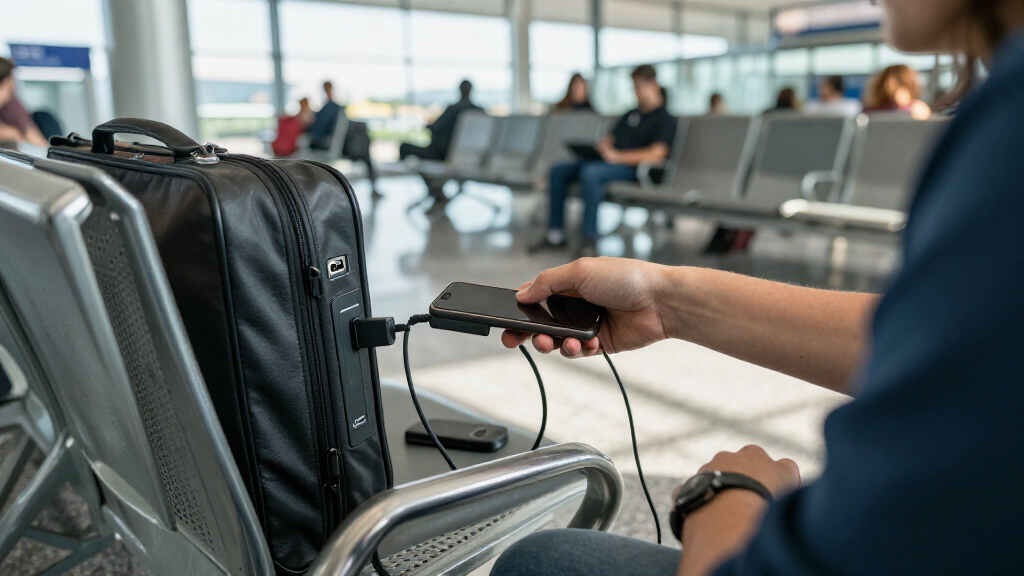
How We Picked
Because every data blocker makes the same basic promise — cut the data lines, pass the power — I focused on the factors that actually separate good ones from disappointing ones. Charging performance came first: a blocker that slows your phone to a crawl defeats its own purpose, so I prioritized adapters that support higher charging currents and handle USB-C power negotiation correctly. Connector coverage mattered next, since a household with both USB-A and USB-C cables needs both blocker types or a mixed pack. Build quality was judged on housing material, connector fit, and whether the adapter feels like it will survive pocket carry.
Beyond the hardware itself, I weighed pack size and per-adapter value, because these adapters are small enough to lose and most buyers are better served by multiples. I also factored in visibility and design — colored housings are easier to find in a crowded bag, and some brands document their charging specs while generic sellers don’t. Products are ranked by how well they combine honest fast-charging behavior with durable build and sensible pack economics, with a penalty for any option that sacrifices charging speed more than necessary for data protection.
Factors to Consider When Choosing USB Data Blockers For Charging
Before picking a data blocker, it helps to understand where the real differences lie — and where buyers commonly get burned. These six factors shaped my rankings and should shape your decision too.Charging Speed Is Where Cheap Blockers Fail
The most common disappointment with budget data blockers isn’t security — it’s charging speed. Data blockers work by severing the D+ and D- data lines, but those same lines are often used to negotiate charging current on USB-A connections. A poorly designed blocker leaves your device charging at a fraction of its normal rate, which is painful at an airport where you have 20 minutes. Reputable brands like PortaPow and Plugable document their current support, while many generic sellers list no specs at all — treat that silence as a warning sign. If fast charging matters to you, prioritize brands that explicitly state amperage support rather than assuming all blockers behave the same. In my rankings, undocumented charging performance was a meaningful demerit.
USB-C Blockers Behave Differently Than USB-A
Many buyers assume a USB-C data blocker works just like the USB-A version, but the USB-C standard routes power negotiation through its communication channel — the same pathway a blocker has to shut down. This means some USB-C blockers limit you to slower charging or, in worst cases, prevent charging entirely on certain devices. If your device charges over USB-C, look for blockers described as supporting fast charge or PD passthrough, and be prepared to test them at home before relying on them while traveling. Another common mistake: buying a USB-C blocker with only a USB-A input, which caps you at USB-A power levels regardless of your charger. Matching input and output connectors to your actual cables and ports matters more than most buyers realize.
Buy Multiples — You Will Lose Them
Data blockers are among the easiest accessories to lose: they’re smaller than a thumb drive, they live in bag pockets, and they’re exactly the thing you forget plugged into a public port. That’s why multi-packs dominate good value in this category, and why my top picks lean toward 4- and 6-packs. A practical strategy is keeping one permanently in your travel bag, one on your keychain or cable pouch, and spares at home. Single-unit purchases like the Plugable or StarTech adapters only make sense if you have exactly one device and a reliable place to store the adapter. Paying roughly the same for one branded blocker as for a four-pack of decent ones rarely pencils out.
Mixed Packs Cover a Transitional Gadget Drawer
Most households in 2026 still own a mix of USB-A and USB-C devices — an older power bank, a new phone, wireless earbuds, a tablet. Buying a single-connector pack saves money up front but leaves you stranded the day you need the other type. Mixed USB-A and USB-C packs, like the JSAUX 6-pack or the generic 4-piece sets in this roundup, cost a bit more but future-proof you against connector drift. The tradeoff is that mixed generic packs often have weaker quality control than single-type packs from established brands, so check whether the brand backs its specs. If you expect to replace all your devices with USB-C within a year, skip mixed packs and go USB-C only.
Physical Build Determines Longevity
A data blocker endures repeated plugging, pocket abrasion, and the sideways torque that comes with dangling cables. Solid plastic or aluminum housings with reinforced connector collars survive this; thin molded shells develop loose fits within months, and a loose blocker can intermittently cut charging without you noticing. Color matters here too — red and other bright housings are easier to spot and harder to leave behind in a hotel room. One real-world mistake is judging build by photos alone; brand-name options like StarTech and PortaPow have consistent molding quality, while generic sellers sometimes ship different revisions under the same listing. Stick with sellers whose product photos match consistent spec descriptions.
Know What a Blocker Can and Cannot Protect Against
It’s worth setting expectations before buying: a USB data blocker prevents data transfer through a USB port, which addresses juice jacking and data-skimming ports. It does nothing against compromised Wi-Fi, malicious apps, or an infected public network you join while charging. Some buyers also conflate data blockers with charge-through protection — a blocker does not regulate voltage or protect against a damaged power source surging into your device. For that, you’d want a travel surge adapter, which is a different product. If your threat model is sketchy airport and cafe USB ports, a blocker is the right tool; if you’re worried about broader device compromise, a blocker is one layer, not a shield.
Frequently Asked Questions
Do USB data blockers slow down charging?
They can, and this is the single biggest performance difference between brands. On USB-A connections, your device and the charger use the data lines to agree on a charging current, so a blocker that severs those lines without the right resistors can leave you charging at half speed or worse. Quality blockers like the PortaPow and Plugable units include circuitry that signals a higher current is safe, preserving most of your normal charging speed. Generic blockers frequently omit this, which is why two visually identical adapters can charge the same phone at very different rates. If charging speed matters, buy from brands that publish amperage specs and test the adapter at home before your next trip.
Do I need USB-C data blockers or USB-A ones?
Match the blocker to the port you’ll plug into, not the cable you own — the blocker sits between the public port and your cable. Airports, hotels, and cafe charging stations still commonly expose USB-A ports, so a USB-A blocker remains the more universally useful purchase for travel. But if you’ll be plugging into USB-C ports or a friend’s USB-C charger, you need a USB-C blocker on that end. Many people carry one of each, which is why mixed packs ranked highly in my comparison. Also note that USB-C to USB-A adapters exist, so a mixed pack covers nearly every situation you’ll encounter.
Are data blockers still necessary if I only charge from wall outlets?
If you only ever charge from your own wall adapter and your own cable, a data blocker adds little — the risk it addresses is untrusted public USB ports. The reason most people still carry one is that travel situations force compromises: the airport gate with built-in USB ports, the hotel bedside outlet with exposed USB, the conference charging table. You can also reduce risk by carrying your own wall adapter and using a regular AC outlet instead, which many security researchers recommend as the cleanest alternative. A blocker earns its place in your bag as insurance for the moments you don’t have that option. If you never charge away from home, you can safely skip this purchase.
Can a data blocker break fast charging or USB-PD on my phone?
Yes, particularly on USB-C. USB Power Delivery negotiates voltage and current over the same communication channel that a data blocker must block, so some USB-C blockers reduce charging to baseline levels or cause compatibility hiccups with certain phones. This isn’t a defect — it’s a genuine engineering tension in the USB-C spec, and some blockers handle the negotiation passthrough better than others. USB-A blockers have an easier job and usually preserve most charging speed when well designed. My advice: verify your USB-C blocker charges your specific phone at an acceptable rate before you depend on it, because behavior varies by phone model as well as by blocker.
How many data blockers should I buy?
For most people, a 4-pack is the sweet spot: one for the travel bag, one for the everyday carry pouch, one on a keychain or desk, and a spare for when one goes missing. Single adapters get lost constantly because they’re small, unattached, and used in distracted travel moments. Two-packs work if you only own one device and are disciplined about storage, while 6-packs make sense for families or anyone who wants mixed USB-A and USB-C coverage in one purchase. The per-adapter cost drops sharply once you move past single units, so buying more than you need is usually cheaper than rebuying singles later. If you travel with companions, extras also make you the hero of the departure gate.
Conclusion
For most buyers, the PortaPow USB-A Data Blocker, 2-Pack is the best overall choice: proven fast-charging behavior, solid build, and enough redundancy for real travel. The JSAUX USB-A and USB-C 6-Pack takes best value, delivering both connector types at a per-adapter cost the single-unit options can’t touch. For a premium, single-device purchase, the Plugable USB-MC1 and StarTech USB-A Charge-Only Adapter offer brand accountability and documented specs, making them the best picks for cautious beginners who want a known quantity. USB-C users should gravitate toward the PortaPow USB-C Twin Pack, which handled USB-C charging negotiation more reliably than the generic USB-C options in this lineup. And if you just want broad coverage of every port you might encounter, a mixed pack like the BUISAMG USB-A and USB-C 4-Pack covers both worlds without overthinking it. Whatever you choose, buy at least two — the best data blocker is the one still in your bag when you need it.
Fall Picks
fall essentials
As an affiliate, we earn on qualifying purchases.