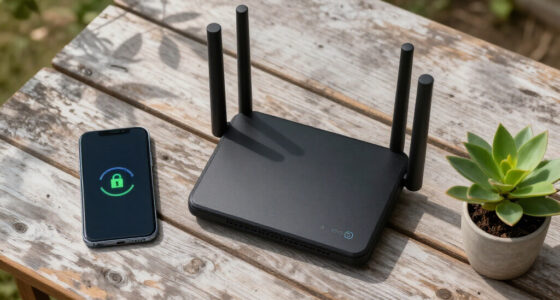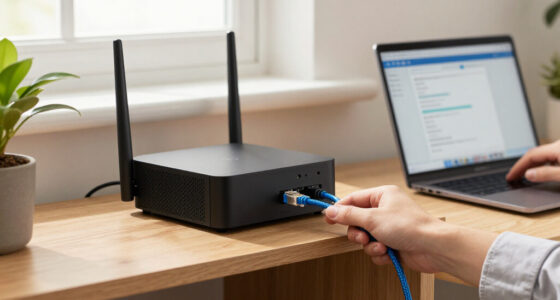

For most small businesses, I’d start with the Zyxel USG FLEX 100H: its bundled two-year Gold Security Pack makes it a strong all-round option for buyers who want a gateway and a defined security service term. The Fortinet FortiGate 40F is a compact alternative for teams prioritizing a dedicated security appliance, while the HPE Instant On SG2505P suits simpler networks that also need PoE and multi-gigabit ports. The tradeoffs are management complexity, capacity for future growth, and whether the included or available security services match your needs. I’ll compare all nine options by fit, security approach, and practical limitations so you can choose the right business gateway with intrusion prevention.

Get privacy and security gear delivered free — and shop member deals
- Fast, free delivery on millions of items
- Access to Prime Big Deal Days deals on October 6–7
- Prime Video, Amazon Music and more included
Key Takeaways
- Zyxel USG FLEX 100H is the clearest all-round starting point here because its two-year Gold Security Pack bundles a defined security-service term with the gateway.
- The Zyxel USG FLEX 200H is the more growth-oriented Zyxel choice; the larger model is worth comparing if your expected traffic or network demands could outgrow an entry-level deployment.
- Fortinet FortiGate 40F and SonicWall TZ280 are dedicated security appliances, while the HPE SG2505P puts more emphasis on PoE and 2.5G switching in a compact gateway.
- The WatchGuard Firebox M395 and Cisco Firepower 1120 are more substantial appliance options, but buyers should check their management and service requirements before choosing them for a small office.
- Legacy, renewed, or controller-dependent choices need extra scrutiny: the SonicWall TZ105 is an older model, the Cisco unit is renewed, and the UniFi USG-Pro-4 depends on a different management approach from the security-focused picks.
| SonicWall TZ105 UTM Secure Firewall (01-SSC-6942) |  | Best for Basic Threat Protection on a Tight Network | Ethernet ports: 5 RJ-45 Fast Ethernet | Ethernet standard: 10/100Base-TX | Memory: 256 MB | VIEW LATEST PRICE | See Our Full Breakdown |
| Zyxel USG FLEX 100H Firewall with 2-Year Gold Security Pack |  | Best Value for a Small Office Security Bundle | Security subscription: 2-year Gold Security Pack | Ethernet ports: 8 × 1G RJ-45, configurable as WAN or LAN | IPS throughput: 1,500 Mbps | VIEW LATEST PRICE | See Our Full Breakdown |
| SonicWall TZ280 Next-Generation Firewall Appliance |  | Best for High Throughput with a Separate Security Budget | Firewall inspection throughput: Up to 2.5 Gbps | Threat prevention throughput: Up to 1 Gbps | IPSec VPN throughput: Up to 1.2 Gbps | VIEW LATEST PRICE | See Our Full Breakdown |
| HPE Networking Instant On Secure Gateway SG2505P, 5-Port 2.5G Smart-Managed Gateway with PoE |  | Best Compact Gateway for PoE and 2.5G Links | Ethernet ports: 2 × 2.5GBase-T and 3 × 1GBase-T | Maximum data transfer rate: 2.5 Gbps | PoE output: 60W, Class 4 | VIEW LATEST PRICE | See Our Full Breakdown |
| Cisco Firepower 1120 Next-Generation Firewall Appliance (Renewed) |  | Best for Cisco Oriented Offices Using Remote Access VPN | Model: FPR1120-NGFW-K9 | LAN ports: 9 | LAN port bandwidth: 1,000 Mbps | VIEW LATEST PRICE | See Our Full Breakdown |
| Ubiquiti UniFi Security Gateway Pro (USG-PRO-4) |  | Best for Existing UniFi Rack Setups | Model: USG-PRO-4 | Ports: 4 Gigabit RJ45, 2 Gigabit SFP | Form factor: 1U rack-mount | VIEW LATEST PRICE | See Our Full Breakdown |
| WatchGuard Firebox M395 Rackmount Firewall with 1-Year Basic Security Suite |  | Best for High-Traffic Midsize Networks | Ports: 12 x 2.5Gb RJ45, 2 x 1Gb SFP, 2 x 10Gb SFP+ | Firewall throughput: 20 Gbps | UTM throughput: 3.00 Gbps | VIEW LATEST PRICE | See Our Full Breakdown |
| Zyxel USG FLEX 200H Firewall with 2-Year Gold Security Pack |  | Best Fanless Gateway with Included Security Services | Ports: 6 x 1G and 2 x 2.5G RJ-45 | SPI firewall throughput: 6,500 Mbps | IPS throughput: 2,500 Mbps | VIEW LATEST PRICE | See Our Full Breakdown |
| Fortinet FortiGate 40F Firewall Appliance (FG-40F) |  | Best Compact Branch Gateway | Ports: 5 Gigabit Ethernet RJ45 (1 WAN, 4 internal) | IPS throughput: Up to 1 Gbps | Threat protection throughput: Up to 600 Mbps | VIEW LATEST PRICE | See Our Full Breakdown |
| business gateway with intrusion prevention | Ports |
|---|---|
| SonicWall TZ105 UTM Secure Fir | — |
| Zyxel USG FLEX 100H Firewall w | — |
| SonicWall TZ280 Next-Generatio | 8 × 1GbE, 2 × 1G SFP |
| HPE Networking Instant On Secu | — |
| Cisco Firepower 1120 Next-Gene | — |
| Ubiquiti UniFi Security Gatewa | 4 Gigabit RJ45, 2 Gigabit SFP |
| WatchGuard Firebox M395 Rackmo | 12 x 2.5Gb RJ45, 2 x 1Gb SFP, 2 x 10Gb SFP+ |
| Zyxel USG FLEX 200H Firewall w | 6 x 1G and 2 x 2.5G RJ-45 |
| Fortinet FortiGate 40F Firewal | 5 Gigabit Ethernet RJ45 (1 WAN, 4 internal) |
More Details on Our Top Picks
SonicWall TZ105 UTM Secure Firewall (01-SSC-6942)
The SonicWall TZ105 bundles intrusion prevention with gateway antivirus, anti-spyware, and content filtering, giving a small office several layers of inspection in one compact appliance. Compared with the newer SonicWall TZ280, it has a simpler throughput profile and lacks Gigabit Ethernet, so its five 10/100 ports can bottleneck faster internet connections or local transfers. Its five site-to-site VPN tunnels also suit a small number of locations, not a growing branch network. I’d place it here for a modest office that values a broad set of stated security functions over high port speed. The tradeoff is age and limited capacity: buyers should match it to a slower connection and verify current support and service availability before relying on it.
Pros:- Combines intrusion prevention with gateway antivirus and anti-spyware
- Deep packet inspection and web content filtering add multiple inspection layers
- Compact chassis with five Ethernet ports
- Supports up to five site-to-site VPN tunnels
Cons:- 10/100 Ethernet ports can constrain modern broadband and LAN speeds
- Five site-to-site VPN tunnels limit multi-location growth
- Product age makes current security service and support availability important to verify
Best for: Small offices with slower internet connections that need basic intrusion prevention, malware filtering, and a few site-to-site VPN links.
Not ideal for: Businesses with Gigabit internet, high local transfer demands, or more than five site-to-site VPN connections.
- Ethernet ports:5 RJ-45 Fast Ethernet
- Ethernet standard:10/100Base-TX
- Memory:256 MB
- Flash memory:32 MB
- Site-to-site VPN tunnels:5
- VLANs:5
- Security features:Deep packet inspection, intrusion prevention, gateway antivirus, anti-spyware, DoS/DDoS protection, URL and web content filtering
- Dimensions:1.4 × 7.5 × 5.6 in
Our verdict“Choose the TZ105 for a small, slower network that needs bundled inspection features and only a handful of VPN links.”
Zyxel USG FLEX 100H Firewall with 2-Year Gold Security Pack
The Zyxel USG FLEX 100H earns a value role by pairing a two-year Gold Security Pack with intrusion prevention, anti-malware, sandboxing, and web filtering. Its eight configurable Gigabit ports and stated 1,500 Mbps IPS throughput give a small office room to connect wired devices and inspect traffic. Compared with the HPE Networking Instant On Secure Gateway SG2505P, Zyxel offers more ports and a broader listed VPN mix, including IPSec, SSL, and Tailscale; HPE counters with 2.5G ports and PoE for attached devices. This Zyxel is a practical fit for teams managing several sites or VPN users through Nebula. Its main limit is that it is wired only, and the SSL VPN allowance tops out at 25 users.
Pros:- Two years of Gold Security Pack protection are included
- IPS throughput is rated at 1,500 Mbps
- Eight configurable Gigabit ports support WAN or LAN roles
- Nebula management and IPSec, SSL, and Tailscale VPN options
Cons:- Wired networking only, so wireless access requires separate equipment
- SSL VPN capacity is limited to 25 users
- No PoE output is listed for powering connected devices
Best for: Small wired offices with up to 50 users that want bundled security services, centralized management, and several VPN options.
Not ideal for: Workplaces needing built-in wireless access, PoE for access points or phones, or more than 25 SSL VPN users.
- Security subscription:2-year Gold Security Pack
- Ethernet ports:8 × 1G RJ-45, configurable as WAN or LAN
- IPS throughput:1,500 Mbps
- SPI firewall throughput:4,000 Mbps
- VPN throughput:900 Mbps
- Maximum users:50
- Concurrent sessions:300,000
- VPN capacity:50 IPSec tunnels; 25 SSL VPN users
- Dimensions:8.5 × 5.63 × 1.3 in
Our verdict“Pick the USG FLEX 100H for a wired small office seeking an included security bundle and flexible VPN management.”
SonicWall TZ280 Next-Generation Firewall Appliance
For a small business with a fast connection, the SonicWall TZ280 offers a stronger stated performance ceiling than the TZ105: up to 2.5 Gbps firewall inspection and 1 Gbps threat prevention, plus 1.2 Gbps IPSec VPN throughput. Eight Gigabit Ethernet ports and two SFP ports also give a branch office more wired connection options than the older TZ105. The distinction is that this listing is hardware only. Security services, firmware updates, and support require a separate subscription, while the Zyxel USG FLEX 100H includes a two-year Gold Security Pack. That makes the TZ280 a better fit for buyers who already have a subscription plan or are budgeting for one. I would not choose it on appliance specifications alone if ongoing threat protection is not funded.
Pros:- Threat prevention throughput is rated up to 1 Gbps
- Firewall inspection is rated up to 2.5 Gbps
- IPSec VPN throughput reaches up to 1.2 Gbps
- Eight 1GbE ports and two 1G SFP ports provide flexible wired connectivity
Cons:- Security services are sold separately
- Firmware updates and support are not included
- The total ownership cost depends on the separately selected subscription
Best for: Small businesses and branch offices with fast wired connections that can budget separately for security services and support.
Not ideal for: Buyers seeking an all-in-one purchase with included intrusion prevention services, firmware updates, and support.
- Firewall inspection throughput:Up to 2.5 Gbps
- Threat prevention throughput:Up to 1 Gbps
- IPSec VPN throughput:Up to 1.2 Gbps
- Ports:8 × 1GbE, 2 × 1G SFP
- Operating system:SonicOS 8
- Form factor:Desktop
- Subscription:Security services, firmware updates, and support sold separately
Our verdict“Choose the TZ280 when throughput and port flexibility matter and you have a clear plan for subscriptions and support.”
HPE Networking Instant On Secure Gateway SG2505P, 5-Port 2.5G Smart-Managed Gateway with PoE
The HPE Networking Instant On Secure Gateway SG2505P is the lineup’s clearest choice when the gateway also needs to power connected equipment. It pairs IDS/IPS monitoring and blocking with 60W of PoE, WAN failover, application visibility, and two 2.5GBase-T ports. Against the eight-port Zyxel USG FLEX 100H, HPE has fewer connections but offers faster 2.5G ports and PoE; Zyxel instead lists more VPN capacity and an included two-year security pack. This HPE is therefore better suited to a compact site with a small wired footprint, PoE devices, and a need for failover. It is wired only, and site-to-site VPN requires another Instant On Secure Gateway at the remote location, which narrows its fit for mixed-vendor networks.
Pros:- IDS/IPS threat monitoring and blocking are included
- Two 2.5GBase-T ports support faster wired links
- 60W PoE can power compatible connected devices
- WAN failover helps maintain connectivity when a primary link fails
Cons:- Five total Ethernet ports may be limiting in a device-heavy office
- Site-to-site VPN requires another Instant On Secure Gateway at the other site
- Wired-only design requires separate equipment for wireless access
Best for: Small branch offices that need IDS/IPS, WAN failover, 2.5G wired connections, and PoE for nearby network devices.
Not ideal for: Sites with many wired devices, wireless gateway requirements, or a remote VPN endpoint from another vendor.
- Ethernet ports:2 × 2.5GBase-T and 3 × 1GBase-T
- Maximum data transfer rate:2.5 Gbps
- PoE output:60W, Class 4
- Installed RAM:4,000 MB
- Operating system:HPE Networking Instant On OS
- VPN:IPsec, site-to-site, and client VPN
- Connectivity:Wired Ethernet; USB 2.0 Type-A
- Mounting:Tabletop, wall-mountable, or rack-mountable
Our verdict“Choose the SG2505P for a compact branch where PoE, 2.5G ports, and WAN failover matter more than port count.”
Cisco Firepower 1120 Next-Generation Firewall Appliance (Renewed)
The renewed Cisco Firepower 1120 stands apart through remote access VPN with multi-factor authentication and a compact 1RU chassis, making it a candidate for offices that already operate within Cisco’s environment. Its intrusion prevention, content inspection, and URL filtering are optional threat defense features, so buyers must confirm that the required FTD base software and services are available for this unit. That qualification makes it less straightforward than the Zyxel USG FLEX 100H, which is listed with a two-year security pack and IPS throughput. Cisco’s nine Gigabit LAN ports offer more wired connections than HPE’s five, but this is a renewed appliance with a 90-day limited warranty. I’d rank it for teams that value Cisco remote access features and can validate its software state before deployment.
Pros:- Remote access VPN supports multi-factor authentication
- Nine Gigabit LAN ports provide several wired connections
- Compact 1RU form factor suits rack installations
- Optional threat defense features include intrusion prevention and URL filtering
Cons:- Threat defense features require available FTD base software
- Renewed unit includes only a 90-day limited warranty
- Listing does not provide a threat prevention throughput figure
Best for: Small or midsize offices already using Cisco systems that need 1RU hardware and remote access VPN with MFA.
Not ideal for: Buyers who need intrusion prevention included and ready to use, or who require a longer warranty and clearly stated threat prevention throughput.
- Model:FPR1120-NGFW-K9
- LAN ports:9
- LAN port bandwidth:1,000 Mbps
- Maximum upstream data transfer rate:800 Mbps
- Form factor:1RU
- Connectivity:Ethernet
- Operating system:Cisco IOS
- Warranty:90-day limited warranty
Our verdict“Consider the renewed Firepower 1120 if Cisco remote access features suit your office and you can verify the required threat defense software.”
Ubiquiti UniFi Security Gateway Pro (USG-PRO-4)
The USG-PRO-4 suits businesses that want a rack-mounted wired gateway with fiber options and already manage their network through UniFi. Its four Gigabit RJ45 ports and two Gigabit SFP ports give an office room to connect copper devices and fiber uplinks, while the listed 7 W maximum power draw keeps its power requirement modest. Compared with the newer Zyxel USG FLEX 200H, this model has fewer listed security details and no bundled intrusion prevention service, so buyers should verify the security features and licensing they need before choosing it. The tradeoff is a straightforward, older gateway that prioritizes rack integration and wired connectivity over an all-in-one security package. Its 1U form fits a standard rack, but it offers no wireless connectivity.
Pros:- Four Gigabit RJ45 ports and two Gigabit SFP ports support mixed copper and fiber connections
- Standard 1U rack-mount form fits common network racks
- Maximum listed power consumption is 7 W
- Provides routing and advanced network security
Cons:- Wired connectivity only, with no wireless access point listed
- The supplied product data does not specify IPS throughput or a security subscription
- Gigabit ports may be limiting compared with multi-gigabit alternatives such as the WatchGuard Firebox M395
Best for: Small IT teams with a UniFi-managed wired network, a rack, and a need for both Ethernet and SFP connections.
Not ideal for: Businesses seeking a gateway with clearly specified, bundled intrusion prevention services or built-in wireless connectivity.
- Model:USG-PRO-4
- Ports:4 Gigabit RJ45, 2 Gigabit SFP
- Form factor:1U rack-mount
- Maximum power consumption:7 W
- Weight:5 pounds
- Dimensions:23.1 × 8.3 × 2.7 inches
Our verdict“Choose the USG-PRO-4 for a low-power rack gateway with SFP ports when UniFi fit matters more than bundled, clearly specified IPS services.”
WatchGuard Firebox M395 Rackmount Firewall with 1-Year Basic Security Suite
For a midsize business that needs measurable inspection capacity, the Firebox M395 is the strongest performance-led choice in this group. It lists 3 Gbps UTM throughput, 1.9 Gbps HTTPS inspection throughput, and a Basic Security Suite with intrusion prevention, antivirus, URL filtering, and spam blocking. Its 12 multi-gigabit RJ45 ports and 10Gb SFP+ uplinks also give busy networks more headroom than the Gigabit-only Ubiquiti USG-PRO-4. WatchGuard Cloud adds centralized visibility, while SD-WAN and high availability can help offices manage multiple links and continuity. The tradeoff is scale and complexity: this rackmount appliance is designed for networks up to 250 users, and cloud sandboxing and DNS filtering require the higher-tier suite. Buyers should match the stated throughput to their traffic under inspection.
Pros:- Basic Security Suite includes intrusion prevention, antivirus, URL filtering, and spam blocking
- 12 x 2.5Gb RJ45 ports plus 10Gb SFP+ uplinks support multi-gigabit networks
- Listed UTM throughput is 3 Gbps, with 1.9 Gbps HTTPS inspection throughput
- Supports SD-WAN, high availability, and WatchGuard Cloud reporting
Cons:- Cloud sandboxing and DNS filtering require the Total Security Suite upgrade
- Rackmount design and capacity may exceed the needs of a small office
- Inspection throughput is lower than the listed 20 Gbps firewall throughput, so traffic mix matters
Best for: Midsize IT teams with up to 250 users that need multi-gigabit links, centrally managed IPS, and layered gateway security.
Not ideal for: Small offices that need a compact, simple gateway or buyers who require sandboxing and DNS filtering in the included security tier.
- Ports:12 x 2.5Gb RJ45, 2 x 1Gb SFP, 2 x 10Gb SFP+
- Firewall throughput:20 Gbps
- UTM throughput:3.00 Gbps
- HTTPS inspection throughput:1.90 Gbps
- Maximum users:250
- VPN throughput:8.10 Gbps
- Security suite:1-year Basic Security Suite
- Management:WatchGuard Cloud
Our verdict“Pick the Firebox M395 when a midsize network needs high-speed ports and an included IPS suite, and can work within its security-tier limits.”
Zyxel USG FLEX 200H Firewall with 2-Year Gold Security Pack
The USG FLEX 200H makes a clear case for smaller IT teams that want IPS and other security services included for two years without moving to a large rack appliance. Its Gold Security Pack includes anti-malware, sandboxing, intrusion prevention, and web filtering; listed IPS throughput is 2.5 Gbps. That is a more concrete security bundle than the Ubiquiti USG-PRO-4 data provides, while its fanless design and support for up to 100 users place it below the WatchGuard Firebox M395 in intended scale. Six Gigabit and two 2.5Gb RJ45 ports, load balancing, and failover offer practical flexibility for branch or small-office networks. The tradeoff is setup: its advanced protections require configuration and management, and there is no wireless connectivity listed.
Pros:- Two-year Gold Security Pack includes intrusion prevention, anti-malware, sandboxing, and web filtering
- Fanless design supports quiet placement
- Listed IPS throughput is 2,500 Mbps, with support for up to 100 users
- Load balancing and failover support multiple WAN links
Cons:- Advanced security features require configuration and ongoing management
- No wireless connectivity is listed
- Listed VPN throughput of 1,200 Mbps is lower than the WatchGuard Firebox M395’s 8.10 Gbps
Best for: Small-business and branch-office IT administrators who want a quiet gateway with bundled IPS, web filtering, and sandboxing for up to 100 users.
Not ideal for: Teams seeking a plug-and-play wireless gateway or midsize networks needing the M395’s higher listed UTM throughput and larger user capacity.
- Ports:6 x 1G and 2 x 2.5G RJ-45
- SPI firewall throughput:6,500 Mbps
- IPS throughput:2,500 Mbps
- VPN throughput:1,200 Mbps
- Maximum supported users:Up to 100
- Concurrent sessions:600,000
- Management:Nebula portal
- Design:Fanless, rack-mountable
- Security pack:2-Year Gold Security Pack
Our verdict“Choose the USG FLEX 200H for a quiet, manageable-size office gateway with two years of bundled IPS and related security services.”
Fortinet FortiGate 40F Firewall Appliance (FG-40F)
The FortiGate 40F is the compact pick for a small office or branch that needs IPS capacity in a fanless desktop appliance. Its listed IPS throughput reaches 1 Gbps, with threat protection throughput up to 600 Mbps, giving buyers a more useful security benchmark than the Ubiquiti USG-PRO-4 listing. Five Gigabit Ethernet ports provide one WAN connection and four internal connections for a basic wired layout. It takes up less space than the rackmount Zyxel USG FLEX 200H and avoids fan noise, but has fewer ports and lower stated IPS throughput. The appliance is listed without a subscription, so buyers should account for the separate subscription requirement when planning FortiGuard services. This is a focused branch option, not a multi-gigabit core for a growing campus.
Pros:- Fanless desktop form factor suits quiet offices and space-constrained branches
- Five Gigabit Ethernet ports include one WAN and four internal ports
- Listed IPS throughput is up to 1 Gbps
- FortiOS provides threat protection and centralized management features
Cons:- Subscription is not included
- Gigabit-only ports offer less link capacity than the WatchGuard Firebox M395’s multi-gigabit interfaces
- Five ports may require additional switching as a branch network expands
Best for: Small offices and branch locations that need a quiet, compact wired firewall with up to 1 Gbps listed IPS throughput.
Not ideal for: Businesses that need multi-gigabit ports, many local connections, or an included security subscription for FortiGuard services.
- Ports:5 Gigabit Ethernet RJ45 (1 WAN, 4 internal)
- IPS throughput:Up to 1 Gbps
- Threat protection throughput:Up to 600 Mbps
- Form factor:Fanless desktop
- Operating system:FortiOS
- Connectivity:Wired Ethernet
- Subscription:Not included
Our verdict“Choose the FortiGate 40F for a compact, fanless branch firewall when its wired port count and separate subscription needs fit your network.”
How We Picked
I ranked these gateways around the job implied by the title: providing a business network perimeter with intrusion prevention as part of a usable security setup. I weighed the stated hardware and service bundle, expected fit for a small or growing business, network features, and the likely effort of ongoing administration. A security appliance with a clear service term ranks ahead of a gateway that leaves more of the protection and management picture to the buyer.
That logic puts the Zyxel USG FLEX 100H first as a balanced bundle, with the 200H serving buyers who need more room to grow. Fortinet and SonicWall earn places for dedicated gateway roles, while HPE stands out for converged connectivity rather than being a direct substitute for a full security platform. WatchGuard and Cisco may suit more involved environments, but their cost of administration and service fit matter; the renewed Cisco model and older SonicWall TZ105 rank lower because lifecycle and support deserve added verification. The UniFi USG-Pro-4 has a distinct network-management appeal, yet buyers focused specifically on intrusion prevention should confirm the current security capabilities and service path before selecting it.
Factors to Consider When Choosing Best Business Gateway With Intrusion Prevention
Choosing a gateway is a network design decision as much as an appliance decision. I’d map the security service, traffic patterns, management ownership, and replacement horizon before comparing model names. These factors help prevent buying a capable box that is difficult to operate or mismatched to the business.
Check What Intrusion Prevention Includes
The phrase “intrusion prevention” can refer to a feature in the appliance, a subscription service, or a broader package that also covers web filtering and malware controls. Ask which features are active on day one, how long the included term lasts, and what happens when it expires. A bundled security pack simplifies the first purchase, but it does not remove renewal planning. Compare service coverage and update terms rather than treating a feature name as proof of equivalent protection. Buyers should also verify that the chosen inspection features can run together at the traffic level their business expects. A gateway that meets the hardware need but lacks a suitable service plan may leave an avoidable gap.
Size for Inspected Traffic, Not Just Port Speed
Published throughput figures can describe different operating conditions, so they may not represent performance with intrusion prevention and other inspection features enabled. Estimate busy-hour traffic, remote access, cloud backups, and video calls before choosing a capacity class. Leave headroom for growth and for security functions running together. A common mistake is sizing around today’s internet plan while overlooking internal traffic or a future bandwidth upgrade. Ask vendors which performance figures apply with the exact protection profile you plan to use. If no comparable figure is available, treat the apparent capacity advantage cautiously.
Match Management to the Person on Call
A security gateway creates ongoing work: reviewing alerts, applying updates, changing rules, and diagnosing blocked connections. Decide who owns those tasks before buying, especially if the business has no dedicated network administrator. A polished interface can reduce routine friction, while deeper policy controls may suit teams with more experience. Cloud management may ease oversight across locations, but it can also introduce account, licensing, and connectivity dependencies. Ask how backups and recovery work if a configuration change interrupts access. The best fit is the system your team can keep current and operate confidently during an incident.
Plan for Ports, PoE, and Network Layout
Count the connections the gateway must serve, then separate routing needs from switching needs. A model with PoE can power access points, cameras, or phones, reducing the need for separate injectors or switches in a small setup. Multi-gigabit ports matter when connected equipment can use that speed; otherwise, they may add little practical value. Avoid choosing a gateway solely because it has the most ports if a managed switch would give you a cleaner expansion path. Consider VLANs and guest networks early, since segmentation often requires deliberate planning across the gateway and switches. The physical network plan can matter as much as raw firewall capacity.
Budget for the Service Lifecycle
The purchase decision should include security renewals, support availability, firmware updates, and eventual replacement. A longer bundled service term can make costs easier to forecast, but check renewal options and what protection remains without an active subscription. For renewed or older hardware, confirm warranty coverage, update eligibility, and the vendor’s support horizon before connecting it to a business network. A lower initial outlay can become a poor fit if a platform is near end of support or requires replacement soon. Keep a record of renewal dates and assign someone to review them. This avoids treating security as a one-time hardware purchase.
Frequently Asked Questions
Does a gateway with intrusion prevention need a separate security subscription?
Often, intrusion prevention relies on a service subscription for current signatures, threat intelligence, or related security functions. The exact arrangement varies by product, so check what is included with the appliance and how long the term lasts. Confirm which protections continue if the subscription expires and what renewals cost under your purchasing plan. A bundled term can make setup easier, but it is not a permanent entitlement. Put the renewal date into your IT calendar before deployment.
How do I know whether a gateway can handle intrusion prevention at my internet speed?
Look for performance figures measured with the security functions you intend to enable, rather than relying only on firewall or routing throughput. Vendors may publish separate numbers for different inspection workloads, and those are not always directly comparable. Estimate peak simultaneous traffic, including cloud synchronization, remote access, and calls. Leave capacity for growth so the gateway does not become the bottleneck when security features are active. If the documentation does not clearly state the measurement conditions, ask the vendor or reseller for clarification.
Is a renewed business firewall a sensible choice for a small office?
It can be, if the unit has verified provenance, a usable warranty, current firmware access, and a support path that fits your business. The renewed Cisco Firepower 1120 in this lineup makes those checks especially relevant. Confirm whether any security subscription is transferable or included, and whether the hardware has reached a support milestone. The savings are less useful if you cannot receive updates or replace a failed unit promptly. For a gateway handling essential business traffic, lifecycle certainty should be part of the decision.
Should I choose a gateway with built-in PoE or use a separate switch?
Built-in PoE can simplify a small network by powering access points, phones, or cameras directly from the gateway. It is a good fit when the number of powered devices is modest and the port layout suits the installation. A separate switch usually offers more flexibility as the network expands and can make replacement or troubleshooting less disruptive. Check the PoE budget and supported port speeds, not just the presence of PoE. Decide based on the devices you plan to connect over the next few years, not only the initial setup.
When should I choose the Zyxel USG FLEX 200H over the 100H?
The 200H is the more sensible comparison when you expect heavier traffic, more demanding inspection, or growth beyond a basic small-office network. The 100H is the more straightforward fit when its capacity and bundled two-year Gold Security Pack align with current needs. Compare the vendors’ throughput figures under your intended security settings before deciding, since model numbers alone do not show usable inspected performance. Also account for the cost and term of the security service. Buying extra capacity can be worthwhile when it delays a disruptive upgrade, but unused headroom has limited value.
Conclusion
For the best overall balance in this group, I’d choose the Zyxel USG FLEX 100H and verify that its Gold Security Pack covers the features and term your business needs. The best value in practical fit is the HPE Instant On SG2505P for a compact network that can use its PoE and 2.5G ports, provided its security capabilities match your requirements. For a best premium or higher-capacity direction, compare the Zyxel USG FLEX 200H and WatchGuard Firebox M395 against your traffic and administration needs. The best choice for beginners is the option whose management workflow your team can maintain; I’d shortlist the bundled Zyxel 100H and confirm setup and support details before purchase. For a specific need, choose FortiGate 40F or SonicWall TZ280 for a dedicated security appliance, HPE for PoE-focused compact networking, and scrutinize the lifecycle of the renewed Cisco, older TZ105, and UniFi USG-Pro-4 before relying on them for intrusion prevention.
Fall Picks
fall essentials
As an affiliate, we earn on qualifying purchases.