🔍 Read the full analysis: A Spooky Home For Halloween, Designed With AI on ThorstenMeyerAI.com

Get privacy and security gear delivered free — and shop member deals
- Fast, free delivery on millions of items
- Access to Prime Big Deal Days deals on October 6–7
- Prime Video, Amazon Music and more included
TL;DR
A new guide from ThorstenMeyerAI.com breaks down AI-powered Halloween decor, explaining that some products labeled AI only use motion sensors and prerecorded audio. It covers how to distinguish real AI features, plan effective displays, and weigh local versus cloud-dependent setups.
A new guide from ThorstenMeyerAI.com walks consumers through the fast-growing category of AI-powered Halloween decor, warning that some products marketed as artificial intelligence rely on nothing more than a motion sensor and a prerecorded sound loop. The guide explains what genuine AI features do, how to plan a display around them, and where safety, privacy, and reliability tradeoffs come into play.
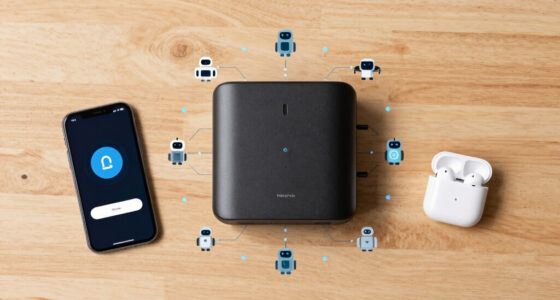
The guide’s central point is a labeling problem: “AI-powered” is not a regulated term, and decorations sold under it vary widely in what they actually do. According to the original analysis, genuine AI-powered decor uses artificial intelligence for tasks such as creating media, recognizing speech, or adapting a character’s response. A motion sensor that triggers a prerecorded shriek, by contrast, is described as ordinary automation — effective for a scare, but not artificial intelligence.
The distinction matters for what happens after the first trigger, the guide explains. A recording repeats the same way every time, while an AI feature may interpret input or generate different content. That variability can feel more personal to visitors, but the guide also notes it can be less predictable and require more setup.
The guide breaks the capabilities into categories: generative AI can create haunted portraits or draft a witch’s dialogue; voice recognition can respond to spoken phrases; computer vision can analyze camera images. A porch gargoyle playing the same growl on every pass is sensor-triggered; one that answers a visitor’s question through a speech system adds another layer. Each layer carries costs — generated content needs review, speech recognition can fail in noisy conditions, and image analysis may raise privacy concerns.
A motion-triggered recording is automation; AI usually means a system generates or interprets content.
Use generated art, voices, or dialogue to personalize a scene, then review the results and usage terms.
Plan one clear visitor moment before choosing sensors, lights, speakers, or controllers.
Test offline behavior, sensor timing, audio, cable placement, and outdoor protection before Halloween night.
Tell visitors when a display processes faces or voices, limit collection, and provide a way to pass without interacting.
Why the AI Label Matters for Buyers
The guide arrives as smart home and AI-branded products spread into seasonal decor, and its practical advice targets a common consumer frustration: paying for complexity guests will barely notice. The source material emphasizes that marketing language does not always spell out which features a device uses, and advises buyers to check current availability, capabilities, pricing, and privacy settings before purchasing.
One flagged question is whether a feature runs locally or sends data to an online service. According to the guide, this affects both reliability — what happens if Wi-Fi drops mid-evening — and what information leaves the home. Devices with cameras and microphones raise the sharpest privacy questions, particularly for displays aimed at visiting children and neighbors.
The guide also argues a counterintuitive point: a well-timed light and sound cue can feel more convincing than a complicated setup. One striking moment often lands better than a yard full of competing sounds, because visitors need time to register and understand a cue.
How to Build an AI Spooky Scene
The guide outlines a four-step approach to planning a display, starting small and adding tools only as needed. First, pick one moment — for example, a silent scarecrow that turns its head and whispers when someone reaches the gate. Second, create the content, using image or audio tools to draft a face, background, or line of dialogue, then editing it. The guide cautions that generated voices and visuals can need cleanup, and their licenses may limit commercial use or sharing. Review also matters for tone: a technically polished line can still sound out of character or be inappropriate for the audience.
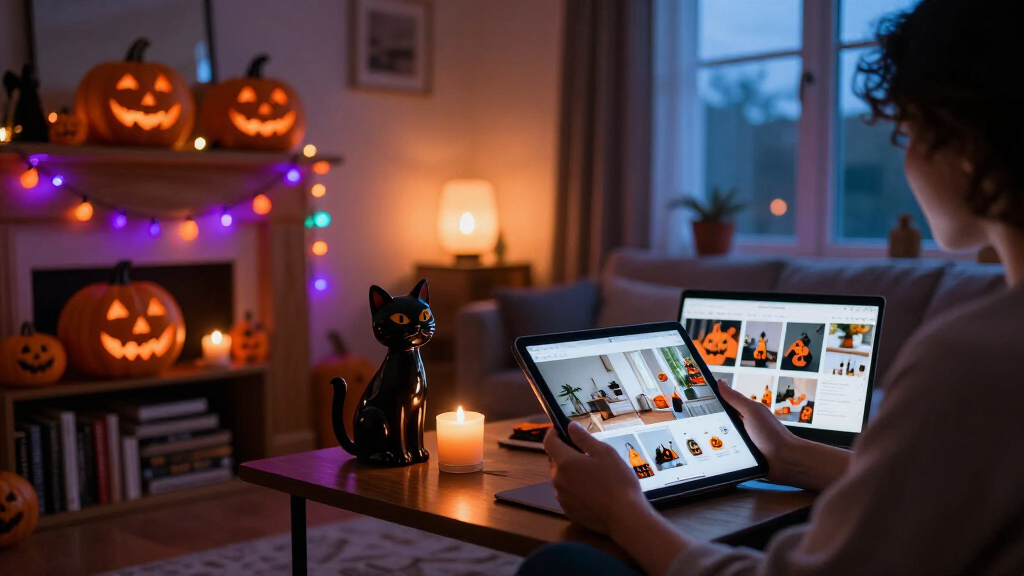
Third, choose the trigger and output — a motion detector can start a recording, while a microphone paired with a speech tool can support changing replies. Fourth, coordinate connected effects such as smart bulbs, speakers, and plugs. The guide illustrates the tradeoff with a dim entryway scene: a portrait whispers a welcome, generated visuals give it a cracked candlelit look, and a smart bulb shifts from warm amber to cold blue. But if the bulb depends on internet access and Wi-Fi drops, the color cue may stall just as guests reach the door. A local recording or fallback light cue, the guide says, can preserve the scene when more flexible features fail.
A comparison table in the guide maps approaches to use cases: motion-triggered props suit a simple jump scare; generated media suits themed backdrops; responsive characters suit short porch conversations; and connected effects suit timed multi-device scenes.
“A motion sensor that triggers a prerecorded shriek can still make an excellent scare, but by itself it is ordinary automation.”
— ThorstenMeyerAI.com guide
Product Claims Still Vary Widely
The guide itself acknowledges that product details can change, and that marketing language does not always specify which features a device actually uses. It does not name specific products or brands, and it does not provide independent test results of any AI decor item — its claims are advisory rather than evaluative.
Several practical questions remain unanswered in the source material, including how well speech-recognition features perform on a real porch with wind, traffic, and costumed noise; what data specific products collect; and how generated-content licenses vary across tools. Readers are advised to verify current capabilities and privacy settings with manufacturers before buying.
Smart Decor Beyond Halloween
AI-powered decor sits within the broader smart home market, and the capabilities the guide describes — generated visuals, responsive dialogue, coordinated device scenes — are the same building blocks used in year-round smart lighting and assistant products. As voice and image tools become cheaper to embed, more seasonal products with genuine interactive features are likely to appear, alongside continued loose use of the “AI-powered” label.
For consumers planning this Halloween, the guide’s immediate advice is to test one scene from the visitor’s point of view before adding more devices, and to keep a local fallback for any effect that depends on an internet connection.
Key Questions
Is a motion-activated Halloween prop considered AI?
No. According to the guide, a motion sensor triggering a prerecorded sound is ordinary automation. AI-powered decor uses artificial intelligence to create media, recognize speech, or adapt responses — though a sensor-triggered prop can still deliver an effective scare.
What can AI actually add to a Halloween display?
Three main capabilities: generative AI for custom art, dialogue, or audio; voice recognition for responding to spoken phrases; and computer vision for analyzing camera images. Each adds interactivity but also cost, setup burden, and potential failure points.
Should an AI decoration run locally or through the cloud?
It depends on the tradeoff you want. The guide notes local playback is usually less varied but faster and more dependable, while online tools can generate and adapt more but rely on connectivity and may transmit data from your home.
What privacy concerns come with AI Halloween decor?
Devices with microphones and cameras can collect audio and images of visitors, and cloud-connected features may send data to online services. The guide recommends checking privacy settings and whether features work locally before buying.
Do more effects make a better display?
Not necessarily. The guide argues that one clear, well-timed moment often works better than many simultaneous cues, because visitors need time to register each effect — and every added device introduces delays, conflicts, and troubleshooting risk.
Source: ThorstenMeyerAI.com
Evergreen bestsellers Picks
bestsellers
As an affiliate, we earn on qualifying purchases.