
TL;DR

Get privacy and security gear delivered free with Prime
- Fast, free delivery on millions of items
- Prime Video, Amazon Music and more included
- Member-only deals all year
IoT devices such as cameras, TVs, and smart plugs can have uneven update support and often need little access to your laptop or home files. Putting them on an isolated guest network or IoT network can reduce direct paths to personal devices, though it does not stop cloud data collection or every attack. Check your router’s isolation settings, secure and update the devices, and test the features you use.
Your smart plug can turn on a lamp with one tap, but it has little reason to reach the laptop where you keep family photos. That simple mismatch—a small device with broad network access—is why many homes benefit from keeping internet-connected gadgets apart from personal computers and phones.
These gadgets are part of the internet of things, or IoT: devices such as smart TVs, cameras, speakers, thermostats, and appliances. Their software and update support vary. If one device is compromised, sharing your main network may give someone more chances to find other devices or exposed services. Sharing a network does not mean an attack will automatically succeed.
This guide explains what separation can and cannot do, how to choose between a guest network and a dedicated IoT network, and what to check when a phone app or casting feature stops working. The aim is practical: reduce unnecessary access while keeping the devices you rely on useful.
Use a guest network or IoT network only after checking that the router blocks access to your main devices.
A separate Wi-Fi name is not proof of isolation; the router must enforce traffic rules.
Move devices gradually and test phone control, casting, hubs, and other local features.
Keep device passwords and router firmware current, and check whether older products still receive security updates.
Network separation can limit local access, but it does not stop cloud data collection or all internet-based attacks.
Home network guide · Security basics
Why IoT Devices Should Not Share Your Main Network
Your smart plug can switch on a lamp. It has little reason to reach the laptop holding your family photos. A separate network can narrow that route—if your router enforces the boundary.
At a glance
Reduce unnecessary access, keep useful devices working
Segmentation separates devices using network or firewall rules. Its protection depends on what the router actually blocks.
Use guest Wi-Fi or an IoT network only after checking that it blocks access to your main devices.
A separate Wi-Fi name does not guarantee that local traffic is restricted.
Move devices gradually; check phone control, casting, hubs, and discovery.
Update router firmware and device software; replace products without security support.
Isolation can limit local paths, but not cloud data collection or every attack.
01 · What changes
A boundary can contain access without cutting off the internet
The aim is to reduce the routes between gadgets and personal devices—not to make an insecure device safe.
Fewer devices to reach
A correctly isolated camera may still reach the internet while being blocked from initiating connections to a laptop or file server.
Less room to probe
If a gadget is compromised, network rules can remove some local devices and services from its reach. They cannot guarantee an attack stops.
Cloud traffic remains
A device may still send voice, video, usage, or household activity data to its maker. Network separation does not switch that off.
The hallway test
Imagine every device in one hallway, with every door open. A network boundary adds a locked door between smart gadgets and personal devices.
Keep the limits in view
The locked door narrows routes; it does not fix weak passwords, stop internet-based attacks, or protect a laptop with its own exposed weakness.
02 · How exposure can spread
One weak device can create another route into the home
Shared Wi-Fi does not make an attack automatic. Risk depends on exposed services, device settings, and the rules between networks.
Uneven security
A gadget may have a default password, outdated software, or unclear update support.
Device compromised
An attacker gains control through a weakness or compromised account.
Local probing
On an unrestricted network, the device may try to discover other devices or services.
Fewer routes
Router rules can block some paths to computers, storage, and other local services.
03 · Choose a setup
Guest Wi-Fi or a dedicated IoT network?
Router features differ. Choose the setup you can configure and maintain, then verify its actual behavior.
| Setup | What it can offer | What to check | Good fit |
|---|---|---|---|
| Guest Wi-Fi | Simple separation while allowing internet access. | Does it block guests from reaching local devices? Can devices still reach the internet? | Basic homes with a few smart gadgets. |
| Dedicated IoT network | A separate zone for smart devices; controls vary by router. | Can you set the device-to-device and main-network rules you need? | Households with router support and a clear need for extra control. |
| VLAN or firewall rules | Fine-grained access, including selected local connections. | Are rules narrow, documented, and tested? Could complexity cause mistakes? | People comfortable managing network settings. |
04 · Trade-offs
Match the controls to everyday use
More control can help, but overly broad rules weaken the boundary and overly strict rules can break useful features.
Illustrative priorities, not measured statistics. Device behavior and router controls vary by model.
05 · Set up and verify
Make the change in small, testable steps
Start with the router’s isolation setting, move a few devices, and check the functions you use before expanding.
Check router rules
Confirm guest devices cannot reach your main network and can reach the internet if required.
Move a few devices
Start with lower-dependency devices such as plugs or bulbs.
Test normal features
Try phone apps, casting, hubs, printers, and local discovery.
Tighten and maintain
Allow only required connections; use strong passwords and current updates.
Trace the boundary
What separation changes—and what it leaves in place
Keep the purpose narrow and practical: reduce unnecessary local access while maintaining devices responsibly.
What changes when you put smart devices on a separate network?
Separating IoT devices means using your router’s network or firewall rules to limit which devices can communicate with one another. A properly isolated network can stop a smart camera from directly reaching a laptop on your main network, while still letting the camera connect to the internet if it needs cloud services. That distinction matters: the goal is to reduce the number of routes between devices, not necessarily to disconnect a gadget from everything. The boundary comes from the router’s rules, not just from giving Wi-Fi a second name.
Think of your home network like a hallway: if every door is open, a device in one room can try the handles elsewhere. A network boundary adds a locked door between your smart gadgets and personal devices. It narrows the routes available; it does not fix a weak password or stop the device from sending data to its provider. The benefit is limited but meaningful: an attacker who compromises one gadget may have fewer local devices and services to probe. That can reduce opportunities for a further intrusion, though it cannot guarantee that an attack will stop there.
For example, suppose you put a smart plug and a camera on an isolated guest network. Your phone and laptop stay on the main network. If the router blocks guest devices from reaching local devices, the plug has fewer direct routes to your laptop. You still need to use a strong password for the plug and install its updates. The camera may also remain reachable from the internet or contact its cloud service, so separation addresses only the local connections the router blocks.
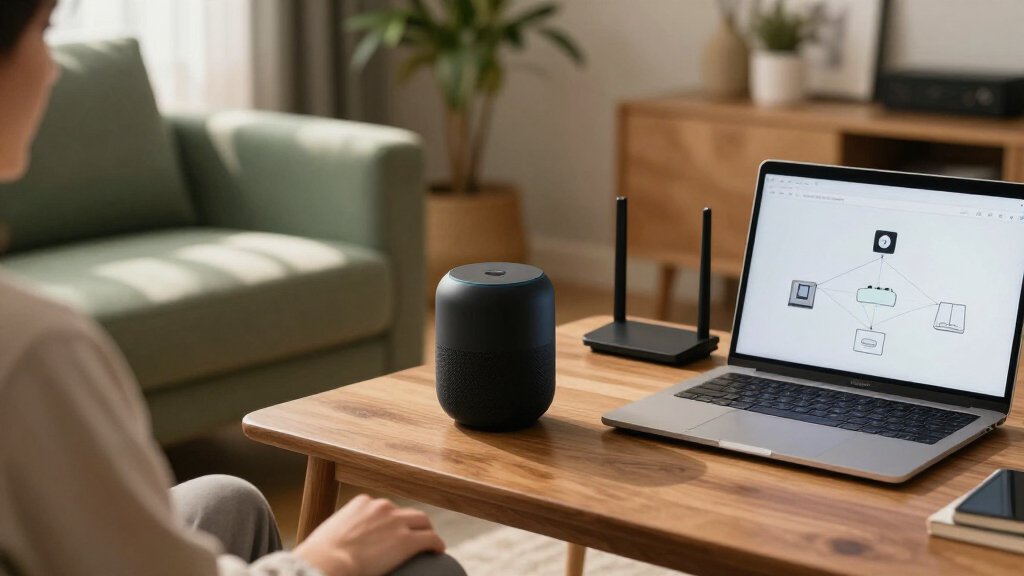
Network segmentation is the common name for dividing a network into areas with different access rules. At home, that can mean a router’s guest Wi-Fi or a separate IoT network. The useful question is not how many network names you see, but what traffic your router allows between them. A second network name without enforced rules may change which Wi-Fi devices join while leaving the paths between devices open.
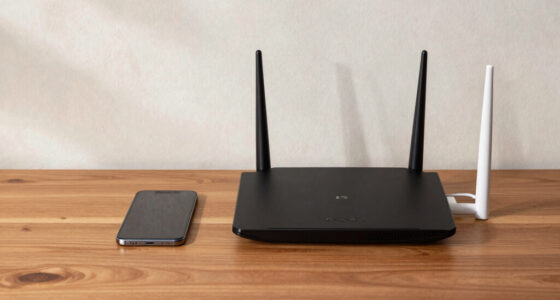
Wi-Fi router with network isolation
As an affiliate, we earn on qualifying purchases.
As an affiliate, we earn on qualifying purchases.
Why keeping IoT off your main network can reduce exposure
Why IoT devices should not share your main network comes down to limiting what a compromised gadget can reach. IoT security varies widely: a device may have a weak default password, an unnecessary service, outdated software, or an unclear update policy. If someone gains control of it, they may try to discover other devices on the same local network or reach services those devices expose. A laptop or file server that accepts local connections could then face an additional route of attack. That is a possibility, not an automatic result of sharing Wi-Fi; the opportunity depends on what services are exposed and how the devices are configured.
Many smart devices need very little local access. A smart bulb usually needs a connection to its hub or app, not an open route to a desktop computer or a home file server. Restricting those routes follows the principle of giving each device only the access it needs. This matters because a compromised device cannot make use of connections the router blocks, although any access that remains—such as to a required hub—still needs consideration. It is like giving a delivery driver access to the front porch instead of handing over a key to every room.
Imagine a camera in the hallway that stops receiving security updates. If it sits beside your work laptop on an unrestricted network, a compromise could create another opportunity to probe the laptop or a shared device. Isolation can reduce that opportunity by blocking some local paths. It cannot protect a laptop with its own exposed weakness, and it cannot stop a camera from being attacked over the internet. The camera also remains a concern if it needs broad access to a hub or other local services; rules should reflect what it actually needs.
Separation can also limit some disruption if a device behaves badly or is compromised, though it cannot prevent every outage. Privacy is a separate issue: a device may still send voice, video, usage, or household activity data to its manufacturer. Isolation limits local access; it does not turn off data collection. That distinction helps set expectations: network rules can narrow who a gadget can contact at home, while account, app, and device settings govern other parts of its behavior.
As an affiliate, we earn on qualifying purchases.
Choose the right setup: guest Wi-Fi or a dedicated IoT network
A guest network is often the simplest way to separate smart devices, provided your router blocks guests from reaching your main network. A dedicated IoT network or VLAN can offer finer control when your router supports it and you want specific access rules. In both cases, the important detail is the behavior of the router, since guest features differ by model. The choice is a tradeoff: a simpler guest setup is easier to maintain, while a more precise setup can preserve selected local connections but takes more knowledge to configure correctly.
For a household with a smart TV, two plugs, and a camera, a guest network may be enough if it lets those devices reach the internet while blocking access to computers and shared storage. This provides a clear boundary without requiring custom rules for every gadget. A technically confident household might use a VLAN to allow a hub to contact one local service while blocking other device-to-device traffic. More knobs can mean more control, but a complicated setup can also be misconfigured. A rule that is too broad weakens the boundary; one that is too restrictive can break useful functions.
| Setup | What it can offer | What to check |
|---|---|---|
| Guest Wi-Fi | Simple separation using a feature many routers provide | Whether guests can reach main-network devices or each other |
| Dedicated IoT network or VLAN | More precise rules for local access and device communication | Whether your router supports the rules you need and you can maintain them |
| Separate Wi-Fi name only | A distinct name to connect devices to | Whether the router actually enforces traffic separation |
A separate network name alone does not establish a security boundary. Before moving devices, check the router’s guest isolation setting and whether the network allows local access. If you cannot tell from the settings, consult the router manual or its support page. The practical test is whether a device on the IoT or guest network can reach something on your main network. Choose the simplest setup that provides the isolation you need, since a rule set you can understand and maintain is more useful than one that is precise on paper but unreliable in practice.
As an affiliate, we earn on qualifying purchases.
Set up separation without losing everyday smart-home features
To separate IoT devices, first confirm how your router’s guest network treats local traffic, then move a few devices and test their normal functions. A careful, small change makes it easier to spot whether a phone app, hub, or casting feature depends on direct communication. This matters because a device can keep its internet connection while losing access to local discovery or control. You do not need a VLAN for every home; a well-configured guest network may be sufficient.
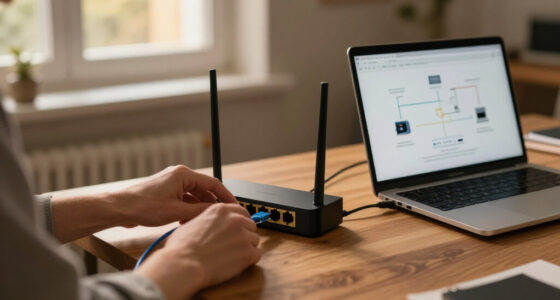
- Check the router settings. Look for guest isolation, access to local devices, or an IoT network option. A guest network that blocks all local access may affect control from your phone. Note which networks the phone and hub use, since their placement can determine whether they can communicate.
- Move one low-impact device. Start with a smart plug or bulb, then check its app, schedules, and internet connection before moving the rest. A single-device trial makes it easier to identify the cause of a problem and reverse the change if needed.
- Test the functions you use. Try phone control, voice assistant routines, casting, hubs, and any local control. Write down what stops working. A failure can reveal a local connection the device depends on; it does not necessarily mean the device has lost its internet connection.
- Allow only needed connections. If your router supports rules, allow the hub or service that needs access instead of opening the whole main network. This preserves a specific function while keeping other paths closed, though rules should be as narrow as your router allows.
- Review the setup after changes. Router updates or new devices can change what works, so retest after you adjust network settings. Network changes can affect both security boundaries and household routines, so keep a record of rules you add.
For example, a television may stream normally from the internet on guest Wi-Fi, while a phone on the main network can no longer cast to it. That points to a local discovery or access issue; it does not necessarily mean the TV has lost internet access. Streaming can continue because it uses the TV’s internet connection, while casting may require the phone and TV to find and communicate with each other locally. Some discovery features need traffic across network boundaries, and not every router offers a safe, simple way to permit it.
If a feature matters more than the extra separation in your particular setup, weigh that tradeoff and keep the device secured and updated. The decision depends on how much local access the feature needs and how sensitive the devices it could reach are. Test before moving every device, especially if your home relies on a hub or local control when internet service is down.
network segmentation for smart home
As an affiliate, we earn on qualifying purchases.
As an affiliate, we earn on qualifying purchases.
Secure the device and router, too
Network separation works best alongside basic device and router care. Change default passwords, install available updates, turn off features you do not use, and check whether the manufacturer still supports the device. On the router, use current firmware, a strong administrator password, and modern Wi-Fi encryption such as WPA2-AES or WPA3 where supported. These measures address different weaknesses: updates can fix known flaws, unique passwords reduce the chance that one leaked credential works elsewhere, and isolation limits some device-to-device routes. None replaces the others.
Picture a smart speaker you bought several years ago. Its app still works, but the manufacturer’s support page no longer lists security updates. Moving it to an isolated network can limit some routes to your laptop, but it cannot patch the speaker or prevent it from sending data to its cloud service. If you depend on it, check what information it collects and consider replacing it when support ends. The remaining risk is harder to reduce over time because newly found flaws may not receive fixes.
Product rules and labels are changing. In the United States, the voluntary U.S. Cyber Trust Mark program was established to identify consumer IoT products that meet defined cybersecurity criteria. The European Union adopted the Cyber Resilience Act in 2024, with product obligations phased in over time. These efforts may improve baseline practices, but a label or policy does not replace checking a particular device’s update support and network needs. For a household decision, continued updates and clear support commitments matter because security criteria at purchase cannot guarantee how long a product will be maintained.
Prioritize devices that contain microphones or cameras, connect from outside the home, or no longer receive updates. A thermostat with limited local features may need less attention than a doorbell camera that streams video. Use separation as one layer, while keeping the device itself and the router maintained. Prioritizing helps focus effort where both the amount of access and the consequences of a compromise may be greater.
Know what isolation can—and cannot—protect
Putting IoT on a separate network can reduce direct access to your main devices, but it does not stop every kind of risk. The separated device may still be attacked through its internet connection, and it may still send information to its provider. A vulnerable cloud account or weak device password also needs attention beyond network rules. The useful way to judge isolation is to ask which specific path it closes, then identify the risks that remain through other paths.
Consider a camera that uploads clips to a cloud service. Isolation may make it harder for the camera to reach a laptop on your main network, but the camera still needs an internet route to upload footage. The manufacturer’s service may still receive that footage or related activity data, depending on the product’s settings and design. So network separation can help contain a local compromise while leaving the camera’s cloud relationship unchanged; privacy controls and account security address different parts of that relationship.
There is also a reliability tradeoff. A phone app, printer, speaker, or smart-home hub may rely on local discovery or direct communication. If the router blocks that traffic across networks, the feature may stop working. A basic router can offer less precise control than a managed setup, and unclear rules may lead to a network that is less reliable than a simpler configuration. The right boundary therefore depends on the functions you need: blocking every local path may maximize separation but disrupt control, while allowing broad access for convenience can weaken the benefit.
A separate network reduces one path between devices; it does not make an unsupported gadget private, patched, or immune to internet attacks.
Keep the goal modest and clear: reduce unnecessary local access, then maintain passwords, updates, and privacy settings. If you cannot configure isolation reliably, strong unique passwords, current firmware, and disabling unused features still help. A simple setup you understand is easier to maintain than a complicated one you rarely check, because the rules only help while they continue to match the devices and services in your home.
Frequently Asked Questions
Can an IoT device infect my laptop just because both use the same Wi-Fi?
No; sharing Wi-Fi does not automatically infect your laptop. It can give a compromised device more opportunity to reach other devices or exposed services on the local network, so isolation can reduce that direct access.
Does a guest network protect my main devices?
It can, if your router blocks guest devices from reaching devices on your main network. Router features vary, so check guest isolation and local access settings rather than relying on the network name alone.
Will my smart-home devices still work when separated?
Many internet-connected functions continue to work, but features such as casting, local discovery, or direct phone control may depend on communication across networks. Test the features you use after moving a device, and check whether your router can allow the specific access it needs.
Do I need a VLAN for a home IoT network?
Usually not for a basic home setup. A guest network may provide enough isolation if your router blocks access to the main network; a VLAN helps when you want more precise rules and know how to maintain them.
Does a separate IoT network stop tracking?
No. It mainly limits communication between devices inside your home network. A smart device may still send information to its manufacturer or cloud service as part of its design.
Which devices should I move first?
Start with internet-connected cameras, doorbells, speakers, and other devices with microphones or cameras, then consider older devices that no longer receive updates. Check what local access each one needs before changing its network.
Conclusion
Give smart devices only the network access they need. Start with your router’s guest isolation setting, move one low-impact gadget, and test the app or routine you use every day.
Keep the boundary clear and the setup simple: fewer open doors between a smart plug and your laptop means fewer routes to worry about. Your home can stay convenient without every device sharing the same hallway.
Halloween Picks
halloween
As an affiliate, we earn on qualifying purchases.