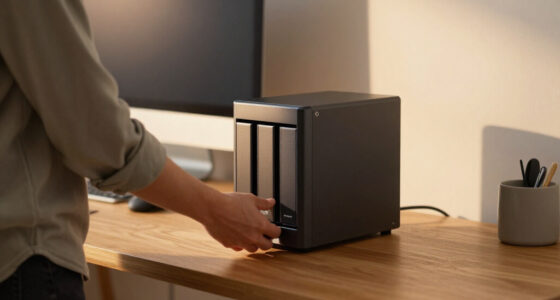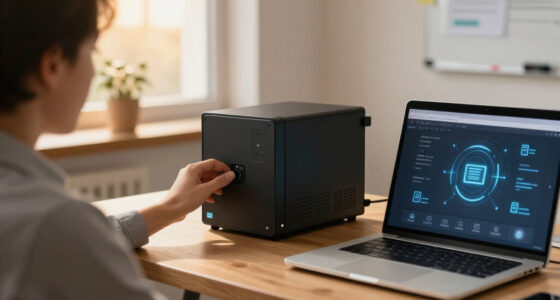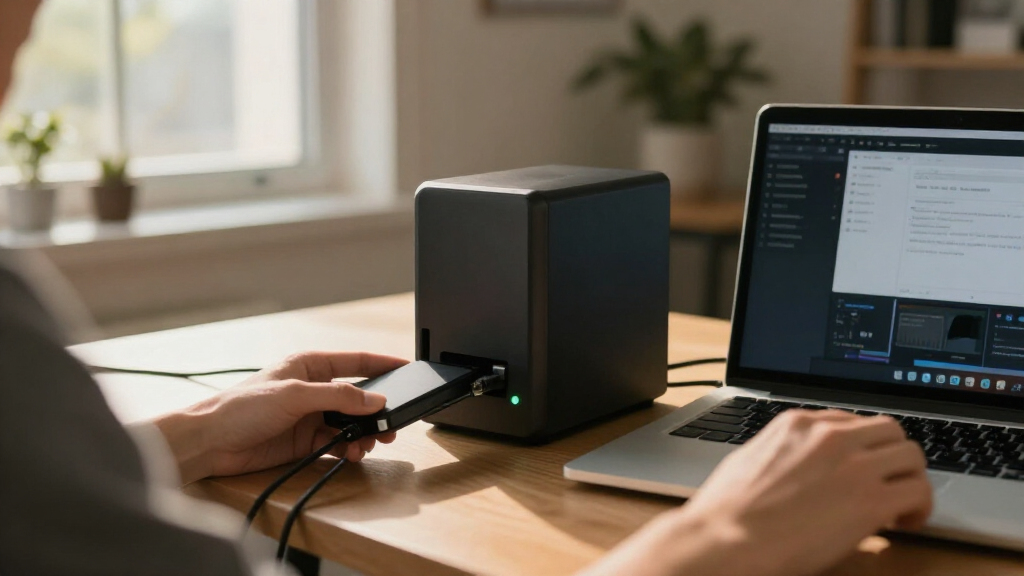

Choosing the best NAS for secure backups requires balancing data integrity, software maturity, and cost. My top pick, the Synology DS425+, stands out for its robust Btrfs file system support and mature Snapshot replication capabilities, making it ideal for users who prioritize data immutability and recovery. For those seeking a more affordable entry point, the UGREEN DXP4800 Plus offers exceptional hardware value and modern connectivity, though its software ecosystem is less battle-tested than Synology’s. The Buffalo LinkStation 220 remains a viable choice for simple, set-and-forget local storage, but lacks the advanced encryption and remote access features found in premium models. The main tradeoff in this category lies between the convenience of pre-installed drives and the flexibility of diskless units, as well as the depth of backup software available. Continue reading to see how these ten devices stack up against specific security and backup needs.

Get privacy and security gear delivered free with Prime
- Fast, free delivery on millions of items
- Prime Video, Amazon Music and more included
- Member-only deals all year
Key Takeaways
- Synology‘s DiskStation Manager (DSM) software remains the industry benchmark for backup reliability, particularly for its Snapshot Replication Center which protects against ransomware via immutable snapshots.
- UGREEN‘s new generation of NAS devices offers significantly faster hardware and modern interfaces (like USB4 and 2.5GbE) at lower prices, but their backup software is still maturing compared to established competitors.
- Pre-installed HDDs, as seen in the Buffalo LinkStation 220, simplify setup but limit long-term upgradeability and make drive replacement more complex when failures occur.
- The Btrfs file system is a critical differentiator for secure backups; it allows for checksumming and snapshotting that prevent data corruption (bit rot), a feature not fully available in all entry-level NAS units.
- Hardware transcoding capabilities, prominent in the Synology DS225+ and DS425+, are secondary for pure backup tasks but become vital if the NAS also serves as a media server for local streaming.
| UGREEN DXP4800 Plus 4-Bay NAS |  | Best Overall for Fast, Encrypted Backups | Drive bays: 4 x 3.5-inch bays; compatible with 2.5-inch drives | Maximum capacity: Up to 144 TB; drives not included | CPU: Intel 5-core | VIEW LATEST PRICE | See Our Full Breakdown |
| Buffalo LinkStation 220 4TB 2-Bay NAS with HDDs – Home Cloud Network Storage |  | Best Ready-to-Use RAID 1 Pick | Model: LS220D0402 | Drive bays: 2 | Included capacity: 4 TB total | VIEW LATEST PRICE | See Our Full Breakdown |
| Synology BeeStation 4TB Personal Cloud Storage Device (BST150-4T) |  | Best for Beginners and Mac Backups | Model: BST150-4T | Storage capacity: 4 TB | Connectivity: Wired Ethernet | VIEW LATEST PRICE | See Our Full Breakdown |
| UGREEN NASync DXP2800 2-Bay Network Attached Storage |  | Best Compact Expandable NAS | Model: DXP2800 | CPU: Intel N100 quad-core | Memory: 8 GB DDR5 | VIEW LATEST PRICE | See Our Full Breakdown |
| UGREEN NAS DXP4800 GT 4-Bay for Creators, Tech Enthusiasts and Office Teams |  | Best Premium NAS for Multi-User Workflows | CPU: AMD Ryzen Embedded R2514, 4 cores and 8 threads, up to 3.70 GHz | Memory: 8 GB DDR4, expandable to 64 GB; ECC upgrade supported | Drive bays: 4 SATA bays, up to 32 TB each | VIEW LATEST PRICE | See Our Full Breakdown |
| UGREEN NAS DH2300 2-Bay Network Attached Storage |  | Best for Privacy-Focused Beginners | Model: DH2300 | Bay Count: 2-Bay | Max Capacity: 64 TB | VIEW LATEST PRICE | See Our Full Breakdown |
| Synology 2-Bay DiskStation DS223j (Diskless) |  | Best Quiet Home Office Backup | Brand: Synology | Model Number: DS223j | Item Dimensions: 6.5″ D x 3.94″ W x 8.9″ H | VIEW LATEST PRICE | See Our Full Breakdown |
| Synology DS425+ Private Cloud Media Server – Stream, Back Up & Share Files (4-Bay Diskless NAS) |  | Best Performance for Small Business | Brand: Synology | Model Number: DS425+ | Bay Count: 4 | VIEW LATEST PRICE | See Our Full Breakdown |
| Synology DS223 Home & Office Backup Hub – Centralize Files, Protect Data & Monitor Property (2-Bay Diskless NAS) |  | Best for Multi-Device Collaboration | Brand: Synology | Model Number: DS223 | Warranty: 2 years | VIEW LATEST PRICE | See Our Full Breakdown |
| Synology DS225+ Private Cloud Media Server – 2-Bay Diskless NAS with Intel CPU for Hardware Transcoding |  | Best for 4K Media Streaming | Brand: Synology | Model Number: DS225+ | Item Dimensions: 9.14″ D x 4.25″ W x 6.5″ H | VIEW LATEST PRICE | See Our Full Breakdown |
More Details on Our Top Picks
UGREEN DXP4800 Plus 4-Bay NAS
The DXP4800 Plus is my strongest all-around pick for buyers who want a capable backup hub with room to grow. Its four drive bays and multiple RAID options give it more capacity flexibility than the two-bay UGREEN DXP2800, while full-disk encryption adds a privacy safeguard for stored files. A five-core Intel CPU, 8GB of DDR5 RAM, and Docker and VM support also leave headroom for services beyond backup. The 10GbE port can speed up large transfers, provided the rest of the network and the drives can keep pace. The tradeoffs are practical: it ships without drives, needs wired Ethernet, and its faster connection won’t help every home network. I’d choose the Ryzen-based DXP4800 GT instead for dual 10GbE and greater memory expansion, but this model is a more balanced fit for most secure home backup setups.
Pros:- Full-disk encryption supports private storage for sensitive backups.
- Four bays and multiple RAID options provide room to expand and configure drive redundancy.
- 10GbE networking and 10Gbps USB ports support fast transfers with compatible equipment.
- Intel five-core CPU and 8GB DDR5 RAM support multitasking, Docker, and virtual machines.
Cons:- Diskless configuration means buyers must source and install drives.
- 10GbE speeds depend on compatible network gear and drive performance.
- No Wi-Fi connectivity; the NAS requires a wired network connection.
Best for: Home users and small offices seeking encrypted, expandable backups alongside room for containers or virtual machines.
Not ideal for: Buyers who want a ready-to-use NAS with included drives, or who cannot use wired Ethernet and higher-speed network equipment.
- Drive bays:4 x 3.5-inch bays; compatible with 2.5-inch drives
- Maximum capacity:Up to 144 TB; drives not included
- CPU:Intel 5-core
- Memory:8 GB DDR5
- Network:1 x 10GbE, 1 x 2.5GbE Ethernet
- USB:10Gbps USB ports
- Data protection and security:Multiple RAID levels and full-disk encryption
- Other features:4K HDMI, 128 GB SSD, Docker and VM support
- Warranty:2 years
Our verdict“Choose the DXP4800 Plus if you want four-bay capacity, encryption, and faster networking in a flexible home backup server.”
Buffalo LinkStation 220 4TB 2-Bay NAS with HDDs – Home Cloud Network Storage
The LinkStation 220 suits buyers who would rather start with included drives than choose disks and assemble a system. Its two installed drives can be configured for RAID 1 mirroring, leaving 2TB usable while retaining a copy on the second drive if one fails. That makes its backup setup more approachable than the diskless UGREEN DXP2800, though it does not replace a separate backup against theft, damage, or accidental deletion. The tradeoff is modest capacity: the Synology BeeStation also offers 4TB, but its guided personal-cloud approach includes dedicated Time Machine support and bundled Acronis software, while the Buffalo centers on a two-drive RAID arrangement. The LinkStation’s performance is described as slower than higher-end models, and its macOS support is listed up to macOS 15. I’d favor it for straightforward local redundancy, not demanding workloads or long-term expansion.
Pros:- Two hard drives are included, so there is no separate drive-selection step.
- RAID 1 mirrors data across drives, with 2TB usable capacity.
- Designed for home cloud use with Windows and macOS compatibility up to macOS 15.
- Includes a 2-year warranty and US-based support.
Cons:- RAID 1 leaves only 2TB usable from the included 4TB total.
- Performance is slower than higher-end NAS models.
- RAID mirroring does not protect files from accidental deletion, theft, or damage to the whole unit.
Best for: Households wanting an included-drive NAS with a simple RAID 1 setup for shared files and routine computer backups.
Not ideal for: Power users needing high transfer performance, larger capacity growth, or Mac compatibility beyond macOS 15.
- Model:LS220D0402
- Drive bays:2
- Included capacity:4 TB total
- Usable capacity:2 TB in RAID 1
- RAID support:RAID 0, RAID 1
- Computer compatibility:Windows and macOS up to macOS 15
- Warranty:2 years
- Support:US-based support
- Country of manufacture:Japan
Our verdict“Pick the LinkStation 220 if you want included drives and simple RAID 1 redundancy more than speed or expansion options.”
Synology BeeStation 4TB Personal Cloud Storage Device (BST150-4T)
The BeeStation is the simplest fit here for someone who wants guided setup, personal-cloud access, and backup tools without building a disk array. Its automatic photo and video backup, plus dedicated Mac Time Machine support with up to 2TB of backup space on this model, make routine protection easier to set up than on the diskless UGREEN DXP2800. The included three years of Acronis True Image for one PC or Mac adds another computer-backup path. Unlike the Buffalo LinkStation 220, the BeeStation is presented as a single personal-cloud device rather than a two-drive RAID 1 system, so buyers should not assume it has drive-failure redundancy. It also offers no Wi-Fi and relies on wired Ethernet. I’d choose it for low-effort backups and sharing, but skip it if you need expandable bays, RAID choices, or a more configurable NAS.
Pros:- Guided setup lowers the effort required to start storing and sharing files.
- Automatic photo and video backup supports routine protection from mobile devices.
- Dedicated Time Machine support provides up to 2TB of backup space on the 4TB model.
- Includes three years of Acronis True Image for one PC or Mac, with no personal-cloud subscription fee.
Cons:- No Wi-Fi; it connects to the network over wired Ethernet.
- A single 4TB device does not offer the two-drive RAID 1 arrangement found on the Buffalo LinkStation 220.
- Less suited to buyers who want a configurable NAS with multiple drive bays and server services.
Best for: Mac households and first-time NAS buyers who want guided personal-cloud setup, Time Machine support, and simple photo backups.
Not ideal for: Buyers who need multi-drive RAID redundancy, expandable storage, Wi-Fi access, or advanced server workloads.
- Model:BST150-4T
- Storage capacity:4 TB
- Connectivity:Wired Ethernet
- Mac backup:Dedicated Time Machine support; up to 2 TB backup space
- Bundled computer backup:3 years of Acronis True Image for one PC or Mac
- Media speed:559 Mbps
- Data transfer rate:600 MB/s
- Enclosure material:Metal
Our verdict“Choose the BeeStation for straightforward Mac and personal-cloud backups, not for RAID redundancy or an expandable NAS platform.”
UGREEN NASync DXP2800 2-Bay Network Attached Storage
The DXP2800 is a strong choice for a technically comfortable user who wants a compact two-bay backup server with room for apps and fast local storage. Its Intel N100 CPU and 8GB DDR5 RAM support Docker, virtual machines, and media tasks, while dual M.2 NVMe slots let buyers add SSD storage alongside the two HDD bays. That flexibility separates it from the BeeStation, which is easier for basic personal-cloud backups but is not described with comparable server features. A 2.5GbE connection is a practical step up from basic wired networking, though it cannot match the DXP4800 Plus’s 10GbE port for large transfers on a compatible network. The DXP2800 is diskless, so drive costs and setup are part of the decision; its plastic enclosure may also feel less substantial than a metal-bodied alternative. Choose it for a capable two-bay system, not maximum redundancy or capacity.
Pros:- Two HDD bays and two M.2 NVMe slots offer flexible storage configurations.
- Intel N100 processor and 8GB DDR5 RAM support Docker and virtual machines.
- 2.5GbE networking can improve transfers on a compatible home or office network.
- AI-powered photo management adds organization tools to centralized storage.
Cons:- Diskless design requires buyers to purchase and install HDDs and SSDs separately.
- Two HDD bays provide less drive-failure and capacity flexibility than the four-bay DXP4800 Plus.
- Plastic enclosure may feel less premium than metal-bodied options.
Best for: Advanced home users, creators, and remote workers who want two-disk backup storage plus NVMe, Docker, or VM options.
Not ideal for: Beginners seeking an included-drive, guided personal cloud, or buyers who need four bays and higher-capacity growth.
- Model:DXP2800
- CPU:Intel N100 quad-core
- Memory:8 GB DDR5
- Drive bays:2 x 3.5-inch HDD
- M.2 slots:2 x M.2 NVMe SSD
- Maximum capacity:Up to 80 TB
- Network:2.5GbE Ethernet
- Included drives:None; diskless
- Warranty:2 years
Our verdict“Pick the DXP2800 if you want an app-capable two-bay NAS with NVMe flexibility and are comfortable sourcing your own drives.”
UGREEN NAS DXP4800 GT 4-Bay for Creators, Tech Enthusiasts and Office Teams
The DXP4800 GT is the most capable fit in this group for a small office or creator team moving large files and running several services from one NAS. Its dual 10GbE ports support high-throughput network workflows, and the Ryzen Embedded processor with RAM expandable to 64GB offers more scope for heavier multitasking than the DXP4800 Plus’s 8GB DDR5 configuration. Four SATA bays, two U.2 slots, and two M.2 slots also give it a broader storage mix than the two-bay DXP2800. For backup security, however, hardware capacity is only part of the decision: the supplied details do not specify encryption or a particular backup application, so buyers should verify their preferred protection workflow before committing. It is diskless, and its broad Docker, VM, Plex, and surveillance features add setup complexity. I’d reserve it for users prepared to configure and maintain an advanced system.
Pros:- Dual 10GbE ports support fast multi-user transfers and link aggregation up to 20Gbps.
- RAM expands from 8GB DDR4 up to 64GB, with ECC upgrade support.
- Four SATA bays plus U.2 and M.2 slots provide varied storage options.
- Supports Docker, virtual machines, Plex, surveillance storage, and 4K HDMI output.
Cons:- Diskless configuration requires a separate purchase of drives and SSDs.
- Advanced services and storage options can add setup and maintenance work for novices.
- Encryption and specific backup software are not identified in the supplied product details.
Best for: Creators and small-office teams with large shared files, compatible 10GbE networking, and the skills to manage an advanced NAS.
Not ideal for: First-time NAS buyers, users who want an out-of-box backup appliance, or anyone prioritizing clearly specified encryption features.
- CPU:AMD Ryzen Embedded R2514, 4 cores and 8 threads, up to 3.70 GHz
- Memory:8 GB DDR4, expandable to 64 GB; ECC upgrade supported
- Drive bays:4 SATA bays, up to 32 TB each
- SSD slots:2 U.2 NVMe slots and 2 M.2 SSD slots
- Maximum storage capacity:Up to 144 TB total
- Network:Dual 10GbE; link aggregation up to 20Gbps
- USB:USB-C 10Gbps, USB-A 10Gbps, and USB 2.0
- HDMI:4K HDMI output
- Included accessories:HDMI cable, 2 CAT7 Ethernet cables, power cable, 2 drive trays, screwdriver kit, and 2 SSD thermal pads
Our verdict“Choose the DXP4800 GT for demanding, fast-moving team storage if you can configure your own backup and security workflow.”
UGREEN NAS DH2300 2-Bay Network Attached Storage
This unit stands out for those who want private cloud storage without the complexity of traditional server setups. Unlike the Synology DS223j, which relies heavily on its mature software ecosystem, the DH2300 focuses on simplicity and AI-powered photo organization. It offers a straightforward path to securing personal data with end-to-end encryption and two-factor authentication, making it ideal for users who prioritize privacy over advanced server capabilities. However, the lack of native Wi-Fi is a significant hurdle; you must rely on a wired Ethernet connection or purchase a separate USB adapter, which adds friction compared to the plug-and-play nature of some competitors. It lacks Docker support, meaning it cannot run third-party apps like Plex directly, restricting its utility for media enthusiasts who need more than just file storage.
Pros:- Strong privacy focus with local storage and end-to-end encryption
- AI-powered features for automatic photo tagging and duplicate detection
- Cost-effective long-term alternative to recurring cloud subscription fees
- High transfer speeds up to 125MB/s for quick file access
Cons:- No native Wi-Fi support; requires wired Ethernet or USB adapter
- Does not support Docker, virtual machines, or Plex via Docker
- Storage drives are not included in the package
Best for: Privacy-conscious individuals who want a simple, secure backup solution and have a wired network setup ready.
Not ideal for: Tech enthusiasts who want to run Docker containers, media servers, or require wireless connectivity.
- Model:DH2300
- Bay Count:2-Bay
- Max Capacity:64 TB
- RAM:4 GB
- Network Port:1GbE Ethernet
- Interface:SATA
- Drive Form Factor:3.5 inches
- Connectivity:Ethernet, HDMI, SATA, USB
- Security Features:RAID modes, Two-Factor Authentication, Encrypted transfers
Our verdict“A solid choice for beginners who want secure, private backups without the learning curve of complex NAS systems.”
Synology 2-Bay DiskStation DS223j (Diskless)
The DS223j is engineered for environments where silence and low power consumption matter most. Compared to the more feature-rich DS425+, this model sacrifices raw performance and bay count for a compact, quiet design that fits unobtrusively on a desk. It excels at creating a private cloud with robust file sharing and automated backups across Android, iOS, and desktop platforms. While it lacks the heavy-duty processing power for complex virtualization tasks, its DSM software provides a polished, reliable experience for basic data protection. The two-year warranty offers peace of mind, though users should note that the diskless nature means you must source compatible drives separately, adding to the initial setup cost and effort.
Pros:- Secure private cloud with full data ownership
- Compact, quiet design with low power consumption
- Easy file sharing and automated backups for multiple platforms
- Supports IP-camera surveillance for basic home security
Cons:- Sold diskless – you must purchase compatible drives separately
- Limited to two drive bays, restricting total storage capacity
- Lower performance compared to higher-end Synology models
Best for: Home office users or students who need a quiet, energy-efficient backup solution with easy multi-device syncing.
Not ideal for: Power users who need high-speed transfers, heavy surveillance support, or more than two drive bays.
- Brand:Synology
- Model Number:DS223j
- Item Dimensions:6.5″ D x 3.94″ W x 8.9″ H
- Weight:0.87 kg
- Color:White
- Warranty:2 years
- Number of Bays:2
- Supported Devices:Android, Desktop, Laptop, iPhone
- Mounting Type:Tabletop
Our verdict“The best option for those who value silence and simplicity in a compact, reliable backup hub.”
Synology DS425+ Private Cloud Media Server – Stream, Back Up & Share Files (4-Bay Diskless NAS)
This model targets users who need enterprise-grade reliability in a desktop form factor. With 2.5 GbE networking and transfer speeds reaching 278 MB/s, it significantly outperforms the DS223 in data throughput, making it suitable for heavy file access or video editing workflows. The four-bay design allows for robust RAID redundancy and larger storage pools, while the support for up to 30 IP cameras makes it a viable surveillance hub. Unlike the entry-level UGREEN DH2300, the DS425+ offers a three-year warranty and enterprise support, reflecting its positioning for critical business data. However, its advanced feature set may be overkill for simple home use, where the learning curve and cost could outweigh the benefits of faster speeds and extra bays.
Pros:- High transfer speeds up to 278 MB/s with 2.5 GbE networking
- Multi-layered data protection including RAID, backups, and snapshots
- Supports surveillance for up to 30 IP cameras
- Three-year warranty and enterprise support
Cons:- Diskless – user must purchase and install own hard drives
- May be overkill for simple home use due to advanced features
- Higher initial investment compared to 2-bay consumer models
Best for: Small business owners and power users who require fast network speeds, large storage capacity, and professional support.
Not ideal for: Casual home users who only need basic file backups and do not require high-speed network transfers.
- Brand:Synology
- Model Number:DS425+
- Bay Count:4
- Item Dimensions:8.78″ D x 7.83″ W x 6.54″ H
- Item Weight:2180 g
- Storage Volume:80 TB
- Color:Black
- Enclosure Material:Metal, Plastic
- Network:2.5 GbE
Our verdict“A powerful, future-proof solution for businesses and enthusiasts needing speed, capacity, and robust data protection.”
Synology DS223 Home & Office Backup Hub – Centralize Files, Protect Data & Monitor Property (2-Bay Diskless NAS)
The DS223 bridges the gap between personal storage and small team collaboration. It offers built-in collaboration tools and version control, allowing multiple users to work on files simultaneously without relying on third-party cloud subscriptions. Compared to the DS223j, which is more passive, the DS223 provides active workflow features like real-time syncing and comprehensive backup options for Macs, PCs, and mobile devices. Its ability to integrate with IP cameras for motion alerts adds a layer of home security utility. While it remains a 2-bay device with limited expansion compared to the 4-bay DS425+, its focus on seamless device integration makes it a strong contender for households or small offices prioritizing ease of sharing over raw performance.
Pros:- Centralizes files from multiple devices into one secure hub
- Built-in collaboration and version control without additional cloud fees
- Automated backup to Macs, PCs, mobile devices, cloud, and external drives
- DIY surveillance support with motion alerts and remote viewing
Cons:- Diskless unit requires you to purchase your own hard drives
- Limited to only two drive bays for storage expansion
- Standard Gigabit Ethernet limits transfer speeds compared to 2.5GbE models
Best for: Families or small teams who need centralized file sharing, version control, and multi-device backup capabilities.
Not ideal for: Individuals with massive media libraries who need more than 40TB of raw capacity or high-speed network access.
- Brand:Synology
- Model Number:DS223
- Warranty:2 years
- Item Dimensions:9.15″ D x 4.25″ W x 6.5″ H
- Weight:1280 g
- Color:Black
- Enclosure Material:Metal
- Mounting Type:Tabletop
- Compatible Devices:Desktop, Laptop, Server, Smart Phone
Our verdict“Ideal for users who prioritize seamless file sharing and comprehensive backup features over maximum storage capacity.”
Synology DS225+ Private Cloud Media Server – 2-Bay Diskless NAS with Intel CPU for Hardware Transcoding
The DS225+ distinguishes itself with an Intel CPU capable of hardware transcoding, a feature largely absent in the DS223 and DS223j. This allows for smooth 4K media streaming to various devices without buffering, even when original file formats are not directly supported by the client. With transfer speeds up to 282 MB/s, it offers rapid file access that benefits both media consumption and large file backups. While it shares the same 2-bay form factor as the DS223, the addition of AI-enabled surveillance support for up to 30 cameras makes it a more versatile security hub. It is a premium choice for those who want comprehensive data protection and high-performance media capabilities in a compact footprint.
Pros:- Supports 4K media streaming with hardware transcoding via Intel CPU
- Fast transfer speeds up to 282 MB/s for quick file access
- Comprehensive data protection: RAID, snapshots, and automated cloud backups
- AI-enabled surveillance support for up to 30 IP cameras
Cons:- Diskless design requires you to purchase and install your own drives
- Only two drive bays limit maximum raw storage capacity
- Higher price point than basic 2-bay models without transcoding features
Best for: Home theater enthusiasts who want to stream 4K content and need fast, secure backups for their media libraries.
Not ideal for: Users who only need simple document backups and do not care about media transcoding or high-speed transfers.
- Brand:Synology
- Model Number:DS225+
- Item Dimensions:9.14″ D x 4.25″ W x 6.5″ H
- Weight:1300 g
- Storage Volume:40 TB
- Color:Black
- Enclosure Material:Metal, Plastic
- Compatible Devices:Android, Desktop, Laptop, Server, iPhone
- Mounting Type:Tabletop
Our verdict“The top pick for media-centric households that require high-speed streaming and robust backup security.”
How We Picked
I evaluated these ten NAS units based on their ability to protect data integrity and facilitate reliable backups. The primary criterion was software maturity, specifically looking for robust backup suites (like Hyper Backup or built-in cloud sync) and support for immutable snapshots, which are essential for defending against ransomware and accidental deletion. I also weighed file system support, prioritizing devices that support Btrfs or ZFS, as these offer superior data verification capabilities compared to standard ext4 setups.
Secondary factors included hardware performance and connectivity. While raw CPU speed matters less for simple file copying, it impacts the speed of encryption and compression during backup tasks. I favored units with 2.5GbE or 10GbE ports to reduce backup windows for large datasets. Finally, I considered ease of setup and long-term maintenance, recognizing that a secure backup system is only effective if the user can actually configure and maintain it without excessive friction.
Factors to Consider When Choosing Best NAS For Secure Backups
Selecting a NAS for backups is different from picking one for media streaming or general file sharing. The stakes are higher because the primary goal is data survival, not just convenience. Here are the key factors that should drive your decision.The Importance of File System Integrity
Not all file systems are created equal when it comes to long-term data preservation. Btrfs and ZFS are the gold standards for secure backups because they use checksumming to detect and correct data corruption. If your NAS writes a file and the drive develops a bad sector, these file systems can often reconstruct the data from parity or mirrors. In contrast, older file systems like ext4 may silently corrupt files, leaving you with a backup that looks complete but is actually unusable. If your primary goal is archival, prioritize a NAS that supports Btrfs or ZFS, even if it costs slightly more upfront.
Snapshot Technology and Ransomware Protection
Ransomware is the biggest threat to modern backups. A standard backup copy can be encrypted by ransomware just like your primary data if the NAS is connected to the network. Immutable snapshots solve this by creating read-only versions of your data that cannot be altered or deleted, even by an admin account, for a set period. Synology leads this space with its Snapshot Replication Center, but other manufacturers are catching up. When evaluating options, check if the software allows you to set retention policies and lock snapshots. Without this feature, your backup strategy is vulnerable to sophisticated attacks.
Diskless vs. Pre-installed Drives
Deciding between a diskless NAS and one with pre-installed drives involves a tradeoff between initial cost and long-term flexibility. Pre-installed models, like the Buffalo LinkStation 220, offer convenience and often come with a single drive type that is pre-tested for compatibility. However, they limit your choice of drive capacity and model. Diskless units allow you to choose enterprise-grade drives optimized for 24/7 operation, which are more reliable for backups. Furthermore, if a drive fails in a pre-installed unit, you are often tied to that specific vendor’s drive supply chain. For serious backup use, diskless units provide better control over the quality of your storage media.
Software Ecosystem and Update Longevity
A NAS is a long-term investment, often lasting five to seven years. The software ecosystem determines whether your device remains secure and functional over that lifespan. Synology has a strong track record of providing security updates and new features for older hardware, which is critical when dealing with backup data. Newer entrants like UGREEN have modern hardware, but their software support history is shorter. Before buying, research the manufacturer’s update policy. A NAS that becomes unsupported or buggy after two years is a liability for backup purposes. Look for active community forums and regular firmware releases as indicators of long-term viability.
Network Speed and Backup Windows
Backup speed is limited by the slowest link in your chain, usually the network. Many entry-level NAS units still ship with 1GbE ports, which cap transfer speeds at around 110 MB/s. For large backups (terabytes of data), this can take days. Investing in a NAS with 2.5GbE or 10GbE ports allows for much faster backups, provided your router and computer also support these speeds. This reduces the ‘backup window’—the time during which your data is unprotected. If you have a fast internal network, a 1GbE NAS will become a bottleneck, making the initial cost savings negligible compared to the time lost during backups.
Frequently Asked Questions
Do I need a NAS with a Btrfs file system for secure backups?
While not strictly mandatory, it is highly recommended for secure backups. Btrfs provides data integrity checks that detect silent data corruption (bit rot), which can occur on hard drives over time. Without these checks, your backup might appear healthy but contain corrupted files that fail when you try to restore them. Entry-level NAS units often use ext4, which does not offer this level of protection. If you are storing critical documents or family photos, the added safety of Btrfs justifies the potential learning curve or slightly higher cost.
Can I use a 2-bay NAS for secure backups, or do I need 4 bays?
A 2-bay NAS is sufficient for many home users, primarily because it supports RAID 1 (mirroring), which protects against single drive failures. However, a 4-bay NAS offers better scalability and allows for more advanced RAID levels like RAID 5 or 6, which provide parity protection for multiple drive failures. If you have less than 10-15 TB of data, a 2-bay unit is cost-effective and simpler to manage. If you anticipate growing your library beyond 20 TB or need higher performance, a 4-bay unit provides the flexibility to expand and improve redundancy later.
Is it safe to connect a NAS directly to the internet for off-site backups?
Directly exposing a NAS to the internet increases the risk of brute-force attacks and ransomware. Most modern NAS units, including those from Synology and UGREEN, offer secure tunneling services (like QuickConnect) that avoid port forwarding, which is safer. For off-site backups, it is better to use encrypted cloud sync or a secondary NAS at a different location connected via a VPN. Never expose the default admin port to the public internet, and always enable two-factor authentication if your backup software supports it.
How often should I test my NAS backups?
You should test your backups at least quarterly. A backup that hasn’t been tested is not a backup; it is just hope. Create a small test restore of a non-critical folder to verify that the data is accessible and the software is functioning correctly. This process helps identify issues with drive health, software configuration, or network connectivity before you face a real data loss event. Regular testing also ensures that your encryption keys are accessible and that your restore procedures are still valid after software updates.
Do I need to buy enterprise drives for my NAS, or are desktop drives okay?
For a home NAS used primarily for backups, NAS-rated drives (like WD Red Plus or Seagate IronWolf) are generally sufficient. They are designed for 24/7 operation and have vibration tolerance suitable for multi-bay enclosures. Enterprise drives (like WD Gold or Seagate Exos) offer higher durability and workload ratings but are louder and consume more power. Unless you have a rack-mounted setup or extremely high write volumes, NAS-rated drives provide the best balance of noise, power consumption, and reliability for secure backup tasks.
Conclusion
Choosing the right NAS for secure backups depends on your technical comfort level and data volume. For most users, the Synology DS425+ offers the best balance of software reliability, Btrfs support, and hardware performance, making it the most secure choice for critical data. If you are on a tight budget or prefer a plug-and-play experience, the Buffalo LinkStation 220 is a solid, albeit less feature-rich, option for basic local mirroring. Beginners who want simplicity without sacrificing too much security should look at the Synology BeeStation, which automates much of the setup process. For power users who want modern hardware and are willing to tolerate a less mature software ecosystem, the UGREEN DXP4800 Plus provides excellent value and speed. Ultimately, the best NAS is the one you will actually configure and monitor, so prioritize ease of use alongside security features.
Halloween Picks
halloween
As an affiliate, we earn on qualifying purchases.