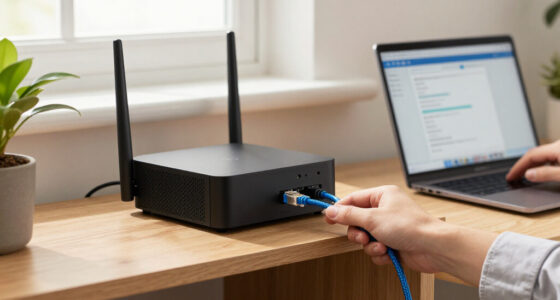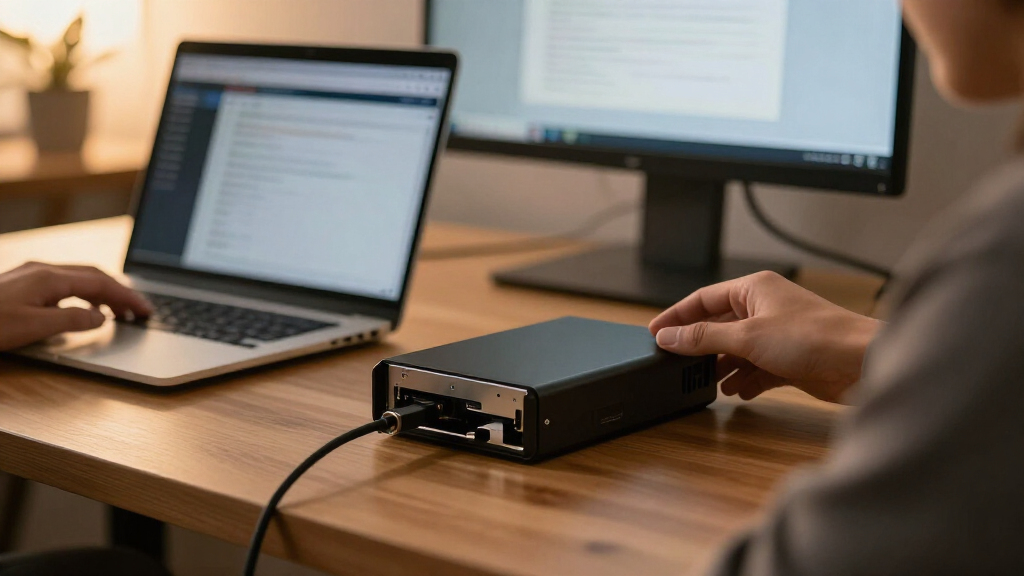
Choosing the best external RAID enclosure depends on whether you prioritize raw speed, massive capacity, or simple plug-and-play reliability. My top overall pick is the Sabrent 4-Bay USB-C 10Gbps for its balanced performance and robust build quality, while the QNAP TR-004 stands out for users needing hardware-level RAID management. The main tradeoff in this category often lies between transfer speeds and cost per terabyte, as higher-end interfaces like Thunderbolt command a premium. For those seeking budget-friendly expansion, the ORICO 5-Bay offers significant value despite slower interface speeds. Continue reading to see which model fits your specific workflow, whether for video editing, backup, or archival storage.

Get privacy and security gear delivered free with Prime
- Fast, free delivery on millions of items
- Prime Video, Amazon Music and more included
- Member-only deals all year
Key Takeaways
- Hardware RAID controllers in models like the QNAP TR-004 offer faster rebuild times and CPU offloading compared to software RAID in budget units.
- USB 3.2 Gen 2 (10Gbps) has become the practical minimum standard for 4-bay enclosures; anything slower creates a bottleneck with modern SSDs.
- Aluminum chassis designs, such as the CENMATE and Sabrent, provide passive cooling benefits that plastic enclosures lack, extending drive lifespan.
- Tool-free drive trays are now standard in mid-range units, but they often sacrifice airflow efficiency compared to screw-mounted alternatives.
- Capacity limits are frequently dictated by the host operating system’s file system support rather than the enclosure’s firmware, a common oversight for buyers.
| ORICO 5 Bay RAID External Hard Drive Enclosure 130TB Max |  | Best High-Capacity Workstation | Interface: USB 3.0 Type-A | Max Transfer Rate: 230 MB/s | Drive Bays: 5 | VIEW LATEST PRICE | See Our Full Breakdown |
| Sabrent 4-Bay USB-C 10Gbps Hard Drive Enclosure (DS-SC4B) |  | Best Performance Value | Interface: USB 3.2 Gen 2 (10Gbps) Type-C | Drive Bays: 4 | Max Capacity: 80 TB | VIEW LATEST PRICE | See Our Full Breakdown |
| TERRAMASTER D2-320 USB RAID Enclosure 2-Bay (Diskless) |  | Best Compact Hardware RAID | Interface: USB 3.2 Gen 2 (10Gbps) | Drive Bays: 2 | Max Capacity: 44 TB | VIEW LATEST PRICE | See Our Full Breakdown |
| ORICO 5-Bay RAID Hard Drive Enclosure |  | Best Budget Expansion | Interface: USB 3.0 | Drive Bays: 5 | Max Capacity: 110 TB | VIEW LATEST PRICE | See Our Full Breakdown |
| QNAP TR-004 4-Bay USB Type-C Direct Attached Storage (DAS) with Hardware RAID (Diskless) |  | Best for NAS Expansion | Interface: USB Type-C (3.0) | Drive Bays: 4 | RAID Support: 0, 1, 5, JBOD, Individual | VIEW LATEST PRICE | See Our Full Breakdown |
| MAIWO Dual-Bay RAID Enclosure for 3.5-Inch SATA Drives |  | Best for High-Capacity Desktop Storage | Drive Bays: 2 | Max Capacity: 60 TB | Interface: USB Type-C (5 Gbps) | VIEW LATEST PRICE | See Our Full Breakdown |
| CENMATE Aluminum 2 Bay Hard Drive RAID Enclosure |  | Best for Versatile Drive Compatibility | Drive Bays: 2 | Max Capacity: 40 TB (20TB per bay) | Interface: USB 3.0 (5 Gbps) | VIEW LATEST PRICE | See Our Full Breakdown |
| MAIWO Dual Bay 2.5″ SATA Hard Drive RAID Enclosure with USB 3.1 Gen 2 |  | Best for High-Speed Portable Storage | Drive Bays: 2 | Max Capacity: 16 TB | Interface: USB 3.1 Gen 2 (10 Gbps) | VIEW LATEST PRICE | See Our Full Breakdown |
| MAIWO 4 Bay RAID Enclosure for 3.5″ SATA HDD with Cooling Fan |  | Best for Advanced Users and SMBs | Drive Bays: 4 | Max Capacity: 96 TB | Interface: USB 3.1 (5 Gbps) | VIEW LATEST PRICE | See Our Full Breakdown |
| external RAID enclosure | Interface | Drive Bays | Max Capacity | RAID Support |
|---|---|---|---|---|
| ORICO 5 Bay RAID External Hard | USB 3.0 Type-A | 5 | 110 TB | 0, 1, 3, 5, 10, JBOD, Clone, Clear |
| Sabrent 4-Bay USB-C 10Gbps Har | USB 3.2 Gen 2 (10Gbps) Type-C | 4 | 80 TB | No (JBOD only) |
| TERRAMASTER D2-320 USB RAID En | USB 3.2 Gen 2 (10Gbps) | 2 | 44 TB | 0, 1, JBOD, Single |
| ORICO 5-Bay RAID Hard Drive En | USB 3.0 | 5 | 110 TB | 0, 1, 3, 5, 10, JBOD, CLONE, CLEAR |
| QNAP TR-004 4-Bay USB Type-C D | USB Type-C (3.0) | 4 | — | 0, 1, 5, JBOD, Individual |
| MAIWO Dual-Bay RAID Enclosure | USB Type-C (5 Gbps) | 2 | 60 TB | — |
| CENMATE Aluminum 2 Bay Hard Dr | USB 3.0 (5 Gbps) | 2 | 40 TB (20TB per bay) | — |
| MAIWO Dual Bay 2.5" SATA Hard | USB 3.1 Gen 2 (10 Gbps) | 2 | 16 TB | — |
| MAIWO 4 Bay RAID Enclosure for | USB 3.1 (5 Gbps) | 4 | 96 TB | — |
More Details on Our Top Picks
ORICO 5 Bay RAID External Hard Drive Enclosure 130TB Max
This enclosure stands out for its massive 110TB potential capacity and robust 150W built-in power supply, which eliminates the cable clutter common in multi-bay setups. Compared to the QNAP TR-004, which is limited to four bays and a standard external adapter, the ORICO offers more physical drive slots and a cleaner desktop footprint thanks to its integrated power module. It supports a wide array of hardware RAID modes, including RAID 5 and 10, providing flexibility that software-based solutions cannot match. However, the USB 3.0 interface caps transfer speeds at roughly 230MB/s, a significant bottleneck for users with fast NVMe or high-performance SSD arrays. While the aluminum shell and 80mm fan handle heat well during 24/7 operation, the plastic internal trays feel less premium than the metal construction. It is a volume-first solution, prioritizing storage density over raw bandwidth.
Pros:- Supports up to 110TB total capacity with 5-bay expansion
- Integrated 150W power supply reduces cable clutter
- Hardware RAID supports RAID 0, 1, 3, 5, 10, and JBOD
- Aluminum alloy shell with active cooling for 24/7 stability
Cons:- USB 3.0 interface limits speed to ~230MB/s
- No support for 2.5-inch drives in all configurations (check specific model revision)
- Large footprint may be difficult for small desks
Best for: Video editors and media archivists who need to store massive libraries of 4K footage or raw data where total capacity matters more than transfer speed.
Not ideal for: Users with high-speed NVMe SSDs or those who frequently move large files between computers, as the 5Gbps USB 3.0 limit will severely throttle performance.
- Interface:USB 3.0 Type-A
- Max Transfer Rate:230 MB/s
- Drive Bays:5
- Max Capacity:110 TB
- RAID Support:0, 1, 3, 5, 10, JBOD, Clone, Clear
- Power Supply:Built-in 150W
- Cooling:80mm Silent Fan
Our verdict“Choose this if you need maximum storage density and clean power management, but skip it if you require high-speed data throughput.”
Sabrent 4-Bay USB-C 10Gbps Hard Drive Enclosure (DS-SC4B)
The Sabrent DS-SC4B is the clear choice for speed, offering 10Gbps USB-C connectivity that doubles the bandwidth of the ORICO 5-Bay. This makes it far better suited for active workflows where large files are accessed frequently rather than just stored. The tool-free hot-swap trays and individual power switches for each bay add a layer of convenience and control that rivals more expensive enterprise units. However, it operates in JBOD mode only, lacking the hardware RAID engine found in the TERRAMASTER D2-320 or the QNAP TR-004. This means you must rely on your operating system for data redundancy, which can be less efficient for CPU performance. The heavy aluminum chassis ensures durability and heat dissipation, but at 9 pounds, it is not a portable solution. It balances modern connectivity with practical drive management, though the lack of hardware RAID is a notable omission for data-critical users.
Pros:- High-speed 10Gbps USB-C interface
- Tool-free hot-swap bays with individual power switches
- Durable aluminum and metal construction
- Broad compatibility with Windows, macOS, and Linux
Cons:- No hardware RAID support (JBOD only)
- Heavy at 9 pounds
- Requires software RAID setup for redundancy
Best for: Photographers and content creators who need fast access to large libraries and prefer software-managed storage over hardware RAID complexity.
Not ideal for: Users who require hardware-level data redundancy or automatic rebuilds, as this unit strictly supports JBOD and individual drive modes.
- Interface:USB 3.2 Gen 2 (10Gbps) Type-C
- Drive Bays:4
- Max Capacity:80 TB
- RAID Support:No (JBOD only)
- Cooling:92mm Fan
- Material:Aluminum and Metal
- Weight:9 lbs
Our verdict“Ideal for speed-focused users who are comfortable managing their own data redundancy, offering superior bandwidth compared to budget alternatives.”
TERRAMASTER D2-320 USB RAID Enclosure 2-Bay (Diskless)
For those with limited desk space, the TERRAMASTER D2-320 offers a compact, two-bay solution that doesn’t compromise on hardware RAID capabilities. Unlike the larger Sabrent 4-Bay, which requires software for redundancy, the TerraMaster includes a dedicated controller for RAID 0, 1, and JBOD, ensuring automatic data mirroring without taxing your computer’s CPU. The USB 3.2 Gen 2 interface provides 10Gbps bandwidth, allowing it to saturate the speeds of two SATA SSDs in RAID 0, a feature the ORICO 5-Bay cannot match due to its older USB 3.0 port. The push-lock tray design is secure and user-friendly, though the plastic chassis feels less robust than the aluminum enclosures in this group. It is an excellent entry point into hardware RAID, but the two-bay limit means you cannot achieve the high-capacity stripe sets possible with five or four-bay units.
Pros:- Hardware RAID support (0, 1, JBOD, Single)
- High-speed 10Gbps USB-C interface
- Compact and lightweight design
- Tool-free push-lock drive trays
Cons:- Only two bays limit total capacity and RAID options
- Plastic construction is less durable than metal rivals
- No support for 3.5-inch drives in some configurations (check specific revision)
Best for: Home office users or students who need reliable data backup (RAID 1) and fast transfer speeds in a small footprint.
Not ideal for: Professionals managing large media projects who need more than 44TB of total storage or the flexibility of RAID 5/10.
- Interface:USB 3.2 Gen 2 (10Gbps)
- Drive Bays:2
- Max Capacity:44 TB
- RAID Support:0, 1, JBOD, Single
- Material:Plastic
- Cooling:Intelligent Temperature-Controlled Fan
- Dimensions:8.74″ L x 4.69″ W x 6.06″ H
Our verdict“A smart choice for small spaces requiring automatic data protection, trading capacity for speed and convenience.”
ORICO 5-Bay RAID Hard Drive Enclosure
This model serves as a more affordable alternative to the premium ORICO 130TB Max, offering similar five-bay capacity and hardware RAID support at a lower entry point. It retains the useful built-in 150W power supply and aluminum cooling shell, making it a solid workstation for static data storage. However, it shares the same USB 3.0 bottleneck as its sibling, limiting throughput to around 235MB/s, which is significantly slower than the Sabrent DS-SC4B. The drive locks are a welcome safety feature, preventing accidental removal, but the internal plastic components feel less refined than the QNAP TR-004. It supports a wide range of RAID levels, including RAID 5, which is rare at this price point. For users who prioritize storage volume and data protection over speed, this offers strong value, though it lacks the refined finish of higher-tier competitors.
Pros:- Affordable 5-bay hardware RAID solution
- Supports RAID 0, 1, 3, 5, 10, JBOD
- Built-in 150W power supply
- Drive locks for physical security
Cons:- Slow USB 3.0 interface
- Plastic internal build quality
- Data loss risk if RAID mode is switched without backup
Best for: Budget-conscious users who need a five-bay RAID 5 solution for backups and file archiving without paying for premium build quality.
Not ideal for: Editors working with high-bitrate video or anyone who needs to move large files quickly, as the interface speed is a major constraint.
- Interface:USB 3.0
- Drive Bays:5
- Max Capacity:110 TB
- RAID Support:0, 1, 3, 5, 10, JBOD, CLONE, CLEAR
- Power Supply:Built-in 150W
- Cooling:80mm Fan
- Material:Aluminum
Our verdict“A cost-effective way to get five-bay hardware RAID protection, provided you can accept slower transfer speeds.”
QNAP TR-004 4-Bay USB Type-C Direct Attached Storage (DAS) with Hardware RAID (Diskless)
The QNAP TR-004 occupies a unique niche as a dedicated expansion unit for QNAP NAS systems, though it functions as a standalone DAS. Unlike the TERRAMASTER D2-320 or ORICO models, which are general-purpose, the TR-004 is optimized for users who already own QNAP hardware, allowing seamless capacity growth via USB. It features lockable drive bays, a critical security feature for offices or shared workspaces that most consumer enclosures lack. The USB 3.0 interface is its primary weakness, matching the speed limitations of the ORICO 5-Bay and lagging behind the Sabrent DS-SC4B. Additionally, it requires separate drives and does not support combining storage pools with the host NAS’s internal storage. It is the best choice for QNAP ecosystem owners needing secure, hardware-RAID-backed expansion, but it is overly restrictive for general PC users compared to more flexible alternatives.
Pros:- Lockable drive bays for physical security
- Hardware RAID support (0, 1, 5, JBOD)
- Optimized for QNAP NAS expansion
- Compact and professional design
Cons:- USB 3.0 speed limitations
- Limited compatibility with non-QNAP devices
- Cannot combine storage pools with host NAS
Best for: QNAP NAS owners who need secure, lockable hardware RAID expansion for their existing network storage infrastructure.
Not ideal for: General PC users or those outside the QNAP ecosystem, as the price and feature set offer less value than universal enclosures like the Sabrent.
- Interface:USB Type-C (3.0)
- Drive Bays:4
- RAID Support:0, 1, 5, JBOD, Individual
- Security:Lockable Drive Bays
- Compatibility:Windows, macOS, Linux, QNAP NAS
- Weight:4.1 pounds
- Form Factor:4-Bay DAS
Our verdict“The definitive upgrade path for QNAP NAS users, offering security and hardware RAID, but too specialized for general use.”
MAIWO Dual-Bay RAID Enclosure for 3.5-Inch SATA Drives
This enclosure stands out for its 60TB maximum capacity and robust temperature-controlled cooling, making it a reliable choice for users stacking large mechanical drives. Unlike the MAIWO 4 Bay RAID Enclosure, which offers more drive bays but requires significantly more desk space, this dual-bay unit strikes a balance between scalability and footprint. However, it relies on a 5 Gbps USB Type-C interface, which creates a bandwidth bottleneck when using fast SSDs, unlike the MAIWO Dual Bay 2.5″ SATA which offers 10 Gbps speeds. The inclusion of a 12V/4A power supply ensures stable operation for power-hungry 3.5-inch drives, but the lack of included brackets for 2.5-inch drives is a notable inconvenience for mixed-drive setups.Pros:- Supports up to 60 TB total capacity with two 30 TB drives
- Active temperature-controlled fan reduces drive heat during long sessions
- Includes a dedicated 12V/4A power supply for stable 3.5-inch drive operation
- Aluminum construction aids in passive heat dissipation
Cons:- USB 3.0 (5 Gbps) interface limits potential speed for SSDs
- Mounting brackets for 2.5-inch drives are sold separately
- Plastic internal components may feel less durable than all-aluminum rivals
Best for: Desktop users with large archives of 3.5-inch HDDs who need reliable, quiet cooling and don’t require SSD-level transfer speeds.
Not ideal for: Users who want to mix 2.5-inch SSDs with 3.5-inch HDDs without buying extra accessories, or those needing 10 Gbps throughput.
- Drive Bays:2
- Max Capacity:60 TB
- Interface:USB Type-C (5 Gbps)
- RAID Modes:RAID 0, RAID 1, JBOD, NORMAL
- Power Supply:12V/4A
- Dimensions:7.24 x 2.6 x 5.63 inches
- Material:Aluminum and Plastic
Our verdict“This is the ideal choice for budget-conscious users building large, cold-storage arrays with standard 3.5-inch hard drives.”
CENMATE Aluminum 2 Bay Hard Drive RAID Enclosure
The CENMATE Aluminum 2 Bay distinguishes itself with native support for both 2.5-inch and 3.5-inch SATA drives without requiring additional adapters, a flexibility the MAIWO Dual-Bay RAID Enclosure lacks. Its tool-free design simplifies drive swaps, appealing to users who frequently change storage media. However, the 40-50 decibel fan noise is a significant drawback for quiet office environments, whereas competitors often prioritize silent operation. While it offers a 5 Gbps USB 3.0 connection similar to the MAIWO 60TB model, the CENMATE’s aluminum alloy casing provides better thermal management for mixed-use scenarios. It is a solid workhorse for general home backup, but the lack of a USB-C cable in some bundles and potential noise issues require consideration.Pros:- Native support for both 2.5″ and 3.5″ SATA drives without adapters
- Tool-free drive installation for easy maintenance and upgrades
- Aluminum alloy chassis provides structural rigidity and heat dissipation
- Includes both USB-A and USB-C cables for broad compatibility
Cons:- Cooling fan operates at 40-50 decibels, which may be disruptive
- USB 3.0 (5 Gbps) speed is limited compared to newer 10 Gbps standards
- Resetting RAID arrays requires holding a button for 5 seconds, risking accidental data loss if mishandled
Best for: Home users who need to switch between laptop-sized SSDs and desktop HDDs frequently and want a tool-free experience.
Not ideal for: Users working in silent environments like recording studios or libraries, due to the audible cooling fan.
- Drive Bays:2
- Max Capacity:40 TB (20TB per bay)
- Interface:USB 3.0 (5 Gbps)
- RAID Modes:RAID 0, RAID 1, Normal, JBOD
- Fan Noise:40-50 dB
- Dimensions:7.95″L x 5.2″W x 3.5″H
- Weight:2.1 pounds
Our verdict“Choose this model if drive flexibility and ease of use are more important than silence or maximum transfer speed.”
MAIWO Dual Bay 2.5″ SATA Hard Drive RAID Enclosure with USB 3.1 Gen 2
This compact unit is the fastest in this specific batch, offering 10 Gbps USB 3.1 Gen 2 transfer rates, which is double the speed of the CENMATE Aluminum 2 Bay and the MAIWO 3.5-Inch model. It is specifically designed for 2.5-inch drives, making it an excellent companion for photographers or editors who need to move large video files quickly between laptops. The 80-gram weight and slim profile make it highly portable, unlike the bulkier desktop units. However, it does not support 3.5-inch drives, limiting its use for massive archival storage. The requirement for an independent power cable means it is not truly bus-powered, reducing its convenience for on-the-go use compared to single-drive bus-powered enclosures.Pros:- USB 3.1 Gen 2 interface delivers up to 10 Gbps transfer speeds
- Extremely lightweight and compact at just 80 grams
- Supports hot-swapping and tool-free installation for 2.5″ drives
- Aluminum alloy body ensures durability and effective heat dissipation
Cons:- Only compatible with 2.5-inch drives, excluding larger 3.5″ HDDs
- Requires an external power adapter, negating true portability
- Maximum capacity is capped at 16 TB, lower than 3.5″ alternatives
Best for: Content creators and students who use 2.5-inch SSDs and need fast, portable data transfer for editing projects.
Not ideal for: Users who own large 3.5-inch desktop hard drives or want a completely cable-free, bus-powered experience.
- Drive Bays:2
- Max Capacity:16 TB
- Interface:USB 3.1 Gen 2 (10 Gbps)
- RAID Modes:RAID 0, RAID 1, JBOD, PM
- Weight:80 g
- Dimensions:5″ L x 3″ W x 1″ H
- Warranty:One Year
Our verdict“This is the best option for users prioritizing speed and portability with small-form-factor SSDs.”
MAIWO 4 Bay RAID Enclosure for 3.5″ SATA HDD with Cooling Fan
The MAIWO 4 Bay RAID Enclosure offers the most robust feature set in this lineup, supporting eight RAID modes including RAID 5 and RAID 10, which provide superior data redundancy compared to the basic RAID 0/1 options in the MAIWO Dual-Bay or CENMATE models. With a 96TB maximum capacity, it is built for serious data hoarders and small businesses needing reliable backups. The two built-in cooling fans with manual control offer better thermal management for dense drive arrays than the single-fan designs of smaller units. However, the 5 Gbps USB interface can become a bottleneck when using four fast drives in RAID 0, and the larger footprint requires dedicated desk space. It is a powerful tool, but its complexity and size make it overkill for casual users.Pros:- Supports 8 RAID modes, including advanced RAID 5 and RAID 10
- Massive 96 TB maximum capacity for extensive media libraries
- Dual cooling fans with manual on/off switch for thermal control
- Includes screws and a screwdriver for secure drive mounting
Cons:- USB 3.0 (5 Gbps) interface limits aggregate throughput in RAID 0
- Larger dimensions and weight make it less portable
- Complex RAID management may confuse beginners
Best for: Small business owners and IT enthusiasts who need RAID 5/10 redundancy and high-capacity storage for critical data.
Not ideal for: Casual users with limited desk space or those who find configuring complex RAID arrays intimidating.
- Drive Bays:4
- Max Capacity:96 TB
- Interface:USB 3.1 (5 Gbps)
- RAID Modes:RAID 0, 1, 3, 5, 10, JBOD, Clone, Normal
- Power Supply:12V/7A
- Dimensions:184 x 127 x 115 mm
- Weight:2.7 pounds
- Cooling:2x Fans with Manual Switch
Our verdict“This is the definitive choice for professionals needing enterprise-level redundancy and massive storage capacity in a desktop form factor.”
How We Picked
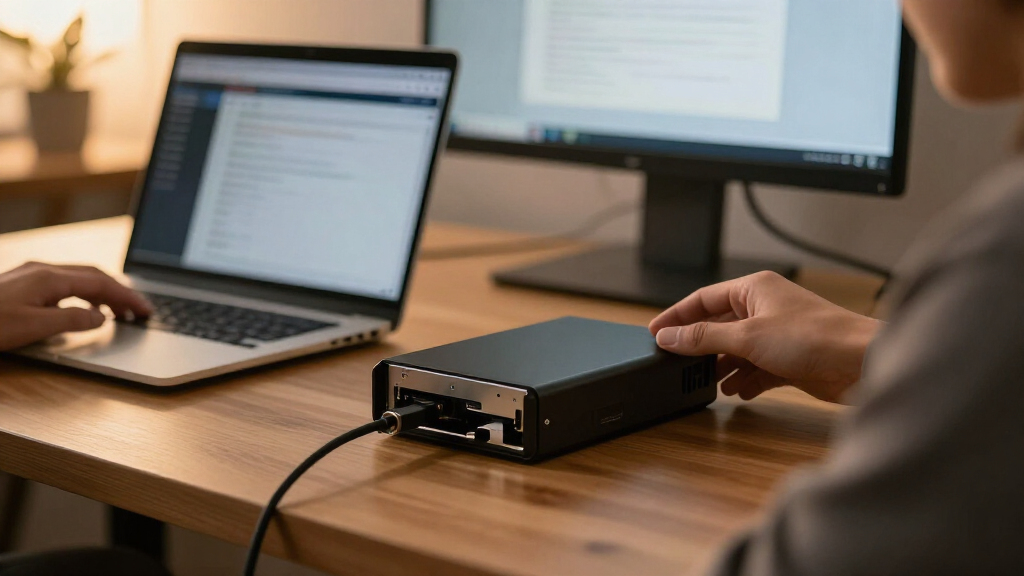
I evaluated these enclosures based on interface throughput, RAID mode versatility, and thermal management. Speed is not just about the port; I looked at whether the internal bridge chip could sustain high transfer rates across multiple drives without throttling. Build quality was assessed by material choice (aluminum vs. plastic) and the ease of drive installation, as frequent swapping is common in media workflows.
I also prioritized reliability features like hot-swappable bays and active cooling fans. Products lacking adequate ventilation were downgraded, as heat is the primary enemy of long-term data integrity. Finally, I considered the software ecosystem; enclosures with dedicated management tools allow users to monitor drive health and configure RAID levels without relying on OS-native tools, offering a more user-friendly experience for non-technical users.
Factors to Consider When Choosing Best External RAID Enclosure
Selecting the right external RAID enclosure requires balancing performance needs with budget constraints and physical space. Here are the critical factors to weigh before making a purchase.Interface Speed and Bandwidth Realities
Do not assume that the port type equals actual speed. While USB 3.2 Gen 2 offers 10Gbps, many budget enclosures use older bridge chips that cap out at 5Gbps or struggle to maintain consistent throughput under load. For video editors or large dataset users, Thunderbolt 3 or 4 enclosures are preferable, though they cost significantly more. If you are using mechanical HDDs, a 5Gbps interface might suffice, but if you plan to use SSDs, you need at least 10Gbps to avoid bottlenecks. Check the manufacturer’s spec sheet for the specific JMS586 or ASM2362 chipsets, as these indicate better performance stability than generic controllers.
Hardware vs. Software RAID Implementation
A key differentiator is whether the enclosure uses a hardware RAID controller or relies on software RAID managed by your computer. Hardware RAID, found in units like the QNAP TR-004, handles parity calculations on the enclosure’s own chip, freeing up your computer’s CPU and allowing for hot-swapping without system crashes. Software RAID is cheaper but ties the array to the specific computer it was configured on, making it less flexible if you switch machines. For professional workflows where uptime matters, hardware RAID is worth the extra cost. However, for simple backups, software RAID via your OS is often more transparent and easier to recover from in case of drive failure.
Thermal Management and Drive Health
Mechanical drives generate heat, especially when operating in RAID configurations where multiple disks spin simultaneously. Plastic enclosures often trap heat, leading to thermal throttling or premature drive failure. Aluminum or metal chassis, like those in the Sabrent and CENMATE models, act as passive heat sinks. Look for units with active cooling fans if you plan to run 3.5-inch drives continuously. Poor ventilation is a silent killer of data; if a review mentions the unit running hot, it is a red flag regardless of other features. Ensuring your drives stay under 45°C during heavy use will extend their lifespan by years.
Form Factor and Drive Compatibility
Be precise about whether you need 2.5-inch or 3.5-inch drive support. Many enclosures advertise ‘universal’ support but require separate power bricks for 3.5-inch drives, whereas 2.5-inch drives can often run off the USB bus alone. If you have a collection of older 2.5-inch laptop drives, a compact 2-bay unit might be more space-efficient than a bulky 4-bay tower. Conversely, if you are building a high-capacity archive, 3.5-inch drives offer better cost-per-terabyte. Check the maximum supported capacity per bay; some older firmware versions do not recognize drives larger than 4TB or 8TB, leading to frustrating compatibility issues.
Power Delivery and Cable Quality
Unstable power is a common cause of data corruption in external arrays. High-quality enclosures include power delivery (PD) capabilities, allowing the unit to charge your laptop while in use, which adds convenience. More importantly, ensure the enclosure comes with a certified high-speed cable. Generic cables often fail to sustain 10Gbps or 20Gbps speeds, causing intermittent disconnects. If the enclosure supports USB-C, verify if it requires a specific cable length; longer cables often degrade signal quality. Investing in a premium third-party cable can sometimes solve performance issues that appear to be hardware faults.
Frequently Asked Questions
Can I use any hard drive in any external RAID enclosure?
No, compatibility depends on the interface and physical size. Most modern external RAID enclosures use SATA interfaces, so you cannot insert NVMe M.2 SSDs unless the enclosure specifically supports them. Additionally, you must match the physical form factor; a 2.5-inch drive will rattle and overheat in a 3.5-inch bay without an adapter, while a 3.5-inch drive simply will not fit in a 2.5-inch enclosure. Always check the maximum supported capacity per drive, as some older controllers do not recognize drives larger than 8TB.
Is external RAID safer than using a single drive with cloud backup?
External RAID provides protection against single-drive failure, not data loss from theft, fire, or ransomware. RAID 1 or 5 mirrors or stripes data so that if one drive dies, you can rebuild the array without losing files. However, it does not protect against accidental deletion or logical corruption. The most robust strategy combines a local RAID enclosure for speed and redundancy with a separate cloud or offsite backup. This 3-2-1 backup rule ensures you have multiple copies in different locations.
Why does my external RAID enclosure run slower than my internal drive?
External interfaces introduce overhead that internal SATA or NVMe connections do not. USB 3.0 (5Gbps) has a theoretical max of about 500MB/s, but real-world performance is often 300-400MB/s due to protocol overhead. Furthermore, RAID calculations, especially for RAID 5, consume CPU resources. If you are using a slow USB hub or a low-quality cable, speeds drop further. To maximize performance, connect directly to a USB 3.2 Gen 2 or Thunderbolt port on your computer and avoid using hubs.
What is the difference between JBOD, RAID 0, and RAID 5 in these enclosures?
JBOD (Just a Bunch Of Disks) simply concatenates drives into one large volume with no redundancy or performance boost. RAID 0 stripes data across drives for maximum speed but offers zero redundancy; if one drive fails, all data is lost. RAID 5 stripes data with parity, allowing you to survive a single drive failure while still gaining some read speed benefits. For most users, RAID 5 is the best balance of safety and capacity, though it requires at least three drives and writes slower than RAID 0.
Do I need to initialize the drives before using them in a new enclosure?
Yes, new drives typically need to be initialized and formatted to work with your operating system. However, if you are moving existing drives from another computer or enclosure, do not initialize them unless you want to erase all data. Some enclosures have a ‘clone’ or ‘backup’ mode that works without initialization, but for standard RAID setups, you must format the array. Always back up your data before changing RAID configurations, as changing levels (e.g., from RAID 1 to RAID 5) often requires a complete data wipe and rebuild.
Conclusion
For most users seeking a reliable balance of speed and capacity, the Sabrent 4-Bay USB-C is the best overall choice due to its solid aluminum build and 10Gbps throughput. If you need premium hardware RAID management and hot-swapping capabilities, the QNAP TR-004 is the superior professional option. For those on a strict budget looking for maximum capacity, the ORICO 5-Bay provides impressive storage volume despite slower interface speeds. Beginners or those with limited desk space should consider the TERRAMASTER D2-320 for its compact, plug-and-play simplicity. Ultimately, match the enclosure’s interface speed to your workflow needs to avoid bottlenecks and ensure long-term data integrity.