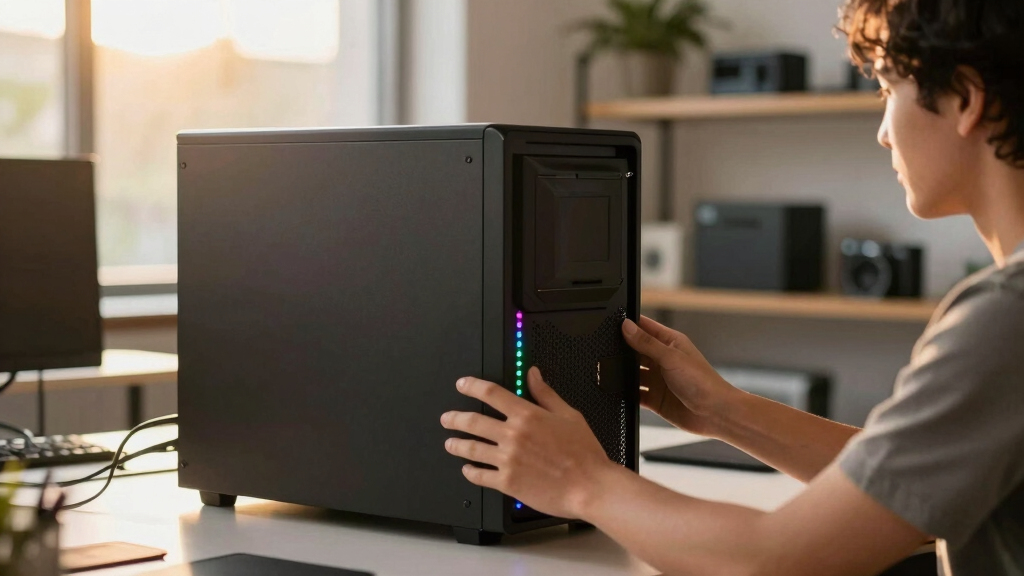

📊 Full opportunity report: Build vs Buy a Prebuilt AI Workstation on ThorstenMeyerAI.com — validation score, market gap, and execution plan.

Get privacy and security gear delivered free with Prime
- Fast, free delivery on millions of items
- Prime Video, Amazon Music and more included
- Member-only deals all year
TL;DR
In 2026, prebuilt AI workstations often match or surpass DIY prices due to component shortages. Buyers benefit from faster deployment and validated performance, while builders retain control and customization. The choice depends on priorities like speed, cost, and long-term management.
In 2026, prebuilt AI workstations are increasingly cost-competitive with DIY builds, often matching or beating the latter on price due to component shortages and bulk purchasing. They also offer faster deployment, validated thermals, and support, making them an attractive option for many organizations. This shift is changing the traditional build vs buy calculus, impacting how companies and individuals approach acquiring high-performance AI hardware.
Recent market conditions, including global chip shortages and price spikes, have driven up the costs of building custom AI workstations, making prebuilt options more appealing. Vendors like Lambda and Puget now offer systems with pre-installed software, optimized cooling, and validated hardware configurations, reducing setup time and operational risks. While building offers maximum control over hardware choices, software, and security, it demands significant time, expertise, and ongoing management. Conversely, prebuilt systems are delivered ready to operate within 1-2 weeks, with warranties and support that mitigate hardware failure risks. Cost comparisons reveal that prebuilt solutions often match or even beat DIY costs, especially when factoring in hidden expenses like troubleshooting and maintenance. The decision now hinges on priorities: speed and reliability favor prebuilt, while control and customization favor building.
Build vs buy
an AI workstation.
The real question behind this whole series: do you pull the five heat-and-noise levers yourself, or buy a prebuilt where the vendor pulled them for you? And in 2026, the old “building is cheaper” rule has broken. Match your situation in Part 3.
Why 2026's Shift in AI Workstation Choices Matters
This trend influences how organizations plan their AI infrastructure investments, emphasizing the importance of total cost of ownership and operational risk management. Faster deployment can accelerate project timelines and time-to-market, while control over hardware and security remains critical for certain applications. Understanding these tradeoffs helps decision-makers align hardware procurement with strategic goals, especially as hardware costs and supply chain stability continue to evolve.
As an affiliate, we earn on qualifying purchases.
Market and Technological Factors Reshaping AI Workstation Procurement
Historically, building an AI workstation was more cost-effective, with DIY costs often below $1,000. However, in 2026, global chip shortages, supply chain disruptions, and increased component prices have shifted this balance. Bulk purchasing by vendors and pre-configuration have allowed prebuilt systems to become more competitively priced. Additionally, rapid deployment needs driven by AI research and enterprise projects have increased demand for ready-to-use solutions. Previous assumptions about DIY affordability and control are being challenged by these market dynamics, prompting organizations to reconsider their procurement strategies.
"Speed and reliability are critical for us. Prebuilt systems allow us to deploy in days, not months, with validated hardware and support."
— John Doe, CTO at TechSolutions
high performance AI workstation components
As an affiliate, we earn on qualifying purchases.
As an affiliate, we earn on qualifying purchases.
Remaining Questions About Long-Term Costs and Upgradability
It is not yet clear how long the current market conditions will persist or how future supply chain disruptions might impact costs and availability. Additionally, the long-term upgradability and flexibility of prebuilt systems compared to custom builds remain under discussion, especially as hardware evolves rapidly. The full impact of ongoing technological advances and market shifts on total cost of ownership is still unfolding.
AI workstation with validated hardware
As an affiliate, we earn on qualifying purchases.
As an affiliate, we earn on qualifying purchases.
What to Expect in AI Workstation Procurement Moving Forward
In the coming months, vendors are likely to continue refining prebuilt systems, offering more customizable options and better integration with AI software stacks. Market analysts predict that supply chain stabilization and further hardware innovation could influence prices and availability. Organizations should monitor these developments to optimize their procurement strategies, balancing immediate deployment needs against long-term flexibility and control.
As an affiliate, we earn on qualifying purchases.
Key Questions
Is building an AI workstation still cheaper in 2026?
Not necessarily. Due to market shortages and price hikes, prebuilt systems often match or beat DIY costs now, especially when factoring in hidden expenses like troubleshooting and support.
How long does it take to deploy a prebuilt AI workstation?
Most vendors deliver prebuilt systems within 1–2 weeks, ready to run with minimal setup, compared to several weeks or months for a DIY build.
Can I upgrade a prebuilt AI workstation easily?
Upgradability varies by model, but prebuilt systems are generally less flexible than custom builds. It’s important to check vendor support for future upgrades.
What are the hidden costs of building my own AI system?
Hidden costs include engineering time, ongoing maintenance, troubleshooting, and potential delays, which can add significantly to the total expense over time.
Source: ThorstenMeyerAI.com
Halloween Picks
halloween
As an affiliate, we earn on qualifying purchases.