
📊 Full opportunity report: Build vs Buy a Prebuilt AI Workstation on ThorstenMeyerAI.com — validation score, market gap, and execution plan.

Get privacy and security gear delivered free with Prime
- Fast, free delivery on millions of items
- Prime Video, Amazon Music and more included
- Member-only deals all year
TL;DR
In 2026, the traditional cost advantage of building your own AI workstation has diminished due to component shortages and price spikes. Buyers must now compare actual prices for their specific needs, considering time, thermal management, and warranty factors.
In 2026, the long-standing rule that building a custom AI workstation is cheaper than buying prebuilt no longer holds true, due to recent component shortages and price increases. Buyers now need to compare actual costs for their specific configurations, as prebuilt systems from vendors like BIZON, Puget, and Lambda can often match or beat DIY prices.
For years, building an AI workstation was the default choice for cost-conscious users, offering control and customization. However, the surge in demand for AI hardware has caused shortages and price hikes in critical components such as GPUs, DDR5 RAM, and SSDs. As a result, prebuilt vendors, who purchase components in bulk before prices spiked, are now offering systems at prices that are difficult to replicate through DIY sourcing. For example, a typical DIY build that once cost under $1,000 now exceeds $1,250 before adding an OS license, whereas prebuilt systems are available at comparable or lower prices.
This shift means that the decision to build or buy now depends less on cost and more on factors like thermal management, warranty, and time investment. Prebuilt systems are validated for thermals, tested under sustained loads, and come with warranties, reducing the risk of thermal throttling or hardware failure during intensive AI workloads. Conversely, DIY builders can still optimize for noise and heat by pulling the five levers—undervolt GPUs, match cooling solutions, and fine-tune airflow—but they assume more responsibility for validation and troubleshooting.
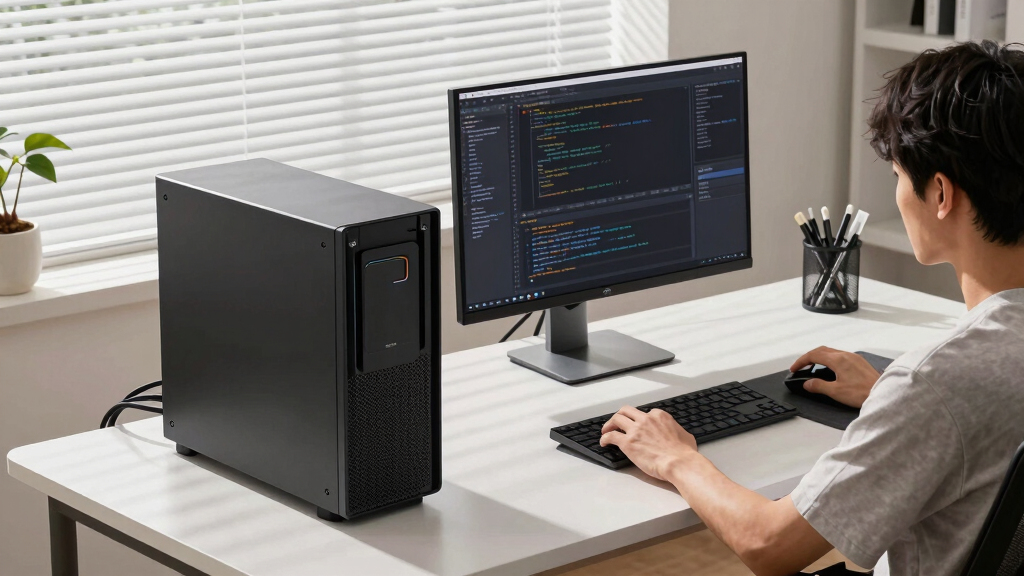
Build vs buy
an AI workstation.
The real question behind this whole series: do you pull the five heat-and-noise levers yourself, or buy a prebuilt where the vendor pulled them for you? And in 2026, the old “building is cheaper” rule has broken. Match your situation in Part 3.
Implications for AI Hardware Purchasing Strategies
This development fundamentally alters the traditional cost calculus of AI workstation procurement. Professionals and hobbyists alike must now evaluate whether the time and effort saved by buying prebuilt systems outweigh the potential cost savings of building their own. The availability of high-quality, validated prebuilt options with warranties means that many users can now focus on their AI projects without the added complexity of thermal tuning and component compatibility. This shift also signals a broader market change, where economies of scale and early bulk purchasing by vendors have leveled the playing field, making prebuilt systems more attractive financially and operationally.
As an affiliate, we earn on qualifying purchases.
2026 Market Dynamics and Component Shortages
Over the past year, the AI hardware market has experienced unprecedented demand, leading to shortages and sharp price increases in core components like GPUs, DDR5 RAM, and SSDs. This has disrupted the longstanding cost advantage of DIY builds, which previously benefited from lower component prices. Major vendors such as Lambda, Puget, and BIZON have capitalized on bulk purchasing and rigorous validation processes to offer systems that are thermally optimized and backed by warranties. Meanwhile, enthusiasts and small-scale builders face higher costs and longer lead times when sourcing parts individually, making prebuilt options more competitive than in previous years.
"The traditional rule that building is always cheaper has broken down in 2026 due to component shortages and price spikes. Buyers now need to compare actual prices for their configurations."
— Thorsten Meyer, AI hardware expert
As an affiliate, we earn on qualifying purchases.
Remaining Uncertainties in Market Pricing and Supply
It is not yet clear how long the component shortages and price spikes will persist, or whether new supply chains will stabilize costs. Additionally, the exact price comparison varies by configuration and region, making it essential for buyers to conduct their own current market assessments. The impact of future AI hardware innovations on both DIY and prebuilt options also remains uncertain.
As an affiliate, we earn on qualifying purchases.
Next Steps for Buyers Considering AI Workstations in 2026
Buyers should now carefully compare the total cost of ownership for both options, including hardware prices, time investment, thermal management, and warranty coverage. As supply chains stabilize, prices may fluctuate, so ongoing market monitoring is recommended. Vendors are likely to continue refining prebuilt systems for better thermal performance and cost competitiveness, which could further tilt the balance toward prebuilt options. For DIY enthusiasts, investing in thermal validation tools and learning resources remains valuable, but the market landscape is shifting toward convenience and reliability.
As an affiliate, we earn on qualifying purchases.
Key Questions
Is building my own AI workstation still cheaper in 2026?
Not necessarily. Due to component shortages and price increases, prebuilt systems often match or surpass the cost-effectiveness of DIY builds for many configurations. It's essential to compare current prices for your specific setup.
What are the main advantages of buying a prebuilt AI workstation?
Prebuilts offer validated thermals, tested performance under sustained loads, warranties, and immediate plug-and-play setup, saving time and reducing technical risk.
Can I still customize a prebuilt system?
Many vendors offer configurable options, but the level of customization varies. For deep upgrades or future expansion, building your own may still provide more control.
How do component shortages affect DIY builds?
Shortages have increased prices and led to longer lead times for key parts like GPUs and RAM, making DIY builds more expensive and less predictable than before.
What should I consider when choosing between build and buy?
Evaluate your budget, time availability, thermal management skills, need for warranty, and whether you prefer a ready-to-use system or customization flexibility.
Source: ThorstenMeyerAI.com
Fall Picks
fall essentials
As an affiliate, we earn on qualifying purchases.