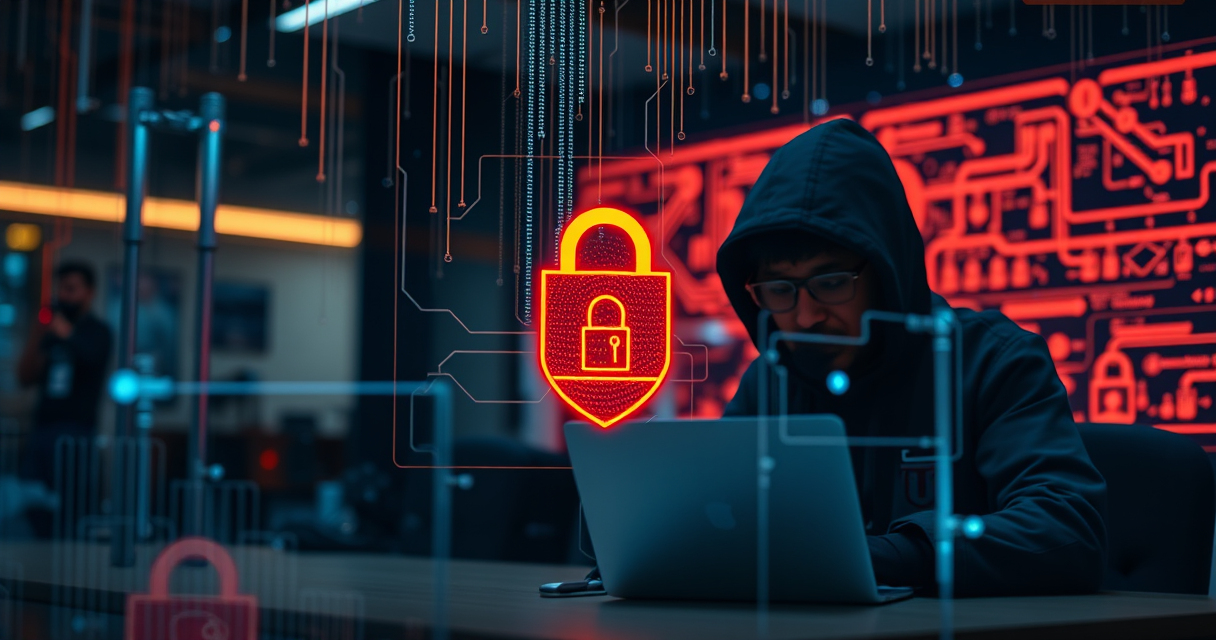

Cybersecurity and privacy are no longer concerns reserved for security professionals, large companies, or people with something unusual to hide. Everyday activities—opening an email, charging a phone, joining public Wi-Fi, storing files, answering a call, or working in a shared room—can expose information or create an opportunity for misuse. The goal of personal security is not to eliminate every possible threat. It is to understand what matters, identify realistic risks, and build layers of protection that remain practical enough to use consistently.

Get privacy and security gear delivered free with Prime
- Fast, free delivery on millions of items
- Prime Video, Amazon Music and more included
- Member-only deals all year
This hub explains the major parts of cybersecurity, surveillance awareness, and personal privacy. It also points to focused guides for readers choosing security hardware, private storage, network equipment, call-filtering tools, laptop accessories, and detection systems. Whether you are securing a household, studying cybersecurity, protecting confidential work, or simply reducing unwanted tracking, the same principle applies: start with your actual threat model rather than buying tools at random.
Start With a Personal Threat Model
A threat model is a structured answer to three questions: what are you protecting, who or what might threaten it, and what would happen if protection failed? Your assets might include passwords, financial accounts, private conversations, client records, photographs, location history, intellectual property, or physical safety. Threats may come from opportunistic criminals, data brokers, abusive acquaintances, dishonest insiders, intrusive advertisers, or automated malware.
Risk depends on both likelihood and impact. A reused password is a common and immediate problem for most people. Advanced electronic surveillance is much less likely for the average household, but it may deserve attention at sensitive facilities or during high-profile events. Matching controls to credible risks prevents two common mistakes: overlooking basic weaknesses while focusing on exotic attacks, and spending heavily on equipment that does not address the real exposure.
Begin by listing your important accounts, devices, networks, storage media, and physical locations. Note who can access them and how recovery would work after loss or compromise. This inventory becomes the foundation for every other security decision.
Products Worth Considering

Bose QuietComfort Wireless Noise Cancelling Headphones, Sandstone

Apple MacBook Air 15-inch (2026) with M5 chip, 16GB memory, 512GB SSD, Silver

Samsung 27-Inch Odyssey QD-OLED G8 4K 240Hz Gaming Monitor
As an affiliate, we earn on qualifying purchases.
Build a Strong Digital Security Baseline
Secure Accounts Before Adding Specialized Tools
Many compromises begin with stolen, weak, or reused credentials. Give every important account a unique password generated and stored by a reputable password manager. Enable multifactor authentication wherever possible, preferably with an authenticator app, passkey, or hardware security key rather than relying exclusively on text messages. Store recovery codes somewhere protected and separate from the device used for authentication.
Email deserves special attention because it often controls password resets for other services. Protect primary email accounts with the strongest available authentication, review recovery addresses and phone numbers, and remove old app permissions. Financial, cloud-storage, social, domain-registration, and mobile-carrier accounts should receive similar treatment.
Keep Devices Maintainable
Install operating-system, browser, firmware, and application updates promptly. Remove software and browser extensions you no longer use, because every additional component expands the attack surface. Use full-disk encryption, automatic screen locking, and a strong device passcode. Maintain backups that can survive theft, hardware failure, ransomware, or accidental deletion.
Security also depends on knowing what “normal” looks like. Periodically review installed applications, startup items, account sessions, forwarding rules, device-management profiles, and permission settings. Unexpected changes do not always indicate spying, but they deserve investigation.
Protect Your Home and Small-Office Network
Your router connects trusted devices to the wider internet, making it one of the most important security boundaries in a home or small office. Change default administrator credentials, install firmware updates, disable unnecessary remote administration, and use modern Wi-Fi encryption. Create a separate guest or Internet of Things network for devices that do not need access to personal computers or storage systems.
A virtual private network can encrypt traffic between a device or router and a VPN provider, which may be useful on untrusted networks or when centralizing protection for multiple devices. It does not make someone anonymous, block every tracker, or replace secure websites and careful account practices. Router-level VPN configurations also introduce tradeoffs involving performance, compatibility, administration, and trust in the provider. Readers comparing hardware for this role can consult the guide to privacy-focused VPN routers.
Wired networking can reduce radio exposure, provide consistent connectivity, and help separate workstations from less-trusted wireless devices. Modern laptops often require an adapter to connect to Ethernet, so port compatibility, supported link speeds, operating-system support, thermals, and cable quality matter. The guide to Thunderbolt Ethernet adapters offers a starting point for suitable configurations.
Use Private, Resilient Data Storage
Portable storage is convenient, but it is easily lost, borrowed, copied, or damaged. Before placing sensitive material on a USB drive, decide whether you need encrypted storage, tamper resistance, controlled sharing, secure deletion, or merely a reliable transfer device. Encryption is valuable only when passwords and recovery procedures are handled properly. An encrypted drive left unlocked in a connected computer may still expose its contents.
Keep sensitive portable media physically controlled and label it without revealing what it contains. Avoid connecting unknown drives to trusted systems, and do not assume that deleting a file reliably removes every recoverable trace. Where retention rules allow, minimize what you carry in the first place.
Vultrade has two relevant comparison resources: 10 privacy-focused USB flash drives and a separate guide covering eight privacy-focused USB flash drives. Use these guides as shortlists, then verify current specifications, encryption methods, platform requirements, warranty terms, and recovery limitations with the manufacturer before choosing a device.
Reduce Visual and Physical Information Exposure
Privacy failures do not always involve malware. Someone nearby can read a screen, photograph a document, observe an unlock code, or overhear a confidential conversation. These low-tech exposures are especially relevant in classrooms, coworking spaces, airports, trains, libraries, conferences, and cafés.
Position screens away from foot traffic, lock devices whenever you step away, and avoid discussing sensitive matters in public. A privacy filter can narrow a display’s useful viewing angle, although it may also affect brightness, color, and viewing comfort. Students and mobile workers can explore the guide to laptop privacy screens for students while checking the exact display size, aspect ratio, attachment method, and touchscreen compatibility.
Physical security should support digital security. Protect backup drives, recovery codes, identity documents, spare keys, and networking equipment. If other people can freely reach an unlocked computer or reset a router, software controls alone cannot provide dependable protection.
Manage Phone Privacy and Social Engineering
Unwanted calls are more than a nuisance. They can be part of phishing, impersonation, account takeover, financial fraud, or harassment. Caller ID can be spoofed, so a familiar number is not proof of identity. Treat requests for passwords, verification codes, remote access, urgent payment, or secrecy as warning signs.
If a caller claims to represent a bank, government agency, delivery company, or employer, end the call and contact the organization through an independently verified channel. Do not use a callback number supplied by the caller. Mobile operating systems, carriers, and third-party services offer different approaches to screening and blocking. The comparison of spam call blockers can help readers understand available options, but filtering tools should complement—not replace—careful verification.
Review mobile-app permissions as well. A simple application may request access to contacts, location, microphone, camera, photos, or nearby devices. Grant only what is necessary, remove permissions that are no longer required, and delete abandoned apps.
Understand Surveillance and Detection
Surveillance can involve cameras, microphones, location tracking, account monitoring, network logging, or aerial observation. Detection is difficult because different technologies leave different traces. A single consumer gadget cannot reliably discover every camera, transmitter, tracker, or compromised device. Effective assessment combines context, physical inspection, account review, network analysis, and—when stakes are high—qualified professional assistance.
Drones and Airspace Awareness
Drone detection may use visual observation, acoustics, radio-frequency analysis, radar, remote-identification data, or combinations of these methods. Each approach has environmental limitations and may produce false positives or miss certain aircraft. Detection also does not automatically establish the operator’s identity or intent.
Organizations assessing property, event, or infrastructure risks can review drone detection systems to understand the equipment category. Before deployment, investigate local laws governing monitoring, recording, radio equipment, data handling, and responses to detected aircraft. Attempting to interfere with or disable a drone may be dangerous or unlawful; observation and escalation to appropriate authorities are safer starting points.
When to Seek Professional Help
If you suspect targeted surveillance, stalking, intimate-partner abuse, or a sophisticated compromise, avoid confronting a suspected person or repeatedly altering a potentially important device without a plan. Preserve relevant messages and records, document incidents, and seek assistance through a trusted professional, victim-support organization, attorney, employer security team, or law-enforcement channel appropriate to the situation. Use a safe device if you believe your usual one is monitored.
Explore Security Hardware Responsibly
Portable security and radio-testing devices can help authorized professionals learn how systems communicate, identify configuration weaknesses, and perform controlled assessments. The same tools can also be misused. Ownership does not grant permission to probe networks, badges, vehicles, wireless devices, or access-control systems belonging to someone else.
For an overview of this equipment category, see handheld hacking tools. Evaluate any device by its supported protocols, documentation, update practices, platform compatibility, and suitability for your lawful lab environment. Beginners should practice on systems they own or have explicit written authorization to test. A small isolated lab with spare hardware is far safer than experimenting on production systems or public networks.
Create a Layered Privacy Plan
A durable security plan combines several modest controls rather than relying on one supposedly perfect product. Organize your next steps in this order:
- Identify the accounts, devices, information, and locations that matter most.
- Fix high-probability weaknesses such as reused passwords, missing updates, exposed recovery methods, and absent backups.
- Harden the network and separate trusted devices from guests and connected appliances.
- Encrypt sensitive data and control portable storage physically.
- Reduce visual, conversational, and location exposure in public environments.
- Add specialized detection or testing equipment only when it addresses a defined, lawful need.
- Review the plan after travel, a device change, a suspected incident, or a major change in personal circumstances.
Finally, test recovery instead of assuming it will work. Confirm that backups can be restored, recovery codes are readable, emergency contacts are current, and household or team members know how to report suspicious activity. Security is strongest when ordinary people can follow the process under pressure.
Make Security a Routine, Not a Reaction
The most effective privacy program is usually quiet and repetitive: unique credentials, limited permissions, current software, protected backups, cautious communication, and equipment selected for a specific purpose. Specialized tools can strengthen those foundations, but they cannot compensate for weak account security or careless data handling.
Use the linked guides to investigate individual product categories, then compare their features against your threat model and confirm current details at the source. Revisit your setup periodically as devices, relationships, work responsibilities, and threats change. Cybersecurity is not a one-time purchase; it is the ongoing practice of making exposure less likely, limiting the damage when something goes wrong, and recovering with confidence.