
TL;DR

Get privacy and security gear delivered free with Prime
- Fast, free delivery on millions of items
- Prime Video, Amazon Music and more included
- Member-only deals all year
A safe home lab is a controlled place to practice on systems you own or have explicit permission to test. Start with one or two virtual machines on an isolated network, use test accounts and synthetic data, check for paths back to your home network, and know how to shut down and restore the lab.
Your first home security lab can fit inside a laptop, but one wrong network setting can connect it to the same devices that hold your family photos and work files. A good lab gives you a controlled place to learn how systems behave while keeping experiments apart from everyday life.
This guide walks you through the choices that matter most: how to design network boundaries, pick practice systems, protect accounts and data, and recover from mistakes. You will also see why a “guest” or “host-only” label does not prove that a network is isolated. Think of the lab like a workshop with a sturdy door: the tools are useful because you know what they can reach.
Start with one or two virtual machines on a host-only network or a carefully checked separate network segment.
Verify network mode, port forwarding, shared folders, clipboard access, and local-device reachability before running a vulnerable target.
Practice only on systems you own or that have explicit, scoped authorization.
Use fictional accounts and synthetic data; treat disks, snapshots, logs, and packet captures as sensitive.
Keep an inventory and a recovery routine, because snapshots do not isolate traffic or replace backups.
FIELD GUIDE · SECURITY LEARNING
How to Design a Safe Home Lab for Security Learning
Build a controlled workshop for security practice: keep experiments away from everyday devices, use fictional accounts and data, and know how to restore a clean state.
Build the boundary first
01 / NETWORK DESIGNA network label does not guarantee isolation. Review the actual route from every lab machine to your home devices and the public internet before loading a vulnerable target.
Keep management screens and lab services off the public internet. A “guest” network may still allow local-device traffic, so test what it can contact.
Keep the setup small and disposable
02 / PRACTICE SYSTEMSVulnerable system
Use an intentionally vulnerable training application or system, restricted to the lab network and never exposed as a public service.
Tools & observation
Add a second machine for security tools, log review, or defensive configuration. Add router or firewall VMs when an exercise needs them.
Known clean state
Use snapshots or rebuildable images to restore a practice machine. A snapshot resets one VM; it does not contain traffic or protect the host.
Containers are convenient, with a different boundary
Containers share the host operating system kernel. For untrusted code or deliberately vulnerable systems, a properly configured VM with strong network limits is the safer starting point.
Practice within clear permission
03 / SCOPE & AUTHORIZATIONOnly test systems you own or systems whose owners have explicitly authorized the work. Visibility or access does not grant permission to probe.
Purpose-built environments
Choose training applications, capture-the-flag exercises, or cyber ranges. Read the rules and keep activity within the assigned target and stated limits.
Know the scope
Confirm systems in scope, allowed techniques, testing hours, and limits. A key to one room does not open every room in the building.
Keep real data out
04 / ACCOUNTS & DATAInvent the identities
For log-review practice, create fictional users and sample events. Use unique lab passwords; never reuse a personal or work secret.
Disks, logs & captures
Snapshots, virtual disks, screenshots, logs, and packet captures can retain usernames, tokens, addresses, or other identifying details.
- ✓Inspect and remove private details before sharing files for help.
- ✓Keep real credentials, customer records, and work files out of exercises.
- ✓Use made-up examples with AI assistants; keep real secrets out of prompts.
- ✓Delete stored copies carefully when they are no longer needed.
Inventory, maintain, recover
05 / OPERATIONSA short record makes mistakes easier to spot and recovery easier to carry out. Recheck connectivity after changing virtual networking, firewall rules, or router settings.
- 1Record each machine’s role and the network it uses.
- 2Note what it can reach and which services are exposed.
- 3Patch the host, hypervisor, and systems meant to be secure.
- 4Document shutdown steps and how to restore a clean state.
Recovery is a routine
BEFORE YOU EXPERIMENTBe ready to shut down the lab and disconnect its network.
Back up the host and important configuration; a snapshot is not a full backup.
If something acts unexpectedly, disconnect the lab network first.
Return to a clean state, then check network reachability before resuming.
Keep experiments away from your everyday devices
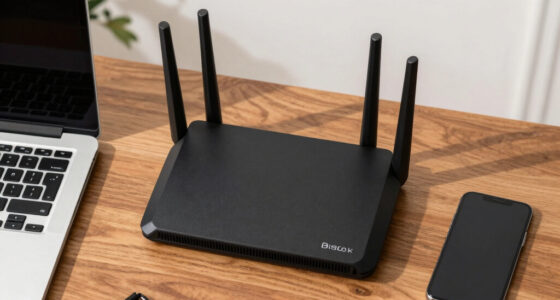
A safe home lab starts with a network boundary that keeps practice machines from reaching your normal devices. Put lab systems on a dedicated VLAN, a carefully configured guest network, or a host-only virtual network, then check what that network can actually contact. The point is to keep a test machine from wandering into the digital equivalent of your kitchen and opening every cupboard.
For example, say you run a deliberately vulnerable web application in a virtual machine. If that machine uses bridged networking, it may appear on the same home network as a printer, a smart television, and your work laptop. A separate network segment lowers that risk, but the word “guest” on a router menu is not proof; some guest networks still allow traffic to local devices.
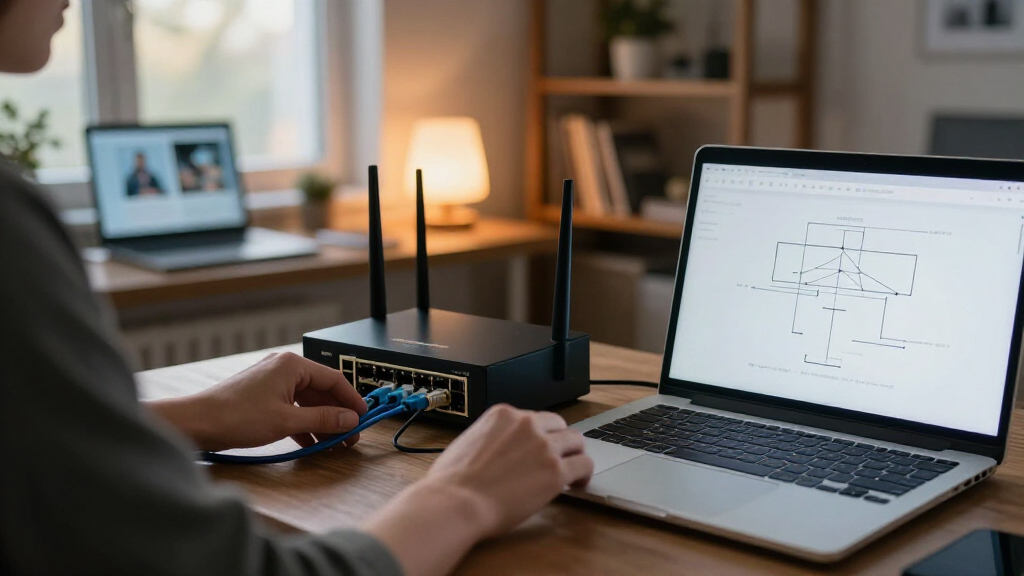
Check the path from each lab machine to your home network before you load vulnerable software. Review virtual machine network mode, firewall rules, port forwarding, and router settings. A host-only network can limit a machine to the host and other lab systems, while a bridged adapter can make it a peer of devices on your home network.
Keep management screens and lab services off the public internet. If an exercise needs internet access for updates, allow only the outbound access it needs where practical. Isolation is a setting you verify, not a feeling you get from a network name.
As an affiliate, we earn on qualifying purchases.
Start small with virtual machines you can rebuild
You can begin a security learning lab with a recent computer and one or two virtual machines; a rack of servers is unnecessary. A virtual machine acts like a separate computer inside your real one, which makes it a practical place to run a training target or a defensive tool. It is a bit like a model train layout: you can test how the pieces connect without sending a real train down the street.
A simple first layout might include one intentionally vulnerable target and a second machine for observing logs or practicing defensive configuration. Add a firewall or router virtual machine only when an exercise calls for it. Keeping the setup small makes it easier to understand what each system does and which network it can reach.
Containers are lighter and handy for application and deployment exercises, but they share the host operating system’s kernel. That makes them a weaker boundary than a properly configured virtual machine for running untrusted or deliberately vulnerable systems. For instance, a beginner following an application tutorial may find a container convenient; someone testing an old, vulnerable operating system should start with a virtual machine and strong network limits.
Use snapshots or rebuildable images to return a practice machine to a known state. Keep vulnerable targets restricted to the lab network and do not publish them as internet-facing services. A snapshot is a reset button for one virtual machine, not a force field for the whole computer.
As an affiliate, we earn on qualifying purchases.
Set permission rules before you run an exercise
Only test systems you own or systems whose owners have explicitly authorized the work. An address you can see on the internet, a school network you can join, or a company website you use every day is not permission to probe it. A lab makes practice safer when its boundary is clear enough that you can tell where an exercise ends.
For home learning, use intentionally vulnerable training applications, capture-the-flag environments, or cyber ranges that are designed for practice. Read the rules before you participate, including any limits on tools, timing, or targets. For example, if a training platform assigns you a specific practice machine, keep your activity within that machine and the platform’s stated scope.
When a real organization authorizes a test, the permission should describe the systems in scope, allowed techniques, testing hours, and limits. This is often called a rules of engagement document. Imagine a building manager giving you a key to inspect one room: the key does not grant access to every other room in the building.
Learning security does not require testing strangers’ systems. You can get valuable practice by checking your own lab’s patch status, reviewing its logs, hardening a test service, or documenting how it would be restored after an incident. Those defensive skills matter on real teams, and they keep curiosity within a clear, respectful boundary.
As an affiliate, we earn on qualifying purchases.
Use test accounts and keep real data out
Build exercises around test accounts and synthetic data, not real credentials or personal records. A lab disk, packet capture, or log can quietly preserve more than you intended, much like a notebook that keeps every rough draft even after you close the cover. Keeping real data out reduces what an accidental copy or exposure could reveal.
Suppose you are practicing log review for a login service. Create a few fictional users and sample events instead of importing your email account or work login. Use passwords that are unique to the lab, and do not reuse a personal password just because the machine feels temporary. A test account can be deleted; a shared secret may remain in a snapshot long after the exercise ends.
Treat virtual disks, exported images, logs, screenshots, and packet captures as sensitive. They may include usernames, tokens, addresses, or other identifying details. Before sharing a file for help, inspect it and remove anything private. When you no longer need stored copies, delete them carefully and follow the secure deletion options available for your storage and backup setup.
AI assistants can help explain unfamiliar logs or suggest practice scenarios, but keep real secrets out of prompts. Use made-up examples and check any suggested commands or conclusions before acting. Data minimization makes cleanup easier: the safest sensitive record in a lab is one you never copied there.
As an affiliate, we earn on qualifying purchases.
Make a short inventory so you can spot mistakes
A basic inventory tells you what each lab machine does, which network it uses, and how you plan to restore it. This small record can catch a surprising amount: if your vulnerable target is listed as “lab-only” but its virtual adapter says “bridged,” you have a mismatch worth fixing before the next exercise.
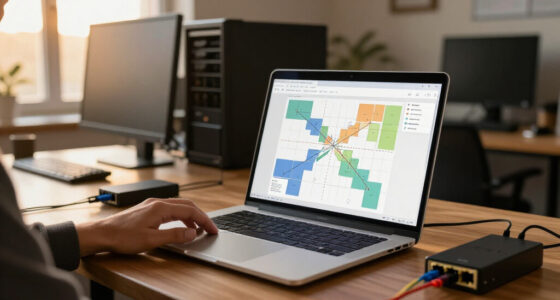
Write down the machine name, its purpose, operating system, network mode, whether it can reach the internet, and where its clean restore point lives. Add the date of its last update if the system is meant to stay secure. A one-page diagram with the host, virtual networks, and machines is enough for many small labs; it should be easy to understand at a glance.
For example, a beginner’s diagram might show a laptop host connected to a host-only network containing a training target and a logging VM. If the target also needs temporary access to download a training file, note how that access works and turn it off when the exercise ends. This is clearer than relying on memory after changing a router setting late at night.
Recheck connectivity after changes to firewall rules, virtual networking, or router settings. Updates matter for the host, hypervisor, and systems meant to be secure. Deliberately vulnerable targets are the exception: keep them isolated and use them only for their intended exercise. A short inventory turns “I think it’s contained” into a boundary you can inspect.
Know how to stop and restore the lab
A safe home lab has a clear shutdown and recovery plan before an experiment begins. Know how to disconnect the lab network, stop the virtual machines, and restore a clean state from a trusted copy. That gives you a calm first move if a machine behaves unexpectedly, instead of a scramble through menus while it keeps running.
Before an exercise, confirm you can reach the virtual machine controls and identify which adapter disconnects the lab. If you see traffic you did not expect or a system starts acting strangely, disconnect the lab network first and investigate from a trusted system. Avoid using the questionable machine to sign in to personal accounts or manage other devices.
Snapshots help you roll a virtual machine back, but they are not a substitute for backups. They may sit on the same physical drive as the original, and they do not necessarily cover configuration files or other important host data. Keep separate backups of important host files and lab configuration, and remember that an exported snapshot or disk can still contain sensitive information.
For a concrete routine, take a clean snapshot before a contained exercise, record what you changed, then restore or rebuild the target when finished. If an exercise needs a service to reach the internet, close that path when it ends. Recovery works best when it is a familiar habit, like knowing where the light switch is before the room goes dark.
Choose a learning route that fits your time and setup
You can learn security safely with a local lab, a browser-based training range, or a mix of both. A local setup gives you control over virtual networks and system configuration, while an online range can reduce the effort of installing and maintaining practice machines. Neither option removes the need to read the rules and understand where your activity is allowed.
Consider a learner with an older laptop and limited free time. A browser-accessible training lab may help them practice a guided logging exercise without asking the laptop to run several virtual machines. Someone studying network segmentation may benefit from a local setup because they can inspect how their own virtual router handles traffic. The right choice depends on the skill being practiced, available hardware, platform rules, data handling, and possible costs.
Modern security work also touches cloud identity, APIs, containers, software supply chains, and defensive monitoring. You can explore these topics with test tenants, mock services, and purpose-built training environments. Cloud access is not automatically safe: review what data the platform stores, what systems the exercise can reach, and whether your account could incur charges.
These are lasting learning options, not a live ranking of current products or releases. Whatever route you choose, practice patching, secure configuration, logging, and incident response alongside vulnerability concepts. Defensive habits are part of security learning, not a separate subject you can postpone until later.
Frequently Asked Questions
Do I need a powerful computer to build a home lab?
No. A recent computer that can run one or two virtual machines is a sensible starting point. Begin with a small exercise, then add memory or other hardware only when your learning goals call for it.
Are virtual machines safer than containers for security practice?
Virtual machines are generally a better starting point for isolating operating systems and deliberately vulnerable targets. Containers are convenient for lightweight application exercises, but they share the host kernel and need careful configuration.
Is a guest Wi-Fi network enough to isolate my lab?
It depends on your router’s settings and behavior. Check whether devices on the guest network can reach local devices, and review port forwarding and firewall rules before treating the network as isolated.
Can I connect a lab machine to the internet?
Sometimes, such as when a secure system needs updates or an exercise requires a specific online resource. Restrict outbound access where practical, keep the lab separate from your everyday network, and never expose a vulnerable target directly to the public internet.
Are snapshots enough to make an experiment safe?
No. A snapshot can help restore a virtual machine, but it does not contain network traffic, protect the host, replace a backup, or automatically remove sensitive data from logs and exported files.
Can I practice on websites I find online?
Only if you own them or have explicit permission to test them. Choose intentionally vulnerable training applications or platforms with clear practice rules when you want a ready-made exercise.
How can I tell whether my lab is isolated?
Inspect the virtual network mode, firewall and router rules, port forwards, shared folders, and host integration features. Check which systems can communicate before adding vulnerable software, and repeat the check after you change network settings.
Conclusion
Build your lab around one rule: every experiment should have a clear boundary and a way back to a clean state. Start small, check the network path, use test data, and keep your practice within systems you are allowed to use. A modest setup you understand is more useful than a complicated one you cannot confidently contain.
Before your next exercise, trace the route from the test machine to your home devices and decide how you would cut it off. Your lab should feel like a well-marked workshop: the tools are ready, the door has a latch, and you know where the exit is.
Halloween Picks
halloween
As an affiliate, we earn on qualifying purchases.