TL;DR

Get privacy and security gear delivered free with Prime
- Fast, free delivery on millions of items
- Prime Video, Amazon Music and more included
- Member-only deals all year
Lab isolation separates a system, sample, or process from outside influences that could change a result or create risk. The right safeguards depend on the hazard and purpose: they might include a separate workspace, dedicated tools, restricted network access, clear procedures, and careful records. Isolation lowers particular risks, but it cannot guarantee perfect safety or prove that results will match conditions outside the test environment.
A test can go wrong before you even start measuring. A shared tool carries residue from yesterday’s sample; a lab computer quietly syncs with a cloud service; a room’s temperature shifts while you compare two materials. Each small influence can change what you observe.
Lab isolation means separating the system, sample, or process under test from outside influences that could alter results or create risk. That can mean a restricted network for a test computer, a controlled workspace for physical materials, or dedicated tools for separate samples. The details change with the work, but the basic question stays the same: what can enter, leave, or affect the test?
This guide explains why isolation matters before testing anything, how to choose controls that fit the situation, and what your results can tell you afterward. You’ll also see why an isolated result is useful without being a guarantee about every real-world condition.
Define what can enter, leave, or influence the test before choosing controls.
Match safeguards to the hazards and purpose; a separate network, workspace, or tool set may each address different risks.
Treat digital isolation as more than unplugging a cable: removable media, shared devices, settings, and reconnection also matter.
Record the setup, relevant conditions, and deviations so you can explain differences between test runs.
Describe results within their tested boundary; an isolated result may not predict behavior in a more complex setting.
Before the first measurement · A practical guide
Why Lab Isolation Matters Before Testing Anything
A test can go wrong before you start measuring. Isolation helps control what enters, leaves, or affects a system, sample, or process—so you can reduce risk and make results easier to interpret.
At a glance / Why isolate?
Isolation makes the test easier to see—and safer to manage.
A separate workspace, restricted network, dedicated tools, or written handling procedure can each address different sources of risk. The right setup depends on the test’s purpose and hazards.
Limit exposure
Containment can reduce contact with hazardous materials, equipment, or unexpected behavior.
Reduce confounders
Temperature changes, background network activity, and unrelated substances can distort observations.
Prevent carryover
Clean handling and separate or properly prepared tools help keep one sample from affecting another.
Limit unintended effects
Restricting access can help keep experiments from reaching production services or shared files.
Make comparisons clearer
Documented conditions help others repeat a test and understand why results may differ.
Keep surprises contained
A planned boundary can make it easier to observe unexpected changes and stop safely.
If an oven’s temperature wanders while you compare two bread recipes, you cannot tell whether flour or timing caused the difference. In a lab, the “oven” may be a sample’s storage temperature, a shared bench, or a computer’s network access. Control the conditions that matter to the question.
Choose controls / Match the situation
There is no single isolation setup for every test.
Start with the purpose, the materials or systems involved, who could be affected, and the outside influences that could change the result. Then choose practical controls that fit.
Limit access and pathways
- Consider: restricted connectivity, separate accounts, and disposable test environments.
- Check: removable media, shared devices, configuration, and later reconnection.
- Aim: avoid exposing personal data or production systems to the test.
Separate materials and conditions
- Consider: a controlled workspace, labeled containers, and dedicated tools.
- Check: temperature, humidity, lighting, airflow, and handling steps.
- Aim: reduce contamination and keep comparisons meaningful.
More isolation is not automatically better. Extra controls take time and can change the conditions you want to study. For hazardous work, use qualified staff, your organization’s procedures, and applicable requirements; do not infer containment needs from a general guide.
Trace the boundary / What can cross?
Think in pathways, not just walls or unplugged cables.
A separate room may still share equipment, airflow, data systems, or workflows. A disconnected computer may still be affected by removable media, mistakes in settings, or how it is reconnected.
What can enter?
People, materials, files, network traffic, temperature changes, or residue from shared tools.
What can change it?
Handling steps, equipment settings, background activity, and uncontrolled environmental conditions.
What can it reach?
Shared storage, other samples, production systems, people, or the surrounding environment.
Before you begin / Five-step check
Set up a test you can explain afterward.
A short pre-test check catches common gaps without turning every small experiment into a paperwork project. Higher-risk work may require formal review and procedures.
State the question
Write what you want to learn and what comparison would answer it.
List influences
Note what could enter, leave, or affect the test: tools, access, temperature, or background activity.
Set boundaries
Choose controls suited to the task, such as separate equipment or restricted connectivity.
Record conditions
Capture relevant settings, materials, environmental conditions, and deviations.
Review the limits
Decide what the result can support—and what it cannot establish.
Interpretation / Keep conclusions in bounds
Isolation improves control; it does not guarantee perfect safety or predict every real-world result.
An isolated result describes the conditions actually tested. A clean comparison can still change when the system meets a busier network, a different workspace, or more complex conditions.
Reduce unrelated activity
To check whether an update affects backup time, limit unrelated downloads or syncing and record the setup.
Repeat comparable runs
Record time, location, devices, and settings; nearby traffic can change coverage readings.
Prevent carryover
Use dedicated or suitably prepared tools so residue from one surface does not affect the next.
Describe the boundary, safeguards, relevant conditions, and deviations. An isolated result is useful evidence about that test environment—not a promise about every condition outside it.
What Lab Isolation Changes Before You Begin
Lab isolation means controlling contact between a test and the outside influences that could affect its safety or results. The boundary may be a room, a sealed container, a separate network, or a written handling process. Its purpose is to make the test’s conditions easier to see and manage.
Think of testing like baking a loaf of bread: if the oven temperature wanders, you cannot tell whether a change in flour or timing caused the dense center. In a lab, the “oven” might be a computer’s network access, a sample’s storage temperature, or the bench where you prepare materials. If you change several conditions at once, the result becomes a blurry picture.
For example, suppose you are checking whether a home server update affects a backup job. If the server also downloads unrelated updates or syncs with a shared service during the test, the backup time may change for reasons unrelated to your update. A more controlled setup gives you a cleaner comparison, though it still represents only the conditions you actually tested.
Isolation does not mean every test needs a locked room or elaborate equipment. A low-risk software check may need a disposable virtual machine and no access to personal files. A test involving hazardous materials needs controls defined by the relevant safety procedures and qualified staff. The test’s purpose and hazards set the boundary.
As an affiliate, we earn on qualifying purchases.
How Isolation Protects People and Keeps Results Useful
Isolation matters before testing because it can limit exposure, reduce contamination, and make observations easier to interpret. A controlled boundary helps you catch an unexpected change while it is still contained. It also gives you a better chance of stopping safely if something behaves differently than planned.
Imagine that you are comparing two cleaning solutions on separate test surfaces. If you use the same cloth for both without following a suitable cleaning procedure, material from the first surface may carry over. The second result then reflects both the solution and the leftover residue. Dedicated or properly prepared tools help keep those influences separate.
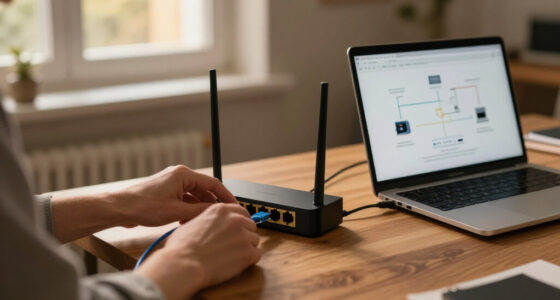
The same logic applies to computers and networks. If a test machine can reach shared storage or production systems, a configuration change may affect files or services beyond the experiment. Restricting access to only what the test needs can reduce that possibility. In a small home lab, even a separate network segment or an offline test environment may help keep experiments apart from household devices, depending on the task.
Isolation reduces specific risks; it does not erase them. A separate room can still share airflow, equipment, or data systems with other spaces. A disconnected computer can still be affected by removable media, misconfiguration, or how it is reconnected later. Treat the boundary as one safety measure among several, alongside training, clear labeling, maintenance, and stop-work procedures.
A useful boundary answers two questions: what can reach the test, and what could the test reach in return?
As an affiliate, we earn on qualifying purchases.
Choose Safeguards That Match the Test and Its Hazards
The right isolation setup depends on what you are testing and what could go wrong. A network experiment, a sample comparison, and a chemical procedure do not share one universal checklist. Start by identifying the test’s purpose, the materials or systems involved, who could be affected, and which outside influences could distort the result.
For a software test, you might need restricted connectivity, separate accounts, and a disposable environment that does not contain personal or production data. For a physical comparison, controls might include a clean workspace, labeled containers, dedicated tools, or stable temperature and lighting. For work with hazards, follow your organization’s procedures and applicable rules; do not guess at containment requirements from a general online guide.
Consider a home lab where you want to check whether a new router setting improves Wi-Fi coverage. If you test during a crowded evening, nearby network traffic may change the readings. You could record the time, location, devices, and settings, then repeat the comparison under similar conditions. That does not eliminate every variable, but it makes your conclusion more honest.
More isolation is not automatically better. Extra controls can cost time and may change the conditions you care about. If your goal is to understand how a system performs in an ordinary home network, a completely disconnected setup cannot answer that whole question. Use isolation to control the risks and variables that matter, then state the limits of the test.
physical sample isolation containers
As an affiliate, we earn on qualifying purchases.
As an affiliate, we earn on qualifying purchases.
Use This Five-Step Check Before You Start
Before you begin, define the boundary, control the main exposure paths, and write down the conditions you will compare. A short pre-test check catches common gaps without turning every small experiment into a paperwork project. For higher-risk work, use the formal review and procedures required by your organization.
- State the question. Write what you want to learn, such as whether a software setting changes backup time or whether two samples differ under the same conditions.
- List possible influences. Note what could enter, leave, or affect the test: shared tools, network access, temperature shifts, unrelated substances, or background activity.
- Set practical boundaries. Choose controls that fit the hazards, such as separate equipment, restricted connectivity, labeled materials, or a controlled workspace.
- Decide what you will record. Capture relevant settings, environmental conditions, sample handling, and any departures from the plan.
- Know when to stop. Identify the person or procedure to consult if an unexpected result, exposure, or system effect appears.
For example, before testing a home server backup, you could record the update version, backup size, network conditions, and start and end times. You might restrict the test to a non-production copy and keep the machine away from shared files. If you see an unexpected write to a shared location, stop and follow your recovery process rather than treating it as a normal result.
This list is a starting point, not a substitute for safety review. A harmless settings check and a hazardous material test demand different controls. When the possible harm rises, involve the responsible safety or technical lead before proceeding.
lab safety and contamination prevention kit
As an affiliate, we earn on qualifying purchases.
As an affiliate, we earn on qualifying purchases.
Keep Digital Tests Separate From Your Everyday Devices
A digital test is isolated only to the extent that its connections, accounts, data, and later handling are controlled. Unplugging a network cable may reduce one route for outside influence, but it does not address every path. Removable storage, shared peripherals, copied files, default settings, and reconnection can still matter.
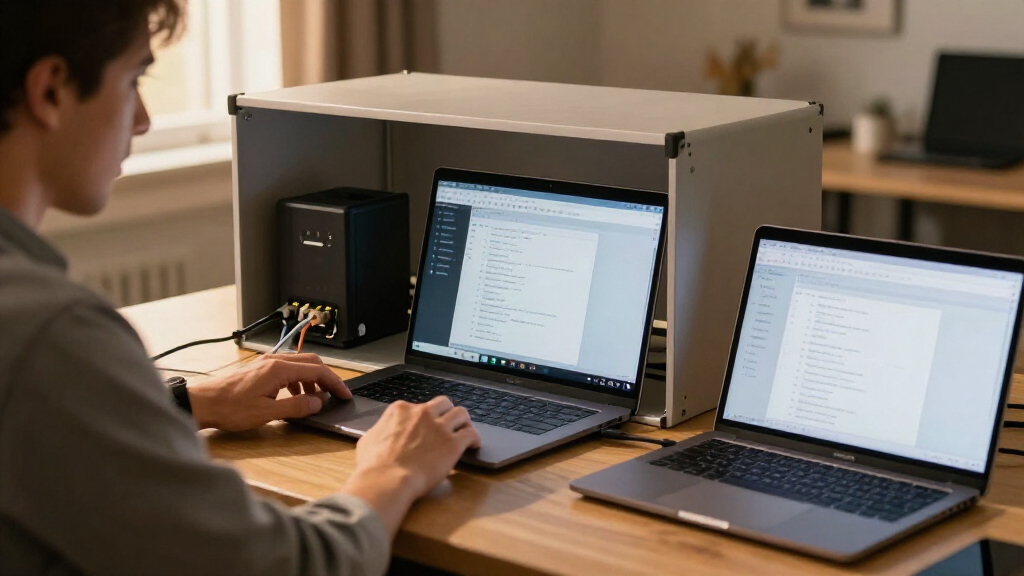
Say you want to try a new operating system on an old computer. Using a separate test device or a disposable virtual machine can help keep your everyday documents and accounts apart from the experiment. You should still understand where the test stores files, what devices it can access, and what happens when you copy data out or reconnect it.
Connected instruments and remote monitoring can also improve consistency, but they create dependencies. A sensor might upload measurements to a shared service; an automated process might continue after a network interruption. Keep access limited to what the test requires, maintain the system, and write down how you will respond if monitoring or automation fails.
Digital isolation has a lifecycle. It starts with setup, continues through the test, and includes cleanup and reconnection. Before moving files or returning a device to ordinary use, follow your organization’s process for reviewing and preparing it. For a home lab, that may mean keeping test accounts separate and checking that you have not left sensitive data or changed shared settings. Your records should make clear which conditions were controlled and which remained open.
Record Conditions So You Can Trust and Repeat the Result
Documentation connects a result to the conditions that produced it. Without a record, a surprising measurement may be impossible to explain later. With one, you can compare runs, spot a change in setup, and help someone else understand what the test does—and does not—show.
Record details that matter to your test: the system or sample configuration, materials, relevant environmental conditions, equipment settings, handling steps, and any deviations or incidents. Keep the notes proportionate. If you compare router performance, the room, device position, time, and network settings may matter more than a long narrative about the day.
Here is a simple example. You run a backup test on Monday and it takes 18 minutes; on Tuesday it takes 27. Your notes show that Tuesday’s backup included twice as much data and ran while another device was syncing large files. The difference now has plausible explanations. Without those details, you might wrongly blame the update.
Reproducibility does not mean every repeat will match perfectly. Instruments, environments, and workflows can vary. Good records help explain those differences rather than hide them. Also note the boundary itself: which connections were restricted, which tools were shared, and what exceptions occurred. A result from an isolated setup applies to the setup you recorded; it may not predict every condition in a busier, less controlled environment.
Know What Isolation Can—and Cannot—Prove
Isolation can make a test safer and easier to interpret, but it cannot guarantee perfect safety, perfect accuracy, or real-world performance. It controls selected influences; it does not make every unknown disappear. That distinction helps you avoid overclaiming from a neat result.
Suppose a device works reliably on a quiet, separate network for a week. That is useful evidence about that configuration. It does not prove the device will behave identically when many household devices are active, a cloud service changes, or a router update arrives. The controlled test is like a clear photograph taken in bright daylight: useful detail, but not the whole landscape.
Isolation can also change the thing being tested. A software tool may behave differently without its usual network service; a material may respond differently in a stable room than in a hot garage. If outside conditions are part of the question, plan a suitable next test with appropriate safeguards rather than stretching the isolated result beyond its reach.
When results surprise you, pause and check the setup, records, and applicable stop-work process. Preserve relevant notes and consult the responsible safety or technical lead if there was an incident or potential exposure. A careful conclusion names both the finding and its boundary: what you observed, under which conditions, and what remains untested.
Frequently Asked Questions
What does lab isolation mean?
Lab isolation means controlling contact between a test and outside influences that could alter results or create risk. Depending on the work, it may involve a separate workspace, dedicated tools, restricted network access, or documented handling procedures. The appropriate boundary depends on the test and its hazards.
Why isolate something before testing it?
Isolation can help protect people and surroundings, reduce contamination or interference, and make results easier to interpret. For instance, separate tools can prevent residue from one sample affecting another. It also helps limit unintended effects on shared computers, networks, or equipment.
Does isolation make a test completely safe or accurate?
No. Isolation reduces particular risks and sources of error, but it cannot remove every hazard or guarantee a correct result. A test still needs suitable procedures, training, maintenance, and a plan for unexpected events.
Is a disconnected test computer isolated?
It may be partly isolated, but a disconnected cable does not address every route. Removable media, shared devices, configuration mistakes, and later reconnection can all matter. Decide what data and equipment the test can reach, and follow a clear process when returning the computer to ordinary use.
Can isolation change test results?
Yes. Isolation changes conditions, which can reduce unwanted interference but may also make the test less like everyday use. A quiet network test, for example, cannot fully predict performance on a busy household network. Report the conditions alongside the result.
What should I document before and during a test?
Record the setup, materials or system configuration, relevant environmental conditions, equipment settings, handling steps, and deviations. For a home network test, the device position, network settings, and time may be useful. Include incidents or unexpected changes that could affect how you interpret the result.
Conclusion
Before testing, draw a clear boundary around the system, sample, or process—and name what could cross it. Choose safeguards that fit the real hazards, keep track of the conditions, and know how you will stop if something unexpected happens. That simple preparation protects people and gives you results you can explain.
Then remember what the result actually says: this is what happened under these conditions. Keep that boundary in view, and your next test starts with a clearer picture instead of a guess.
Columbus Day / Indigenous Peoples' Day Picks
long weekend sales
As an affiliate, we earn on qualifying purchases.