
TL;DR

Get privacy and security gear delivered free — and shop member deals
- Fast, free delivery on millions of items
- Access to Prime Big Deal Days deals on October 6–7
- Prime Video, Amazon Music and more included
Physical access is often the first step in a cyberattack. If someone can reach a device, network port, or server room, they may be able to bypass protections that work well against remote attackers. Encryption, automatic locking, controlled ports, and escort procedures close most of these gaps.
Your firewall can be flawless. Your passwords can be twenty random characters. None of it matters much if someone sits down at your unlocked laptop while you’re topping up your coffee.
That’s the uncomfortable truth about security: most of our defenses are built to stop attackers coming in over the network. They’re walls facing outward. But if someone can reach a device — a laptop in a cafe, a server room door, an empty desk after hours — they may be able to walk right past those walls. Physical access is often the first step in a cyberattack, not the last.
In this article, you’ll learn where physical and digital security overlap, the specific ways brief access to hardware turns into account compromise, and the practical safeguards that work for both individuals and organizations. No fear-mongering — just clear habits that close real gaps.
An already-authenticated session is a bigger prize than the laptop itself — automatic screen locking closes the cheapest, most common gap.
Full-disk encryption plus a strong passcode protects a powered-off or properly locked device, but not an unlocked one or a machine with an exposed recovery key.
Tailgating — following someone through a controlled door — defeats badge systems without any technical skill; visitor sign-in and escort procedures are the fix.
Treat unknown USB drives, cables, and charging stations as untrusted; use power-only adapters or your own power bank.
Report a lost or stolen work device immediately so IT can revoke sessions and credentials before anyone explores the machine.
How Physical Access Can Become a Cybersecurity Problem
Your firewall can be flawless. Your passwords can be twenty random characters. None of it matters much if someone sits down at your unlocked laptop while you’re topping up your coffee. Most defenses are walls facing outward — physical access is the open window around the side.
Why Touching a Device Beats Hacking It From Afar
A remote attacker must find an unpatched system, guess a credential, or trick you into clicking something. A person standing next to your machine just needs a few unwatched minutes. None of the attacks below require “hacking” in the movie sense — they require presence.
Copy Files to a USB Drive
Removable media walks out the door with documents, credentials caches, and client lists — no network traffic, no alerts.
Use Your Logged-In Browser
An already-authenticated session reaches email, cloud drives, and internal systems while looking like normal activity in the audit logs.
Install Software or an Implant
Malicious software or a tiny hardware implant can create a hidden foothold that survives reboots and password changes.
Plug in a Rogue Device
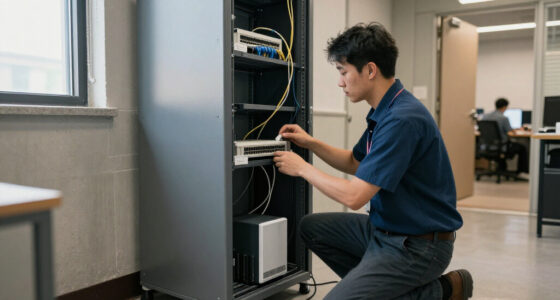
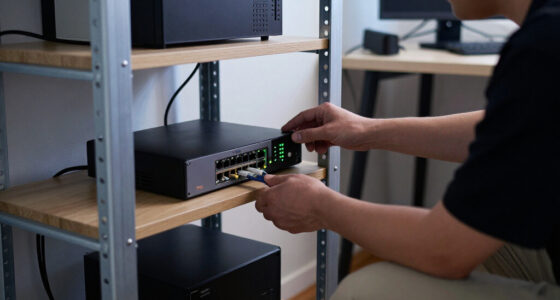
An exposed Ethernet jack can host a rogue wireless access point that quietly bridges your internal network to an attacker elsewhere.
Exploit Recovery Paths
Saved credentials, “remember me” tokens, and exposed recovery keys defeat even strong passwords on an unlocked machine.
Tailgate or Impersonate
A hi-vis vest, a clipboard, and “I’m from IT about the router” open more doors than any exploit kit — no lock-picking required.
“Strong locks on the front door don’t help much if someone is already in the hallway. Digital defenses are the front door. Physical access is the open window around the side.”
The House AnalogyThe Unlocked Laptop Problem
Your strongest password protects nothing once you’re already signed in. Authentication is a checkpoint, not a constant guard. With cloud services, the laptop itself barely matters — the session inside it holds the keys. Stealing a $1,200 laptop is petty crime; stealing an authenticated session is a breach.
Owner Steps Away
Four minutes at the airport gate. The device stays on, unlocked, authenticated.
Attacker Sits Down
No hacking needed — the session is live and the browser holds tokens to everything.
Account Takeover
Forward a password-reset email. Authorize a new MFA device. Export the client list.
Clean Audit Trail
Everything looks like normal activity from the owner’s own logged-in account.
| Attack Scenario | Strong Password | MFA Prompt | Auto Screen Lock | Full-Disk Encryption |
|---|---|---|---|---|
| Remote credential guessing | ✓ Blocks | ✓ Blocks | ~ N/A | ~ N/A |
| Using an already-authenticated session | ✗ Bypassed | ✗ Bypassed | ✓ Blocks | ~ If locked |
| Stolen powered-off device | ~ Partial | ~ Partial | ✓ Helps | ✓ Blocks |
| Exposed recovery key / saved token | ✗ Bypassed | ✗ Bypassed | ✓ Blocks | ✗ Bypassed |
| Data copied via USB while unlocked | ✗ Bypassed | ✗ Bypassed | ✓ Blocks | ✗ Bypassed |
MFA guards the login. It does nothing about a session that is already authenticated.
USB Drives, Charging Cables, and Ports That Let Trouble In
Every physical port is a potential entry point — and they sit there, unguarded, on the outside of your machine. The classic USB stick in the parking lot still works because curiosity outlasts warnings. But the quieter risks are the accessories.
What Sits Unguarded
- Rogue wireless access point behind a printer, bridging internal networks outward
- Exposed Ethernet jacks in lobbies and meeting rooms
- Modified charging cables that do more than deliver power
- IoT sprawl — cameras, printers, smart-building systems — multiplying less-managed devices
What Actually Works
- Disable or restrict unused USB and network ports where policy allows
- Use power-only adapters or personal power banks — removes the question entirely
- Never plug in found removable media — hand it to IT instead
- Watch for unfamiliar devices appearing on the network and investigate them
- Rule of thumb: only attach hardware you can vouch for
Tailgating and Fake Repairmen
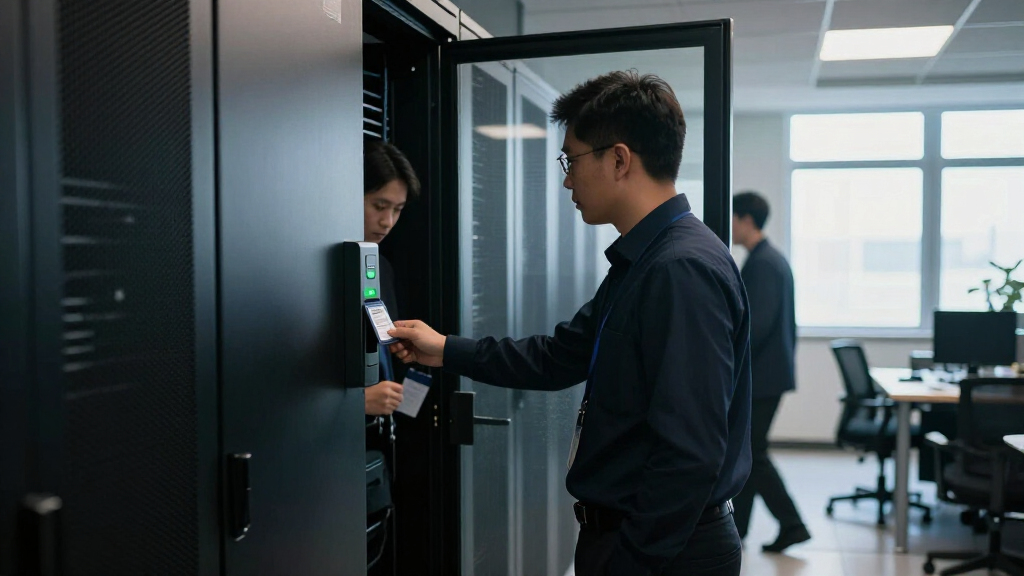
Tailgating — following an authorized person through a controlled entrance — is the most common way a badged, locked, monitored building gets defeated. Holding the door for a stranger carrying boxes feels like basic decency. That instinct is exactly what attackers exploit. Add a clipboard, a hi-vis vest, or a confident “I’m from IT,” and most people never question it.
“Try walking into your own server room without a badge. If someone lets you in because you look like you belong, an attacker who looks like they belong will get the same welcome.”
The Practical Office TestPractical Safeguards That Work
No fear-mongering — just clear habits. Physical and digital controls must work together: badges, visitor procedures, encryption, screen locking, endpoint controls, and incident response each close part of the gap.
Device Hygiene
Enable full-disk encryption and a strong passcode. Set devices to lock automatically after a few idle minutes. Keep OS and security software updated. Never leave devices unattended in public.
Ports & Peripherals
Treat unknown USB drives, cables, and charging stations as untrusted. Carry a power-only adapter or your own power bank. Only attach hardware you can vouch for.
Report Fast
Report a lost or stolen work device immediately so IT can revoke sessions and credentials before anyone explores the machine. Speed matters more than the hardware.
Visitor Control
Visitors sign in and get escorted. Staff know a polite “Can I help you find someone?” is always acceptable. Restricted areas stay actually locked — not symbolically locked.
Endpoint Controls
Restrict unused USB and network ports. Monitor for unfamiliar devices on the network. Lock server rooms, network closets, and equipment cabinets — and audit that they stay locked.
Training & Culture
Make challenging strangers normal with clear, low-friction procedures — not suspicion of everyone. Regular drills test whether the polite instincts have been redirected, not erased.
Why Touching a Device Beats Hacking It From Afar
Physical access is the ability to directly touch or reach a device, port, or facility — and it dramatically lowers the effort an attacker needs. A remote attacker has to find an unpatched system, guess a credential, or trick you into clicking something. A person standing next to your machine just needs a few unwatched minutes.
Think of your security like a house. Strong locks on the front door don’t help much if someone is already in the hallway. Digital defenses — firewalls, spam filters, authentication — are the front door. Physical access is the open window around the side.
Here’s what a few minutes of access can allow: copying files to a USB drive, using your already-logged-in browser session, installing software or a hardware implant, or plugging a rogue device into a network jack. Notice that none of these require ‘hacking’ in the movie sense. They require presence.
Can someone hack a computer just by touching it? No — brief contact doesn’t automatically infect anything. The real risk comes from what an attacker can do while they have the device: whether it’s unlocked, which ports are exposed, and what protections are active. Touch is harmless; unattended and unlocked is where trouble starts.
The Unlocked Laptop Problem: Why Your Login Session Is the Real Prize
Your strongest password protects nothing once you’re already signed in. Authentication is a checkpoint, not a constant guard — and an active session is an open door. This is the single most misunderstood gap in everyday security.
Here’s the modern twist: with cloud services, the laptop itself barely matters. A work machine might store almost no local data, but the open browser session inside it holds the keys to email, file shares, payroll systems, and customer databases. Stealing a $1,200 laptop is petty crime. Stealing an authenticated session is a breach.
Picture a consultant finishing a proposal at an airport gate. She steps away for four minutes to grab a charger from a shop. In that window, someone could forward a password-reset email to a new address, authorize a new MFA device, or export a client list — all from her own logged-in account, all looking like normal activity in the audit logs.
Does multifactor authentication stop this? Not really. MFA guards the login. It does nothing about a session that’s already authenticated or a device with saved credentials and an accepted ‘remember me’ token. That’s why automatic screen locking — set to trigger after a few minutes of inactivity — is one of the highest-value habits in all of security. It’s free, it’s built into every operating system, and it converts ‘total exposure’ into ‘annoying lock screen’.
USB Drives, Charging Cables, and Other Ports That Let Trouble In
Every physical port on a device is a potential entry point. USB ports, network jacks, and even charging accessories can be used to introduce malware, move data out, or create hidden connections — and they sit there, unguarded, on the outside of your machine.
A USB stick found in a parking lot is the classic example, and it still works because curiosity outlasts warnings. But the quieter risks are the accessories: a modified charging cable or a public charging station can, in some cases, do more than deliver power. Ordinary charging equipment is not inherently dangerous — the risk comes from malicious or modified accessories. A trusted charger, a power-only adapter, or your own power bank removes the question entirely.
On the network side, an exposed Ethernet jack in a lobby or meeting room can host a rogue wireless access point — a small box that quietly bridges your secure internal network to an attacker’s connection elsewhere. Nobody notices it sitting behind a printer. Meanwhile, the explosion of connected devices — cameras, printers, smart-building systems, IoT sensors — has multiplied the number of less-managed gadgets that can reach internal networks.
- Disable or restrict unused USB and network ports where your business allows it.
- Use power-only adapters or personal power banks instead of unknown charging stations.
- Never plug in found removable media — hand it to IT instead.
- Watch for unfamiliar devices appearing on your network and investigate them.
Modern operating systems have improved USB protections considerably, but the rule of thumb holds: only attach hardware you can vouch for.
Tailgating and Fake Repairmen: How People Open Locked Doors
Tailgating is when an unauthorized person follows an authorized person through a controlled entrance without using their own credentials. It’s the most common way a badged, locked, monitored building gets defeated — no lock-picking required, just politeness.
Holding the door for a stranger carrying boxes feels like basic decency. That instinct is exactly what attackers exploit, whether they’re after a server room or just an unattended desk on the third floor. Add a clipboard, a hi-vis vest, or a confident ‘I’m from the IT department, here about the router,’ and most people never question it. Stolen or cloned badges and simple impersonation round out the toolkit.
According to guidance from vultrade.com, the countermeasure isn’t suspicion of everyone — it’s clear, low-friction procedures that make challenging strangers normal. Visitors sign in and get escorted. Staff are trained that a polite ‘Can I help you find someone?’ is always acceptable. Restricted areas — server rooms, network closets, equipment cabinets — stay actually locked, not symbolically locked.
One practical test for any office: try walking into your own server room without a badge. If someone lets you in because you look like you belong, an attacker who looks like they belong will get the same welcome.
Is a Stolen, Encrypted Laptop Actually Safe?
A locked, encrypted laptop is meaningfully protected — but the details matter enormously. Full-disk encryption with a strong passcode, on a powered-off or properly locked device, stops the overwhelming majority of opportunistic thieves. The data is scrambled beyond practical recovery without the credential.
The exceptions are where people get caught out. A device that was sleeping rather than shut down can be vulnerable to certain attacks that extract data from memory. A recovery key taped inside the laptop bag defeats everything. A weak four-digit PIN can be brute-forced. And an authenticated session, as we covered, sidesteps encryption entirely because the data is already unlocked.
| Device state | Protection level | Main risk |
|---|---|---|
| Powered off, encrypted, strong passcode | Strong | Weak or reused credentials; exposed recovery keys |
| Locked, encrypted | Good | Session-related and firmware attacks (targeted cases) |
| Unlocked and unattended | None | Everything — file copying, session abuse, implants |
Hybrid work has multiplied this exposure. Company laptops now live in home offices, shared workspaces, cars, and trains — each one a place where loss, theft, and shoulder surfing happen. Encryption plus automatic locking plus prompt loss reporting covers most of it. Report a lost or stolen work device immediately; your IT team can revoke sessions, disable credentials, and remotely lock or wipe the machine before anyone explores it.
Your 7-Step Physical-Security Checklist That Actually Fits Real Life
You don’t need a security operations center to close the main physical gaps. You need a handful of habits that survive busy days. Here’s the priority order, for individuals first, then organizations.
For individuals:
- Turn on full-disk encryption (FileVault, BitLocker, or your platform’s equivalent) and set a strong device passcode.
- Set the screen to lock automatically after a few minutes of inactivity — and lock it manually whenever you stand up.
- Keep the operating system and security software updated, so any exploit that does get physical access meets patched defenses.
- Never leave devices unattended in public, and report loss to IT immediately if it happens anyway.
- Treat unknown USB drives and charging accessories as untrusted; use your own power bank.
- Use a password manager and MFA — especially for work accounts — so stolen credentials alone don’t open doors.
For organizations:
- Restrict access to offices, server rooms, network closets, and equipment cabinets — actual locks, actual badge control.
- Require visitor sign-in and escorting where appropriate.
- Train staff to politely challenge unfamiliar people in restricted areas and report anything odd.
- Encrypt and centrally manage portable devices so they can be locked or wiped remotely.
- Control removable media, monitor for unauthorized devices, and include physical loss and tampering in your incident-response plan.
None of this is exotic, and that’s the point. Physical security fails when it’s complicated enough to skip, not when it’s sophisticated enough to beat.
Frequently Asked Questions
Can someone hack a computer just by touching it?
No — physical contact alone doesn’t infect a device. The risk depends on what the person can do while they have access: whether the device is unlocked, which ports are exposed, and what protections are active. A few minutes with an unlocked machine matters far more than a moment of contact.
Is a locked laptop safe if it is stolen?
A strong passcode plus full-disk encryption provides meaningful protection, especially if the device was powered off or properly locked. The exceptions: weak credentials, an exposed recovery key, a sleeping (not shut down) machine in targeted attacks, and any active sessions — encryption can’t protect data that’s already unlocked.
Can a USB cable or public charging station steal my data?
Some malicious or modified accessories can pose a risk, but ordinary charging equipment isn’t inherently dangerous. Use a trusted charger, a power-only adapter where suitable, or a personal power bank, and you’ve removed the concern entirely.
What is tailgating in physical security?
Tailgating is when an unauthorized person follows an authorized person through a controlled entrance without using their own credentials. It’s the most common example of human behavior defeating an access-control system — no lock is picked, someone simply holds the door.
Does multifactor authentication protect against physical attacks?
Only partly. MFA guards the login moment, but it doesn’t stop someone using an already-authenticated session or a device with saved credentials. Device locking, encryption, session controls, and physical safeguards still matter alongside MFA.
What should I do if a work device is lost or stolen?
Report it to your IT or security team immediately — not at the end of the day. They can revoke active sessions, disable credentials, locate or lock the device, wipe it remotely, and assess whether any data or accounts were exposed. Speed is the variable you control.
Are data centers and server rooms the main physical security concern?
They’re high-value targets, but ordinary offices, homes, vehicles, shared workspaces, and unattended devices also provide useful access to attackers. In the cloud era, an unlocked laptop at a coffee shop can be just as valuable to an attacker as a network closet.
Conclusion
Cybersecurity doesn’t end at the login screen — it starts at the door. Control who can reach your devices and facilities, limit what brief access can accomplish, and respond fast when equipment goes missing. Those three moves, done consistently, neutralize most of what physical access offers an attacker.
The next time you step away from your laptop, hit the lock key on your way up. It takes half a second. It’s the cheapest security control you will ever use — and unlike your firewall, it works even when someone is standing right next to your machine.
Fall Picks
fall essentials
As an affiliate, we earn on qualifying purchases.