
TL;DR

Get privacy and security gear delivered free — and shop member deals
- Fast, free delivery on millions of items
- Access to Prime Big Deal Days deals on October 6–7
- Prime Video, Amazon Music and more included
Cyber resilience depends on more than firewalls, backups, and incident response plans — it also depends on dependable power for availability, safe shutdown, and recovery. Power events can disrupt security monitoring and incident response, while network-connected UPSs and power equipment can themselves become attack surfaces. Practical power planning — priorities, runtime, testing, and secure configuration — belongs in every cyber resilience plan.
The lights flicker for half a second. Your firewall reboots. Your file server doesn’t — at least, not cleanly. Half an hour later, the RAID array is rebuilding, the logs you need are corrupted, and nobody can say exactly what happened during the gap. No attacker touched your network. Power did the damage.
That’s why cyber resilience depends on more than firewalls, endpoint protection, and backup schedules. It also depends on whether your critical systems have reliable power, can shut down safely, and can come back predictably. Availability is one of the three legs of the classic confidentiality-integrity-availability model, and power sits directly underneath it.
In this article, you’ll learn the key points for connecting power protection to cyber resilience: what a UPS actually covers (and what it doesn’t), why power infrastructure is itself an attack surface, and how to build a power-aware resilience plan you can test. No fear-mongering — just practical habits that keep systems running when the grid doesn’t cooperate.
Availability is a security property — power loss can disable monitoring, identity, and logging even when no attacker is involved.
A UPS bridges short interruptions and enables orderly shutdown; longer outages need generators, fuel, procedures, or a continuity plan — never assume the box’s…
Network-connected UPSs and PDUs are attack surfaces: change default credentials, update firmware, restrict access, and segment management interfaces.
Prioritize backup power for core networking, identity and security tools, communications, and recovery-critical systems — in that general order — and document…
Moving to the cloud shifts power responsibility but doesn’t remove it: local networking, edge sites, offices, and connectivity still need protected power.
Why Power Protection Is Part of Cyber Resilience
The lights flicker for half a second. Your firewall reboots. Your file server doesn’t — at least, not cleanly. No attacker touched your network. Power did the damage. Cyber resilience depends on more than firewalls and backups: it depends on whether critical systems have reliable power, shut down safely, and come back predictably.
Cyber and Physical Failures Share Equipment, Networks, and Consequences
Every security control you own — firewalls, logging, identity services, monitoring — stops working the instant its power stops. In a mid-afternoon outage at a mid-sized office, the switches lose power first, so security monitoring goes dark. Domain controllers blink out, so nobody can authenticate. The syslog server never records the event. From a security point of view, you’ve lost visibility, access control, and your evidence trail — all at once.
An Electrical Event Blinds Security
An outage can disable monitoring, identity, and logging even when no attacker is involved — corrupting the logs you’d need to reconstruct what happened during the gap.
A Compromised UPS Changes Settings
Network-connected UPSs and PDUs with weak credentials or exposed interfaces let an attacker silently change equipment settings — turning protection into a foothold.
Stop treating “cyber” and “physical” failures as separate categories. They share equipment, networks, and consequences — your resilience plan should too.
Key Insight
A UPS Is a Short-Term Bridge, Not a Fortress
A UPS provides battery power for minutes — not hours. Its job is to carry you through a brief interruption or give systems time for an orderly shutdown. That shutdown window is the difference between a clean reboot and a weekend restoring corrupted databases. And power resilience involves far more than the UPS itself.
Trust measured runtime and maintenance records — not the number on the box
Utility Feeds & Transfer Switches
The machinery that moves you from grid to backup power.
Generators & Fuel
Only help if they start — and if someone can refuel them.
Batteries
Chemical components that age whether or not you ever lose power.
Cooling
Servers survive a power blip — not an hour without air conditioning.
Network
A powered-up server behind a dead switch helps nobody.
People & Procedures
Someone has to know the restart order — and be reachable.
Yes, Your UPS Can Be Hacked
Risk varies enormously with model, configuration, and network placement. The same web interface that lets you check battery health from your desk is, from an attacker’s perspective, another door.
| Security Practice | Segmented Mgmt Network | Flat on the Corporate LAN |
|---|---|---|
| Default credentials changed | ✓ Changed & rotated | ✗ Default password |
| Firmware currency | ✓ Current & patched | ✗ From 2018 |
| Multi-factor authentication | ✓ Enforced | ~ Not supported / off |
| Network segmentation | ✓ Isolated VLAN | ✗ Exposed |
| Asset inventory visibility | ✓ Documented | ✗ Missing from inventory |
| Overall risk profile | Modest risk | Genuine problem |
What can an attacker actually do? At the tame end: read configuration and learn about your environment. At the serious end: change settings, disable alerts, or use the device as a foothold into your management network. Power equipment is infrastructure — and infrastructure gets inventoried, patched, and access-controlled, or it becomes the unwatched corner of your network.
What Should Stay On Longest?
Decide before an outage which systems deserve every remaining minute of battery runtime. Priorities depend on business impact, but the pattern is remarkably consistent across organizations. Follow this ranking when allocating UPS capacity and generator circuits.
Core Networking
Switches, routers, internet circuit. If these die, nothing else matters.
Identity & Security
Domain controllers, authentication, firewalls, monitoring.
Communications
Keep your team connected and able to coordinate the response.
Recovery-Critical
Systems and services needed to restore everything else, in order.
Moving to the cloud shifts power responsibility but doesn’t remove it: local networking, edge sites, offices, and connectivity still need protected power.
Takeaway · 05
Build and Test Your Power Resilience Plan
A power-aware cyber resilience plan works when it’s specific, written down, and rehearsed. Based on CISA guidance on UPS security — none of this requires new hardware:
- [ 01 ]Change default credentials on every UPS, PDU, and power management interface.
- [ 02 ]Enforce MFA where supported on management interfaces.
- [ 03 ]Keep firmware updated — treat UPSs as security-relevant systems, not facilities gear.
- [ 04 ]Segment management interfaces away from general corporate networks.
- [ 05 ]Test redundancy under load — generators, transfers, battery health, alerts, escalation.
- [ 06 ]Trace a failure on paper in 15 minutes: what stays online, what alerts, what shuts down first, and how you verify recovery.
What Power Protection Actually Has to Do With Cybersecurity
Power protection is part of cybersecurity because every security control you own — firewalls, logging, identity services, monitoring — stops working the instant its power stops. Cyber resilience depends on more than prevention; it depends on more than software too. It depends on whether systems stay available, shut down safely, and restart cleanly during and after a power event.
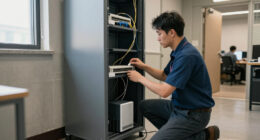
Think about what actually happens in a mid-afternoon outage at a mid-sized office. The switches lose power first, so the security monitoring goes dark. The domain controllers blink out, so nobody can authenticate to anything. The syslog server never records the event. From a security point of view, you haven’t just lost electricity — you’ve lost visibility, access control, and your evidence trail, all at once.
Now flip the direction. A cyber incident can affect power systems too. Modern uninterruptible power supplies (UPSs) and power distribution units are often network-connected and remotely administered. Weak credentials, unpatched firmware, or an exposed management interface can turn the thing protecting your servers into a way to reach them.
The lesson is simple: stop treating “cyber” and “physical” failures as separate categories. They share equipment, networks, and consequences. Your resilience plan should too.
What a UPS Really Covers (and What Quietly Depends on It)
A UPS is a short-term bridge, not a fortress. It provides battery power for minutes — not hours — and its job is to either carry you through a brief interruption or give systems time for an orderly shutdown before batteries run out. That shutdown window matters more than most people realize: it’s the difference between a clean reboot and a weekend spent restoring corrupted databases.
Runtime varies with battery condition, load, configuration, and ambient temperature. A unit rated for 20 minutes at half load might give you 8 minutes at full load, and less still with aging batteries. Trust measured runtime and maintenance records, not the number on the box.
And power resilience involves far more than the UPS itself. Here’s what quietly sits in the chain:
- Utility feeds and transfer switches — the machinery that moves you from grid to backup
- Generators and fuel — which only help if they start, and if someone can refuel them
- Batteries — chemical components that age whether or not you ever lose power
- Cooling — servers can survive a power blip but not an hour without air conditioning
- Network connectivity — a powered-up server behind a dead switch helps nobody
- People and procedures — someone has to know the restart order and be reachable
A practical exercise: trace what happens during a power failure at your site, on paper, in fifteen minutes. What stays online? What alerts your team? How long does each system last? What shuts down first, and how do you verify recovery? The gaps you find are usually more revealing than any product spec sheet.
Yes, Your UPS Can Be Hacked — Here’s What That Means
A network-connected UPS can be hacked if its management interface or the systems around it are poorly secured. That’s not a scare tactic; it’s a consequence of the trend toward network management and remote monitoring in power equipment. The same web interface that lets you check battery health from your desk is, from an attacker’s perspective, another door.
Risk varies enormously with the model, configuration, and network placement. A UPS on an isolated management network with strong authentication and current firmware is a modest risk. The same unit sitting flat on the corporate LAN with a default password and firmware from 2018 is a genuine problem — and one that rarely appears in asset inventories, because nobody filed it under “IT equipment.”
What could an attacker actually do? At the tame end: read configuration and learn about your environment. At the serious end: change settings, disable alerts, or use the device as a foothold into your management network. An electrical event that interrupts monitoring, or a compromised interface that changes equipment settings — a single incident can involve both physical and cyber elements.
Power equipment is infrastructure, and infrastructure gets inventoried, patched, and access-controlled — or it becomes the unwatched corner of your network.
According to guidance from CISA on UPS security, organizations should change default credentials, enforce multi-factor authentication where supported, keep firmware updated, and segment management interfaces from general networks. None of that requires new hardware. It requires treating the UPS like the security-relevant system it is.
Prioritize Your Backup Power: What Should Stay On Longest
Prioritizing backup power means deciding, before an outage, which systems deserve every remaining minute of battery runtime. Priorities depend on business impact, but the pattern is remarkably consistent across organizations. Follow this ranking when you allocate UPS capacity and generator circuits:
- Core networking — switches, routers, and the internet circuit. If these die, nothing else matters.
- Identity and security tools — domain controllers, authentication, firewalls, and monitoring. These keep you both operational and visible.
- Communications — VoIP phones, chat infrastructure, and the systems your response team needs to coordinate.
- Storage and databases — protected long enough for an orderly shutdown, not indefinite operation.
- Recovery-critical systems — backup servers, jump hosts, and documentation your team needs during restart.
Notice what’s missing: general-purpose workstations and print servers. They can wait. The mistake teams make is sizing battery runtime for everything equally, which means the file-sharing appliance gets the same protection as the domain controller.
Once you’ve ranked the loads, write down the restart order too. Recovery depends on power, but it also depends on sequence — DNS before domain controllers, domain controllers before application servers, monitoring early so you can see what’s happening. Recovery plans should account for power dependencies, restart order, battery runtime, fuel availability, and who’s actually going to be in the building at 2 a.m.
Cloud and Edge: Why Moving to the Cloud Doesn’t End the Conversation
Moving workloads to the cloud shifts power responsibility to your provider — it doesn’t eliminate power risk from your world. Your staff still need powered laptops, local Wi-Fi, and an internet circuit to reach anything. Cloud-based services also depend entirely on the provider’s own resilience and on the connectivity between you and them.
Consider a realistic scenario: a storm knocks out power to your office for six hours. Your applications are fine in the cloud — but your on-premise firewall, your switch, and your ISP’s neighborhood equipment are all dark. Everyone who came into the office is sitting on a floor with no network. The cloud didn’t fail. Local power did.
Then there’s the edge. Branch offices, retail locations, factory floors, and telecom closets all run local equipment that needs protection, and these sites rarely get the power engineering attention a data center does. Meanwhile, energy arrangements are getting more complex: batteries, generators, renewables, microgrids, and storage can all improve continuity while adding dependencies that need managing.
| Dependency | Whose problem? | What to check |
|---|---|---|
| Cloud provider data centers | Provider | Provider uptime commitments, regional outage history |
| Office networking gear | You | UPS coverage, runtime, safe shutdown settings |
| Internet circuit and last-mile equipment | Shared | Backup connectivity, powered ISP hardware on site |
| Edge and branch sites | You | Local UPS condition, remote monitoring, restart procedures |
The point isn’t to build a bunker. It’s to notice that cloud and edge dependence changed where your power risks live — they didn’t remove them.
Build and Test Your Power Resilience Plan in 6 Steps
A power-related cyber-resilience plan works when it’s specific, written down, and rehearsed. Redundancy only helps if it works under load and comes online the way you expect — and you only know that by testing. Here’s a step-by-step process you can run over a few weeks:
- Map critical services to power dependencies. For each service that matters, list every powered device it depends on, including networking, cooling, and the path to the internet.
- Identify single points of failure. One utility feed, one aging UPS, one untested generator, one person who knows the restart procedure. Each is a quiet risk.
- Review how power equipment is managed and secured. Default passwords, firmware versions, network placement, and who has admin access. Fix what you find.
- Document shutdown and restart procedures, including restart order, verification steps, and who’s authorized to execute them.
- Test components under realistic conditions. There’s no universal schedule — follow manufacturer guidance and applicable requirements, and test often enough to prove things work under expected load. Battery health degrades; a generator that hasn’t run in a year is a gamble, not a backup.
- Run a full outage-and-recovery exercise at least annually. Kill the power (in a controlled window) and see what actually happens versus what the plan says happens.
The gap between the plan and reality is where incidents hurt. One organization’s exercise revealed their UPS alerts went to a shared mailbox nobody checked after hours — so the first human to learn about an outage was a user, forty minutes in. That’s the kind of finding that only surfaces through testing.
A backup you’ve never tested is a hope, not a control.
Frequently Asked Questions
What does power protection have to do with cybersecurity?
Power protection supports the availability leg of the confidentiality-integrity-availability model. Power loss can take down security monitoring, identity services, logging, and network connectivity — leaving you blind during the exact moments you need visibility. Network-connected power equipment like UPSs can also introduce security exposure if poorly configured.
Is a UPS enough to protect my business from an outage?
Usually not by itself. A UPS bridges short interruptions and gives systems time for an orderly shutdown, but longer outages require generators, alternate sites, or a documented continuity plan. Runtime depends on battery condition, load, and configuration, so plan around measured runtime rather than advertised figures.
Can a UPS be hacked?
A network-connected UPS can be exposed if its management interface or supporting systems are poorly secured. Risk depends on the model, configuration, access controls, network placement, and patching. Change default credentials, apply firmware updates, restrict access, and segment the management network from general traffic.
How long will a UPS keep my systems running?
It depends on battery condition, load, and environment — and batteries degrade over time whether or not you use them. Test runtime under realistic conditions, keep maintenance records, and plan for battery replacement on a schedule rather than waiting for failure.
How often should backup power systems be tested?
There’s no single schedule that fits every organization. Follow manufacturer guidance and any applicable requirements for your industry, and test components and full procedures often enough to demonstrate they work under expected conditions. An annual end-to-end outage-and-recovery exercise is a reasonable baseline for most organizations.
How does cloud computing change power-protection needs?
It shifts some responsibility to the provider, but local equipment still matters: your networking, internet circuit, offices, and edge systems all need power to reach cloud services. Your cloud workloads are only as available as the powered path between your users and the provider.
Conclusion
If you remember one thing from this article, make it this: your resilience plan is only as strong as the power underneath it. Every firewall, backup job, and incident response runbook assumes electricity — and assumes it arrives clean, stays on, and comes back predictably. Spend an afternoon mapping your critical services to their power dependencies, checking how your UPS and PDUs are secured, and writing down the restart order. That single afternoon does more for your resilience than most security purchases.
Because one day the lights will flicker. The question isn’t whether they do — it’s whether your systems shrug, shut down cleanly, and come back, or whether you spend the following week explaining a gap in the logs.
Fall Picks
fall essentials
As an affiliate, we earn on qualifying purchases.