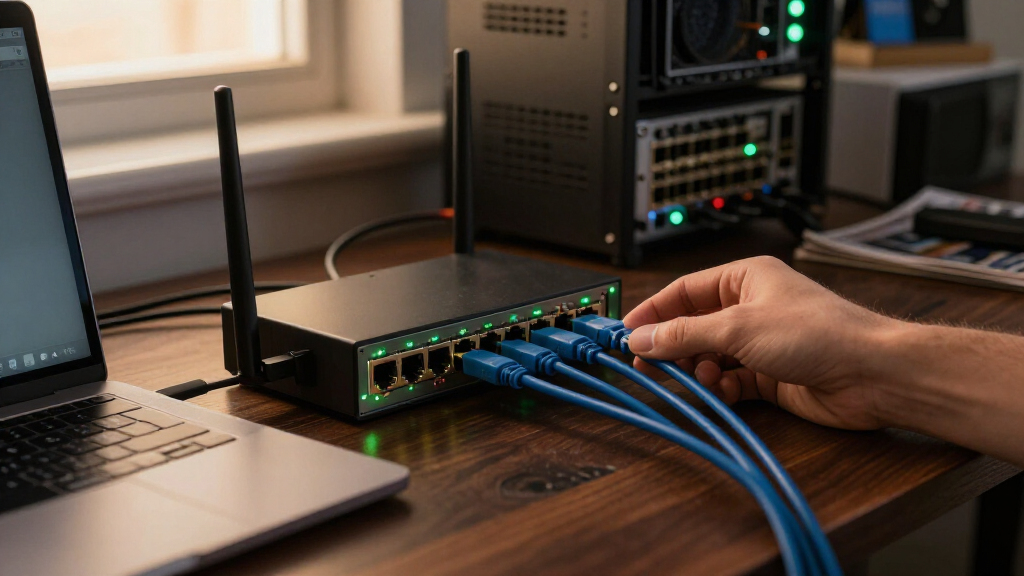

The best 16-port 2.5GbE switch for most home labs and small offices is the TRENDnet TEG-S3160, a straightforward unmanaged option for upgrading many wired devices without adding PoE or management complexity. If you need faster links between switches or to a NAS, the MokerLink 16-port model adds 10G SFP+ uplinks, while the NICGIGA 18-port PoE+ models suit networks that also power access points or cameras. The main tradeoffs are whether to prioritize exactly 16 ports, extra uplink capacity, PoE, or a quieter and easier-to-place design. PoE models add flexibility but call for attention to power budgets and heat, while unmanaged switches keep setup simple but offer fewer controls. Read on for the full comparison and guidance on which features matter for your network.

Get privacy and security gear delivered free with Prime
- Fast, free delivery on millions of items
- Prime Video, Amazon Music and more included
- Member-only deals all year
Key Takeaways
- TRENDnet TEG-S3160 is the clearest all-purpose starting point in this lineup when a buyer wants 16-port 2.5GbE connectivity without a stated need for PoE or SFP+ uplinks.
- MokerLink, Real HD, and several 18-port models add 10G SFP+ uplinks, giving them a stronger fit for NAS, server, or switch-to-switch connections than a basic access switch.
- NICGIGA and YuanLey PoE models trade a simpler port-only setup for the ability to power compatible devices; buyers should compare the exact power budget and PoE standards before choosing.
- The 18-port options are not direct substitutes for an exact 16-port switch: their extra ports can help with expansion, but the additional features may add cost, heat, or setup considerations.
- The lineup is largely unmanaged, so the key decision is hardware fit—port count, uplinks, PoE, mounting, and cooling—not advanced network controls such as VLAN configuration.
| TRENDnet TEG-S3160 16-Port Unmanaged 2.5G Ethernet Switch |  | Best Overall for a Quiet 16-Port Network | Ports: 16 x 2.5G RJ-45 | Supported speeds: 10 Mbps, 100 Mbps, 1 Gbps, 2.5 Gbps | Switching capacity: 80 Gbps | VIEW LATEST PRICE | See Our Full Breakdown |
| MokerLink 16-Port 2.5Gb Ethernet Switch with 2 10Gb SFP+ Ports |  | Best for 10G Fiber Uplinks | Total ports: 18 | RJ-45 ports: 16 x 2.5Gb | SFP+ slots: 2; compatible with 1Gb, 2.5Gb, and 10Gb modules | VIEW LATEST PRICE | See Our Full Breakdown |
| YuanLey 16-Port 2.5G Unmanaged Ethernet Switch |  | Best for a Simple Wall-Mount Setup | Ports: 16 | Port type: 2.5G Base-T RJ-45 | Supported speeds: 10/100/1000/2500 Mbps | VIEW LATEST PRICE | See Our Full Breakdown |
| Real HD 16-Port 2.5Gb Unmanaged Ethernet Switch with 2 × 10G SFP+ Ports |  | Best for a High-Capacity Wired Backbone | RJ-45 ports: 16 x 2.5Gb | SFP+ ports: 2 x 10G | Switch type: Unmanaged | VIEW LATEST PRICE | See Our Full Breakdown |
| NICGIGA 18-Port 2.5G Unmanaged PoE+ Switch with 10G SFP+ Uplinks |  | Best for PoE-Powered Devices | Total ports: 18 | PoE+ ports: 16 x 2.5GbE | Uplink ports: 2 x 10G SFP+ | VIEW LATEST PRICE | See Our Full Breakdown |
| NICGIGA 16-Port 2.5Gb Unmanaged Ethernet Switch – Fanless Metal Design, Desktop or 19‑inch Rack Mount |  | Best Straightforward 16-Port Pick | Ports: 16 RJ45 | Supported link speeds: 100 Mbps, 1 Gbps, and 2.5 Gbps | Switching capacity: 80 Gbps | VIEW LATEST PRICE | See Our Full Breakdown |
| YuanLey 18-Port 2.5G Unmanaged PoE Switch with 10G Uplinks |  | Best for PoE Device Fleets | Total ports: 18 | PoE ports: 16 x 2.5GbE RJ45 | Uplink ports: 2 x 10G RJ45 | VIEW LATEST PRICE | See Our Full Breakdown |
| NICGIGA 18-Port 2.5G Ethernet Switch with 2 10G SFP+ Uplinks |  | Best for SFP+ Expansion | RJ45 ports: 16 x 100/1000/2500 Mbps | Uplink ports: 2 x 10G SFP+ | Switching capacity: 120 Gbps | VIEW LATEST PRICE | See Our Full Breakdown |
| SODOLA 18-Port 2.5GbE Unmanaged Switch with 10G SFP+ |  | Best for 1U Rack Installs | Total ports: 18 | RJ45 ports: 16 x 100/1000/2500 Mbps | SFP+ ports: 2 x 10 Gbps | VIEW LATEST PRICE | See Our Full Breakdown |
| NICGIGA 18-Port 2.5G Unmanaged PoE+ Switch with 10G Uplinks |  | Best Quiet PoE+ Option | Total ports: 18 | PoE ports: 16 x 2.5GbE PoE+ | Uplinks: 2 x 10G SFP+ | VIEW LATEST PRICE | See Our Full Breakdown |
| 16 port 2.5GbE switch | Switch type | Switching capacity | Mounting | Warranty |
|---|---|---|---|---|
| TRENDnet TEG-S3160 16-Port Unm | Unmanaged | 80 Gbps | Desktop, wall mount, or 19-inch 1U rack | Lifetime manufacturer protection in the U.S. and Canada |
| MokerLink 16-Port 2.5Gb Ethern | Unmanaged, Layer 2, non-PoE | — | Desktop or rackmount; rackmount lugs included | 1 year |
| YuanLey 16-Port 2.5G Unmanaged | Unmanaged, Layer 2 | 80 Gbps | Desktop or wall mount | — |
| Real HD 16-Port 2.5Gb Unmanage | Unmanaged | — | — | 1 year |
| NICGIGA 18-Port 2.5G Unmanaged | Unmanaged | — | — | — |
| NICGIGA 16-Port 2.5Gb Unmanage | Unmanaged | 80 Gbps | Desktop or 19-inch rack | 1 year |
| YuanLey 18-Port 2.5G Unmanaged | — | 120 Gbps | — | — |
| NICGIGA 18-Port 2.5G Ethernet | Unmanaged | 120 Gbps | Desktop or wall | 1 year |
| SODOLA 18-Port 2.5GbE Unmanage | Unmanaged | 120 Gbps | 1U rack mount | 1 year |
| NICGIGA 18-Port 2.5G Unmanaged | — | — | — | — |
More Details on Our Top Picks
TRENDnet TEG-S3160 16-Port Unmanaged 2.5G Ethernet Switch
The TRENDnet TEG-S3160 is my strongest fit for buyers who want 16 straightforward 2.5GbE connections without adding uplink-module decisions or PoE requirements. Its 80 Gbps switching capacity matches the port count, while support for Cat5e or better lets many existing wired networks upgrade without replacing every cable. The fanless metal enclosure is quieter and simpler to place near a desk than a switch with active cooling, and desktop, wall, and 1U rack mounting give it more placement flexibility than the wall-mount-only YuanLey 16-Port 2.5G Unmanaged Ethernet Switch. The tradeoff is its deliberately basic design: there are no SFP+ uplinks, PoE, or management controls. Its lifetime manufacturer protection also applies only in the U.S. and Canada, so buyers elsewhere should weigh that limitation.
Pros:- Sixteen RJ-45 ports support speeds up to 2.5 Gbps.
- 80 Gbps switching capacity suits a full set of multi-gigabit connections.
- Fanless metal housing supports quiet operation.
- Desktop, wall, and 1U rack mounting offer flexible placement.
Cons:- Unmanaged operation provides no advanced configuration controls.
- No SFP+ uplinks or PoE ports.
- Lifetime manufacturer protection is limited to the U.S. and Canada.
Best for: Home and small-office users who need 16 quiet multi-gigabit wired ports, flexible mounting, and no PoE or advanced configuration.
Not ideal for: Network builders who need fiber uplinks, PoE power for access points or cameras, or VLAN and traffic-management controls.
- Ports:16 x 2.5G RJ-45
- Supported speeds:10 Mbps, 100 Mbps, 1 Gbps, 2.5 Gbps
- Switching capacity:80 Gbps
- Switch type:Unmanaged
- Cabling:Cat5e or better
- Cooling and housing:Fanless, metal
- Mounting:Desktop, wall mount, or 19-inch 1U rack
- Dimensions and weight:11.25 x 5.02 x 1.06 inches; 2.2 pounds
- Warranty:Lifetime manufacturer protection in the U.S. and Canada
Our verdict“Choose the TRENDnet for a quiet, flexible, no-fuss 16-port 2.5GbE setup, but pick a switch with SFP+ or PoE if your network needs either.”
MokerLink 16-Port 2.5Gb Ethernet Switch with 2 10Gb SFP+ Ports
The MokerLink suits buyers who want the standard 16-port 2.5GbE layout but also need room to connect a faster backbone. Its two 10Gb SFP+ slots can link to compatible switches or network storage, while the 120 Gbps backplane gives it more stated capacity than the TRENDnet TEG-S3160’s 80 Gbps. The SFP+ slots also accept 1Gb and 2.5Gb modules, though modules are not included, so plan for that hardware separately. Auto-negotiation and auto MDI/MDIX keep setup simple, and its fanless metal design avoids fan noise. Like the TRENDnet and the Real HD 16-Port 2.5Gb Unmanaged Switch, it lacks management controls; unlike the TRENDnet, it adds high-speed uplinks but gives up the specified lifetime protection for a one-year warranty.
Pros:- Sixteen 2.5Gb RJ-45 ports plus two SFP+ slots.
- SFP+ slots support compatible 1Gb, 2.5Gb, and 10Gb modules.
- 120 Gbps backplane bandwidth.
- Fanless metal case and included rackmount lugs support quiet rack or desktop use.
Cons:- SFP+ modules are not included.
- Unmanaged design has no configuration options.
- No PoE, and the listed warranty is one year.
Best for: Home-lab and small-office owners connecting 16 multi-gigabit devices to a 10Gb fiber-capable core or storage system.
Not ideal for: Buyers who need PoE, managed network controls, or a complete SFP+ connection without purchasing compatible modules separately.
- Total ports:18
- RJ-45 ports:16 x 2.5Gb
- SFP+ slots:2; compatible with 1Gb, 2.5Gb, and 10Gb modules
- Backplane bandwidth:120 Gbps
- Switch type:Unmanaged, Layer 2, non-PoE
- Compatible RJ-45 speeds:10/100 Mbps, 1 Gbps, 2.5 Gbps
- Cooling and casing:Fanless, metal
- Mounting:Desktop or rackmount; rackmount lugs included
- Warranty:1 year
Our verdict“Pick the MokerLink over the TRENDnet when 10Gb SFP+ uplinks matter more than PoE or switch management.”
YuanLey 16-Port 2.5G Unmanaged Ethernet Switch
The YuanLey is a pared-back choice for buyers who need 16 multi-gigabit RJ-45 ports and do not need uplinks, PoE, or management software. Its 80 Gbps switching capacity matches the TRENDnet TEG-S3160, and its fanless metal construction keeps operation quiet. What distinguishes it is a simple desktop or wall-mount fit, plus stated 6 kV surge protection—useful details for a basic home or small-office installation. Compared with the TRENDnet, it does not list 1U rack mounting or a warranty, so the TRENDnet is the more clearly documented choice for rack-based setups and support coverage. This YuanLey also remains unmanaged: it cannot provide the configuration controls a growing office may want, and the available product details do not establish an advantage in uplinks or power delivery.
Pros:- Sixteen RJ-45 ports support adaptive speeds up to 2.5 Gbps.
- 80 Gbps switching capacity.
- Fanless metal housing supports quiet operation.
- Desktop and wall-mount options with stated 6 kV surge protection.
Cons:- Unmanaged Layer 2 design offers no configuration controls.
- No SFP+ uplinks or PoE.
- The supplied product details do not specify warranty coverage or rack mounting.
Best for: Home users and small offices seeking a quiet, wall-mountable 16-port 2.5GbE switch for ordinary wired devices.
Not ideal for: Rack-focused buyers, users who need SFP+ uplinks or PoE, and anyone who requires documented warranty coverage or managed controls.
- Ports:16
- Port type:2.5G Base-T RJ-45
- Supported speeds:10/100/1000/2500 Mbps
- Switching capacity:80 Gbps
- Switch type:Unmanaged, Layer 2
- Cooling and housing:Fanless, metal
- Mounting:Desktop or wall mount
- Surge protection:6 kV
- Operating temperature:0–45 °C
Our verdict“Choose the YuanLey for a basic quiet wall-mount installation, while the TRENDnet is a better fit when rack mounting and stated warranty coverage matter.”
Real HD 16-Port 2.5Gb Unmanaged Ethernet Switch with 2 × 10G SFP+ Ports
The Real HD combines the expected 16 2.5Gb RJ-45 ports with two 10G SFP+ connections, making it a practical match for a wired network that links to a faster core. Its stated 120G bandwidth puts it alongside the MokerLink 16-Port 2.5Gb Ethernet Switch rather than the 80 Gbps TRENDnet TEG-S3160, and both offer SFP+ uplinks without PoE. Real HD specifies compatibility with Cat6, Cat6a, or Cat7 cabling, which makes it a more cable-specific option than the TRENDnet’s Cat5e-or-better claim. The switch is unmanaged and fanless, so setup and noise should stay simple, but the 3.59 kg weight is substantial for moving or repositioning it. Its one-year warranty is also shorter than the TRENDnet’s stated U.S. and Canada protection.
Pros:- Sixteen 2.5Gb RJ-45 ports and two 10G SFP+ ports.
- 120G stated bandwidth.
- Fanless metal housing supports quiet operation.
- Plug-and-play design works with existing Cat6, Cat6a, or Cat7 cables.
Cons:- Unmanaged operation provides no configuration features.
- No PoE for powering access points, cameras, or phones.
- At 3.59 kg, it is heavier than the listed MokerLink; warranty is one year.
Best for: Small-office and home-lab buyers with Cat6-or-better cabling who need 16 multi-gigabit devices and two 10G SFP+ uplinks.
Not ideal for: Buyers seeking PoE, managed features, lighter hardware, or a stated Cat5e cabling option.
- RJ-45 ports:16 x 2.5Gb
- SFP+ ports:2 x 10G
- Switch type:Unmanaged
- Bandwidth:120G
- Cabling:Cat6, Cat6a, or Cat7
- Cooling and case:Fanless, metal
- Item weight:3.59 kg
- Operating temperature:-20 to 50 °C
- Warranty:1 year
Our verdict“Choose the Real HD when you need 10G SFP+ uplinks and have Cat6-or-better wiring, but skip it if PoE or management is part of the plan.”
NICGIGA 18-Port 2.5G Unmanaged PoE+ Switch with 10G SFP+ Uplinks
The NICGIGA is the clear specialist in this group: it combines 16 2.5GbE PoE+ ports with two 10G SFP+ uplinks, so network devices can receive data and power through one Ethernet cable. Its 250W PoE budget and up-to-30W-per-port specification suit deployments with several access points, cameras, or other compatible devices. That makes it a more capable installation switch than the non-PoE MokerLink and Real HD, though those are better fits when PoE is unnecessary. Automatic device detection and plug-and-play operation reduce setup effort, but the switch remains unmanaged, so it does not offer software-based network controls. Check power compatibility before buying: the supplied details specify PoE devices operating at 44–57V. Its fanless construction is also unusual for this PoE-focused role, but a 250W total budget still calls for careful device-power planning.
Pros:- Sixteen 2.5GbE PoE+ ports and two 10G SFP+ uplinks.
- 250W total PoE budget with up to 30W per port.
- Automatic device detection and plug-and-play setup.
- Fanless metal case with stated 6 kV lightning protection.
Cons:- Unmanaged design offers no software configuration.
- PoE compatibility is specified for devices operating at 44–57V.
- The 250W shared budget requires checking the combined power draw of connected devices.
Best for: Small offices and surveillance setups powering multiple compatible 2.5GbE access points, cameras, or other PoE devices while using a 10G uplink.
Not ideal for: Buyers with no PoE devices, those needing VLAN or traffic controls, or installations with devices outside the stated 44–57V compatibility range.
- Total ports:18
- PoE+ ports:16 x 2.5GbE
- Uplink ports:2 x 10G SFP+
- PoE standard:IEEE 802.3af/at
- Maximum power per port:30W
- Total PoE power budget:250W
- Switch type:Unmanaged
- Cooling and case:Fanless, metal
- Lightning protection:6 kV
Our verdict“Choose the NICGIGA when powering several compatible network devices is a core requirement; for data-only connections, the TRENDnet is a simpler fit.”
NICGIGA 16-Port 2.5Gb Unmanaged Ethernet Switch – Fanless Metal Design, Desktop or 19‑inch Rack Mount
For a buyer who wants exactly 16 multi-gigabit ports and no added switching features to manage, this NICGIGA keeps the setup simple: connect devices and let auto-negotiation match each link at 100 Mbps, 1 Gbps, or 2.5 Gbps. Its stated 80 Gbps switching capacity suits a mix of NAS, gaming, and Wi-Fi access-point traffic. Compared with the 18-port NICGIGA with SFP+ uplinks, this model gives up dedicated 10G expansion, but avoids paying for ports a straightforward desktop or rack network may not need. The fanless metal case supports quiet placement, and built-in lightning protection is an added safeguard. The tradeoff is its unmanaged design: there are no advanced traffic controls or monitoring, and no PoE for powering access points or cameras.
Pros:- Sixteen RJ45 ports support 100 Mbps, 1 Gbps, and 2.5 Gbps links
- 80 Gbps switching capacity for concurrent device traffic
- Fanless metal housing supports quiet operation
- Plug-and-play setup with desktop or 19-inch rack mounting
Cons:- No PoE, so connected devices need separate power
- Unmanaged operation provides no traffic controls or network monitoring
- No dedicated 10G uplink ports
Best for: Home-lab owners or small offices needing 16 quiet 2.5GbE connections for computers, NAS devices, and access points that have their own power.
Not ideal for: Buyers who need PoE-powered cameras or access points, managed traffic controls, or 10G uplinks for a faster connection to another switch or server.
- Ports:16 RJ45
- Supported link speeds:100 Mbps, 1 Gbps, and 2.5 Gbps
- Switching capacity:80 Gbps
- Switch type:Unmanaged
- Cooling and housing:Fanless metal
- Mounting:Desktop or 19-inch rack
- Warranty:1 year
- Model:S25-1600
Our verdict“Choose this NICGIGA if you need a quiet, no-configuration 16-port 2.5GbE switch and do not need PoE or 10G uplinks.”
YuanLey 18-Port 2.5G Unmanaged PoE Switch with 10G Uplinks
The YuanLey is the most deployment-focused option here: its 16 2.5GbE PoE+ ports can connect and power compatible access points, cameras, and other network devices, while two 10G RJ45 ports provide faster links upstream. The 250W PoE budget gives a meaningful shared power pool, though the per-port ceiling is 30W and the total budget limits how many devices can draw their maximum at once. Compared with the non-PoE NICGIGA 16-port switch, this uses two extra ports for uplinks and adds power delivery, at the cost of a larger, more specialized installation. Its unmanaged setup keeps deployment simple, but does not provide the traffic configuration or monitoring available on managed equipment. Buyers who only need wired client connections may be better served by a simpler non-PoE model.
Pros:- Sixteen 2.5GbE PoE+ ports can carry data and power over one cable
- Two 10G RJ45 uplinks support fast connections to compatible network equipment
- 250W total PoE budget with up to 30W per port
- Rack or desktop installation and plug-and-play setup
Cons:- Unmanaged design has no advanced configuration or monitoring
- PoE power is shared across ports and capped at 250W total
- 10G uplinks are RJ45, which may not suit installations built around SFP+
Best for: Small businesses or home-network builders wiring multiple compatible PoE+ access points and cameras while connecting to a 10G RJ45 network.
Not ideal for: Buyers who need managed VLAN or traffic controls, have devices requiring more than 30W per port, or do not need PoE and would rather use a simpler switch.
- Total ports:18
- PoE ports:16 x 2.5GbE RJ45
- Uplink ports:2 x 10G RJ45
- PoE standard:IEEE 802.3af/at
- PoE budget:250W
- Maximum PoE per port:30W
- Switching capacity:120 Gbps
- Installation:Rack mount or desktop
- Housing:Metal
Our verdict“Pick the YuanLey when powering a group of 2.5GbE devices matters more than managed controls or an SFP+ uplink option.”
NICGIGA 18-Port 2.5G Ethernet Switch with 2 10G SFP+ Uplinks
This NICGIGA suits a 16-device network that also needs a clean route to a faster backbone: it pairs 16 multi-gigabit RJ45 ports with two 10G SFP+ uplinks. Those uplinks are the distinction from the 16-port NICGIGA, which has no dedicated 10G ports; they can connect to compatible fiber or direct-attach equipment, though buyers must account for the required transceivers or cables. Its 120 Gbps switching capacity and fanless metal housing make it a practical fit for a quiet desktop or wall-mounted setup. Like the SODOLA 18-port model, it is unmanaged and offers SFP+ rather than PoE. That keeps setup uncomplicated, but leaves no built-in traffic management and means access points or cameras need separate power. The lifetime technical support is a stated support benefit, not a substitute for configuration features.
Pros:- Sixteen RJ45 ports support 100 Mbps, 1 Gbps, and 2.5 Gbps
- Two 10G SFP+ uplinks provide a faster path to compatible backbone equipment
- 120 Gbps switching capacity
- Fanless metal housing with desktop or wall mounting
Cons:- Unmanaged operation offers no advanced network configuration
- SFP+ connections may require separately sourced compatible cables or transceivers
- No PoE for powering connected devices
Best for: Home-lab and small-office builders with 2.5GbE clients who need SFP+ links to a NAS, server, or core switch.
Not ideal for: Buyers who need PoE, RJ45 10G uplinks, rack mounting, or managed controls such as VLAN configuration.
- RJ45 ports:16 x 100/1000/2500 Mbps
- Uplink ports:2 x 10G SFP+
- Switching capacity:120 Gbps
- Switch type:Unmanaged
- Cooling:Fanless
- Mounting:Desktop or wall
- Housing:Metal
- Warranty:1 year
Our verdict“Choose this NICGIGA over the basic 16-port model if you need SFP+ backbone links and can supply power to endpoints separately.”
SODOLA 18-Port 2.5GbE Unmanaged Switch with 10G SFP+
The SODOLA is a rack-oriented alternative for networks that need 16 2.5GbE copper connections and two 10G SFP+ uplinks in a fixed 1U installation. Its 120 Gbps switching capacity matches the NICGIGA 18-port SFP+ model, so the choice is less about stated capacity and more about placement: this listing specifies 1U rack mounting, while the NICGIGA supports desktop or wall mounting. Both are fanless and unmanaged, making either a fit for buyers who prefer simple operation and do not need traffic controls. SFP+ also keeps these models distinct from the YuanLey PoE switch’s 10G RJ45 uplinks, but it can mean sourcing compatible cables or transceivers. The SODOLA provides no PoE, so cameras and access points need their own power, and its rack-focused format is less suited to a casual desktop setup.
Pros:- Sixteen RJ45 ports support 100 Mbps, 1 Gbps, and 2.5 Gbps
- Two 10G SFP+ ports support fast backbone connections
- 120 Gbps switching capacity
- Fanless metal design specified for 1U rack mounting
Cons:- Unmanaged switch has no configuration features
- SFP+ links may require compatible transceivers or cables
- No PoE, and the rack-focused mounting may not suit desktop use
Best for: Home-lab and small-business owners with a 1U rack who need 16 multi-gigabit client ports and SFP+ connections to a server or core switch.
Not ideal for: Desktop users who want flexible wall mounting, buyers needing PoE or managed controls, and anyone without compatible SFP+ cabling.
- Total ports:18
- RJ45 ports:16 x 100/1000/2500 Mbps
- SFP+ ports:2 x 10 Gbps
- Switching capacity:120 Gbps
- Switch type:Unmanaged
- Mounting:1U rack mount
- Cooling:Fanless, bilateral cooling design
- Case material:Metal
- Warranty:1 year
Our verdict“Choose the SODOLA if your network belongs in a 1U rack and you need 2.5GbE ports with SFP+ uplinks, not PoE.”
NICGIGA 18-Port 2.5G Unmanaged PoE+ Switch with 10G Uplinks
This NICGIGA combines 16 2.5GbE PoE+ ports with two 10G SFP+ uplinks, putting it in the same powered-network category as the YuanLey 18-port PoE model. The stated 250W budget and 30W-per-port ceiling support compatible access points and cameras, while the fanless metal housing is attractive for spaces where switch noise matters. The key difference is the uplink format: this NICGIGA lists SFP+, whereas the YuanLey uses 10G RJ45. That makes the right pick depend on existing cabling and equipment, and SFP+ connections may call for compatible transceivers or direct-attach cables. Its listing also gives a 60 Gbps data-transfer figure, unlike the 120 Gbps capacity stated for the YuanLey, so buyers should compare the manufacturers’ capacity definitions before choosing. Neither model offers managed controls.
Pros:- Sixteen 2.5GbE PoE+ ports and two 10G SFP+ uplinks
- 250W total PoE budget with up to 30W per port
- Fanless metal housing supports quiet placement
- Plug-and-play setup with automatic device detection
Cons:- Unmanaged design provides no software configuration
- PoE compatibility is limited to devices in the stated 44–57V range
- SFP+ connections may require compatible cables or transceivers
Best for: Quiet home-lab or small-office installations powering compatible 2.5GbE access points and cameras while using SFP+ uplinks.
Not ideal for: Buyers needing managed PoE controls, devices outside the stated 44–57V PoE range, or 10G RJ45 uplinks without SFP+ accessories.
- Total ports:18
- PoE ports:16 x 2.5GbE PoE+
- Uplinks:2 x 10G SFP+
- PoE standard:IEEE 802.3af/at
- Maximum power per port:30W
- Total PoE budget:250W
- Data transfer rate:60 Gbps
- Cooling:Fanless
- Operating temperature:-10–50 °C
Our verdict“Pick this NICGIGA for a quiet PoE+ deployment with SFP+ backbone links, and favor the YuanLey if you need 10G RJ45 uplinks.”
How We Picked
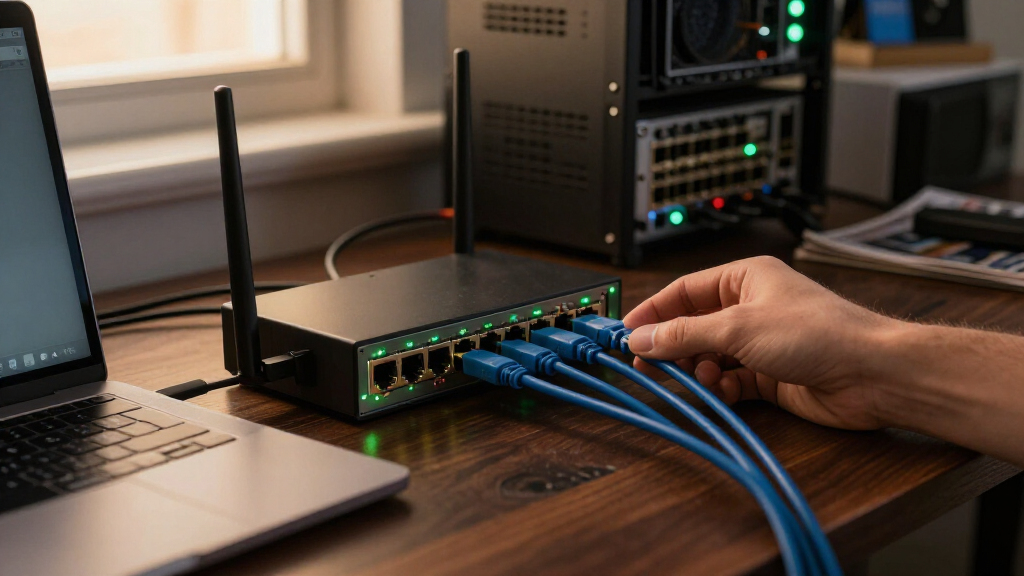
I compared these switches around the needs implied by a 16-port 2.5GbE upgrade: how many 2.5GbE devices they can connect, whether they offer faster uplinks, and whether they add PoE for endpoints such as access points or cameras. I also weighed practical details that affect placement and installation, including fanless or metal construction where specified, desktop and rack-mount options, and the extra complexity that can come with a higher-power switch. Since the listed models are unmanaged, I treated simple deployment as a benefit but did not credit them for controls that are not specified.
The ranking favors a balanced fit for the core request first, then rewards useful additions when they solve a clear buyer need. That puts the TRENDnet TEG-S3160 at the front as a straightforward 16-port choice, while models with 10G SFP+ uplinks rank higher for NAS and backbone use, and PoE models rise for powered-device networks. Exact power budgets, noise levels, and other details are not supplied in the product names, so I avoid assuming performance or compatibility beyond the listed features; buyers should verify those specifications before purchase.
| 16 port 2.5GbE switch | Switch type |
|---|---|
| TRENDnet TEG-S3160 16-Port Unm | Unmanaged |
| MokerLink 16-Port 2.5Gb Ethern | Unmanaged, Layer 2, non-PoE |
| YuanLey 16-Port 2.5G Unmanaged | Unmanaged, Layer 2 |
| Real HD 16-Port 2.5Gb Unmanage | Unmanaged |
| NICGIGA 18-Port 2.5G Unmanaged | Unmanaged |
| NICGIGA 16-Port 2.5Gb Unmanage | Unmanaged |
| YuanLey 18-Port 2.5G Unmanaged | — |
| NICGIGA 18-Port 2.5G Ethernet | Unmanaged |
| SODOLA 18-Port 2.5GbE Unmanage | Unmanaged |
| NICGIGA 18-Port 2.5G Unmanaged | — |
Factors to Consider When Choosing Best 16 Port 2.5GbE Switch
Choosing a 2.5GbE switch is less about chasing the longest feature list and more about matching the switch to the devices and wiring already in your network. I would settle the port, uplink, and PoE questions before comparing enclosure details, since those choices affect both compatibility and future expansion.
Count Devices, Not Just Switch Ports
Make a list of the devices that need wired connections now, then reserve ports for likely additions such as a NAS, desktop, access point, or printer. A 16-port switch may not provide 16 usable connections if one port is assigned to an uplink or another device in your layout. The 18-port models in this roundup can provide extra room, but the additional ports matter only if you will use them. Avoid buying solely by the advertised count without checking whether uplink ports share capacity with the regular ports. If you are close to filling a 16-port model already, a modest port surplus can reduce the chance of needing another switch soon.
Check the Whole Path to 2.5GbE
A 2.5GbE switch can only provide faster links when the connected device and the rest of the network path support them. Check the Ethernet ports on your router, computer, NAS, and access points, along with the network adapters in older desktops. Existing cabling often works, but cable condition, run length, and installation quality can affect link negotiation, so confirm the actual link speed after setup. A single faster switch will not make an internet connection faster if the router or service is the bottleneck. For local file transfers, match the switch with a NAS and client capable of sustaining the higher rate.
Decide Whether 10G SFP+ Uplinks Solve a Real Bottleneck
10G SFP+ uplinks can carry traffic from the switch to a NAS, server, router, or another switch at a higher rate than a typical 2.5GbE connection. This is useful when several fast clients share access to storage or when linking separate network segments. These ports do not automatically provide a 10GbE connection to ordinary Ethernet devices; the other endpoint and the required transceiver or cable must match. Check whether your planned connection uses a compatible DAC cable, optical module, or other supported option. If all traffic exits through a slower router link, paying for a 10G uplink may bring little benefit to everyday use.
Treat PoE as a Power-Planning Decision
PoE can remove the need for separate power adapters for compatible cameras, access points, and other network devices. Before choosing a PoE model, add up the power needs of the devices you plan to connect and compare the total with the switch’s stated PoE budget. Check each device’s PoE standard and per-port power requirement; a matching connector alone does not confirm compatibility. Leaving headroom helps if a device draws more power during startup or you add endpoints later. A non-PoE switch is the simpler fit when every connected device already has its own power source.
Match Cooling and Mounting to the Location
A switch placed beside a desk or in a shared room has different requirements from equipment installed in a rack or a ventilated utility space. Confirm whether the specific model has a fan, how it is intended to be mounted, and whether its dimensions fit the planned location. Fanless designs can suit quiet spaces, but passive cooling still depends on airflow around the enclosure. PoE models may produce more heat as connected devices draw power, so avoid enclosing them in a cramped cabinet without ventilation. Check the included mounting hardware and leave room for power, Ethernet, and SFP+ connections before settling on a location.
Know What Unmanaged Means Before You Buy
Unmanaged switches are designed for simple connectivity: connect the devices and let the switch handle traffic without a control panel to configure. That makes them approachable for a basic wired upgrade, but it also means buyers should not expect features such as configurable VLANs, link aggregation controls, or per-port monitoring unless a product explicitly lists them. If you need to separate guest, camera, and work devices at the switch, look for a managed or smart-managed model instead. Router settings may offer some network separation, but they do not replace every switch-level control. Choose unmanaged when straightforward expansion matters more than traffic policies and diagnostics.
Frequently Asked Questions
Will a 2.5GbE switch make my internet connection faster?
Only if the connection between your router and internet service can deliver more than 1Gbps and the rest of the network supports that speed. A 2.5GbE switch can improve transfers between compatible local devices even when internet service is slower. Check the router’s LAN ports, the switch uplink arrangement, and the speeds of the connected computers or NAS. If the router has only 1GbE LAN ports, internet traffic may still be limited by that link. The local network can benefit even when the internet connection does not.
Do I need 10G SFP+ uplinks if my devices are only 2.5GbE?
Not always. A 10G uplink is most useful when several 2.5GbE clients send traffic to a shared NAS, server, router, or second switch and could otherwise compete for a slower connection. For a small network with one or two active clients and no fast storage connection, ordinary 2.5GbE links may be enough. You will also need compatible equipment and a suitable cable or transceiver at the other end. Check the supported SFP+ options before purchase, since the port alone does not provide a ready-made Ethernet connection.
Should I choose PoE if I may add access points or cameras later?
PoE is a useful choice when you expect to install compatible devices in places without convenient outlets, but it is not automatically the better option for every network. Confirm the standards and power requirements of both current and planned devices, then compare their combined draw with the switch’s PoE budget. Keep some spare capacity for later additions rather than sizing the budget to the exact current load. If the future devices are uncertain or use their own power adapters, a non-PoE model may be a simpler fit. Verify the exact power budget for the particular NICGIGA or YuanLey model you are considering.
Can I use one of these switches with a router that has only 1GbE ports?
Yes, the switch can still connect 2.5GbE-capable devices to one another at faster local speeds, subject to their capabilities and the switch design. Traffic that has to pass through the router or reach the internet will be limited by the 1GbE connection between the router and switch. This setup can still help with local transfers between a fast computer and NAS. If you need faster internet access or want more combined traffic to reach the router, the router also needs a suitable faster port. Check how the switch’s uplinks are intended to connect before planning the network layout.
When is an unmanaged switch the wrong choice?
An unmanaged model may not suit a network that needs VLANs, port-level traffic controls, link aggregation configuration, or detailed diagnostics. Those features can matter when separating work devices from guest or camera traffic, or when troubleshooting a larger installation. The models in this roundup are presented as unmanaged, so I would not choose one on the assumption that it can provide managed-switch controls. A router can handle some network policies, but it may not cover every requirement at the switch. If any of those controls are needed, compare managed or smart-managed 2.5GbE switches before deciding.
Conclusion
For a balanced, uncomplicated 16-port upgrade, I would start with the TRENDnet TEG-S3160 as the best overall fit in this comparison. Buyers seeking a best-value style of choice should look closely at the YuanLey 16-port unmanaged model if they need basic 2.5GbE connectivity and do not require PoE or 10G uplinks; confirm its exact specifications before ordering. For a premium-oriented setup built around faster aggregation, choose a model with 10G SFP+ uplinks, such as the MokerLink, while recognizing that compatible endpoint gear is required. Beginners are best served by a straightforward unmanaged 16-port switch, with the TRENDnet as the simplest lead pick from this lineup. For cameras or access points, compare the NICGIGA and YuanLey PoE options by their verified power budgets; for extra ports without PoE, consider an 18-port non-PoE model. Match the final choice to your devices, uplink plan, and installation space rather than buying extra features your network cannot use.
Fall Picks
fall essentials
As an affiliate, we earn on qualifying purchases.