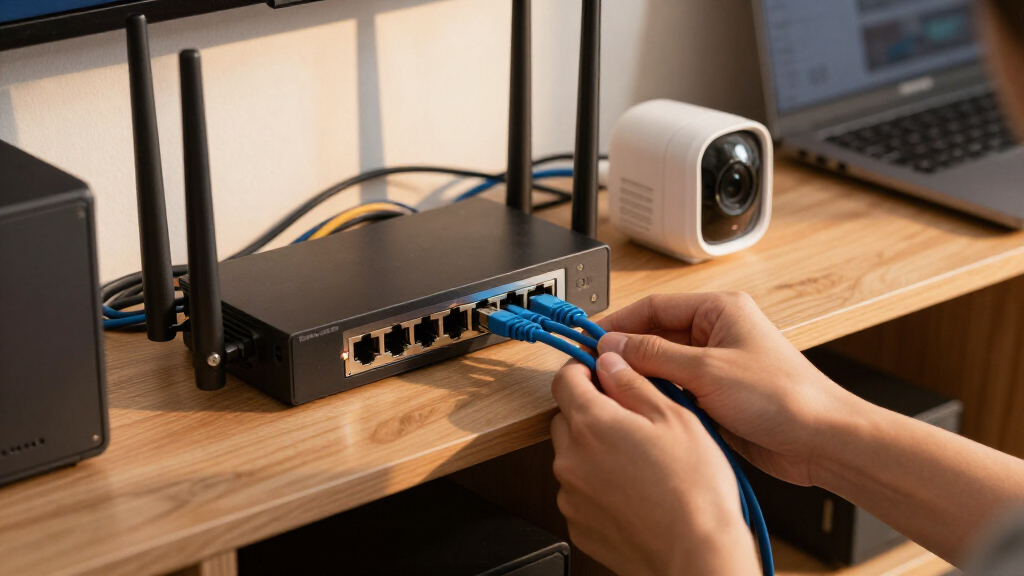
The best 10G switch with PoE depends on whether you need fast 10G access ports, 10G uplinks for a multi-gig network, or PoE capacity for demanding devices. My best overall pick is the Omada SX3206HPP, which pairs 10G PoE ports with managed Layer 2+ features. The TRENDnet TPE-7124SBF stands out for buyers seeking many 10G PoE++ ports, while the NICGIGA 10-Port offers a simpler route to 2.5G PoE with 10G uplinks. The main tradeoffs are port speed versus port count, managed controls versus plug-and-play setup, and PoE budget versus device demand. Continue reading for the full breakdown and guidance on matching the switch to your equipment.

Get privacy and security gear delivered free with Prime
- Fast, free delivery on millions of items
- Prime Video, Amazon Music and more included
- Member-only deals all year
Key Takeaways
- 10G access and 10G uplinks are different. Several picks pair 2.5G PoE access ports with 10G SFP+ uplinks; that suits fast aggregation but does not give connected devices 10G copper access.
- The Omada SX3206HPP is the clearest managed 10G PoE choice. Its 10G Layer 2+ positioning favors buyers who need control and fast PoE-connected links over a large port count.
- The TRENDnet TPE-7124SBF targets port density and PoE++. Its 12-port design is better suited to larger device groups than compact unmanaged models, with smart management adding setup overhead.
- Three YuanLey and NICGIGA options center on 2.5G PoE access. Their 10G uplinks can connect the switch to a faster core, but their access ports are not a substitute for 10G to every endpoint.
- PoE budget and management matter as much as link speed. A nominally fast switch can still be a poor fit if its power capacity, VLAN controls, or configuration style do not match the devices and network.
| NICGIGA 10-Port Unmanaged 2.5G PoE+ Switch with 2 10G SFP+ Uplinks |  | Best Fanless 2.5G Pick | Ports: 8 × 2.5GbE PoE+ RJ45; 2 × 10G SFP+ | PoE standard: IEEE 802.3af/at | Maximum PoE per port: 30W | VIEW LATEST PRICE | See Our Full Breakdown |
| YuanLey 8-Port 10G PoE Unmanaged Ethernet Switch |  | Best for 10G RJ45 PoE Access | Ports: 8 × 10Gbps RJ45 PoE | Supported speeds: 10G, 5G, 2.5G, 1G, 100Mbps | PoE standard: IEEE 802.3af/at | VIEW LATEST PRICE | See Our Full Breakdown |
| Omada 8-Port 2.5G PoE++ Easy Managed Switch with Dual 10G Uplinks |  | Best Managed 2.5G PoE++ Value | Ethernet ports: 8 × 2.5Gbps RJ45 with PoE++ | Uplinks: 1 × 10Gbps RJ45; 1 × 10Gbps SFP+ | PoE standards: IEEE 802.3af/at/bt | VIEW LATEST PRICE | See Our Full Breakdown |
| Omada SX3206HPP, 6 Port 10G L2+ Managed PoE Switch |  | Best for Managed 10G PoE Networks | Ports: 4 × 10GbE RJ45; 2 × 10G SFP+ | PoE standard: 802.3bt/at/af | Maximum PoE per port: 60W | VIEW LATEST PRICE | See Our Full Breakdown |
| TRENDnet 12-Port 10G PoE++ Web Smart Switch, TPE-7124SBF | 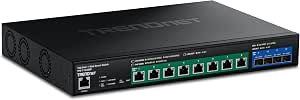 | Best High-Capacity 10G PoE++ Switch | Total ports: 12 | PoE++ ports: 8 × 10G PoE++ | SFP+ ports: 4 × 10G SFP+ | VIEW LATEST PRICE | See Our Full Breakdown |
| YuanLey 10-Port Unmanaged 2.5Gbps PoE Switch with 8 PoE RJ45 Ports, 2×10G SFP, 120W Power, VLAN, Rack Mount |  | Best Silent Fiber-Uplink Value | Ports: 8 x 2.5Gbps PoE RJ45; 2 x 10G SFP | Switching capacity: 60Gbps | PoE budget: 120W total; up to 30W per port | VIEW LATEST PRICE | See Our Full Breakdown |
| YuanLey 10‑Port Unmanaged 2.5G/10G PoE Switch, 8 × 2.5Gbps PoE+ Ports, 2 × 10Gbps Uplink, 120W Power Budget, Fanless Metal Housing |  | Best for 10G RJ45 Uplinks | Number of ports: 10 | PoE ports: 8 x 2.5Gbps PoE+ | Uplink ports: 2 x 10Gbps RJ45 | VIEW LATEST PRICE | See Our Full Breakdown |
| NETGEAR MS510TXUP 10-Port Multi-Gigabit PoE++ Smart Managed Switch |  | Best Premium Managed PoE | Number of ports: 10 | Ethernet ports: 4 x 10G and 4 x 2.5G multi-gigabit PoE++ | Uplink ports: 2 x 10G SFP+ | VIEW LATEST PRICE | See Our Full Breakdown |
| 10G switch with PoE | Ports | Total PoE budget |
|---|---|---|
| NICGIGA 10-Port Unmanaged 2.5G | 8 × 2.5GbE PoE+ RJ45; 2 × 10G SFP+ | 120W |
| YuanLey 8-Port 10G PoE Unmanag | 8 × 10Gbps RJ45 PoE | — |
| Omada 8-Port 2.5G PoE++ Easy M | — | 200W |
| Omada SX3206HPP | 4 × 10GbE RJ45; 2 × 10G SFP+ | 200W |
| TRENDnet 12-Port 10G PoE++ Web | — | 720W |
| YuanLey 10-Port Unmanaged 2.5G | 8 x 2.5Gbps PoE RJ45; 2 x 10G SFP | — |
| YuanLey 10‑Port Unmanaged 2.5G | — | — |
| NETGEAR MS510TXUP 10-Port Mult | — | — |
More Details on Our Top Picks
NICGIGA 10-Port Unmanaged 2.5G PoE+ Switch with 2 10G SFP+ Uplinks
This NICGIGA is a fit for buyers who want quiet 2.5GbE PoE+ access and 10G fiber uplinks without taking on managed-switch setup. Eight RJ45 ports can power access points, cameras, or other compatible devices, while the two SFP+ ports give a NAS or core switch a faster connection than a 2.5G uplink would. Its fanless metal design suits a home office or quiet equipment area, and plug-and-play operation keeps setup simple.
The tradeoff is capacity: the 120W PoE budget is more modest than the Omada 8-Port 2.5G PoE++ model’s 200W, and this NICGIGA offers neither 10G RJ45 access nor cloud management. It also requires PoE devices compatible with 44–57V. I’d choose it for quiet, straightforward multi-gig access—not for high-wattage endpoints or a network that needs detailed controls.
Pros:- Eight 2.5GbE PoE+ ports handle multi-gig endpoints without requiring a full 10G access switch.
- Two 10G SFP+ uplinks provide fast connections to a NAS or network core.
- Fanless metal construction avoids fan noise in quiet work areas.
- Unmanaged plug-and-play setup keeps installation straightforward.
Cons:- The 120W total PoE budget can constrain the number of high-power devices running together.
- PoE compatibility is specified for devices using 44–57V.
- No management features are provided for network monitoring or traffic controls.
Best for: Home-office and small-business buyers connecting several 2.5GbE PoE access points or cameras who want silent operation and 10G SFP+ uplinks.
Not ideal for: Buyers powering multiple high-draw PoE++ devices or needing 10G RJ45 ports, managed controls, or more than 120W of PoE capacity.
- Ports:8 × 2.5GbE PoE+ RJ45; 2 × 10G SFP+
- PoE standard:IEEE 802.3af/at
- Maximum PoE per port:30W
- Total PoE budget:120W
- Switch type:Unmanaged
- Cooling and case:Fanless; metal case
- Operating temperature:-10 to 50 °C
- Lightning protection:6 kV
Our verdict“Choose this NICGIGA for silent 2.5GbE PoE access with 10G SFP+ uplinks, provided its 120W power limit fits your devices.”
YuanLey 8-Port 10G PoE Unmanaged Ethernet Switch
For a buyer who wants 10G directly at the powered endpoint, this YuanLey stands apart from the 2.5GbE-access models in this roundup. All eight RJ45 PoE ports support 10G as well as 5G, 2.5G, 1G, and 100Mbps, so it can connect a mix of newer multi-gig equipment and slower existing devices. Its stated 160Gbps switching capacity, metal case, and rack or wall mounting make it a practical fit for a compact wired network that needs higher-speed copper access.
The price of that simplicity is limited power and control. The 110W PoE budget is below the NICGIGA’s 120W and far below the Omada SX3206HPP’s 200W; eight devices may connect, but their combined power draw needs checking. It is unmanaged, and its quiet fan is still a fan—unlike the fanless NICGIGA. Choose this for 10G copper access, not silence or advanced network policies.
Pros:- Eight PoE RJ45 ports support speeds up to 10Gbps and negotiate with slower listed connection speeds.
- 160Gbps switching capacity supports a high-throughput set of connected links.
- Metal case supports rack or wall mounting.
- Unmanaged operation avoids a configuration step for basic deployments.
Cons:- The 110W total PoE budget may limit simultaneous use of high-power endpoints.
- A cooling fan adds noise and moving parts compared with the fanless NICGIGA.
- Unmanaged operation lacks the VLAN, access-control, and monitoring options offered by managed models.
Best for: Small offices or studios with 10G-capable PoE access points, cameras, or workstations that need multi-speed RJ45 connections and simple setup.
Not ideal for: Quiet-room installations, deployments with several high-power PoE devices, or networks requiring VLAN and other managed controls.
- Ports:8 × 10Gbps RJ45 PoE
- Supported speeds:10G, 5G, 2.5G, 1G, 100Mbps
- PoE standard:IEEE 802.3af/at
- Total PoE power:110W
- Maximum power per port:30W
- Switching capacity:160Gbps
- Mounting:Rackmount or wall mount
- Cooling fan noise:24dB
Our verdict“Pick the YuanLey when eight 10G-capable PoE copper ports matter more than a large power reserve, silent cooling, or managed features.”
Omada 8-Port 2.5G PoE++ Easy Managed Switch with Dual 10G Uplinks
This Omada is the more flexible choice for a small network that needs 2.5GbE PoE++ access plus usable management. Its eight RJ45 ports support 802.3af/at/bt, with up to 90W per port and a 200W overall budget—more headroom than the NICGIGA’s 120W PoE+ design. The mix of a 10G RJ45 port and a 10G SFP+ slot also gives buyers a choice of copper or fiber for high-speed connections, rather than limiting both uplinks to SFP+.
Web and Omada app cloud management add visibility and centralized control that neither unmanaged option provides. That makes it a better match for someone managing several network devices, though it brings more setup and operational complexity than plug-and-play switches. Compared with the SX3206HPP, this model has more PoE access ports but only 2.5G RJ45 access; the SX3206HPP provides 10G copper ports and Layer-2+ tools. Choose according to whether endpoint speed or PoE port count matters more.
Pros:- Eight 2.5GbE ports support PoE++ with up to 90W per port.
- The 200W PoE budget exceeds the NICGIGA’s stated 120W capacity.
- A 10G RJ45 port and a 10G SFP+ slot provide two uplink media options.
- Web and Omada app management offer centralized visibility and control.
Cons:- Access ports top out at 2.5Gbps, unlike the YuanLey’s 10G RJ45 PoE ports.
- Managed and cloud-connected features add setup and administration beyond an unmanaged switch.
- The listed data does not specify advanced Layer-2+ security features available on the Omada SX3206HPP.
Best for: Small-business owners or IT administrators who want eight 2.5GbE PoE++ ports, cloud-based Omada management, and both copper and SFP+ 10G connectivity.
Not ideal for: Buyers who need 10G on every access port, want a fully unmanaged plug-in-and-go switch, or do not want cloud/app management.
- Ethernet ports:8 × 2.5Gbps RJ45 with PoE++
- Uplinks:1 × 10Gbps RJ45; 1 × 10Gbps SFP+
- PoE standards:IEEE 802.3af/at/bt
- Total PoE budget:200W
- Maximum PoE per port:Up to 90W
- Management:Web and Omada app cloud management
- Model:ES210XPP-M2
- Warranty:5 years
Our verdict“Choose this Omada for managed 2.5GbE PoE++ access and a generous 200W budget, rather than 10G speeds at every endpoint.”
Omada SX3206HPP, 6 Port 10G L2+ Managed PoE Switch
The SX3206HPP is the choice here for buyers who need 10G RJ45 PoE access and Layer-2+ controls, rather than a larger number of lower-speed ports. Four 10GbE copper ports supply PoE++ at up to 60W each, while two 10G SFP+ slots provide fiber uplinks. Its 200W budget matches the Omada 8-Port 2.5G model, but the SX3206HPP spends that capacity across fewer, faster access ports. VLANs, ACLs, DHCP snooping, and 802.1X support make it better suited to a segmented business network than either unmanaged switch.
The clear compromise is only six ports total. A buyer who needs to power many endpoints may prefer the eight-port Omada 2.5G switch, and the TRENDnet TPE-7124SBF offers twice as many total ports plus a much larger 720W PoE budget. The SX3206HPP is a more focused fit for a small managed 10G edge, not a high-density deployment. Omada SDN integration and a five-year warranty add appeal for organizations already using that ecosystem.
Pros:- Four 10GbE RJ45 ports combine high-speed access with PoE++ up to 60W per port.
- Two 10G SFP+ slots support fiber uplinks.
- Layer-2+ features include VLANs, ACLs, DHCP snooping, and 802.1X.
- Omada SDN integration supports centralized management, with a five-year warranty listed.
Cons:- Six total ports limit capacity compared with the eight-port Omada 2.5G model and 12-port TRENDnet.
- The 200W PoE budget is far smaller than the TRENDnet’s stated 720W.
- Port count is fixed, with no modular expansion listed.
Best for: Small-business IT teams needing several 10G PoE++ copper connections, two 10G fiber uplinks, and managed access controls within an Omada network.
Not ideal for: Deployments needing more than four PoE endpoints, many total switch ports, or a larger PoE reserve than 200W.
- Ports:4 × 10GbE RJ45; 2 × 10G SFP+
- PoE standard:802.3bt/at/af
- Maximum PoE per port:60W
- Total PoE budget:200W
- Management:Layer 2+ managed; Omada SDN integration
- Security features:VLANs, ACLs, DHCP snooping, 802.1X
- Case:Metal
- Warranty:5 years
Our verdict“Choose the SX3206HPP when managed 10G PoE++ access and security controls outweigh the need for more ports or a larger power budget.”
TRENDnet 12-Port 10G PoE++ Web Smart Switch, TPE-7124SBF
The TRENDnet is the high-capacity option for a network that needs 10G PoE++ access, substantial power, and web-based traffic controls. It combines eight 10G PoE++ ports rated up to 90W each with four 10G SFP+ uplinks, giving it more powered access and fiber connectivity than the six-port Omada SX3206HPP. Its stated 720W PoE budget is the standout difference: buyers can plan for several high-draw devices without the tighter power ceiling found on the 110W YuanLey or 200W Omada models.
This capacity comes with a more involved feature set. VLANs, QoS, LACP, and SNMP monitoring are useful in managed installations, but may be unnecessary for a small network that only needs basic switching. The unit is rack-mountable and lists NDAA/TAA compliance and lifetime manufacturer protection. The supplied data also lists “Maximum Power” as 57.4 watts alongside a 720W PoE budget, so I would verify the intended power specification with the manufacturer before designing a deployment around it.
Pros:- Eight 10G PoE++ ports support up to 90W per port.
- The stated 720W PoE budget is substantially higher than the Omada models’ 200W budgets.
- Four 10G SFP+ ports provide multiple fiber uplink options.
- Web management includes VLAN, QoS, LACP, and SNMP tools; rack mounting and listed NDAA/TAA compliance suit business installations.
Cons:- The larger feature set may add unnecessary setup and administration for basic networks.
- No stacking support is listed, which may matter when planning growth across multiple switches.
- The supplied specifications also list a 57.4W maximum power figure, which conflicts with the stated 720W PoE budget and warrants confirmation.
Best for: IT teams building a rack-based 10G network with multiple high-power PoE++ endpoints, fiber uplinks, and a need for VLAN, QoS, LACP, or SNMP tools.
Not ideal for: Home or small-office buyers who need only a few endpoints, want an uncomplicated unmanaged switch, or cannot verify the listed power specifications before deployment.
- Total ports:12
- PoE++ ports:8 × 10G PoE++
- SFP+ ports:4 × 10G SFP+
- Total PoE budget:720W
- Maximum power per PoE port:90W
- Management features:Web GUI, VLAN, QoS, LACP, SNMP
- Mounting:1U 19-inch rack mount
- Compliance and protection:NDAA/TAA compliant; lifetime manufacturer protection listed
Our verdict“Choose the TRENDnet for a rack-based 10G PoE++ deployment that needs many powered ports and management tools, after confirming its power specifications.”
YuanLey 10-Port Unmanaged 2.5Gbps PoE Switch with 8 PoE RJ45 Ports, 2×10G SFP, 120W Power, VLAN, Rack Mount
I’d choose this YuanLey when quiet operation and 10G fiber uplinks matter more than managed controls. Its eight 2.5Gbps PoE ports give multigig access points and other wired devices more headroom than standard gigabit ports, while the two 10G SFP slots support fast links to a server or core switch. Compared with the other YuanLey in this batch, which has 10G RJ45 uplinks and a stated 80Gbps switching capacity, this model is a better fit for buyers already using fiber, but its listed switching capacity is 60Gbps. The 120W PoE budget and fanless metal chassis suit a quiet home rack or desk. The tradeoff is limited flexibility: it is unmanaged, and the one-key VLAN feature is not a substitute for full traffic monitoring or configuration. SFP modules are also sold separately.
Pros:- Eight 2.5Gbps PoE ports support faster connections for multigig devices.
- Two 10G SFP slots provide high-speed fiber uplink options.
- 120W total PoE budget allows power delivery to several devices.
- Fanless metal chassis supports silent desktop or rack placement.
Cons:- Unmanaged operation limits traffic controls and monitoring.
- SFP modules are not included, adding a separate component requirement.
- Listed 60Gbps switching capacity is lower than the other YuanLey model’s stated 80Gbps.
Best for: Home-lab and small-office owners with multigig PoE devices, fiber-capable uplink equipment, and a preference for silent, simple installation.
Not ideal for: Network administrators who need detailed VLAN, traffic, or device monitoring, or buyers who want plug-in RJ45 10G uplinks without separate SFP modules.
- Ports:8 x 2.5Gbps PoE RJ45; 2 x 10G SFP
- Switching capacity:60Gbps
- PoE budget:120W total; up to 30W per port
- VLAN support:One-key VLAN
- Management:Unmanaged
- Form factor:Rack mount or desktop
- Chassis:Fanless metal
- Operating temperature:-10°C to 50°C
Our verdict“Choose this YuanLey for a quiet multigig PoE network with fiber uplinks, but skip it if you need managed controls or 10G RJ45 uplinks.”
YuanLey 10‑Port Unmanaged 2.5G/10G PoE Switch, 8 × 2.5Gbps PoE+ Ports, 2 × 10Gbps Uplink, 120W Power Budget, Fanless Metal Housing
This YuanLey is the straightforward pick when a network needs 10G copper uplinks rather than SFP-based fiber. It pairs eight 2.5Gbps PoE+ ports with two 10Gbps RJ45 uplinks, making it easier to connect directly to compatible copper equipment than the other YuanLey here, which uses SFP slots and requires separately sourced modules. The stated 80Gbps switching capacity also exceeds that model’s listed 60Gbps figure. Its 120W PoE budget and fanless metal housing suit a small office or home network where silence and plug-and-play setup matter. The cost of that simplicity is limited control: this is unmanaged, and the provided specs do not list VLAN support, unlike the one-key VLAN feature on its sibling. It also lacks the NETGEAR MS510TXUP’s smart management and larger 295W PoE budget.
Pros:- Two 10Gbps RJ45 uplinks connect directly to compatible copper devices.
- Eight 2.5Gbps PoE+ ports provide multigig connectivity for powered endpoints.
- Stated 80Gbps switching capacity is higher than the other YuanLey model in this batch.
- Fanless metal housing supports quiet operation.
Cons:- Unmanaged design offers no advanced traffic control or monitoring.
- 120W PoE budget is well below the NETGEAR MS510TXUP’s 295W.
- No VLAN support is specified in the supplied product data.
Best for: Small-office and home-network builders who need two 10G RJ45 uplinks, multiple 2.5Gbps PoE connections, and a silent plug-and-play switch.
Not ideal for: Buyers who need advanced configuration or monitoring, more than 120W of PoE power, or fiber uplinks for longer-distance connections.
- Number of ports:10
- PoE ports:8 x 2.5Gbps PoE+
- Uplink ports:2 x 10Gbps RJ45
- PoE budget:120W
- Switching capacity:80Gbps
- Switch type:Unmanaged, Layer 2
- Housing:Fanless metal
- Warranty:1 year
Our verdict“Pick this YuanLey if you want simple 10G copper uplinks and silent multigig PoE, but choose a managed model for greater network control.”
NETGEAR MS510TXUP 10-Port Multi-Gigabit PoE++ Smart Managed Switch
I’d rank the NETGEAR MS510TXUP for buyers who need substantial PoE capacity and more control than an unmanaged switch can provide. Its eight multi-gigabit PoE++ ports combine four 10G and four 2.5G Ethernet ports with two 10G SFP+ uplinks, while the 295W power budget leaves more room for power-hungry devices than either 120W YuanLey model. Smart management and a year of NETGEAR Insight remote management make it a stronger fit for offices that need to administer connections beyond basic plug-and-play. That added capability comes with more setup and ongoing service considerations than the fanless unmanaged YuanLey switches. The supplied data does not specify a fanless design, so buyers prioritizing silent placement should verify its acoustic behavior. It is also the largest, heaviest option in this batch by the listed dimensions and weight.
Pros:- 295W PoE budget provides far more power headroom than either YuanLey model.
- Eight PoE++ ports include four 10G and four 2.5G Ethernet ports.
- Two 10G SFP+ uplinks support fiber connections to faster network equipment.
- Smart management and one year of NETGEAR Insight remote management are included.
Cons:- NETGEAR Insight remote management is included for only one year.
- The 3.5kg chassis is heavier than the compact desktop-first positioning of simpler switches suggests.
- More management capability may be unnecessary for buyers who only need plug-and-play switching.
Best for: Small-business IT teams powering multiple high-draw PoE devices and needing smart management, multigig ports, and 10G fiber uplinks.
Not ideal for: Quiet home-office users who want a simple unmanaged switch, or buyers whose network can run within a 120W PoE budget.
- Number of ports:10
- Ethernet ports:4 x 10G and 4 x 2.5G multi-gigabit PoE++
- Uplink ports:2 x 10G SFP+
- PoE budget:295W
- Maximum data transfer rate:10Gbps
- Switch type:Smart managed
- Mounting options:Desktop or rack mount
- Dimensions and weight:13 x 8.1 x 1.7 in; 3.5kg
- Included management service:1 year of NETGEAR Insight
Our verdict“Choose the MS510TXUP when managed control and a 295W PoE budget justify its added complexity; for a quiet basic network, a YuanLey is simpler.”
How We Picked
I compared the eight switches by the parts of the specification that change a purchase decision: whether 10G is available at the access ports or only at uplinks, how many PoE-connected devices each design can serve, and whether the listed PoE class and budget suit demanding endpoints. I also weighed management features, installation flexibility, and how much configuration a typical buyer may need. A higher headline speed did not automatically earn a higher place when the design offered less flexibility for the likely use.
The ranking gives priority to a balanced fit for buyers searching specifically for 10G and PoE, then separates purpose-built managed models from simpler 2.5G access switches with 10G uplinks. The Omada SX3206HPP leads for its combination of 10G PoE and managed control; the TRENDnet follows for buyers who value more 10G PoE++ ports. Multi-gig unmanaged models remain useful picks for simpler or budget-conscious networks, but they rank lower when the buyer needs full 10G access or more control. I treat model-specific power budgets and port capabilities as purchase checks rather than assuming that similarly named switches have identical specifications.
Factors to Consider When Choosing Best 10G Switch With PoE
Before choosing a model, I would map the devices and links the switch must serve rather than shop by the 10G label alone. These factors help avoid buying an uplink-focused switch when you need 10G at the device, or paying for management features that will go unused.
Check Whether 10G Is Needed at the Edge or Only Between Switches
Write down which connections actually need 10G: computers, storage, access points, servers, or the link to another switch. A 2.5G PoE switch with dual 10G uplinks can relieve a bottleneck between network segments while every connected endpoint remains limited to 2.5G. That may be the right layout when the endpoints are multi-gig but a NAS or core switch needs a faster trunk. If a workstation itself must negotiate at 10G, verify that the switch offers 10G on the relevant access port, not just an SFP+ uplink. Also check the connector type and whether the link requires a compatible transceiver or DAC cable. This distinction is the most common source of disappointment when a buyer reads only the product name.
Size the PoE Budget for the Whole Deployment
PoE port count does not tell you how many powered devices a switch can run at once. Add the expected draw of each camera, access point, phone, or other endpoint, then leave headroom for startup demand and future additions. Confirm both the switch’s total power budget and the PoE standard required by the most demanding device; a PoE+ port may not replace a PoE++ source. A switch with plenty of ports but a modest shared budget can leave ports unable to deliver full power simultaneously. Check whether the manufacturer specifies per-port limits as well as a total budget. If the load is near the limit, choosing a larger power capacity is more useful than choosing extra unused data bandwidth.
Decide How Much Network Control You Will Actually Use
Unmanaged switches are a good fit when the goal is to connect devices and keep configuration simple. Managed or smart-managed models can add VLAN separation, traffic controls, monitoring, and other tools that matter when cameras, guest devices, or business systems should not share the same network. Those features can improve organization, but they also add setup decisions and may require someone to maintain the configuration. A common mistake is paying for management and never setting up the features that justify it. The opposite mistake is buying unmanaged hardware for a network that needs segmentation or remote oversight. Choose based on the changes you expect to make after installation, not just the size of the current network.
Match Port Count to Growth, Not Just Today’s Devices
Count the wired devices you plan to connect, then account for uplinks and any ports reserved for expansion. A switch with fewer, faster ports can make sense for a small server or workstation cluster, while a higher port count may better serve a camera installation or a growing office. Avoid counting SFP+ uplinks as spare PoE access ports: they serve a different purpose and may need separate cabling or optics. Leave some capacity for devices you are likely to add, but do not buy a dense chassis if the extra ports will sit unused. Think about where the switch will be installed too, since rack space and cable routing can affect which port layout is practical. The best fit is the one that supports a plausible next step without forcing an unnecessary jump in complexity.
Plan for Heat, Noise, and Placement
Switches serving PoE devices can produce heat, and 10G hardware may use active cooling. A fanless metal design can be attractive in a quiet room, but it still needs clear airflow and a suitable operating environment. Rack-oriented models may be more appropriate in a network closet than beside a desk, especially if fan noise would be distracting. Check the product’s cooling design, mounting options, and ventilation needs before deciding where it will live. A confined cabinet can raise temperatures even for a compact switch, while an open shelf may expose a unit to accidental cable pulls. Plan placement alongside cabling and power access rather than treating it as an afterthought.
Compare the Full Cost of the 10G Link
The switch is only one part of a working 10G connection. SFP+ links may need compatible transceivers, fiber, or direct-attach cables, and connected devices need network adapters that support the intended speed. Copper 10G can have different cabling and distance requirements from a short SFP+ connection, so check the route before selecting a port type. Buyers sometimes focus on switch throughput and overlook the cost and compatibility of the rest of the path. Confirm that the router, server, or second switch can use the same link standard. A lower-complexity 2.5G access design with 10G aggregation may deliver a better practical upgrade than forcing 10G copper to every device.
Frequently Asked Questions
Does a 10G SFP+ uplink make every PoE port a 10G port?
No. An SFP+ uplink is a fast connection from the switch to another network device, while the RJ45 access ports keep their own rated speeds. In this lineup, several models combine 2.5G PoE access with 10G uplinks, which can help aggregate traffic without providing 10G to each endpoint. Check the port specifications individually rather than relying on “10G” in the product name. If a particular computer or server needs 10G, confirm it has a 10G access port and a compatible network adapter.
How can I tell if a switch has enough PoE power for my cameras and access points?
Start with the maximum power draw listed for each device, then add those figures across all ports you expect to use. Compare that total with the switch’s overall PoE budget, and check any per-port power limit against your highest-draw device. Leave some room for startup peaks and later additions instead of planning to use every watt from day one. Also verify whether each endpoint needs PoE+, PoE++, or another power source. A switch’s port count alone cannot answer whether it can power the whole installation.
Should I choose a managed switch if I only need faster wired connections?
If you only need straightforward connectivity and do not plan to separate traffic or monitor ports, an unmanaged switch may be easier to live with. Managed options become more useful when you need VLANs, traffic controls, or visibility into a business or surveillance network. The decision is less about network size than about whether you will use those controls. Keep in mind that management features bring configuration work, so they can add little value if the network will stay simple. Choose a managed model when you have a clear use for its tools or expect that need to grow.
Is a 2.5G PoE switch with 10G uplinks a sensible alternative to 10G PoE access ports?
Yes, when most connected devices work well at 2.5G and the main bottleneck is traffic moving between the switch and a server, router, or core network. A 10G uplink can carry combined traffic from several access ports more quickly, while keeping the edge layout suited to multi-gig devices. It is not a replacement when a specific endpoint must have a direct 10G link. Check whether that endpoint has a 10G access connection and whether the rest of the network can support its throughput. This design is often a better match for mixed-speed networks than buying 10G access everywhere.
What should I verify before using an SFP+ uplink with my existing network gear?
Confirm that the switch and the device at the other end support the same connection type and link speed. Check whether you need a DAC cable, fiber transceivers, or another compatible module, and verify that the cable or fiber suits the distance. Do not assume every SFP+ module works in every switch; consult the manufacturer’s compatibility guidance. You should also confirm that the router or core switch has a free matching port. This check can prevent a switch installation from stalling while you source the right link hardware.
Conclusion
For the best overall balance of 10G PoE and managed control, I would start with the Omada SX3206HPP. The TRENDnet TPE-7124SBF is my pick for buyers who need a larger group of 10G PoE++ ports, while the Omada 8-Port 2.5G PoE++ Easy Managed Switch suits those who want managed features with 10G uplinks and multi-gig access. For a simpler, value-focused setup, compare the NICGIGA 10-Port and the two YuanLey 2.5G PoE models against your exact port and power needs; the YuanLey 10-port options are especially relevant when a 120W budget fits the deployment. Beginners who want plug-and-play operation should favor an unmanaged model and verify its access-port speeds before buying. For a specific need such as 10G at the PoE endpoint, prioritize the SX3206HPP or TRENDnet rather than mistaking a 10G uplink for 10G access. The NETGEAR MS510TXUP is worth examining when smart management and PoE++ are priorities, but compare its port-speed layout and power capacity with the devices you plan to connect.
Evergreen bestsellers Picks
bestsellers
As an affiliate, we earn on qualifying purchases.