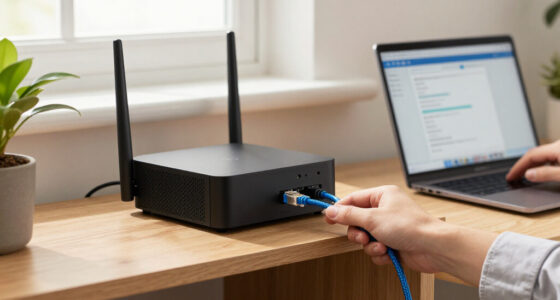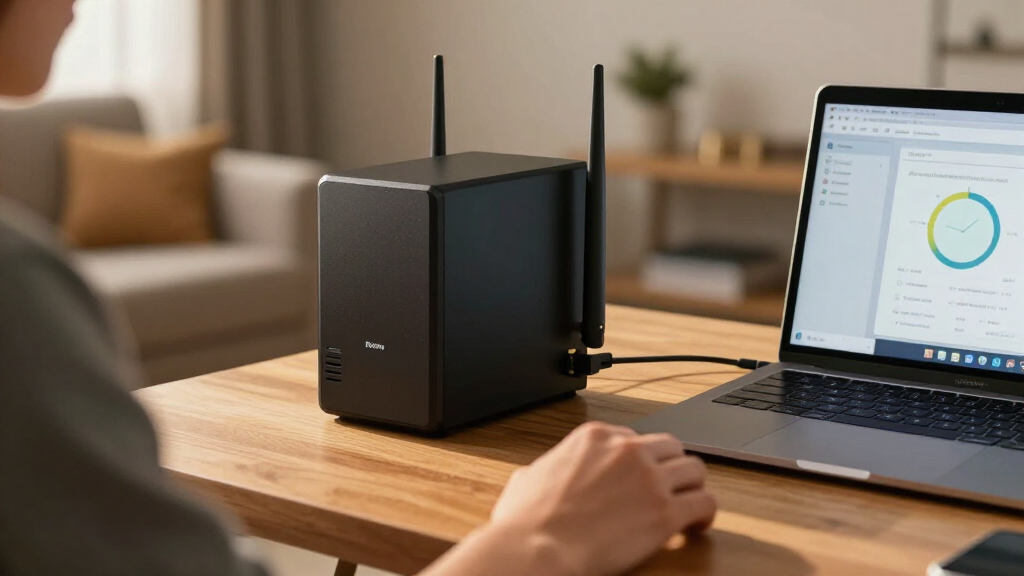

Choosing the best high speed router for NAS requires balancing raw throughput with interface compatibility. My top recommendation is the GL.iNet GL-BE9300 Flint 3 because its five 2.5G ports allow direct, bottleneck-free connections to modern multi-gigabit network-attached storage units. For those prioritizing brand ecosystem integration, the NETGEAR Nighthawk RS90 offers exceptional range and stability, while the ASUS RT-BE88U stands out for users needing advanced QoS and AiMesh capabilities. The primary tradeoff in this category is cost versus port density; many consumer routers offer high wireless speeds but lack sufficient wired multi-gig ports to fully utilize a NAS. Read on to see which model fits your specific storage workflow and bandwidth needs.

Get privacy and security gear delivered free with Prime
- Fast, free delivery on millions of items
- Prime Video, Amazon Music and more included
- Member-only deals all year
Key Takeaways
- Multi-gig Ethernet ports (2.5G or higher) are more critical for NAS performance than Wi-Fi 7 wireless speeds, as wired connections remain the standard for heavy file transfers.
- Wi-Fi 7 routers provide the lowest latency and highest theoretical bandwidth, but their real-world benefit for NAS access is often limited by client device capabilities and network congestion.
- Synology’s RT6600ax offers superior software integration for users already invested in the Synology DSM ecosystem, providing features that generic routers cannot match.
- Older Wi-Fi 5 and Wi-Fi 6 models like the NETGEAR R7500 and RAX36 are cost-effective for basic NAS access but create bottlenecks when transferring large media files or running virtual machines.
- Router processing power matters significantly for NAS users; cheaper models may struggle to maintain high throughput while simultaneously handling security inspections and multiple concurrent connections.
| GL.iNet GL-BE9300 Flint 3 Tri-Band Wi-Fi 7 Router with 5 2.5G Ports |  | Best Overall for Multi-Gig NAS Setups | Wi-Fi standard: Wi-Fi 7 | Frequency bands: Tri-band, including 6GHz | Maximum wireless speed: Up to 9Gbps | VIEW LATEST PRICE | See Our Full Breakdown |
| NETGEAR Nighthawk RS90 WiFi 7 Router – Up to 2,000 sq ft coverage, 3.6Gbps |  | Best for Gigabit NAS Beginners | Wi-Fi standard: Wi-Fi 7 (802.11be) | Frequency bands: Dual-band, 2.4GHz and 5GHz | Maximum data rate: 3.6Gbps | VIEW LATEST PRICE | See Our Full Breakdown |
| NETGEAR Nighthawk RS200 Dual-Band WiFi 7 Router |  | Best for a USB-Accessible NAS | Wi-Fi generation: Wi-Fi 7 | Frequency bands: Dual-band, 2.4GHz and 5GHz | Maximum data rate: Up to 6.5Gbps | VIEW LATEST PRICE | See Our Full Breakdown |
| TP-Link Archer BE6500 Dual-Band Wi-Fi 7 Router |  | Best for Expandable Whole-Home Coverage | Wi-Fi standard: Wi-Fi 7 (802.11be) | Bands: Dual-band, 2.4GHz and 5GHz | Total bandwidth: Up to 6.5Gbps | VIEW LATEST PRICE | See Our Full Breakdown |
| Synology RT6600ax Tri-Band Wi-Fi 6 Router | 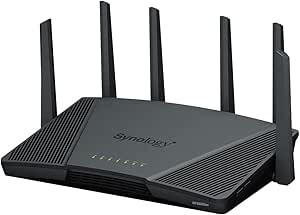 | Best for Synology NAS Network Management | Wireless standard: Wi-Fi 6 (802.11ax) | Frequency bands: Tri-band, including 2.4GHz and expanded 5.9GHz spectrum | Combined wireless throughput: Up to 6.6Gbps | VIEW LATEST PRICE | See Our Full Breakdown |
| NETGEAR Nighthawk X4 AC2350 Dual-Band Wi-Fi Router (R7500) |  | Best for Direct-Attached NAS Storage | Wi-Fi standard: 802.11a/b/g/n/ac | Maximum Wi-Fi speed: Up to 2.33 Gbps (600 + 1,733 Mbps) | Bands: Dual-band | VIEW LATEST PRICE | See Our Full Breakdown |
| ASUS RT-BE88U WiFi 7 Router |  | Best for Multi-Gigabit NAS | Wi-Fi generation: Wi-Fi 7 | Maximum wireless speed: Up to 7,200 Mbps | Bands: Dual-band | VIEW LATEST PRICE | See Our Full Breakdown |
| TP-Link Archer AXE75 AXE5400 Tri-Band WiFi 6E Router |  | Best for Wireless Device Capacity | Wi-Fi generation: Wi-Fi 6E | Bands: 6 GHz, 5 GHz, 2.4 GHz | Maximum data rate: Up to 5,400 Mbps | VIEW LATEST PRICE | See Our Full Breakdown |
| NETGEAR Nighthawk X6S AC4000 Tri-Band WiFi Router (R8000P) |  | Best for Legacy Wi-Fi Households | Wi-Fi generation: Wi-Fi 5 (802.11ac) | Bands: Tri-band | Maximum wireless speed: Up to 4,000 Mbps (750 + 1,625 + 1,625 Mbps) | VIEW LATEST PRICE | See Our Full Breakdown |
| NETGEAR Nighthawk AX3000 WiFi 6 Router (RAX36) |  | Best Simple Wi-Fi 6 Upgrade | Wi-Fi standard: Wi-Fi 6 (802.11ax) | Maximum wireless speed: Up to 3 Gbps | Bands: Dual-band | VIEW LATEST PRICE | See Our Full Breakdown |
| high speed router for NAS | Bands | Wi-Fi standard | Processor |
|---|---|---|---|
| GL.iNet GL-BE9300 Flint 3 Tri- | — | Wi-Fi 7 | — |
| NETGEAR Nighthawk RS90 WiFi 7 | — | Wi-Fi 7 (802.11be) | Quad-core 2.0GHz |
| NETGEAR Nighthawk RS200 Dual-B | — | — | — |
| TP-Link Archer BE6500 Dual-Ban | Dual-band, 2.4GHz and 5GHz | Wi-Fi 7 (802.11be) | — |
| Synology RT6600ax Tri-Band Wi- | — | — | — |
| NETGEAR Nighthawk X4 AC2350 Du | Dual-band | 802.11a/b/g/n/ac | 1.4 GHz dual-core |
| ASUS RT-BE88U WiFi 7 Router | Dual-band | — | Quad-core 2.6GHz 64-bit |
| TP-Link Archer AXE75 AXE5400 T | 6 GHz, 5 GHz, 2.4 GHz | — | 1.0 GHz dual-core |
| NETGEAR Nighthawk X6S AC4000 T | Tri-band | — | — |
| NETGEAR Nighthawk AX3000 WiFi | Dual-band | Wi-Fi 6 (802.11ax) | 1.7 GHz quad-core |
More Details on Our Top Picks
GL.iNet GL-BE9300 Flint 3 Tri-Band Wi-Fi 7 Router with 5 2.5G Ports
The Flint 3 is my strongest fit here for a NAS-heavy home because all five Ethernet ports support 2.5Gbps, giving a wired NAS and several multi-gig clients room to move beyond Gigabit Ethernet. Its tri-band Wi-Fi 7, including 6GHz, also gives newer wireless clients an additional band; the dual-band NETGEAR Nighthawk RS200 and TP-Link Archer BE6500 lack that extra band. GL.iNet adds Linux-based controls, VPN support and AdGuard Home, which suit buyers who want more network configuration than a simple plug-and-play router offers. The tradeoff is that its stated wireless ceiling is lower than the RS200 and Archer BE6500’s 6.5Gbps figures, and the listed coverage is 2,000 square feet. A setup firmware update is recommended, and NAS transfers over Wi-Fi still depend on client hardware and signal conditions.
Pros:- Five 2.5Gbps Ethernet ports can connect a multi-gig NAS and several wired clients without relying on a Gigabit LAN port.
- Tri-band Wi-Fi 7 includes 6GHz, adding a band for compatible newer devices.
- Linux operating system, VPN support and AdGuard Home offer flexible network controls.
- Designed for more than 100 devices and coverage up to 2,000 square feet.
Cons:- The listed 9Gbps wireless maximum is below the stated 6.5Gbps-class figures of the RS200 and Archer BE6500 only when comparing is invalid; 9Gbps is higher, but its total rate is not directly comparable across different band configurations.
- Coverage is listed at up to 2,000 square feet, less than the RS200’s 2,500 square feet.
- Initial firmware updating adds a setup step, and actual VPN throughput varies with network and server conditions.
Best for: Households with a 2.5GbE NAS and multiple wired multi-gig devices, plus Wi-Fi 7 clients that can use the 6GHz band.
Not ideal for: Buyers who want the highest stated wireless speed or a router with a more guided, conventional setup experience.
- Wi-Fi standard:Wi-Fi 7
- Frequency bands:Tri-band, including 6GHz
- Maximum wireless speed:Up to 9Gbps
- Ethernet ports:5
- LAN port bandwidth:2,500Mbps
- VPN speed:Up to 680Mbps with WireGuard and OpenVPN
- Coverage:Up to 2,000 square feet
- Device capacity:Over 100 devices
Our verdict“Choose the Flint 3 if your NAS and wired clients need several 2.5Gbps connections and you want tri-band Wi-Fi 7 alongside configurable software.”
NETGEAR Nighthawk RS90 WiFi 7 Router – Up to 2,000 sq ft coverage, 3.6Gbps
The RS90 is the straightforward pick for someone adding a router to a NAS setup that still uses Gigabit Ethernet. Its four Gigabit LAN ports can connect a NAS and other wired gear, while Wi-Fi 7, MU-MIMO and OFDMA support a busy mix of wireless devices. Unlike the GL.iNet Flint 3, it has a 2.5Gbps WAN port but no 2.5Gbps LAN port, so that faster port does not provide a direct multi-gig wired path to a NAS. Its listed 3.6Gbps wireless ceiling and support for up to 50 devices also put it below the broader capacity and throughput claims of the TP-Link Archer BE6500. I’d choose it for familiar, basic home networking rather than fast NAS transfers; it also requires a separate modem or gateway, and NETGEAR Armor’s trial does not mean ongoing security service is included.
Pros:- Four Gigabit LAN ports provide wired connections for a NAS and other home devices.
- Wi-Fi 7 and OFDMA support newer wireless clients and concurrent network activity.
- Listed coverage reaches up to 2,000 square feet for homes with a broad device mix.
- A 2.5Gbps WAN port supports a faster internet connection than a Gigabit WAN port.
Cons:- No 2.5Gbps LAN port, limiting wired NAS links to Gigabit Ethernet.
- Dual-band design and 3.6Gbps maximum data rate are more modest than the Archer BE6500’s stated 6.5Gbps total bandwidth.
- Requires a separate modem or gateway, and NETGEAR Armor is a 30-day trial.
Best for: NAS owners with Gigabit Ethernet who want a Wi-Fi 7 router for a modest home network of up to about 50 devices.
Not ideal for: Buyers seeking multi-gig NAS transfers over Ethernet, since its listed LAN ports are Gigabit rather than 2.5Gbps.
- Wi-Fi standard:Wi-Fi 7 (802.11be)
- Frequency bands:Dual-band, 2.4GHz and 5GHz
- Maximum data rate:3.6Gbps
- WAN port:1 × 2.5 Gigabit Ethernet
- LAN ports:4 × 1 Gigabit Ethernet
- Coverage:Up to 2,000 square feet
- Supported devices:Up to 50
- Processor:Quad-core 2.0GHz
Our verdict“Pick the RS90 for a simple Wi-Fi 7 home network around a Gigabit NAS, but skip it if multi-gig wired NAS speed is the goal.”
NETGEAR Nighthawk RS200 Dual-Band WiFi 7 Router
The RS200 is a more capable general-purpose choice than the RS90 for homes where wireless coverage and a USB-connected storage device matter alongside the NAS. It lists up to 6.5Gbps Wi-Fi 7, coverage up to 2,500 square feet and support for as many as 80 devices, while its USB 3.0 port adds a connection option absent from the TP-Link Archer BE6500’s supplied specifications. For a conventional Ethernet NAS, though, the port layout is mixed: one 2.5Gbps LAN port can serve a multi-gig NAS, but three other LAN ports are Gigabit. The Flint 3 is a better match if several wired devices need 2.5Gbps, and its tri-band design adds 6GHz. The RS200 is dual-band and needs a separate modem or gateway, so its advertised wireless speed does not replace a faster wired NAS link.
Pros:- One 2.5Gbps LAN port can connect directly to a multi-gig NAS.
- USB 3.0 offers an additional wired storage connection option.
- Coverage is listed up to 2,500 square feet, with capacity for up to 80 devices.
- Wi-Fi 7 supports newer clients while remaining compatible with Wi-Fi 6 and earlier devices.
Cons:- Only one LAN port is 2.5Gbps; the other three are Gigabit Ethernet.
- Dual-band Wi-Fi lacks the 6GHz band available on the tri-band Flint 3.
- Requires a separate modem or gateway, and the listed coverage can be reduced by walls and interference.
Best for: Households wanting Wi-Fi 7 coverage, one 2.5Gbps wired NAS connection and a USB 3.0 port for compatible storage.
Not ideal for: NAS users with several multi-gig wired clients or anyone who needs a built-in modem.
- Wi-Fi generation:Wi-Fi 7
- Frequency bands:Dual-band, 2.4GHz and 5GHz
- Maximum data rate:Up to 6.5Gbps
- Coverage:Up to 2,500 square feet
- WAN port:1 × 2.5 Gigabit
- LAN ports:1 × 2.5 Gigabit, 3 × 1 Gigabit
- USB port:USB 3.0
- Maximum connected devices:Up to 80
Our verdict“Choose the RS200 if you want broad Wi-Fi 7 coverage, a single 2.5Gbps NAS link and USB storage connectivity without needing several multi-gig LAN ports.”
TP-Link Archer BE6500 Dual-Band Wi-Fi 7 Router
The Archer BE6500 suits buyers who want a Wi-Fi 7 router with room to expand coverage: EasyMesh compatibility lets a compatible mesh setup extend service beyond the router’s listed 2,400-square-foot area. For NAS use, the useful detail is its two 2.5Gbps Ethernet ports, one of which is designated WAN/LAN and one LAN, so a multi-gig NAS can have a faster wired connection while another high-speed link remains available. That is more practical for one NAS than the RS90, whose LAN ports are all Gigabit, but it falls short of the Flint 3’s five 2.5Gbps ports. The Archer offers strong stated dual-band throughput and support for up to 90 devices, but it has no 6GHz band, and EasyMesh does not work with TP-Link Deco systems. A separate modem is required.
Pros:- Two 2.5Gbps Ethernet ports provide a multi-gig LAN connection for a NAS.
- EasyMesh compatibility offers a path to extend coverage with compatible equipment.
- Listed coverage reaches up to 2,400 square feet and supports up to 90 devices.
- Wi-Fi 7 provides up to 6.5Gbps total bandwidth across its two bands.
Cons:- Only one port is specifically listed as 2.5Gbps LAN; the other 2.5Gbps port is WAN/LAN.
- Dual-band Wi-Fi omits 6GHz, unlike the tri-band Flint 3.
- EasyMesh is not compatible with Deco systems, and a separate modem is needed.
Best for: Households with one multi-gig NAS that want Wi-Fi 7 and the option to extend coverage through compatible EasyMesh hardware.
Not ideal for: Buyers who need several 2.5Gbps LAN connections, 6GHz Wi-Fi or compatibility with a Deco mesh system.
- Wi-Fi standard:Wi-Fi 7 (802.11be)
- Bands:Dual-band, 2.4GHz and 5GHz
- Total bandwidth:Up to 6.5Gbps
- Coverage area:Up to 2,400 square feet
- Supported devices:Up to 90
- WAN/LAN ports:1 × 2.5Gbps WAN/LAN, 1 × 2.5Gbps LAN, 3 × 1Gbps LAN
- Antennas:6 high-performance antennas with beamforming
- Mesh compatibility:EasyMesh; not compatible with Deco
Our verdict“Choose the Archer BE6500 for a multi-gig NAS and expandable Wi-Fi 7 coverage, provided its two 2.5Gbps ports and non-Deco mesh compatibility fit your setup.”
Synology RT6600ax Tri-Band Wi-Fi 6 Router
The RT6600ax earns its place for buyers who value network organization and security controls more than having the newest Wi-Fi generation. Its Synology Router Manager supports network segmentation across as many as five separate networks, alongside parental controls, threat prevention and VPN features. That makes it a natural partner for a Synology NAS when you want to separate trusted computers, smart-home devices and guest access. Its configurable 2.5GbE port can serve as WAN or LAN, but the supplied data lists the remaining LAN bandwidth as Gigabit Ethernet, so this is not the right pick for several wired multi-gig NAS clients. The Flint 3 is stronger for Wi-Fi 7 and multiple 2.5Gbps connections; the Synology instead offers tri-band Wi-Fi 6 and a more security-focused management feature set. It is older-generation Wi-Fi, despite the stated 6.6Gbps combined throughput.
Pros:- Synology Router Manager supports up to five separate networks for device isolation.
- Configurable 2.5GbE WAN/LAN port can be assigned to a wired NAS connection.
- Includes parental controls, threat prevention and VPN features.
- Tri-band Wi-Fi and stated combined throughput up to 6.6Gbps support multiple wireless demands.
Cons:- Wi-Fi 6 is an older generation than the Wi-Fi 7 Flint 3, RS200 and Archer BE6500.
- Only one 2.5GbE port is specified, while the listed LAN port bandwidth is Gigabit Ethernet.
- The 2.5GbE port cannot serve as a LAN connection if it is configured for WAN.
Best for: Synology NAS owners who want separate networks for trusted devices, guests and smart-home equipment, with one configurable 2.5GbE connection.
Not ideal for: Buyers prioritizing Wi-Fi 7 or multiple 2.5Gbps LAN links for fast wired NAS transfers.
- Wireless standard:Wi-Fi 6 (802.11ax)
- Frequency bands:Tri-band, including 2.4GHz and expanded 5.9GHz spectrum
- Combined wireless throughput:Up to 6.6Gbps
- Ethernet ports:5
- 2.5GbE port:Configurable WAN/LAN
- Network segmentation:Up to 5 separate networks
- Operating system:Synology Router Manager
- RAM:1GB
Our verdict“Choose the RT6600ax if network segmentation and Synology-style management matter more than Wi-Fi 7 or multiple multi-gig NAS connections.”
NETGEAR Nighthawk X4 AC2350 Dual-Band Wi-Fi Router (R7500)
The Nighthawk X4 stands out for its USB 3.0 and eSATA storage connections, which make it a practical fit for attaching a drive to the router and sharing files across a home network. Its four Gigabit LAN ports also allow a wired NAS and other equipment to connect without relying on Wi-Fi. Compared with the newer ASUS RT-BE88U, though, the X4 lacks multi-gigabit Ethernet, so it is a poor match for a NAS with 2.5G or 10G networking. Its 802.11ac Wi-Fi and dual-band design are older, and the product details are inconsistent about both Wi-Fi generation and antenna count. I’d choose it for basic shared storage, not for maximizing transfers to a high-speed NAS.
Pros:- USB 3.0 and eSATA connections support attaching storage for network sharing.
- Four Gigabit LAN ports provide wired connections for a NAS and other devices.
- MU-MIMO can serve compatible devices concurrently.
- Dynamic QoS can prioritize gaming and streaming traffic.
Cons:- No multi-gigabit Ethernet, unlike the ASUS RT-BE88U.
- Uses older 802.11ac Wi-Fi rather than Wi-Fi 6 or Wi-Fi 7.
- Product details conflict on the Wi-Fi generation and antenna count.
Best for: Buyers who want to attach a USB or eSATA drive to their router and connect a basic NAS over Gigabit Ethernet.
Not ideal for: NAS owners with multi-gigabit network interfaces or workloads that need high sustained transfer speeds; its listed Ethernet ports are limited to Gigabit.
- Wi-Fi standard:802.11a/b/g/n/ac
- Maximum Wi-Fi speed:Up to 2.33 Gbps (600 + 1,733 Mbps)
- Bands:Dual-band
- Processor:1.4 GHz dual-core
- Ethernet:1 WAN and 4 Gigabit LAN ports
- USB:2 USB 3.0 ports
- Additional storage connection:eSATA
- Security:WPA, WPA2-PSK
Our verdict“Choose the X4 for router-attached storage and a basic Gigabit NAS setup, but skip it if fast wired NAS transfers are the priority.”
ASUS RT-BE88U WiFi 7 Router
For a NAS-focused setup, the RT-BE88U’s strongest case is its dual 10G connections and four 2.5G ports. Those let a compatible NAS, switch, and wired clients move beyond the Gigabit ceiling that limits options such as the NETGEAR Nighthawk X6S. Its listed 34 Gbps wired capacity and quad-core processor suit busy homes with several fast wired devices, while Wi-Fi 7 adds headroom for newer wireless clients. The tradeoff is that a NAS only benefits from these ports if its network interface and the rest of the path can keep up. This is a much more capable wired hub than the older routers here, but it may be excessive for a single Gigabit NAS; its antennas are fixed, too.
Pros:- Two 10G ports, including SFP+ and WAN/LAN, support high-speed wired NAS connections.
- Four 2.5G LAN ports offer more than one multi-gigabit connection.
- Wi-Fi 7 supports newer wireless devices and a stated maximum speed of 7.2 Gbps.
- Quad-core 2.6GHz processor and AiMesh compatibility suit a busy, expandable network.
Cons:- Its high-end multi-gigabit hardware may go unused with a Gigabit-only NAS.
- Four fixed antennas offer less placement flexibility than detachable antennas.
- The router’s wired capacity cannot raise NAS speeds beyond the capabilities of the NAS and connected clients.
Best for: NAS owners with 2.5G or 10G networking who also need a router to connect several fast wired devices.
Not ideal for: Buyers with only a Gigabit NAS or basic home file-sharing needs who would not use the multi-gigabit ports.
- Wi-Fi generation:Wi-Fi 7
- Maximum wireless speed:Up to 7,200 Mbps
- Bands:Dual-band
- Wired capacity:34 Gbps
- Ports:1x 10G SFP+, 1x 10G WAN/LAN, 4x 2.5G, 4x 1G
- Processor:Quad-core 2.6GHz 64-bit
- Security:WPA3
- Antennas:4 fixed
Our verdict“Pick the RT-BE88U when your NAS and wired clients can use multi-gigabit networking; otherwise, a simpler Gigabit router may be a better fit.”
TP-Link Archer AXE75 AXE5400 Tri-Band WiFi 6E Router
The Archer AXE75’s three Wi-Fi bands, including 6 GHz, give compatible wireless clients more room to connect without crowding the same band. That can help a household where laptops, phones, and streaming devices share the network with a NAS, particularly when wireless clients are the bottleneck. For NAS transfers over cable, however, its listed Gigabit LAN bandwidth is the limit; the ASUS RT-BE88U is a stronger match for a NAS with multi-gigabit Ethernet. The AXE75’s Wi-Fi 6E capability is useful only with 6 GHz-capable devices and suitable range, while its EasyMesh support offers a way to extend coverage. I’d favor it for wireless flexibility, not as a wired high-speed NAS upgrade.
Pros:- Tri-band Wi-Fi 6E includes a 6 GHz band for compatible wireless devices.
- EasyMesh support can extend network coverage with compatible equipment.
- VPN server and client features add remote-access and privacy options.
- WPA3 support provides a current security option.
Cons:- Listed LAN bandwidth is limited to 1,000 Mbps, unlike the ASUS RT-BE88U’s multi-gigabit ports.
- The 6 GHz band requires compatible clients and may not suit every home layout.
- A modem is required for most internet providers.
Best for: Households with Wi-Fi 6E devices, many wireless clients, and a Gigabit NAS that does not require multi-gigabit wired transfers.
Not ideal for: NAS owners seeking wired speeds above 1 Gbps, or buyers whose devices cannot use the 6 GHz band.
- Wi-Fi generation:Wi-Fi 6E
- Bands:6 GHz, 5 GHz, 2.4 GHz
- Maximum data rate:Up to 5,400 Mbps
- Band speeds:6 GHz: 2,402 Mbps; 5 GHz: 2,402 Mbps; 2.4 GHz: 574 Mbps
- Processor:1.0 GHz dual-core
- Installed RAM:512 MB
- LAN bandwidth:1,000 Mbps
- Mesh compatibility:EasyMesh
- Security:WPA2, WPA2-Enterprise, WPA3
Our verdict“Choose the AXE75 for tri-band wireless capacity around a Gigabit NAS, not for faster-than-Gigabit wired storage transfers.”
NETGEAR Nighthawk X6S AC4000 Tri-Band WiFi Router (R8000P)
The Nighthawk X6S uses tri-band Wi-Fi 5 and MU-MIMO to spread wireless traffic across multiple bands, which may help when many older devices are active alongside a NAS. Its advanced QoS is aimed at keeping gaming and streaming traffic responsive, but it does not change the router’s central NAS limitation: the listed LAN bandwidth is 1,000 Mbps. Compared with the Wi-Fi 6E TP-Link Archer AXE75, the X6S lacks a 6 GHz band, and neither router offers the multi-gigabit wired connections found on the ASUS RT-BE88U. The X6S makes sense as a fit for an existing Wi-Fi 5 household that wants tri-band wireless and voice-control support. It is a harder choice for a new NAS build focused on wired throughput.
Pros:- Tri-band Wi-Fi can distribute wireless devices across three bands.
- MU-MIMO supports simultaneous streaming to compatible devices.
- Advanced QoS can prioritize gaming and streaming traffic.
- Alexa and Google Assistant voice control are supported.
Cons:- Wi-Fi 5 is older than the Wi-Fi 6E standard in the TP-Link Archer AXE75.
- Listed LAN bandwidth is limited to 1,000 Mbps, with no multi-gigabit NAS connection.
- The product details list five ports without specifying a faster Ethernet option.
Best for: Households with many Wi-Fi 5 devices that want tri-band wireless, traffic prioritization, and Gigabit NAS connectivity.
Not ideal for: Buyers building a high-speed NAS network who need multi-gigabit Ethernet or newer Wi-Fi standards.
- Wi-Fi generation:Wi-Fi 5 (802.11ac)
- Bands:Tri-band
- Maximum wireless speed:Up to 4,000 Mbps (750 + 1,625 + 1,625 Mbps)
- LAN bandwidth:1,000 Mbps
- Number of ports:5
- Antennas:4
- Installed RAM:512 MB
- Warranty:1-year limited
Our verdict“Consider the X6S for a legacy Wi-Fi 5 home with a Gigabit NAS, but choose a multi-gigabit router for faster wired storage.”
NETGEAR Nighthawk AX3000 WiFi 6 Router (RAX36)
The RAX36 is the straightforward pick for a home moving from an older router to Wi-Fi 6 without needing multi-gigabit hardware. It provides four Gigabit Ethernet ports, giving a NAS a direct wired connection and leaving room for a computer or switch. Its listed coverage of up to 2,000 square feet and support for up to 25 devices make it suited to a modest home network, while WPA3 and a quad-core processor round out the basics. Unlike the ASUS RT-BE88U, it has no 2.5G or 10G ports, so a faster NAS interface would be constrained to Gigabit here. It also requires a separate modem for internet service. I’d pick it for an uncomplicated Wi-Fi 6 setup, not a high-throughput NAS build.
Pros:- Wi-Fi 6 supports newer wireless clients and speeds up to 3 Gbps.
- Four Gigabit Ethernet ports allow direct wired connections for a NAS and other devices.
- Stated coverage is up to 2,000 square feet for as many as 25 devices.
- WPA3 security and a 1.7 GHz quad-core processor are included.
Cons:- All Ethernet ports are limited to 1 Gbps, unlike the ASUS RT-BE88U’s 2.5G and 10G options.
- A separate modem is required for internet service.
- Two internal antennas provide no option for antenna repositioning.
Best for: Small-household buyers upgrading to Wi-Fi 6 who need a wired Gigabit connection for one NAS and a few other devices.
Not ideal for: Owners of 2.5G or 10G NAS hardware, or homes that need several multi-gigabit wired connections.
- Wi-Fi standard:Wi-Fi 6 (802.11ax)
- Maximum wireless speed:Up to 3 Gbps
- Bands:Dual-band
- Coverage:Up to 2,000 sq. ft.
- Supported devices:Up to 25
- Ethernet:4 x 1 Gbps
- Processor:1.7 GHz quad-core
- Security:WPA3
- Modem:Not included; requires a separate modem
Our verdict“Choose the RAX36 for a simple Wi-Fi 6 home network with a Gigabit NAS, but look to multi-gigabit routers for faster storage links.”

How We Picked
I evaluated these routers based on their ability to sustain high-throughput data transfers with minimal latency, a requirement for efficient NAS interaction. Key criteria included the number and speed of Ethernet ports, with a heavy bias toward models featuring at least one 2.5G or 10G port to match modern NAS interfaces. I also assessed processor strength and memory to determine if the router could handle heavy network loads without dropping packets or throttling speeds during peak usage.
Additional factors included software features relevant to storage, such as USB sharing capabilities, VLAN support for network segmentation, and app compatibility with major NAS brands. I prioritized models that offer a clear path to upgrading network infrastructure, ensuring that the router would not become a bottleneck as storage capacities and transfer speeds increase.
Factors to Consider When Choosing Best High Speed Router For NAS
Selecting a router for network-attached storage is distinct from picking one for general browsing. The following factors will help you avoid common pitfalls and select a device that truly accelerates your data workflow rather than just marketing hype.
Port Density and Speed
The most common mistake buyers make is focusing on wireless specs while ignoring wired ports. If your NAS has a 2.5G or 10G Ethernet port, but your router only has 1G ports, you are capped at 1Gbps regardless of how fast your Wi-Fi is. I recommend looking for routers with at least two 2.5G ports: one for the NAS and one for your primary workstation. This creates a dedicated high-speed lane that bypasses the slower 1G ports used by smart home devices. Without this direct wired pathway, even the fastest Wi-Fi 7 router cannot deliver its full potential to your storage drive.
Processor and Memory Capacity
High-speed file transfers place a heavy load on a router’s CPU, especially if you enable security features like SPI firewall or IPS/IDS. A weak processor will throttle throughput to protect itself, causing noticeable lag when streaming 4K video from a NAS or syncing large backups. I looked for models with quad-core or higher processors and ample RAM to handle packet inspection without sacrificing speed. This is why premium models often outperform cheaper Wi-Fi 6 routers in sustained transfer tests, even if their peak wireless specs look similar on paper. Do not underestimate the importance of internal hardware when the network is under constant load.
Software Ecosystem and VLAN Support
Advanced NAS users often segregate their networks using VLANs to separate storage traffic from guest Wi-Fi or IoT devices. Routers that lack robust VLAN support force you to run separate physical switches, adding cost and complexity. I evaluated the user interfaces of each router to see how easily you could create these virtual networks and assign QoS rules. Synology and ASUS routers typically offer more granular control here compared to consumer-focused NETGEAR or TP-Link models. If you plan to isolate your NAS for security or performance reasons, prioritize software flexibility over raw wireless speed.
Wi-Fi 7 vs. Wi-Fi 6E Considerations
While Wi-Fi 7 is the current standard, its benefits for NAS access depend entirely on your client devices. If your laptops and desktops only support Wi-Fi 6E or Wi-Fi 6, a Wi-Fi 7 router will not increase your wireless transfer speeds to the NAS. However, Wi-Fi 7 does offer better efficiency and lower latency, which can improve the responsiveness of remote access to your files. I advise buying Wi-Fi 7 if you plan to upgrade your clients within the next two years; otherwise, a high-end Wi-Fi 6E model with good wired ports is a smarter financial choice. Do not pay for wireless features your devices cannot yet use.
Thermal Management and Stability
Continuous high-bandwidth transfers generate significant heat, which can lead to thermal throttling in poorly designed routers. I observed that some compact models struggle to maintain peak speeds during long backup sessions, dropping performance to cool down. Larger routers with external antennas and better ventilation tend to sustain higher speeds for longer periods. If you run automated backups or media servers that operate 24/7, stability is more important than peak burst speed. Check for reviews mentioning long-term stability issues, as a router that drops connections or resets during transfers defeats the purpose of a reliable NAS setup.
Frequently Asked Questions
Do I really need a Wi-Fi 7 router for my NAS?
Not necessarily. Wi-Fi 7 is most beneficial if your client devices (laptops, desktops, phones) also support Wi-Fi 7. If your devices are older, a high-quality Wi-Fi 6E router with multi-gig Ethernet ports will provide comparable performance for NAS access. The bottleneck is usually the client’s network card or the wired connection, not the wireless standard. I recommend investing in 2.5G or 10G wired ports first, as this offers a more immediate and noticeable speed boost for file transfers than upgrading the Wi-Fi standard alone.
How do multi-gigabit ports affect NAS performance?
Multi-gigabit ports, such as 2.5G or 10G, are essential if your NAS has a corresponding network interface. Without these ports on your router, your data transfer is capped at 1Gbps, regardless of the NAS’s internal speed or the router’s wireless capabilities. For example, if you have a Synology NAS with a 2.5G port, connecting it to a standard 1G router port limits your transfer speed to about 110 MB/s. Using a 2.5G router port allows speeds up to 280 MB/s, nearly tripling your throughput for large file operations. This is the single most impactful upgrade you can make for wired NAS performance.
Can I use a router’s USB port as a NAS?
While some routers offer USB ports for external hard drives, this is not a substitute for a dedicated NAS. Router USB ports typically run over USB 2.0 or 3.0 and lack the processing power and software features of a true NAS operating system. You will miss out on RAID protection, remote access security, app integrations, and efficient file indexing. I recommend using a router’s USB port only for simple printer sharing or small backup drives. For serious storage, always use a dedicated NAS device connected via Ethernet to ensure data integrity and performance.
Is it better to connect my NAS via Wi-Fi or Ethernet?
Always connect your NAS via Ethernet. Wi-Fi is subject to interference, signal degradation, and latency spikes, which can corrupt data streams or cause timeouts during large transfers. Ethernet provides a stable, low-latency connection that is critical for tasks like database hosting, virtual machine storage, or 4K video streaming from your media server. I have seen many users attempt to use Wi-Fi for NAS to avoid running cables, only to experience frustration with slow speeds and dropped connections. If running a cable is impossible, consider powerline adapters, but direct Ethernet is always the superior choice for reliability.
Do I need a router with a built-in VPN server for remote NAS access?
A built-in VPN server is convenient, but not strictly necessary if your NAS supports its own VPN solution. Most modern NAS units (Synology, QNAP, Asustor) offer robust OpenVPN or WireGuard server capabilities that are often more secure and easier to configure than router-based VPNs. However, router-based VPNs can offload encryption tasks from the NAS, preserving its CPU for storage operations. If your NAS is low-power or you want a single point of entry for your entire home network, a router with a strong VPN server is beneficial. Otherwise, rely on your NAS’s built-in tools to keep your router configuration simple.
Conclusion
Choosing the best high speed router for NAS depends on your existing hardware and future upgrade plans. For most users seeking the best balance of price and performance, the GL.iNet GL-BE9300 Flint 3 is the top choice due to its abundant 2.5G ports and modern Wi-Fi 7 support. If you are already deep in the Synology ecosystem, the Synology RT6600ax offers unmatched software integration. For budget-conscious buyers who don’t need multi-gig ports yet, the NETGEAR Nighthawk X4 AC2350 remains a reliable workhorse. Finally, if you need premium range and stability for a large home, the NETGEAR Nighthawk RS90 is the ideal premium pick. Match your router’s ports to your NAS’s capabilities to avoid bottlenecks, and prioritize wired connectivity for the best results.
Halloween Picks
halloween
As an affiliate, we earn on qualifying purchases.