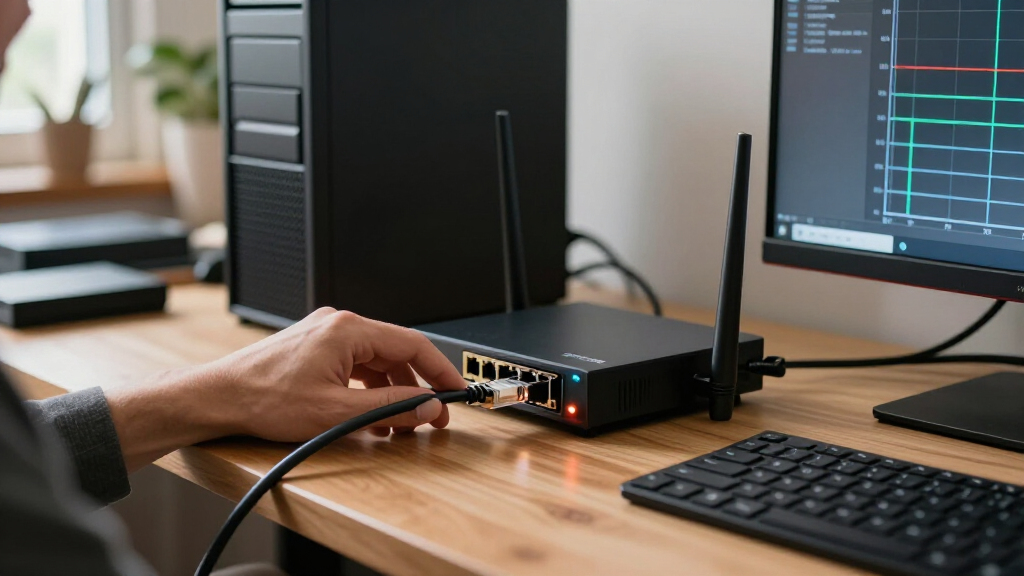

Choosing a router for 10GbE internet means looking beyond the maximum wireless-speed label. The router needs a suitable 10GbE WAN connection, but your wired devices, Wi-Fi needs, and home layout determine whether that connection is useful day to day. My leading picks split into distinct camps: the QNAP QHora-322 is the strongest fit for wired multi-gig networks and multi-site VPN, the TP-Link Archer BE800 pairs two 10G ports with Wi-Fi 7, and the ASUS RT-BE88U offers a practical mix of 10G, 2.5G, and gigabit ports with broad network tools.

Get privacy and security gear delivered free with Prime
- Fast, free delivery on millions of items
- Prime Video, Amazon Music and more included
- Member-only deals all year
The tradeoff is straightforward but easy to miss: a fast 10GbE WAN port does not make every LAN port 10GbE, nor does it guarantee that one wireless device will reach a 10Gbps speed test. The NETGEAR RS700S favors large-home Wi-Fi 7 coverage but gives you fewer fast wired connections, while the older Wi-Fi 6E TP-Link Archer AXE300 still has useful 10G connectivity but lacks Wi-Fi 7. I ranked these options by how directly their ports, wireless design, and management features serve buyers with 10GbE service.
Key Takeaways
- QNAP QHora-322 leads for wired installations: it has three 10GbE ports and six 2.5GbE ports, but no Wi-Fi.
- TP-Link Archer BE800 is the strongest all-in-one Wi-Fi 7 choice here when you need two 10G ports and faster-than-gigabit wired connections.
- ASUS RT-BE88U balances Wi-Fi 7 with a 10G SFP+ port, a 10G WAN/LAN port, four 2.5G ports, and four gigabit ports.
- NETGEAR RS700S emphasizes tri-band Wi-Fi 7 and broad home coverage, but its listed wired ports are less flexible for multi-gig LAN devices.
- TP-Link Archer AXE300 remains a 10G-capable Wi-Fi 6E option; choose it over newer Wi-Fi 7 models only if its four-band design fits your devices and upgrade plans.
| QNAP QHora-322 SD-WAN Router |  | Best Overall for Wired 10GbE Networks | Network type: Wired router | 10GbE ports: 3 | 2.5GbE ports: 6 | VIEW LATEST PRICE | See Our Full Breakdown |
| TP-Link Tri-Band BE19000 WiFi 7 Router (Archer BE800) |  | Best Wi-Fi 7 Router with Dual 10G | Wi-Fi generation: Wi-Fi 7, tri-band | Advertised combined Wi-Fi speed: Up to 19Gbps | 10GbE ports: 2 WAN/LAN ports: RJ45 and SFP+/RJ45 combo | VIEW LATEST PRICE | See Our Full Breakdown |
| ASUS RT-BE88U WiFi 7 Router |  | Best Port Mix for a Flexible Home Network | Wi-Fi generation: Wi-Fi 7, dual-band | Advertised Wi-Fi speed: Up to 7.2Gbps | 10G ports: 1 × SFP+ and 1 × WAN/LAN | VIEW LATEST PRICE | See Our Full Breakdown |
| NETGEAR Nighthawk WiFi 7 Router RS700S |  | Best for Large-Home Wi-Fi 7 Coverage | Wi-Fi generation: Wi-Fi 7, tri-band | Advertised combined Wi-Fi speed: Up to 19Gbps | 10G ports: 1 WAN and 1 LAN | VIEW LATEST PRICE | See Our Full Breakdown |
| TP-Link Archer AXE300 AXE16000 Quad-Band Wi-Fi 6E Router |  | Best Wi-Fi 6E Alternative with Two 10G Ports | Wi-Fi generation: Wi-Fi 6E, quad-band | Advertised combined Wi-Fi speed: Up to 15.6Gbps | 10G ports: 2 WAN/LAN ports, including SFP+/RJ45 combo | VIEW LATEST PRICE | See Our Full Breakdown |
| router for 10GbE internet | Wi-Fi generation | Advertised combined Wi-Fi speed | Other features | 10G ports |
|---|---|---|---|---|
| QNAP QHora-322 SD-WAN Router | — | — | — | — |
| TP-Link Tri-Band BE19000 WiFi | Wi-Fi 7, tri-band | Up to 19Gbps | VPN client/server, HomeShield, IoT network, USB 3.0 | — |
| ASUS RT-BE88U WiFi 7 Router | Wi-Fi 7, dual-band | — | VPN, AiProtection Pro, USB cellular tethering, parental controls | 1 × SFP+ and 1 × WAN/LAN |
| NETGEAR Nighthawk WiFi 7 Route | Wi-Fi 7, tri-band | Up to 19Gbps | Nighthawk app, USB 3.0, automatic firmware updates | 1 WAN and 1 LAN |
| TP-Link Archer AXE300 AXE16000 | Wi-Fi 6E, quad-band | Up to 15.6Gbps | — | 2 WAN/LAN ports, including SFP+/RJ45 combo |
More Details on Our Top Picks
QNAP QHora-322 SD-WAN Router
The QHora-322 is my first choice when 10GbE means more than connecting a fast internet line: it has three 10GbE ports and six 2.5GbE ports, giving a wired network room to connect an uplink, a high-speed switch or storage device, and multiple multi-gig clients. That port mix is substantially more useful for a wired office or enthusiast setup than the NETGEAR RS700S, whose listed LAN provision is one 10G port and four gigabit ports. It also outnumbers the two 10G ports on the BE800 and AXE300.
Its defining advantage is not Wi-Fi. This is a wired-only router, so wireless access requires separate access points or a mesh system. That can be a benefit in a planned network where router and Wi-Fi coverage are handled as separate jobs, but it makes the QHora-322 a poor substitute for the ASUS RT-BE88U or TP-Link BE800 in a home expecting one box to provide wireless service. The QNAP’s subscription-free QuWAN SD-WAN and multi-site VPN give it a more infrastructure-focused role than those consumer Wi-Fi picks.
App-based network monitoring and parental controls offer some household-friendly management, though the product’s strongest case remains its wired capacity and multi-site tools. The four-core Marvell processor and 4GB of memory are listed hardware details, not a guarantee of specific throughput under every routing or security workload. Buyers should also plan their cabling and endpoint hardware: a 10GbE router cannot make a gigabit-only computer or switch faster.
I rank it first because it gives the clearest answer to the hardest wired 10GbE problem in this group: how to serve multiple fast connections without relying on a single 10G LAN port. Skip it if built-in Wi-Fi is part of the brief; the ASUS is a better compromise for that buyer, and the BE800 is the better Wi-Fi 7 pick when two 10G ports are enough.
Pros:- Three 10GbE ports support more wired high-speed links than any other router in this comparison.
- Six 2.5GbE ports give multi-gig devices room to connect without a separate switch right away.
- Subscription-free QuWAN SD-WAN and multi-site VPN suit linked locations.
- App-based network monitoring and parental controls add practical management.
Cons:- Provides no wireless networking, so Wi-Fi requires separate hardware.
- Its enterprise-leaning SD-WAN feature set may be unnecessary complexity for a basic home network.
- The listed security protocol is WPA2-PSK, so buyers should check current security support and firmware details for their needs.
Best for: People building a wired home lab, small office, or multi-site network that needs several 10GbE and 2.5GbE connections and can use separate Wi-Fi access points.
Not ideal for: Anyone who wants built-in Wi-Fi, a simple one-box home router, or an easy wireless upgrade without adding access points.
- Network type:Wired router
- 10GbE ports:3
- 2.5GbE ports:6
- Processor:Quad-core Marvell CN9130 ARM Cortex-A72
- Memory:4GB DDR4
- Management features:QuWAN SD-WAN, multi-site VPN, app monitoring, parental controls
- Warranty:2 years
Our verdict“For a wired-first 10GbE network, the QHora-322 is the most capable fit here, provided you supply Wi-Fi separately.”
TP-Link Tri-Band BE19000 WiFi 7 Router (Archer BE800)
The Archer BE800 is my top choice for buyers who want a single router to handle 10GbE WAN and modern Wi-Fi 7. Its two 10G WAN/LAN connections include one RJ45 port and one SFP+/RJ45 combo port, giving more connection flexibility than the RS700S, which lists one 10G WAN and one 10G LAN connection. Four 2.5G ports also make it easier to connect a workstation, NAS, or gaming PC above gigabit speeds without immediately adding a multi-gig switch.
Compared with the ASUS RT-BE88U, the BE800 leans harder into wireless capacity: it is a tri-band Wi-Fi 7 router with advertised combined speeds up to 19Gbps and support for 6GHz, 5GHz, and 2.4GHz. The ASUS is also Wi-Fi 7 and has a strong wired layout, including four 2.5G ports, but its listed wireless aggregate is lower. Those figures describe different band capacities and should not be mistaken for the throughput of a single client. To use 6GHz or Wi-Fi 7 benefits, client devices must support the relevant standards and operate in suitable conditions.
The BE800 has useful home-focused extras: EasyMesh compatibility, VPN client and server functions, an IoT network option, and HomeShield security features. Basic functions are listed, while some advanced security features may require a separate service. Its LED display is a visual extra rather than a 10GbE advantage; it does not change the practical limit imposed by the connected device, the service handoff, or the available LAN ports.
Its main limitation is that it does not match the QNAP’s three 10G ports or six 2.5G ports. If you are connecting multiple wired 10GbE endpoints, the QHora-322 is the more suitable foundation. If your priority is a mix of high-end Wi-Fi and a flexible pair of 10G connections, the BE800 offers the most convincing balance in this lineup.
Pros:- Two 10G WAN/LAN ports include both RJ45 and SFP+/RJ45 connection options.
- Four 2.5G ports support several faster wired clients.
- Tri-band Wi-Fi 7, EasyMesh compatibility, and VPN functions cover a broad home-network role.
- Separate IoT network options and basic HomeShield features add household controls.
Cons:- Does not provide as many 10G or 2.5G ports as the wired QNAP QHora-322.
- Advertised combined Wi-Fi speed is not a single-device throughput guarantee.
- Some advanced HomeShield security functions may involve a paid service.
Best for: Households that want Wi-Fi 7, two flexible 10GbE connections, and several 2.5GbE wired ports in one router.
Not ideal for: Wired-first users needing three or more 10GbE connections, or buyers whose clients cannot make use of Wi-Fi 7 and 6GHz.
- Wi-Fi generation:Wi-Fi 7, tri-band
- Advertised combined Wi-Fi speed:Up to 19Gbps
- 10GbE ports:2 WAN/LAN ports: RJ45 and SFP+/RJ45 combo
- 2.5GbE ports:4
- Memory:2GB RAM
- Mesh support:EasyMesh compatible
- Other features:VPN client/server, HomeShield, IoT network, USB 3.0
Our verdict“The BE800 is my best all-in-one pick for 10GbE households that want Wi-Fi 7 and flexible wired connections in the same device.”
ASUS RT-BE88U WiFi 7 Router
The ASUS RT-BE88U takes a middle path between the QNAP’s wired specialization and the BE800’s tri-band Wi-Fi emphasis. It offers a 10G SFP+ port and a 10G WAN/LAN port, plus four 2.5G ports and four gigabit ports according to the supplied product details. For a household with one 10GbE service handoff, a multi-gig NAS, several wired devices, and Wi-Fi clients, that variety can be more useful than simply maximizing the number of 10G ports.
Its Wi-Fi 7 connection is dual-band, with an advertised throughput of up to 7.2Gbps. That is a different wireless proposition from the BE800’s tri-band design and higher combined-speed label: the BE800 has an extra band and is the stronger choice for a household seeking more wireless capacity across compatible clients. The ASUS instead emphasizes port flexibility and network controls. Its SFP+ connection can suit a compatible fiber handoff or network setup, while the RJ45 10G port provides a familiar Ethernet option. Confirm the ISP equipment and WAN configuration before choosing either interface.
ASUS lists AiMesh for whole-home expansion, AiProtection Pro, VPN options, parental controls, and Guest Network Pro features for separating guests and IoT devices. Those management tools give it a broader security and network-management story than the RS700S, which is more focused on wireless coverage and straightforward app control. The RT-BE88U also lists USB tethering support for 4G or 5G service, which can help when a backup connection matters, though actual cellular performance depends on the modem and provider.
The compromise is its dual-band design: it lacks the BE800’s tri-band layout and the RS700S’s dedicated 6GHz band. It also cannot match the QNAP’s count of 10G ports. I place it ahead of the older AXE300 because Wi-Fi 7 and its mixture of 10G, 2.5G, and gigabit ports suit a newer home network better. Choose it when that balanced port layout matters more than the highest advertised wireless aggregate.
Pros:- Combines a 10G SFP+ port and a 10G WAN/LAN port.
- Four 2.5G ports and four gigabit ports serve a mixed-speed home network.
- AiMesh, VPN support, parental controls, and network security features provide broad management options.
- USB tethering can support a cellular backup connection.
Cons:- Dual-band Wi-Fi 7 does not offer the extra band found on the BE800 or RS700S.
- Two 10G ports are fewer than the QHora-322 provides.
- The advertised 7.2Gbps wireless rate is not a real-world speed promise for one device.
Best for: Home users who need Wi-Fi 7, both SFP+ and RJ45 10G connectivity, and a spread of 2.5G and gigabit ports.
Not ideal for: Buyers seeking tri-band Wi-Fi 7, numerous 10GbE endpoints, or a wired-only router with QNAP-style SD-WAN tools.
- Wi-Fi generation:Wi-Fi 7, dual-band
- Advertised Wi-Fi speed:Up to 7.2Gbps
- 10G ports:1 × SFP+ and 1 × WAN/LAN
- 2.5G ports:4
- Gigabit ports:4
- Mesh support:ASUS AiMesh
- Other features:VPN, AiProtection Pro, USB cellular tethering, parental controls
Our verdict“The RT-BE88U is a strong fit for mixed wired and wireless homes that value a varied port layout more than tri-band Wi-Fi.”
NETGEAR Nighthawk WiFi 7 Router RS700S
The RS700S suits a buyer whose 10GbE plan is only one part of a larger wireless-network upgrade. NETGEAR specifies tri-band Wi-Fi 7, up to 19Gbps of combined advertised wireless speed, and coverage up to 3,500 square feet. Those figures make it a contender for a busy or larger home with many wireless devices, though walls, floors, client hardware, and placement affect actual coverage. For a house where wireless reach matters more than many wired 10G connections, it is more relevant than the wired-only QNAP.
Its wired layout is the key reason I rank it below the BE800 and ASUS RT-BE88U for a 10GbE buyer. The RS700S has a 10G WAN port and a 10G LAN port, followed by four gigabit LAN ports, based on the supplied details. That gives you a clear path for a 10GbE service connection and one high-speed wired endpoint, but not several 2.5G or 10G clients. By contrast, the BE800 adds four 2.5G ports, while the ASUS provides four 2.5G ports and a 10G SFP+ option.
For setup and routine management, the Nighthawk app supports guided installation, network controls, and speed tests. The router lists built-in security protections and automatic firmware updates; NETGEAR Armor is offered with a trial, after which ongoing use requires a separate subscription. A modem or gateway with Ethernet is still required for the internet connection, and some combined gateway devices may need bridge mode. Those details matter if you are replacing ISP equipment rather than adding a router behind it.
The RS700S is not the strongest choice for users building a wired 10GbE workstation and NAS network, nor does the coverage figure promise a reliable signal in every room. Its better case is a large home that prioritizes Wi-Fi 7 capacity, straightforward app management, and one fast wired LAN connection. If wired flexibility is just as important, the BE800 is the more rounded alternative.
Pros:- Tri-band Wi-Fi 7 and an advertised 19Gbps aggregate rate target demanding wireless homes.
- Includes a 10G WAN port and a 10G LAN port.
- App-based setup and management suit buyers who want guided control.
- Listed coverage of up to 3,500 square feet may suit larger homes when placement and construction allow.
Cons:- Only one 10G LAN connection is listed, alongside four gigabit LAN ports.
- Does not include 2.5G LAN ports like the BE800 and ASUS RT-BE88U.
- Continued NETGEAR Armor protection requires a separate subscription after its trial.
Best for: Households that prioritize tri-band Wi-Fi 7 and broad wireless coverage, with a 10GbE uplink and one 10GbE wired device.
Not ideal for: Users connecting multiple multi-gig wired devices, or anyone seeking several 2.5G LAN ports and flexible SFP+ connectivity.
- Wi-Fi generation:Wi-Fi 7, tri-band
- Advertised combined Wi-Fi speed:Up to 19Gbps
- 10G ports:1 WAN and 1 LAN
- Gigabit LAN ports:4
- Listed coverage:Up to 3,500 sq. ft.
- Listed connected-device capacity:Up to 200 devices
- Other features:Nighthawk app, USB 3.0, automatic firmware updates
Our verdict“Choose the RS700S for large-home Wi-Fi 7 reach, not for a network with several wired multi-gig endpoints.”
TP-Link Archer AXE300 AXE16000 Quad-Band Wi-Fi 6E Router
The Archer AXE300 is the non-Wi-Fi-7 alternative in this group, but it still makes sense for a particular buyer: someone who wants two 10GbE ports and quad-band Wi-Fi 6E without making Wi-Fi 7 a requirement. Its four bands comprise 6GHz, two 5GHz bands, and 2.4GHz, with advertised combined wireless speeds up to 15.6Gbps. That is a substantial wireless feature set, but it does not put the AXE300 on equal footing with the newer Wi-Fi 7 BE800 or RT-BE88U for buyers who specifically want the latest Wi-Fi generation.
On wired connections, the AXE300 has a 10G WAN/LAN port and an SFP+/RJ45 combo WAN/LAN port, along with one 2.5G WAN/LAN port and four gigabit LAN ports. This resembles the BE800’s dual-10G flexibility more than the QNAP’s larger collection of high-speed ports, but its slower LAN mix limits how many wired devices can directly use multi-gig speeds. The product details also specify that its 10G ports and 2.5G WAN/LAN port cannot all be configured as WAN ports at the same time. Plan the WAN and LAN roles around your service and equipment before relying on a particular port arrangement.
VPN client and server support, HomeShield security features, and eight antennas round out a feature set aimed at a capable home network. As with the BE800, some security functions may depend on service terms, so check which protections are included for the features you intend to use. A modem is required for most internet providers; buyers with fiber service should also confirm whether the ISP supplies an ONT and what Ethernet or SFP+ handoff it supports.
I rank this last because the round-up is centered on 10GbE internet in 2027, and the newer Wi-Fi 7 options offer a clearer path for buyers upgrading their wireless clients. That does not make the AXE300 a poor router: its four-band Wi-Fi 6E design and dual 10G connections remain useful. Choose it when your existing clients suit Wi-Fi 6E and its port configuration fits your network; otherwise, the BE800 is the more forward-looking TP-Link option.
Pros:- Two 10G WAN/LAN connections include an SFP+/RJ45 combo option.
- Quad-band Wi-Fi 6E includes 6GHz and two 5GHz bands.
- Includes a 2.5G WAN/LAN port as well as four gigabit LAN ports.
- Supports VPN client and server functions and HomeShield features.
Cons:- Uses Wi-Fi 6E rather than Wi-Fi 7, unlike the other wireless routers listed here.
- The 10G and 2.5G ports cannot all be configured as WAN connections at once.
- Only one 2.5G port is listed, limiting faster wired LAN expansion without a switch.
Best for: People who want a quad-band Wi-Fi 6E router with two 10G connections and do not need Wi-Fi 7.
Not ideal for: Buyers upgrading to Wi-Fi 7, or users who need several 2.5G or 10G LAN ports for wired endpoints.
- Wi-Fi generation:Wi-Fi 6E, quad-band
- Advertised combined Wi-Fi speed:Up to 15.6Gbps
- 10G ports:2 WAN/LAN ports, including SFP+/RJ45 combo
- Other faster port:1 × 2.5G WAN/LAN
- Gigabit LAN ports:4
- VPN:OpenVPN, PPTP, and L2TP client/server support
- Security:WPA, WPA2, WPA3, and TP-Link HomeShield
Our verdict“The AXE300 is a capable dual-10G Wi-Fi 6E option, but the BE800 is the stronger choice for a new Wi-Fi 7 build.”

How We Picked
I ranked these routers around the real job implied by 10GbE internet: accepting a high-speed WAN connection and distributing that capacity in a useful way. I looked first at the count and type of 10GbE ports, since an SFP+ connection can suit fiber equipment while an RJ45 port may connect more simply to a compatible modem or ONT. I also weighed the faster LAN options, because a router with one 10G WAN port and only gigabit LAN ports can bottleneck a wired NAS or workstation even when the internet link itself is fast.
Wireless capability matters too, but I treated advertised aggregate Wi-Fi rates as a class indicator rather than a promise of speed for one client. Wi-Fi generation, available bands, and mesh support help describe the wireless role; client hardware, signal conditions, and network traffic affect actual throughput. This is why the BE800 and RS700S rank well for wireless households, while the wired QHora-322 takes the lead for network infrastructure rather than casual all-in-one home Wi-Fi.
I also compared management and network functions that can change the right choice: multi-site VPN and SD-WAN on QNAP, VPN and security controls on the ASUS and TP-Link models, and mesh options for households seeking broader coverage. Each product has a different compromise. The ranking favors usable port capacity and fit for a 10GbE setup over headline speed alone; none should be read as a guarantee that every device will reach 10Gbps. I used the supplied product details and avoided treating missing information as a feature.
| router for 10GbE internet | Wi-Fi generation | Advertised combined Wi-Fi speed | Other features |
|---|---|---|---|
| QNAP QHora-322 SD-WAN Router | — | — | — |
| TP-Link Tri-Band BE19000 WiFi | Wi-Fi 7, tri-band | Up to 19Gbps | VPN client/server, HomeShield, IoT network, USB 3.0 |
| ASUS RT-BE88U WiFi 7 Router | Wi-Fi 7, dual-band | — | VPN, AiProtection Pro, USB cellular tethering, parental controls |
| NETGEAR Nighthawk WiFi 7 Route | Wi-Fi 7, tri-band | Up to 19Gbps | Nighthawk app, USB 3.0, automatic firmware updates |
| TP-Link Archer AXE300 AXE16000 | Wi-Fi 6E, quad-band | Up to 15.6Gbps | — |
Factors to Consider When Choosing Best Router For 10GbE Internet
A 10GbE service plan only reaches its potential when the whole path—from provider equipment through the router to your client—supports the required speed. I would choose by connection type and the devices that need fast access, then treat wireless generation and coverage as separate decisions.Start with the provider handoff
Check how your internet provider delivers service before choosing between RJ45 Ethernet and SFP+. Some fiber installations use an ONT that presents a standard Ethernet connection; others may call for a different handoff or compatible optics. The BE800 and AXE300 offer SFP+/RJ45 combo connectivity, the ASUS provides a 10G SFP+ port as well as a 10G WAN/LAN port, and the QNAP has three 10GbE ports. The RS700S lists a 10G WAN port. Confirm that your ISP equipment and router can connect directly, or establish whether an intermediate ONT, modem, or gateway remains in the setup.
Also check whether the provider’s gateway needs bridge mode or a comparable setting when you add your own router. The RS700S product details flag this possibility for some gateway combinations. A physical 10G port alone does not confirm compatibility with every ISP configuration.
Count fast LAN ports, not just the WAN port
If your goal is only to receive 10GbE service and most devices connect over Wi-Fi, one 10G WAN connection may be enough. But a wired workstation, NAS, or switch benefits from a fast LAN connection too. Compare the port layout as a whole: the QHora-322 has three 10G and six 2.5G ports; the BE800 has two 10G and four 2.5G; the RT-BE88U pairs two 10G connections with four 2.5G and four gigabit ports. The AXE300 has two 10G ports but just one 2.5G port, while the RS700S lists one 10G LAN connection and four gigabit LAN ports.
Remember that a 10G port may be configured for WAN or LAN, and the role can depend on how the router is set up. The AXE300 specifically limits simultaneous WAN use across its faster ports. Read the port-role details before assuming that every 10G socket can connect an internet line and a separate high-speed client at the same time.
Understand what Wi-Fi speed labels tell you
Combined Wi-Fi labels add the advertised capacities of separate frequency bands; they do not state the speed one phone or laptop will receive. A device must support the relevant Wi-Fi generation and band, and distance, building materials, interference, and router placement affect performance. The BE800 and RS700S are tri-band Wi-Fi 7 options, while the ASUS RT-BE88U is dual-band Wi-Fi 7. The AXE300 is quad-band Wi-Fi 6E. A client that lacks Wi-Fi 7 will not gain its newer wireless features just because the router supports them.
For a single computer that must use as much of a 10GbE link as possible, wired Ethernet is usually the more predictable connection. For phones, televisions, and general household use, strong Wi-Fi coverage and client compatibility may matter more than a large headline rate.
Choose a coverage plan that fits the building
A powerful standalone router cannot guarantee even coverage through every wall or floor. The RS700S lists coverage up to 3,500 square feet, but the result depends on home construction and placement. The BE800 supports EasyMesh, and the ASUS supports AiMesh, which can help buyers plan for compatible expansion. The QHora-322 has no built-in Wi-Fi, so it needs separate access points for wireless devices. That split design can work well when you want dedicated networking equipment, but it adds hardware and setup choices.
For a long or multi-story layout, consider where wired access points could go, not only which router claims the largest area. A mesh or access-point system connected over Ethernet may provide a more dependable layout than expecting one device to cover every room.
Match security and management to your needs
These products take different approaches to network management. QNAP’s subscription-free QuWAN SD-WAN and multi-site VPN stand out for linked offices or locations. ASUS lists AiProtection Pro, VPN support, parental controls, and guest and IoT network tools. TP-Link offers VPN functions and HomeShield features on both Archer models, while the RS700S lists built-in protections and automatic firmware updates alongside an Armor service that requires a subscription after its trial.
Pick based on the controls you will actually use: separate guest or IoT networks, VPN access, parental controls, and firmware support can matter more than extra features that will remain unused. Check the current service terms for any advanced security option before making it part of your plan.
Budget for the rest of the 10GbE path
A router is one piece of the network. To pass 10GbE to an endpoint, the endpoint needs a 10GbE network adapter, suitable cabling, and a compatible connection through any intervening switch. A gigabit switch or network card can cap the connection below the router’s port capability. If several wired devices need high throughput, the QNAP’s many fast ports may reduce the need for an immediate external switch. With the RS700S or AXE300, an additional switch may be needed sooner to expand fast wired connections.
Finally, distinguish local network speed from internet speed. A 10GbE link between a computer and a NAS can move local data quickly even when the provider plan is slower; an internet speed test also depends on the service, test server, endpoint hardware, and router configuration. Choose equipment around the traffic you expect to carry, rather than the largest number on a product label.
Frequently Asked Questions
Will a 10GbE router make my internet speed reach 10Gbps?
No. The router needs an appropriate 10GbE WAN connection, but your service plan, ISP equipment, router setup, endpoint, and test conditions all affect measured internet speed. A device connected through a gigabit port or adapter cannot receive a 10Gbps connection. A 10G port describes the link capability, not a guarantee of a particular internet speed.
Which router in this list has the most 10GbE ports?
The QNAP QHora-322 has three 10GbE ports, more than any other option here. It also has six 2.5GbE ports, which makes it the strongest fit for multiple wired high-speed endpoints. It has no Wi-Fi, so wireless devices need separate access points; the BE800 is a better one-box choice for buyers who need built-in Wi-Fi 7.
Do I need Wi-Fi 7 to use a 10GbE internet plan?
No. Wi-Fi generation and WAN port speed are separate capabilities. A Wi-Fi 6E router such as the Archer AXE300 can connect to a 10GbE service through a suitable port, while a wired router like the QHora-322 can distribute a fast connection without providing Wi-Fi at all. Wi-Fi 7 is most relevant if your wireless clients support it and you want its features, not simply because your internet plan is 10GbE.
What is the difference between an SFP+ port and an RJ45 10G port?
An RJ45 10G port uses Ethernet cabling with a familiar copper-style connector. SFP+ is a modular interface that can use a compatible transceiver and fiber or other supported connection options. Which one you need depends on the ISP handoff and your network equipment. The BE800 and AXE300 list combo ports, while the ASUS includes both a 10G SFP+ port and a separate 10G WAN/LAN port; check compatibility before ordering.
Which router is best if I need fast Wi-Fi and several wired multi-gig connections?
I would start with the TP-Link Archer BE800 for tri-band Wi-Fi 7, two 10G connections, and four 2.5G ports. The ASUS RT-BE88U is a good alternative if its dual-band Wi-Fi 7 and mix of SFP+, 10G, 2.5G, and gigabit connections suit your network better. If you need still more wired 10G capacity and can provide Wi-Fi separately, the QNAP QHora-322 is the stronger wired choice.
Conclusion
My recommendation depends on where you need the 10GbE capacity to go. For a wired home lab or office with multiple fast endpoints, choose the QNAP QHora-322 and plan for separate Wi-Fi access points. For one all-in-one router with tri-band Wi-Fi 7 and several multi-gig ports, choose the TP-Link Archer BE800. If you want a balanced mix of SFP+, RJ45 10G, 2.5G, and gigabit connections, the ASUS RT-BE88U is the flexible home-network pick.
Choose the NETGEAR RS700S when broader Wi-Fi coverage is your priority and one 10G wired LAN connection is enough. The TP-Link Archer AXE300 remains a reasonable fit for a Wi-Fi 6E household that wants two 10G connections, but I would favor the BE800 or ASUS for a fresh Wi-Fi 7 upgrade. Before committing, confirm your ISP handoff, WAN/LAN port roles, and the speed capability of every switch and client between the router and the devices that need the connection.
Halloween Picks
halloween
As an affiliate, we earn on qualifying purchases.