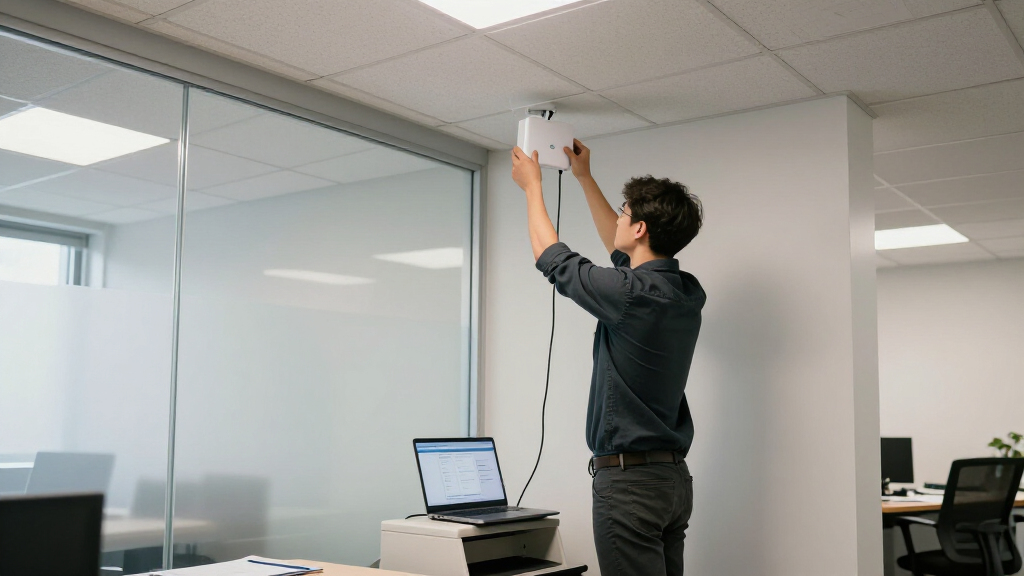

For most offices, I’d choose the TP-Link Omada EAP650 as the best overall PoE access point: its Wi-Fi 6 capability and ceiling-mount design suit everyday business coverage, though it can also use a DC adapter. The Ubiquiti UniFi U6+ is a strong alternative for offices already using UniFi, while the Omada EAP770 stands out for buyers planning a higher-capacity Wi-Fi 7 network. The main tradeoffs are newer wireless standards versus deployment cost and client compatibility, plus centralized management versus simpler standalone use. PoE can reduce outlet and cable clutter, but only when the switch or injector supplies the power the access point requires. Read on for how all 10 options compare and which one fits your office.

Get privacy and security gear delivered free with Prime
- Fast, free delivery on millions of items
- Prime Video, Amazon Music and more included
- Member-only deals all year
Key Takeaways
- The EAP650 is the balanced office pick: Wi-Fi 6, ceiling mounting, and a DC power alternative make it more flexible than a PoE-only choice, though buyers should confirm their preferred power setup.
- Wi-Fi 7 models serve different upgrade plans: the tri-band EAP770 targets capacity and newer client devices, while the dual-band EAP720 pairs Wi-Fi 7 with 2.5G Ethernet for a different performance mix.
- Omada models dominate the lineup: they give buyers several tiers within one management family, but that breadth makes it important to choose by site needs rather than model number alone.
- The U6+ and nanoHD suit UniFi environments: their appeal is strongest when an office already operates UniFi, while switching ecosystems for a single access point may add management overhead.
- Not every listed model is a straightforward PoE ceiling AP: the TL-WA1201 is a simpler AC-class alternative, and the outdoor EAP has a different placement role; check power method, mounting, and environment before ordering.
| TP-Link Omada EAP650 AX3000 Wi-Fi 6 Ceiling-Mount Access Point with DC Adapter |  | Best Overall | Model: EAP650 | Wi-Fi generation: Wi-Fi 6 (802.11ax) | Wireless bands: Dual-band | VIEW LATEST PRICE | See Our Full Breakdown |
| Ubiquiti UniFi U6+ Wi-Fi 6 Access Point |  | Best for Compact UniFi Offices | Model: U6+ | Wi-Fi standard: Wi-Fi 6 | MIMO: 2×2 | VIEW LATEST PRICE | See Our Full Breakdown |
| TP-Link Omada EAP225 AC1350 Dual-Band Wireless Access Point |  | Best Value for Wi-Fi 5 Offices | Model: EAP225 | Wi-Fi generation: Wi-Fi 5 (802.11ac) | Wireless speed class: AC1350 | VIEW LATEST PRICE | See Our Full Breakdown |
| Ubiquiti UniFi nanoHD Compact 802.11ac Wave 2 MU-MIMO Access Point | 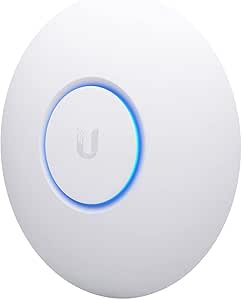 | Best for High-Density Wi-Fi 5 | Model: UAP-NANOHD-US | Wireless standard: 802.11ac Wave 2 (Wi-Fi 5) | Frequency band: Dual-band; 5 GHz listed | VIEW LATEST PRICE | See Our Full Breakdown |
| TP-Link Omada EAP653 AX3000 Wi-Fi 6 Ceiling-Mount Access Point |  | Best for Omada Wi-Fi 6 Expansion | Model: EAP653 | Wireless standard: Wi-Fi 6 (802.11ax) | Wireless bands: Dual-band | VIEW LATEST PRICE | See Our Full Breakdown |
| TP-Link Omada EAP770 BE11000 Tri-Band Wi-Fi 7 Access Point |  | Best Premium Capacity | Wi-Fi generation: Wi-Fi 7 | Frequency bands: Tri-band: 6 GHz, 5 GHz, and 2.4 GHz | Maximum combined data rate: 11 Gbps | VIEW LATEST PRICE | See Our Full Breakdown |
| TP-Link Omada EAP610 AX1800 Wi-Fi 6 Ceiling Mount Access Point |  | Best for Straightforward Office Upgrades | Wi-Fi standard: Wi-Fi 6 (802.11ax) | Maximum data rate: 1,800 Mbps | Frequency bands: Dual-band | VIEW LATEST PRICE | See Our Full Breakdown |
| TP-Link Omada AX1800 Outdoor Wi-Fi 6 Access Point with PoE Injector |  | Best for Outdoor Office Coverage | Wireless standard: Wi-Fi 6 (802.11ax) | Maximum data rate: 1.8 Gbps | Band speeds: 2.4 GHz: 574 Mbps; 5 GHz: 1,201 Mbps | VIEW LATEST PRICE | See Our Full Breakdown |
| TP-Link TL-WA1201 AC1200 Dual-Band Wireless Gigabit Access Point |  | Best for Basic, Flexible Deployments | Wi-Fi generation: Wi-Fi 5 (802.11ac) | Maximum data transfer rate: 1,200 Mbps | Bands: 2.4 GHz and 5 GHz | VIEW LATEST PRICE | See Our Full Breakdown |
| TP-Link Omada EAP720 Wi-Fi 7 Dual-Band Access Point, BE5000, 2.5G Ethernet, PoE/DC Power |  | Best Wi-Fi 7 Value for Offices | Wi-Fi generation: Wi-Fi 7 | Frequency bands: Dual-band: 2.4 GHz and 5 GHz | Maximum combined data rate: Up to 5.0 Gbps | VIEW LATEST PRICE | See Our Full Breakdown |
| PoE access point for office | Power options | Model | Wi-Fi generation | Warranty |
|---|---|---|---|---|
| TP-Link Omada EAP650 AX3000 Wi | 802.3at PoE+, 48V passive PoE, or 12V/1.5A DC | EAP650 | Wi-Fi 6 (802.11ax) | 5 years |
| Ubiquiti UniFi U6+ Wi-Fi 6 Acc | — | U6+ | — | — |
| TP-Link Omada EAP225 AC1350 Du | 802.3af PoE or passive PoE | EAP225 | Wi-Fi 5 (802.11ac) | 5 years |
| Ubiquiti UniFi nanoHD Compact | — | UAP-NANOHD-US | — | 1 year |
| TP-Link Omada EAP653 AX3000 Wi | 802.3at PoE+, 48V/0.5A passive PoE, or 12V/1.5A DC | EAP653 | — | 5 years |
| TP-Link Omada EAP770 BE11000 T | 802.3at PoE+ or 12V DC adapter | — | Wi-Fi 7 | — |
| TP-Link Omada EAP610 AX1800 Wi | 802.3at PoE+, 48V/0.5A passive PoE, or 12V/1.5A DC | — | — | 5 years |
| TP-Link Omada AX1800 Outdoor W | 802.3at PoE+ or Passive PoE | — | — | — |
| TP-Link TL-WA1201 AC1200 Dual- | — | — | Wi-Fi 5 (802.11ac) | — |
| TP-Link Omada EAP720 Wi-Fi 7 D | 802.3at PoE or 12V DC adapter | — | Wi-Fi 7 | — |
More Details on Our Top Picks
TP-Link Omada EAP650 AX3000 Wi-Fi 6 Ceiling-Mount Access Point with DC Adapter
The Omada EAP650 is my strongest all-around choice for an office that wants Wi-Fi 6, PoE flexibility, and a clear upgrade path within the Omada system. Its 2976 Mbps dual-band rating gives compatible devices more wireless capacity than the Wi-Fi 5 EAP225, while its Gigabit Ethernet port is a sensible fit for many office access-layer connections. Power it from a PoE+ switch or use the included 12V DC adapter where PoE is unavailable. It can run in standalone mode, but mesh and seamless roaming depend on an Omada SDN controller; those functions are not automatic just because the access point is installed. Compared with the EAP653, the EAP650 has the practical advantage of a supplied DC adapter. I would skip it if the office needs multi-gigabit wired uplinks.
Pros:- Wi-Fi 6 with a maximum wireless data rate of 2976 Mbps
- Supports 802.3at PoE+ and includes a 12V DC adapter
- Works in standalone mode and supports Omada cloud management
- Five-year warranty
Cons:- Single Gigabit Ethernet port limits wired uplink capacity
- Mesh and seamless roaming require an Omada SDN controller
Best for: Small and midsize offices seeking Wi-Fi 6, PoE+ deployment, and the option to use a supplied DC adapter.
Not ideal for: Offices with multi-gigabit switching or buyers who want mesh and seamless roaming without an Omada SDN controller.
- Model:EAP650
- Wi-Fi generation:Wi-Fi 6 (802.11ax)
- Wireless bands:Dual-band
- Maximum wireless data rate:2976 Mbps
- Ethernet:1 × Gigabit
- Power options:802.3at PoE+, 48V passive PoE, or 12V/1.5A DC
- Security:WPA3, WPA2
- Warranty:5 years
Our verdict“Choose the EAP650 for a flexible Wi-Fi 6 office setup, especially if you want both PoE+ and an included DC power option.”
Ubiquiti UniFi U6+ Wi-Fi 6 Access Point
The UniFi U6+ suits a small office that needs a compact Wi-Fi 6 access point and already plans to use UniFi. Its listed coverage of up to 140 m² and support for more than 300 connected devices make it a plausible fit for a shared work area, though real coverage and client performance depend on the building and devices. Unlike the Omada EAP650, the U6+ is a 2×2 MIMO model, and the supplied data does not specify a maximum wireless rate; buyers should not assume it matches the EAP650’s 2976 Mbps figure. It runs on PoE, but no injector is included, so plan on a compatible PoE switch or separate injector. I’d choose it over the EAP225 for Wi-Fi 6, but only if its UniFi ecosystem fits your network.
Pros:- Dual-band Wi-Fi 6
- Listed coverage of up to 140 m²
- Supports more than 300 connected devices
- Compact 14.5-ounce design
Cons:- PoE injector is not included
- 2×2 MIMO is less suited to capacity-heavy deployments than the nanoHD’s 4×4 MU-MIMO
- Supplied product data does not state a maximum wireless data rate
Best for: Small offices already using UniFi that want a compact Wi-Fi 6 access point for a shared work area.
Not ideal for: Buyers without PoE equipment who want an injector in the box, or offices seeking a stated wireless speed and more detailed power choices.
- Model:U6+
- Wi-Fi standard:Wi-Fi 6
- MIMO:2×2
- Ethernet:1 × Gigabit Ethernet
- Power:PoE
- Listed coverage:Up to 140 m² (1,500 ft²)
- Connected devices:300+
- PoE injector:Not included
Our verdict“Pick the U6+ for a compact UniFi-based office with PoE already available, rather than for a standalone plug-and-play installation.”
TP-Link Omada EAP225 AC1350 Dual-Band Wireless Access Point
The Omada EAP225 is the practical pick for offices that need managed Wi-Fi and PoE but do not require Wi-Fi 6. Its included PoE adapter makes it easier to install without a PoE switch, and Omada SDN and app management offer more centralized oversight than a basic standalone access point. The tradeoff is its Wi-Fi 5 AC1350 performance: compared with the EAP650 and EAP653, it gives up newer Wi-Fi 6 capability and their higher stated maximum wireless rates. MU-MIMO, mesh, and roaming support can help in a managed setup, though client compatibility and an Omada controller matter for those features. This model makes sense for routine office browsing and work applications; I would choose a newer Wi-Fi 6 model for a device-dense office or a longer-term refresh.
Pros:- Includes a PoE adapter for installations without PoE switch ports
- Supports 802.3af PoE and passive PoE
- Omada SDN and app management
- Dual-band Wi-Fi 5 with MU-MIMO and mesh support
Cons:- Wi-Fi 5 is an older generation than the EAP650 and EAP653
- Maximum listed data transfer rate is 1350 Mbps
- Mesh, roaming, and MU-MIMO benefits depend on controller support and compatible clients
Best for: Budget-conscious small offices that need centralized Omada management and PoE installation for everyday wireless use.
Not ideal for: Offices planning a Wi-Fi 6 deployment, handling demanding wireless workloads, or expecting mesh and roaming to work without compatible clients and management.
- Model:EAP225
- Wi-Fi generation:Wi-Fi 5 (802.11ac)
- Wireless speed class:AC1350
- Frequency bands:2.4 GHz and 5 GHz
- Maximum upstream data rate:867 Mbps
- Ethernet:Gigabit
- Power options:802.3af PoE or passive PoE
- Included power adapter:PoE adapter
- Warranty:5 years
Our verdict“Choose the EAP225 when managed Wi-Fi 5 and an included PoE adapter matter more than the newer wireless capability of the EAP650.”
Ubiquiti UniFi nanoHD Compact 802.11ac Wave 2 MU-MIMO Access Point
The UniFi nanoHD is the Wi-Fi 5 choice here for offices that prioritize concurrent-client handling over newer wireless standards. Its 4×4 MU-MIMO design and stated support for more than 200 concurrent users set it apart from the 2×2 UniFi U6+, particularly where many clients share an access point. That capacity claim does not make it a Wi-Fi 6 device, however, and its listed 100 Mbps LAN port bandwidth is a serious constraint for an office uplink, especially beside the EAP225’s Gigabit Ethernet. It accepts 802.3af PoE and has a compact ceiling-friendly form, with optional covers sold separately. I would only shortlist it after confirming the port specification meets the deployment’s needs; the EAP650 is a stronger fit for offices prioritizing newer Wi-Fi and Gigabit wired connectivity.
Pros:- 4×4 MU-MIMO for a high-density Wi-Fi 5 deployment
- Listed support for more than 200 concurrent users
- Compatible with 802.3af PoE switches
- Compact design with optional covers
Cons:- LAN port bandwidth is listed as 100 Mbps
- Uses Wi-Fi 5 rather than Wi-Fi 6
- Optional covers are sold separately
Best for: UniFi offices with many concurrent clients that specifically need a compact Wi-Fi 5 access point and have confirmed the LAN port limitation is acceptable.
Not ideal for: Offices needing Wi-Fi 6, Gigabit-or-faster wired uplinks, or a model with a longer listed warranty.
- Model:UAP-NANOHD-US
- Wireless standard:802.11ac Wave 2 (Wi-Fi 5)
- Frequency band:Dual-band; 5 GHz listed
- MU-MIMO:4×4
- Concurrent users:200+
- Maximum data transfer rate:1733 Mbps
- PoE compatibility:802.3af
- LAN port bandwidth:100 Mbps
- Warranty:1 year
Our verdict“Consider the nanoHD only for a UniFi Wi-Fi 5 deployment where its 4×4 MU-MIMO matters and the 100 Mbps LAN specification is acceptable.”
TP-Link Omada EAP653 AX3000 Wi-Fi 6 Ceiling-Mount Access Point
The Omada EAP653 brings the same headline 2976 Mbps Wi-Fi 6 rating as the EAP650, making it a good fit for an office standardizing on Omada SDN and ceiling-mounted coverage. It supports PoE+ as well as passive PoE and DC power, and standalone mode gives buyers a deployment option without centralized management. The key difference from the EAP650 is the package: the DC adapter is not included, while the EAP650 listing includes one. That matters when there is no PoE switch or injector ready at the installation point. Mesh and seamless roaming also depend on an Omada SDN controller, so those features should not drive a purchase unless the office plans to use one. I would favor the EAP653 for PoE-first Omada rollouts, but choose the EAP650 for greater out-of-box power flexibility.
Pros:- Wi-Fi 6 with a maximum wireless speed of 2976 Mbps
- Supports 802.3at PoE+ and 48V passive PoE
- Offers Omada SDN management and standalone mode
- Five-year warranty
Cons:- DC adapter is not included
- Mesh and seamless roaming require an Omada SDN controller
Best for: Offices expanding an Omada SDN network that have PoE+ or compatible passive PoE available at each access point location.
Not ideal for: Installers who need a DC adapter in the package or offices that want mesh and roaming without an Omada SDN controller.
- Model:EAP653
- Wireless standard:Wi-Fi 6 (802.11ax)
- Wireless bands:Dual-band
- Maximum wireless speed:2976 Mbps
- Power options:802.3at PoE+, 48V/0.5A passive PoE, or 12V/1.5A DC
- DC adapter:Not included
- Management:Omada SDN; standalone mode
- Security:WPA3
- Warranty:5 years
Our verdict“Choose the EAP653 for a PoE-ready Omada Wi-Fi 6 installation, but pick the EAP650 if you need an included DC adapter.”
TP-Link Omada EAP770 BE11000 Tri-Band Wi-Fi 7 Access Point
For an office building out a high-capacity Wi-Fi 7 network, the Omada EAP770 brings the broadest radio options in this group: tri-band operation across 6 GHz, 5 GHz, and 2.4 GHz, with up to 11 Gbps combined data rate. That extra band can give compatible newer devices more room, while the 2.5 Gbps Ethernet port avoids the gigabit ceiling found on the EAP610. Omada management and WPA3 also suit centrally administered business networks. The tradeoff is that its headline capacity depends on Wi-Fi 7 clients and a multi-gig PoE+ network; older devices and gigabit switching will not realize the full benefit. Compared with the dual-band EAP720, the EAP770 adds 6 GHz and higher combined capacity, but may be more than a small office needs.
Pros:- Tri-band Wi-Fi 7 offers a dedicated 6 GHz band for compatible devices
- Up to 11 Gbps combined wireless data rate
- 2.5 Gbps Ethernet port supports multi-gig uplinks
- Omada management, WPA3, and PoE+ or 12V DC power options
Cons:- Full benefit depends on Wi-Fi 7 clients and compatible multi-gig networking
- Coverage and actual throughput vary with the building and network environment
Best for: Offices with Wi-Fi 7 client devices, dense wireless demand, and multi-gig switching that can support its 2.5 Gbps uplink
Not ideal for: Small offices with mostly older Wi-Fi clients or gigabit-only switching that cannot make practical use of its newer bands and faster Ethernet
- Wi-Fi generation:Wi-Fi 7
- Frequency bands:Tri-band: 6 GHz, 5 GHz, and 2.4 GHz
- Maximum combined data rate:11 Gbps
- Ethernet port:1 × 2.5 Gbps
- Power options:802.3at PoE+ or 12V DC adapter
- Maximum concurrent devices:380+
- Coverage:Up to 1,500 sq. ft.
- Management:Omada cloud, app, or local controller
Our verdict“Choose the EAP770 for a busy office investing in tri-band Wi-Fi 7 and multi-gig infrastructure, rather than a network that will remain gigabit-only.”
TP-Link Omada EAP610 AX1800 Wi-Fi 6 Ceiling Mount Access Point
The Omada EAP610 is a sensible fit when an office needs a managed ceiling access point but does not need Wi-Fi 7 or a multi-gig uplink. Its Wi-Fi 6 and up-to-1,800 Mbps data rate make it a step up from the Wi-Fi 5 TL-WA1201, while WPA3 and several management choices suit an office that wants centralized oversight without committing to a single controller setup. It also accepts PoE+ or DC power, giving installers more flexibility when a ceiling cable is available but a suitable switch is not. The limit is its gigabit LAN bandwidth: unlike the EAP720 and EAP770, it cannot provide a 2.5 Gbps wired path. Mesh and seamless roaming also require an Omada SDN controller.
Pros:- Wi-Fi 6 provides a newer wireless standard than the TL-WA1201’s Wi-Fi 5
- Supports Omada app, controller, cloud, and standalone management modes
- Offers PoE+ and DC power options
- WPA3 security and a five-year warranty
Cons:- Gigabit LAN bandwidth is below the 2.5 Gbps ports on the EAP720 and EAP770
- Mesh and seamless roaming require an Omada SDN controller
Best for: Small and midsize offices replacing older access points with managed Wi-Fi 6 and a gigabit network
Not ideal for: Offices planning multi-gig uplinks or relying on mesh and roaming features without an Omada SDN controller
- Wi-Fi standard:Wi-Fi 6 (802.11ax)
- Maximum data rate:1,800 Mbps
- Frequency bands:Dual-band
- Ethernet ports:4
- LAN port bandwidth:10/100/1000 Mbps
- Power options:802.3at PoE+, 48V/0.5A passive PoE, or 12V/1.5A DC
- Management:Omada app, hardware/software/cloud controller, or standalone mode
- Warranty:5 years
Our verdict“Pick the EAP610 for a practical managed Wi-Fi 6 refresh on a gigabit office network, not for multi-gig growth.”
TP-Link Omada AX1800 Outdoor Wi-Fi 6 Access Point with PoE Injector
When office Wi-Fi needs to reach a courtyard, loading area, or other exposed space, this IP65-rated Omada outdoor access point solves a different problem from the ceiling-focused EAP610. Its weather resistance, wide operating-temperature range, and 6 kV lightning protection support placement where an indoor unit would be a poor fit. Wi-Fi 6 reaches up to 1.8 Gbps, and the included PoE injector can simplify a single-access-point installation without a PoE switch. The tradeoff is a single listed port and outdoor-oriented design rather than the higher capacity of the Wi-Fi 7 EAP720 or EAP770. It makes most sense as a targeted extension of office coverage; for indoor desks and meeting rooms, the EAP610 is the more natural choice.
Pros:- IP65 weather resistance suits exposed outdoor installations
- 6 kV lightning protection and an operating range from -40°F to 158°F
- Wi-Fi 6 with up to 1.8 Gbps data rate
- Includes a PoE injector and supports wall or pole mounting
Cons:- One listed port limits local wired connectivity
- Outdoor-focused design is less suited to a standard indoor office deployment
- PoE power requires compatible equipment or the included injector
Best for: Businesses extending managed Wi-Fi to outdoor seating, entry areas, or other weather-exposed locations
Not ideal for: Offices needing a high-capacity indoor ceiling access point or multiple wired connections at the access point
- Wireless standard:Wi-Fi 6 (802.11ax)
- Maximum data rate:1.8 Gbps
- Band speeds:2.4 GHz: 574 Mbps; 5 GHz: 1,201 Mbps
- Weather resistance:IP65
- Operating temperature:-40°F to 158°F
- Lightning protection:6 kV
- Power options:802.3at PoE+ or Passive PoE
- Mounting:Wall or pole
Our verdict“Choose this model when the office needs dependable outdoor Wi-Fi coverage, not as a substitute for a higher-capacity indoor access point.”
TP-Link TL-WA1201 AC1200 Dual-Band Wireless Gigabit Access Point
The TL-WA1201 suits a modest office that needs a straightforward access point or a flexible way to repurpose existing hardware. Its four fixed antennas with Beamforming are intended to extend coverage, and its Access Point, Range Extender, Client, and Multi-SSID modes offer more deployment choices than the office-focused Omada EAP610. It also supports passive PoE, which can help with placement where a power outlet is inconvenient. But this is a Wi-Fi 5 model with a single Gigabit Ethernet port, so it lacks the Wi-Fi 6 features and managed-network orientation of the EAP610, and it sits far behind the EAP720 and EAP770 in wireless capacity. I would reserve it for lighter use or a secondary coverage role, not a crowded office’s main access point.
Pros:- Four fixed antennas with Beamforming support broader wireless coverage
- Multiple operating modes add flexibility for secondary deployments
- Passive PoE can simplify placement away from a power outlet
- Gigabit Ethernet port provides a wired connection
Cons:- Wi-Fi 5 is an older standard than the Wi-Fi 6 EAP610
- Only one Ethernet port is listed
- WPA/WPA2 security options are less current than WPA3-equipped alternatives
Best for: Small offices needing a basic access point, range extender, or secondary Wi-Fi node with passive PoE flexibility
Not ideal for: Busy offices that need Wi-Fi 6 or Wi-Fi 7, centralized Omada management, or more than one Ethernet port
- Wi-Fi generation:Wi-Fi 5 (802.11ac)
- Maximum data transfer rate:1,200 Mbps
- Bands:2.4 GHz and 5 GHz
- Ethernet port:1 Gigabit port (1000 Mbps)
- Antennas:4 fixed external antennas
- Operating modes:Access Point, Range Extender, Client, Multi-SSID
- Power:12V DC; passive PoE supported
- Security protocols:WPA, WPA2, WPA-PSK, WPA-PSK2
Our verdict“Use the TL-WA1201 for a light-duty or secondary office Wi-Fi role, but choose the EAP610 for a newer managed-network deployment.”
TP-Link Omada EAP720 Wi-Fi 7 Dual-Band Access Point, BE5000, 2.5G Ethernet, PoE/DC Power
The Omada EAP720 is the more restrained Wi-Fi 7 choice for offices that want a faster-generation access point without moving to the EAP770’s tri-band design. It pairs up to 5.0 Gbps combined wireless data rate with a 2.5 Gigabit Ethernet port and support for more than 250 concurrent clients, making it a useful fit for a busy workspace with multi-gig switching. Omada SDN features add centralized management, mesh networking, and roaming support. Compared with the EAP770, it gives up 6 GHz and some wireless capacity; compared with the EAP610, it offers Wi-Fi 7 and a faster wired uplink. The dual-band design and 512 MB RAM are the tradeoffs, and centralized features require an Omada setup.
Pros:- Wi-Fi 7 supports up to 5.0 Gbps combined data rate
- 2.5 Gigabit Ethernet port supports a multi-gig wired uplink
- Supports more than 250 concurrent clients
- PoE or DC power options and Omada SDN features
Cons:- Dual-band design lacks the EAP770’s 6 GHz band
- Centralized management, mesh, and roaming features depend on an Omada setup
- PoE requires compatible equipment
Best for: Small and midsize offices upgrading to Wi-Fi 7 with multi-gig Ethernet but without a need for tri-band 6 GHz
Not ideal for: Dense offices seeking tri-band 6 GHz capacity or buyers who will not use Omada management features
- Wi-Fi generation:Wi-Fi 7
- Frequency bands:Dual-band: 2.4 GHz and 5 GHz
- Maximum combined data rate:Up to 5.0 Gbps
- Band data rates:5 GHz: 4,324 Mbps; 2.4 GHz: 688 Mbps
- Ethernet port:2.5 Gigabit
- Power options:802.3at PoE or 12V DC adapter
- Maximum concurrent clients:250+
- Coverage:1,500 sq. ft.
Our verdict“Choose the EAP720 for an office-ready Wi-Fi 7 upgrade with a 2.5 Gbps uplink, and choose the EAP770 if tri-band 6 GHz is a priority.”

How We Picked
I ranked these access points around office-specific needs: dependable multi-user wireless, useful Wi-Fi generation and band choices, wired uplink capability, power flexibility, mounting and environment, and the effort required to manage the network. I gave extra weight to products that can serve as a practical core AP for common indoor office deployments, rather than rewarding headline speed figures without considering client devices, cabling, or administration.
The order also reflects fit and tradeoffs. The EAP650 leads as a balanced Wi-Fi 6 ceiling option with a DC alternative; Wi-Fi 7 models rank highly for offices ready to make use of their newer capabilities, but they are less compelling when client devices or network infrastructure are older. UniFi picks make more sense for existing UniFi users, while the older AC options and outdoor model have narrower roles. Because PoE support and included power accessories can vary by model and package, I would verify the exact hardware revision and power requirements before deployment.
| PoE access point for office | Model | Wi-Fi generation |
|---|---|---|
| TP-Link Omada EAP650 AX3000 Wi | EAP650 | Wi-Fi 6 (802.11ax) |
| Ubiquiti UniFi U6+ Wi-Fi 6 Acc | U6+ | — |
| TP-Link Omada EAP225 AC1350 Du | EAP225 | Wi-Fi 5 (802.11ac) |
| Ubiquiti UniFi nanoHD Compact | UAP-NANOHD-US | — |
| TP-Link Omada EAP653 AX3000 Wi | EAP653 | — |
| TP-Link Omada EAP770 BE11000 T | — | Wi-Fi 7 |
| TP-Link Omada EAP610 AX1800 Wi | — | — |
| TP-Link Omada AX1800 Outdoor W | — | — |
| TP-Link TL-WA1201 AC1200 Dual- | — | Wi-Fi 5 (802.11ac) |
| TP-Link Omada EAP720 Wi-Fi 7 D | — | Wi-Fi 7 |
Factors to Consider When Choosing Best PoE Access Point For Office
Choosing an office access point is a network design decision, not just a wireless-speed comparison. I’d match the AP to the building, client mix, wired network, and whoever will maintain it; a mismatch in any of those areas can erase the benefit of a newer Wi-Fi standard.
Match Wi-Fi generation to the devices you actually have
Wi-Fi 7 can be a sensible investment for offices buying new laptops and phones over the next few years, but older clients will not gain those features simply because the AP supports them. Wi-Fi 6 remains a practical middle ground for mixed fleets and routine business traffic. Before paying for a newer standard, check the age and wireless capabilities of the busiest devices, not only the newest one. A newer AP may still help with capacity or network planning, but it cannot fix slow internet service or weak wired backhaul. Avoid treating a high advertised aggregate rate as a promise that one employee’s connection will reach that speed.
Check PoE power from the switch to the AP
PoE is useful when it lets you place an access point where coverage is best without adding a nearby power outlet. Confirm that the switch supports the access point’s required PoE standard and has enough total power budget for every connected device. A switch can provide PoE and still be unsuitable if its per-port output or remaining budget falls short. If you use an injector, account for its location, outlet, and cable run; it may reduce clutter less than a PoE switch. Also check whether the product package includes the power accessory you expect, since a DC adapter or injector is not interchangeable with every PoE setup.
Plan coverage around walls, floors, and occupancy
One powerful AP is not automatically better than two well-placed units. Dense walls, multiple floors, meeting rooms, and busy open areas can change coverage more than a small difference in listed radio speed. Place APs where users gather and where a wired connection is available, then plan channels and transmit power to limit interference between nearby units. For a larger office, think in terms of coverage cells and roaming rather than expecting a single ceiling device to serve every room. A basic site survey or a trial placement can reveal dead zones before you commit to a full rollout.
Choose the management system your team can maintain
Centralized management helps when you need to configure multiple APs, apply consistent settings, and troubleshoot from one interface. It also introduces a platform and setup process that a small office may not need for a single device. Before choosing between Omada, UniFi, or standalone operation, identify who will manage firmware, guest access, and wireless changes after installation. Mixing ecosystems can leave staff switching tools and learning separate workflows. If outside IT support already uses a particular platform, compatibility with that support model may matter more than a modest hardware feature advantage.
Treat wired uplink capacity as part of the wireless decision
An AP’s radio capability is only one link in the path to the office network. Check the Ethernet port speed, switch capacity, and cabling quality, especially if you are considering a Wi-Fi 7 model or serving many users at once. A faster radio connected to a slower uplink can share that bottleneck across clients. For a new installation, compare the cost and effort of upgrading the switch and cabling along with the AP rather than buying hardware in isolation. Keep some headroom for future devices, but do not pay for a faster uplink if the rest of the network cannot use it.
Separate indoor coverage needs from outdoor placement
An outdoor-rated access point fills a different job from a ceiling AP in an office: it needs to handle exposure and provide coverage in the intended exterior area. Do not mount an indoor model near a window or under an eave and assume that location makes it suitable for weather. For outdoor service, consider the mounting position, cable route, weather exposure, and whether the device’s operating range matches the site. If the goal is to improve indoor coverage through an exterior wall, relocating or adding an indoor AP may be more effective. Check environmental specifications and power arrangements before using any AP outside its intended setting.
Frequently Asked Questions
Can I power any of these access points from my existing PoE switch?
Not without checking the exact model’s power requirements and your switch’s output. Confirm the PoE standard, per-port power, total available budget, and any restrictions tied to hardware revision. A switch that powers a simpler AP may not have enough capacity for a different model. Some listed options also support DC power, which can provide another installation route but does not prove PoE compatibility. I’d verify the product documentation and switch specifications before buying or mounting the AP.
Should I choose a Wi-Fi 7 AP if most office devices are Wi-Fi 6?
Not automatically. Wi-Fi 7 can support a longer upgrade horizon, but existing Wi-Fi 6 clients cannot use features they do not support. The EAP770 and EAP720 differ in band configuration and wired uplink, so the right choice depends on the devices and network behind them as well as the wireless standard. If the office has a mixed fleet and no near-term refresh plan, a capable Wi-Fi 6 AP may deliver a better fit. Spend on Wi-Fi 7 when the client roadmap and wired infrastructure can make practical use of it.
Is one access point enough for a small office?
It may be enough for a compact, open layout with a modest number of users, but floor area alone is a poor predictor of coverage. Thick walls, meeting rooms, interference, and the number of simultaneous connections all affect performance. I’d map where people work and test signal quality in the rooms that matter before deciding. If you need multiple APs, plan wired backhaul and coordinated management rather than adding devices without checking channel overlap. A single stronger AP cannot reliably compensate for every difficult building layout.
Is it a problem to mix Omada and UniFi access points?
They can coexist at the network level, but each ecosystem has its own management approach and configuration workflow. That can make updates, monitoring, and troubleshooting less consistent for the person maintaining the office network. A mixed setup may be reasonable when one AP fills a specific need or the network already has both platforms. For a new multi-AP installation, choosing one management family usually reduces operational friction. Ask whoever supports the network which platform they can maintain before selecting hardware.
When should I choose an outdoor access point instead of an indoor ceiling model?
Choose an outdoor model when the device must serve an exterior area and its environmental rating suits the exposure at that location. An indoor ceiling AP is the more appropriate starting point for normal office rooms, even if the outdoor unit appears more rugged. Outdoor installation adds decisions about weather protection, cable entry, mounting, and the route back to the network. If you are trying to cover an indoor dead zone, first check AP placement and wall materials; an outdoor AP may not solve the underlying problem. Verify the power and mounting requirements for the exact installation site.
Conclusion
For most offices, I recommend the TP-Link Omada EAP650 as the best overall because it balances Wi-Fi 6 office coverage with a ceiling-mount form and a DC power alternative. The best value fit is the EAP610 for buyers who want a more modest Wi-Fi 6 ceiling AP and do not need the higher-tier choices; check its exact power and management requirements before deployment. For a premium upgrade, choose the EAP770 when tri-band Wi-Fi 7 fits your client roadmap, or the EAP720 when its dual-band design and 2.5G Ethernet better match your network. Beginners should favor the product family their IT support already knows; for a simple standalone-oriented setup, compare the TL-WA1201’s capabilities carefully against the office’s PoE and management needs. For outdoor coverage, the Omada outdoor Wi-Fi 6 AP is the specific-use pick, while UniFi users should give the U6+ or compact nanoHD priority over adding a new ecosystem. My final check would be power compatibility, uplink speed, and intended placement before choosing any model.
Halloween Picks
halloween
As an affiliate, we earn on qualifying purchases.