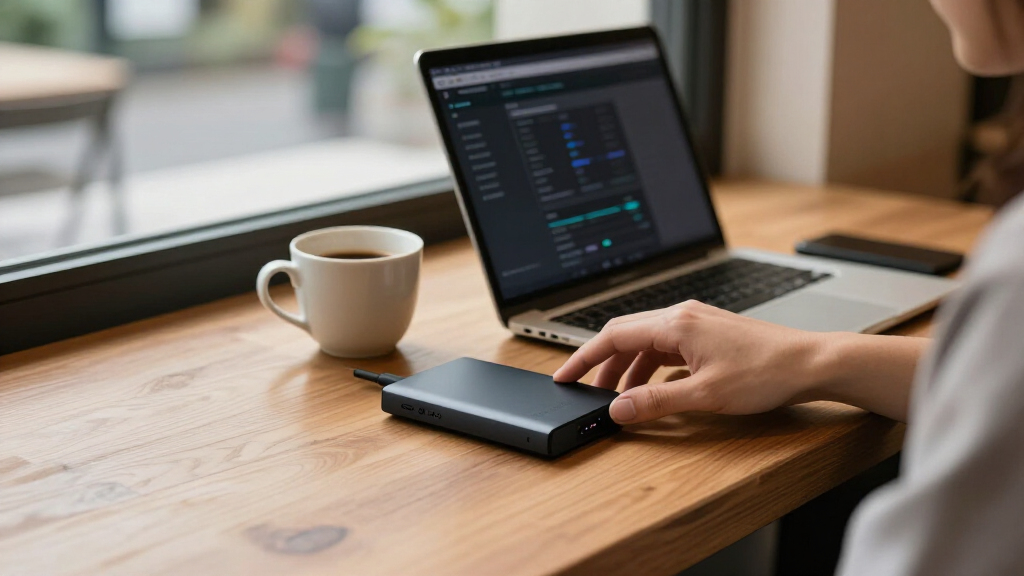

For secure encrypted external hard drives, I’d make the Apricorn Aegis Fortress L3 my best overall pick for buyers who want a dedicated hardware-encrypted drive with a high-assurance security focus. The DataLocker DL4 FE stands out for flexible USB-C and USB-A connections, while the Kingston IronKey Vault Privacy 80 is the compact SSD choice for people who value portability and direct device controls. The main tradeoff is between stronger, independent security features and the larger capacities or simpler setup of mainstream drives such as WD My Passport and My Book. Match the drive to your threat level, backup needs, and devices—not just its encryption label. Read on for the full comparison and guidance on choosing the right level of protection.

Get privacy and security gear delivered free — and shop member deals
- Fast, free delivery on millions of items
- Access to Prime Big Deal Days deals on October 6–7
- Prime Video, Amazon Music and more included
Key Takeaways
Dedicated hardware encryption separates the security-first picks from WD’s mainstream drives: the Apricorn Aegis and DataLocker DL4 FE models are built around access controls and hardware encryption, while WD options pair password protection with general backup use.
The Apricorn Aegis Fortress L3 leads for high-assurance protection because its FIPS Level 3 positioning makes it the standout for buyers with stricter security requirements, though that focus may be more than a casual home user needs.
DataLocker DL4 FE offers a practical connection advantage: USB-C and USB-A support can reduce adapter hassles across newer laptops and older systems, making it more flexible than a drive tied to one connector type.
Capacity and portability pull in different directions: the 14TB WD My Book suits large desktop backups, while the Kingston IronKey Vault Privacy 80 and WD My Passport SSD are better aligned with carrying data between locations.
Similar product names do not mean identical buying decisions: WD My Passport capacities vary, and the two DataLocker DL4 FE listings describe overlapping configurations, so buyers should verify the exact model, interface, and included features before choosing.
| WD 6TB My Passport Portable External Hard Drive |  | Best High-Capacity Portable Pick | Capacity: 6TB | Drive type: Portable external hard drive | Interface: USB 3.1 / USB 3.0 | VIEW LATEST PRICE | See Our Full Breakdown |
| WD 5TB My Passport Portable External Hard Drive |  | Best Everyday Value Pick | Capacity: 5TB | Drive type: Portable external hard drive | Connectivity: USB 3.1 / USB 3.0 | VIEW LATEST PRICE | See Our Full Breakdown |
| Apricorn 1TB Aegis Fortress L3 FIPS Level 3 Hardware Encrypted Portable Drive |  | Best for Certified Security | Capacity: 1TB | Security validation: FIPS 140-2 Level 3 | Encryption: Hardware encryption | VIEW LATEST PRICE | See Our Full Breakdown |
| DataLocker DL4 FE 2TB USB-C / -A Hard Drive with AES-256bit Hardware Encryption |  | Best Touchscreen Security Pick | Capacity: 2TB (2000GB) | Encryption: AES-256 hardware encryption | Security validation: FIPS 140-3 | VIEW LATEST PRICE | See Our Full Breakdown |
| WD 14TB My Book Desktop External Hard Drive with Password Protection and Backup Software |  | Best for Large Desktop Archives | Capacity: 14TB | Drive type: Desktop external hard drive | Interface: USB 3.0 | VIEW LATEST PRICE | See Our Full Breakdown |
| Kingston IronKey Vault Privacy 80 960GB External SSD |  | Best for Touchscreen PIN Security | Capacity: 960 GB | Encryption: XTS-AES 256-bit hardware encryption | Certification: FIPS 197 | VIEW LATEST PRICE | See Our Full Breakdown |
| Western Digital 1TB My Passport SSD Portable External Solid State Drive |  | Best for Fast Secure Backups | Capacity: 1 TB | Interface: USB 3.2 | Read speed: Up to 1050 MB/s | VIEW LATEST PRICE | See Our Full Breakdown |
| DataLocker DL4 FE 2TB Hardware Encrypted External Hard Drive |  | Best for Managed Organization Use | Capacity: 2 TB | Encryption: AES 256-bit hardware encryption | Interface: USB-C and USB-A | VIEW LATEST PRICE | See Our Full Breakdown |
| Apricorn 1TB Aegis Padlock Fortress FIPS 140-2 Level 2 Encrypted USB 3.0 Hard Drive with PIN Access |  | Best Ruggedized Keypad Option | Capacity: 1 TB | Encryption: 256-bit AES-XTS hardware encryption | Validation: FIPS 140-2 Level 2 | VIEW LATEST PRICE | See Our Full Breakdown |
| WD 2TB My Passport Portable External Hard Drive, Black, USB 3.1/3.0, Ransomware Protection |  | Best for Straightforward Encrypted Backup | Capacity: 2 TB | Interface: USB 2.0/3.0; product title also lists USB 3.1 | Hardware encryption: Yes | VIEW LATEST PRICE | See Our Full Breakdown |
| Apricorn 2TB Aegis Padlock USB 3.0 Hardware Encrypted External Hard Drive |  | Best for Straightforward PIN-Based Security | Storage capacity: 2 TB | Encryption: AES XTS 256-bit hardware encryption | Access method: PIN access | VIEW LATEST PRICE | See Our Full Breakdown |
| secure encrypted external hard drife | Interface | Capacity | Encryption |
|---|---|---|---|
| WD 6TB My Passport Portable Ex | USB 3.1 / USB 3.0 | 6TB | — |
| WD 5TB My Passport Portable Ex | — | 5TB | — |
| Apricorn 1TB Aegis Fortress L3 | USB 3.0 | 1TB | Hardware encryption |
| DataLocker DL4 FE 2TB USB-C / | USB 3.0 | 2TB (2000GB) | AES-256 hardware encryption |
| WD 14TB My Book Desktop Extern | USB 3.0 | 14TB | 256-bit AES hardware encryption |
| Kingston IronKey Vault Privacy | USB 3.2 Gen 1 | 960 GB | XTS-AES 256-bit hardware encryption |
| Western Digital 1TB My Passpor | USB 3.2 | 1 TB | — |
| DataLocker DL4 FE 2TB Hardware | USB-C and USB-A | 2 TB | AES 256-bit hardware encryption |
| Apricorn 1TB Aegis Padlock For | USB 3.0 | 1 TB | 256-bit AES-XTS hardware encryption |
| WD 2TB My Passport Portable Ex | USB 2.0/3.0; product title also lists USB 3.1 | 2 TB | — |
| Apricorn 2TB Aegis Padlock USB | USB 3.0 | — | AES XTS 256-bit hardware encryption |
More Details on Our Top Picks
WD 6TB My Passport Portable External Hard Drive
The 6TB My Passport suits buyers who want substantial portable storage with password protection and hardware encryption, rather than a drive built around compliance certifications. Its backup software adds ransomware protection, giving it a more security-minded feature set than a basic portable hard drive. Compared with the WD 5TB My Passport, it provides an extra terabyte while keeping the same USB-focused portability; choose the 5TB version if that additional capacity does not justify the extra expense for your needs. The main limitation is that its security features do not include the dedicated physical controls or stated FIPS validation found on the Apricorn Aegis Fortress L3. It makes the most sense for everyday file storage and backups, not buyers managing sensitive data under strict security requirements.
Pros:- 6TB capacity gives large photo, video, and document libraries room to grow.
- Password protection and hardware encryption add security beyond ordinary portable storage.
- Backup software includes ransomware protection.
- Compact design and USB 3.1/USB 3.0 support suit portable use with compatible devices.
Cons:- No physical security controls are listed, unlike the Apricorn Aegis Fortress L3.
- USB is the only listed connection type.
- The added capacity over the 5TB My Passport may not be worthwhile for buyers with smaller archives.
Best for: Travelers, photographers, and home-office users who want several terabytes of encrypted storage in a compact USB drive.
Not ideal for: Organizations requiring stated FIPS validation or physical access controls, since this model relies on password security and software features.
- Capacity:6TB
- Drive type:Portable external hard drive
- Interface:USB 3.1 / USB 3.0
- Security:Password protection and hardware encryption
- Backup feature:Backup software with ransomware protection
- Color:Black
Our verdict“Choose this My Passport if you need high-capacity portable storage with basic encryption and backup protection, but not certified security controls.”
WD 5TB My Passport Portable External Hard Drive
The 5TB My Passport is a practical middle ground for buyers who want portable capacity and familiar password-based protection without paying for specialized hardware controls. Its hardware encryption and backup software with ransomware protection make it more security-conscious than an unprotected storage drive. Compared with the 6TB My Passport, it gives up one terabyte, so it is the more sensible fit when your archive does not need the extra headroom. It also has a listed three-year limited warranty, a useful detail for a drive intended to hold backups, though the warranty does not replace a second copy of important files. Unlike the DataLocker DL4 FE, it has no listed touchscreen or FIPS validation. Its security is aimed at routine personal and work files, not regulated data workflows.
Pros:- 5TB capacity supports sizable personal and work archives.
- Hardware encryption and password protection add a layer of access security.
- Backup management software includes ransomware protection.
- Three-year limited warranty is specified.
Cons:- Requires a USB connection for operation.
- Offers less capacity than the 6TB My Passport.
- Does not list the dedicated touchscreen interface or FIPS validation of the DataLocker DL4 FE.
Best for: Students, home-office users, and frequent travelers who need a large portable backup drive with password and hardware encryption.
Not ideal for: Buyers who need a touchscreen security interface, stated FIPS validation, or more than 5TB in a portable drive.
- Capacity:5TB
- Drive type:Portable external hard drive
- Connectivity:USB 3.1 / USB 3.0
- Security:Password protection and hardware encryption
- Backup feature:Backup management software with ransomware protection
- Warranty:3-year limited warranty
- Color:Black
Our verdict“Pick the 5TB My Passport for everyday encrypted backups when its capacity is enough and certified security features are not required.”
Apricorn 1TB Aegis Fortress L3 FIPS Level 3 Hardware Encrypted Portable Drive
The Aegis Fortress L3 prioritizes security controls over capacity: it offers FIPS 140-2 Level 3 validation, hardware encryption, and dual read-only modes in a rugged aluminum enclosure. Those features make it a sharper fit for sensitive transfers than the WD My Passport drives, whose listed strengths center on password protection and backup software. It also works across PC, Mac, and Linux without software or drivers, which simplifies use on systems where installing utilities is not practical. The tradeoff is its 1TB capacity, far below the 5TB and 6TB WD options, and the product data does not specify a full warranty term. Buyers paying for security should also decide whether the stated read speeds and capacity fit their workflow; this is not the pick for a large media archive.
Pros:- FIPS 140-2 Level 3 validation and hardware encryption focus on secure data handling.
- Dual read-only modes can help limit changes during selected workflows.
- Aircraft-grade aluminum enclosure is designed for rugged portable use.
- Works with PC, Mac, and Linux without software or drivers.
Cons:- 1TB capacity is substantially smaller than the WD 5TB and 6TB My Passport models.
- No software is included for management or configuration.
- Warranty duration is not specified in the supplied product details.
Best for: Security-conscious professionals who transfer sensitive files between PC, Mac, and Linux systems and need stated FIPS validation.
Not ideal for: Photographers, video editors, and backup users who need multi-terabyte capacity or a clearly stated long-term warranty.
- Capacity:1TB
- Security validation:FIPS 140-2 Level 3
- Encryption:Hardware encryption
- Interface:USB 3.0
- Read speed:180 MB/s
- Enclosure:Aircraft-grade aluminum
- Compatibility:PC, Mac, Linux, and gaming consoles
- Form factor:2.5 inches
- Security modes:Dual read-only modes
Our verdict“Choose the Aegis Fortress L3 when validated security and cross-platform use matter more than capacity or a clearly stated warranty.”
DataLocker DL4 FE 2TB USB-C / -A Hard Drive with AES-256bit Hardware Encryption
The DataLocker DL4 FE gives security-focused buyers a more direct access experience than the WD My Passport models: its touchscreen interface pairs with AES-256 hardware encryption and stated FIPS 140-3 validation. That combination suits teams that want device-level controls and a clear authentication interface, rather than relying mainly on backup software and password protection. Its 2TB capacity is a compromise: more room than the Apricorn Aegis Fortress L3 at 1TB, but much less than either WD My Passport. The listing describes USB-C and USB-A, while the supplied technical specifications identify USB 3.0, so buyers should confirm the connector details for their setup. SafeConsole licensing is sold separately, and durability and battery-life details are limited.
Pros:- AES-256 hardware encryption and stated FIPS 140-3 validation suit security-focused workflows.
- Touchscreen interface provides device-level access management.
- Listed compatibility includes Windows, Mac, and Linux.
- 2TB capacity exceeds the 1TB Apricorn Aegis Fortress L3.
Cons:- SafeConsole license is sold separately.
- Durability and battery-life details are limited in the supplied product information.
- Connector details are not fully consistent between the title and listed interface specification.
Best for: IT teams and professionals who need a touchscreen-controlled encrypted drive with stated FIPS 140-3 validation across Windows, Mac, and Linux.
Not ideal for: Buyers who need high storage capacity, fully specified durability details, or remote management without a separate SafeConsole license.
- Capacity:2TB (2000GB)
- Encryption:AES-256 hardware encryption
- Security validation:FIPS 140-3
- Interface:USB 3.0
- Connectivity noted in title:USB-C / USB-A
- Interface:Touchscreen
- Compatibility:Windows, Mac, and Linux
- Form factor:2.5 inches
- Compliance:TAA compliant
Our verdict“Choose the DL4 FE for touchscreen access controls and stated FIPS 140-3 validation, provided 2TB and the separate licensing arrangement fit your workflow.”
WD 14TB My Book Desktop External Hard Drive with Password Protection and Backup Software
The 14TB My Book is the capacity choice for a desk-based archive: its large storage pool can hold extensive work files, media libraries, and backup sets without splitting them across several small drives. Password protection and 256-bit AES hardware encryption give it a security advantage over a plain desktop drive, while its USB 3.0 connection keeps setup straightforward. Compared with the portable 6TB My Passport, this model offers far more room but gives up portability; it is better suited to a home office or fixed workstation than travel. Backup features require a software download and user registration, adding setup steps the My Passport line may better suit buyers trying to keep things simple. The listing also contains a capacity discrepancy in its description, so verify the model capacity before ordering.
Pros:- 14TB capacity accommodates large archives and backup collections.
- 256-bit AES hardware encryption and password protection add security for stored data.
- USB 3.0 and USB 2.0 compatibility support a range of connected systems.
- Backup software is available for data management.
Cons:- Desktop form factor is less suited to travel than the portable My Passport drives.
- Backup features require software download and user registration.
- The product description includes a conflicting capacity figure, so the stated 14TB model capacity should be verified.
Best for: Small businesses and home-office users maintaining large encrypted archives or backup sets at a fixed workstation.
Not ideal for: Travelers who need pocketable storage, or buyers who prefer backup features that do not require software downloads and registration.
- Capacity:14TB
- Drive type:Desktop external hard drive
- Interface:USB 3.0
- Compatibility:USB 3.0 and USB 2.0
- Encryption:256-bit AES hardware encryption
- Access security:Password protection
- Backup feature:Backup software; download and user registration required
Our verdict“Choose the My Book for a large, encrypted desktop archive, not for portable storage or a setup that avoids registration.”
Kingston IronKey Vault Privacy 80 960GB External SSD
The Kingston IronKey Vault Privacy 80 is the clearest fit here for buyers who want to enter a PIN directly on the drive rather than rely on computer software. Its touch-screen access, XTS-AES 256-bit hardware encryption, and FIPS 197 certification make its security features more explicit than the WD My Passport SSD’s hardware encryption, which is paired with a faster transfer-speed focus. Brute-force and BadUSB attack protection add safeguards for sensitive files used across different machines. The tradeoff is portability: at 285 g, it is bulkier than a typical pocket SSD, and its listed transfer rate is far below the WD model’s advertised read speed. The 960GB capacity also gives up a little room compared with 1TB alternatives. I’d choose it for PIN-led security, not speed or the smallest carry.
Pros:- Touchscreen PIN access keeps authentication on the device.
- FIPS 197 certification and XTS-AES 256-bit hardware encryption.
- Brute-force and BadUSB attack protections address risks beyond simple password access.
Cons:- Bulkier and heavier than the WD My Passport SSD.
- Listed transfer speed is much lower than the WD SSD’s advertised read speed.
- 960GB capacity is smaller than the 1TB options in this group.
Best for: People carrying sensitive work files who want on-device PIN entry and certified hardware encryption without relying on host software.
Not ideal for: Travelers prioritizing a lightweight, fast SSD, or anyone needing more than 960GB in one drive.
- Capacity:960 GB
- Encryption:XTS-AES 256-bit hardware encryption
- Certification:FIPS 197
- Interface:USB 3.2 Gen 1
- Listed transfer rate:250 MB/s
- Weight:285 g
- Form factor:2.5 inches
- Warranty:Limited
Our verdict“Choose the IronKey Vault Privacy 80 if on-device PIN access and certified encryption matter more than speed, size, or maximum capacity.”
Western Digital 1TB My Passport SSD Portable External Solid State Drive
The WD My Passport SSD is the speed-first choice in this group: its listed NVMe read speed of up to 1050MB/s and write speed of up to 1000MB/s can shorten large file transfers compared with the hard-drive-based WD My Passport 2TB. It also includes hardware encryption and shock and vibration resistance, so the performance advantage does not require giving up basic data protection for portable backups. Its stated compatibility covers several Windows and macOS versions, though other operating systems may need reformatting. Compared with the Kingston IronKey Vault Privacy 80, this WD prioritizes quick, familiar storage over a touchscreen PIN interface and the IronKey’s stated certification and attack protections. Host-device performance can vary, and this model holds only 1TB. It suits frequent transfers better than buyers seeking the strongest visible access controls.
Pros:- Fast listed NVMe read and write speeds for large backups and transfers.
- Hardware encryption adds protection for stored data.
- Shock and vibration resistance with stated drop protection up to 6.5 feet.
- Listed compatibility includes Windows and macOS.
Cons:- Some operating systems require reformatting.
- No touchscreen PIN interface like the Kingston IronKey Vault Privacy 80.
- Actual performance depends on the host device and connection.
Best for: Photographers, mobile professionals, and laptop owners who move large files often and want hardware encryption alongside SSD speed.
Not ideal for: Buyers who need touchscreen PIN entry, broader OS flexibility without reformatting, or more than 1TB of capacity.
- Capacity:1 TB
- Interface:USB 3.2
- Read speed:Up to 1050 MB/s
- Write speed:Up to 1000 MB/s
- Hardware encryption:Yes
- Listed compatible systems:Windows 10, Windows 8.1, macOS Big Sur, Catalina, Mojave, and High Sierra
- Reformatting:Required for other operating systems
- Drop protection:Up to 6.5 feet
Our verdict“Pick this WD when fast, encrypted SSD transfers matter more than on-device PIN controls or capacity beyond 1TB.”
DataLocker DL4 FE 2TB Hardware Encrypted External Hard Drive
The DataLocker DL4 FE stands apart through its mix of touchscreen password entry and optional SafeConsole remote management. That management layer makes it a more organization-focused choice than the WD My Passport 2TB, which is aimed at personal backups and does not list remote administration. Its AES 256-bit encryption, TAA compliance, and USB-C/USB-A connectivity suit regulated or managed environments where device control and connection flexibility matter. SafeConsole is sold separately, though, so the management capability adds licensing and setup rather than arriving as a complete out-of-box service. The drive is listed as OS independent, but the supplied specs identify desktop compatibility and a 3.5-inch form factor, which makes it less appealing for everyday pocket carry than the WD My Passport SSD. I’d shortlist it for managed fleets, not casual personal storage.
Pros:- AES 256-bit hardware encryption with touchscreen password management.
- TAA compliance can suit government procurement requirements.
- Optional SafeConsole remote management supports centralized oversight.
- USB-C and USB-A connectivity offers connection flexibility.
Cons:- SafeConsole is sold separately, adding licensing and administration overhead.
- The listed 3.5-inch form factor is less suited to pocket carry than the WD My Passport SSD.
- Its management and compliance features may be unnecessary for personal backups.
Best for: IT teams and government or regulated organizations that need encrypted drives, touchscreen access, and an optional centralized management path.
Not ideal for: Individuals seeking a simple, lightweight drive; SafeConsole requires a separate license, and the listed form factor is less travel-friendly than an SSD.
- Capacity:2 TB
- Encryption:AES 256-bit hardware encryption
- Interface:USB-C and USB-A
- Management:SafeConsole remote management, sold separately
- Compliance:TAA compliant
- Access interface:Touchscreen
- Listed form factor:3.5 inches
- Weight:1.1 pounds
Our verdict“Choose the DL4 FE for managed or procurement-sensitive environments that can make use of its optional remote administration.”
Apricorn 1TB Aegis Padlock Fortress FIPS 140-2 Level 2 Encrypted USB 3.0 Hard Drive with PIN Access
The Apricorn Aegis Padlock Fortress pairs FIPS 140-2 Level 2 validation with 256-bit AES-XTS hardware encryption and a built-in keypad, giving security-conscious users a direct PIN-based alternative to the touchscreen on the Kingston IronKey Vault Privacy 80. Its stated water and dust resistance adds practical protection for drives carried between work sites, while support for Mac, PC, and listed consoles offers more use cases than a narrowly specified desktop-only drive. The tradeoff is that this is a spinning hard drive, not an SSD: its 5400 rpm mechanism and listed 120 megabits-per-second transfer rate are a poor fit for frequent large transfers beside the WD My Passport SSD. Capacity is limited to 1TB, and the supplied specs do not detail the resistance ratings. I’d favor it for rugged keypad access over speed.
Pros:- FIPS 140-2 Level 2 validation and 256-bit AES-XTS hardware encryption.
- Integrated keypad provides PIN access without a touchscreen.
- Water and dust resistance suits less controlled working conditions.
- Listed compatibility includes Mac, PC, and several game consoles.
Cons:- 5400 rpm hard-drive mechanics are slower than the WD My Passport SSD.
- Capacity is limited to 1TB.
- The supplied specifications do not give water or dust resistance ratings.
Best for: Field workers and security-conscious users who want validated encryption, keypad PIN access, and stated water and dust resistance.
Not ideal for: People who regularly transfer large files, need SSD responsiveness, or want more than 1TB in a portable drive.
- Capacity:1 TB
- Encryption:256-bit AES-XTS hardware encryption
- Validation:FIPS 140-2 Level 2
- Access:Integrated PIN keypad
- Interface:USB 3.0
- Rotational speed:5400 rpm
- Listed transfer rate:120 megabits per second
- Environmental protection:Water and dust resistant
Our verdict“Pick the Aegis Padlock Fortress for validated PIN-based protection and stated environmental resistance, not fast file transfers.”
WD 2TB My Passport Portable External Hard Drive, Black, USB 3.1/3.0, Ransomware Protection
The WD My Passport 2TB is the simpler personal-backup pick: it combines hardware encryption, password protection, and backup software in a compact portable hard drive. Its 2TB capacity gives it more room than the WD My Passport SSD and the 1TB Apricorn Aegis Padlock Fortress, making it a better match for a broad photo, video, and document archive. The tradeoff is speed. The supplied media-speed and transfer-rate figures are unusually low, so I would not choose it for frequent large transfers or treat those figures as a dependable real-world benchmark. Unlike the touchscreen and keypad models from DataLocker and Apricorn, this WD’s listed security relies on password protection rather than a dedicated on-drive PIN interface. Backup software also requires download and installation. It makes most sense for routine encrypted backups, not high-assurance access controls.
Pros:- 2TB capacity provides more archive space than the 1TB Apricorn Aegis Padlock Fortress.
- Hardware encryption and password protection support basic data security.
- Backup software is available for routine file copies.
- USB 3.1/3.0 compatibility suits many existing computers.
Cons:- The supplied speed specifications indicate a poor fit for frequent large transfers.
- Backup software must be downloaded and installed.
- No dedicated touchscreen or keypad PIN interface like the DataLocker DL4 FE or Apricorn Aegis Padlock Fortress.
Best for: Home and small-office users who want a portable 2TB archive with hardware encryption and backup software for routine computer backups.
Not ideal for: Users who need independently validated encryption, keypad or touchscreen PIN access, or fast transfers of large files.
- Capacity:2 TB
- Interface:USB 2.0/3.0; product title also lists USB 3.1
- Hardware encryption:Yes
- Security features:Password protection and ransomware protection
- Backup software:Included; download and installation required
- Form factor:2.5 inches
- Enclosure material:Aluminum
- Warranty:3 years
Our verdict“Choose this WD for a roomy, straightforward encrypted backup drive if transfer speed and on-device PIN controls are not priorities.”
Apricorn 2TB Aegis Padlock USB 3.0 Hardware Encrypted External Hard Drive
I’d choose the Apricorn Aegis Padlock 3.0 when direct, hardware-based protection matters more than extra capacity or a feature-rich management system. Its AES XTS 256-bit encryption and onboard PIN access keep the security step tied to the drive, while its portable 2.5-inch form suits travel. Compared with the DataLocker DL4 FE 2TB, this model presents a simpler PIN-focused approach; the listed details do not establish the same USB-C option. Its tradeoffs are practical: the 5,400-rpm hard drive is less suited to speed-sensitive work than an SSD, and entering a PIN adds a step whenever you connect. The supplied data also lists no management or recovery software, so buyers who want software-led administration should look at other options.
Pros:- AES XTS 256-bit hardware encryption protects data on the drive.
- PIN access provides a direct security method without relying on described host software.
- Compact 2.5-inch form factor is suited to carrying on the go.
- USB 3.0 connectivity supports wired transfers with compatible devices.
Cons:- The 5,400-rpm hard drive is a weaker fit for frequent large-file work than an SSD.
- PIN entry adds a repeated access step.
- No management or recovery software is listed.
Best for: Traveling professionals who want a portable 2TB hard drive with onboard PIN access and hardware encryption.
Not ideal for: Buyers who need SSD-class responsiveness, USB-C connectivity, or included software for drive management and recovery.
- Storage capacity:2 TB
- Encryption:AES XTS 256-bit hardware encryption
- Access method:PIN access
- Interface:USB 3.0
- Form factor:2.5 inches
- Drive speed:5,400 rpm
- Color:Black
- Enclosure material:Aluminum/Glass
Our verdict“Choose this Apricorn for portable, PIN-accessible hardware encryption; skip it if speed or software-based management matters more.”
How We Picked
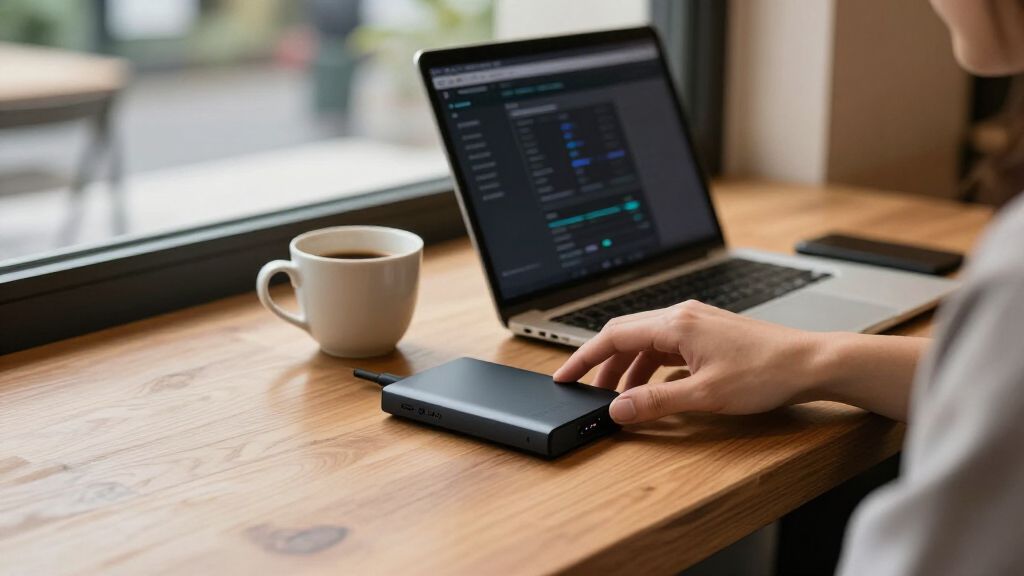
I ranked these drives by how well their stated security approach, everyday usability, and form factor match common buyer needs. Dedicated hardware-encrypted models received priority for security-focused use, with particular attention to PIN or keypad access, listed certification levels, and the practical value of their connection options. I also weighed capacity, portability, and the difference between a drive designed for frequent travel and a desktop unit intended to stay connected to a backup setup.
The ranking favors products with a clear role rather than treating every encrypted or password-protected drive as equivalent. Apricorn and DataLocker models lead for buyers who want security controls centered on the drive; Kingston offers a portable SSD alternative, while WD earns consideration for mainstream backup convenience and larger capacity. Where product names or listings overlap, I treat them as configurations to verify rather than assuming they differ in meaningful ways. Buyers should confirm current specifications, supported operating systems, and security documentation before purchase.
Factors to Consider When Choosing Secure Encrypted External Hard Drives
Choosing an encrypted drive starts with deciding what you need protection from and how you will use the data. A device intended for confidential work documents has different needs from a large home backup or a drive that travels daily. The following factors can help you avoid paying for controls you will not use—or relying on a basic password feature when your situation calls for stronger protections.
Match the security model to your threat
Encryption labels can describe different layers of protection, so look beyond the word “encrypted.” Hardware encryption with on-device PIN entry keeps access control tied to the drive, while software password protection may depend more heavily on the host computer and its software. A certification level can matter for regulated work, but it does not replace checking the exact model documentation or your organization’s requirements. For ordinary personal backups, a simpler protected drive may be easier to maintain. For sensitive or regulated files, prioritize documented hardware controls and a clear recovery process. Do not assume that every password-protected model offers the same protection against someone who physically takes the drive.
Choose capacity around your backup plan
Estimate the size of the data you need to store, then leave room for growth and versioned backups. A large desktop drive can hold extensive archives, but it is not a substitute for a second copy stored separately. Portable drives encourage off-site rotation, though their capacity may be smaller and their setup may involve more frequent connection changes. A common mistake is buying just enough capacity for today and then abandoning backups when the drive fills. Video libraries, full-system images, and long-term archives often need more headroom than document collections. If you expect rapid growth, compare the cost and practicality of a larger drive with maintaining multiple smaller encrypted copies.
Treat portability and connector fit as security questions
A drive that is difficult to connect is less likely to be backed up consistently, so check whether its cable and interface work with every computer you plan to use. USB-C and USB-A compatibility can be useful in mixed-device settings, while a smaller SSD is easier to carry than a desktop unit. Travel also raises physical risks: a portable drive can be lost, so PIN access and a clear lockout policy may matter more than peak capacity. Avoid assuming that an adapter will always be available or supported by a managed work computer. Think about where the drive will live when it is not connected, since secure storage and separation from the computer reduce exposure to theft or malware.
Plan for recovery before setting a PIN or password
Strong access controls can become a problem if the authorized user forgets the credential or loses the only recovery information. Before storing important files, read the manufacturer’s reset and recovery guidance and decide how credentials will be managed. Some secure devices may erase data or restrict access after repeated failed attempts, so do not treat a PIN as a casual detail. Keep a separate encrypted backup if losing the drive would disrupt work or erase irreplaceable files. For a household or team, decide who can access the backup and how that person can retrieve the credential when needed. Security is only useful when you can still reach your data through a planned, controlled process.
Separate drive protection from backup protection
Encryption protects stored data from unauthorized access; it does not protect against accidental deletion, drive failure, ransomware, or fire. Backup software can simplify copying files, but a single connected backup may still be exposed to malware that reaches the computer. Keep another copy disconnected or stored at a separate location for data that matters. Check whether the drive’s backup tools work with your operating system and whether they support scheduled copies or version history. Buyers often focus on encryption and overlook restore testing, even though a backup is only useful if files can be recovered. A practical routine with occasional restore checks can matter more than adding capacity alone.
Pay for security features you can verify and use
Premium security features make sense when they address a real requirement, such as handling regulated information, carrying confidential files, or meeting workplace policy. Before paying for a higher certification or specialized controls, confirm that the exact model carries the documentation your organization accepts. A certification claim on a product family may not apply to every configuration or revision. For less demanding personal use, a mainstream protected drive may be easier to set up and pair with a separate backup routine. Also check warranty terms, software support, and the availability of replacement cables or accessories. The best fit is the drive whose controls you understand and will use consistently—not simply the one with the longest feature list.
Frequently Asked Questions
Is a hardware-encrypted drive a better choice than a password-protected WD My Passport?
It depends on the data and the threat you are addressing. Dedicated hardware-encrypted drives in this roundup are designed around drive-level access controls, while WD My Passport models emphasize accessible storage and password protection for everyday use. For confidential business files or data that may be exposed if the drive is lost, a dedicated hardware-encrypted model is the stronger category to investigate. For routine personal backups, a mainstream option may be simpler to manage. Check the specific model’s security documentation rather than assuming that every password feature offers the same protection.
Should I choose the Apricorn Aegis Fortress L3 or the Apricorn Aegis Padlock Fortress?
The Aegis Fortress L3 is the more security-focused choice for buyers who need its listed FIPS Level 3 positioning and are prepared to manage a dedicated access-control device. The Aegis Padlock Fortress is a better fit if PIN access and its listed FIPS Level 2 status meet your requirements without the higher assurance target. Neither certification alone tells you whether a drive satisfies a particular employer or regulator, so check the exact policy before buying. Also compare how each model handles credentials, recovery, and connection to your computers. If you do not need formal assurance requirements, either may add more setup than a basic backup drive warrants.
Is the DataLocker DL4 FE with USB-C and USB-A different from the other DL4 FE listing?
The product names here describe two DL4 FE 2TB listings, one explicitly calling out USB-C and USB-A and the other using a more general hardware-encrypted description. That may reflect different listing detail rather than a distinct security model, so do not assume the devices are identical—or different—without checking the exact part number. Confirm connectors, included cables, supported systems, and encryption specifications with the seller or manufacturer. The USB-C and USB-A detail matters most if you regularly connect the drive to a mix of newer and older computers. If those details match, choose based on verified configuration and support rather than the wording of the listing alone.
Can an encrypted external drive replace a cloud or second backup?
No single external drive is a complete backup plan. Encryption limits access if someone obtains the drive, but it cannot prevent hardware failure, accidental deletion, fire, or damage while the drive is connected. Keep at least one additional copy, ideally stored separately or disconnected when it is not being updated. Cloud storage can provide geographic separation, but review its account security, encryption controls, and recovery options before relying on it. Test restoring files from each backup so you know the copies are usable.
Should I pick the 14TB WD My Book or a smaller portable encrypted drive?
Choose the 14TB WD My Book if you need a high-capacity desktop backup that can stay in one place and its password-protection approach meets your needs. Pick a portable hardware-encrypted option if you need to carry confidential files or want drive-level access controls suited to travel. The My Book’s capacity does not make it more secure, and its desktop form is less convenient for off-site rotation. A smaller drive may require more frequent storage management, especially for large video or system backups. For important data, capacity and portability should be weighed alongside encryption, physical storage, and the presence of a second copy.
Conclusion
My best overall recommendation is the Apricorn Aegis Fortress L3 for buyers who want a dedicated, high-assurance hardware-encrypted drive and can make use of its security focus. For best value in practical flexibility, I’d look at the DataLocker DL4 FE, particularly when USB-C and USB-A support helps across devices; verify the exact listing configuration first. The best premium security choice is also the Aegis Fortress L3, while the best for beginners is a WD My Passport if ease of everyday backup matters more than specialized on-device controls. For large stationary backups, the 14TB WD My Book is the capacity pick; for a compact SSD, consider the Kingston IronKey Vault Privacy 80. Choose based on the data you need to protect, the computers you use, and how you will keep a second copy—not on capacity or a security label alone.
Fall Picks
fall essentials
As an affiliate, we earn on qualifying purchases.