
TL;DR

Get privacy and security gear delivered free — and shop member deals
- Fast, free delivery on millions of items
- Access to Prime Big Deal Days deals on October 6–7
- Prime Video, Amazon Music and more included
Personal VPN services encrypt traffic between your device and a VPN server, helping protect your connection on untrusted networks and changing the public IP address websites see. They do not make you anonymous or stop phishing, account tracking, or every form of monitoring, so choose a provider for clear privacy practices, sound security, usable apps, and honest pricing.
A VPN can hide your home IP address from a website, but it cannot hide that you logged into your own account. That distinction is the difference between a useful privacy tool and a promise of invisibility.
Personal VPN services route your internet traffic through a provider’s server, encrypting the connection from your device to that server. That can help when you use public Wi-Fi or want websites to see a different public IP address. It also moves some trust from your internet provider or the café network to the VPN company.
This guide explains what a personal VPN protects, where its limits show up in everyday use, and how to compare providers without getting distracted by flashy claims. You’ll leave with a practical way to decide whether you need one—and what to check before paying.
A personal VPN encrypts traffic between your device and the provider’s server and changes the public IP address many websites see.
A VPN does not make you anonymous: accounts, cookies, browser fingerprints, and the VPN provider can still connect activity to you.
Compare clear data policies, independent audit scope, established protocols, kill-switch behavior, device support, and renewal pricing.
Test a VPN with your real routine, such as a video call or work app, because performance depends on distance, congestion, and implementation.
Use a VPN as one privacy layer alongside HTTPS, secure passwords, multifactor authentication, software updates, and phishing awareness.
What a personal VPN protects on your everyday connections
A personal VPN service encrypts the connection between your device and a server run by the VPN provider, then routes your internet traffic through that server. Websites usually see the server’s public IP address instead of your home or mobile IP address. The encryption can help keep people on the same untrusted Wi-Fi network from casually observing your connection.
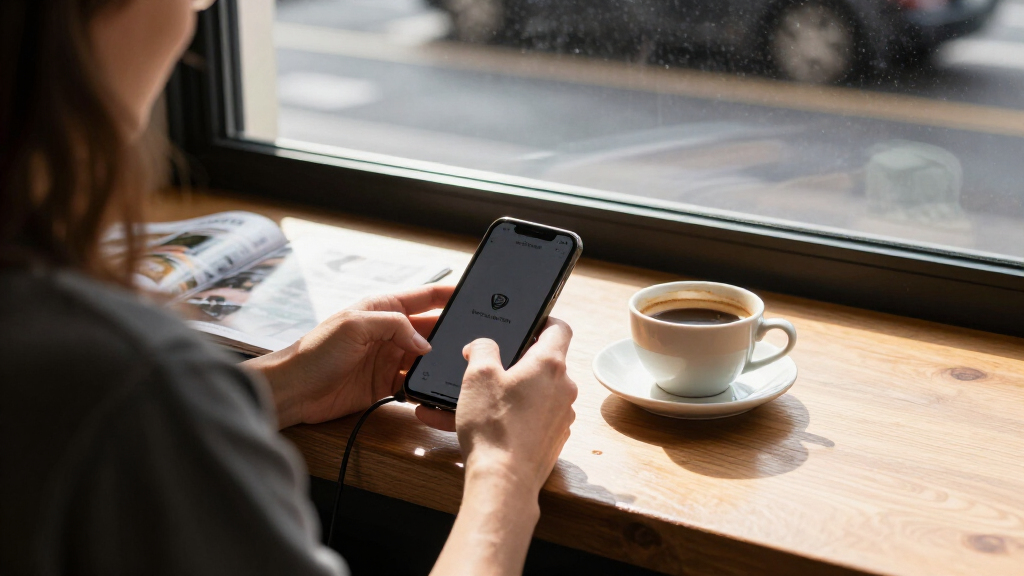
Think of it like putting your mail in a sealed envelope for the first leg of a trip. The café’s Wi-Fi operator can see that your phone connected to a VPN, and may see timing and data volume, but the VPN tunnel helps shield the traffic contents on that local stretch. Once traffic leaves the VPN server, your apps and websites still matter: HTTPS protects many connections, while a VPN does not fix an insecure service.
For example, if you open your laptop at an airport and connect to a VPN before checking your bank, the local network gets less visibility into your traffic contents. The bank still knows who you are after you sign in, and the VPN provider becomes an intermediary you trust. A VPN changes the route and the observer; it does not erase your identity.
The phrase “a service routes a user’s internet traffic” describes the basic job, but coverage varies by app and settings. Most consumer apps aim to send the device’s internet traffic through the tunnel while it is active. Check for a kill switch, which can block internet access if the tunnel drops, reducing the chance your device quietly reconnects outside the VPN.
As an affiliate, we earn on qualifying purchases.
Why a VPN won’t make you anonymous
Personal VPN services do not make you anonymous; they mainly change your public IP address and protect the device-to-server connection. Websites can still recognize you through signed-in accounts, cookies, payment details, or browser fingerprints. Your VPN provider may also process connection information, depending on its design and privacy practices.
Imagine you open a social media app through a VPN while signed in. The site does not need your home IP address to connect your visit to your profile; your account does that. A VPN may make your connection appear to come from another city, but the familiar profile photo and login are a much clearer clue.
It also does not replace secure passwords, multifactor authentication, updates, or phishing awareness. If a fake delivery message tricks you into typing your password into a look-alike page, the VPN cannot tell you that the page is fraudulent. Keep using HTTPS, install security updates, and pause before opening unexpected links or downloads.
According to the supplied key facts for this article, websites and apps can still link activity through accounts, cookies, and fingerprinting even as VPN detection improves. That is why a VPN works best as one layer in a privacy routine, not as a cloak. It reduces some network exposure; it cannot control what you reveal directly to a site.
Plain-language version: A VPN can hide your home IP address from many websites, but it cannot hide your account from the website you signed into.
As an affiliate, we earn on qualifying purchases.
Compare VPN providers by the details that affect your privacy
Choose a VPN by checking privacy practices, security, usability, and price together, rather than trusting a single “no logs” label. Providers differ in what data they collect, how long they retain it, which devices their apps support, and what happens when a subscription renews. These factors are linked: a low price matters less if the provider’s data practices are opaque, while strong privacy claims are less useful if the app does not work reliably on your devices.
Start with the privacy policy: does it explain what the company collects, why it collects it, and how long it keeps it? This matters because a VPN becomes a new intermediary: your internet provider may see that you use a VPN, but the VPN company carries your traffic onward. Look for independent audits and read what they covered. An audit can offer evidence about a particular system or point in time, but it cannot guarantee every part of the service will remain unchanged. Ownership, support channels, and transparency reports can help you judge how accountable the provider is when something goes wrong.
| What to compare | What to look for | Why it matters |
|---|---|---|
| Privacy | Specific data policy and clearly scoped audits | “No logs” can mean different things |
| Security | WireGuard, OpenVPN, or IKEv2/IPsec; kill switch | Established protocols and leak protection support safer connections |
| Usability | Your devices, connection limits, helpful support | A VPN you can use reliably fits real life better |
| Price | Renewal cost, subscription terms, refund rules | The introductory price may not be the price you keep paying |
Security features also involve practical tradeoffs. A kill switch can prevent traffic from leaving outside the tunnel if the VPN disconnects, but it may briefly interrupt your internet access until the tunnel returns. Established protocols are a useful baseline, not a substitute for checking whether the app updates regularly and handles connections reliably. A feature that exists only in a settings menu you never use may offer less protection in practice than a simpler app that stays connected and is easy to understand.
For instance, a household with a Windows laptop, an iPhone, and a smart TV should check app support and simultaneous connection limits before buying. If one device is unsupported, its traffic may not get the same coverage, making the household’s privacy setup inconsistent. A solo traveler may care more about reliable support and nearby servers because a distant or crowded server can add delay during work calls. Bundles that add password managers, tracker blocking, or storage can save time, but each feature has separate data practices to review; bundling does not automatically mean the products share the same protections.
VPN with kill switch and multiple device support
As an affiliate, we earn on qualifying purchases.
As an affiliate, we earn on qualifying purchases.
Use this five-step check before you subscribe
You can screen a personal VPN in five steps: define your reason, inspect its privacy claims, confirm its security features, test its performance, and check the billing terms. The steps help separate must-haves from nice-to-haves: the right choice depends on the risk you are trying to reduce, not on a provider’s server-count bragging or colorful app screens. A service that sounds impressive but lacks your phone’s operating system cannot protect that phone.
- Name the problem. Are you protecting traffic on hotel Wi-Fi, changing the IP address sites see, or using a work-approved remote connection? Each goal points to different requirements. For public Wi-Fi, reliable encryption and a stable app may matter most; for work, your employer’s approved tools and rules take priority.
- Read the data policy. Look for specific collection and retention details, plus independent audits and transparent ownership. These details help you understand what trust you are shifting to the provider, rather than relying on an undefined “no logs” promise.
- Check the connection tools. Confirm support for a reputable protocol such as WireGuard, OpenVPN, or IKEv2/IPsec, and look for a kill switch. Consider how the feature behaves: a kill switch can prevent an accidental unprotected connection, but it may cut off internet access during a tunnel outage.
- Try your normal routine. Test a video call, maps, and work apps with a nearby server. Notice whether pages feel sluggish or calls begin to stutter. This shows whether the added route is an acceptable tradeoff for the protection you want.
- Read the bill before paying. Check renewal pricing, refund limits, device support, and the subscription period. A steep introductory deal may commit you to a longer term or renew at a substantially different price.
Suppose you travel twice a month and often work from hotel lobbies. A trial can tell you whether the VPN stays connected during video calls and whether your work tools behave normally. A speed test alone cannot answer that: a good download result does not tell you whether the VPN reconnects cleanly, affects a meeting, or works with the apps you rely on. The real test is whether your usual Tuesday still runs smoothly.
Performance depends on your internet connection, server distance, congestion, and the VPN’s implementation. Because traffic takes an extra leg to the VPN server, a distant route can add delay even if your download speed looks adequate. A nearby, less crowded server may feel quick, while congestion can make the same provider seem slower at busy times. Test your own routine rather than assuming every connection will slow down—or stay unchanged. If the VPN disrupts tasks you need, you may end up turning it off and losing the protection you wanted.
As an affiliate, we earn on qualifying purchases.
Know when free plans, streaming, and extra features make sense
A free VPN is not automatically unsafe, and a paid VPN is not automatically trustworthy; the provider’s business model and practices matter more than the price label. Free plans may have data limits, fewer servers, or other restrictions, which can make them inconvenient for frequent use or large downloads. More importantly, the price alone does not explain how a company supports the service or handles information. Review the privacy policy, ownership, and security practices before trusting any provider with your connection.
A common real-world trap is choosing an app because it says “free” and then tapping through its permissions without reading. Ask what information the company collects, how it pays for the service, and whether an independent source has examined its claims. The tradeoff is not simply free versus paid: paying can buy more capacity or support, but it does not guarantee better privacy. If those answers are hard to find, pick a provider with clearer explanations—or skip the VPN.
Streaming is another “it depends” case. A VPN can make your connection appear to come from another region, but streaming platforms often block VPN traffic, and access can change without notice. This means regional access is an uncertain benefit, not a reason to assume a particular subscription will work indefinitely. If a show does not play, the service may have detected the VPN; don’t assume the provider can guarantee access forever, and check the streaming service’s terms and local rules.
Providers now sometimes bundle multi-hop routing, tracker blocking, password managers, identity monitoring, or secure storage. Multi-hop can send traffic through more than one VPN server, but extra routing can add delay and does not remove the need to trust the provider. A tracker blocker or password manager may be useful, but those are separate protections with separate limitations and data practices. Claims about post-quantum or “quantum-resistant” protection also vary by implementation, so the label alone does not tell you what is protected or how. Judge each added feature by its specific benefit, the risk it addresses, and any usability or privacy tradeoff—not by its futuristic name.
Decide whether a VPN belongs in your home privacy routine
You may not need a VPN at home if your main goal is protecting ordinary web browsing; HTTPS already encrypts most modern website traffic. A VPN changes which intermediary can observe connection details and changes the public IP address that websites see. The choice is therefore not simply “protected” or “unprotected”: it is about whether the VPN’s protection against some network observers is worth adding another company you must trust. Your privacy concerns, local network, and confidence in the provider should guide that tradeoff.
For example, if you browse news on your home laptop, HTTPS generally protects the contents of your connection from your internet provider, although the provider may still see some connection metadata. Turning on a VPN shifts visibility to the VPN company, which routes your traffic. That could be worthwhile if reducing what your internet provider can observe is important to you, but it does not eliminate all metadata or make the VPN provider unable to see connection information. You are choosing which intermediary to trust, not making intermediaries disappear.
Public Wi-Fi can make the case more straightforward: an airport or café is a network you do not manage, so using a VPN can add a layer against local monitoring. The benefit is most relevant on the stretch between your device and the VPN server; it does not make every service beyond that point safe. Still, keep HTTPS in place and watch for fake login pages or suspicious downloads. The VPN does not clean an infected device or stop a scammer from sending a convincing message.
A proxy and Tor are different tools, too. A proxy may route traffic from selected apps without covering the whole device, so it can be less comprehensive but suitable for a specific app or task. Tor routes traffic through multiple volunteer relays under a different privacy model; its added routing can affect speed and does not serve the same purpose as simply changing your public IP. A typical personal VPN sends device traffic through one provider’s network, making that company a central point of trust. Choose the tool for the problem, weigh its limitations against the protection you need, then keep good account and device habits around it.
Frequently Asked Questions
Can my internet provider see what I do when I use a VPN?
Your internet provider can generally see that your device connected to a VPN, along with connection timing and data volume. The VPN encrypts traffic between your device and the VPN server, so the provider has less access to the traffic contents on that stretch. Your VPN provider handles that connection instead.
Are free personal VPN services safe?
Some free plans may be legitimate, but a free label does not tell you how the service handles data. Check its privacy policy, ownership, security practices, restrictions, and independent reviews. If the provider does not clearly explain how it operates, do not assume your traffic is private.
Will a personal VPN make my internet slower?
It can, because traffic takes an additional route and passes through encryption. The effect depends on your connection, server distance, congestion, and the provider’s implementation. A nearby, uncongested server may reduce the impact, so test the apps you actually use.
Is a VPN useful on public Wi-Fi?
A VPN can add protection against people monitoring an untrusted local network by encrypting the connection to the VPN server. Keep using HTTPS and avoid unexpected links, since a VPN does not prevent phishing or malicious downloads. It adds a layer; it does not make every online action safe.
Do I need a VPN at home?
It depends on what you want to protect and which intermediary you trust. HTTPS already encrypts most modern web traffic, while a VPN mainly changes your public IP address and shifts some connection visibility from your internet provider to the VPN company. Your privacy goals should guide the choice.
Can a VPN guarantee access to streaming content from another country?
No. A VPN may make a connection appear to come from another region, but streaming services often block VPN traffic and their policies can change. Check the service’s terms and local laws, and treat access as something that may vary rather than a permanent promise.
Conclusion
Use a personal VPN when its specific benefit matches your situation, such as reducing exposure on public Wi-Fi or changing the IP address a website sees. Before you pay, check what the provider collects, what its audits cover, which devices it supports, and what the renewal costs.
Keep the simplest rule in mind: a VPN changes the route, not your identity. Treat it like a sealed envelope for one part of the journey—and keep your passwords, updates, and good judgment close at hand.
Fall Picks
fall essentials
As an affiliate, we earn on qualifying purchases.