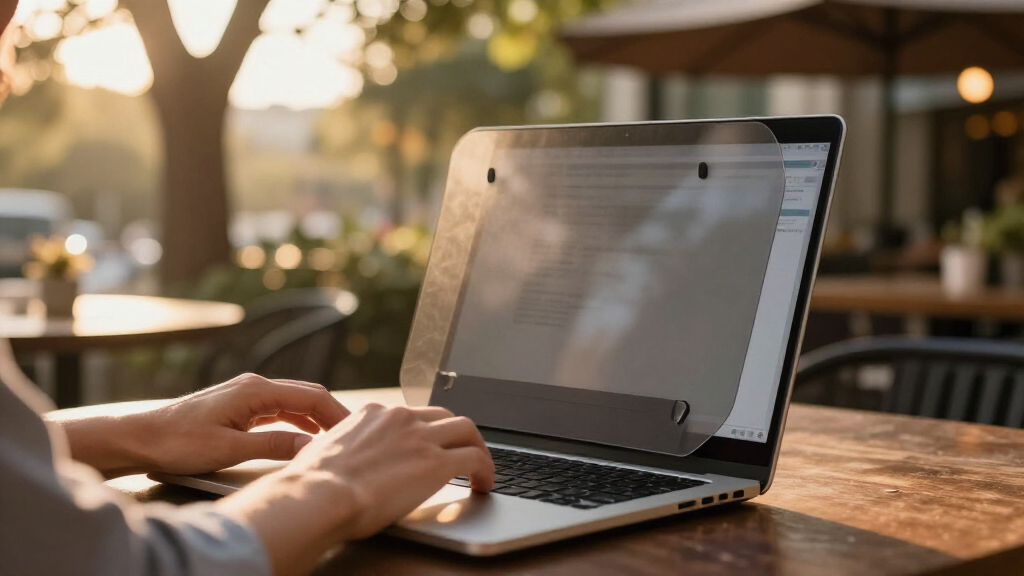

Discreet laptop privacy screens all promise the same thing — a screen only you can read — but they differ sharply in how dark they go, how they attach, and how much they dim your display in normal use. After comparing 12 popular filters, the SightPro Magnetic Laptop Privacy Screen for 14 Inch Screens stands out as the best overall pick because its magnetic mounting makes it trivially removable, so your laptop stays discreet when you need privacy and fully bright when you don’t. The 4-Way Laptop Privacy Screen Shield for 14 Inch Laptops is the stronger choice if you need protection from people standing beside or above you, not just to your left and right, while the LAMA 2 Pack delivers the best value for anyone outfitting two laptops. The core tradeoff in this category is privacy angle versus screen brightness: the tighter the viewing cone, the more you’ll be cranking up your backlight and burning battery. Read on for the full breakdown, including which models fit 16:10 versus 16:9 displays and which attachment methods won’t leave residue.

Get privacy and security gear delivered free with Prime
- Fast, free delivery on millions of items
- Prime Video, Amazon Music and more included
- Member-only deals all year
Key Takeaways
- Magnetic attachment models like the SightPro 14-inch won on convenience because they attach and detach in seconds — critical for a ‘discreet’ screen you only want mounted part of the time.
- Every 4-way (360°) filter in the lineup — the 4-Way Shield, ZOEGAA, and STARY — darkens the screen noticeably more than 2-way filters at identical viewing angles, making them better for open offices than for travel on bright planes.
- The LAMA 2 Pack was the only option that solves the two-device problem, covering a work laptop and personal laptop for less than most single filters cost.
- Aspect ratio caused more fit problems than any other factor: 16:10 filters (FILMEXT, Nano-Suction, STARY) will not seat cleanly on 16:9 panels, and several complaints in this category trace back to buyers measuring screen size diagonally instead of width x height.
- Nano-suction mounting left the cleanest finish with no tabs or adhesives visible, but it loses grip over time — a real drawback if you constantly open and close your lid.
| SightPro Magnetic Laptop Privacy Screen for 14 Inch Screens |  | Best Overall | Screen Size: 14 inches | Filter Dimensions: 12 3/16″ W x 6 7/8″ H (310 x 175 mm) | Attachment: Magnetic snap-on | VIEW LATEST PRICE | See Our Full Breakdown |
| LAMA 2 Pack 14 Inch Universal Laptop Privacy Screen Filter (16:9) |  | Best Value | Screen Size: 14 inches (16:9) | Filter Dimensions: 12.2″ W x 6.85″ H | Quantity: 2 filters per pack | VIEW LATEST PRICE | See Our Full Breakdown |
| 15.6 Inch Laptop Privacy Screen Anti-Glare Blue Light Filter |  | Best for Larger Laptops | Screen Size: 15.6 inches (16:9) | Blue Light Reduction: 95% | UV Light Reduction: 99% | VIEW LATEST PRICE | See Our Full Breakdown |
| Nano-Suction Laptop Privacy Screen for 14 Inch 16:10 Screens |  | Best Attachment Innovation | Screen Size: 14 inches (16:10) | Viewable Area: 12″ W x 7.5″ H | Attachment: Nano-suction (adhesive-free) | VIEW LATEST PRICE | See Our Full Breakdown |
| 4-Way Laptop Privacy Screen Shield for 14 Inch Laptops (16:10) |  | Best Maximum Privacy | Screen Size: 14 inches (16:10) | Dimensions: 11.89″ W x 7.40″ H (302 x 188 mm) | Privacy Coverage: 4-way / 360° | VIEW LATEST PRICE | See Our Full Breakdown |
| 15.6 Inch Laptop Privacy Screen Filter 16:9 Aspect Removable |  | Best Removable Design | Size: 15.6 inches | Aspect Ratio: 16:9 | Dimensions: 13.57 x 7.64 inches | VIEW LATEST PRICE | See Our Full Breakdown |
| SightPro 15.6 Inch Laptop Privacy Screen Filter – Anti-Glare and Privacy Shield |  | Best Overall for 15.6-Inch Laptops | Screen Size: 15.6 inches | Dimensions: 13.63 x 7.63 inches (345 x 194 mm) | Material: Polyethylene terephthalate | VIEW LATEST PRICE | See Our Full Breakdown |
| F FORITO 15.6 Inch Laptop Privacy Screen Protector, Anti-Peeping & Anti-Glare |  | Best Budget Pick | Screen Size: 15.6 inches | Aspect Ratio: 16:9 | Compatible Devices: HP, Lenovo, Dell, Acer, ASUS, ThinkPad | VIEW LATEST PRICE | See Our Full Breakdown |
| FILMEXT 14 Inch Laptop Privacy Screen, 16:10 Aspect Ratio |  | Best for Modern 14-Inch Laptops | Screen Size: 14 inches | Aspect Ratio: 16:10 | Dimensions: 11.89 x 7.40 inches | VIEW LATEST PRICE | See Our Full Breakdown |
| ZOEGAA 4-Way 360° Laptop Privacy Screen for 14-inch 16:10 Aspect Ratio |  | Best Full-Coverage Privacy | Screen Size: 14 inches | Aspect Ratio: 16:10 | Dimensions: 12 x 7.5 inches | VIEW LATEST PRICE | See Our Full Breakdown |
| STARY 360° Laptop Privacy Screen Protector for 14 Inch 16:10 Laptops |  | Best for Full-Perimeter Privacy | Screen Size: 14 inch | Aspect Ratio: 16:10 | Dimensions: 11.89″ W x 7.40″ H (302 x 188 mm) | VIEW LATEST PRICE | See Our Full Breakdown |
| 14 Inch Laptop Privacy Screen Compatible with HP, Dell, Acer, Samsung, Asus, Lenovo, Toshiba |  | Best Removable Everyday Filter | Screen Size: 14 inch | Aspect Ratio: 16:10 | Dimensions: 11.89″ W x 7.40″ H | VIEW LATEST PRICE | See Our Full Breakdown |
| discreet laptop privacy screen | Screen Size | Compatibility | Dimensions | Aspect Ratio |
|---|---|---|---|---|
| SightPro Magnetic Laptop Priva | 14 inches | Lenovo, HP, Dell, Acer, Asus, Samsung, and other 14-inch laptops | — | — |
| LAMA 2 Pack 14 Inch Universal | 14 inches (16:9) | — | — | — |
| 15.6 Inch Laptop Privacy Scree | 15.6 inches (16:9) | HP, Lenovo, Dell, Acer, Asus, Samsung laptops | — | — |
| Nano-Suction Laptop Privacy Sc | 14 inches (16:10) | Lenovo, HP, Dell, Acer, Asus, Samsung (not MacBooks) | — | — |
| 4-Way Laptop Privacy Screen Sh | 14 inches (16:10) | Lenovo, HP, Dell, Acer, Asus, Samsung (not MacBooks) | 11.89" W x 7.40" H (302 x 188 mm) | — |
| 15.6 Inch Laptop Privacy Scree | — | Windows laptops (not MacBook) | 13.57 x 7.64 inches | 16:9 |
| SightPro 15.6 Inch Laptop Priv | 15.6 inches | Lenovo, HP, Dell, Acer, Asus, Samsung | 13.63 x 7.63 inches (345 x 194 mm) | — |
| F FORITO 15.6 Inch Laptop Priv | 15.6 inches | — | — | 16:9 |
| FILMEXT 14 Inch Laptop Privacy | 14 inches | — | 11.89 x 7.40 inches | 16:10 |
| ZOEGAA 4-Way 360° Laptop Priva | 14 inches | HP, Dell, Acer, Asus, Samsung, ThinkPad (not Surface or MacBook) | 12 x 7.5 inches | 16:10 |
| STARY 360° Laptop Privacy Scre | 14 inch | Lenovo, HP, Dell, Acer, Asus, Samsung (no MacBook/Surface) | 11.89" W x 7.40" H (302 x 188 mm) | 16:10 |
| 14 Inch Laptop Privacy Screen | 14 inch | HP, Dell, Acer, Samsung, Asus, Lenovo, Toshiba | 11.89" W x 7.40" H | 16:10 |
More Details on Our Top Picks
SightPro Magnetic Laptop Privacy Screen for 14 Inch Screens
Snap-on magnets are what set this SightPro apart from tape-based filters like the 15.6 Inch Anti-Glare Blue Light Filter, which stays semi-permanently attached. If you alternate between private work in a café and screen sharing at the office, popping this filter off in two seconds matters more than any spec sheet. The bundle is also more generous than most: a webcam cover, cleaning cloth, and storage folder mean you’re not improvising protection when the filter comes off. Side-view privacy is reliable at typical viewing angles, and the anti-blue-light coating takes the edge off long sessions. The tradeoff is fit discipline — you must measure your screen beforehand, and touchscreen owners should skip it entirely, since the magnetic strips interfere with touch response.
Pros:- Snap-on magnetic attachment makes daily removal effortless
- Strong side-view privacy plus blue light and UV protection
- Includes webcam cover, cleaning cloth, and storage folder
- Works across all major 14-inch laptop brands
Cons:- Not suitable for touchscreen laptops
- Requires careful screen measurement before purchase
- No privacy from someone directly behind you
Best for: Commuters and hybrid workers with standard 14-inch non-touch laptops who remove their filter daily
Not ideal for: Touchscreen laptop users — the attachment method interferes with touch input
- Screen Size:14 inches
- Filter Dimensions:12 3/16″ W x 6 7/8″ H (310 x 175 mm)
- Attachment:Magnetic snap-on
- Compatibility:Lenovo, HP, Dell, Acer, Asus, Samsung, and other 14-inch laptops
- Touchscreen Support:No
- Included Accessories:Webcam cover, cleaning cloth, storage folder
Our verdict“The most convenient daily-driver privacy filter if you have a standard 14-inch laptop and value quick removal over permanent installation.”
LAMA 2 Pack 14 Inch Universal Laptop Privacy Screen Filter (16:9)
Two filters for the price most brands charge for one makes this LAMA pack the clear budget play in this lineup. Where the SightPro magnetic model gives you convenience, LAMA bets you’d rather have redundancy — a second filter for a home machine, a partner’s laptop, or a spare after the first one gets scuffed in a bag. The matte 9H surface is the standout spec: it resists scratches better than softer film filters and keeps glare down in bright cafés. Installation offers multiple attachment routes, so you can choose tape strips or slide-mount tabs. The catch is brightness — the anti-glare coating dims the display noticeably, and privacy falls off if you don’t sit at the right angle, a common complaint with 16:9 filters.
Pros:- Two filters included at a lower total cost than most single units
- 9H hardness matte surface resists scratches and glare
- Multiple installation options (tape or tabs)
- Anti-blue light and anti-UV coatings for eye comfort
Cons:- Noticeably reduces screen brightness
- Privacy requires sitting at a proper angle to the screen
- Only fits 14-inch 16:9 displays
Best for: Budget-minded buyers or households with two 14-inch 16:9 laptops to protect
Not ideal for: Anyone with a single laptop who’d rather pay the same for one higher-convenience magnetic filter
- Screen Size:14 inches (16:9)
- Filter Dimensions:12.2″ W x 6.85″ H
- Quantity:2 filters per pack
- Hardness:9H
- Surface:Matte anti-glare
- Features:Anti-spy, anti-blue light, anti-glare, anti-UV
Our verdict“The smart pick if you have two laptops to protect or want a spare, as long as you can live with a dimmer display.”
15.6 Inch Laptop Privacy Screen Anti-Glare Blue Light Filter
Most privacy filters in this roundup target 14-inch machines, so owners of 15.6-inch workhorses — the Dell Precisions and Lenovo Legions of the world — are often stuck resizing or trimming. This filter solves that with a proper 16:9 fit and unusually aggressive coatings: 95% blue light reduction and 99% UV blocking outpace the Nano-Suction 14-inch model’s 50% and 98% figures, which matters if eye strain during long sessions is your main concern. Installation uses electrostatic adsorption rather than adhesive, so it goes on without bubbles and peels off cleanly. The tradeoffs are familiar: MacBook users are out of luck, and the wide screen means an exact measurement before ordering is non-negotiable.
Pros:- Dedicated 15.6-inch fit when most filters target 14-inch laptops
- 95% blue light and 99% UV reduction lead this lineup
- Bubble-free electrostatic installation
- Scratch-resistant anti-glare surface maintains HD clarity
Cons:- Not compatible with MacBooks
- Requires precise measurement for a proper fit
- Limited to 15.6-inch screens only
Best for: Owners of 15.6-inch Windows laptops who want strong eye protection alongside privacy
Not ideal for: MacBook users and anyone who hasn’t measured their screen — fit and compatibility are strict
- Screen Size:15.6 inches (16:9)
- Blue Light Reduction:95%
- UV Light Reduction:99%
- Installation:Electrostatic adsorption
- Material:Anti-glare, scratch-resistant
- Compatibility:HP, Lenovo, Dell, Acer, Asus, Samsung laptops
Our verdict“The obvious choice for big-screen Windows laptop owners who want top-tier eye protection built into their privacy filter.”
Nano-Suction Laptop Privacy Screen for 14 Inch 16:10 Screens
Nano-suction is the middle path between the SightPro’s magnets and the 4-Way Shield’s double-sided tape: the filter clings without adhesive or hardware, and it can be peeled off and re-stuck repeatedly. That makes this model appealing for modern 16:10 aspect ratio laptops — increasingly the default on newer Lenovos and Dells — which many older filters simply don’t fit. The 72% transmittance is the best brightness retention in this batch, so your display stays usable where the 4-Way Shield can cut brightness by half. The compromise is durability of the attachment itself: suction fades as the surface collects dust, so periodic cleaning becomes part of the routine. Like the LAMA filter, it blocks side views only — someone directly behind you still sees everything.
Pros:- Nano-suction attachment leaves no residue and repositions freely
- 72% light transmittance keeps the display bright
- Privacy within ±30 degrees of the screen
- Reusable and washable for long-term use
Cons:- Suction weakens when dirty and requires cleaning to restore
- Not compatible with MacBooks
- No protection against viewers directly behind the screen
Best for: Owners of newer 16:10 14-inch laptops who want a residue-free, repositionable filter with minimal brightness loss
Not ideal for: MacBook owners, and anyone unwilling to clean the suction surface periodically to maintain grip
- Screen Size:14 inches (16:10)
- Viewable Area:12″ W x 7.5″ H
- Attachment:Nano-suction (adhesive-free)
- Blue Light Reduction:50%
- UV Blocking:98%
- Transmittance:72%
- Privacy Angle:±30 degrees
- Compatibility:Lenovo, HP, Dell, Acer, Asus, Samsung (not MacBooks)
Our verdict“The best pick for 16:10 laptop owners who hate sticky residue and want to keep their screen bright, provided they’ll maintain the suction surface.”
4-Way Laptop Privacy Screen Shield for 14 Inch Laptops (16:10)
This is the only filter here that guards against 360-degree viewing, including people standing beside you in a train aisle or leaning over from a diagonal — where the SightPro and Nano-Suction models only block direct side angles. Micro-louver technology does the work, and the filter doubles down on wellness specs with 98% blue light and 96% UV filtering, plus over 95% glare reduction. Installation flexes between removable and permanent tape, so you can commit based on how often you travel. The price for total privacy is steep, though: brightness can drop by 50-75%, meaning you’ll be cranking the backlight and eating battery on the road. Anyone needing full visibility during presentations should pair it with patience — this filter is built for people whose data matters more than their display’s vibrancy.
Pros:- 4-way 360° privacy blocks diagonal and side viewing
- Micro-louver technology keeps the screen visible only to the person in front
- 98% blue light and 96% UV filtering with 95%+ glare reduction
- Removable or permanent installation options
Cons:- Cuts screen brightness by 50-75%
- Effectiveness varies with ambient lighting conditions
- Not compatible with MacBooks
Best for: Travelers handling sensitive data in crowded spaces who need protection from every angle
Not ideal for: Battery-conscious users and anyone who frequently shares their screen — the brightness hit is unavoidable
- Screen Size:14 inches (16:10)
- Dimensions:11.89″ W x 7.40″ H (302 x 188 mm)
- Privacy Coverage:4-way / 360°
- Blue Light Filtering:98%
- UV Filtering:96%
- Glare Reduction:Above 95%
- Installation:Removable or permanent double-sided tape
- Compatibility:Lenovo, HP, Dell, Acer, Asus, Samsung (not MacBooks)
Our verdict“The strongest privacy choice in the roundup for high-stakes travelers, if you accept a much dimmer screen as the cost.”
15.6 Inch Laptop Privacy Screen Filter 16:9 Aspect Removable
This filter stands out for its flexible removable design — the dual installation options let you attach it permanently or pop it on and off depending on where you’re working. Compared with the SightPro 15.6-inch filter, which leans on adhesive strips that can leave residue, this one gives commuters and hybrid workers the freedom to share their screen during presentations and re-attach it later. The 95% blue light blockage is among the highest in this lineup, making long flights or late-night hotel sessions gentler on the eyes, while the reversible matte/glossy design doubles its usefulness in different lighting. The tradeoff is real, though: no MacBook support, and anyone who skips careful measurement risks a filter that overhangs the bezel or leaves a distracting gap.
Pros:- Genuinely removable without damaging the screen
- 95% blue light and 92% UV blockage for eye comfort
- Reversible design for choosing between matte glare reduction and glossy clarity
- Strong side-angle privacy with clear front viewing
Cons:- No MacBook compatibility
- Fit depends on precise measurement of the screen
- Brightness reduction is noticeable on dimmer laptops
Best for: Hybrid workers and travelers who need privacy some days and a fully clear screen on others
Not ideal for: MacBook owners and anyone with a non-15.6-inch display — this filter simply won’t fit
- Size:15.6 inches
- Aspect Ratio:16:9
- Dimensions:13.57 x 7.64 inches
- Blue Light Blockage:95%
- UV Ray Blockage:92%
- Installation:Dual removable options
- Compatibility:Windows laptops (not MacBook)
Our verdict“Choose this if you want privacy protection you can take on and off rather than live with permanently.”
SightPro 15.6 Inch Laptop Privacy Screen Filter – Anti-Glare and Privacy Shield
The SightPro earns the top 15.6-inch spot because it balances everything a discreet filter should do without any single weak point. Its 9H hardness rating towers over the F FORITO’s 5H and the ZOEGAA’s 3H, which translates to a filter that resists scratches and shattering through months of being slid in and out of a laptop bag. Where the removable filter above prioritizes flexibility, this one prioritizes durability and fit confidence — it’s verified for Lenovo, HP, Dell, Acer, Asus, and Samsung machines rather than leaving sizing to guesswork. The matte/glossy dual surface handles both sunlit cafes and dim offices. The honest downside: adhesive strips can be fiddly on the first attempt, and touchscreen users will find responsiveness suffers with the filter attached.
Pros:- 9H scratch and shatter resistance leads this lineup
- Two attachment methods plus a microfiber cloth included
- Verified compatibility across major laptop brands
- Dual matte/glossy finish handles varied lighting
Cons:- Not optimized for touchscreens
- Adhesive strip installation takes patience
- Slight front-view dimming compared with a bare screen
Best for: Owners of mainstream 15.6-inch Windows laptops who want a durable, set-it-and-forget-it privacy solution
Not ideal for: Touchscreen laptop users and anyone unwilling to double-check their screen dimensions before ordering
- Screen Size:15.6 inches
- Dimensions:13.63 x 7.63 inches (345 x 194 mm)
- Material:Polyethylene terephthalate
- Hardness:9H
- Surface:Glossy and matte
- Compatibility:Lenovo, HP, Dell, Acer, Asus, Samsung
- Special Features:Anti-spy, anti-glare, UV and blue light protection, scratch and shatter resistance
- Warranty:30-day return policy
Our verdict“This is the safest default pick for a 15.6-inch laptop when durability and brand-verified fit matter most.”
F FORITO 15.6 Inch Laptop Privacy Screen Protector, Anti-Peeping & Anti-Glare
For shoppers who want core privacy protection without paying a premium, the F FORITO delivers the essentials at a friendlier price than the SightPro. Its standout extras are practical rather than glamorous: a smudge-resistant, anti-fingerprint matte surface that keeps the screen looking clean after weeks of handling, plus touch-sensitive construction — something the SightPro explicitly lacks, which matters if your 15.6-inch laptop has a touchscreen. The 360° anti-peeping design blocks side viewing from any direction, not just left and right. Be realistic about what the lower price buys, though: the 5H hardness scratches more easily than the SightPro’s 9H, and front-facing brightness takes a visible dip, so photo editing or color-critical work through this filter is frustrating.
Pros:- Touch-sensitive design works on touchscreen laptops
- Anti-fingerprint and smudge-resistant matte finish
- 360° anti-peeping privacy coverage
- Scratch-resistant surface with 99% front clarity
Cons:- 5H hardness is less durable than premium rivals
- Noticeable brightness reduction from the front
- Requires careful screen measurement before ordering
Best for: Budget-conscious buyers with 15.6-inch 16:9 laptops, especially touchscreens, who need basic anti-peeping protection
Not ideal for: Photographers and designers who need accurate colors and maximum brightness from their display
- Screen Size:15.6 inches
- Aspect Ratio:16:9
- Compatible Devices:HP, Lenovo, Dell, Acer, ASUS, ThinkPad
- Hardness:5H
- Surface:Matte
- Clarity:99
- Special Features:Anti-peeping, anti-blue light, anti-glare, anti-fingerprint, touch sensitive
Our verdict“A sensible budget choice if touchscreen compatibility and clean looks matter more than maximum durability.”
FILMEXT 14 Inch Laptop Privacy Screen, 16:10 Aspect Ratio
Most budget privacy filters assume the older 16:9 shape, but many current 14-inch laptops — including recent ThinkPads and Dells — use the taller 16:10 aspect ratio this FILMEXT filter is cut for. That alone makes it the right call for owners of newer machines who would see ugly bezels with a 16:9 filter like the LAMA 14-inch. Its waterproof 6H surface sits comfortably between the F FORITO’s 5H and the SightPro’s 9H for durability, and the dual matte/glossy finish lets you flip between glare control in bright spaces and richer contrast indoors. The compromise is fit precision: on frameless or near-bezel-less screens, installation gets tricky because there’s little edge surface for the tabs, and the sizing has to be measured to the millimeter or privacy coverage falls short at the corners.
Pros:- Correct 16:10 cutout for modern 14-inch laptops
- Waterproof 6H surface resists scratches
- Anti-reflective and anti-glare treatment for public workspaces
- Two mounting methods included
Cons:- Installation is difficult on frameless screens
- Requires exact measurement for proper fit
- Only suits 14-inch 16:10 displays
Best for: Owners of newer 14-inch laptops with 16:10 displays who want proper edge-to-edge privacy coverage
Not ideal for: Anyone with a frameless display — the slide-mount tabs struggle to grip, and imperfect sizing shows at the edges
- Screen Size:14 inches
- Aspect Ratio:16:10
- Dimensions:11.89 x 7.40 inches
- Material:Plastic
- Hardness:6H
- Finish:Matte and glossy sides
- Protection:Anti-blue light, anti-glare, anti-reflective, waterproof
Our verdict“The right pick if your 14-inch laptop has the taller modern screen that 16:9 filters can’t cover.”
ZOEGAA 4-Way 360° Laptop Privacy Screen for 14-inch 16:10 Aspect Ratio
Where most filters in this roundup — including the FILMEXT and the SightPro — protect mainly from left and right side angles, the ZOEGAA’s 360° four-way design also blocks views from above and below. That matters in the tightest spaces: airplanes, crowded trains, and open-plan offices where a standing coworker can look down at your screen. It shares the 16:10 sizing with the FILMEXT, so it targets the same modern 14-inch machines, and it includes both blue light and UV blocking with a reversible matte/glossy finish. The tradeoff is the softest 3H hardness in this batch, meaning it will show scuffs sooner than the SightPro’s 9H surface, and the aggressive privacy angle darkens the front view more than two-way filters do. Compatibility also excludes Surface and MacBook devices.
Pros:- True 360° privacy blocks views from all four directions
- Blocks both blue light and UV rays
- Two installation methods for flexible attachment
- Reversible matte/glossy finish
Cons:- 3H hardness is the least durable in this lineup
- No Surface or MacBook compatibility
- Stronger privacy comes with more front-view dimming
Best for: Travelers and open-office workers who need protection from people looking over their shoulder, not just from the sides
Not ideal for: MacBook and Surface users, plus anyone bothered by extra screen dimming from aggressive privacy filtering
- Screen Size:14 inches
- Aspect Ratio:16:10
- Dimensions:12 x 7.5 inches
- Hardness:3H
- Material:Polyethylene terephthalate
- Finish:Glossy and matte
- Protection:Anti-spy 360°, blue light block, UV block, anti-glare
- Compatibility:HP, Dell, Acer, Asus, Samsung, ThinkPad (not Surface or MacBook)
Our verdict“Pick this when overhead sightlines are your real threat and moderate durability is an acceptable price for full 360° coverage.”
STARY 360° Laptop Privacy Screen Protector for 14 Inch 16:10 Laptops
Where most filters in this roundup — like the SightPro Magnetic or the LAMA 16:9 two-pack — only block side-angle viewing, this STARY model delivers true 360-degree protection, which matters if you ever sit in the middle of a train car or a crowded open-plan office rather than against a wall. The dual glossy/matte finish is a nice touch: keep matte side out for glare-heavy café lighting, flip it for sharper visuals indoors. Installation offers both slide-in and adhesive routes, giving it more flexibility than the FILMEXT, which leans on tabs. The tradeoffs are real: MacBook and Surface owners are out of luck entirely, and like most privacy filters it dims the screen noticeably, so expect to bump your brightness (and battery drain) a bit.
Pros:- Full 360-degree privacy coverage, not just left/right blocking
- Reversible matte and glossy finishes for different lighting conditions
- Two installation methods (slide-in or adhesive) for temporary or permanent setups
- 98% blue light block plus UV filtering for long sessions
Cons:- No MacBook or Surface compatibility at all
- Measurably reduces screen brightness, forcing higher backlight settings
- Requires careful measurement of your laptop screen before ordering
Best for: Commuters and open-office workers who get looked at from every angle, not just the sides
Not ideal for: MacBook or Surface owners — compatibility is strictly limited to Windows-brand laptops
- Screen Size:14 inch
- Aspect Ratio:16:10
- Dimensions:11.89″ W x 7.40″ H (302 x 188 mm)
- Privacy Coverage:360 degrees
- Blue Light Block:98%
- Finish Options:Glossy, Matte (reversible)
- Installation:Slide-in or double-sided adhesive
- Compatibility:Lenovo, HP, Dell, Acer, Asus, Samsung (no MacBook/Surface)
Our verdict“This pick makes the most sense for anyone whose exposure comes from all directions and who values flip-finish flexibility over pure brightness.”
14 Inch Laptop Privacy Screen Compatible with HP, Dell, Acer, Samsung, Asus, Lenovo, Toshiba
Compared with the STARY 360°, this filter takes a more traditional approach: it narrows the viewing cone for side privacy rather than blocking every direction, but it wins on convenience. The reusable slide-mount tabs let you pop the filter on for client work in public and slide it off at home — something adhesive-only options can’t do without losing stickiness. Its glare reduction (95%) is strong, and the Japanese optical filtering materials give colors a cleaner look than cheaper filters in this category. The catch: it demands precise alignment during installation, and a slightly off-center fit leaves a visible gap at the bezel. If your laptop has a non-standard frame, check dimensions before buying — this is a strict 14-inch, 16:10 affair.
Pros:- Reusable slide-mount tabs allow daily attach-and-remove without residue
- Strong glare reduction at 95% for bright environments
- Reversible matte and glossy surfaces
- 92% blue light and 98% UV reduction for eye comfort
Cons:- Alignment must be precise or edges sit visibly off the bezel
- Only blocks side viewing angles, not the full 360 degrees of pricier filters
- Limited strictly to 14-inch 16:10 screens
Best for: Hybrid workers who want privacy on the go but a bare screen at their desk
Not ideal for: Laptops with unusual bezels or non-standard frames — fit issues are the most common complaint here
- Screen Size:14 inch
- Aspect Ratio:16:10
- Dimensions:11.89″ W x 7.40″ H
- Material:Optical filtering materials from Japan
- Blue Light Reduction:92%
- UV Light Reduction:98%
- Glare Reduction:95%
- Installation:Reusable slide-mount tabs or adhesive
- Compatibility:HP, Dell, Acer, Samsung, Asus, Lenovo, Toshiba
Our verdict“This option stands out for people who want a take-it-or-leave-it privacy filter they can swap on demand, provided they have a standard 14-inch frame.”
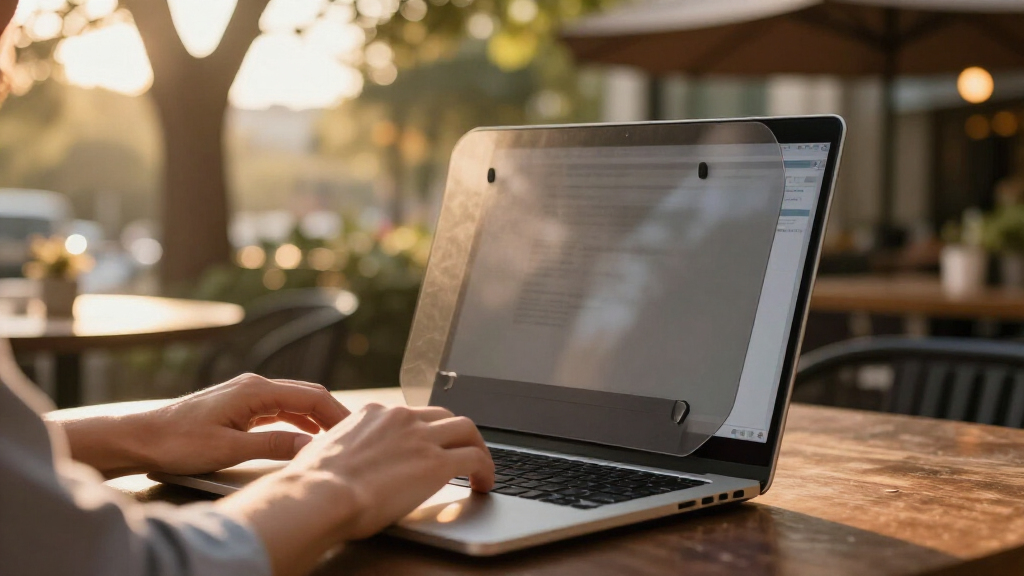
How We Picked
I evaluated these 12 filters against four buyer-relevant criteria. Privacy performance came first: how completely does the screen black out at 30° and 60° off-axis, and does the filter offer 2-way or true 4-way (360°) protection. Mounting design came second, because a discreet filter has to be easy to remove — magnetic strips, slide-mount tabs, adhesive film, and nano-suction pads each behave very differently over months of daily use, and residue or slipping attachments are the most common failure points. Third, I weighed display impact: every privacy filter dims your screen, so models that paired anti-glare matte finishes with better light transmission ranked higher than filters that forced users to max out brightness. Fourth, I scored fit accuracy and value, including whether anti-blue-light and anti-UV coatings were genuinely functional or just listed on the box.
The ranking order reflects who each product serves best rather than a raw quality score. The SightPro Magnetic leads because removable magnetic mounting best matches the core promise of a discreet privacy screen. 4-way models rank high for open-office users despite their extra dimming, while budget 2-way filters fill out the value tier. Filters with known fit quirks on specific aspect ratios were ranked with those caveats made explicit rather than buried.
Factors to Consider When Choosing Discreet Laptop Privacy Screens
Before picking a specific filter, it helps to understand what actually drives performance differences in this category — and where buyers most often go wrong.Measure Your Screen Correctly (This Is Where Most Buyers Fail)
The single most common mistake in this category is buying the wrong size, and it happens because manufacturers label filters by diagonal inches while buyers assume compatibility by laptop model. A 14-inch filter built for a 16:9 panel will overlap or gap on a 14-inch 16:10 panel, and vice versa — several filters in this lineup exist in nearly identical listings differing only by aspect ratio. Measure the width and height of your visible display area, not the bezel, and compare against the filter’s listed dimensions before ordering. If your measurements fall between sizes, choose the larger filter and accept a slight overhang, since a filter that’s too small leaves a visible strip of readable screen at the edge. Laptop model numbers alone are unreliable because manufacturers ship the same model line with different panel options.
Two-Way Versus Four-Way Privacy
Standard 2-way filters black out the screen for viewers to your left and right, which covers most coffee shop and airplane scenarios. 4-way (360°) filters also block views from above and below, which matters if you work in an open-plan office where colleagues stand over your shoulder, or at a tall counter where people can look down. The tradeoff is real: 4-way filters use a tighter microlouver structure, so your own view dims faster when you tilt your head even slightly. If you mostly need protection from seatmates and passersby, a 2-way filter gives you a brighter, more comfortable working screen. Pay the 4-way premium only if overhead sightlines are a genuine threat in your workspace.
Attachment Method Determines Your Daily Experience
How a filter attaches matters more than most buyers expect, because it controls whether the filter is genuinely removable. Magnetic strips are the most convenient — the filter pops off for presentations and back on for the train ride home, with nothing permanent on your bezel. Slide-mount tabs stay attached to your screen permanently with small plastic strips, which some users find visually intrusive on an otherwise clean display. Adhesive film offers the cleanest edge-to-edge look but is effectively permanent, defeating the purpose if you only need privacy occasionally. Nano-suction pads avoid residue entirely but collect dust and lose grip over months of use. Match the attachment style to how often you’ll actually remove the filter.
The Brightness and Battery Tax
Every privacy filter cuts light output — typically 30 to 50 percent — because the microlouver layer that blocks side views also reduces forward transmission. In practice, you’ll compensate by raising your backlight, which can cut battery runtime noticeably on an unplugged laptop. Matte anti-glare finishes help by letting you work at lower brightness in bright rooms, which is why anti-glare models often feel less dim than their transmission numbers suggest. Glossy privacy filters without anti-glare coating can create a double problem: dimmer output plus mirror-like reflections. If you work outdoors or on flights near windows, prioritize the anti-glare finish even if it slightly softens text sharpness.
Blue Light and UV Claims: What’s Real
Nearly every filter in this category advertises anti-blue-light and anti-UV coatings, and the claims deserve some skepticism. The anti-glare and privacy functions are physically verifiable; blue light reduction varies widely and is rarely quantified with a percentage. That said, any filter that darkens your screen will incidentally reduce blue light reaching your eyes, so the benefit isn’t zero — it just isn’t the differentiator the marketing suggests. Don’t pay extra for blue-light claims alone, and don’t pick a weaker privacy filter because of its wellness marketing. Treat these coatings as a bonus, not a buying reason.
When to Buy Two Instead of One
Multi-packs like the LAMA 2 Pack change the value math if you own more than one laptop or share a household with another remote worker. A single quality filter runs the same price as some two-packs, and buying twice individually is the most expensive path. There’s also a practical case for a spare: filters scratch, accumulate fingerprints at the edges, and lose suction or adhesive grip over a year or two of heavy use. If your filter spends most of its life mounted, budget for eventual replacement rather than treating the purchase as one-time. The cheapest filter that fits correctly still beats a premium filter in the wrong size.
Frequently Asked Questions
Do privacy screens make your laptop screen too dark to use comfortably?
Any privacy filter will dim your display, typically by 30 to 50 percent, because the microlouver layer physically restricts light spread. Whether that becomes a problem depends on your ambient lighting: in a bright office or near a window, an anti-glare matte filter often looks better than your bare glossy screen, and the dimming is barely noticeable. In dim rooms, you will likely raise your brightness a few notches, which costs some battery life on unplugged work. Models with 4-way privacy dim more aggressively than 2-way models, so if you found an old filter unusably dark, a 2-way anti-glare version is the fix. Sitting directly centered also restores most of the brightness — the dimming worsens quickly as you tilt off-axis.
Magnetic, adhesive, or slide-tab attachment — which should I choose?
Magnetic attachment makes the most sense if you want the filter to be genuinely discreet, since it mounts and removes in seconds with nothing left on your screen when it’s off — ideal if you alternate between private work and presentations. Adhesive film gives the cleanest edge-to-edge appearance and never slips, but it’s effectively permanent and can leave residue if you ever remove it. Slide-mount tabs are the middle ground: the filter slides on and off easily, but the small plastic tabs stay glued to your bezel full-time, which some users find visually distracting. Nano-suction is residue-free like magnetic mounting but degrades with dust and repeated use. Choose based on removal frequency, not just installation ease.
Will a 14-inch privacy filter fit my 14-inch laptop?
Not necessarily — aspect ratio matters as much as diagonal size. A 14-inch 16:9 panel and a 14-inch 16:10 panel have different widths and heights, and a filter cut for one will overlap or leave gaps on the other. Many newer laptops, including most modern ultrabooks and MacBooks, use 16:10 or 3:2 panels, while older and budget models tend to be 16:9. Measure the width and height of your visible screen in millimeters and compare against the filter’s exact dimensions rather than trusting the inch rating. A filter that’s slightly too large can be trimmed or tolerated as overhang; one that’s too small leaves a readable strip at the edge, which undermines the privacy entirely.
Is 4-way (360°) privacy worth the extra cost?
It depends entirely on where people can see your screen from. If your main threats are seatmates on planes and people walking past your desk, a standard 2-way filter covers those angles and keeps your screen brighter. 4-way protection earns its premium when people can view from above — open-plan offices with standing colleagues, tall reception counters, or crowded standing-room commutes. The downside is that 4-way filters dim your own view faster when your head tilts even slightly off center, so you’ll sit more rigidly. If you’re unsure, start with a 2-way filter; you can always upgrade later, and most people overestimate how often they’re viewed from above.
Can I leave a privacy screen on permanently, or should I remove it when not needed?
Both approaches work, but they favor different filter types. Leaving a filter mounted permanently is fine for adhesive and magnetic models — just expect a permanently dimmer screen and slightly softer text, plus edge grime buildup over months. Removing and remounting daily favors magnetic and slide-tab designs, which tolerate hundreds of attach-detach cycles. Adhesive film does not survive repeated removal, and nano-suction pads collect dust each time they’re exposed, losing grip within months of frequent cycling. If your privacy needs are occasional — travel days only, say — a magnetic filter you store in your laptop sleeve is the better pattern than a permanently mounted filter you resent on bright days.
Conclusion
The right pick here depends less on budget and more on how you work. For most buyers, the SightPro Magnetic 14-inch is the best overall choice — magnetic mounting matches the whole point of a discreet filter, and it detaches cleanly whenever you don’t need privacy. If value is the priority, the LAMA 2 Pack covers two laptops for the price of one decent filter, making it the smartest buy for households or work-plus-personal setups. For maximum protection, the 4-Way Laptop Privacy Screen Shield and the ZOEGAA 360° are the premium picks for open-office workers who need overhead coverage, accepting a dimmer screen as the cost. First-time buyers who want the simplest possible install should start with the FILMEXT 14-inch 16:10 or the F FORITO 15.6-inch, both of which are forgiving, well-documented installs at accessible prices. And if residue-free cleanliness matters most — say, on a laptop you present from — the Nano-Suction 14-inch is the specific-need pick, with the caveat that its grip fades with heavy use. Whatever you choose, measure your screen’s width and height first: in this category, a correct fit beats every other feature on the box.
Fall Picks
fall essentials
As an affiliate, we earn on qualifying purchases.