The best long-range WiFi access point in this lineup is the Ubiquiti UniFi U7 Long-Range for buyers seeking a capable, centrally managed system. The TP-Link Omada EAP650-Outdoor is a strong outdoor WiFi 6 alternative, while the WAVLINK AX1800 suits buyers who want weatherproof coverage without building an Omada or UniFi setup. The main tradeoffs are range versus capacity, indoor versus outdoor construction, and standalone simplicity versus management features. A long-range label alone cannot overcome walls, poor placement, or a weak wired connection. Read on for how the eight options differ and which one fits your coverage problem.

Get privacy and security gear delivered free with Prime
- Fast, free delivery on millions of items
- Prime Video, Amazon Music and more included
- Member-only deals all year
Key Takeaways
- The UniFi U7 Long-Range leads for buyers building a managed network: its appeal is strongest when its ecosystem and setup approach match the rest of the network.
- Outdoor access points solve a different problem from ceiling-mounted indoor models: weather protection and placement outside can matter more than a higher indoor speed class.
- The EAP650-Outdoor and BrosTrend AX3000 target newer WiFi 6 outdoor needs, while the EAP225-Outdoor and EAP110-Outdoor trade newer wireless capabilities for simpler, more modest network roles.
- Long-range coverage does not guarantee fast service at every distance: client device limits, walls, interference, and the access point’s wired connection all shape real results.
- Management approach separates several picks: Omada and UniFi models suit buyers who want a coordinated network, while extender-style or standalone options may be easier for a small, focused coverage fix.
| Ubiquiti UniFi U7 Long-Range Wireless Access Point |  | Best for Indoor Reach | Wi-Fi generation: Wi-Fi 6; listed as 802.11be compatible | Frequency: 2.4 GHz listed | Maximum upstream data rate: 4,800 Mbps | VIEW LATEST PRICE | See Our Full Breakdown |
| WAVLINK AX1800 Outdoor WiFi 6 Extender, IP67 Weatherproof |  | Best for Open-Area Outdoor Coverage | Wi-Fi standard: Wi-Fi 6 (802.11ax) | Maximum data rate: 1,800 Mbps: 1,201 Mbps on 5 GHz and 574 Mbps on 2.4 GHz | Antennas: 4 detachable 8 dBi omnidirectional fiberglass antennas | VIEW LATEST PRICE | See Our Full Breakdown |
| TP-Link Omada EAP610 AX1800 Wi-Fi 6 Ceiling-Mount Access Point |  | Best for Managed Indoor Networks | Model: EAP610 V2 | Wi-Fi standard: Wi-Fi 6 (802.11ax) | Frequency: Dual-band, including 5 GHz | VIEW LATEST PRICE | See Our Full Breakdown |
| BrosTrend AX3000 WiFi 6 Outdoor Access Point |  | Best for Wired Outdoor Performance | Wi-Fi standard: Wi-Fi 6 (802.11ax) | Maximum wireless speed: AX3000: 2,402 Mbps on 5 GHz plus 574 Mbps on 2.4 GHz | Antennas: 2 × 5 dBi high-gain antennas | VIEW LATEST PRICE | See Our Full Breakdown |
| TP-Link EAP110-Outdoor V3 Omada N300 Wireless Outdoor Access Point |  | Best for Basic Outdoor Extension | Wi-Fi standard: 802.11b/g/n (Wi-Fi 4) | Frequency: 2.4 GHz | Maximum data rate: 300 Mbps | VIEW LATEST PRICE | See Our Full Breakdown |
| Grandstream GWN7664ELR Outdoor Long-Range Wi-Fi 6 Access Point |  | Best for Large Outdoor Deployments | Wireless standard: 802.11ax (Wi-Fi 6) | Frequency band: Dual-band, 2.4 GHz | Aggregate wireless throughput: 6 Gbps | VIEW LATEST PRICE | See Our Full Breakdown |
| TP-Link Omada EAP225-Outdoor AC1200 Wireless Access Point |  | Best for Budget-Conscious Outdoor Coverage | Wi-Fi standard: 802.11ac Wave 2 (Wi-Fi 5) | Frequency bands: 2.4 GHz and 5 GHz | Maximum data rate: 1200 Mbps | VIEW LATEST PRICE | See Our Full Breakdown |
| TP-Link Omada EAP650-Outdoor AX3000 Wi-Fi 6 Access Point |  | Best Outdoor Omada Upgrade | Wi-Fi generation: Wi-Fi 6 (802.11ax) | Frequency band: Dual-band, including 5 GHz | Maximum data transfer rate: 3000 Mbps | VIEW LATEST PRICE | See Our Full Breakdown |
| long range WiFi access point | Wi-Fi standard | Security | Maximum data rate | Antennas |
|---|---|---|---|---|
| Ubiquiti UniFi U7 Long-Range W | — | WPA3 | — | — |
| WAVLINK AX1800 Outdoor WiFi 6 | Wi-Fi 6 (802.11ax) | — | 1,800 Mbps: 1,201 Mbps on 5 GHz and 574 Mbps on 2.4 GHz | 4 detachable 8 dBi omnidirectional fiberglass antennas |
| TP-Link Omada EAP610 AX1800 Wi | Wi-Fi 6 (802.11ax) | WPA3 | 1,800 Mbps | — |
| BrosTrend AX3000 WiFi 6 Outdoo | Wi-Fi 6 (802.11ax) | WPA-PSK, WPA2-PSK, WPA3-SAE | — | 2 × 5 dBi high-gain antennas |
| TP-Link EAP110-Outdoor V3 Omad | 802.11b/g/n (Wi-Fi 4) | WPA2, WPA/WPA2-Enterprise, 802.1X with RADIUS | 300 Mbps | 2 external 5 dBi omnidirectional antennas |
| Grandstream GWN7664ELR Outdoor | — | — | — | — |
| TP-Link Omada EAP225-Outdoor A | 802.11ac Wave 2 (Wi-Fi 5) | — | 1200 Mbps | — |
| TP-Link Omada EAP650-Outdoor A | — | — | — | 4 fixed antennas |
More Details on Our Top Picks
Ubiquiti UniFi U7 Long-Range Wireless Access Point
The UniFi U7 Long-Range is the indoor pick for buyers who want a stated reach of up to 150 feet and app-based control rather than an outdoor-rated unit. Its WPA3 support adds current network security, while the listed 1,000 Mbps port gives it a straightforward wired connection to a router or switch. Compared with the TP-Link Omada EAP610, this model emphasizes claimed indoor coverage over a more fully specified dual-band setup; the supplied data lists only 2.4 GHz, so I would verify band details before buying for a busy household. It also has just one listed port, limiting wired expansion at the access point. Choose it for indoor reach, not for outdoor placement or a clearly documented multi-band feature set.
Pros:- Listed indoor coverage reaches up to 150 feet
- Supports WPA3 security
- App-based control
- Gigabit Ethernet port
Cons:- Product data lists only the 2.4 GHz frequency band
- Only one port is listed
- Indoor-only description does not suit exposed outdoor installations
Best for: Homeowners seeking a centrally placed indoor access point with a stated 150-foot coverage distance and app-based control.
Not ideal for: Buyers needing a weatherproof outdoor unit, multiple Ethernet ports, or clearly documented dual-band operation.
- Wi-Fi generation:Wi-Fi 6; listed as 802.11be compatible
- Frequency:2.4 GHz listed
- Maximum upstream data rate:4,800 Mbps
- LAN port:1 × 1,000 Mbps
- Security:WPA3
- Stated indoor coverage:Up to 150 feet
- Antenna:1 fixed antenna
- Dimensions:7.87 × 5.91 × 5.91 in
Our verdict“Choose the UniFi U7 Long-Range when stated indoor reach and app control matter more than documented dual-band flexibility or extra ports.”
WAVLINK AX1800 Outdoor WiFi 6 Extender, IP67 Weatherproof
For yards or other open areas, the WAVLINK AX1800 pairs four detachable 8 dBi antennas with an IP67 enclosure and a stated 200–300 m line-of-sight radius. That makes it a more purpose-built choice for exposed placement than the indoor TP-Link Omada EAP610, and its mesh, AP, router, repeater, and AP-plus-repeater modes offer flexibility when the network layout changes. The dual-band Wi-Fi 6 connection is rated up to 1,800 Mbps, with support for as many as 256 devices. Those reach claims depend on clear line of sight, though, and should not be treated as guaranteed coverage through walls or dense landscaping. The PoE adapter must stay indoors, and mesh mode works only with WAVLINK-series products.
Pros:- IP67-rated enclosure for outdoor installation
- Four detachable 8 dBi omnidirectional antennas
- Dual-band Wi-Fi 6 with a stated maximum rate of 1,800 Mbps
- Supports active and passive PoE and multiple operating modes
Cons:- Stated 200–300 m coverage applies to line-of-sight conditions
- PoE adapter is not waterproof and must be installed indoors
- Mesh mode is limited to WAVLINK-series products
Best for: Property owners extending Wi-Fi across open yards, grounds, or outbuildings who can run PoE and keep the adapter indoors.
Not ideal for: Buyers seeking an indoor ceiling access point, a wall-penetrating coverage guarantee, or mesh interoperability beyond WAVLINK products.
- Wi-Fi standard:Wi-Fi 6 (802.11ax)
- Maximum data rate:1,800 Mbps: 1,201 Mbps on 5 GHz and 574 Mbps on 2.4 GHz
- Antennas:4 detachable 8 dBi omnidirectional fiberglass antennas
- Stated coverage:200–300 m radius in line-of-sight environments
- PoE:802.3af/at active PoE and passive PoE
- Operating modes:Mesh, AP, router, repeater, AP+repeater
- Maximum device support:256 devices
Our verdict“Pick the WAVLINK when outdoor line-of-sight coverage and flexible operating modes outweigh adapter placement and brand-specific mesh limits.”
TP-Link Omada EAP610 AX1800 Wi-Fi 6 Ceiling-Mount Access Point
The EAP610 is my pick for indoor buyers who value a managed dual-band Wi-Fi 6 network more than an outdoor reach claim. Omada cloud management, band steering, beamforming, and load balancing give administrators tools to distribute clients and manage coverage across a home or small business. It also offers WPA3 and can run on PoE or the included DC adapter, so installation does not depend on a PoE switch. Compared with the Ubiquiti UniFi U7 Long-Range, TP-Link provides clearer dual-band specifications and four listed ports, but its mesh and seamless roaming features require an Omada SDN controller. Its 1,800 Mbps maximum rate is not the highest among these options, and this ceiling-mount indoor model is not a substitute for an IP-rated outdoor access point.
Pros:- Dual-band Wi-Fi 6 with a maximum listed rate of 1,800 Mbps
- Omada cloud management with band steering and load balancing
- Supports PoE and DC power
- Five-year warranty
Cons:- Mesh and seamless roaming require an Omada SDN controller
- Ceiling-mount indoor design is not weatherproof
- Maximum data rate is lower than the BrosTrend AX3000’s listed wireless rate
Best for: Small-business IT managers and technically minded homeowners who want cloud-managed indoor Wi-Fi 6 with flexible power options.
Not ideal for: Buyers needing outdoor weather protection or mesh and seamless roaming without an Omada SDN controller.
- Model:EAP610 V2
- Wi-Fi standard:Wi-Fi 6 (802.11ax)
- Frequency:Dual-band, including 5 GHz
- Maximum data rate:1,800 Mbps
- Ports:4 × 10/100/1000 Mbps
- Power options:802.3at PoE+, 48 V/0.5 A passive PoE, or 12 V/1.5 A DC
- Security:WPA3
- Warranty:5 years
Our verdict“Choose the EAP610 for managed indoor coverage and flexible power, provided you are comfortable using an Omada controller for advanced roaming features.”
BrosTrend AX3000 WiFi 6 Outdoor Access Point
The BrosTrend AX3000 suits buyers who can run Ethernet outdoors and want a wired access-point uplink rather than relying on a wireless extender link. Its Wi-Fi 6 radio is rated up to 2,402 Mbps on 5 GHz plus 574 Mbps on 2.4 GHz, and the Gigabit port connects it back to the router at up to 1,000 Mbps. That makes it a stronger speed-focused outdoor choice than the TP-Link EAP110-Outdoor, whose 2.4 GHz Wi-Fi 4 radio and 100 Mbps port impose much lower ceilings. The BrosTrend also adds IP65 protection and PoE. Its reach is not given as a fixed distance, however, and actual coverage depends on mounting position, obstacles, and surroundings. With support for up to 80 devices, it is less suited to very dense client loads than the WAVLINK AX1800’s stated 256-device capacity.
Pros:- Dual-band Wi-Fi 6 rated up to AX3000
- Gigabit Ethernet uplink
- IP65 dustproof and waterproof protection
- PoE power and listed lightning and ESD protection
Cons:- Requires a wired Ethernet connection to the main router
- No fixed coverage distance is provided
- Supports up to 80 devices, fewer than the WAVLINK AX1800’s stated capacity
Best for: Homeowners or workshop operators who can provide a wired Ethernet uplink and want dual-band Wi-Fi 6 outdoors.
Not ideal for: Buyers unable to run Ethernet to the installation point or those needing a stated long-distance coverage radius or very high client capacity.
- Wi-Fi standard:Wi-Fi 6 (802.11ax)
- Maximum wireless speed:AX3000: 2,402 Mbps on 5 GHz plus 574 Mbps on 2.4 GHz
- Antennas:2 × 5 dBi high-gain antennas
- Ethernet:1 × Gigabit port, up to 1,000 Mbps
- Weather protection:IP65
- Power:PoE
- Maximum supported devices:Up to 80
- Security:WPA-PSK, WPA2-PSK, WPA3-SAE
Our verdict“Choose the BrosTrend for outdoor Wi-Fi 6 performance when a wired uplink is available and coverage can be planned around the installation site.”
TP-Link EAP110-Outdoor V3 Omada N300 Wireless Outdoor Access Point
The EAP110-Outdoor V3 is a practical fit when the goal is basic outdoor connectivity, not high throughput: it offers 2.4 GHz Wi-Fi 4 rated up to 300 Mbps, weather protection, and a stated coverage distance of up to 200 meters. Centralized management, multiple SSIDs, captive portal, and enterprise authentication give it useful network controls for simple guest or small-site setups. Against the BrosTrend AX3000, this TP-Link is much more limited in speed and uses a 100 Mbps Ethernet port instead of Gigabit, so large transfers and fast broadband will run into a lower ceiling. Its 2.4 GHz band may suit longer-reaching basic connections, but it lacks 5 GHz capacity. Consider it for straightforward outdoor access; skip it for demanding streaming, crowded client loads, or gigabit service.
Pros:- IP65-rated dustproof and weatherproof construction
- Listed coverage up to 200 meters
- Centralized management, multiple SSIDs, and captive portal support
- WPA2 and enterprise authentication features
Cons:- Single-band 2.4 GHz Wi-Fi 4 is limited to 300 Mbps
- 10/100 Mbps LAN port caps wired throughput
- Passive PoE power requirement may not match every installation
Best for: Small property owners or site managers who need basic outdoor Wi-Fi, centralized management, and enterprise authentication rather than high throughput.
Not ideal for: Buyers with gigabit broadband, many high-bandwidth clients, or a need for dual-band Wi-Fi 6 performance.
- Wi-Fi standard:802.11b/g/n (Wi-Fi 4)
- Frequency:2.4 GHz
- Maximum data rate:300 Mbps
- Antennas:2 external 5 dBi omnidirectional antennas
- LAN port:1 × 10/100 Mbps
- Power:48 V DC passive PoE
- Listed coverage:Up to 200 meters
- Weather protection:IP65
- Security:WPA2, WPA/WPA2-Enterprise, 802.1X with RADIUS
Our verdict“Choose the EAP110-Outdoor for basic, managed outdoor connectivity when its 2.4 GHz and 100 Mbps limits are acceptable.”
Grandstream GWN7664ELR Outdoor Long-Range Wi-Fi 6 Access Point
For a business that needs to reach across a large outdoor site, the GWN7664ELR’s stated range of up to 300 meters and support for up to 512 concurrent clients make it the most scale-oriented choice in this group. Its Wi-Fi 6 radios and two 2.5 Gbps ports give it more capacity for busy networks than the Wi-Fi 5 TP-Link Omada EAP225-Outdoor, whose 10/100 Mbps LAN port can bottleneck upstream traffic. The Grandstream can be managed through its embedded controller, GWN.Cloud, or GWN Manager, offering several paths for business network administration. The tradeoff is a heavier, enterprise-focused unit that calls for suitable PoE or PoE+ equipment; a power adapter is not included. Choose it for reach and client capacity, not a simple plug-in installation.
Pros:- Specified outdoor coverage up to 300 meters
- Supports up to 512 concurrent clients
- Two 2.5 Gbps ports provide more wired capacity than the EAP225-Outdoor
- Supports WPA2 and WPA3 security
Cons:- Power adapter is not included, so installation depends on suitable PoE or PoE+ power
- At 6.7 pounds, it is a substantial unit that needs an appropriate mounting location
- Its scale and management options may be more than a small site needs
Best for: Businesses covering large outdoor properties, campuses, or venues with many simultaneous Wi-Fi clients and compatible PoE or PoE+ infrastructure.
Not ideal for: Home users and small sites seeking a straightforward, low-capacity installation; its enterprise-scale capacity and adapter requirement may add unnecessary setup complexity.
- Wireless standard:802.11ax (Wi-Fi 6)
- Frequency band:Dual-band, 2.4 GHz
- Aggregate wireless throughput:6 Gbps
- Ports:2 x 2.5 Gbps
- Maximum client devices:512
- Coverage range:Up to 300 meters
- Power:PoE or PoE+; power adapter not included
- Security protocols:WPA2, WPA3
Our verdict“Choose the GWN7664ELR when long outdoor reach and high client capacity matter more than a lightweight, simple installation.”
TP-Link Omada EAP225-Outdoor AC1200 Wireless Access Point
The EAP225-Outdoor is the straightforward pick for extending Wi-Fi outdoors when Wi-Fi 5 speeds are sufficient and a modest wired link is acceptable. Its stated range exceeds 200 meters at 2.4 GHz and 300 meters at 5 GHz, while the IP65 enclosure and included PoE injector simplify weather-exposed installation. Omada app and controller management also give it a familiar path for managing multiple access points. Its main limitation is easy to overlook: the 10/100 Mbps LAN port can constrain real throughput well below the advertised 1200 Mbps wireless maximum. Compared with the Wi-Fi 6 EAP650-Outdoor, this model gives up newer wireless features and stronger weather protection, but suits less demanding links. Choose it for coverage and basic deployment, not high-speed backhaul.
Pros:- Long stated outdoor range on both 2.4 GHz and 5 GHz bands
- IP65-rated enclosure for outdoor installation
- Includes a PoE injector and supports 802.3af/at and Passive PoE
- Supports Omada app and controller-based management
Cons:- 10/100 Mbps LAN port can bottleneck traffic despite the higher wireless data-rate figure
- Wi-Fi 5 lacks the newer wireless capabilities of the EAP650-Outdoor
- Security protocol listed is WPA2-PSK rather than WPA3
Best for: Small businesses, workshops, and property owners who want outdoor coverage, Omada management, and a PoE injector without needing high wired throughput.
Not ideal for: Users moving large files, supporting bandwidth-heavy outdoor devices, or seeking a fast wired backhaul; the 10/100 Mbps LAN port is a limiting factor.
- Wi-Fi standard:802.11ac Wave 2 (Wi-Fi 5)
- Frequency bands:2.4 GHz and 5 GHz
- Maximum data rate:1200 Mbps
- Outdoor range:200 m+ at 2.4 GHz; 300 m+ at 5 GHz
- Weather protection:IP65
- PoE support:802.3af/at and Passive PoE
- LAN port:1 x 10/100 Mbps
- Security protocol:WPA2-PSK
- Included accessory:PoE injector
Our verdict“Pick the EAP225-Outdoor for basic, managed outdoor coverage if its 100 Mbps wired port will not restrict your network.”
TP-Link Omada EAP650-Outdoor AX3000 Wi-Fi 6 Access Point
The EAP650-Outdoor balances modern Wi-Fi 6 performance with a weather-ready design, making it a strong fit for buyers building or extending an Omada network. Its stated maximum rate of about 3 Gbps is a substantial step up from the Wi-Fi 5 EAP225-Outdoor, and the IP67 enclosure offers stronger listed weather protection than that model’s IP65 rating. Mesh, seamless roaming, band steering, and beamforming can help support a coordinated multi-access-point setup rather than treating each coverage area as a separate island. Those roaming and mesh features depend on an Omada SDN controller, though, so this is less appealing if you want a standalone unit with minimal administration. Unlike the enterprise-scale Grandstream GWN7664ELR, it is a more accessible Omada-focused upgrade, but the provided specifications do not state a coverage distance.
Pros:- Wi-Fi 6 with a stated maximum data rate of about 3 Gbps
- IP67 weather protection
- Omada SDN and app management support centralized control
- Mesh, seamless roaming, band steering, and beamforming support flexible deployments
Cons:- Mesh and seamless roaming require an Omada SDN controller
- Cloud-based controller plan details require contacting TP-Link
- The provided specifications do not state a coverage range
Best for: Omada users who want Wi-Fi 6 outdoors, IP67 protection, and controller-managed mesh or roaming across multiple access points.
Not ideal for: Buyers who need a stated long-distance coverage figure, want mesh and roaming without an Omada SDN controller, or prefer a standalone setup.
- Wi-Fi generation:Wi-Fi 6 (802.11ax)
- Frequency band:Dual-band, including 5 GHz
- Maximum data transfer rate:3000 Mbps
- Weather protection:IP67
- Antennas:4 fixed antennas
- Security protocol:WPA3
- Management:Omada SDN; app control
- Included accessories:Passive PoE adapter, power cord, mounting kits, installation guide
Our verdict“Choose the EAP650-Outdoor for a weather-resistant Wi-Fi 6 upgrade when you plan to manage coverage through Omada SDN.”
How We Picked
I ranked these access points by how well they address long-distance coverage in their intended setting, not by headline speed alone. I weighed wireless generation and capacity alongside outdoor weather protection, mounting and deployment flexibility, management requirements, and whether the device makes sense for a home, business, or targeted outdoor link. A newer WiFi 6 model can handle more modern devices, but it is not automatically the better purchase if the buyer needs a basic outdoor coverage point or a simpler setup.
The order reflects a balance of reach, useful capability, and fit for likely buyers. The UniFi U7 Long-Range ranks first for its role in a managed network; the EAP650-Outdoor and Grandstream GWN7664ELR stand out for demanding outdoor deployments. More accessible or specialized options follow, with the older WiFi 5 and N300 models ranked for narrower needs rather than broad performance. I also treated access point and extender designs as different tools: their setup and network behavior can change which one is the sensible choice.
| long range WiFi access point | Security | Weather protection |
|---|---|---|
| Ubiquiti UniFi U7 Long-Range W | WPA3 | — |
| WAVLINK AX1800 Outdoor WiFi 6 | — | — |
| TP-Link Omada EAP610 AX1800 Wi | WPA3 | — |
| BrosTrend AX3000 WiFi 6 Outdoo | WPA-PSK, WPA2-PSK, WPA3-SAE | IP65 |
| TP-Link EAP110-Outdoor V3 Omad | WPA2, WPA/WPA2-Enterprise, 802.1X with RADIUS | IP65 |
| Grandstream GWN7664ELR Outdoor | — | — |
| TP-Link Omada EAP225-Outdoor A | — | IP65 |
| TP-Link Omada EAP650-Outdoor A | — | IP67 |
Factors to Consider When Choosing Best Long Range WiFi Access Point
Before choosing a model, define what “long range” means in your space. Coverage across a yard, through several interior walls, and across a business floor are different problems, even if each starts with a weak signal. These factors can help you avoid buying extra speed or weather protection that does not address the actual cause.
1. Map the coverage gap before shopping
Mark the spots where the connection drops, then note the obstacles between those spots and the current router. A signal problem across open space often calls for better access point placement, while thick walls or multiple floors may need more than one access point. A single high-power unit can broadcast a signal that a phone can detect but cannot reliably send back to. That imbalance can make a coverage map look better than the connection feels. If the weak area is far from the router, plan how the access point will receive a stable network connection, not just where it will transmit.
2. Choose outdoor hardware only for outdoor exposure
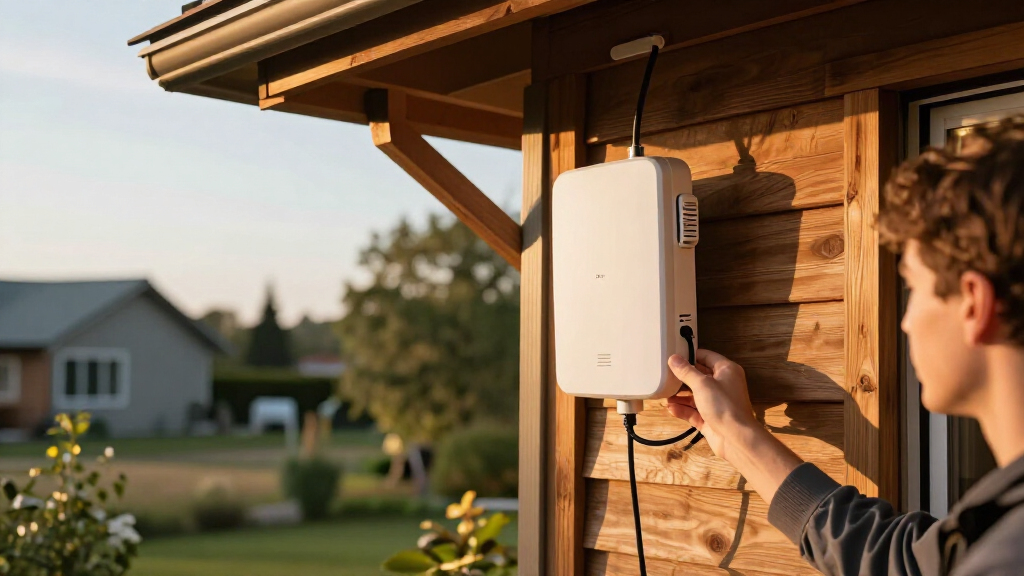
Outdoor-rated equipment earns its place when it must handle rain, dust, temperature changes, or a mounting position outside. For an indoor dead zone, an outdoor enclosure can add installation complexity without solving interference or wall loss. Check how the unit is powered and connected before mounting it; some deployments need Ethernet routed to the location, and power arrangements differ by model. A weatherproof access point mounted under an eave may serve a yard well, but its signal still has to reach clients through the same physical barriers. Avoid treating an outdoor rating as a promise of a specific coverage radius.
3. Match WiFi generation to your devices and workload
WiFi 6 can help a network handle newer client devices and busy environments more effectively, but it cannot make older phones or laptops use features they do not support. For a few basic devices in a low-traffic area, an older access point may cover the need without adding capacity the network will not use. For many simultaneous users, video calls, or newer devices, newer wireless capability can be more relevant than a modest increase in advertised speed. Think about the number of active clients and what they do at the same time. Range and capacity are related buying concerns, but they are not interchangeable.
4. Decide how much network management you want
Managed systems can make multiple access points easier to configure and monitor, especially across a home with several zones or a small business. That convenience comes with a learning curve and possible dependence on a controller or ecosystem. A standalone device can be a cleaner fit when the goal is a single coverage fix and the existing router already handles the rest of the network. Before buying, check how initial setup, firmware updates, and ongoing administration work. A feature-rich access point may be the wrong choice if nobody wants to maintain the management layer.
5. Treat wired backhaul and placement as part of the purchase
An access point needs a dependable path back to the router or network switch; strong wireless coverage at the edge cannot compensate for a poor connection upstream. Ethernet backhaul is often the more predictable choice for fixed installations, while a wireless link may be more practical where cabling is difficult. Confirm cable routing, power delivery, mounting access, and the placement’s exposure before choosing hardware. Install the unit where it can serve the target area, rather than hiding it beside the router or behind a large obstacle. A less powerful access point placed well can outperform a more capable one in a poor location.
6. Pay for capability that matches the site
Premium hardware makes more sense when the site has many clients, outdoor exposure, or a need for centralized management across several access points. For a small shed, patio, or basic coverage extension, a simpler model may be enough if its connection method and environment fit. Do not select by the largest advertised speed figure alone: client support, wired capacity, installation needs, and network management all affect the result. Also check whether the access point can work with the router and switches already in place. Spending more is justified when it addresses a clear constraint, not just when the specification sheet looks stronger.
Frequently Asked Questions
Will a long-range access point improve WiFi through thick walls?
It may help, but a higher-power access point is not a guaranteed fix for wall loss. WiFi communication is two-way, so a phone with a weaker transmitter can struggle to reply even when it sees the access point’s signal. A wired access point placed on the other side of the wall, or a second access point closer to the weak area, is often a better layout. Construction materials and the number of walls matter more than a general range claim. Identify the barrier and test placement before assuming one device can cover the entire building.
Can I add one of these access points to my current home router?
Often, yes, if the router or network switch can provide a wired connection and the access point can operate in a compatible standalone or managed mode. Check whether the model requires a controller for setup or ongoing management, and confirm its power method before buying. A separate access point is not the same as a wireless extender: it may require Ethernet backhaul rather than repeating the router’s signal. If you want a simple wireless hop with no new cable, an extender-style option may fit better. Keep the existing router’s WiFi settings and network layout in mind to avoid overlapping or confusing configurations.
Should I choose an outdoor access point for a patio or a yard?
Choose outdoor-rated hardware when the unit itself will face weather or be mounted in an exposed location. If the access point can sit indoors near a window and still serve the area, outdoor construction may not be necessary, though walls and glass can reduce coverage. A yard installation also needs a practical wired or wireless path back to the main network and suitable power. The EAP650-Outdoor, GWN7664ELR, and other outdoor models in this lineup address different capability and management needs, so match those to the site. Do not assume the weather rating predicts how far a client device will connect.
Is WiFi 6 worth choosing over an older access point for long-range coverage?
WiFi 6 is most useful when the network includes compatible devices or faces heavier simultaneous use; it is not a standalone range guarantee. The EAP650-Outdoor and newer WiFi 6 models offer a more current feature set than the EAP225-Outdoor or EAP110-Outdoor, but an older model can still suit a limited, low-traffic task. The right choice depends on client mix, workload, and how long you expect to keep the installation. If the main issue is distance through obstacles, placement and backhaul may matter more than the wireless generation. Spend on WiFi 6 when its capacity and compatibility benefits solve a real need.
When is a managed access point worth the extra setup effort?
Management features can pay off when you plan to run several access points, want a shared configuration, or need visibility into a business network. For a single access point serving one room or yard, the added system may create more administration than value. UniFi and Omada buyers should check which controller or management features they intend to use before choosing a device. A managed product can still be a sensible long-term choice if expansion is likely, but the current setup should remain workable without specialist attention. Choose based on who will maintain the network, not just on the feature list.
Conclusion
For most buyers building a managed network, I’d start with the Ubiquiti UniFi U7 Long-Range as the best overall pick. The TP-Link Omada EAP225-Outdoor is the best value for a more modest outdoor role, while the Grandstream GWN7664ELR is the best premium choice for buyers prioritizing a capable outdoor WiFi 6 deployment. Beginners who want a focused coverage fix should look at the WAVLINK AX1800, after checking its connection and setup requirements. For a newer outdoor Omada installation, the EAP650-Outdoor is the specific-needs pick; for basic outdoor connectivity, the EAP110-Outdoor remains the simpler, more limited option. If your problem is a dead zone behind walls rather than outdoor exposure, prioritize placement and wired backhaul before paying for a longer-range label.
Halloween Picks
halloween
As an affiliate, we earn on qualifying purchases.