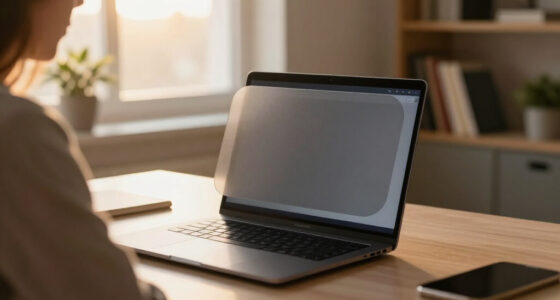

Privacy screen protectors for laptops limit side-angle visibility, but the right choice depends on matching your screen’s exact size and aspect ratio. I rank the SightPro Magnetic Laptop Privacy Screen Filter, 16-Inch 16:10 as the best overall pick for buyers seeking a removable filter in a less common large-screen format; the SightPro Magnetic 14-Inch 16:10 stands out for a common productivity-laptop size, while the 14-Inch Hanging Privacy Screen with Blue Light Filter and Anti-Glare Finish adds features beyond privacy. The main tradeoffs are magnetic convenience versus hanging or adhesive-style fit, privacy versus screen brightness, and broad compatibility versus model-specific sizing. Read on for the full breakdown of all 15 options and how I’d match one to your laptop.

Get privacy and security gear delivered free with Prime
- Fast, free delivery on millions of items
- Prime Video, Amazon Music and more included
- Member-only deals all year
Key Takeaways
- Aspect ratio matters as much as diagonal size: the lineup includes both 14-inch 16:9 and 14-inch 16:10 filters, and they are not interchangeable just because the screen measurements sound similar.
- Magnetic attachment is a recurring strength in the SightPro and STARY options: it supports quick removal, while a hanging design may suit buyers who prefer not to depend on a magnetic bezel.
- The strongest picks serve different screen formats: the 16-inch 16:10 SightPro is a leading fit for a larger productivity display, while 14-inch models cover several distinct aspect ratios and laptop families.
- Model-specific filters trade flexibility for a closer fit: the MacBook Air and Surface Laptop options target named devices, unlike generic 14-inch and 16-inch filters that require more careful measuring.
- Added features can change the viewing experience: the hanging 14-inch option combines privacy with blue-light filtering and anti-glare finish, while a simpler filter may be preferable to buyers prioritizing a straightforward privacy accessory.
| SightPro Magnetic Laptop Privacy Screen Filter, 16-Inch 16:10 |  | Best for Frequent Removal | Compatible devices: 16-inch 16:10 laptops | Filter dimensions: 13.56 × 8.49 inches (344.5 × 215.6 mm) | Material: Microlouver film | VIEW LATEST PRICE | See Our Full Breakdown |
| 14-Inch Laptop Privacy Screen Filter, 16:9 |  | Best Reversible Finish | Compatible screen size: 14 inches | Aspect ratio: 16:9 | Screen dimensions: 12 3/16 × 6 7/8 inches (310 × 175 mm) | VIEW LATEST PRICE | See Our Full Breakdown |
| 15.6-Inch Privacy Screen Filter for 16:9 Laptops |  | Best for Large 16:9 Screens | Screen size: 15.6 inches | Aspect ratio: 16:9 | Compatible screen dimensions: 344 × 194 mm | VIEW LATEST PRICE | See Our Full Breakdown |
| SightPro Magnetic Privacy Screen for MacBook Air 13 & 13.6 Inch (2022-2026, M2-M5) Patented Removable Laptop Privacy Filter Shield and Protector |  | Best for MacBook Air Owners | Compatible device: MacBook Air 13.6-inch, listed years 2022–2026 and M2–M5 | Listed model numbers: A2681, A3113, A3240 | Screen size: 13.6 inches | VIEW LATEST PRICE | See Our Full Breakdown |
| Protescreen 14-Inch Laptop Privacy Screen Filter, 16:10 Aspect Ratio |  | Best for Adjustable Installation | Screen size: 14 inches | Aspect ratio: 16:10 | Dimensions: 11.89 × 7.40 inches (302 × 188 mm) | VIEW LATEST PRICE | See Our Full Breakdown |
| SightPro 14.1-Inch 16:10 Laptop Privacy Screen Filter |  | Best for Flexible Installation | Screen size: 14 inches | Diagonal filter size: 14.1 inches | Aspect ratio: 16:10 | VIEW LATEST PRICE | See Our Full Breakdown |
| 14-Inch Hanging Laptop Privacy Screen with Blue Light Filter and Anti-Glare Finish |  | Best Adhesive-Free Pick | Screen size: 14 inches | Dimensions: 12.60 × 8.19 inches | Compatible display ratios: 16:9 and 16:10 | VIEW LATEST PRICE | See Our Full Breakdown |
| STARY Magnetic Privacy Screen for 13.8-Inch Surface Laptop (7th/8th Gen) |  | Best for Supported Surface Laptops | Compatible devices: 13.8-inch Surface Laptop models 2036, 2107, 2135, and 2138 | Screen size: 13.8 inches | Viewing angle: ±30° | VIEW LATEST PRICE | See Our Full Breakdown |
| VINTEZ 30-Inch 16:10 Privacy Screen for Monitors and Laptops |  | Best for Large Displays | Screen size: 30 inches | Aspect ratio: 16:10 | Dimensions: 25.19 × 0.01 × 15.74 inches | VIEW LATEST PRICE | See Our Full Breakdown |
| Peslv 360° Privacy Screen for 14-Inch 16:9 Laptops |  | Best Four-Way Privacy for 14-Inch 16:9 Laptops | Compatible screen size: 14 inches | Aspect ratio: 16:9 | Display area: 12.2 × 6.9 inches (310 × 175 mm) | VIEW LATEST PRICE | See Our Full Breakdown |
| SightPro Magnetic Laptop Privacy Screen, 14-Inch 16:9 |  | Best for Easy Removal | Compatible display: 14-inch, 16:9 laptop | Filter dimensions: 12 3/16 × 6 7/8 inches (310 × 175 mm) | Filter material: Microlouver film | VIEW LATEST PRICE | See Our Full Breakdown |
| YBTFBG Magnetic 16-Inch 16:10 Laptop Privacy Screen Filter |  | Best for Non-Mac 16-Inch Laptops | Screen size and aspect ratio: 16 inches, 16:10 | Dimensions: 13.54 × 8.46 inches (344 × 215 mm) | Attachment: Removable magnetic | VIEW LATEST PRICE | See Our Full Breakdown |
| 14-Inch Laptop Privacy Screen Filter, 16:9 | 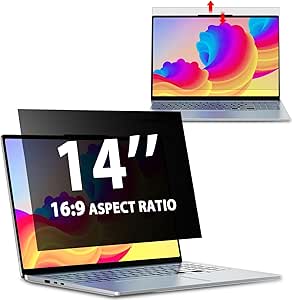 | Best for Flexible Installation | Compatible screen: 14 inches, 16:9 | Filter dimensions: 12.2 × 6.9 inches (310 × 175 mm) | Viewing-angle privacy: Shields views beyond ±30° | VIEW LATEST PRICE | See Our Full Breakdown |
| SightPro Magnetic Laptop Privacy Screen, 14-Inch 16:10 |  | Best Accessory Bundle | Diagonal: 14.1 inches (358.14 mm) | Filter dimensions: 11 15/16 × 7 1/2 inches (304 × 190 mm) | Aspect ratio: 16:10 | VIEW LATEST PRICE | See Our Full Breakdown |
| STARY 14-Inch 16:10 Laptop Privacy Screen Protector |  | Best for Multi-Direction Privacy | Screen size and aspect ratio: 14 inches, 16:10 | Dimensions: 11.89 × 7.40 inches (302 × 188 mm) | Resolution: 1920 × 1200 | VIEW LATEST PRICE | See Our Full Breakdown |
More Details on Our Top Picks
SightPro Magnetic Laptop Privacy Screen Filter, 16-Inch 16:10
The magnetic attachment makes this a strong match for people who switch between private work and sharing their screen: it can be removed and reattached without adhesive. Its 16-inch 16:10 fit is more specific than the Protescreen 14-Inch 16:10, so matching the filter’s width and height matters as much as the laptop’s advertised diagonal. The microlouver film limits side-angle viewing and adds UV and blue-light reduction, while the included folder and cloth help with storage and cleaning. The tradeoff is that this screen is not optimized for touchscreens, and it does not block someone positioned directly behind you. Choose it over an adhesive-mounted filter if removability matters more than broad device compatibility.
Pros:- Magnetic attachment allows removal and reattachment without adhesive.
- Microlouver film limits side-angle viewing.
- Includes a storage folder, cleaning cloth, and webcam privacy cover.
- Offers UV and blue-light reduction alongside scratch protection.
Cons:- Requires checking exact screen width and height for a reliable fit.
- Not optimized for touchscreen use.
- Does not block visibility directly from behind.
Best for: Owners of compatible 16-inch 16:10 laptops who regularly remove their privacy filter for screen sharing or storage.
Not ideal for: Touchscreen laptop users, or anyone who cannot confirm the screen measures 13.56 × 8.49 inches.
- Compatible devices:16-inch 16:10 laptops
- Filter dimensions:13.56 × 8.49 inches (344.5 × 215.6 mm)
- Material:Microlouver film
- Hardness:2H
- Attachment:Magnetic
- Finish:Glossy and matte
- Touchscreen compatibility:Not optimized for touchscreens
- Package contents:Privacy screen, magnetic stickers, webcam privacy cover, storage folder, cleaning cloth
Our verdict“Pick this SightPro when you have a matching 16-inch 16:10 laptop and want a privacy filter that comes off easily.”
14-Inch Laptop Privacy Screen Filter, 16:9
This 14-inch 16:9 filter offers a useful choice between a matte anti-glare side and a glossy side, letting buyers choose the surface that better suits their lighting and privacy needs. Its stated viewing limit of 30 degrees is tighter than the 15.6-Inch Privacy Screen Filter for 16:9 Laptops, which lists a 60-degree viewing angle; that makes this the more privacy-focused fit of those two, on paper. Installation is flexible too: use adhesive strips or slide mount tabs rather than being committed to one mounting style. The compromises are model fit and handling: it is not compatible with MacBooks, needs exact dimension checks, and is not water resistant. Choose it over the magnetic SightPro 16-inch option if a reversible finish matters more than quick removal.
Pros:- Reversible matte and glossy surfaces suit different lighting and privacy preferences.
- Limits visibility beyond the stated 30-degree angle.
- Offers adhesive-strip and slide-tab installation.
- Lists 95% blue-light and 92% UV-light blocking.
Cons:- Not compatible with MacBooks.
- Exact screen width and height must match.
- Not water resistant.
Best for: Users of a compatible non-MacBook 14-inch 16:9 laptop who want to switch between a matte and glossy surface.
Not ideal for: MacBook owners, touchscreen users who need touch compatibility, or buyers who want a magnetic, water-resistant filter.
- Compatible screen size:14 inches
- Aspect ratio:16:9
- Screen dimensions:12 3/16 × 6 7/8 inches (310 × 175 mm)
- Privacy angle:Visible within 30 degrees
- Blue-light blocking:95%
- UV-light blocking:92%
- Hardness:9H
- Installation:Double-sided tape or slide mount tabs
- Compatibility:Select 14-inch 16:9 laptops; not compatible with MacBooks
Our verdict“Choose this filter for a compatible 14-inch 16:9 laptop when a reversible surface and narrow stated viewing angle are priorities.”
15.6-Inch Privacy Screen Filter for 16:9 Laptops
For a compatible 15.6-inch 16:9 laptop, this filter covers a larger screen than the 14-Inch Laptop Privacy Screen Filter, 16:9, while retaining two mounting choices: adhesive strips or slide tabs. It also adds protection against dust and scratches, so it serves as more than a side-view barrier. Its stated 60-degree viewing angle is a looser privacy limit than the 30-degree claim on the 14-inch model; buyers who work with sensitive material in crowded spaces may prefer that narrower-angle alternative. Blue-light reduction is listed at 30%, a more modest figure than products in this group that state higher reductions. The exact 344 × 194 mm fit and lack of touchscreen compatibility narrow its audience, so measure before ordering.
Pros:- Designed for a larger 15.6-inch 16:9 screen.
- Provides two mounting options: adhesive strips or sliding tabs.
- Helps protect against dust and scratches.
- Includes stated 30% blue-light reduction.
Cons:- Not compatible with touchscreens.
- Requires an exact 344 × 194 mm screen match.
- People within the stated 60-degree viewing angle may still see the screen.
Best for: Owners of 15.6-inch 16:9, non-touchscreen laptops who want side-view privacy plus basic surface protection.
Not ideal for: Touchscreen laptop users, or people who need a narrower stated privacy angle than 60 degrees.
- Screen size:15.6 inches
- Aspect ratio:16:9
- Compatible screen dimensions:344 × 194 mm
- Resolution:1920 × 1080
- Viewing angle:60 degrees
- Blue-light reduction:30%
- Hardness:3H
- Installation:Adhesive strips or sliding mount tabs
- Touchscreen compatibility:No
Our verdict“Select this model for a matching 15.6-inch 16:9 laptop if screen coverage and basic protection matter more than a tighter privacy angle.”
SightPro Magnetic Privacy Screen for MacBook Air 13 & 13.6 Inch (2022-2026, M2-M5) Patented Removable Laptop Privacy Filter Shield and Protector
Unlike the general-size filters in this roundup, this SightPro is made for specified 13.6-inch MacBook Air models, including listed A2681, A3113, and A3240 versions. That model-specific fit is its main advantage over the SightPro Magnetic Laptop Privacy Screen Filter, 16-Inch 16:10, which calls for a separate width-and-height check against a broader laptop category. The magnetic snap-on attachment avoids adhesive and allows removal when sharing the screen, while the microlouver film is designed to darken side views and maintain a clear straight-on view. It also reduces UV and blue light and includes a storage folder and cleaning cloth. The tradeoff is limited compatibility: it is not a universal 13-inch filter, and it cannot block visibility from directly behind you.
Pros:- Model-specific fit for listed 13.6-inch MacBook Air generations.
- Magnetic attachment allows quick removal without adhesive.
- Microlouver film limits side viewing while keeping the direct view clear.
- Includes a storage folder and cleaning cloth.
Cons:- Compatibility is limited to specified MacBook Air models.
- Does not block visibility from directly behind.
- The supplied details do not establish touchscreen compatibility.
Best for: MacBook Air owners with a listed 13.6-inch model who want a removable magnetic filter for travel, shared offices, or public workspaces.
Not ideal for: Owners of other MacBook sizes or laptop brands, and users who need protection from viewers directly behind them.
- Compatible device:MacBook Air 13.6-inch, listed years 2022–2026 and M2–M5
- Listed model numbers:A2681, A3113, A3240
- Screen size:13.6 inches
- Material:Microlouver film
- Hardness:2H
- Attachment:Magnetic
- Finish:Glossy and matte
- Special features:Anti-spy, scratch protection, UV and blue-light reduction
- Included items:Privacy screen, storage folder, cleaning cloth
Our verdict“This is the clearest fit for owners of a listed 13.6-inch MacBook Air who want a removable, model-specific privacy screen.”
Protescreen 14-Inch Laptop Privacy Screen Filter, 16:10 Aspect Ratio
The Protescreen gives 14-inch 16:10 laptop owners both adhesive and slide-tab mounting, making it more adaptable than the magnetic SightPro 16-inch filter when a laptop falls outside that product’s size class. Its reversible matte and glossy faces let users trade a more glare-conscious surface for the glossy finish, while the listed ±30-degree viewing limit targets side-angle privacy. The stated reductions for UV light, blue light, and reflected light add appeal for bright work areas, though the filter still darkens when viewed from the side. Fit is the key caveat: the screen must match 11.89 × 7.40 inches, not simply the 14-inch diagonal. It suits buyers who want mounting choice and a reversible surface, but not those seeking quick magnetic removal.
Pros:- Offers adhesive strips and removable slide mount tabs.
- Reversible matte and glossy finishes accommodate different lighting preferences.
- Lists reductions for side viewing, blue light, UV light, and reflected light.
- Includes mounting pieces and cleaning supplies.
Cons:- Requires an exact 14-inch 16:10 screen match.
- Side viewing causes the screen to darken.
- Does not offer the magnetic removal of the SightPro options.
Best for: Owners of compatible 14-inch 16:10 laptops who want to choose between semi-removable slide tabs and adhesive mounting.
Not ideal for: Buyers who want a magnetic snap-on filter, or anyone unable to verify the laptop’s exact display dimensions and aspect ratio.
- Screen size:14 inches
- Aspect ratio:16:10
- Dimensions:11.89 × 7.40 inches (302 × 188 mm)
- Viewing angle:±30 degrees
- Blue-light reduction:Up to 92%
- UV-light reduction:Up to 98%
- Hardness:5H
- Material and finish:PET; reversible matte and glossy
- Installation:Adhesive strips or slide mount tabs
Our verdict“Choose Protescreen if your 14-inch 16:10 laptop matches the dimensions and you value two mounting methods over magnetic attachment.”
SightPro 14.1-Inch 16:10 Laptop Privacy Screen Filter
The SightPro suits buyers who want a 14.1-inch 16:10 filter with a choice of attachment methods. Adhesive strips offer a more fixed fit, while slide mount tabs make removal easier; that flexibility sets it apart from the Ceydebne hanging screen, which avoids adhesives but relies on the laptop’s screen bezel to hold it. Its filter limits side viewing and reduces glare, UV, and blue light, making it a versatile option for shared offices or travel. The glossy and matte surface options give buyers another way to tailor the viewing feel, and a cleaning cloth is included. The tradeoff is fit sensitivity: check the stated width and height rather than relying on the diagonal size alone. It also isn’t optimized for touchscreens and does not block views from directly behind you.
Pros:- Two installation options suit both fixed and removable setups.
- Limits side-angle viewing while reducing glare, UV, and blue light.
- Includes a microfiber cleaning cloth.
- 8H hardness provides scratch resistance.
Cons:- Not optimized for touchscreen use.
- Does not block visibility from directly behind the user.
- Requires checking screen width and height for a precise fit.
Best for: Owners of 14.1-inch 16:10 laptops who want a choice between a more permanent adhesive fit and removable slide tabs.
Not ideal for: Touchscreen users, or buyers whose screen dimensions do not match the filter and who cannot confirm fit before ordering.
- Screen size:14 inches
- Diagonal filter size:14.1 inches
- Aspect ratio:16:10
- Filter dimensions:11 15/16 × 7 1/2 inches
- Surface:Glossy and matte
- Hardness:8H
- Installation:Adhesive strips or slide mount tabs
- Touchscreen compatibility:Not optimized for touchscreens
- Included:Privacy filter, two sets of adhesive strips, two sets of slide mount tabs, microfiber cloth
Our verdict“Choose the SightPro if your 14.1-inch 16:10 screen matches its dimensions and you want more installation flexibility than a hanging filter offers.”
14-Inch Hanging Laptop Privacy Screen with Blue Light Filter and Anti-Glare Finish
This Ceydebne filter is the straightforward choice for buyers who want a reusable, hanging installation instead of adhesive strips or a magnetic attachment. Its matte PET surface helps cut reflections, while the privacy layer limits side viewing and filters blue light. It supports both 14-inch 16:9 and 16:10 displays, giving it broader ratio coverage than the Peslv, which is made for a specific 14-inch 16:9 display area. The main fit check is the visible screen: it must not exceed 12.60 × 8.19 inches, so the diagonal label alone is not enough. Hanging installation is convenient, but it depends on the laptop’s bezel and may not suit every screen design. Buyers with a supported size get a removable option; those seeking a model-specific magnetic fit may prefer the STARY Surface Laptop screen.
Pros:- Reusable hanging installation avoids adhesive attachment.
- Supports both 16:9 and 16:10 display ratios.
- Matte finish helps reduce reflections.
- Includes a microfiber cleaning cloth.
Cons:- Fit depends on the visible screen measuring no more than 12.60 × 8.19 inches.
- Limited to compatible 14-inch laptop screen dimensions.
- Hanging attachment may not suit every bezel design.
Best for: Laptop owners with a supported 14-inch 16:9 or 16:10 screen who want a reusable filter without adhesive or magnets.
Not ideal for: People with displays outside the stated visible-area dimensions, or laptops whose bezel cannot securely support a hanging filter.
- Screen size:14 inches
- Dimensions:12.60 × 8.19 inches
- Compatible display ratios:16:9 and 16:10
- Material:Polyethylene terephthalate (PET)
- Finish:Matte
- Hardness:9H
- Installation:Hanging, reusable
- Weight:8 ounces
- Included:Privacy screen and microfiber cleaning cloth
Our verdict“Pick this Ceydebne if your 14-inch screen fits its measurements and you prefer a reusable hanging filter over adhesive or magnetic mounting.”
STARY Magnetic Privacy Screen for 13.8-Inch Surface Laptop (7th/8th Gen)
Unlike universal filters such as the SightPro 14.1-inch 16:10, this STARY screen is tailored to a short list of 13.8-inch Surface Laptop models. That narrow fit is its defining advantage: magnetic, tool-free attachment makes removal simple, and the screen can be washed and reused. It also limits side viewing to ±30°, adds a matte anti-glare coating, and filters blue light, so it covers more than privacy alone. The tradeoff is equally clear: buyers must match one of the listed model numbers—2036, 2107, 2135, or 2138—rather than assume any 13.8-inch laptop will fit. Its 6H hardness is lower than the Ceydebne’s stated 9H, and the product data does not identify detailed drawbacks from user feedback. For owners of a supported Surface model, the exact-fit magnetic design is more appealing than adapting a general-purpose filter.
Pros:- Magnetic, tool-free installation makes attachment and removal easy.
- Reusable, washable design can be removed for cleaning.
- Limits side viewing to ±30° and includes blue-light filtering.
- Matte coating reduces reflected glare.
Cons:- Compatible only with four specified Surface Laptop model numbers.
- 6H hardness is lower than the 9H rating listed for the Ceydebne hanging screen.
- Exact model compatibility needs checking before purchase.
Best for: Owners of Surface Laptop models 2036, 2107, 2135, or 2138 who want a detachable, washable privacy screen.
Not ideal for: Users of other Surface generations or non-Surface laptops, since the screen is made for only the listed 13.8-inch models.
- Compatible devices:13.8-inch Surface Laptop models 2036, 2107, 2135, and 2138
- Screen size:13.8 inches
- Viewing angle:±30°
- Blue light blocked:99%
- Reflected glare reduction:95%
- Hardness:6H
- Material:Polyethylene terephthalate (PET)
- Installation:Magnetic, tool-free
- Reuse:Detachable, washable, and reusable
Our verdict“Choose this STARY screen if you own one of its four supported Surface Laptop models and want a removable magnetic fit.”
VINTEZ 30-Inch 16:10 Privacy Screen for Monitors and Laptops
The VINTEZ is the outlier in this group: its 30-inch 16:10 format targets a large display rather than a typical laptop panel. It makes sense for a workstation with a large monitor, including compatible curved and touchscreen displays, while the SightPro and Peslv are much better matched to compact laptop screens. Privacy protection starts at a 27° viewing angle, so people off to the side are less likely to see the display; the same narrow viewing window can also make shared viewing awkward. An anti-glare coating and blue-light filter add comfort-focused features, but the product data does not specify attachment style or detailed fit measurements beyond the dimensions. That leaves more setup questions than the model-specific STARY screen. Its lifetime replacement policy is a useful ownership detail, but buyers should confirm their display’s size and shape before choosing it.
Pros:- Large 30-inch format suits compatible monitor setups.
- Privacy protection begins at a 27° viewing angle.
- Anti-glare coating reduces reflections.
- Compatible with curved and touchscreen displays and includes a lifetime replacement policy.
Cons:- 30-inch size is unsuitable for most laptop displays.
- The viewing window narrows starting at 27°, which can hinder shared viewing.
- Attachment method and detailed display-fit guidance are not specified in the supplied product data.
Best for: People who need privacy on a compatible 30-inch 16:10 monitor or large display, including a supported curved or touchscreen model.
Not ideal for: Laptop owners with standard 13- to 16-inch screens, or anyone who needs the display to remain easy to view from wide angles.
- Screen size:30 inches
- Aspect ratio:16:10
- Dimensions:25.19 × 0.01 × 15.74 inches
- Weight:16 ounces
- Privacy viewing angle:Protection starts at 27°
- Features:Anti-glare coating and blue-light filter
- Compatibility:Curved and touchscreen displays
- Warranty:Lifetime replacement policy
Our verdict“Choose VINTEZ for a compatible large 30-inch 16:10 display, not as a general-purpose filter for a standard laptop.”
Peslv 360° Privacy Screen for 14-Inch 16:9 Laptops
The Peslv stands apart from the SightPro and Ceydebne by offering four-way privacy, not just screening side views. Its stated protection blocks viewing beyond 30°, with a matte PET surface that reduces reflected light and filters up to 93% of blue light. That makes it a better match for people who work around passersby approaching from different directions, provided their screen matches the 12.2 × 6.9-inch 14-inch 16:9 display area. The self-adhesive adsorption layer is designed for bubble-free installation, though the supplied data does not offer alternate mounting hardware like the SightPro’s slide tabs. At 3H hardness, it has a lower stated scratch-resistance rating than the 8H SightPro or 9H Ceydebne. Its narrow compatibility and reduced off-center visibility are the main costs of choosing a more targeted privacy setup.
Pros:- Four-way privacy covers more off-center viewing directions than side-only filters.
- Matte finish reduces reflected light.
- Filters up to 93% of blue light.
- Self-adhesive adsorption layer is designed for bubble-free installation.
Cons:- Fits only 14-inch 16:9 screens matching the stated display area.
- 3H hardness is lower than the SightPro and Ceydebne ratings.
- Privacy filtering limits visibility from off-center angles.
Best for: Owners of 14-inch 16:9 laptops who want privacy from side and other off-center directions in busy shared spaces.
Not ideal for: Users with 14-inch screens that do not match the specified display area, or those who need clear visibility from wide angles.
- Compatible screen size:14 inches
- Aspect ratio:16:9
- Display area:12.2 × 6.9 inches (310 × 175 mm)
- Material:PET
- Finish:Matte
- Privacy protection:Four-way; blocks viewing beyond 30°
- Blue-light blocking:Up to 93%
- Reflected-light reduction:Up to 95%
- Hardness:3H
Our verdict“Pick the Peslv if your 14-inch 16:9 screen matches its dimensions and four-way privacy matters more than broad viewing angles.”
SightPro Magnetic Laptop Privacy Screen, 14-Inch 16:9
The magnetic attachment is the main reason I’d choose this SightPro: it can be removed for sharing a screen and reattached without relying on adhesive strips or slide-in tabs. Its microlouver film limits side-angle viewing while leaving the display clear from straight on, making it a practical fit for compatible 14-inch, 16:9 laptops used in shared offices or public spaces. Compared with the 14-Inch Laptop Privacy Screen Filter, 16:9, this one prioritizes quick removal over installation flexibility. It also includes a webcam cover and storage folder, useful extras for keeping the filter protected between uses. The tradeoffs are fit precision and touch use: check the actual display dimensions, and skip it if you regularly tap or draw on your laptop screen.
Pros:- Magnetic attachment makes removal and reattachment straightforward
- Microlouver film restricts side-angle views
- Reduces UV and blue light
- Includes a webcam cover, storage folder, and cleaning cloth
Cons:- Not optimized for touchscreen use
- Requires checking screen width and height for a precise fit
Best for: Owners of compatible 14-inch, 16:9 laptops who want to remove their privacy filter regularly without adhesive installation
Not ideal for: Touchscreen users or buyers who have not verified their screen’s width and height
- Compatible display:14-inch, 16:9 laptop
- Filter dimensions:12 3/16 × 6 7/8 inches (310 × 175 mm)
- Filter material:Microlouver film
- Hardness:2H
- Attachment:Magnetic
- Finish:Glossy and matte
- Touchscreen compatibility:Not optimized for touchscreens
- Included accessories:Magnetic stickers, webcam cover, storage folder, cleaning cloth
Our verdict“Choose this SightPro for removable magnetic privacy on a verified 14-inch, 16:9 laptop, but look elsewhere for touchscreen use or adjustable installation methods.”
YBTFBG Magnetic 16-Inch 16:10 Laptop Privacy Screen Filter
For a compatible 16-inch, 16:10 laptop, this YBTFBG filter pairs removable magnetic mounting with a matte surface and stated 5H hardness. That combination suits people who want side-view privacy and a less reflective finish without leaving a filter permanently attached. Compared with the SightPro Magnetic Laptop Privacy Screen, 14-Inch 16:10, this is the larger-screen choice; the SightPro, by contrast, includes a webcam cover and is aimed at a smaller display. The limitation that matters most is device compatibility: this model is not compatible with MacBooks, and even supported brand names do not replace measuring the screen. It also blocks side viewing rather than every possible angle, so it won’t keep a display private from someone directly behind you.
Pros:- Removable magnetic attachment avoids permanent adhesive mounting
- Matte finish helps reduce glare
- Limits side viewing and reduces UV and blue light
- Includes a storage folder and cleaning cloth
Cons:- Not compatible with MacBooks
- Does not block visibility from directly behind the user
- Screen width and height must be checked for fit
Best for: Owners of supported Lenovo, ThinkPad, HP, Dell, Acer, Asus, or Samsung 16-inch, 16:10 laptops who want a removable matte filter
Not ideal for: MacBook owners, people who need protection from viewers directly behind them, or buyers unable to verify display dimensions
- Screen size and aspect ratio:16 inches, 16:10
- Dimensions:13.54 × 8.46 inches (344 × 215 mm)
- Attachment:Removable magnetic
- Finish:Matte
- Hardness:5H
- Features:Anti-glare, anti-spy, blue light blocking
- Water resistance:Water resistant
- Compatibility:Selected Lenovo, ThinkPad, HP, Dell, Acer, Asus, and Samsung laptops; not compatible with MacBooks
Our verdict“Pick this YBTFBG for a measured, compatible 16-inch, 16:10 non-Mac laptop when magnetic mounting and a matte finish matter most.”
14-Inch Laptop Privacy Screen Filter, 16:9
This filter stands out for letting buyers choose between adhesive strips and slide-mount tabs. The two methods offer a useful alternative to the magnetic attachment on the SightPro Magnetic Laptop Privacy Screen, 14-Inch 16:9: tabs can suit a screen with an appropriate bezel, while adhesive strips provide another way to secure the panel. Its reversible glossy and matte faces also let users trade a brighter-looking surface for glare reduction. The listed privacy angle shields views beyond ±30°, alongside stated blue- and UV-light reduction and 9H hardness. The catch is fit: “14-inch” alone does not tell you whether the filter matches your display’s width and height. Installation is also less suited to people who want the quick on-and-off convenience of magnets.
Pros:- Offers both adhesive-strip and slide-mount installation
- Reversible glossy and matte surfaces let users choose a finish
- Reduces glare and filters blue and UV light
- 9H hardness helps protect the screen from scratches
Cons:- Requires matching the filter to screen width and height, not just diagonal size
- Adhesive or bezel-mounted tabs are less convenient to remove than magnetic attachment
- Does not provide the quick magnetic mounting offered by the SightPro 14-inch 16:9
Best for: Owners of compatible 14-inch, 16:9 laptops who want a choice of tab or adhesive mounting and reversible finishes
Not ideal for: Buyers who want magnetic removal, touchscreen-specific compatibility, or a fit verified only by diagonal screen size
- Compatible screen:14 inches, 16:9
- Filter dimensions:12.2 × 6.9 inches (310 × 175 mm)
- Viewing-angle privacy:Shields views beyond ±30°
- Blue light reduction:Up to 95%
- UV light reduction:Up to 92%
- Hardness:9H
- Material and finish:Polyethylene terephthalate; reversible glossy and matte surfaces
- Installation:Adhesive strips or slide-mount tabs
Our verdict“Choose this filter if flexible mounting and a reversible finish matter more than magnetic on-and-off removal.”
SightPro Magnetic Laptop Privacy Screen, 14-Inch 16:10
This SightPro makes the strongest case for buyers who want a 14-inch, 16:10 magnetic filter with useful carry accessories. It limits side-angle visibility and filters UV and blue light, while the removable mounting is simpler to take off than the adhesive or slide-tab options on the 14-Inch Laptop Privacy Screen Filter, 16:9. The included webcam cover, storage folder, and cleaning cloth also make it easier to manage the filter when it is not on the laptop. It is not a universal privacy shield: the description says it does not block someone directly behind the user, and its touchscreen compatibility is limited. As with the other magnetic picks here, buyers need to compare the actual screen measurements rather than relying on the diagonal size or laptop brand alone.
Pros:- Removable magnetic attachment avoids adhesive mounting
- Limits side-angle visibility
- Filters UV and blue light
- Includes a webcam cover, storage folder, and cleaning cloth
Cons:- Not optimized for touchscreen use
- Does not block visibility from directly behind the user
- Requires checking screen width and height for compatibility
Best for: Owners of compatible 14-inch, 16:10 laptops who want removable magnetic mounting plus a webcam cover and storage accessories
Not ideal for: Touchscreen users, people concerned about viewers directly behind them, or buyers who have not measured their display
- Diagonal:14.1 inches (358.14 mm)
- Filter dimensions:11 15/16 × 7 1/2 inches (304 × 190 mm)
- Aspect ratio:16:10
- Attachment:Removable magnetic
- Compatibility:Lenovo, HP, Dell, Acer, Asus, Samsung, and other laptops; verify screen measurements
- Touchscreen compatibility:Not optimized for touchscreens
- Included accessories:Magnetic stickers, webcam privacy cover, storage folder, cleaning cloth
- Compliance:Section 889 and TAA compliant
Our verdict“Choose this SightPro if your measured 14-inch, 16:10 screen fits and you value magnetic removal with a practical accessory bundle.”
STARY 14-Inch 16:10 Laptop Privacy Screen Protector
STARY is the pick in this group with a stated 360-degree privacy design, blocking visibility outside a 30-degree angle from the top, bottom, left, and right. That sets it apart from the SightPro Magnetic Laptop Privacy Screen, 14-Inch 16:10, whose description specifically warns that someone directly behind the user may still see the display. STARY also offers glossy and matte sides, plus slide-in tabs or adhesive strips, so buyers can select a finish and mounting approach. Its stated 98% blue-light and UV blocking and 6H hardness add protection beyond side-view privacy. The limits are compatibility and mounting convenience: it does not fit MacBook or Surface models, and its tabs or adhesive do not offer the simple repeated removal of a magnetic screen. Measure before ordering.
Pros:- Stated privacy protection from top, bottom, left, and right
- Glossy and matte sides allow a finish choice
- Includes slide-in tabs and adhesive strips for installation
- Lists 98% blue-light and UV blocking and 6H hardness
Cons:- Not compatible with MacBook or Surface
- Requires checking screen dimensions for fit
- Slide-in tabs and adhesive strips are less convenient to remove and reattach than magnetic mounting
Best for: Users with compatible 14-inch, 16:10 mainstream laptops who want stated privacy from multiple directions and a choice of finish
Not ideal for: MacBook or Surface owners, buyers seeking magnetic removal, or anyone who has not checked the laptop screen dimensions
- Screen size and aspect ratio:14 inches, 16:10
- Dimensions:11.89 × 7.40 inches (302 × 188 mm)
- Resolution:1920 × 1200
- Viewing protection:360-degree design; visibility blocked outside a 30-degree angle
- Blue light and UV blocking:98%
- Hardness:6H
- Finish:Glossy and matte
- Installation and compatibility:Slide-in tabs or double-sided adhesive; not compatible with MacBook or Surface
Our verdict“Choose STARY over the SightPro 14-inch 16:10 if multi-direction privacy is your priority and your laptop is on its compatible-device list.”

How We Picked
I ranked these products around the decisions that affect laptop privacy most: screen fit, aspect ratio, attachment method, and intended device. A filter that matches a laptop’s diagonal measurement but not its usable screen shape can obstruct the display or leave exposed areas, so I treated stated format and model compatibility as more useful than size alone. I also looked at whether the design is magnetic, hanging, or otherwise presented as a removable filter, and whether it includes additional viewing features such as anti-glare or blue-light filtering.
The order reflects how broadly useful and clearly specified each option appears for its intended buyer, not a claim that one filter suits every laptop. I give the lead position to a removable 16-inch 16:10 option, then distinguish compact 14-inch choices by format and device fit. More specialized picks—including the MacBook Air and Surface Laptop filters, a 30-inch panel, and a 360-degree privacy design—rank for particular needs rather than universal appeal. Since the lineup does not provide measured privacy angles, brightness loss, or material durability, I avoid treating those as proven performance differences; buyers should verify dimensions and return compatibility before ordering.
Factors to Consider When Choosing Privacy Screen Protectors For Laptops
Before choosing a privacy filter, check the laptop’s actual display shape and how you use the computer day to day. These factors can prevent a poor fit and clarify when a specialized design is worth choosing over a broadly sized screen.
Match the Screen’s Aspect Ratio, Not Just Its Diagonal
A 14-inch screen can use a 16:9 or 16:10 shape, and those formats have different height and width proportions. Check your laptop’s specifications or measure the visible display area rather than relying on the model’s advertised screen size alone. Also distinguish the display panel from the outer bezel: a filter sized for the screen itself may not line up with the laptop’s full lid dimensions. A mismatch can mean uncovered edges, blocked content, or a filter that does not sit securely. The range of 14-inch options in this roundup makes this particularly easy to overlook. If the aspect ratio is unclear, confirm it with the laptop maker before buying.
Choose an Attachment Style That Fits Your Routine
Magnetic filters are useful when you regularly switch between private work and sharing your screen, since they can be removed without leaving a permanent layer on the display. A hanging design can be a practical alternative if your laptop’s bezel or construction does not suit magnetic attachment. Neither method is automatically better: magnets depend on compatible placement, while a hanging filter may shift or feel less integrated. Think about whether you close the laptop with the filter attached, carry it between meetings, or remove it several times a day. Check the product’s installation and storage guidance before assuming it can stay on the screen at all times. Buyers who rarely need privacy may value easy removal more than a fixed, always-ready setup.
Balance Side Privacy Against Screen Usability
A privacy filter narrows the useful viewing angle, which is helpful in shared spaces but less convenient when a colleague needs to see the display from beside you. Privacy layers can also affect perceived brightness and clarity, so a dim laptop used at low brightness may feel less comfortable after installation. Consider where you work most: a café or open office creates different needs from a private desk or a meeting room. If you often present to a group, a removable option gives you a way to restore wider visibility. Avoid assuming every filter blocks the same angles or changes brightness by the same amount; compare available specifications and check the product’s return terms. The best balance is the one that protects your screen without making everyday reading uncomfortable.
Decide Whether Extra Viewing Features Solve a Real Problem
Anti-glare finishes and blue-light filtering may sound useful, but they address different concerns from side-angle privacy. An anti-glare surface can matter near windows or overhead lights, while blue-light filtering is a separate screen preference rather than a substitute for privacy. Adding layers of treatment may also change how colors and fine details appear, which can matter for photo work or design tasks. Start with the problem you want to solve, then select extra features only if they fit your routine. The roundup’s hanging 14-inch option combines these features, while many other picks focus more directly on privacy and fit. For color-sensitive work, prioritize display appearance and confirm whether the filter is suitable for that use.
Use Model-Specific Filters Only When the Laptop Match Is Exact
A product named for a MacBook Air or Surface Laptop can simplify selection, but model names and screen generations still matter. Check the listed year, generation, screen size, and display dimensions against your exact device before ordering. Generic filters offer more flexibility across brands, yet place more responsibility on you to measure and verify the aspect ratio. A model-specific choice makes sense when the listing clearly covers your laptop and a close fit matters; a generic option may be safer for a device outside the named range. Do not assume that similar product names mean identical dimensions. When a laptop model has changed display proportions across generations, confirm the panel size rather than relying on the family name.
Consider Portability, Work Setup, and Unusual Screen Sizes
Frequent commuters may prefer a filter that can be removed and stored without taking up much room, while a permanent desk setup may put more weight on stable placement. Larger or atypical displays call for extra care: the 30-inch VINTEZ option is distinct from the laptop-sized filters, so confirm that it matches the intended screen and use. A 360-degree privacy design may appeal to buyers with unusual viewing risks, but its broader coverage can be unnecessary for routine solo work. If you use a laptop with an external monitor, decide whether you need privacy on one screen or both before choosing a large-format product. Keep portability and daily handling in mind alongside the privacy feature itself. A filter that is inconvenient to remove or carry may end up unused when your work setting changes.
Frequently Asked Questions
Can I choose a 14-inch filter based on screen size alone?
No. The 14-inch products in this roundup include both 16:9 and 16:10 formats, and the shape affects whether the filter covers the visible display correctly. Check your laptop’s aspect ratio and the filter’s stated dimensions before ordering. Measure the active screen area if the manufacturer’s specifications are unclear, rather than measuring the lid or bezel. Also verify whether the product is intended for a specific laptop model. Matching both size and shape is more reliable than matching the diagonal alone.
Will a magnetic privacy filter work on any laptop?
Not necessarily. Magnetic attachment depends on the laptop’s bezel and the filter’s attachment design, so a thin or differently constructed screen border may affect placement. Check the product’s fit notes and installation method against your device before choosing a magnetic model. The SightPro and STARY options in this roundup use magnetic designs, but their named sizes and device compatibility still matter. If you are unsure about your laptop’s construction, a hanging filter may be worth comparing. Prioritize a clear fit description over the assumption that all laptop bezels support magnets.
Should I choose a privacy filter with blue-light filtering or anti-glare treatment?
Choose extra treatments only if they address a separate issue you experience. Anti-glare can be useful in a bright workspace, while blue-light filtering is a viewing preference; neither replaces checking privacy coverage and screen fit. The 14-inch hanging option in this roundup combines those features, making it distinctive for buyers who want more than side-angle privacy. Added treatments may affect how the display looks, which can matter for color-sensitive work. If privacy is your sole concern, a simpler filter may be a more direct choice.
Is a laptop-specific filter a safer choice than a generic one?
It can be, provided the listing names your exact model, generation, and screen size. The MacBook Air and Surface Laptop options here target particular device families, which can reduce guesswork when your laptop matches the stated compatibility. A generic filter may work just as well if its dimensions and aspect ratio match, but you need to verify them yourself. Do not rely on a familiar laptop-family name alone, since screens can differ across generations. When the model range is ambiguous, confirm the exact display specifications before purchase.
When does a larger or 360-degree privacy screen make sense?
A larger filter is useful only when its dimensions suit the display you intend to cover; the 30-inch VINTEZ option stands apart from the laptop-sized choices and should not be treated as a standard laptop filter. A 360-degree design may fit work where people can approach from several directions, but that broader coverage can be unnecessary for a typical desk setup. Consider whether you need privacy from one side or multiple directions, and whether the larger format is practical to store and carry. Confirm the exact screen dimensions and intended device category before ordering. For a single laptop used in changing locations, a correctly sized removable filter is often easier to manage.
Conclusion
For a broadly useful removable option, I’d start with the SightPro Magnetic 16-Inch 16:10, the best overall pick in this lineup. The 14-inch generic filters are the best value direction for buyers who can verify their dimensions and aspect ratio, while the SightPro MacBook Air and STARY Surface Laptop filters suit buyers seeking a more device-specific match. Beginners should choose the option with the clearest fit information for their exact laptop, rather than guessing from screen size; the magnetic SightPro models are appealing when easy removal is a priority. For extra viewing features, the hanging 14-inch filter adds anti-glare and blue-light filtering, and the Peslv 360-degree design serves buyers with more complex privacy needs. Before deciding, confirm the display’s size, shape, and attachment compatibility—the right match matters more than a familiar brand name.
Halloween Picks
halloween
As an affiliate, we earn on qualifying purchases.