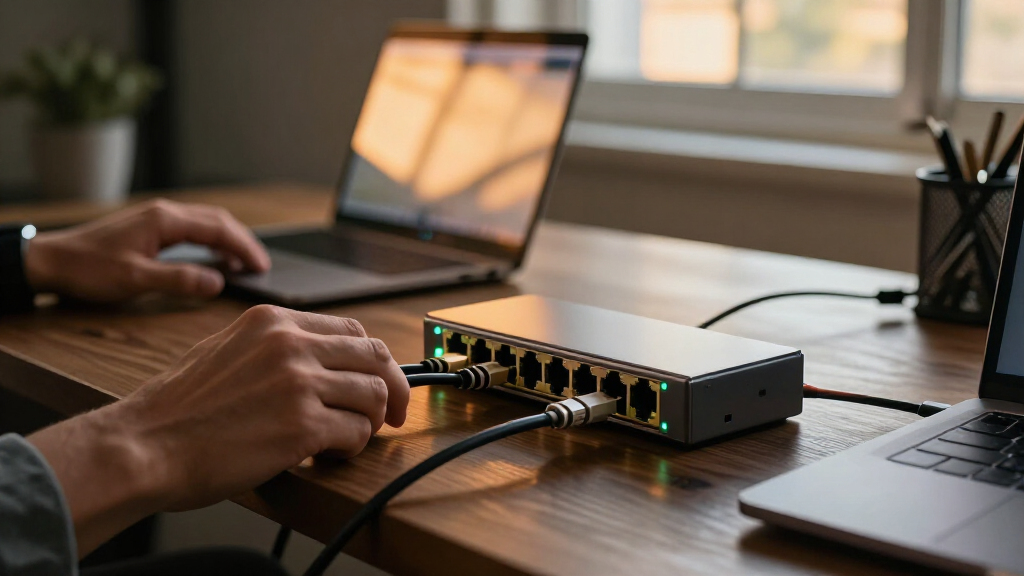
For an all-copper setup, I’d start with the TP-Link TL-SX1008 as the best overall 8-port 10GbE switch, while the UGREEN 4-RJ45/4-SFP+ stands out for mixed copper-and-fiber networks and the SODOLA web-managed model for buyers who need configuration controls. The main tradeoff is whether you want eight familiar RJ45 connections, a mix of RJ45 and SFP+ for fiber or DAC links, or management features that add setup flexibility. Multi-gig compatibility, fan noise, and mounting options can also shape the right choice. Read on for the full comparison, including where each model’s compromises matter.

Get privacy and security gear delivered free with Prime
- Fast, free delivery on millions of items
- Prime Video, Amazon Music and more included
- Member-only deals all year
Key Takeaways
- The TP-Link TL-SX1008 is the clearest all-copper starting point: it matches buyers who want eight 10G-capable RJ45 ports without managing switch settings.
- Port mix separates the hybrid choices: UGREEN gives equal weight to RJ45 and SFP+, while the 6-RJ45/2-SFP+ models keep more ports available for copper devices.
- Managed and unmanaged switches serve different jobs: SODOLA and the 8-port SFP+ smart-managed model suit buyers seeking configuration options; plug-and-play models favor simpler setups.
- Do not confuse 5GbE with 10GbE: the YuanLey 8-Port 5Gbps model may fit a slower multi-gig network, but it does not meet a strict 10GbE requirement.
- Cooling and installation deserve attention: several models offer metal housings, fans, desktop or rack mounting, or VLAN controls, but those details vary and can affect noise and placement.
| TP-Link TL-SX1008, 8 Port 10G/Multi-Gig Unmanaged Ethernet Switch |  | Best Overall | Ports: 8 x RJ45 | Supported speeds: 100 Mbps, 1 Gbps, 2.5 Gbps, 5 Gbps, 10 Gbps | Switching capacity: 160 Gbps | VIEW LATEST PRICE | See Our Full Breakdown |
| 8 Port 10G Ethernet Switch Unmanaged, with 8X 10Gb Base-T Ports, NICGIGA |  | Best for Rackmount Value | Ports: 8 x RJ45 | Supported speeds: 100 Mbps, 1 Gbps, 2.5 Gbps, 5 Gbps, 10 Gbps | Switching capacity: 160 Gbps | VIEW LATEST PRICE | See Our Full Breakdown |
| GigaPlus 8-Port 10Gb Ethernet Unmanaged Switch |  | Best for Simple Multi-Gig Setups | Ports: 8 x RJ45 | Supported speeds: 100 Mbps, 1 Gbps, 2.5 Gbps, 5 Gbps, 10 Gbps | Switching capacity: 160 Gbps | VIEW LATEST PRICE | See Our Full Breakdown |
| 8-Port 10G SFP+ Smart Managed Network Switch |  | Best Managed and Silent Option | Ports: 8 x 10G SFP+ | Supported modes: 10G/2.5G and 10G/1G | Management: Web interface | VIEW LATEST PRICE | See Our Full Breakdown |
| YuanLey 8-Port 5Gbps Ethernet Switch |  | Best for 5GbE Networks | Ports: 8 x RJ45 | Supported speeds: 100 Mbps, 1 Gbps, 2.5 Gbps, 5 Gbps | Switching capacity: 80 Gbps | VIEW LATEST PRICE | See Our Full Breakdown |
| SODOLA 8-Port 10GbE Web-Managed Ethernet Switch |  | Best for Hands-On Network Control | Ports: 8 RJ45 | Supported link speeds: 10G, 5G, 2.5G, 1G, 100Mbps | Switching capacity: 160 Gbps | VIEW LATEST PRICE | See Our Full Breakdown |
| UGREEN 8-Port Unmanaged 10Gb Ethernet Switch with 4 RJ45 and 4 SFP+ Ports |  | Best for Mixed Copper and Fiber Setups | Ports: 8 total: 4 × 10Gb RJ45, 4 × 10Gb SFP+ | Supported auto-negotiation: 10G, 5G, 2.5G, 1G | Switch type: Unmanaged | VIEW LATEST PRICE | See Our Full Breakdown |
| 8-Port 10Gb Ethernet Switch with 6 RJ45 and 2 SFP+ Ports |  | Best Plug-and-Play Port Balance | Ports: 8 total: 6 × 10G RJ45, 2 × 10G SFP+ | Supported rates: 1G, 2.5G, 5G, 10G | Switching capacity: 160 Gbps | VIEW LATEST PRICE | See Our Full Breakdown |
| Ztyuav 8 Port Unmanaged 10Gbe Ethernet Switch with 6 x 10Gb RJ-45 Ports, 2 x 10Gb SFP+ Ports |  | Best for Basic VLAN Isolation | Ports: 8 total: 6 × 10Gb RJ45, 2 × 10Gb SFP+ | Supported link rates: 1G, 2.5G, 10G | Switch type: Unmanaged with standard and VLAN modes | VIEW LATEST PRICE | See Our Full Breakdown |
| YuanLey 8-Port 10G Ethernet Switch, 6 x 10Gbps RJ45 Ports, 2X 10Gbe SFP+ Ports |  | Best for Rack or Desktop Flexibility | Ports: 8 total: 6 × 10Gb RJ45, 2 × 10Gb SFP+ | Supported link speeds: 10G, 5G, 2.5G, 1G, 100Mbps | Switching capacity: 160 Gbps | VIEW LATEST PRICE | See Our Full Breakdown |
| 8 port 10GbE switch | Ports | Switch type | Mounting | Switching capacity |
|---|---|---|---|---|
| TP-Link TL-SX1008 | 8 x RJ45 | Unmanaged | Desktop or rackmount | 160 Gbps |
| 8 Port 10G Ethernet Switch Unm | 8 x RJ45 | Unmanaged | Desktop or 19-inch rackmount | 160 Gbps |
| GigaPlus 8-Port 10Gb Ethernet | 8 x RJ45 | Unmanaged | Desktop or 19-inch rack | 160 Gbps |
| 8-Port 10G SFP+ Smart Managed | 8 x 10G SFP+ | — | Desk or wall | — |
| YuanLey 8-Port 5Gbps Ethernet | 8 x RJ45 | Unmanaged | Desktop or rackmount | 80 Gbps |
| SODOLA 8-Port 10GbE Web-Manage | 8 RJ45 | — | — | 160 Gbps |
| UGREEN 8-Port Unmanaged 10Gb E | 8 total: 4 × 10Gb RJ45, 4 × 10Gb SFP+ | Unmanaged | Desktop or wall mount | — |
| 8-Port 10Gb Ethernet Switch wi | 8 total: 6 × 10G RJ45, 2 × 10G SFP+ | Unmanaged | Desktop or rack | 160 Gbps |
| Ztyuav 8 Port Unmanaged 10Gbe | 8 total: 6 × 10Gb RJ45, 2 × 10Gb SFP+ | Unmanaged with standard and VLAN modes | — | — |
| YuanLey 8-Port 10G Ethernet Sw | 8 total: 6 × 10Gb RJ45, 2 × 10Gb SFP+ | Unmanaged | Desktop or 19-inch rack | 160 Gbps |
More Details on Our Top Picks
TP-Link TL-SX1008, 8 Port 10G/Multi-Gig Unmanaged Ethernet Switch
I rank the TP-Link TL-SX1008 first for buyers who want eight 10GbE copper connections without managing a switch interface. All eight RJ45 ports negotiate at 100 Mbps, 1G, 2.5G, 5G, or 10G, so the switch can connect newer NAS and PCs alongside slower existing gear. Its 160 Gbps switching capacity matches the other full 10GbE unmanaged models here, while the smart fan and metal desktop/rackmount case give it a more clearly specified setup than the GigaPlus. The tradeoff is simplicity: unlike the 8-Port 10G SFP+ Smart Managed Switch, it offers no VLAN or QoS controls. It is also larger than a compact desk switch, and its fan means it is not a silent option. The stated three-year warranty is longer than the one-year coverage listed for several competing picks.
Pros:- Eight RJ45 ports support speeds from 100 Mbps through 10 Gbps
- 160 Gbps switching capacity for a full set of high-speed links
- Smart fan and metal case, with desktop and rackmount placement options
- Three-year warranty stated in the product details
Cons:- Unmanaged design provides no VLAN, QoS, or other configuration controls
- Fan operation may be unsuitable for a noise-sensitive room
- Larger than compact desk-focused alternatives
Best for: Home labs and small offices with multiple 10GbE copper devices that want straightforward setup and a stated three-year warranty.
Not ideal for: Buyers who need VLANs, traffic prioritization, or silent operation; this is unmanaged and uses a fan.
- Ports:8 x RJ45
- Supported speeds:100 Mbps, 1 Gbps, 2.5 Gbps, 5 Gbps, 10 Gbps
- Switching capacity:160 Gbps
- Switch type:Unmanaged
- Cooling:Smart fan with speed adjustment
- Mounting:Desktop or rackmount
- Case material:Metal
- Dimensions:11.57 x 7.09 x 1.73 inches
- Warranty:3 years
Our verdict“Choose the TL-SX1008 for a straightforward, all-copper 10GbE network when you value broad speed compatibility and a longer stated warranty over management features.”
8 Port 10G Ethernet Switch Unmanaged, with 8X 10Gb Base-T Ports, NICGIGA
The NICGIGA 8-port 10G switch is a practical pick for buyers who want eight copper ports and a ready-to-rack form factor without stepping up to a managed model. Its ports negotiate across five speeds up to 10Gbps, and the listed 160 Gbps capacity gives it the same headline switching bandwidth as the TP-Link TL-SX1008. NICGIGA calls out 19-inch rack ears, 4 kV lightning protection, and a 24 dB fan, details that make its installation and cooling profile easier to assess. The tradeoff is support coverage: the product specifies a one-year warranty, shorter than TP-Link’s stated three years. Like the TP-Link and GigaPlus, it is unmanaged, so buyers needing VLANs or traffic controls should look at the 8-Port 10G SFP+ Smart Managed Switch instead. Its fan also rules it out for people seeking a silent switch.
Pros:- Eight RJ45 ports negotiate up to 10 Gbps across five listed speeds
- 160 Gbps switching capacity
- Includes 19-inch rackmount support as well as desktop placement
- Lists 4 kV lightning protection and 24 dB fan noise
Cons:- One-year warranty is shorter than the TP-Link TL-SX1008’s stated coverage
- Unmanaged operation lacks VLAN and QoS controls
- Cooling fan is not silent
Best for: Home-lab builders and small-office operators who need eight multi-gig RJ45 ports, rack ears, and a stated noise level.
Not ideal for: Buyers who need VLAN or QoS configuration, a fanless design, or longer stated warranty coverage.
- Ports:8 x RJ45
- Supported speeds:100 Mbps, 1 Gbps, 2.5 Gbps, 5 Gbps, 10 Gbps
- Switching capacity:160 Gbps
- Switch type:Unmanaged
- Mounting:Desktop or 19-inch rackmount
- Fan noise:24 dB
- Lightning protection:4 kV
- Operating temperature:0–45 °C
- Warranty:1 year
Our verdict“Pick NICGIGA when rack-ready 10GbE copper connectivity and clearly stated cooling details matter more than managed features or longer warranty coverage.”
GigaPlus 8-Port 10Gb Ethernet Unmanaged Switch
The GigaPlus 8-Port 10Gb switch keeps the proposition simple: eight RJ45 ports, automatic speed negotiation, and no configuration workflow. It supports 100 Mbps through 10 Gbps and lists 160 Gbps switching capacity, putting its core bandwidth on par with the TP-Link TL-SX1008 and NICGIGA. Desktop and 19-inch rack mounting offer flexibility for a home lab or small server rack, and automatic MDI/MDIX helps avoid cable-type guesswork. Compared with the TP-Link, though, the supplied details are thinner: there is no stated fan behavior, case material, or warranty beyond one year. That makes it harder to judge noise and placement in a quiet room. It also cannot match the managed SFP+ switch for VLAN, QoS, or link-aggregation control. This is a straightforward option, not a switch for buyers who want network segmentation or detailed hardware guidance.
Pros:- Eight RJ45 ports support speeds from 100 Mbps to 10 Gbps
- 160 Gbps switching capacity
- Plug-and-play operation with automatic MDI/MDIX
- Desktop and 19-inch rack mounting options
Cons:- Unmanaged design offers no configuration options
- Listed warranty is one year
- Product details do not specify cooling, case material, or noise level
Best for: Buyers building a basic 10GbE home lab who want eight multi-speed copper ports and desktop or rack mounting.
Not ideal for: Administrators who need VLANs or QoS, or buyers who need clearly specified cooling and warranty terms before choosing.
- Ports:8 x RJ45
- Supported speeds:100 Mbps, 1 Gbps, 2.5 Gbps, 5 Gbps, 10 Gbps
- Switching capacity:160 Gbps
- Switch type:Unmanaged
- Mounting:Desktop or 19-inch rack
- Operating temperature:0–45 °C
- Color:Black
- Warranty:1 year
Our verdict“Choose GigaPlus for a basic multi-gig copper network with flexible mounting, but favor TP-Link if a longer stated warranty and more detail matter to you.”
8-Port 10G SFP+ Smart Managed Network Switch
For buyers who need control rather than eight plug-and-play copper ports, the 8-Port 10G SFP+ Smart Managed Switch is the clear specialist in this group. Its web interface provides VLAN, QoS, spanning tree, and link aggregation, making it better suited than the TP-Link TL-SX1008 to segmented networks, traffic prioritization, or bundled links. The fanless metal housing also avoids the fan noise found on the TP-Link and NICGIGA. The key compromise is the SFP+ interface: fiber, DAC, AOC, or compatible RJ45 modules can work, but those connections require the right modules or cables rather than direct copper ports on every device. The listed operating modes do not recognize 1G modules in the default 10G/2.5G mode, and the chassis may run hot at full load, especially with 10G RJ45 modules. It rewards buyers comfortable matching transceivers to their equipment.
Pros:- Eight 10G SFP+ ports support compatible fiber, DAC, AOC, and RJ45 modules
- Web management includes VLAN, QoS, spanning tree, and MAC address management
- Supports static and dynamic link aggregation with up to eight member ports
- Fanless metal housing for silent operation
Cons:- SFP+ connections require compatible modules or cables rather than built-in RJ45 ports
- 1G modules are not recognized in the default 10G/2.5G mode
- May become hot at full load, particularly with 10G RJ45 modules
Best for: Network administrators and advanced home-lab users who need VLANs, QoS, link aggregation, and quiet SFP+ connectivity.
Not ideal for: Buyers who want direct eight-port RJ45 connectivity, need straightforward 1G module support, or prefer to avoid transceiver compatibility decisions.
- Ports:8 x 10G SFP+
- Supported modes:10G/2.5G and 10G/1G
- Management:Web interface
- Features:VLAN, QoS, spanning tree, MAC address management, DHCP client
- Link aggregation:Static and dynamic IEEE 802.3ad; up to 8 member ports
- Power consumption:Around 18 W at full load
- Cooling and housing:Fanless metal housing
- Mounting:Desk or wall
- Operating temperature:0–40 °C
Our verdict“Choose this switch if management features and silent SFP+ links matter more than direct copper ports and simple plug-and-play setup.”
YuanLey 8-Port 5Gbps Ethernet Switch
The YuanLey 8-Port 5Gbps switch belongs in this roundup only for buyers whose actual target is multi-gigabit networking below 10GbE. Its eight RJ45 ports negotiate at 100 Mbps, 1G, 2.5G, or 5G, with 80 Gbps switching capacity; it does not provide 10Gbps links despite the roundup’s focus. That puts it below the TP-Link TL-SX1008, NICGIGA, and GigaPlus for 10GbE expansion, but it may suit a network built around 5GbE-capable access points, PCs, or NAS equipment. The metal housing, stated 24 dB fan, 4 kV lightning protection, and desktop or rackmount placement add practical detail. Like those copper alternatives, it is unmanaged, so there are no VLAN or QoS controls. If 10GbE is a firm requirement, I would skip this and choose one of the full-speed options.
Pros:- Eight RJ45 ports negotiate at 5 Gbps, 2.5 Gbps, 1 Gbps, or 100 Mbps
- 80 Gbps switching capacity for a 5GbE-focused network
- Desktop and rackmount installation options
- Metal housing with listed 4 kV lightning protection and 24 dB fan noise
Cons:- Does not support 10Gbps, unlike the other full-speed copper switches here
- Unmanaged design offers no VLAN or QoS controls
- Uses a fan rather than a fanless cooling design
Best for: Home users and small offices connecting 5GbE-capable NAS devices, access points, and PCs without a need for 10GbE links.
Not ideal for: Anyone specifically buying an 8-port 10GbE switch, since this model supports speeds only up to 5 Gbps.
- Ports:8 x RJ45
- Supported speeds:100 Mbps, 1 Gbps, 2.5 Gbps, 5 Gbps
- Switching capacity:80 Gbps
- Switch type:Unmanaged
- Mounting:Desktop or rackmount
- Cooling fan noise:24 dB
- Lightning protection:4 kV
- Item weight:1.94 kg
- Voltage:110 V
Our verdict“Buy this YuanLey only if 5GbE is enough for your devices; for actual 10GbE links, choose the TP-Link, NICGIGA, or GigaPlus instead.”
SODOLA 8-Port 10GbE Web-Managed Ethernet Switch
The SODOLA is the management pick in this group: its eight 10GbE RJ45 ports handle mixed-speed copper devices, while the web interface adds VLAN, QoS, and LACP controls for segmenting traffic or bundling links. That makes it a better fit for a small office or home lab with specific network rules than the plug-and-play UGREEN, which offers a mix of RJ45 and SFP+ but no configuration tools. Its 160 Gbps switching capacity matches the capacity listed for several unmanaged alternatives, so management—not raw switching headroom—is the main reason to choose it. The metal case and 6 kV lightning protection add practical protection, but a built-in fan can be audible. Choose this model when configuration matters; skip it if you only need simple connections or a silent desk-side switch.
Pros:- Eight RJ45 ports support 10G, 5G, 2.5G, 1G, and 100Mbps devices.
- Web management includes VLAN, QoS, LACP, security, multicast, and diagnostics.
- 160 Gbps switching capacity is suited to simultaneous high-bandwidth traffic.
- Metal case and specified 6 kV lightning protection.
Cons:- Built-in fan may be noticeable in a quiet office or living space.
- No SFP+ ports for direct fiber or DAC connections.
- Web-managed configuration adds complexity that plug-and-play buyers may not need.
Best for: Home-lab and small-office administrators who need eight multi-gig RJ45 connections plus VLAN, QoS, or LACP configuration.
Not ideal for: Buyers seeking a silent, no-configuration desktop switch, or those needing SFP+ uplinks for fiber or DAC connections.
- Ports:8 RJ45
- Supported link speeds:10G, 5G, 2.5G, 1G, 100Mbps
- Switching capacity:160 Gbps
- Management:Web-managed
- Features:LACP, VLAN, QoS, security, multicast, diagnostics
- Cooling:Built-in fan
- Case and protection:Metal case; 6 kV lightning protection
- Model:SL-SWTGW2C80N
Our verdict“Choose the SODOLA if you want eight multi-gig copper ports with web-based network controls and can accommodate fan noise.”
UGREEN 8-Port Unmanaged 10Gb Ethernet Switch with 4 RJ45 and 4 SFP+ Ports
The UGREEN earns its place for a specific port mix: four 10Gb RJ45 ports and four 10Gb SFP+ ports. That balance suits a network connecting nearby copper devices alongside a NAS, server, or switch over fiber or DAC. Compared with the six-RJ45, two-SFP+ layout of the B0F1TLWVDF switch, UGREEN gives up two copper connections to provide two more SFP+ slots. Those slots add flexibility, but may call for separate DAC cables, transceivers, or compatible modules. Setup is straightforward because this is unmanaged and plug-and-play; unlike the SODOLA, it does not offer VLAN or QoS controls. Its metal case and smart-fan cooling suit a busy network, though the fan means it is not a silent option. Desktop and wall mounting give it more placement choices than a rack-focused installation.
Pros:- Four 10Gb RJ45 ports and four 10Gb SFP+ ports provide a balanced interface mix.
- Supports auto-negotiation for 5G, 2.5G, and 1G devices.
- Unmanaged plug-and-play operation avoids configuration work.
- Metal case, smart fan, and desktop or wall mounting options.
Cons:- Only four RJ45 ports, fewer than the six on the B0F1TLWVDF and YuanLey switches.
- SFP+ use may require separately purchased DAC cables, fiber transceivers, or RJ45 modules.
- Unmanaged design lacks VLAN, QoS, and other configuration features.
Best for: Small-office and home-lab owners who need an even split of 10Gb copper connections and SFP+ links for compatible fiber or DAC equipment.
Not ideal for: Buyers who need more than four RJ45 devices, want managed network controls, or expect SFP+ connections to work without separately sourced cabling or modules.
- Ports:8 total: 4 × 10Gb RJ45, 4 × 10Gb SFP+
- Supported auto-negotiation:10G, 5G, 2.5G, 1G
- Switch type:Unmanaged
- Case:Metal, grey
- Cooling:Smart fan and multi-layer cooling system
- Dimensions:6.6 × 4.2 × 1.2 in
- Weight:965 g
- Surge protection:4 kV
- Mounting:Desktop or wall mount
Our verdict“Pick the UGREEN when half your 10Gb connections should be SFP+ and you prefer simple setup over network management.”
8-Port 10Gb Ethernet Switch with 6 RJ45 and 2 SFP+ Ports
This unmanaged switch is a straightforward choice for buyers who want six 10Gb RJ45 ports and a pair of SFP+ connections without adding management overhead. The six copper ports give it a better fit than the UGREEN for a home lab with several PCs or NAS devices on Ethernet, while the two SFP+ ports leave room for compatible fiber or DAC links. It also lists support for 1G, 2.5G, 5G, and 10G, which helps when older and newer equipment share the same network. A 160 Gbps capacity, metal casing, and desktop or rack mounting make it flexible for different setups. The tradeoff is its unmanaged design: unlike the SODOLA, it cannot provide VLAN or QoS configuration. Its fan is described as quiet, but it is still a moving part.
Pros:- Six 10Gb RJ45 ports serve more copper devices than the UGREEN’s four.
- Two 10Gb SFP+ ports support compatible fiber or DAC connections.
- Auto-negotiates at 1G, 2.5G, 5G, and 10G.
- 160 Gbps switching capacity with desktop or rack mounting.
Cons:- Unmanaged operation provides no advanced configuration controls.
- Built-in fan may still be audible despite its quiet-fan description.
- SFP+ links may require separately sourced compatible cables or modules.
Best for: Home-lab builders and small offices with several 10Gb RJ45 devices, one or two SFP+ links, and no need for managed features.
Not ideal for: Network administrators who need VLAN, QoS, or LACP settings, or buyers who require silent, fanless operation.
- Ports:8 total: 6 × 10G RJ45, 2 × 10G SFP+
- Supported rates:1G, 2.5G, 5G, 10G
- Switching capacity:160 Gbps
- Switch type:Unmanaged
- Cooling:Quiet fan
- Casing:Metal, black
- Lightning protection:6 kV
- Mounting:Desktop or rack
Our verdict“Choose this model for a simple six-copper, two-SFP+ layout when plug-and-play operation matters more than management.”
Ztyuav 8 Port Unmanaged 10Gbe Ethernet Switch with 6 x 10Gb RJ-45 Ports, 2 x 10Gb SFP+ Ports
The Ztyuav stands apart from most unmanaged options here by listing a one-key VLAN mode alongside its standard mode. That offers a limited way to isolate connected ports, but it is not the same range of controls as the SODOLA’s web-managed VLAN, QoS, and LACP settings. Its six 10Gb RJ45 ports and two SFP+ ports match the layout of the B0F1TLWVDF, making it a plausible fit for mixed copper and compatible SFP+ connections. The description also claims 160 Gbps capacity and 100-meter transmission distance, though it does not provide a detailed management interface or a clear feature set beyond the mode switch. A metal shell and built-in fan support heat dissipation, with the tradeoff of possible fan noise. I would favor it only when basic port isolation is useful and its sparse product details are acceptable.
Pros:- Six 10Gb RJ45 ports plus two 10Gb SFP+ ports.
- Listed auto-negotiation supports 1G, 2.5G, and 10G connections.
- One-key VLAN mode provides a basic port-isolation option beyond standard plug-and-play switching.
- Metal casing and built-in fan are intended to aid cooling.
Cons:- VLAN mode is limited compared with the SODOLA’s web-based management features.
- Product information is less specific about full switching and configuration capabilities.
- Built-in fan may create noise in a quiet room.
Best for: Buyers seeking a basic unmanaged 10Gb switch with six RJ45 ports, two SFP+ ports, and a simple VLAN-mode option for isolating ports.
Not ideal for: Administrators needing detailed VLAN, QoS, or LACP configuration, or buyers who want clearly documented management and cooling specifications.
- Ports:8 total: 6 × 10Gb RJ45, 2 × 10Gb SFP+
- Supported link rates:1G, 2.5G, 10G
- Switch type:Unmanaged with standard and VLAN modes
- Claimed switching capacity:160 Gbps
- Cooling:Built-in fan with side ventilation holes
- Case material:Metal
- Power input:12V DC, 1A
- Maximum listed operating temperature:55 °C
Our verdict“Consider the Ztyuav if you want six copper ports, two SFP+ ports, and simple VLAN isolation, but not detailed network controls.”
YuanLey 8-Port 10G Ethernet Switch, 6 x 10Gbps RJ45 Ports, 2X 10Gbe SFP+ Ports
The YuanLey combines a familiar six-RJ45, two-SFP+ layout with support for 10G, 5G, 2.5G, 1G, and 100Mbps devices. That wider listed rate range gives it an advantage over the Ztyuav, whose supplied specifications list fewer supported speeds, while the UGREEN is the better fit if a network needs four SFP+ ports rather than two. This model is unmanaged and plug-and-play, so it suits users who want high-speed links without configuring a web interface. Its metal case, stated 4 kV lightning protection, and rackmount or desktop placement broaden installation options. The listing describes a 24 dB fan, but the unit’s 1.92 kg stated weight is worth accounting for on a desk or rack shelf. Buyers needing VLAN or QoS controls should choose the SODOLA instead.
Pros:- Six 10Gb RJ45 ports and two 10Gb SFP+ ports cover mixed connection types.
- Auto-negotiates across 10G, 5G, 2.5G, 1G, and 100Mbps.
- Supports desktop and 19-inch rack placement.
- Metal case with listed 4 kV lightning protection and a stated 24 dB cooling fan.
Cons:- Unmanaged design lacks the configuration options available on the SODOLA.
- Only two SFP+ ports, fewer than the UGREEN’s four.
- Listed weight of 1.92 kg may be cumbersome for some desktop placements.
Best for: Home-lab owners or small offices that need six multi-gig copper ports, two SFP+ links, and the option to place the switch on a desk or in a rack.
Not ideal for: Administrators who need managed VLAN, QoS, or LACP controls, or buyers who want a fanless switch or four SFP+ ports.
- Ports:8 total: 6 × 10Gb RJ45, 2 × 10Gb SFP+
- Supported link speeds:10G, 5G, 2.5G, 1G, 100Mbps
- Switching capacity:160 Gbps
- Switch type:Unmanaged
- Cooling:Fan listed at 24 dB
- Case:Metal, black
- Protection:4 kV lightning protection
- Mounting:Desktop or 19-inch rack
- Listed weight:1.92 kg
Our verdict“Choose the YuanLey for a flexible rack-or-desktop installation with six multi-gig RJ45 ports and two SFP+ links, provided you do not need management controls.”
How We Picked
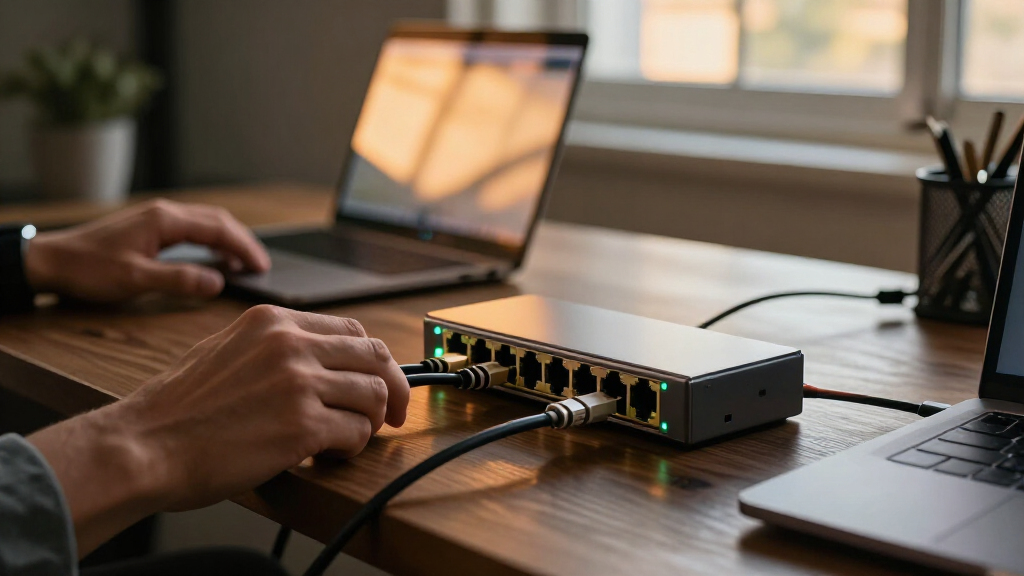
I ranked these switches by how well their stated port configuration fits an eight-device 10GbE network, then weighed usability, connection flexibility, management, and installation options. A model with eight RJ45 ports makes the most sense for standard copper cabling, while SFP+ ports can suit fiber or direct-attach cable links; neither layout is automatically better for every buyer.
I also treated the distinction between managed and unmanaged models as a practical ranking factor: configuration features help buyers who need network control, but add setup work that plug-and-play users may not want. The order favors clear fit for common 10GbE needs, then rewards useful flexibility and controls. The YuanLey 5Gbps switch ranks lower for this specific roundup because its stated speed does not match a full 10GbE brief. Product names and listed features are used as the basis for comparison; buyers should verify exact specifications, noise, and compatibility before purchase.
| 8 port 10GbE switch | Switch type | Cooling | Mounting |
|---|---|---|---|
| TP-Link TL-SX1008 | Unmanaged | Smart fan with speed adjustment | Desktop or rackmount |
| 8 Port 10G Ethernet Switch Unm | Unmanaged | — | Desktop or 19-inch rackmount |
| GigaPlus 8-Port 10Gb Ethernet | Unmanaged | — | Desktop or 19-inch rack |
| 8-Port 10G SFP+ Smart Managed | — | — | Desk or wall |
| YuanLey 8-Port 5Gbps Ethernet | Unmanaged | — | Desktop or rackmount |
| SODOLA 8-Port 10GbE Web-Manage | — | Built-in fan | — |
| UGREEN 8-Port Unmanaged 10Gb E | Unmanaged | Smart fan and multi-layer cooling system | Desktop or wall mount |
| 8-Port 10Gb Ethernet Switch wi | Unmanaged | Quiet fan | Desktop or rack |
| Ztyuav 8 Port Unmanaged 10Gbe | Unmanaged with standard and VLAN modes | Built-in fan with side ventilation holes | — |
| YuanLey 8-Port 10G Ethernet Sw | Unmanaged | Fan listed at 24 dB | Desktop or 19-inch rack |
Factors to Consider When Choosing Best 8 Port 10GbE Switch
Before choosing a model, map the devices and cables you already have to the switch you plan to buy. The right choice depends less on the number of ports alone and more on link types, management needs, heat and noise tolerance, and whether your network can make use of 10GbE speeds.
Match the Ports to Your Cables and Devices
Count the devices that need wired connections, then identify whether each uses RJ45 or SFP+. RJ45 is the familiar choice for copper Ethernet cabling, while SFP+ can support fiber or direct-attach cables with compatible modules and endpoints. A switch with four of each, like the UGREEN model in this lineup, is a different fit from a six-RJ45/two-SFP+ layout: the latter leaves more copper ports for PCs and NAS devices. Do not assume an SFP+ port accepts an ordinary Ethernet cable without the right transceiver or cable. Check the port requirements at both ends of every planned link before buying. A port mix that looks versatile on paper can leave you short of the connection type your devices actually use.
Check What Multi-Gig Speeds the Switch Supports
A 10GbE label does not tell the whole story if some devices connect at 1GbE, 2.5GbE, or 5GbE. Look for the supported link speeds and auto-negotiation details, particularly when combining a new switch with older routers, access points, or network cards. A device and switch need a compatible speed in common to establish a link; do not assume every 10G model handles every intermediate speed. The YuanLey 5Gbps option is a reminder to distinguish a 5Gbps ceiling from 10GbE capability. Also check whether the switch’s listed speeds apply to every port or only particular interfaces. This small specification check can prevent buying a switch that cannot serve a mixed-speed network as expected.
Decide Whether You Need Managed Features
An unmanaged switch is suited to straightforward expansion: connect devices and let the switch handle basic traffic forwarding. A managed or smart-managed model may offer controls such as VLAN configuration, which can help separate device groups or support a more deliberate network layout. Those controls only help if your router and other network equipment can work with the setup you plan to create. A feature such as one-key VLAN should not be treated as a substitute for understanding what traffic it separates or how devices will communicate afterward. If you only need faster links between a NAS and a few computers, management options may add unnecessary setup. Choose controls for a specific network task, not just because they appear on the feature list.
Plan for Heat, Fan Noise, and Placement
Multi-gig switches can produce heat, and some models use fans to help manage it. A fan may be acceptable in a utility area but distracting on a desk or near a quiet workspace, so check the product’s cooling design and placement guidance before choosing. Metal housings can suit fixed installations, but they do not by themselves tell you how loud a switch will be or how much airflow it needs. Rack-mount support matters only if you have a rack or a suitable mounting arrangement; a desktop unit may be easier for a home network. Leave room for ventilation rather than placing the switch inside a sealed cabinet. Treat noise and airflow as part of the installation plan, not as details to sort out after setup.
Match the Switch to Your Actual 10GbE Workload
A switch can connect 10GbE-capable devices, but it cannot make a slower router, network card, cable run, or storage device perform at 10GbE. Identify where you need faster local traffic, such as transfers between a NAS and workstation, and check that both endpoints can support the intended link. Internet speed and local network speed are separate; a faster switch may improve transfers inside your network without changing your internet plan. For a mixed network, confirm how the switch handles slower connected devices rather than assuming every endpoint must be upgraded at once. If only two devices need 10GbE, a full eight-port 10GbE switch may be more capacity than your current setup needs. Buy for the links you plan to use, while leaving room for realistic near-term additions.
Compare Total Setup Needs, Not Just Port Count
The switch is only one part of the network cost and effort: SFP+ links may call for transceivers or direct-attach cables, while RJ45 connections rely on suitable Ethernet cabling and compatible endpoints. Check whether mounting hardware, power requirements, and the cables you need are included or sold separately. A hybrid switch can reduce reliance on copper runs in some layouts, but it may require more planning than an all-RJ45 plug-and-play unit. Conversely, choosing all copper when your devices already use SFP+ can add avoidable adapters or cable runs. Write down the complete bill of materials before choosing between similar port layouts. This makes it easier to compare practical fit without relying on the switch’s port count alone.
Frequently Asked Questions
Is an 8-port 10GbE switch worthwhile if most of my devices are 1GbE or 2.5GbE?
It can make sense if you have specific 10GbE links, such as a NAS connected to a workstation, while other devices use slower links. First confirm that the switch supports the speeds your mixed-speed devices require; a 10GbE label alone does not guarantee every intermediate speed. If all your current endpoints are below 10GbE and you do not plan to add faster devices, the extra capacity may sit unused. A staged upgrade can work, but the network card, cabling, and endpoint storage must all support the faster link for you to benefit. Choose based on the links you need now and the upgrades you genuinely expect.
Should I choose all RJ45 ports or a switch with SFP+?
Choose all RJ45 if your endpoints use ordinary Ethernet ports and you want a simpler copper-based setup. SFP+ is a better fit when your NAS, server, or network equipment already has SFP+ interfaces, or when fiber or direct-attach cabling suits the distance and layout. Hybrid models can serve both kinds of devices, but the number of available ports for each connection type is limited. Check whether you need compatible transceivers or cables, since those may be separate from the switch. The best port mix is the one that matches your endpoints without forcing unnecessary adapters.
Will a managed 10GbE switch improve my network speed?
Management features do not automatically make links faster; link speed depends on compatible ports and endpoints. A managed switch can add configuration options, such as VLANs, that help organize traffic or separate groups of devices. Those features are useful only when they solve a real need and the rest of your network supports the intended configuration. If you want to connect a NAS and computers with minimal setup, an unmanaged model may be easier to live with. Select a managed option for control, not as a shortcut to higher throughput.
Can I connect a 10GbE switch to my existing router?
Usually, a switch can connect to a router over a compatible Ethernet or SFP+ link, but the connection speed depends on the ports at both ends. If the router has only a 1GbE uplink, devices connected to the switch may still communicate with each other at faster local speeds when their links and the switch support it, while traffic that passes through the router can be limited by that uplink. Check the router’s port specifications and the switch’s supported speeds before connecting them. Also confirm that your network design does not depend on router features the switch cannot provide. The switch expands wired connectivity; it does not upgrade the router’s own ports.
How do I decide whether fan noise or rack mounting should affect my choice?
Start with where the switch will sit and how close people will be to it. A fan-equipped model may be a poor fit for a quiet desk or living area, even if its port layout is suitable. Rack mounting is useful when you already have a rack and want a fixed installation, but it offers little benefit if the switch will sit beside a router on a shelf. Check the product’s cooling and mounting details rather than assuming a metal case or rack-ready design tells you how it will sound. Plan for airflow and cable access at the same time as placement.
Conclusion
For the best overall all-copper fit, choose the TP-Link TL-SX1008 if you want eight RJ45 ports and an uncomplicated setup. For beginners, an unmanaged plug-and-play model is the simpler route; among the listed options, the TP-Link is the clearest fit when all eight connections should be copper. For a mixed copper-and-SFP+ network, pick the UGREEN if an even split matches your devices, or a six-RJ45/two-SFP+ model if you need more copper ports. For management controls, compare SODOLA with the 8-port SFP+ smart-managed switch against the configuration tasks you actually need. A premium choice should be driven by those specific port and management requirements, not the 10GbE label alone. For a slower multi-gig network, the YuanLey 5Gbps switch may fit, but it is not the pick for buyers who require full 10GbE capability.
Halloween Picks
halloween
As an affiliate, we earn on qualifying purchases.