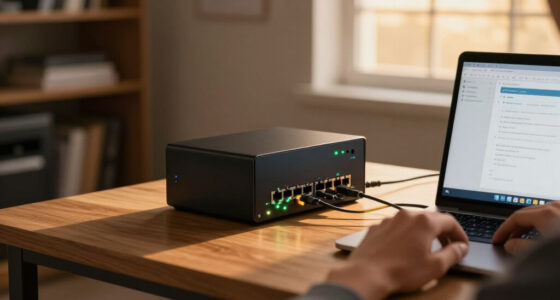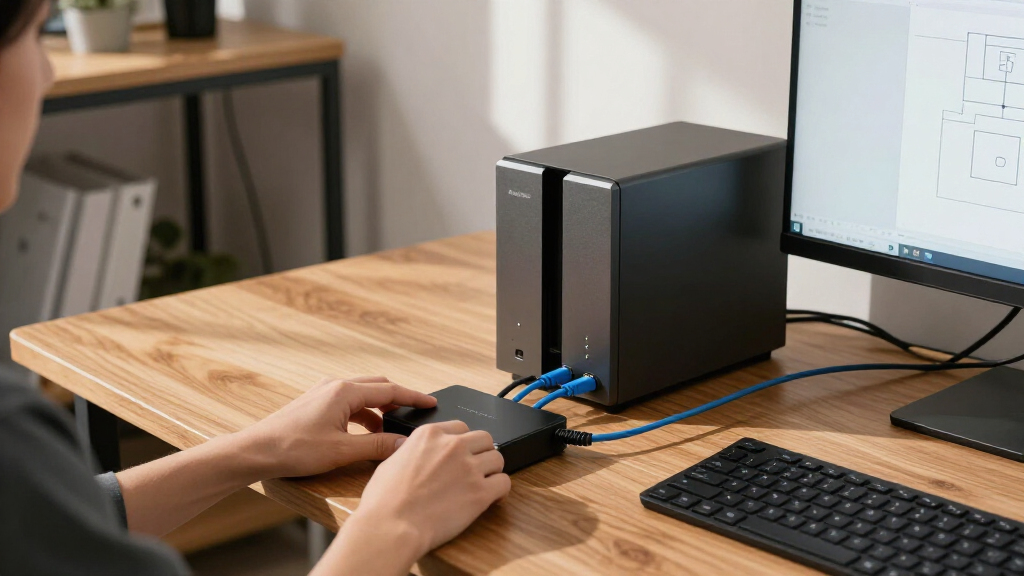

The best switch for NAS and workstations depends on whether you need affordable 2.5GbE connections, faster 10GbE links, or managed control over a larger setup. My best overall pick is the VunLink 10-Port Multi-Gigabit Switch, whose mix of eight 2.5GbE ports and two 10GbE ports suits a NAS-plus-workstation setup without making every device use 10GbE. The TP-Link Omada DS105X stands out for a compact 10GbE network, while the EnGenius ECS208L adds managed features for buyers who want more control. The main tradeoffs are port speed, the number and type of uplinks, management features, and whether your NAS and client devices can use the extra bandwidth. Read on for the full comparison and guidance on matching a switch to your network.

Get privacy and security gear delivered free with Prime
- Fast, free delivery on millions of items
- Prime Video, Amazon Music and more included
- Member-only deals all year
Complete the kit


![Lamicall 6Pack Cord Organizer, [1s Lock] Spring Cable Hol...](https://m.media-amazon.com/images/I/71uBLICDwfL._AC_SL480_.jpg)
Key Takeaways
- The VunLink 10-Port separates itself with eight 2.5GbE ports plus two 10GbE ports, a practical balance for several multi-gig clients and a faster NAS or uplink.
- Small 2.5GbE switches such as the TP-Link Omada DS105G-M2 and EDiMAX GS-1005BE suit a few nearby devices, but their five-port designs leave less room to grow.
- 10GbE RJ45 and 10G SFP/SFP+ are not interchangeable choices. Copper ports simplify connections to compatible devices; fiber or DAC links may better fit equipment that already supports them.
- Managed models serve a different need from plug-and-play switches. The EnGenius ECS208L and HYN@NET Layer 3 model are aimed at buyers who value network controls, not just faster file transfers.
- More 10GbE ports do not automatically make a better NAS switch. The VunLink 8-Port 10Gb RJ45 and NICGIGA 8-Port 10G models make more sense when the NAS, workstations, cabling, and budget can all support 10GbE.
| STEAMEMO 8-Port 2.5G Ethernet Switch with 10G SFP |  | Best Overall for a Quiet 2.5GbE NAS Network | Ports: 8 x 2.5G Base-T RJ45; 1 x 10G SFP | Switching capacity: 60 Gbps | Switch type: Unmanaged | VIEW LATEST PRICE | See Our Full Breakdown |
| EnGenius ECS208L 8-Port 2.5G Managed Network Switch |  | Best for Managed Small-Office Networks | Ports: 8 | Port speed: 2.5 Gbps | Interface: RJ45 | VIEW LATEST PRICE | See Our Full Breakdown |
| TP-Link Omada DS105G-M2 5-Port 2.5G Unmanaged Switch |  | Best Compact Pick for a Small NAS Setup | Ports: 5 x 2.5 Gbps RJ45 | Switching capacity: 25 Gbps | Switch type: Unmanaged | VIEW LATEST PRICE | See Our Full Breakdown |
| EDiMAX GS-1005BE 5-Port 2.5GbE Ethernet Switch |  | Best for Reusing Existing Cabling | Ports: 5 x RJ45 | Port speed: Up to 2.5 Gbps | Compatible cabling: Cat 5e, Cat 6, Cat 6A, Cat 7, Cat 8 | VIEW LATEST PRICE | See Our Full Breakdown |
| YuanLey 6-Port 2.5G Unmanaged Ethernet Switch with 4 RJ45 Ports and 2 10G SFP Ports |  | Best for SFP-Based NAS Uplinks | Ports: 4 x 2.5G Base-T; 2 x 10G SFP | SFP compatibility: 1G/2.5G modules supported; modules not included | Switching capacity: 60 Gbps | VIEW LATEST PRICE | See Our Full Breakdown |
| VunLink 8-Port 10Gb RJ45 Unmanaged Multi-Gig Ethernet Switch |  | Best for an All-10G RJ45 Desk or Rack | Ports: 8 RJ45 | Port speeds: 100 Mbps, 1 Gbps, 2.5 Gbps, 5 Gbps, and 10 Gbps | Switching capacity: 160 Gbps | VIEW LATEST PRICE | See Our Full Breakdown |
| VunLink 10-Port Unmanaged Multi-Gigabit Ethernet Switch with 8 × 2.5GbE and 2 × 10GbE Ports |  | Best for Mixed-Speed NAS Workgroups | Ports: 10 RJ45 | Port configuration: 8 × 2.5GbE and 2 × 10GbE | Switching capacity: 80 Gbps | VIEW LATEST PRICE | See Our Full Breakdown |
| TP-Link Omada DS105X 5-Port 10G Unmanaged Switch |  | Best Compact 10G Upgrade | Model: DS105X | Ports: 5 RJ45 | Port speeds: 100 Mbps, 1 Gbps, 2.5 Gbps, 5 Gbps, and 10 Gbps | VIEW LATEST PRICE | See Our Full Breakdown |
| NICGIGA 8-Port 10G Unmanaged Ethernet Switch |  | Best for Rack-Friendly 10G Expansion | Ports: 8 RJ45 | Port speeds: 100M, 1G, 2.5G, 5G, and 10G | Switching capacity: 160 Gbps | VIEW LATEST PRICE | See Our Full Breakdown |
| HYN@NET 8-Port 10G SFP+ Layer 3 Managed Switch |  | Best for Managed SFP+ NAS Networks | Ports: 8 × 10G SFP+ | Switching capacity: 160 Gbps | Switch type: Managed Layer 3 | VIEW LATEST PRICE | See Our Full Breakdown |
| switch for NAS and workstation | Ports | Switching capacity | Switch type | Warranty |
|---|---|---|---|---|
| STEAMEMO 8-Port 2.5G Ethernet | 8 x 2.5G Base-T RJ45; 1 x 10G SFP | 60 Gbps | Unmanaged | 1 year manufacturer |
| EnGenius ECS208L 8-Port 2.5G M | 8 | — | — | — |
| TP-Link Omada DS105G-M2 5-Port | 5 x 2.5 Gbps RJ45 | 25 Gbps | Unmanaged | 5 years |
| EDiMAX GS-1005BE 5-Port 2.5GbE | 5 x RJ45 | — | — | Two-year manufacturer warranty |
| YuanLey 6-Port 2.5G Unmanaged | 4 x 2.5G Base-T; 2 x 10G SFP | 60 Gbps | Unmanaged | 1 year |
| VunLink 8-Port 10Gb RJ45 Unman | 8 RJ45 | 160 Gbps | Unmanaged | 1 year |
| VunLink 10-Port Unmanaged Mult | 10 RJ45 | 80 Gbps | Unmanaged | — |
| TP-Link Omada DS105X 5-Port 10 | 5 RJ45 | 100 Gbps | Unmanaged | 5 years |
| NICGIGA 8-Port 10G Unmanaged E | 8 RJ45 | 160 Gbps | Unmanaged | 1 year |
| HYN@NET 8-Port 10G SFP+ Layer | 8 × 10G SFP+ | 160 Gbps | Managed Layer 3 | 2 years |
More Details on Our Top Picks
STEAMEMO 8-Port 2.5G Ethernet Switch with 10G SFP
I’d pick the STEAMEMO when a NAS and several workstations need faster-than-gigabit connections without adding fan noise. Its eight 2.5G RJ45 ports give more devices a direct multi-gig link than the five-port TP-Link Omada DS105G-M2, while the 10G SFP port can provide an uplink to compatible 10G gear. Plug-and-play setup keeps day-to-day operation simple, and one-key VLAN mode offers basic isolation without the workload of a managed switch. The tradeoff is that this remains an unmanaged switch: there is little control over network behavior, and the SFP connection needs a separately compatible module or cable. I’d choose the EnGenius ECS208L instead if centralized monitoring and configurable management matter more than straightforward setup.
Pros:- Eight 2.5G RJ45 ports connect more workstations and devices than the five-port options in this batch.
- A 10G SFP port allows a fast uplink to compatible NAS or network equipment.
- Fanless metal construction supports quiet operation near desks or shared workspaces.
- Plug-and-play setup and one-key VLAN mode offer a simple path to basic network separation.
Cons:- Unmanaged operation limits monitoring and configuration compared with the EnGenius ECS208L.
- The 10G SFP port requires a compatible transceiver or cable that is not specified as included.
- Its one-year manufacturer warranty is shorter than the five-year coverage listed for the TP-Link Omada DS105G-M2.
Best for: Home offices or small studios with a multi-gig NAS, several 2.5GbE workstations, and a need for quiet, uncomplicated switching.
Not ideal for: Buyers who need detailed traffic controls, centralized management, or a ready-to-use 10G connection without sourcing an SFP module or cable.
- Ports:8 x 2.5G Base-T RJ45; 1 x 10G SFP
- Switching capacity:60 Gbps
- Switch type:Unmanaged
- VLAN:One-key VLAN mode
- Cooling and case:Fanless; metal
- Mounting:Desktop or wall mount
- Dimensions:7.8 x 4.6 x 1.73 inches
- Warranty:1 year manufacturer
Our verdict“Choose the STEAMEMO for a quiet, straightforward NAS network with eight 2.5GbE connections and a compatible 10G SFP uplink.”
EnGenius ECS208L 8-Port 2.5G Managed Network Switch
The EnGenius ECS208L is the management-focused pick for a small office where NAS traffic shares a network with voice, video, and Wi-Fi access points. Its cloud or standalone management and zero-touch provisioning offer more oversight than the plug-and-play STEAMEMO, while Voice VLAN can help prioritize voice and video traffic. That makes it a better fit when someone needs to monitor a working network rather than simply connect devices and leave them alone. All eight ports are listed as 2.5 Gbps RJ45, so workstations and a NAS can connect over familiar copper cabling. The tradeoff is that the supplied product information does not list switching capacity, cooling, or a warranty, so I can’t compare those points confidently with the other picks. Buyers seeking a simple, documented fanless option may prefer the TP-Link Omada DS105G-M2.
Pros:- Eight 2.5 Gbps RJ45 ports support multi-gig links for a NAS, workstations, and access points.
- Cloud or standalone management gives administrators options for monitoring and control.
- Zero-touch provisioning can reduce setup work when deploying the switch in a managed environment.
- Voice VLAN supports prioritization for voice and video traffic.
Cons:- The available specifications do not state switching capacity or cooling design.
- Warranty information is not provided, making coverage harder to compare with the TP-Link Omada DS105G-M2.
- Management features add complexity that may not benefit a home network needing only simple NAS connectivity.
Best for: Small-business IT owners who want eight 2.5GbE connections plus cloud or standalone management and Voice VLAN for mixed office traffic.
Not ideal for: Home NAS owners who want a basic, clearly specified plug-and-play switch, or buyers who require a stated warranty and documented fanless operation.
- Ports:8
- Port speed:2.5 Gbps
- Interface:RJ45
- Management:Cloud or standalone
- Provisioning:Zero-touch provisioning
- Traffic feature:Voice VLAN
- Dimensions:6.69 x 4.13 x 1.06 inches
Our verdict“Choose the ECS208L when managing and monitoring a small office network matters more than plug-and-play simplicity or fully documented hardware details.”
TP-Link Omada DS105G-M2 5-Port 2.5G Unmanaged Switch
For a compact NAS corner with just a few wired devices, I’d favor the TP-Link Omada DS105G-M2 over the larger STEAMEMO. Its five 2.5 Gbps RJ45 ports can link a NAS, workstation, and other multi-gig devices without paying for ports a small setup won’t use. The fanless metal case suits a desk or media area, and plug-and-play operation avoids management overhead. Compared with the EDiMAX GS-1005BE, it offers the same five-port, fanless approach, but the listed five-year warranty gives it a clear coverage advantage over that model’s two-year warranty. Its limitation is capacity: five ports can fill quickly, and there is no configuration or central management. I’d step up to the STEAMEMO when more wired 2.5GbE devices or a 10G SFP uplink are part of the plan.
Pros:- Five 2.5 Gbps ports provide multi-gig connectivity for a small NAS and workstation setup.
- Fanless operation avoids added switch noise near a desk or media equipment.
- Metal case offers a sturdier enclosure than a basic plastic design.
- Listed five-year warranty exceeds the coverage stated for the EDiMAX and STEAMEMO options.
Cons:- Five ports leave less room to grow than the eight-port STEAMEMO or EnGenius models.
- Unmanaged design provides no configuration or central management.
- No SFP port is listed for a 10G uplink.
Best for: Home NAS owners with up to five wired devices who want silent multi-gig connectivity in a small desktop setup.
Not ideal for: Workgroups with more than five wired devices, or buyers who need VLAN controls, monitoring, or a 10G uplink.
- Ports:5 x 2.5 Gbps RJ45
- Switching capacity:25 Gbps
- Switch type:Unmanaged
- Cooling:Fanless
- Case material:Metal
- Warranty:5 years
- Included items:Switch, installation guide, power adapter, rubber feet
Our verdict“Choose the DS105G-M2 for a quiet, compact five-device NAS network with a longer stated warranty than the other five-port pick.”
EDiMAX GS-1005BE 5-Port 2.5GbE Ethernet Switch
The EDiMAX GS-1005BE makes the most sense when a NAS workstation area needs 2.5GbE but the building already has Cat 5e wiring. It supports Cat 5e through Cat 8, so a buyer can try multi-gig speeds without replacing cable runs, subject to the existing cable and link conditions. Its five ports match the TP-Link Omada DS105G-M2, and the fanless metal enclosure can be wall-mounted to keep a small network corner tidy. Auto-negotiation helps it work with slower Gigabit Ethernet devices, while jumbo-frame support gives compatible equipment an option for larger frames. Those extras don’t make it a managed switch, though: there is no listed VLAN or central monitoring. I’d choose the TP-Link for its longer listed warranty; the EDiMAX is the more specific fit when cabling flexibility and wall mounting lead the decision.
Pros:- Supports Cat 5e through Cat 8 cabling, allowing an upgrade without automatically replacing existing runs.
- Five ports provide up to 2.5 Gbps Ethernet for a small NAS setup.
- Fanless metal enclosure supports quiet operation and wall mounting.
- Auto-negotiation, loop detection, and 12K jumbo-frame support add practical network features.
Cons:- Five ports can be limiting as more NAS, workstation, and access-point connections are added.
- Unmanaged operation lacks detailed configuration and central monitoring.
- A compatible 2.5GbE PCIe adapter is sold separately for workstations that need one.
Best for: Home-office owners upgrading a NAS and workstation network over existing Cat 5e wiring who want a quiet, wall-mountable switch.
Not ideal for: Growing workgroups that need more than five ports, managed traffic controls, or built-in 2.5GbE workstation adapters.
- Ports:5 x RJ45
- Port speed:Up to 2.5 Gbps
- Compatible cabling:Cat 5e, Cat 6, Cat 6A, Cat 7, Cat 8
- Switch features:Auto-negotiation, loop detection
- Jumbo frames:12K
- Cooling and enclosure:Fanless metal
- Mounting:Wall-mountable
- Warranty:Two-year manufacturer warranty
Our verdict“Choose the GS-1005BE if you want to add 2.5GbE to a small NAS network while keeping existing Cat 5e cabling and mounting the switch on a wall.”
YuanLey 6-Port 2.5G Unmanaged Ethernet Switch with 4 RJ45 Ports and 2 10G SFP Ports
The YuanLey 6-Port switch suits a different layout from the STEAMEMO: it gives up four 2.5G copper ports in exchange for two 10G SFP ports. That arrangement is useful when a NAS or upstream switch already uses SFP, since it can support two high-speed fiber or direct-attach links with compatible modules or cables. Four 2.5G RJ45 ports remain for nearby workstations, and one-key VLAN mode can isolate RJ45 traffic without full managed-switch controls. The compact, fanless metal case can sit on a desk or mount on a wall; listed 6 kV lightning protection is another hardware feature. The tradeoff is port balance: compared with STEAMEMO’s eight 2.5G ports and one SFP, YuanLey is less suitable when most endpoints use copper. SFP modules are not included.
Pros:- Two 10G SFP ports support multiple high-speed links to compatible NAS or network equipment.
- Four 2.5G RJ45 ports connect nearby workstations and other copper-based devices.
- One-key VLAN mode provides basic RJ45 traffic isolation.
- Fanless metal construction supports quiet desktop or wall-mounted placement.
Cons:- Only four ports provide 2.5G Base-T, compared with eight on the STEAMEMO.
- SFP modules or compatible cables are not included.
- Unmanaged operation limits configuration beyond the one-key VLAN mode.
Best for: NAS owners with SFP-capable equipment who need two 10G SFP links alongside a handful of 2.5GbE copper workstation connections.
Not ideal for: Workstations-heavy networks where five or more devices need 2.5GbE RJ45, or buyers who need included SFP modules and managed controls.
- Ports:4 x 2.5G Base-T; 2 x 10G SFP
- SFP compatibility:1G/2.5G modules supported; modules not included
- Switching capacity:60 Gbps
- Switch type:Unmanaged
- VLAN:One-key VLAN mode
- Cooling and case:Fanless; metal
- Lightning protection:6 kV
- Dimensions:5.2 x 2.6 x 1.26 inches
- Warranty:1 year
Our verdict“Choose YuanLey when two 10G SFP connections matter more than having a large bank of 2.5GbE copper ports.”
VunLink 8-Port 10Gb RJ45 Unmanaged Multi-Gig Ethernet Switch
For a workstation and NAS setup where every connection needs RJ45 flexibility, this VunLink provides eight ports that negotiate from 100 Mbps through 10 Gbps. Its 160 Gbps switching capacity suits a cluster of fast clients better than switches that reserve only a couple of high-speed ports for uplinks. Compared with the VunLink 10-Port 8 × 2.5GbE, this model gives all eight ports a 10GbE ceiling, while the 10-port option is a more sensible fit when most devices use 2.5GbE and only two need 10GbE. The tradeoff is an unmanaged design: there are no listed VLAN or traffic-control features, and the cooling fan can add noise near a desk. Desktop and 19-inch rack mounting make placement more flexible, but this is a stronger fit for a ventilated network area than a quiet workspace.
Pros:- Eight RJ45 ports support speeds up to 10 Gbps
- Auto-negotiation accommodates a mix of legacy and multi-gig devices
- 160 Gbps switching capacity supports multiple active high-speed links
- Supports desktop placement or 19-inch rack mounting
Cons:- Unmanaged operation does not provide configurable network controls
- Cooling fan may be audible in a quiet office
- Eight ports may be excessive for a small setup with only a few fast devices
Best for: NAS owners and workstation users with several RJ45 10GbE devices who want a straightforward desktop or rack switch without configuration.
Not ideal for: People who need VLANs, traffic prioritization, or a quiet switch beside their desk; this model has no listed management features and uses an industrial cooling fan.
- Ports:8 RJ45
- Port speeds:100 Mbps, 1 Gbps, 2.5 Gbps, 5 Gbps, and 10 Gbps
- Switching capacity:160 Gbps
- Switch type:Unmanaged
- Mounting:Desktop or 19-inch rackmount
- Housing:Metal
- Dimensions:10.7 × 7.1 × 1.8 inches
- Warranty:1 year
Our verdict“Choose this VunLink if you need eight 10GbE-capable RJ45 connections and can accept fan noise and a lack of management controls.”
VunLink 10-Port Unmanaged Multi-Gigabit Ethernet Switch with 8 × 2.5GbE and 2 × 10GbE Ports
This VunLink is the more practical pick when a NAS or workstation needs 10GbE uplinks, but most of the rest of the network runs at 2.5GbE. Its layout gives eight devices 2.5GbE ports and reserves two 10GbE-capable ports for the fastest endpoints, avoiding the all-10G port count of the VunLink 8-Port 10Gb RJ45 when that headroom would go unused. The fanless metal case also suits a desk or shared office better than fan-cooled alternatives. Jumbo frames up to 12KB may help on compatible NAS and client networks, though every device and setting along the path must support them. This is still a plug-and-play, unmanaged switch: buyers who want VLAN separation or configurable traffic policies should look at a managed option such as the HYN@NET 8-Port 10G SFP+. Its 80Gbps switching capacity is lower than the 160Gbps options, matching its mixed-speed port design.
Pros:- Combines eight 2.5GbE ports with two 10GbE-capable ports
- Fanless construction supports quiet placement near workstations
- Supports jumbo frames up to 12KB on compatible networks
- Can sit on a desktop or mount on a wall
Cons:- Unmanaged operation provides no VLAN or traffic configuration
- Only two ports support speeds above 2.5GbE
- 80Gbps switching capacity is below the 160Gbps 8-port 10GbE options
Best for: Small studios and home offices with one or two 10GbE NAS or workstation links plus several 2.5GbE computers and peripherals.
Not ideal for: Buyers who need more than two 10GbE-capable connections or managed controls such as VLANs; the remaining eight ports are limited to 2.5GbE and the switch is unmanaged.
- Ports:10 RJ45
- Port configuration:8 × 2.5GbE and 2 × 10GbE
- Switching capacity:80 Gbps
- Jumbo frame support:Up to 12KB
- Switch type:Unmanaged
- Cooling:Fanless
- Mounting:Desktop or wall mount
- Dimensions:8.87 × 4.06 × 1.38 inches
Our verdict“Pick this model for a quiet mixed-speed network where a few 10GbE links matter more than making every port 10GbE-capable.”
TP-Link Omada DS105X 5-Port 10G Unmanaged Switch
The DS105X is aimed at a focused upgrade: connect a NAS, workstation, and a few other high-bandwidth devices without buying an eight-port chassis. All five RJ45 ports negotiate up to 10 Gbps, so there is no need to reserve a specific port for the fastest device. Compared with the VunLink 8-Port 10Gb RJ45, it gives up three connections and rack mounting, but its fanless design makes it a better match for a desk or quiet office. The 100Gbps switching capacity is ample for its five-port layout, while the listed five-year warranty is longer than the one-year coverage on the VunLink options here. The main compromise is straightforward: five ports can fill quickly as a workstation network grows, and unmanaged operation offers no VLAN or other configuration tools. I would choose it for a small, high-speed cluster—not as the center of an expanding rack.
Pros:- All five RJ45 ports support speeds up to 10 Gbps
- Auto-negotiates across five listed Ethernet speeds
- Fanless metal construction avoids fan noise near a desk
- Listed five-year warranty
Cons:- Five ports leave limited room for network expansion
- Unmanaged design lacks central configuration and traffic controls
- No rack-mount option is listed
Best for: A workstation owner or small NAS user who needs up to five multi-gig RJ45 connections in a quiet, unmanaged desktop setup.
Not ideal for: Growing labs with more than five wired devices, rack-based installations, or users who need VLANs and other managed network settings.
- Model:DS105X
- Ports:5 RJ45
- Port speeds:100 Mbps, 1 Gbps, 2.5 Gbps, 5 Gbps, and 10 Gbps
- Switching capacity:100 Gbps
- Switch type:Unmanaged
- Cooling:Fanless
- Case material:Metal
- Warranty:5 years
Our verdict“Choose the DS105X for a quiet, compact group of up to five fast RJ45 devices, but skip it if your NAS network is likely to outgrow that port count.”
NICGIGA 8-Port 10G Unmanaged Ethernet Switch
For an eight-device network that needs multi-speed 10GbE over RJ45, this NICGIGA offers the same broad port-speed range and 160Gbps switching capacity as the VunLink 8-Port 10Gb RJ45. Both models support desktop or 19-inch rack placement, so the choice is less about port layout than the practical details: NICGIGA lists a 5000 RPM fan, 24 dB fan noise, and an operating range of 0°C to 45°C. That level of detail may help buyers planning a rack or network area, but active cooling still makes it less suited to a quiet workstation desk than the fanless TP-Link Omada DS105X. Its metal enclosure and plug-and-play setup keep deployment simple. The tradeoff shared with the other unmanaged 10G options is the lack of VLANs, access rules, or traffic configuration; the listed one-year warranty is also a shorter period than TP-Link’s coverage.
Pros:- Eight RJ45 ports support 10G, 5G, 2.5G, 1G, and 100M
- 160Gbps switching capacity for an eight-port 10G layout
- Supports desktop or 19-inch rack mounting
- Lists fan speed, fan noise, and operating temperature
Cons:- Active cooling may be audible near a workstation
- Unmanaged operation provides no software configuration
- One-year warranty is shorter than the TP-Link DS105X’s listed coverage
Best for: Home labs and small offices adding several RJ45 10GbE-capable NAS, workstation, and network connections to a desktop or 19-inch rack.
Not ideal for: People placing a switch within earshot in a quiet room, or network operators who need managed features such as VLANs, ACLs, or traffic policies.
- Ports:8 RJ45
- Port speeds:100M, 1G, 2.5G, 5G, and 10G
- Switching capacity:160 Gbps
- Switch type:Unmanaged
- Mounting:Desktop or 19-inch rack
- Cooling fan speed:5000 RPM
- Fan noise:24 dB
- Operating temperature:0°C to 45°C
- Warranty:1 year
Our verdict“Pick NICGIGA for an eight-port, rack-mountable RJ45 10G setup when fan noise and the absence of management features are acceptable.”
HYN@NET 8-Port 10G SFP+ Layer 3 Managed Switch
The HYN@NET is the clear pick here for buyers who need network control, not just fast links. Its eight 10G SFP+ ports pair with VLAN, QoS, LACP, ACL, and routing protocols including OSPF, RIP, and BGP, giving a NAS or workstation network tools that the unmanaged VunLink and NICGIGA RJ45 switches do not offer. That flexibility can support traffic separation, link aggregation, and more involved routing setups, but it asks more of the buyer: SFP+ modules are not included, so compatible optics or modules must be sourced separately. The listed compatibility with 1G and 2.5G modules can help connect slower equipment, though it does not make this an eight-port multi-speed RJ45 switch. Active fan cooling may also be noticeable near a desk. With desktop or wall mounting and a two-year warranty, it suits a small managed network better than a plug-and-play-only setup.
Pros:- Eight 10G SFP+ ports with 160Gbps switching capacity
- Layer 3 features include VLAN, QoS, LACP, ACL, OSPF, RIP, and BGP
- Supports compatible 1G and 2.5G modules
- Compact metal enclosure supports desktop or wall mounting
Cons:- SFP+ modules are not included
- SFP+ interface may require additional compatible hardware for the intended links
- Active fan cooling may produce noise near workstations
Best for: NAS administrators and workstation users building a managed 10G SFP+ network who need VLANs, LACP, access controls, or Layer 3 routing.
Not ideal for: Buyers who need native RJ45 ports, want a plug-and-play switch without configuration, or do not want to source compatible SFP+ modules separately.
- Ports:8 × 10G SFP+
- Switching capacity:160 Gbps
- Switch type:Managed Layer 3
- Supported protocols:VLAN, QoS, LACP, ACL, OSPF, RIP, and BGP
- Module compatibility:Compatible 1G and 2.5G modules
- Maximum power:20 watts
- Cooling:Active fan
- Mounting:Desktop or wall mount
- Warranty:2 years
Our verdict“Choose the HYN@NET if your NAS network needs managed Layer 3 features and SFP+ connectivity, and you are prepared to provide compatible modules.”

How We Picked
I compared these switches around the needs of a NAS and workstation network: usable port speeds, port count, uplink options, management, and how easily a buyer can match the hardware to existing devices. A fast port only helps when the NAS, workstation network adapters, and cabling can use it, so I weighed practical port combinations alongside headline speed. I also separated copper RJ45 options from models with SFP or SFP+ ports, since they can call for different cables, transceivers, and connected hardware.
The ranking favors models with a useful balance of speed, capacity, and straightforward deployment for common home-office and small-workgroup setups. The VunLink 10-Port leads because it combines several 2.5GbE connections with two 10GbE ports; compact 2.5GbE switches rank better for simple, smaller networks, while 10GbE-heavy and managed switches move up for specific workloads or control needs. A product’s place reflects its fit for NAS and workstation use, not a claim that every buyer needs the same speed or feature set.
| switch for NAS and workstation | Switch type | Mounting |
|---|---|---|
| STEAMEMO 8-Port 2.5G Ethernet | Unmanaged | Desktop or wall mount |
| EnGenius ECS208L 8-Port 2.5G M | — | — |
| TP-Link Omada DS105G-M2 5-Port | Unmanaged | — |
| EDiMAX GS-1005BE 5-Port 2.5GbE | — | Wall-mountable |
| YuanLey 6-Port 2.5G Unmanaged | Unmanaged | — |
| VunLink 8-Port 10Gb RJ45 Unman | Unmanaged | Desktop or 19-inch rackmount |
| VunLink 10-Port Unmanaged Mult | Unmanaged | Desktop or wall mount |
| TP-Link Omada DS105X 5-Port 10 | Unmanaged | — |
| NICGIGA 8-Port 10G Unmanaged E | Unmanaged | Desktop or 19-inch rack |
| HYN@NET 8-Port 10G SFP+ Layer | Managed Layer 3 | Desktop or wall mount |
Factors to Consider When Choosing Best Switch For NAS And Workstations
Choosing a NAS switch is less about buying the fastest box and more about building a path that every device can use. I would start with the NAS and workstation network adapters, then check port layout, cabling, and management needs before deciding whether a 2.5GbE or 10GbE switch fits.
Match Switch Speed to the Devices You Own
Start by checking the network port or adapter in the NAS and each workstation, rather than assuming a faster switch will speed up existing hardware. A 10GbE switch can connect to a 1GbE device, but that link will still run at the slower device’s rate. If most clients support 2.5GbE and only the NAS needs a faster connection, a mixed-speed switch can avoid paying for 10GbE everywhere. For a sustained workflow involving large media files or several simultaneous users, matching 10GbE across the NAS and key workstations may make sense. Leave headroom for future devices only when there is a realistic upgrade plan.
Count Ports for the Whole Network, Not Just the NAS
Count the NAS, workstations, router or gateway, access points, and any other wired devices that need connections. A five-port switch can fill quickly once the uplink to the rest of the network is included, leaving no room for a second workstation or another storage device. Also check whether an advertised port count includes dedicated uplink ports or whether all ports can serve client devices. A switch with a few faster ports and several 2.5GbE ports can be more useful than one with many identical high-speed ports if your devices have mixed capabilities. Allowing spare capacity can prevent a second switch from complicating the setup later.
Choose RJ45, SFP, or SFP+ Around Your Cabling
RJ45 ports work with standard Ethernet cables and are often the simplest path when devices already have copper network interfaces. SFP and SFP+ ports can support fiber or direct-attach copper connections, but the correct module or cable depends on the switch and the device at the other end. Check compatibility before buying: a port’s shape alone does not tell you which transceivers it supports or whether a particular link will work. Fiber can suit longer runs or electrically noisy environments, while a short DAC connection can suit nearby compatible equipment. Choosing a port type without planning the matching cable and endpoints can add cost and setup friction without improving throughput.
Decide Whether You Need Managed Network Controls
An unmanaged switch is a good fit when the goal is to connect a NAS and workstations with little configuration. Managed features can help separate devices into VLANs, monitor traffic, or control how the network handles particular workloads, but they require time and knowledge to configure well. Do not pay for Layer 3 or other advanced controls just because the terms sound useful; first identify a network problem those controls would solve. If you need basic segmentation or visibility, check the exact feature set and management method rather than relying on the word “managed.” A simpler switch can be the better choice when reliability and easy setup matter more than customization.
Check the Full Link Path and Workload
Switch speed is only one part of file-transfer performance. The NAS drives, RAID or storage configuration, workstation adapters, operating system, and file protocol can all limit throughput, and a single hard drive may not keep a 10GbE link busy. Multiple users or fast SSD-based storage can make higher network capacity more worthwhile than a single-client workload. Also distinguish link speed from real-world transfer speed: overhead and the workload itself prevent every transfer from reaching the port’s rated maximum. Before upgrading the switch, identify whether the current bottleneck is actually the network.
Plan for Heat, Noise, and Placement
Multi-gig and 10GbE switches can produce more heat than simple gigabit models, and fan-equipped hardware may be audible in a quiet office. Check the product’s cooling design and choose a location with ventilation rather than hiding the switch in a sealed cabinet. A compact fanless model can be a better fit near a desk, while a higher-capacity model may need a dedicated network shelf or closet. Think about cable bend space and power access too, especially when using thicker copper cables or SFP accessories. A switch that fits the room and can be kept cool is easier to live with than one chosen solely for port speed.
Frequently Asked Questions
Is 2.5GbE enough for a NAS and workstation?
For many home offices and small workgroups, 2.5GbE is a meaningful step up from 1GbE and can suit backups, shared documents, and moderate media work. It is most useful when both the NAS and workstation have 2.5GbE interfaces and the storage can deliver data fast enough to use the link. Large concurrent transfers or SSD-heavy production workflows may benefit from 10GbE, especially when several clients access the NAS at once. Check your workload and current bottleneck before upgrading every port. A mixed-speed switch can let you start with 2.5GbE clients and reserve faster connections for the NAS or a key workstation.
Should I choose a switch with 10GbE RJ45 or SFP+ ports?
Choose based on the ports available on your NAS and workstations, the cable run, and the accessories you are willing to use. RJ45 is usually simpler when both devices have copper Ethernet ports and you want to use standard network cabling. SFP+ can suit compatible fiber or DAC links, but you must confirm module and cable compatibility for both ends. For a short connection between nearby devices, a DAC may be a practical option if supported; for a longer run, fiber may fit better. Do not buy based on port labels alone—confirm the complete connection path before choosing.
Will a 10GbE switch make my NAS transfers ten times faster?
No; the switch sets a possible link rate, not a guaranteed file-transfer speed. The NAS network adapter, workstation adapter, cabling, storage drives, and workload all affect the result. A single hard drive or an already busy NAS may not deliver enough data to use a 10GbE connection fully. You may see more benefit when transferring large files to fast storage or serving several clients at once. If your current transfers are limited by disks or the NAS processor, upgrading the switch alone may make little difference.
Do I need a managed switch for a NAS network?
Not necessarily. An unmanaged switch can connect a NAS and workstations without requiring network configuration, which suits straightforward file sharing. Managed features become useful when you need VLAN separation, traffic monitoring, or other controls supported by that specific model. Those features also add setup work, and misconfiguration can interrupt access to the NAS. Identify the control you need before paying for a managed model, and check that it supports that feature rather than assuming every managed switch offers the same tools.
Is a five-port switch enough for a NAS and two workstations?
It can be, but count the connection back to your router or main network as well as the NAS and both workstations. Those four connections leave just one port for an access point, another wired device, or future expansion. Some layouts use a separate router connection or upstream switch, so the number of ports available for clients depends on the topology. If you expect to add devices, an eight- or ten-port model can reduce the chance of needing another switch. For a fixed, small setup, a five-port option may keep the installation compact.
Conclusion
For most buyers building a NAS network with a mix of multi-gig devices, I would start with the VunLink 10-Port Multi-Gigabit Switch as the best overall pick: its eight 2.5GbE ports and two 10GbE ports offer a useful mix. The TP-Link Omada DS105G-M2 is my best value direction for a small, straightforward 2.5GbE setup, while the TP-Link Omada DS105X is a compact choice for beginners who want 10GbE without a larger port layout. For a premium, control-focused setup, the HYN@NET 8-Port 10G SFP+ Layer 3 Managed Switch fits buyers who can use its SFP+ connections and managed capabilities. For a specific need—connecting several 10GbE RJ45 devices—the VunLink 8-Port 10Gb RJ45 or NICGIGA 8-Port 10G is a closer match than a mixed-speed model. Before choosing, confirm your NAS, workstation adapters, cabling, and storage can make use of the switch you select.
Fall Picks
fall essentials
As an affiliate, we earn on qualifying purchases.