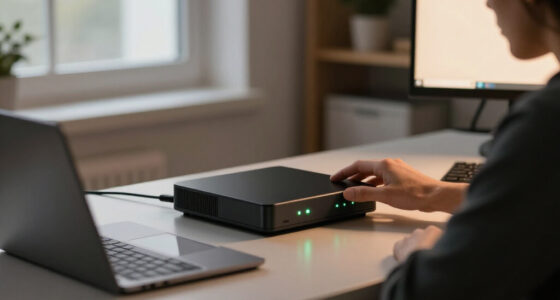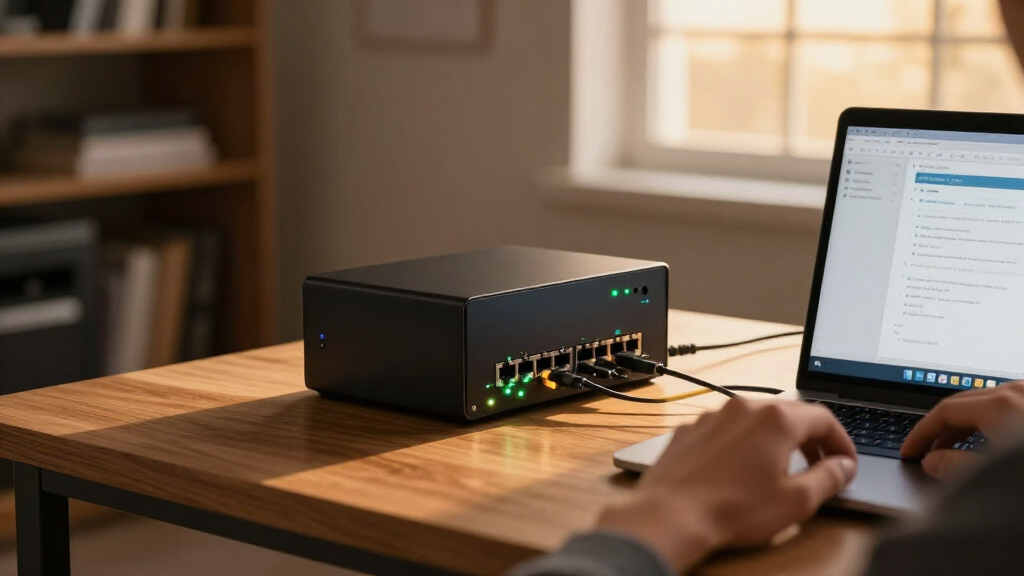

The best firewall mini PC for homelab is the one that pairs Intel NICs, enough ports to segment your network, and fanless cooling without draining your budget — and the Glovary N150 with six 2.5GbE i226V ports hits that balance best overall, giving you room for VLANs, a DMZ, and a lab segment in one box. If money is tight, the MOGINSOK MGSRN305 delivers four i226 ports and modern N100 performance for noticeably less. On the premium side, the Protectli Vault FW4C trades raw specs for exceptional build quality, documentation, and long-term platform support. The main tradeoff you’ll face in this category is port count versus CPU power versus price — and whether you want a bare-bones unit you configure yourself or a turnkey appliance with RAM and storage preinstalled. Keep reading for the full breakdown of all nine picks and who each one suits best.

Get privacy and security gear delivered free — and shop member deals
- Fast, free delivery on millions of items
- Access to Prime Big Deal Days deals on October 6–7
- Prime Video, Amazon Music and more included
Key Takeaways
- Intel i226 2.5GbE NICs are the dividing line in this lineup — every top pick uses them, while older Protectli units with 1GbE ports limit you if you plan to upgrade your internet plan or run inter-VLAN routing at speed.
- Port count is the biggest practical differentiator: the Glovary N150’s six NICs let you physically segment WAN, LAN, DMZ, and lab networks, while 2-port units like the Protectli FW2B force you into VLAN-based segmentation on a trunk.
- Bare-bones listings (no RAM, no SSD, no OS) look cheaper but require you to source compatible memory and storage yourself — fine for experienced builders, frustrating for first-time pfSense or OPNsense installers.
- Intel N100 and N150 platforms outperform the older J4105, J3710, and J3160 chips in both routing throughput and VPN encryption, which matters if you run WireGuard or OpenVPN tunnels in your homelab.
- Protectli‘s strength is consistency and documentation rather than raw specs — its vaults cost more per port but are the safest choice if you value verified compatibility and a mature support ecosystem.


| firewall mini PC for homelab | RAM | Storage |
|---|---|---|
| Glovary N150 Mini PC Firewall | 8GB DDR5 (1 slot) | 128GB NVMe SSD, 2x M.2 2280 slots, 1x SATA 3.0 |
| Fanless Firewall Mini PC with | — | — |
| Protectli Vault FW4C 4-Port Fi | — | — |
| MOGINSOK MGSRN305 Fanless Fire | — | — |
| Fanless Firewall Mini PC | — | — |
| Protectli Vault FW4B | 8GB DDR3L | 120GB mSATA SSD |
| Protectli Vault FW2B | 4GB DDR3L | 32GB mSATA SSD |
| Protectli Vault V1210 | 4GB LPDDR4 (on-board, non-upgradable) | 32GB eMMC (on-board) + 500GB NVMe SSD |
| Fanless Firewall Mini PC with | 8GB DDR4 (max 16GB) | 240GB mSATA SSD (up to 512GB) |
More Details on Our Top Picks
Glovary N150 Mini PC Firewall, 6 x 2.5GbE i226V LAN, Fanless, 8GB DDR5 RAM, 128GB NVMe SSD
This option stands out for network flexibility that nothing else in this lineup matches. Six Intel i226V 2.5GbE ports mean a homelab builder can run multi-WAN failover, several VLANs, and a dedicated DMZ segment without adding a switch. Compared with the MOGINSOK MGSRN305, which offers only four ports and a similar N-series CPU, the Glovary gives you two extra interfaces plus dual M.2 NVMe slots and a SATA bay — enough storage headroom to run the firewall alongside a small VM or containers. The tradeoff is honest: 8GB of single-slot DDR5 and a 6W N150 will not sustain heavy multi-gigabit VPN encryption, so users pushing wire-speed IPsec should temper expectations. For most home labs, though, this is the most future-proof chassis here.
Pros:- Six 2.5GbE i226V ports — two more than any other pick here — for complex multi-WAN and VLAN setups
- Dual M.2 NVMe slots plus SATA bay allow firewall, VM, and storage workloads on one box
- Completely fanless aluminum chassis suited to silent 24/7 duty
- Modern DDR5 memory and Twin Lake N150 keep power draw low while outpacing the older J-series CPUs
Cons:- 8GB RAM with a single SO-DIMM slot caps memory upgrades
- A 6W quad-core CPU struggles with very high-throughput VPN encryption
- 128GB included storage fills quickly if you add services beyond the firewall
Best for: Homelab builders who need multi-WAN, VLAN segmentation, and room to grow storage beyond a basic firewall
Not ideal for: Anyone routing near-saturated multi-gigabit VPN tunnels — the N150’s single-channel CPU will bottleneck
- Processor:Intel 12th Gen N150, 4C/4T, up to 3.6 GHz, 6W TDP
- RAM:8GB DDR5 (1 slot)
- Storage:128GB NVMe SSD, 2x M.2 2280 slots, 1x SATA 3.0
- Network:6x 2.5GbE Intel i226V
- Cooling:Fanless aluminum body (optional 12V 4-pin fan)
- Display:Triple 4K@60Hz (2x HDMI + USB-C)
- OS Support:OPNsense, Linux, OpenWrt
Our verdict“The most capable and expandable firewall appliance in this roundup — pick it if your network design needs more than four ports.”
Fanless Firewall Mini PC with Intel J4105, 4x Intel 2.5GbE i226-V LAN, AES-NI (No RAM, No SSD, No OS)
This bare-bones box makes sense for buyers who already have spare DDR4 and an mSATA drive lying around — the BYO-RAM approach keeps the entry cost low for a full four-port 2.5GbE build. Compared with the Protectli Vault FW4C, which ships ready to go with 8GB and a 120GB SSD, this model trades convenience for flexibility and a lower total spend if you source parts yourself. The chassis is genuinely compact at 5.27 inches wide, sips 10W, and includes a VESA mount so it can hide behind a monitor. The honest drawback is the J4105’s age: fine for gigabit-class routing and light VPN, but it lags well behind the N100/N150 machines here under load. Upgrade ceilings are also tight at 16GB RAM and 512GB mSATA.
Pros:- Four Intel i226-V 2.5GbE ports at a low entry price when you supply your own parts
- Silent 10W fanless chassis with VESA mount for discreet installation
- Verified compatibility with pfSense, OPNsense, and Ubuntu out of the box-less box
- CE and UL certified with a 12-month warranty
Cons:- No RAM, SSD, or OS included — hidden costs and setup effort required
- Aging J4105 quad-core limits VPN and IDS throughput
- Capped at 16GB RAM and 512GB mSATA, with no HDD support
Best for: DIY builders with spare laptop RAM and an mSATA SSD who want a cheap four-port firewall chassis
Not ideal for: Buyers wanting a plug-and-play appliance — nothing is included, so you must supply RAM, storage, and an OS yourself
Our verdict“A sensible chassis-only buy for tinkerers with spare parts — skip it if you want a working appliance on day one.”
Protectli Vault FW4C 4-Port Firewall Micro Appliance / Mini PC
The FW4C earns its place on support and documentation rather than raw specs. Protectli is a known quantity in the pfSense community, with US-based support, a 30-day money-back guarantee, and hardware validation across pfSense, OPNsense, and Untangle — reassurance the generic listings here can’t match. On paper, though, the J3710 and 8GB of DDR3 lag behind the MOGINSOK MGSRN305: the N100 outperforms the J3710 comfortably while drawing similar power, and DDR5 beats DDR3 for any add-on services. What the FW4C offers instead is predictability — a curated, well-tested platform where every component is documented. You give up CPU headroom and pay a premium for the brand, which is a tradeoff worth making if this firewall guards your network and you want accountability when something breaks.
Pros:- US-based support and 30-day money-back guarantee — rare accountability at this price point
- Hardware tested and documented with pfSense, OPNsense, and Untangle
- Four Intel 2.5GbE ports with AES-NI for standard firewall and VPN duty
- Compact 4.5-inch fanless chassis runs silent around the clock
Cons:- Entry-level J3710 CPU is the weakest modern performer per dollar here
- 8GB of DDR3 and a 120GB SSD feel dated next to DDR5/NVMe rivals
- No OS pre-installed, so setup work still falls on you
Best for: Buyers who value vendor accountability, documentation, and validated firewall compatibility over maximum specs
Not ideal for: Spec-maximizers — the J3710 and DDR3 deliver less performance than cheaper N100 rivals in this lineup
Our verdict“Pick the FW4C when vendor trust and tested compatibility matter more than benchmark numbers; skip it if you’re chasing specs per dollar.”
MOGINSOK MGSRN305 Fanless Firewall Appliance Mini PC, Intel N100, 4x Intel i226 2.5GbE, 8GB DDR5, 128GB M.2 SSD
This model makes the most sense for a first firewall build because pfSense Plus arrives pre-installed — unlike the Protectli FW4C or the bare-bones J4105 box, it boots straight into working firewall software. The Alder Lake N100 clearly outclasses the J3710 and J4105 machines here, delivering snappier VPN and IDS performance at the same 6W, while AES-NI acceleration handles IPsec and OpenVPN without breaking a sweat at gigabit speeds. Flexibility is another strength: OPNsense, Proxmox, and ESXi are all supported, so the box can graduate from firewall to virtualization host later. The catch is software maturity — Intel i226 drivers can be finicky, and older OS versions may not have stable support, so beginners should plan to run current releases. Compared with the six-port Glovary, you also lose two interfaces and most storage expansion.
Pros:- pfSense Plus pre-installed — the only truly plug-and-play option in this batch
- N100 CPU with AES-NI comfortably beats the older J-series chips for VPN throughput
- Supports OPNsense, Proxmox, ESXi, and Windows for future repurposing
- Handy embedded features: auto power-on, watchdog, Wake-on-LAN, PXE boot
Cons:- Intel i226 drivers require recent OS versions and can be unstable on older software
- Single RAM slot caps you at 32GB; 128GB SSD is tight for VMs
- Only four LAN ports and minimal storage expansion versus the Glovary
Best for: First-time firewall builders who want working software on day one and room to experiment with Proxmox later
Not ideal for: Users locked to legacy OS versions — i226 NIC support requires recent software releases
Our verdict“The easiest on-ramp to running your own firewall — buy it if you want to be filtering traffic within an hour of unboxing.”
Fanless Firewall Mini PC, Intel J3710 4-Core, 4 x 2.5GbE Intel i226 LAN, 8GB RAM, 128GB SSD
This appliance splits the difference between the bare-bones J4105 box and the pricier Protectli FW4C: it ships fully populated with 8GB RAM and a 128GB SSD at a budget-friendly level, so there’s no scavenging for parts. Like the FW4C, it runs a J3710 quad-core — meaning it shares that chip’s limitations — but it adds a lifetime technical support pledge and optional Wi-Fi/4G module slots that the Protectli lacks, which is handy for a lab needing a backup WAN path. Realistically, this CPU handles gigabit routing, NAT, and modest VPN loads without complaint; it simply can’t match the N100 in the MOGINSOK MGSRN305 for heavier encryption or IDS packages. The 8GB DDR3 ceiling is hard-soldered into the platform’s limits, so treat this as a dedicated firewall box rather than a do-everything homelab node.
Pros:- Ships ready to run with 8GB RAM and 128GB SSD — no BYO-parts hassle
- Four 2.5GbE i226-V ports with AES-NI for solid gigabit-class firewall duty
- Optional Wi-Fi and 3G/4G module slots for backup WAN flexibility
- 12-month warranty plus lifetime technical support at a budget price
Cons:- J3710 CPU trails every N100/N150 machine here under load
- RAM hard-capped at 8GB with no HDD storage support
- Wi-Fi and cellular modules cost extra and aren’t included
Best for: Budget-conscious buyers who want a complete, working four-port firewall without buying parts separately
Not ideal for: Anyone planning to run the firewall alongside VMs or heavy packages — 8GB and the J3710 cap that ambition
Our verdict“The cheapest way to get a complete four-port firewall up and running — just accept the older CPU and fixed memory ceiling.”
Protectli Vault FW4B – 4 Port Firewall Micro Appliance / Mini PC (Intel Quad Core J3160, AES-NI, 8GB RAM, 120GB mSATA SSD)
This option stands out for homelabbers who want four discrete Intel NICs for segmenting a network into LAN, WAN, DMZ, and a management VLAN without adding a switch. Compared with its sibling Protectli Vault FW2B, the FW4B doubles both the port count and the RAM, which matters if you plan to run packages like Suricata or Snort alongside pfSense. The J3160 quad-core CPU with AES-NI handles VPN encryption comfortably at gigabit speeds, and the fanless chassis is built for years of always-on duty. The tradeoff is aging hardware: the mSATA interface and DDR3L memory are a generation behind newer boxes like the Fanless J4105 appliance, and all four ports top out at 1GbE. This pick makes the most sense for reliability-focused builders on gigabit internet who value proven Protectli support over raw throughput.
Pros:- Four Intel Gigabit NICs allow true multi-zone segmentation without extra hardware
- 8GB RAM gives headroom for IDS/IPS and extra pfSense packages
- Thoroughly tested with pfSense, OPNsense, and Untangle, with US-based support
- Fanless, silent, and proven for 24/7 homelab duty
Cons:- Aging J3160 CPU and DDR3L/mSATA platform limit longevity and upgrade paths
- All ports are 1GbE only — no 2.5G option
- No OS pre-installed, so setup requires technical comfort
Best for: Homelab owners on gigabit internet who run segmented networks with VLANs, DMZs, or IDS/IPS packages and want mature, well-supported hardware
Not ideal for: Anyone with multi-gigabit internet or plans to expand past 1GbE — the ports and CPU generation cap throughput well below the 2.5GbE alternatives in this lineup
- CPU:Intel Quad Core Celeron J3160, up to 2.2GHz, AES-NI
- RAM:8GB DDR3L
- Storage:120GB mSATA SSD
- Network Ports:4x Intel Gigabit Ethernet
- Cooling:Fanless (silent)
- OS:None pre-installed; tested with pfSense, OPNsense, Untangle
Our verdict“A dependable four-port workhorse for gigabit segmented networks, best for builders who prioritize proven compatibility over modern speeds.”
Protectli Vault FW2B – 2 Port Firewall Micro Appliance / Mini PC (Intel Dual Core, AES-NI, 4GB RAM, 32GB mSATA SSD)
The FW2B is the cheapest way into the Protectli ecosystem, and that’s exactly its role here: a first firewall for someone learning pfSense or OPNsense on a simple two-interface network. The dual-core CPU with AES-NI is enough for a basic WAN-to-LAN firewall with light VPN use, and the Intel NICs mean fewer driver headaches than generic mini PCs. But compared with the FW4B, you give up two ports and half the RAM — so VLAN-heavy setups and intrusion-detection packages are off the table. And next to the V1210, its 32GB mSATA drive feels tight if you want to keep logs or try multiple operating systems. This model is better suited to a flat home network where the firewall just routes, filters, and stays quiet on a shelf for years.
Pros:- Most affordable entry into Protectli’s well-supported firewall lineup
- Intel Gigabit NICs ensure smooth compatibility with pfSense and OPNsense
- AES-NI support handles VPN encryption on modest connections
- Completely silent fanless design with US-based support
Cons:- Only two network ports, which rules out segmentation or DMZ configurations
- 4GB RAM and 32GB storage limit package installs and log retention
- Dual-core CPU struggles once IDS/IPS is enabled
Best for: First-time firewall builders with a simple WAN/LAN setup who want Protectli support and silent, low-power operation on a budget
Not ideal for: VLAN experimenters or anyone planning Suricata, heavy VPN traffic, or multi-segment networks — two ports and 4GB RAM run out of room fast
- CPU:Intel Dual Core Celeron, 1.6GHz (Turbo 2.48GHz), AES-NI
- RAM:4GB DDR3L
- Storage:32GB mSATA SSD
- Network Ports:2x Intel Gigabit Ethernet
- Cooling:Fanless (silent)
- OS:None pre-installed; pfSense/OPNsense/Untangle compatible
Our verdict“A solid, low-cost teaching tool for a basic two-interface firewall — buy it to learn, not to scale.”
Protectli Vault V1210 – 2 Port Micro Appliance / Mini PC (Intel N5105, 2x 2.5G NICs, 4GB RAM, 32GB eMMC, 500GB NVMe SSD)
The V1210 is the most modern Protectli here, pairing an N5105 quad-core with dual Intel I226-V 2.5GbE ports — a real step up from the FW2B’s gigabit interfaces if your internet plan exceeds 1Gbps. The unusual storage split is the story: a 32GB eMMC for the OS plus a 500GB NVMe SSD, which is overkill for a firewall alone but genuinely useful if you’re dual-booting OPNsense and VyOS or hosting a light service alongside it. Compared with the Fanless J4105 4-port appliance, you trade two extra LAN ports for newer silicon and the bigger NVMe drive. The main compromise is the soldered 4GB LPDDR4 — there’s no RAM upgrade path ever, so Suricata users should look elsewhere. This pick makes the most sense for a fast, two-interface edge firewall that stays quiet on a desk.
Pros:- Dual Intel I226-V 2.5GbE NICs support faster-than-gigabit WAN connections
- Modern quad-core N5105 with AES-NI for strong routing and VPN throughput
- 500GB NVMe SSD offers huge headroom for logs, dual-booting, or light services
- Compact, quiet build backed by US-based Protectli support
Cons:- 4GB of on-board RAM cannot be upgraded, capping heavy package use
- Only two network ports limits segmentation-heavy topologies
- Premium hardware you partly pay for and may not use if it’s purely a firewall
Best for: Owners of multi-gig internet who want a compact, modern two-interface firewall with room to dual-boot or keep extensive logs on the 500GB NVMe
Not ideal for: Tinkerers who like to upgrade RAM later or who need more than two NICs for segmented lab networks — the soldered memory and port count are hard limits
- CPU:Intel N5105 Quad Core, 2.0GHz (Turbo 2.9GHz)
- RAM:4GB LPDDR4 (on-board, non-upgradable)
- Storage:32GB eMMC (on-board) + 500GB NVMe SSD
- Network Ports:2x Intel I226-V 2.5GbE
- Hardware Encryption:Intel AES-NI
- OS:None pre-installed; tested with OPNsense, VyOS, and other open-source solutions
Our verdict“A future-proofed two-port firewall for fast internet lines, best for buyers who value modern NICs and storage over port count.”
Fanless Firewall Mini PC with Intel J4105 Quad Core, 4x Intel 2.5GbE i226-V LAN Ports, AES-NI, pfSense/OPNsense Compatible (8GB DDR4, 240GB mSATA SSD)
This is the pick that answers the question most of this lineup can’t: what if you want four 2.5GbE ports without paying Protectli prices? Compared with the FW4B, you get the same quad-core core count and 8GB of RAM but quadruple the per-port bandwidth, making it far better prepared for multi-gig internet and fast inter-VLAN routing. The 10W power draw and VESA mount make it easy to tuck behind a rack or monitor for always-on duty. The tradeoffs are real, though: the J4105 is an older, budget-class chip, the RAM tops out at 16GB, and you’re relying on a smaller brand rather than Protectli’s US-based support ecosystem. If the V1210 is the refined specialist, this appliance is the versatile generalist — more ports, more speed, less polish.
Pros:- Four Intel i226-V 2.5GbE ports enable fast multi-zone segmentation at a mid-range price
- 8GB DDR4 RAM (expandable to 16GB) leaves room for packages
- 10W power consumption and included VESA mount suit compact 24/7 setups
- Silent fanless aluminum chassis tested with pfSense, OPNsense, and Linux
Cons:- Older Celeron-class CPU may bottleneck very demanding throughput-plus-IDS workloads
- Brand support and documentation trail behind Protectli’s US-based service
- Storage limited to mSATA SSDs with no HDD support
Best for: Homelab builders who want four 2.5GbE interfaces for segmented, multi-gig-capable networks without the premium-brand price
Not ideal for: Buyers who value long-term vendor support or need serious CPU headroom for heavy IDS/IPS at high throughput — the aging J4105 and lesser-known brand are weak points
- Processor:Intel Celeron J4105, 4 cores/4 threads, up to 2.5GHz, 10W TDP
- RAM:8GB DDR4 (max 16GB)
- Storage:240GB mSATA SSD (up to 512GB)
- Network:4x Intel 2.5GbE i226-V LAN ports
- Cooling:Fanless passive cooling, aluminum alloy shell
- Power Consumption:10 watts
- OS Compatibility:Tested with pfSense, OPNsense, Linux, Ubuntu
Our verdict“The most capable port-to-price option here for multi-gig segmented labs, ideal for DIY builders comfortable with a lesser-known brand.”

How We Picked
My ranking logic starts with the NIC configuration, because a firewall lives and dies by its network interfaces. I prioritized models with genuine Intel controllers — the i226-V 2.5GbE chips in particular — over anything with Realtek or mixed silicon, since Intel NICs have cleaner driver support in pfSense and OPNsense and handle sustained throughput without the quirks that plague cheaper controllers. Port count came next: four ports is the practical floor for a homelab with segmentation ambitions, six ports buys future flexibility, and two ports is a deliberate budget compromise.
From there I weighed CPU generation and headroom, since VPN encryption, IDS/IPS packages like Suricata, and inter-VLAN routing all scale with processor grunt — newer N100/N150 and Celeron quad-cores clearly outpace older dual-core and J-series chips here. Cooling design, memory and storage configuration out of the box, and the vendor’s documentation reputation rounded out the evaluation. I deliberately did not rank on appearance or bundled software, because nearly every buyer in this category installs their own open-source firewall OS and tucks the box into a rack or shelf where it runs headless for years.
Factors to Consider When Choosing Best Firewall Mini PC For Homelab
Choosing a firewall mini PC is mostly about matching your network’s growth trajectory to the right hardware. These are the factors that actually change how happy you’ll be with your purchase two years from now.Port Count: Buy for the Network You’ll Have, Not the One You Have
The most common mistake in this category is buying a two-port appliance because your current network only has a WAN and a LAN. Homelabs evolve quickly — a separate DMZ for exposed services, a dedicated lab segment for testing, an isolated IoT VLAN — and while VLANs on a trunk can substitute for physical ports, they add configuration complexity and create a single point of failure in that trunk cable. Four ports is the sweet spot for most homelab builders; six, like the Glovary N150 offers, removes the question entirely. The tradeoff is cost and chassis size, so if you’re confident a simple two-interface setup will stay simple, a 2-port Protectli is a legitimate money-saver. Just be honest with yourself about how often you reconfigure your lab.
NIC Quality Matters More Than CPU Speed
A firewall’s network interface controllers do the heavy lifting, and Intel chips have earned their reputation in the pfSense and OPNsense communities for a reason: stable drivers, predictable performance under load, and broad compatibility with hardware offload features. The i226-V 2.5GbE controllers found in the Glovary, MOGINSOK, and J4105 fanless models here represent the current standard. Realtek NICs — common in general-purpose mini PCs repurposed as firewalls — work but often need tuning and can misbehave under heavy connection counts. If you’re comparing a general-purpose mini PC with a USB Ethernet dongle against a purpose-built appliance, the appliance wins on reliability alone. This is also why older Protectli vaults with 1GbE ports still rank despite slower CPUs: their Intel NICs are rock solid, just speed-limited.
CPU Headroom for VPN, IDS, and Inter-VLAN Routing
Basic NAT routing between a 1Gbps WAN and LAN takes almost no CPU — even decade-old Celerons handle it. What eats processor cycles is encryption: every WireGuard, OpenVPN, or IPsec tunnel you terminate on the box multiplies the load, and enabling Suricata or Zeek for intrusion detection can saturate a weak chip entirely. Modern efficient cores like the Intel N100 and N150 deliver substantially more encryption throughput than the older J4105 and J3710 at similar power draw. AES-NI support is table stakes in this lineup, but generation matters more than the instruction set alone. My advice: if you run VPN tunnels to remote services or want IDS enabled, prioritize the newer chips and accept fewer ports if budget forces a choice.
Bare-Bones vs. Preconfigured: Know What You’re Signing Up For
Some listings in this category ship with no RAM, no storage, and no operating system — that’s why their listings look cheaper at a glance. You’ll need to source compatible SODIMM memory and an M.2 or mSATA drive yourself, and older platforms like the Protectli FW4B still use the legacy mSATA form factor, which is harder to find and pricier per gigabyte than modern NVMe. For experienced builders this is a feature, not a bug: you control exactly what goes in the box and can spec a larger SSD for logging. For a first-time firewall builder, though, a preconfigured unit with RAM and an NVMe SSD preinstalled removes two potential compatibility headaches before you’ve even reached the OS installation step. Weigh the small savings against the extra evening of troubleshooting.
Cooling, Power Draw, and the 24/7 Reality
A homelab firewall runs continuously for years, which changes how you should evaluate it compared with a desktop. Fanless designs — every unit in this roundup except none, conveniently — eliminate the most common failure point in always-on hardware and run silently, which matters if your rack lives in a shared space. Power draw in the 6–15 watt range means the box costs a few dollars a month to run, so paying more for an efficient newer platform pays back slowly but surely. Also check the power supply arrangement: barrel-jack adapters are standard, but 12V passive PoE input on some appliances simplifies wiring if your switch supports it. Finally, look at the case material — extruded aluminum cases that act as heatsinks handle sustained load better than thin shells with thermal pads doing all the work.
Vendor Support and the Software Ecosystem
Firewall appliances are long-term infrastructure, and the vendor relationship matters more than with a disposable gadget. Protectli has built its reputation on thorough hardware documentation, confirmed OS compatibility lists, and responsive support — you’re paying a premium per port for that peace of mind. Generic import brands like Glovary and MOGINSOK offer aggressive hardware value but lean on the community for troubleshooting, and warranty claims can be slower. Neither pfSense nor OPNsense charges licensing fees, so your total cost of ownership is really hardware plus your time. If you’re the type who reads release notes and enjoys the tinkering, the value brands are a great fit; if you want a known-good platform you can set and forget, the premium vendors earn their price.
Frequently Asked Questions
Can any of these mini PCs run both pfSense CE and OPNsense, or am I locked into one?
All nine of these appliances use Intel network controllers and x86 CPUs, which means both pfSense CE and OPNsense will install and run on any of them — the platforms share FreeBSD roots and nearly identical hardware requirements. The practical differences come down to driver maturity for the newest chips: the i226-V NICs in the Glovary, MOGINSOK, and J4105 fanless units are well supported in current OPNsense releases and recent pfSense builds, but if you plan to run an older pinned version of either OS, verify the release notes first. OPNsense tends to adopt newer hardware support faster, which is worth knowing if you buy the newest N150 platform. Whichever you choose, install to the SSD and keep your config backup current so you can switch platforms later without rebuying hardware.
Is a 2-port firewall appliance like the Protectli FW2B enough for a homelab, or do I really need 4 ports?
Two ports will absolutely work if your segmentation needs are modest — you run a WAN uplink and a single trunk to a managed switch, then carve out VLANs for lab, IoT, and guest networks at the switch level. The catch is that this design concentrates all inter-segment traffic through one physical link and one cable, and it requires a managed switch with VLAN configuration, which adds its own layer of setup. Four ports lets you physically isolate a DMZ for exposed services or a dedicated lab interface where a misconfiguration can’t leak into your main LAN. If you already own a capable managed switch and are comfortable with VLANs, the FW2B is a legitimate budget entry point. If VLAN configuration still sounds intimidating, spend the extra money on physical ports and skip the abstraction layer.
Do I need 2.5GbE ports, or is 1GbE still fine for a homelab firewall?
For pure internet routing, 1GbE remains plenty for most home connections — few households have WAN speeds that saturate it. Where 2.5GbE earns its keep is internal traffic: inter-VLAN routing between your lab segments, backups crossing the firewall, and local services all benefit from the extra headroom, and the i226-V ports cost surprisingly little more than 1GbE in current appliances. There’s also a future-proofing angle: internet speeds keep climbing, and a firewall is typically a 5+ year purchase, so buying 1GbE today means the box becomes your bottleneck before it becomes obsolete. The older Protectli 1GbE vaults still make sense if you find them at the right price and your internal traffic stays modest, but for new purchases, 2.5GbE is the default choice.
How much RAM and storage does a homelab firewall actually need?
Less than you’d think, with one caveat. pfSense and OPNsense run comfortably in 1GB for basic routing, and 4GB covers most add-on packages. The caveat is logging and reporting: if you want long historical retention of traffic graphs, Suricata alerts, and flow data, both memory and disk fill up fast, and running a database on a tiny eMMC or small mSATA drive leads to write-wear and truncating logs. That’s why the 8GB/128GB NVMe configurations on the Glovary and MOGINSOK units are more future-proof than they first appear. The 32GB eMMC on the Protectli V1210 works fine for a basic install but will constrain you if you enable extensive reporting. My rule of thumb: 4GB RAM and 32GB storage for a simple router, 8GB and 128GB if IDS, VPN, or detailed logging is on your roadmap.
Is it better to buy a purpose-built firewall appliance or repurpose a regular mini PC with a USB Ethernet adapter?
A purpose-built appliance wins for anything you plan to run continuously. Repurposed mini PCs typically have a single onboard NIC — often Realtek — and rely on USB adapters for additional interfaces, which are notorious for dropped connections, driver instability, and speed degradation under sustained load. Purpose-built appliances also handle the thermal profile of always-on operation better, with aluminum cases designed as heatsinks, and their Intel NICs support the hardware features firewall OSes expect. The one scenario where a repurposed desktop or mini PC makes sense is when you already own it and want to experiment before committing money. If you’re buying new hardware specifically for this job, the appliances in this roundup deliver better reliability for comparable cost, and the fanless ones do it silently.
Conclusion
After comparing all nine, the right pick depends less on specs and more on how you build. For the best overall choice, the Glovary N150 stands out with six 2.5GbE i226V ports, a modern efficient CPU, and preinstalled memory and storage — it’s the most future-proof box here and my recommendation for most homelab builders. The MOGINSOK MGSRN305 takes best value, pairing the capable N100 with four Intel 2.5GbE ports at a price that undercuts everything with comparable networking. On the premium side, the Protectli Vault FW4C justifies its cost through build quality, documentation, and a support ecosystem that generic brands can’t match — the right call if you want a set-and-forget appliance. Beginners should gravitate toward the preconfigured J4105 unit with 8GB RAM and a 240GB SSD, which removes the RAM-and-storage sourcing hassle entirely, while the bare-bones J4105 four-port model suits tinkerers who want to spec their own components. For specific needs: the Protectli FW2B covers minimal two-interface setups on a budget, the V1210 with its 500GB NVMe suits heavy loggers, and the FW4B remains a solid mid-range choice if you find it discounted. Whatever you choose, prioritize Intel NICs and enough ports for where your lab is headed — everything else can be upgraded later.
Fall Picks
fall essentials
As an affiliate, we earn on qualifying purchases.