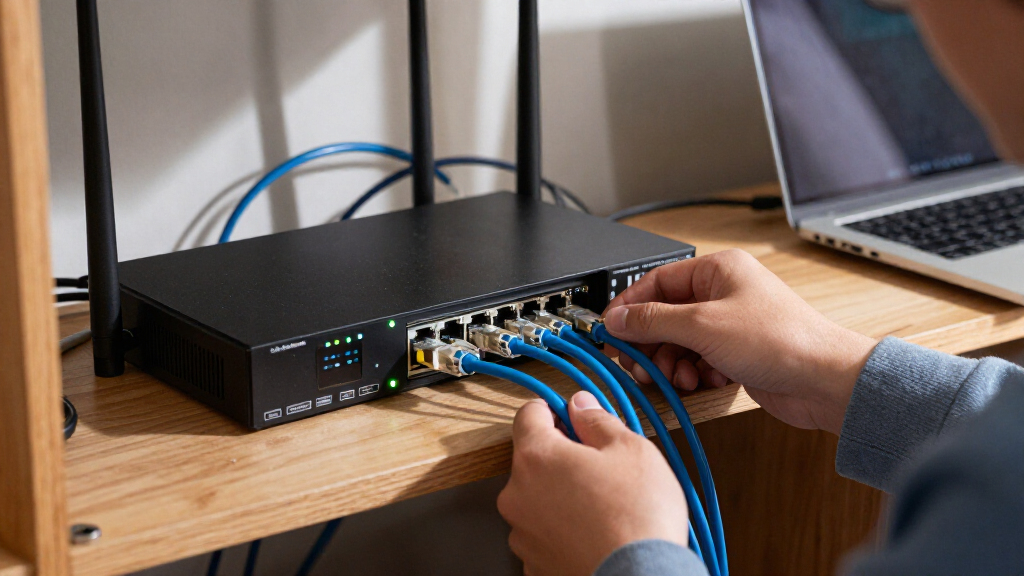

The best cloud-managed switch hardware depends on whether your network needs faster uplinks, PoE for connected devices, or straightforward remote administration. My best overall pick is the TP-Link Omada ES210X-M2, which combines 2.5G access ports with a practical small-network footprint. The Omada SX3008F stands out for 10G fiber aggregation, while the HPE Instant On 1930 suits larger PoE deployments that need broad port capacity. The main tradeoffs are port speed versus port count, PoE capacity versus simplicity, and cloud oversight versus licensing or ecosystem commitments. Read on for the full comparison and guidance on matching a switch to your network.

Get privacy and security gear delivered free with Prime
- Fast, free delivery on millions of items
- Prime Video, Amazon Music and more included
- Member-only deals all year
Key Takeaways
- Access speed and uplink speed are different needs: the SX3008F is built around 10G SFP+ fiber, while the ES210X-M2 and MS110TX target multi-gigabit copper connections.
- Port count shapes the shortlist: the 48-port SG2452LP, Meraki MS120-48LP-HW, and Instant On 1930 suit dense installations better than the compact eight-port models.
- PoE comes with management tradeoffs: the Meraki models pair cloud management with a licensing requirement, while Omada and Instant On offer different management ecosystems to check against existing equipment.
- “Smart managed” does not always mean the same cloud experience: the GS728TP, MS110TX, and TL-SG1428PE should be matched to the specific remote-management features a buyer needs.
- Product condition and licensing can change the value equation: the renewed MS120-24P listing is explicitly unclaimed and unlicensed, so buyers should confirm eligibility and ongoing license requirements before choosing it.
| Omada SX3008F 8-Port 10G SFP+ Enterprise Level L2+ Managed Switch |  | Best for 10G Fiber Aggregation | Ports: 8 | Interface: SFP+ | Data transfer rate: 10 Gbps | VIEW LATEST PRICE | See Our Full Breakdown |
| TP-Link Omada ES210X-M2 8-Port 2.5G Managed Switch |  | Best Compact Multi-Gig Omada Pick | Ports: 8 RJ45 ports and 2 SFP+ uplinks | RJ45 port speed: 2.5 Gbps | Uplink interface: SFP+ | VIEW LATEST PRICE | See Our Full Breakdown |
| NETGEAR GS728TP 28-Port Gigabit PoE+ Smart Managed Switch |  | Best for Mid-Size PoE Networks | Total ports: 28 | Ethernet ports: 24 Gigabit RJ45 | PoE standard: PoE+ | VIEW LATEST PRICE | See Our Full Breakdown |
| TP-Link SG2452LP 48-Port Gigabit Omada Fully Managed Switch |  | Best Omada Choice for High Port Density | Total ports: 48 | PoE+ ports: 32 | Non-PoE ports: 16 | VIEW LATEST PRICE | See Our Full Breakdown |
| Cisco Meraki MS120-48LP-HW 48-Port Gigabit PoE+ Cloud Managed Switch |  | Best High-Power Meraki Pick | Ports: 48 | PoE standard: PoE+ | PoE budget: 370 W | VIEW LATEST PRICE | See Our Full Breakdown |
| NETGEAR MS110TX 8-Port Multi-Gigabit Smart Managed Switch |  | Best Compact Multi-Gig Cloud-Managed Pick | Ethernet ports: 8 x 2.5Gbps | Uplink ports: 2 x 10G SFP+ | Switch type: Smart managed | VIEW LATEST PRICE | See Our Full Breakdown |
| Cisco Meraki MS120-24P-HW 24-Port PoE Cloud Managed Switch (Unclaimed, No License, Renewed) |  | Best for Existing Meraki Networks | Ports: 24 | Data transfer rate: 1000 Mbps | PoE interface: PoE | VIEW LATEST PRICE | See Our Full Breakdown |
| HPE Networking Instant On 1930 48-Port Gigabit Smart-Managed PoE Switch |  | Best for Large, App-Managed PoE Networks | Ethernet ports: 48 Gigabit | Uplink ports: 4 SFP/SFP+ (1G/10G) | Layer: Layer 2+ | VIEW LATEST PRICE | See Our Full Breakdown |
| TP-Link TL-SG1428PE 28-Port Gigabit Easy Smart PoE+ Switch |  | Best Value for PoE Device Clusters | Ports: 24 PoE+ Gigabit RJ45, 2 Gigabit non-PoE RJ45, 2 SFP | PoE standards: IEEE 802.3at/af | Maximum PoE per port: 30 W | VIEW LATEST PRICE | See Our Full Breakdown |
| cloud managed switch hardware | Warranty | Ports | Management |
|---|---|---|---|
| Omada SX3008F 8-Port 10G SFP+ | 5 years | 8 | — |
| TP-Link Omada ES210X-M2 8-Port | 5 years | 8 RJ45 ports and 2 SFP+ uplinks | — |
| NETGEAR GS728TP 28-Port Gigabi | Limited lifetime hardware warranty | — | — |
| TP-Link SG2452LP 48-Port Gigab | 5 years | — | Omada cloud management with zero-touch provisioning |
| Cisco Meraki MS120-48LP-HW 48- | 90-day limited warranty | 48 | — |
| NETGEAR MS110TX 8-Port Multi-G | — | — | NETGEAR Insight; Smart Lite CLI via SSH and Telnet |
| Cisco Meraki MS120-24P-HW 24-P | 90-day limited warranty | 24 | Meraki dashboard; separate license required for full functionality |
| HPE Networking Instant On 1930 | Lifetime | — | Mobile app or web interface |
| TP-Link TL-SG1428PE 28-Port Gi | Limited lifetime warranty | 24 PoE+ Gigabit RJ45, 2 Gigabit non-PoE RJ45, 2 SFP | Web-based easy smart management |
More Details on Our Top Picks
Omada SX3008F 8-Port 10G SFP+ Enterprise Level L2+ Managed Switch
The Omada SX3008F is the specialist pick here: its eight 10Gbps SFP+ ports suit fiber-connected servers, storage, or a fast core link far better than the gigabit access ports on the SG2452LP. Omada SDN adds centralized cloud and controller-based management, while VLANs, ACLs, DHCP snooping, and DoS protection give administrators useful traffic controls. That combination makes it a better fit for a high-speed aggregation layer than the ES210X-M2, whose eight client-facing RJ45 ports run at 2.5Gbps. The tradeoff is a narrower use case: this switch has no PoE, and full SDN functionality depends on an Omada controller. Choose it for a fiber-rich network that needs 10G switching, not as an all-purpose switch for powering access points or phones.
Pros:- Eight 10Gbps SFP+ ports support high-bandwidth fiber connections.
- Omada SDN enables centralized cloud and controller-based management.
- VLAN, ACL, DHCP snooping, and DoS protection support network segmentation and security.
- Five-year manufacturer warranty.
Cons:- No PoE, so connected devices need separate power.
- Full Omada SDN functionality requires a hardware, software, or cloud controller.
- SFP+ connectivity is less convenient than RJ45 for ordinary client devices.
Best for: Small business and lab administrators connecting 10G SFP+ servers, NAS systems, or fiber uplinks within an Omada-managed network.
Not ideal for: Teams that need PoE for access points, cameras, or phones, or buyers who want cloud management without setting up an Omada controller.
- Ports:8
- Interface:SFP+
- Data transfer rate:10 Gbps
- Switch type:Smart managed
- Management platform:Omada SDN
- Dimensions:17.32 × 7.09 × 1.73 in
- Weight:1.65 kg
- Warranty:5 years
Our verdict“Choose the SX3008F when your priority is Omada-managed 10G fiber aggregation rather than PoE or standard copper access ports.”
TP-Link Omada ES210X-M2 8-Port 2.5G Managed Switch
For a small Omada network with faster-than-gigabit copper devices, the ES210X-M2 strikes a more practical balance than the SX3008F. Its eight 2.5Gbps RJ45 ports connect Wi-Fi 6/7 access points, PCs, and NAS units without requiring SFP+ modules, while two 10Gbps SFP+ uplinks leave room for fast connections to a server or core switch. The fanless metal enclosure is well suited to a quiet office or home lab. Compared with the 48-port SG2452LP, this compact model is easier to place but offers far fewer ports and no PoE. Omada cloud management and features such as VLANs and loop prevention help with day-to-day network control; the main compromise is that attached devices must have their own power.
Pros:- Eight 2.5Gbps RJ45 ports suit multi-gig client devices.
- Two 10Gbps SFP+ uplinks provide faster paths to a server or core switch.
- Fanless design supports silent placement in offices and home labs.
- Metal enclosure and Omada cloud management.
Cons:- No PoE, so access points and other devices require separate power.
- Eight ports may be limiting as a small business network grows.
- SFP+ uplinks require compatible fiber or transceiver equipment.
Best for: Home-lab owners and small offices connecting multi-gig PCs, Wi-Fi access points, and NAS devices in an Omada-managed network.
Not ideal for: Buyers powering access points or cameras over Ethernet, or businesses that need a large port count and PoE from one switch.
- Ports:8 RJ45 ports and 2 SFP+ uplinks
- RJ45 port speed:2.5 Gbps
- Uplink interface:SFP+
- Switch type:Managed
- Management platform:Omada SDN
- Cooling:Fanless
- Case material:Metal
- Dimensions:8.2 × 5 × 1 in
- Warranty:5 years
Our verdict“Pick the ES210X-M2 for a quiet, compact Omada network that needs multi-gig copper access but not PoE.”
NETGEAR GS728TP 28-Port Gigabit PoE+ Smart Managed Switch
The NETGEAR GS728TP is a sensible middle ground for networks that need PoE across a moderate number of devices but do not need 48 ports. It provides 24 Gigabit PoE+ ports and four 1G SFP slots, making it a better fit for a small office with phones and access points than the non-PoE ES210X-M2. Its 190W shared power budget is the key limit: it must be divided across connected devices, so a full set of high-draw equipment may exceed what the switch can supply. The SG2452LP offers more total ports and a larger PoE budget, while this NETGEAR model brings desktop or rackmount placement and a limited lifetime hardware warranty. It is a practical access switch, but its 1G ports and SFP uplinks are not aimed at multi-gig expansion.
Pros:- 24 Gigabit PoE+ ports support a substantial group of powered devices.
- 190W shared PoE budget covers typical office phones and access points.
- Four 1G SFP ports provide fiber uplink options.
- Desktop or rackmount placement and limited lifetime hardware protection.
Cons:- The 190W PoE budget is shared across all 24 PoE+ ports.
- Gigabit ports and 1G SFP uplinks lack the multi-gig capacity of the Omada ES210X-M2.
- Does not provide the 48-port capacity or 230W PoE budget of the SG2452LP.
Best for: Small and midsize offices needing managed Gigabit connectivity for up to 24 PoE+ devices, with a modest shared power requirement.
Not ideal for: Networks with many high-draw PoE devices, a need for 10G uplinks, or plans to connect more than 24 powered endpoints.
- Total ports:28
- Ethernet ports:24 Gigabit RJ45
- PoE standard:PoE+
- PoE power budget:190 W
- SFP ports:4 × 1G SFP
- Mounting:Desktop or rackmount
- Weight:8.3 lb
- Warranty:Limited lifetime hardware warranty
Our verdict“Choose the GS728TP for a managed, mid-size PoE access network when 24 powered ports and a shared 190W budget are enough.”
TP-Link SG2452LP 48-Port Gigabit Omada Fully Managed Switch
The SG2452LP stands out for businesses that want a high port count and centralized Omada control in one switch. Its mix of 32 PoE+ ports and 16 non-PoE ports lets administrators reserve power for access points, phones, and cameras while still connecting ordinary wired devices. The 230W PoE budget is larger than the GS728TP’s 190W, and the 48-port layout suits a growing office better than that 28-port alternative. Four SFP slots add fiber connectivity, while zero-touch provisioning and Layer 2 features such as VLANs, LAG, and QoS support managed deployments. The tradeoff is that it remains a Gigabit switch, unlike the 2.5G access ports on the ES210X-M2, and it has no stacking or redundant power supply. Its fanless design also makes it a quieter option for shared workspaces.
Pros:- 48-port layout combines 32 PoE+ ports with 16 non-PoE ports.
- 230W PoE budget supports a sizable collection of powered endpoints.
- Omada cloud management and zero-touch provisioning simplify deployment across sites.
- Fanless design and four SFP slots suit quiet business networks with fiber links.
Cons:- Gigabit port speeds are slower than the ES210X-M2’s 2.5Gbps RJ45 access ports.
- No stacking capability limits expansion as a single managed unit.
- Single power supply provides no built-in power redundancy.
Best for: Growing Omada-managed offices that need many Gigabit connections, a mix of PoE and non-PoE ports, and centralized provisioning.
Not ideal for: Organizations requiring multi-gig access, switch stacking, or redundant power for higher availability.
- Total ports:48
- PoE+ ports:32
- Non-PoE ports:16
- SFP slots:4
- PoE budget:230 W
- Switching capacity:104 Gbps
- Port speed:Gigabit, 1000 Mbps
- Management:Omada cloud management with zero-touch provisioning
- Warranty:5 years
Our verdict“Choose the SG2452LP when a growing Omada network needs 48 ports and mixed PoE capacity more than multi-gig speed or redundancy.”
Cisco Meraki MS120-48LP-HW 48-Port Gigabit PoE+ Cloud Managed Switch
For a Meraki environment with many powered endpoints, the MS120-48LP-HW pairs 48 Gigabit ports with a 370W PoE budget, giving it more total PoE capacity than the SG2452LP’s 230W. That makes it a stronger candidate for a dense group of access points, phones, and cameras, while four 1G SFP interfaces handle fiber uplinks. Its fanless design is useful where switch noise would be unwelcome. The catch is ownership and condition: this unit is refurbished with a 90-day limited warranty, and the supplied data says the license is unclaimed, so buyers should verify license availability and account transfer before relying on Meraki cloud functions. Compared with the Omada SG2452LP, it offers more PoE power but less confidence around warranty and licensing; it is best for buyers already set up for Meraki management.
Pros:- 370W PoE budget supports more powered equipment than the SG2452LP’s 230W budget.
- 48 Gigabit ports provide dense wired access.
- Four 1G SFP uplinks support fiber connections.
- Fanless design avoids switch-fan noise.
Cons:- Refurbished unit comes with a 90-day limited warranty.
- Unclaimed license status means cloud functionality and account access should be confirmed before purchase.
- Gigabit ports and 1G SFP uplinks do not provide multi-gig connectivity.
Best for: Meraki customers who need 48 Gigabit PoE+ ports and a higher total PoE budget for access points, phones, or cameras.
Not ideal for: Buyers who need a long warranty, cannot confirm Meraki license access, or prefer an Omada-managed switch with a five-year warranty.
- Ports:48
- PoE standard:PoE+
- PoE budget:370 W
- Data transfer rate:104 Gbps
- Uplink interfaces:4 × 1G SFP
- Management platform:Cisco Meraki cloud dashboard
- Condition:Refurbished
- Warranty:90-day limited warranty
- Weight:12.7 lb
Our verdict“Choose this Meraki switch only if you can confirm license access and accept the shorter warranty in exchange for 48 ports and a 370W PoE budget.”
NETGEAR MS110TX 8-Port Multi-Gigabit Smart Managed Switch
The MS110TX suits small networks where multi-gigabit access matters more than a high port count. Its eight 2.5Gbps ports can connect newer access points, workstations, or storage without the 1Gbps ceiling of the HPE Networking Instant On 1930, while its two 10G SFP+ uplinks leave room for a fast fiber backbone. NETGEAR Insight adds remote management, and power can come from an upstream PoE source or the included adapter, which gives installers more placement choices.
The tradeoff is scale: eight ports cannot serve a larger office like the 48-port HPE or TP-Link SG2452LP. This is smart-managed hardware, not a full enterprise switch, and Insight-dependent management may add a service requirement. Choose it for a compact multi-gig edge; skip it if you need many PoE ports or a large centralized network.
Pros:- Eight 2.5Gbps ports support faster wired devices than standard Gigabit switches.
- Two 10G SFP+ uplinks support high-speed fiber expansion.
- NETGEAR Insight provides remote management.
- Fanless metal chassis supports desktop, wall, or rack placement.
Cons:- Eight access ports limit its usefulness as a main switch for larger networks.
- SFP+ uplinks require compatible transceivers and fiber or other supported connections.
- Remote management features may depend on NETGEAR Insight.
Best for: Small offices or home labs connecting several 2.5Gbps devices and needing 10G fiber uplinks with remote management.
Not ideal for: Growing offices that need dozens of ports or integrated PoE for access points, phones, and cameras.
- Ethernet ports:8 x 2.5Gbps
- Uplink ports:2 x 10G SFP+
- Switch type:Smart managed
- Management:NETGEAR Insight; Smart Lite CLI via SSH and Telnet
- Power options:Upstream PoE source or included AC adapter
- Mounting:Desktop, wall, or rack
- Design:Fanless metal
- Dimensions and weight:253 x 180 x 44 mm; 4.8 lb
Our verdict“Pick the MS110TX for a compact, remotely managed multi-gig network edge, not for a high-port-count PoE deployment.”
Cisco Meraki MS120-24P-HW 24-Port PoE Cloud Managed Switch (Unclaimed, No License, Renewed)
For an organization already built around Meraki, the MS120-24P offers 24 Gigabit PoE ports and dashboard-based remote administration in a familiar ecosystem. Its stated 740W total power capacity gives a network team room to connect many powered devices, a bigger deployment than the compact NETGEAR MS110TX can serve. The silver metal chassis is suited to a fixed business installation, and central cloud management can simplify oversight across locations.
The central caveat is the sale condition: this unit is unclaimed and has no license, so full functionality requires a separate license and the buyer must resolve its Meraki status. That makes it a poor fit for someone seeking a ready-to-deploy cloud switch. Its 90-day limited warranty is also shorter than the lifetime warranties listed for the HPE Instant On 1930 and TP-Link TL-SG1428PE. I would choose it only when Meraki compatibility and licensing are already part of the plan.
Pros:- 24 Gigabit Ethernet ports provide more connections than compact switches such as the NETGEAR MS110TX.
- PoE support and a stated 740W total power capacity suit deployments with many powered devices.
- Meraki dashboard management fits organizations already administering Meraki equipment.
- Metal chassis is suited to a fixed network installation.
Cons:- Unclaimed status and the lack of a license mean full functionality requires separate licensing and account setup.
- The 90-day limited warranty is shorter than the listed lifetime warranties on the HPE Instant On 1930 and TP-Link TL-SG1428PE.
- Gigabit ports lack the multi-gigabit access speeds offered by the NETGEAR MS110TX.
Best for: IT teams with an established Meraki dashboard deployment, licensing plan, and a need for 24 PoE Gigabit ports.
Not ideal for: Buyers who need a fully usable switch out of the box, want to avoid separate licensing, or need a longer warranty.
- Ports:24
- Data transfer rate:1000 Mbps
- PoE interface:PoE
- Maximum power:740 W
- Management:Meraki dashboard; separate license required for full functionality
- Chassis:Silver metal
- Sale condition:Renewed; unclaimed; no license
- Warranty:90-day limited warranty
Our verdict“Choose this renewed MS120-24P only if your organization can claim it and provide the required Meraki license.”
HPE Networking Instant On 1930 48-Port Gigabit Smart-Managed PoE Switch
The Instant On 1930 is the high-capacity choice here for a business that needs 48 Gigabit ports, substantial PoE, and simpler app or browser management. Its 370W Class 4 PoE budget can power access points, phones, cameras, and door locks across a larger site, while four SFP/SFP+ uplinks support 1G or 10G connections to other network gear. Compared with the TP-Link TL-SG1428PE, it doubles the number of access ports and adds more uplink flexibility, making it better suited to a growing office than a small device cluster.
That capacity comes with a larger, more business-oriented footprint and more network features to configure than a basic home setup needs. Its listed 120V specification may also be a compatibility issue in regions using other voltage standards, so verify local power requirements before choosing it. I’d favor this over the Cisco Meraki MS120-24P when avoiding a separate Meraki license is a priority, but it is still more switch than a small network needs.
Pros:- 48 Gigabit Ethernet ports accommodate larger wired networks.
- 370W Class 4 PoE budget supports access points, phones, cameras, and other powered devices.
- Four SFP/SFP+ uplinks provide 1G or 10G fiber connectivity.
- Mobile app and web interface provide accessible management.
Cons:- Its port count and Layer 2+ features may be more complex than basic home networks need.
- The listed 120V specification may not suit installations using other voltage standards.
- Gigabit access ports do not provide the 2.5Gbps speeds of the NETGEAR MS110TX.
Best for: Small and midsize businesses that need 48 wired connections, PoE for many endpoints, and app or web-based management.
Not ideal for: Home users or small offices with few devices, or buyers whose local power standard is incompatible with the listed 120V specification.
- Ethernet ports:48 Gigabit
- Uplink ports:4 SFP/SFP+ (1G/10G)
- Layer:Layer 2+
- PoE:Class 4; 370 W budget
- Management:Mobile app or web interface
- Maximum power:520 W
- Dimensions and weight:12.7 x 17.4 x 1.7 in; 10.1 lb
- Warranty:Lifetime
Our verdict“Choose the Instant On 1930 when a business needs 48 managed Gigabit ports, substantial PoE, and flexible fiber uplinks.”
TP-Link TL-SG1428PE 28-Port Gigabit Easy Smart PoE+ Switch
The TL-SG1428PE is a practical middle ground for buyers who need many PoE connections but not the 48-port scale of the HPE Instant On 1930. It provides 24 PoE+ Gigabit ports, two additional non-PoE Gigabit ports, and a 250W PoE budget, with two SFP slots for fiber links. VLAN, QoS, IGMP, and link aggregation give a small business useful traffic controls without requiring the more extensive setup associated with a larger managed deployment.
Its easy-smart management is less suited to teams that want the deeper cloud administration found in the Meraki MS120-24P or broader business management of the HPE. The per-port PoE ceiling is 30W, and the total budget can constrain a fully populated installation. PoE auto recovery can help restart an unresponsive powered device, but it requires configuration. I’d pick this for a straightforward camera, phone, or access-point cluster—not for advanced network policy or high-speed multi-gig access.
Pros:- 24 PoE+ ports deliver up to 30W per port for common powered network devices.
- 250W total PoE budget supports a substantial device cluster.
- Two SFP slots and VLAN, QoS, IGMP, and LAG features add useful network flexibility.
- PoE auto recovery can restart unresponsive powered devices once configured.
Cons:- The 250W total PoE budget may limit simultaneous high-power loads across all ports.
- PoE auto recovery requires configuration rather than working as a set-and-forget feature.
- Easy-smart management is less suited to buyers seeking richer cloud administration than the HPE Instant On 1930 or Meraki MS120-24P.
Best for: Small businesses or installers connecting up to 24 PoE devices, such as IP cameras, phones, and access points, with basic VLAN and traffic controls.
Not ideal for: Organizations that need 48 ports, deeper cloud management, multi-gigabit access, or a high PoE budget across every port.
- Ports:24 PoE+ Gigabit RJ45, 2 Gigabit non-PoE RJ45, 2 SFP
- PoE standards:IEEE 802.3at/af
- Maximum PoE per port:30 W
- Total PoE budget:250 W
- Management:Web-based easy smart management
- Features:VLAN, QoS, IGMP, LAG, PoE auto recovery
- Dimensions and weight:17.3 x 8.7 x 1.73 in; 3.1 kg
- Warranty:Limited lifetime warranty
Our verdict“Choose the TL-SG1428PE for a managed Gigabit network with many PoE endpoints and modest configuration needs.”
How We Picked
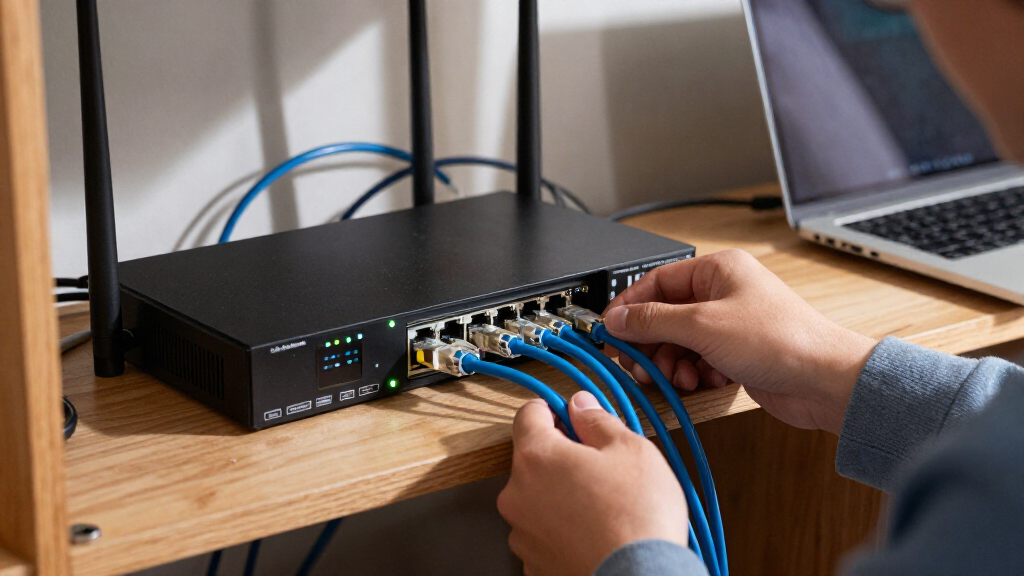
I ranked these switches by how well their port mix, speed, PoE support, and management model serve a clearly defined network need. I gave more weight to products that pair useful capacity with a management approach a buyer can realistically operate, rather than treating the largest port count or fastest interface as an automatic win. I also looked at whether a switch is better suited to access, aggregation, or a compact multi-gigabit network.
The order reflects practical fit and tradeoffs across the lineup: the ES210X-M2 earns the overall position for balancing multi-gigabit access and manageable scale, while the SX3008F ranks highly for a narrower but important 10G fiber role. Larger PoE models rank well for their capacity, but licensing, management compatibility, and product condition matter. Since cloud features differ by product and ecosystem, buyers should verify supported management features and any subscription requirements for their intended setup.
| cloud managed switch hardware | Management |
|---|---|
| Omada SX3008F 8-Port 10G SFP+ | — |
| TP-Link Omada ES210X-M2 8-Port | — |
| NETGEAR GS728TP 28-Port Gigabi | — |
| TP-Link SG2452LP 48-Port Gigab | Omada cloud management with zero-touch provisioning |
| Cisco Meraki MS120-48LP-HW 48- | — |
| NETGEAR MS110TX 8-Port Multi-G | NETGEAR Insight; Smart Lite CLI via SSH and Telnet |
| Cisco Meraki MS120-24P-HW 24-P | Meraki dashboard; separate license required for full functionality |
| HPE Networking Instant On 1930 | Mobile app or web interface |
| TP-Link TL-SG1428PE 28-Port Gi | Web-based easy smart management |
Factors to Consider When Choosing Best Cloud Managed Switch Hardware
Before choosing a switch, I would map the network’s growth, device power needs, and management workflow. A switch that fits the port count today can still create headaches if its uplinks, PoE capacity, or cloud controls do not match the rest of the network.
Match Port Speed to the Slowest Link That Matters
Start by identifying which devices or links actually need more than gigabit speed: servers, Wi-Fi access points, storage, and switch-to-switch connections are common candidates. A multi-gigabit copper switch can help when existing cabling and endpoints support faster rates, while a 10G SFP+ model is more appropriate for fiber uplinks or aggregation. Do not count a fast uplink as proof that every endpoint gets that speed. Check whether the switch has enough matching ports for the devices you plan to connect, and confirm transceiver and cabling compatibility before purchase. If most clients remain gigabit, spending on faster access ports may bring less benefit than improving uplinks or adding PoE capacity.
Estimate PoE Demand With Headroom
Count powered devices and record each device’s PoE standard and maximum draw, then compare the total with the switch’s available PoE budget. The port label alone does not tell you how many cameras, phones, or access points can run at once. Leave room for devices added later and for periods when equipment draws more power than its typical idle use. A common mistake is choosing a PoE model based only on the number of PoE ports. If the network powers equipment in several areas, also plan for cable length, power redundancy, and what should happen if the switch loses power.
Check What Cloud Management Really Includes
Cloud-managed can describe anything from remote visibility to centralized configuration and alerts, so verify the actual feature set rather than relying on the label. Check whether setup requires a controller, account, subscription, or an active internet connection for routine administration. Ask how the switch behaves if the cloud service is unavailable: local forwarding should be distinguished from remote configuration and monitoring. If your organization already uses Omada, Meraki, or Instant On, ecosystem fit may simplify administration, but mixing platforms can mean multiple dashboards and separate policies. For a small network, a simpler interface may be more useful than advanced controls no one will maintain.
Choose Port Count for Growth, Not Just the Current Rack
List every wired endpoint, then add likely near-term additions such as access points, cameras, printers, and uplinks. A 24- or 28-port switch can be easier to place in a smaller installation, while 48 ports reduce the need to add another switch in a dense network. Extra capacity only helps if the rack, ventilation, power, and cabling can support the hardware. Also consider whether a single large switch creates an unwanted single point of failure. For distributed offices or buildings, several smaller switches may make cable runs and fault isolation easier even if their combined port count is higher.
Separate Easy Smart Features From Full Network Control
Before buying, list the controls you actually need: VLANs, traffic prioritization, link aggregation, monitoring, or more advanced access policies. “Smart managed” and “fully managed” are not interchangeable labels, and the feature set can differ between models in the same family. Confirm each needed function in the manufacturer’s documentation and check whether it is available through the cloud interface or only through local administration. A low-complexity switch can be a sensible fit when the network needs basic segmentation and PoE, but it may become limiting as policy needs grow. Paying for deeper management is most useful when someone will configure and maintain those features.
Verify Licensing, Ownership, and Support Before Buying
Cloud-managed hardware can carry ongoing service requirements that change its long-term fit, particularly when the listing is used or renewed. Confirm whether the device can be claimed by your organization, whether a license is included, and what happens when a license expires. A device described as unclaimed or unlicensed may need extra steps before it can join your management account. Check warranty coverage, firmware support, and return terms as carefully as the hardware specification. These checks matter most when buying into a vendor platform, because a physically compatible switch may still be a poor fit if its management rights or support status are unclear.
Frequently Asked Questions
Do I need a cloud-managed switch if I only have one small office?
Not always. Cloud management can help if you need remote visibility, centralized settings, or oversight by someone who is not on site, but it may add account or subscription requirements. For a single small office with basic connectivity, a straightforward smart-managed switch may cover the need with less administration. Decide which remote tasks you expect to perform before paying for a cloud-focused model. Also check whether the switch can still be configured locally if your internet connection is down.
Should I choose 10G fiber or multi-gigabit copper?
Choose based on the devices and cabling at each end of the connection, not on the larger speed number alone. The SX3008F’s 10G SFP+ ports point to fiber uplinks and aggregation, while multi-gigabit copper models fit compatible endpoints using Ethernet cabling. Fiber can be a strong choice for longer runs or switch links, but it requires compatible modules and fiber infrastructure. Copper multi-gigabit access can be more direct when existing endpoints support it. Confirm supported link rates, cable requirements, and transceiver compatibility before committing.
Can I mix Omada, Meraki, and Instant On switches on one network?
Switches from different vendors can often forward network traffic together, but they do not become one unified cloud-managed system. You may need separate dashboards, accounts, firmware processes, and policy configuration for each platform. Features such as VLANs still need compatible settings across the switches and connected router or access points. A mixed setup can make sense when a specific model fills a clear gap, such as 10G fiber aggregation. For simpler operations, choosing one management ecosystem for the parts staff administer most often can reduce routine work.
What should I verify before buying the renewed Meraki MS120-24P?
Confirm that the switch can be claimed by your organization and that its licensing status supports the management features you need. The listing identifies it as renewed, unclaimed, and without a license, so do not assume it is ready to add to an existing Meraki dashboard. Ask the seller about device ownership status, included accessories, warranty, and return terms. Check current vendor requirements for activation and ongoing management before purchase. If those points remain unclear, a new or already-claimable alternative may carry less deployment risk.
How much PoE capacity should I plan for when adding access points and cameras?
Calculate the maximum power draw for every planned device and compare that total with the switch’s stated PoE budget, not just its number of powered ports. Allow headroom for future devices and higher draw during startup or demanding operation. Confirm the PoE standard each endpoint needs, since a port may not support every device’s power requirements. If the planned load is close to the switch limit, split devices across switches or choose a model with a larger budget. Recheck the calculation whenever cameras or access points are replaced with newer models.
Conclusion
For most buyers seeking a balance of speed and manageable scale, I recommend the TP-Link Omada ES210X-M2 as best overall. The best value depends on whether you need PoE and advanced controls: the TL-SG1428PE is a straightforward fit for basic PoE access, while buyers needing broader managed features should compare the Omada options. For a best premium or specialized pick, choose the SX3008F when 10G fiber aggregation is the priority, not as a general-purpose access switch. The HPE Instant On 1930 is a strong candidate for larger PoE installations, while the ES210X-M2 is also my pick for beginners who need a compact multi-gigabit setup and can use the Omada management approach. Choose the Meraki MS120-48LP-HW when its cloud ecosystem fits your organization; treat the renewed MS120-24P as a specific, conditional option only after confirming claimability and licensing. Match the switch to your endpoints, PoE load, and management plan, and the right choice should become clear.
Halloween Picks
halloween
As an affiliate, we earn on qualifying purchases.