
TL;DR

Get privacy and security gear delivered free with Prime
- Fast, free delivery on millions of items
- Prime Video, Amazon Music and more included
- Member-only deals all year
A hardware inventory should capture enough reliable information to identify each device, understand who is responsible for it, assess its capabilities and security status, and plan support or replacement. Start with a unique ID, device and model details, ownership, location, lifecycle status, core specifications, management and security state, and the source and date of verification. Add device-specific fields only when they help someone make a real decision.
A laptop can look fine on a desk and still be a mystery to your IT team: nobody knows who owns it, whether it is encrypted, or when its warranty ends. That is the gap a hardware inventory is meant to close. A list of model names and serial numbers starts the job; it rarely finishes it.
This guide walks through what to record, how to keep the details useful as devices change hands, and how to avoid collecting data that creates more risk than value. You will see why ownership, location, security state, support history, and record freshness matter alongside processor and storage details.
Think of the inventory as a map with a date stamped on it. A map helps you find the equipment; a reliable date helps you know whether the route still matches the ground.
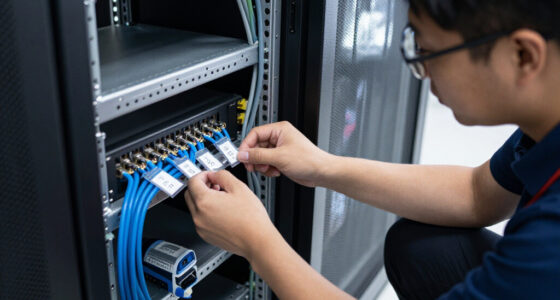
Assign each device a stable internal asset ID and link it to identifiers such as serial number, hostname, service tag, or IMEI where relevant.
Record responsibility, location, lifecycle status, and key dates so teams can handle handoffs, repairs, returns, and replacement planning.
Capture only technical specifications that support real compatibility, support, security, or budgeting decisions.
Refresh changing operating-system and security fields from authoritative systems, and record when and how each key detail was verified.
Keep secrets and unnecessary personal information out of the inventory; restrict access to sensitive identifiers and network details.
Start with details that identify the actual device
A hardware inventory should identify each physical device with a unique record and enough stable details to distinguish it from similar equipment. Capture an asset ID, device type, manufacturer, model, serial number, and hostname where one exists. A phone may also need its IMEI; a laptop might have a service tag. Together, these details make it possible to find the right machine when two identical silver laptops sit on the same shelf.
Give every record an internal ID that stays with the asset through renaming, reassignment, repair, or a move between offices. A hostname can change when a staff member joins or leaves, and a user can switch phones. The asset ID is the steady label on the drawer, while the other identifiers help you match the record to the device in front of you. This distinction matters when systems disagree: a management tool may know a hostname, while a purchase record knows a serial number. Linking both to one stable ID preserves the device’s history without treating changeable labels as identity.
For example, if a support ticket says “Maya’s laptop is overheating,” a record with only the name “ThinkPad” leaves room for confusion. A unique inventory ID, serial number, and current assigned user let the technician check repair history and warranty coverage without guessing. If a device is shared, record that it is shared and name the team responsible. That makes accountability clear without falsely implying that one person controls a device used by many.
Do not treat every number as equally safe to share. Serial numbers and hardware identifiers can help with support, but the full inventory may reveal more than a public equipment list should. Limit access to the people who need these fields, and keep secrets such as passwords and recovery keys out of the record entirely. The tradeoff is practical: broad access can make routine lookups easier, but exposing identifiers unnecessarily can make misuse easier too.
hardware inventory management software
As an affiliate, we earn on qualifying purchases.
As an affiliate, we earn on qualifying purchases.
Record who owns each device and where it is now
A hardware inventory should show who is responsible for each device, where it belongs, and what state it is in. Record the assigned person or team, department, business owner, and support contact, along with whether the device is company-owned, leased, or personally owned under a bring-your-own-device arrangement. Add its location and status: in use, in storage, under repair, lost, or retired. These fields turn a device record into an operational answer: responsibility points to the person or team who can arrange the next step, while location and status show which steps are realistic.
These fields answer practical questions quickly. When an employee leaves, the team can see which equipment needs to come back. When a remote worker reports a broken laptop, support can tell whether the machine is at home, at an office, or already at a repair shop. Dates for purchase, assignment, return, or status changes make the timeline clearer. They also help distinguish a genuinely missing device from a record that simply has not been updated since the last handoff.
Consider a tablet used by rotating staff at a clinic. Assigning it to one employee creates a false trail; assigning it to the clinic team and noting its storage location gives the next person a useful place to start. For a remote laptop, record the organizational location at the level your process needs, without collecting unnecessary details about someone’s private movements. More precise location can speed recovery or dispatch, but it also increases privacy exposure; choose the least detailed location that still supports the work.
Ownership needs a privacy boundary, especially for personal devices. Record only the information needed to confirm that a device is allowed, managed as agreed, and supported. A BYOD record might identify the user, device type, enrollment state, and support status without copying private photos, personal account details, or unrelated usage data. Keeping this boundary clear helps users understand what organizational support requires and prevents an asset process from quietly becoming broader personal monitoring.
- Owner: person, team, or department responsible.
- Location: office, storage area, remote assignment, or repair provider as appropriate.
- Status: in use, spare, repair, lost, returned, or retired.
- Dates: purchase, assignment, return, and relevant status changes.
As an affiliate, we earn on qualifying purchases.
Capture hardware specs that answer real support questions
A hardware inventory should capture the technical specifications that affect performance, compatibility, repairs, or replacement decisions. For a computer, that often means processor, memory, storage capacity and type, graphics hardware when relevant, and display details if they affect the work. A useful hardware inventory is more than a list of device names; it connects those specifications to decisions someone needs to make. Specs help interpret a symptom or requirement: a device can be identified perfectly yet remain hard to support if nobody knows whether it meets the software’s minimum needs.
That does not mean recording every tiny component. Ask what the team actually needs to know. If video editing workstations rely on graphics performance, graphics details matter. If a fleet of office laptops runs out of memory during ordinary work, RAM capacity becomes useful evidence for procurement. A serial number for an obscure internal part may add little unless the support team uses it for replacement. Each extra field has a cost: someone or some system must populate it, keep it accurate, and decide who can use it. A field earns that cost when it changes a support, compatibility, or spending decision.
Imagine a designer’s laptop slows down whenever she opens a large project. A record showing 8 GB of memory, a nearly full solid-state drive, and an older processor gives support a starting point. Those facts do not prove which component caused the slowdown, but they narrow the investigation and may show that the device is below the workload’s needs. Without the record, the team may spend time reinstalling software when the practical answer is a memory upgrade or replacement.
Keep a common baseline and add device-specific details where they pay for themselves. A server may need storage layout and network interfaces; a printer may need model, location, and supported connection type; specialized equipment may need the component details its vendor asks for during service. The goal is decision-ready detail, not an encyclopedia entry for every screw. A shared baseline makes comparisons across the fleet possible, while a small set of tailored fields avoids forcing irrelevant data onto unlike devices.
A short review can test each proposed field: “Would this help identify, support, secure, budget for, or replace the device?” If the answer stays no, leave it out. That restraint keeps the record easier to maintain and makes the details that remain easier to trust. Revisit the choice when software, work patterns, or vendor support changes; a field that once had no use may become important when the decisions around the device change.
As an affiliate, we earn on qualifying purchases.
Track operating systems, connectivity, and security state
A hardware inventory should connect the physical device to its current operating environment and security state. Record the operating system and version, firmware or BIOS version where relevant, management enrollment, and security checks such as encryption capability and state or secure boot status. These details help the team see whether a device can receive support and whether its protections are active. Hardware capability and current state are different: a device may support encryption while encryption is disabled, so recording only the capability can create false confidence.
Some fields change often. A handwritten note that a laptop runs a certain operating system can become stale after an update or reinstall. Refresh changing details from authoritative device-management sources when possible, then record when the data was last checked. That turns “we think it is current” into a fact someone can evaluate. A recent check-in can increase confidence, while an old one signals uncertainty that may affect whether the team treats the device as compliant or needs to contact its owner.
Connectivity fields can include Wi-Fi, Ethernet, or cellular capability when they help support or deployment. Network identifiers are sensitive operational data, though. Limit who can see them and avoid putting more detail in a general inventory than the team needs. For example, a support technician may need to know that a kiosk has Ethernet and cellular backup; they may not need every network identifier in a broadly shared spreadsheet. The right level depends on the task: capability helps plan a deployment, while precise identifiers should be available only when troubleshooting or control requires them.
Picture a laptop reported lost during a train commute. The inventory can tell responders which device is involved, who used it, whether it was enrolled in management, and whether encryption was recorded as active at the last check. That snapshot helps prioritize response, but its age matters: a last check from months ago cannot establish the device’s current state. It cannot replace an incident process, but it can reduce the first round of guesswork. Keep passwords, encryption recovery keys, and other secrets in approved protected systems, never in the inventory itself.
Security context makes a hardware record actionable. A model name alone cannot tell you whether a device is managed, encrypted, or still connected to the organization’s support process. Recording both the state and its verification date lets teams act with appropriate confidence instead of treating a stale status as a guarantee.
laptop security and inventory tools
As an affiliate, we earn on qualifying purchases.
As an affiliate, we earn on qualifying purchases.
Use lifecycle records to plan repairs and replacements
A hardware inventory should show where a device stands in its working life, from purchase or lease through repair, reassignment, and retirement. Capture warranty and support coverage, purchase or lease details, expected service life, replacement target, and repair history. These fields help the team plan support and costs before a device becomes a last-minute emergency. The dates are useful together: warranty end shows when repair costs may shift, while age and repair patterns help indicate whether extending coverage or replacing the device makes more sense.
For instance, a small business may discover that six laptops bought in the same year have warranties expiring within a month of one another. If the inventory records those dates, the IT lead can compare renewal costs with replacement plans and spread purchases across budgets. Without the dates, the first clue may be a repair invoice that arrives after coverage has ended. The inventory does not make the budget decision by itself; it gives the team enough lead time to compare the cost of keeping each device against the cost and disruption of replacing it.
Repair history also helps distinguish a one-off problem from a recurring one. If the same laptop has had three battery replacements or repeated screen repairs, that pattern may justify replacement even if the machine still turns on. Record the repair date, the work completed, and any useful outcome; skip lengthy notes that do not help the next technician or budget owner. A short, consistent history makes recurring faults visible across devices, while excessive free-text detail is harder to compare and may bury the evidence that matters.
Retirement deserves a clear status and date. A device marked retired should no longer look like an active machine in reports or incident searches. Teams can also note that return or disposal steps were completed according to their process, while keeping sensitive information and destruction evidence in the right controlled system. This distinction matters because “not assigned” does not necessarily mean “safely out of service”; a retired status should reflect a completed transition, not just an intention to remove the device.
A simple lifecycle view can be assembled from a handful of fields: acquisition date, warranty end, current status, repair events, and replacement target. Those dates create a runway. They give you time to repair, reassign, or budget instead of waiting for a fan to grind to a stop during a deadline. Treat the replacement target as a planning signal rather than a rigid expiration date, since condition, workload, support costs, and available budget can all change the right choice.
Keep records trustworthy as devices and teams change
A hardware inventory should show where each important fact came from, when someone or a system last verified it, and who or what updated the record. This provenance and freshness helps readers judge whether a field is current. A processor model may remain unchanged for years, while a user assignment or security enrollment can change in a day. Treating all fields as equally fresh makes the record look more certain than it is; a verification date lets people weigh stable facts differently from volatile ones.
For example, an automated device-management feed may report that a laptop checked in yesterday, while a spreadsheet says it belongs to someone who left six months ago. Those records conflict. A good process identifies which system owns each field, flags the mismatch, and gives a named team a way to resolve it rather than quietly picking one answer. That is important because choosing the wrong source can create operational consequences: a ticket may go to the wrong person, or a device may be overlooked during a return or security review.
Automation can reduce repetitive typing, especially for operating system versions, hardware specs, and enrollment state. It does not resolve every edge case: devices can be offline, duplicated, renamed, or returned without notice. Human checks still matter for physical location, ownership handoffs, shared equipment, and whether a retired device has actually left service. Automation improves consistency for facts a system can observe; it cannot guarantee that the device’s real-world circumstances match what the system last saw.
Use stable identifiers to match records across procurement, endpoint management, and service systems. If one system uses a serial number and another uses an asset ID, keep a verified mapping between them. For a laptop that was reimaged and renamed, that stable link keeps its repair history attached to the correct physical machine. Without it, duplicate records can split the history, making a device appear newer, less repaired, or less well protected than it really is.
Set a refresh rhythm based on how quickly fields change. A monthly review may be enough for warranty and location records in a small office; a device-management feed can refresh operating-system state more often. The practical test is simple: when someone opens a record, can they tell whether its key details are recent enough for the decision at hand? Faster refreshes improve confidence but may add workload or system complexity, so prioritize frequent updates for fields whose staleness could change a support or security decision.
Build a compact inventory that helps people act
A useful hardware inventory captures the smallest reliable set of facts that lets people identify, support, secure, and manage each device. Start with a shared baseline, then add fields for device types that need them. A laptop and a network printer have different support questions, so forcing them into identical detail can create clutter without improving decisions. A compact record is easier to keep current, but too little detail pushes people back into guesswork; the right baseline covers the decisions the team actually makes.
Here is a practical sequence for setting up or improving a record. A two-person team could follow it with a spreadsheet; a larger organization might connect the same fields to asset, procurement, and device-management systems. The format matters less than having clear ownership, consistent identifiers, and a way to correct stale data. Connecting systems can reduce duplicate entry, though it also makes field ownership and conflict handling more important because an incorrect value may spread automatically.
- Choose a stable ID and map it to serial numbers or other device identifiers.
- Record responsibility and status, including owner or team, location, and whether the device is active, spare, under repair, or retired.
- Add useful specifications such as processor, memory, storage, and device-specific components that affect support.
- Connect security and lifecycle facts, including management status, relevant protection checks, warranty, and repair history.
- Mark data freshness with a last-verified date and a field source, then assign someone to resolve conflicts.
Suppose your team has 40 mixed devices and no asset system. A spreadsheet can be sufficient if each row has a stable identifier, an owner, a current status, and a review process. As the fleet grows or teams need frequent updates, integrations may save time, but they still need a data owner and a process for duplicate or conflicting records. The choice is a balance between setup and maintenance: a simple sheet is easy to start, while integrations become valuable when repeated updates consume more time than their upkeep.
Review the fields after real work. If support repeatedly asks for a missing detail, consider adding it. If a column stays blank or never influences a decision, remove it. The best inventory feels less like paperwork and more like a well-labeled tool drawer: when you need something, you can find the right piece quickly. Revisiting the design keeps the record aligned with actual decisions as the fleet and team needs change.
Frequently Asked Questions
What information is essential for a basic hardware inventory?
Start with a stable asset ID, device type, manufacturer and model, serial number, assigned person or team, location, and current status. Add purchase or assignment dates and the last-verified date so readers can judge whether the record is current. For a laptop, core specifications and management or security state usually help with support too.
Should we record every component in each device?
No. Record components that affect compatibility, performance, repair, security, or replacement decisions. A graphics card may matter for a design workstation, while a printer inventory may get more value from its location, model, and connection details.
How often should device inventory records be updated?
Update records whenever ownership, location, status, repair, or lifecycle dates change. Refresh fast-changing operating-system and management fields from device-management systems as often as those systems report them, and set a regular review for fields that do not update automatically. The right rhythm depends on how often your devices move and how quickly teams need current information.
Should personally owned devices appear in the inventory?
Include them when your organization supports or manages them under a BYOD policy, but keep the record limited to what the policy and support process require. Device type, user, enrollment state, and support status may be enough. Do not collect unrelated personal content or account information.
Can a spreadsheet work for a small organization?
Yes, if someone owns the process and the spreadsheet uses stable identifiers, consistent fields, access limits, and a way to correct stale or duplicate records. A spreadsheet with no review process can become unreliable even when it starts tidy. As the device count and update workload grow, integrations may reduce manual work, but they still need clear data ownership.
Which fields help during a security incident?
A unique device identity, assigned user or team, current status, management enrollment, relevant protection state, and last-verified date help responders identify and prioritize the asset. Keep sensitive network identifiers restricted and store recovery keys or passwords only in approved secure systems. An inventory gives incident responders context; it does not replace the organization’s incident process.
Conclusion
Build an inventory that answers four questions without a scavenger hunt: What is this device, who is responsible, what condition is it in, and how current is the record? Start with those answers, then add only the details that help someone support, secure, or plan for the hardware.
A well-kept inventory is a set of clear labels in a busy workshop. When the lights flicker and a device needs attention, you can reach for the right record instead of guessing.
Fall Picks
fall essentials
As an affiliate, we earn on qualifying purchases.