
TL;DR

Get privacy and security gear delivered free — and shop member deals
- Fast, free delivery on millions of items
- Access to Prime Big Deal Days deals on October 6–7
- Prime Video, Amazon Music and more included
Multi-factor authentication (MFA) asks you to prove your identity in more than one way, such as with a password and a device. The strength depends on the method: a FIDO2 security key or passkey can resist phishing, while text-message codes offer useful protection but can be exposed to phone-number attacks. Turn on the strongest method your account supports, save recovery options securely, and keep a backup.
A stolen password does not have to open the door to your account. Multi-factor authentication (MFA) asks for another proof of identity, such as a code from your phone or a tap on a security key, so a password alone may not be enough.
But MFA methods do not all hold the door equally well. A text code, an authenticator app, a passkey, and a hardware key each work differently, and some can be tricked by a convincing fake sign-in page. This guide explains what the factors mean, why some methods resist phishing better, and how you can pick a setup you can actually keep using.
You will also see where MFA has limits and how to plan for a lost phone. Think of it like adding a second lock: the lock helps, but its design and the spare key you keep nearby matter too.
MFA combines different kinds of proof; two passwords do not count as two factors.
Passkeys and FIDO2 security keys can tie a sign-in to the genuine website and resist common phishing pages.
Authenticator apps avoid phone-number delivery risks, while their codes can still be phished in real time.
SMS MFA is generally more protective than a password alone, even though it is a weaker option than phishing-resistant methods.
Register a backup method and store recovery codes securely before losing your phone or key.
Account security / Field guide
MFA Explained and Why Some MFA Is Stronger Than Others
Multi-factor authentication adds another proof of identity, so a stolen password may not be enough to open your account. The protection depends on how that proof works—and whether you can recover access if a device goes missing.
Two different proofs make the difference
MFA combines evidence from separate categories. Two passwords are still one factor type: something you know.
Password or PIN
A secret you remember. If it is stolen or reused, an attacker may try it on other accounts.
Phone or security key
A device receives or creates proof. A physical key or passkey can bind sign-in to the real site.
Fingerprint or face
A biometric may unlock a credential on your device. The service often receives approval or cryptographic proof, not an image of your fingerprint.
The second lock matters
If a reused password leaks from one site, MFA can stop that password alone from opening your email or other accounts. Protect email and your password manager especially carefully: they can help unlock many more accounts.
Methods differ in how they can be intercepted
Compare how the proof reaches you, whether a fake site can relay it, and what happens if you lose the device.
| Method | What you do | Practical strength and tradeoff | Phishing resistance |
|---|---|---|---|
| SMS code | Read a text and enter its code | Widely available and better than password alone; phone-number fraud and real-time phishing can expose codes. | |
| Authenticator app | Enter a changing code from an app | Avoids SMS delivery risks, though a fresh code can still be phished and used quickly. | |
| Passkey / FIDO2 key | Approve with a device, biometric, or physical key | Designed to bind sign-in to the genuine site; recovery and backup devices still matter. | |
| Push approval | Approve a prompt on your device | Convenient, but repeated unexpected prompts can pressure you into tapping yes. |
No MFA method is foolproof. SMS is still a useful barrier when stronger options are unavailable; turn on the strongest method you can reliably use.
Why passkeys and security keys resist phishing
They use public-key cryptography, so the service checks a proof without asking you to type a reusable secret into a page.
The credential is tied to the website it was registered for. A lookalike page cannot request the matching proof.
A passkey or FIDO2 key can approve securely without handing a one-time code to a convincing impostor.
Register a backup key or device. Protect the cloud account that syncs passkeys and keep recovery codes private.
Build a setup you can recover
Start with accounts that could unlock other accounts, then set up and test a backup while everything is working.
Start with critical accounts
Prioritize email, your password manager, banking, and accounts with broad access.
Pick the strongest method
Use a passkey or FIDO2 key if available; otherwise consider an authenticator app. SMS still helps when it is the only option.
Save a second route
Register a spare device or key. Store recovery codes somewhere private and separate from the device they recover.
Test recovery calmly
Confirm you can sign in with your backup and that your recovery email and phone number still belong to you.
MFA gives a password a second lock
MFA is a sign-in process that asks you to prove your identity with at least two different kinds of evidence. You might enter a password, then confirm a prompt on a phone. If someone steals only your password, that second check can stop them from signing in.
The factors usually fall into three groups: something you know, such as a password or PIN; something you have, such as a phone or security key; and something you are, such as a fingerprint or face scan. Two passwords still count as one type of factor, because both are things you know. MFA means combining different categories.
For example, imagine you reuse a password on a shopping site and that site suffers a data breach. A stranger tries the same password on your email account. With MFA enabled, the password may get them to the next screen, but they still need your second proof. That extra hurdle matters because your email inbox often holds password reset links for many other accounts.
A fingerprint does not always mean the service stores your fingerprint as a reusable secret. On many phones, the biometric check unlocks a credential kept on that device. The service receives an approval or cryptographic proof, rather than a picture of your finger. The details depend on the device and service, so check their account security information when privacy matters to you.
As an affiliate, we earn on qualifying purchases.
The sign-in method matters more than the number of prompts
MFA explained in practice means looking at how the second proof reaches you and whether a fake site can reuse it. A second prompt can raise the effort required to take over an account, but a method that hands a reusable code to a convincing impostor may still leave a gap.
A text message code is familiar and better than relying on a password alone. Yet your phone number can sometimes be moved to another SIM through fraud, and a code can be relayed if you type it into a fake login page. Email codes face a related problem: if someone already controls your email, they may be able to receive the code too.
An authenticator app generates short-lived codes on your device, so a phone-number transfer alone does not deliver them. Still, if a scammer persuades you to enter a code into a fake page while it is fresh, that person may use it immediately. Push approvals have a similar human factor: a flurry of unexpected prompts can wear you down until you tap yes.
| Method | What you do | Practical strength and tradeoff |
|---|---|---|
| SMS code | Read a text and enter its code | Widely available; phone-number fraud and real-time phishing can expose codes |
| Authenticator app | Enter a changing code from an app | Avoids SMS delivery; a code can still be phished while it is valid |
| Passkey or FIDO2 key | Approve with a device, biometric, or physical key | Designed to bind sign-in to the real site; needs a recovery plan |
So when you compare methods, count more than steps. Ask whether the proof is tied to the real website, whether an unexpected request can trick you into sharing it, and what happens if you lose the device.
multi-factor authentication hardware key
As an affiliate, we earn on qualifying purchases.
As an affiliate, we earn on qualifying purchases.
Passkeys and security keys can spot a fake sign-in page
Passkeys and FIDO2 security keys are among the strongest everyday sign-in options because they can bind a login to the real website. A passkey lives on a device or syncs through a supported account system; a security key is a small physical device you tap or connect. Both use public-key cryptography: the service checks a proof without asking you to type a reusable secret into a page.
That website check is the important part. Suppose you get a message about a parcel, click a link, and land on a page that looks exactly like your bank. A password and one-time code could be copied from that page and used quickly. A passkey is designed to recognize that the address is not your bank’s real site, so it will not provide the matching proof there.
FIDO2 and WebAuthn are standards behind many of these sign-ins. They can make phishing much harder, but the overall account still depends on recovery settings and devices. If a passkey syncs through your cloud account, protect that account carefully; if you use a single hardware key and lose it, you need a registered backup or another recovery route.
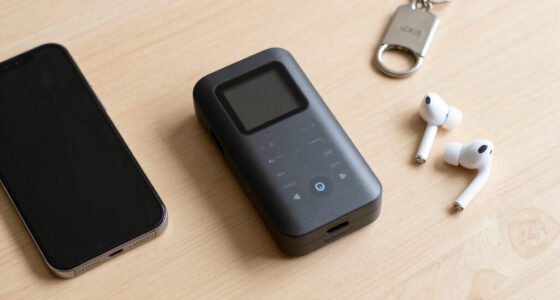
For everyday use, you might keep a passkey on your phone and register a second security key in a safe place. A key on your key ring can be handy at a laptop, while a spare stored at home protects against a lost bag. The best setup is strong and recoverable, not merely impressive on paper.
As an affiliate, we earn on qualifying purchases.
Turn on stronger MFA with a backup plan
You can improve account security in a few deliberate steps: choose the best available method, register a backup, and test recovery before an emergency. The setup usually takes only a few minutes, though menus vary between services. Start with your email, password manager, banking, and other accounts that could unlock more accounts.
- Open the account’s security settings. Look for “passkeys,” “security keys,” or “two-step verification.” Use the service’s own app or type its address yourself instead of following a sign-in link in an unexpected message.
- Choose the strongest method you can maintain. If the service supports passkeys or a FIDO2 key, consider registering one. If not, an authenticator app is often a sensible step up from SMS; SMS still adds a useful barrier when it is the only option.
- Add a second route before you need it. Register a spare key or another trusted device if the service allows it. Store recovery codes somewhere private and separate from the device they recover.
- Test your plan calmly. Sign out on a device where that is safe, then confirm you can get back in with your chosen method. Check that your recovery email and phone number still belong to you.
For instance, if your only authenticator is on a phone that breaks during a trip, a saved recovery code may be the difference between a short inconvenience and a locked account. Do not leave a recovery code in a screenshot that syncs to an unprotected photo account. A password manager or sealed paper copy kept in a private place may fit your needs better.
More prompts do not always make an account safer. If a service sends approval requests, deny any you did not start, and review the account’s active devices. MFA should help you pause at the right moment, not train you to tap through alerts.
As an affiliate, we earn on qualifying purchases.
MFA cuts risk, but it cannot fix every weak spot
MFA reduces the chance that a stolen password alone will expose your account, but it does not make every sign-in attack impossible. A scammer may try to trick you into approving a prompt, exploit a weak account recovery process, or take control of a device that is already signed in. Protection depends on the method, the service, and your choices when a request appears.
Security claims need context. A widely repeated industry claim says MFA can block more than 99% of automated attacks, but the figure describes a particular kind of attack and should not be read as a guarantee against targeted scams or account recovery abuse. The research and product details behind such numbers vary, so treat a percentage as evidence that MFA helps, not a promise that nothing can go wrong.
Consider a worker who receives a call from someone pretending to be IT support. The caller says a login alert is a mistake and asks the worker to read out the code that just arrived. The code may be valid, but sharing it gives away the second proof. A calm rule helps: never approve a sign-in you did not start, and do not read a code to someone who contacted you.
MFA also works best alongside a unique password, software updates, and a careful recovery setup. It is like a seat belt: a major safety measure that reduces harm, while safe driving and a sound car still matter. If a service offers only SMS, enabling it is usually more protective than leaving the account password-only; upgrade the method later if stronger choices appear.
Use the strongest option your important accounts support
For your most important accounts, prefer phishing-resistant sign-in such as a passkey or security key, then use an authenticator app or SMS when stronger options are unavailable. Your email and password manager deserve particular care because they can help reset many other accounts. Work accounts may have different rules set by your organization, so follow its approved sign-in process.
Picture a simple ladder rather than a pass-or-fail test. At the top are passkeys and hardware security keys that tie proof to a genuine site. Authenticator apps sit below: useful and independent of your phone number, though their codes can be relayed. SMS is a practical fallback that blocks many password-only attempts, but it is more exposed to phone-number attacks and phishing.
Use the ladder as a guide, not a reason to delay protection. If your bank only offers text codes, turn them on and secure the mobile account tied to your number. If your email provider supports passkeys, add one and keep a recovery option. A small, completed improvement today can protect more than a perfect plan you never finish.
- Protect email first: it often receives password resets and account alerts.
- Use unique passwords: a password manager can help you avoid repeating one across sites.
- Review recovery details: remove old phone numbers and email addresses you no longer control.
- Keep a backup: register a spare method or store recovery codes securely.
Why some MFA methods offer stronger protection comes down to how hard they are to steal, relay, or reuse. Choose a method that resists fake websites, keep a safe way back into the account, and treat every unexpected approval request as a reason to stop and check.
Frequently Asked Questions
Is MFA the same as two-factor authentication?
Two-factor authentication, or 2FA, uses exactly two different factor types. MFA is the broader term: it means two or more factors, so every 2FA setup is MFA, but an MFA setup can use more than two.
Which MFA method is strongest for everyday use?
A passkey or FIDO2 security key is a strong choice when your service supports it, because it can bind the sign-in to the genuine website. Keep a backup device, key, or recovery code so losing one device does not lock you out.
Is an authenticator app safer than SMS?
An authenticator app avoids sending codes through your phone number, which helps against some SIM-related risks. Its codes can still be captured through a convincing phishing flow, so use a passkey or security key where practical.
Should I use SMS MFA if that is all a service offers?
Yes, SMS codes can add a useful barrier compared with using only a password. Protect the phone account tied to your number, never share a code with someone who contacts you, and switch to a stronger supported method if one becomes available.
What should I do if I lose the phone with my MFA app?
Use the service’s official recovery process and any backup method or recovery codes you prepared. After regaining access, remove the lost device from the account, review recent sign-ins, and register a replacement method.
Can MFA be bypassed?
Some attacks target people or account recovery rather than the MFA technology itself. A scammer may persuade you to approve a prompt or share a code, so deny requests you did not start and contact the service through its official app or website if you are unsure.
Conclusion
Turn on MFA for your email and other important accounts, then choose a passkey or security key where you can. If the service offers only an app or text code, use that protection and keep a recovery route ready.
When an approval request arrives out of the blue, let it sit unanswered. Your account’s second lock works best when you are the one holding the key.
Fall Picks
fall essentials
As an affiliate, we earn on qualifying purchases.