
TL;DR

Get privacy and security gear delivered free — and shop member deals
- Fast, free delivery on millions of items
- Access to Prime Big Deal Days deals on October 6–7
- Prime Video, Amazon Music and more included
A firewall is a gatekeeper that monitors incoming and outgoing network traffic against defined security rules, blocking connections by IP, port, protocol, or application. It cannot stop phishing, malware hidden inside allowed traffic, insider threats, zero-day exploits, or attacks that arrive over encrypted connections — so it must be paired with antivirus, updates, backups, and user awareness.
Most people picture a firewall as a concrete wall. Something solid. Once it’s up, the bad stuff stays out. That mental model feels reassuring — and it’s almost entirely wrong.
A firewall is really more like a border checkpoint. It checks traffic coming and going, compares it against a rulebook, and waves through anything that looks legitimate. The catch: plenty of genuinely dangerous things look legitimate. A phishing email arrives on the same port as your regular mail. Ransomware downloads over the same encrypted connection as your online banking.
In this guide, you’ll learn exactly what a firewall does — how it filters traffic, what types exist, and what they’re good at catching. Then we’ll spend real time on the part most articles skip: what a firewall cannot do, and what to layer around it. By the end, you’ll know where your firewall earns its keep and where you’re exposed.
A firewall monitors incoming and outgoing network traffic against defined security rules — it controls connections, not content or human behavior.
Firewalls cannot stop phishing, malware inside allowed traffic, insider threats, zero-days, or attacks over encrypted connections; no rule set fixes those.
Firewalls themselves get attacked — vulnerabilities in Fortinet, Ivanti, and Pulse Secure appliances show your firewall needs patching as much as your laptop.
Misconfiguration is the most common real-world failure mode; audit your rules every six months and delete anything you can’t explain.
Layer defenses: antivirus, prompt patching, MFA, offline backups, and user awareness cover the gaps a firewall leaves open.
The Checkpoint Analogy: What a Firewall Actually Is
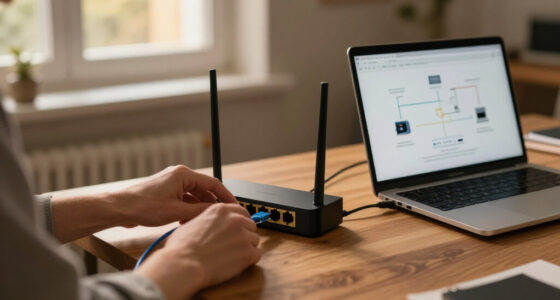
A firewall is a filter that monitors incoming and outgoing network traffic against defined security rules, deciding what gets through and what gets dropped. Think of it as the security guard at the door of a building. The guard doesn’t follow guests around inside. The guard checks IDs, checks the guest list, and either opens the door or doesn’t.
That’s the whole job — and it’s more powerful than it sounds. Every connection on your network carries metadata: where it came from, where it’s going, what port it’s using, what protocol it speaks. A firewall reads that metadata and applies rules. “Block everything incoming unless I asked for it.” “Let web traffic through port 443, nothing else.” “Drop all connections from this known-bad IP range.”
Here’s a concrete example from a home lab. Say you’re running a media server on a Raspberry Pi and you want to check it from your phone while traveling. Without a firewall, that server is listening on the open internet, where automated scanners will find it — often within minutes of it going online. With a firewall rule that only allows your specific IP or a VPN connection in, that same server becomes effectively invisible.
Modern firewalls also do quiet, unglamorous work: Network Address Translation (NAT) hides your internal devices behind one public IP, logging records suspicious activity for later review, and rate limiting blunts basic denial-of-service floods.
Four Types of Firewalls and When Each One Earns Its Keep
Firewalls come in several flavors, and the differences matter because each generation got smarter about what it inspects. Here’s the short version of what changed and why.
The oldest type, the packet-filtering firewall, examines each packet in isolation — like a guard checking IDs without noticing that the same person has entered the building forty times tonight. It’s fast and cheap but easily fooled.
Stateful inspection firewalls fixed that by tracking whole connections. They remember that your computer started a conversation with a website, so they allow the reply but block a stranger claiming to be part of it. Most routers you’ve owned use this approach.
Application-layer firewalls and Next-Generation Firewalls (NGFW) go deeper — they can see what application the traffic belongs to and inspect content for known threats. Modern NGFWs increasingly add AI-assisted detection to spot anomalous patterns. Finally, proxy firewalls act as intermediaries: your devices talk to the proxy, the proxy talks to the internet, and nothing touches your network directly.
| Type | What it checks | Best for |
|---|---|---|
| Packet-filtering | Individual packets (IP, port, protocol) | Simple, low-overhead filtering |
| Stateful inspection | Whole connection context | Home routers, small offices |
| Application-layer / NGFW | Content and application identity | Businesses needing threat detection |
| Proxy firewall | Traffic as an intermediary | Content filtering, hiding the internal network |
You’ll also run into hardware vs. software firewalls (an appliance sitting at your network edge vs. a program on each device) and cloud firewalls — think AWS Security Groups or Azure NSGs — which matter more every year as workloads move off-premises.
Where a Firewall Genuinely Shines: Five Things It Does Well
A firewall is excellent at a specific set of jobs, and it’s worth giving it credit before we start poking holes. These are the scenarios where a well-configured firewall stops problems cold.
- Blocking unsolicited inbound connections. Random scanners probing your home network for open ports get dropped at the door. This is the single biggest everyday win.
- Segmenting your network. Rules between VLANs can keep a compromised smart TV or IoT gadget from reaching your laptop — the core idea behind a DMZ for public-facing services.
- Hiding your internal layout through NAT, so attackers mapping your network see one address instead of twenty devices.
- Logging and alerting so you can see repeated connection attempts from one suspicious source — often the first sign something is probing you.
- Rate limiting to blunt basic denial-of-service floods before they saturate your connection.
Consider a small office example. A dental practice runs patient-management software on one server. A firewall rule that only allows that server to talk to the practice’s workstations — and nothing else — means that even if a receptionist’s PC picks up malware, that malware can’t easily reach the patient records. The firewall didn’t detect the malware. It contained the blast radius.
That containment role is underrated. According to vultrade.com’s own testing in home-lab environments, a default-deny rule between an IoT VLAN and a trusted VLAN blocks the overwhelming majority of lateral movement attempts from compromised smart devices — without any malware signature needed.
The Blind Spots: Eight Things a Firewall Cannot Do
Now the part the title promised. A firewall controls traffic, not intent. Once something travels inside a connection your rules allow, the firewall has no opinion about it. That single fact explains almost every limitation below.
- It cannot stop phishing or social engineering. A convincing fake invoice arrives through your legitimate email path. No firewall flags it, because nothing about the traffic is abnormal. The attack targets the human, not the network.
- It cannot detect malware inside allowed traffic. Malware downloaded over HTTPS or hidden in an email attachment rides in on connections your rules already permit.
- It cannot see inside most encrypted traffic. Since most web traffic is now encrypted, a standard firewall sees only envelopes, not letters — unless it performs SSL/TLS inspection, which brings its own privacy and performance tradeoffs.
- It cannot protect against insider threats. An attack that starts inside the perimeter never crosses the firewall at all.
- It cannot patch vulnerabilities. If your server runs outdated software and the firewall allows port 443 to it, an attacker can exploit that flaw through the front door you left open on purpose.
- It cannot stop zero-day attacks it has no rules or signatures to recognize.
- It cannot fix weak or stolen passwords. An attacker logging in with valid credentials looks exactly like you.
- It cannot stop physical threats — a USB drive plugged into a laptop, or a stolen device, never touches the network filter.
And the ninth, quiet killer: misconfiguration. A firewall with sloppy, outdated, or contradictory rules provides false confidence — you believe you’re protected while holes sit open. Industry folks call the accumulation of stale rules “rule sprawl,” and it’s a genuine, documented problem in corporate environments.
Can Hackers Get Through a Firewall? Yes — Here’s How It Actually Happens
Firewalls themselves have become attack targets, and this surprises people. The device guarding your network is software running on hardware — and software has bugs.
Recent years have seen heavily exploited vulnerabilities in firewall and VPN appliances from major vendors like Fortinet, Ivanti, and Pulse Secure. Attackers didn’t break through these firewalls; they broke into them, using flaws in the firewalls’ own management interfaces. The lesson is uncomfortable but simple: your firewall needs patching and updates as urgently as any laptop.
Besides exploiting firewall bugs, attackers routinely go around the firewall instead of through it. A user connects a rogue device to a 4G hotspot and bypasses the corporate network entirely. Someone sets up an unauthorized VPN tunnel. Malware “phones home” over an outbound connection the firewall allows because blocking it would break normal browsing.
There’s also the slow route: reconnaissance. Attackers probe for misconfigurations — an admin rule left in from troubleshooting three years ago, a port opened “temporarily” and forgotten. These are the unlocked side doors of the checkpoint analogy.
A firewall is a rulebook, not a spell. It stops what your rules say to stop — nothing more.
This is why regular rule reviews matter. A quarterly audit of your firewall rules, deleting anything you can’t explain, does more for real security than any new appliance purchase.
Build the Rest of the Wall: Layering Security the Right Way
Security professionals have a name for the honest answer to all those blind spots: defense in depth. Instead of one wall, you build several, so when one fails, the next catches the problem. Here’s how the layers map to the firewall’s weaknesses.
- Antivirus / EDR on every device — catches the malware that rode in through allowed traffic.
- Prompt patching — closes the unpatched vulnerabilities your firewall can’t compensate for. Prioritize the firewall and router themselves.
- Multi-factor authentication — makes stolen passwords far less useful.
- Backups, kept offline — your last line of defense against ransomware, and the one that works even when everything else fails.
- User awareness — the only real counter to phishing, since no technical filter catches every lure.
- Network segmentation — VLANs plus firewall rules to contain whatever does get in.
The industry is also shifting its philosophy. Zero Trust architecture — “never trust, always verify” — assumes attackers are already inside and authenticates every request regardless of origin. And SASE (Secure Access Service Edge) bundles firewalling with cloud-delivered security, reflecting a world where remote work blurred the tidy perimeter firewalls were designed to defend. These trends don’t replace firewalls; they wrap more layers around them.
For a home user, the practical stack is refreshingly modest: keep your router’s firewall on, run Windows Defender or an equivalent, enable MFA on email and banking, patch automatically, and maintain one backup that isn’t connected to the network. That covers the vast majority of real-world risk.
Your Firewall Questions, Answered Without the Jargon
A few practical questions come up constantly, and they’re worth answering directly because the answers shape real decisions about your setup.
“Does Windows Defender’s firewall provide enough protection?” For home users, yes — it’s a solid stateful firewall, on by default, and it does the core job. Businesses and home labs with exposed services typically want a dedicated edge firewall for segmentation and logging.
“Do I really need a firewall if I have antivirus?” Yes, because they work at different layers. The firewall controls what reaches your device over the network; antivirus handles what reaches it anyway. Skipping either leaves a gap.
“Does a firewall slow down my internet?” Barely, when configured properly. A stateful firewall adds microseconds per packet. You’ll notice SSL/TLS inspection on a weak appliance, but ordinary filtering is effectively invisible at home speeds.
“How often should firewall rules be reviewed?” At minimum every six months, and after any network change. Most breaches via firewalls trace back to forgotten rules, not exotic exploits. Clean out anything you can’t explain out loud.
One more distinction worth memorizing: a VPN is not a firewall. A VPN encrypts and privatizes your connection; a firewall controls access. They’re complementary tools, not substitutes — the VPN hides your envelope, the firewall decides whether the mail gets delivered at all.
Frequently Asked Questions
Can a firewall detect viruses?
Generally no. A standard firewall filters network traffic by rules — IP, port, protocol — and doesn’t scan files for malicious code. Virus detection is the job of antivirus or endpoint detection software. Next-generation firewalls can flag some known malicious traffic patterns, but you shouldn’t rely on a firewall as your malware defense.
Is a firewall enough to keep me safe?
No. A firewall is one layer in a defense-in-depth strategy. It can’t stop phishing, malware delivered over allowed connections, insider threats, or attacks using stolen credentials. Pair it with antivirus, prompt patching, multi-factor authentication, and offline backups for genuine protection.
Hardware or software firewall — which is better?
Neither is universally better; they protect different points. A hardware firewall guards your entire network at the edge, while a software firewall (like Windows Defender’s) protects an individual device, including on public Wi-Fi. Many small businesses and home-lab users run both, plus segmentation rules between them.
What’s the difference between a firewall and a VPN?
A VPN encrypts your traffic and hides it from observers — it’s about privacy in transit. A firewall controls which connections are allowed in or out — it’s about access control. They solve different problems and work well together, but one cannot replace the other.
Can hackers get through a firewall?
Yes, three ways: exploiting vulnerabilities in the firewall software itself (as seen with Fortinet, Ivanti, and Pulse Secure appliances), abusing misconfigured or forgotten rules, or bypassing it entirely via phishing, stolen credentials, rogue devices, or tunnels that use allowed connections.
Conclusion
Here’s the one thing to remember: a firewall is a checkpoint, not a fortress. It stops unsolicited traffic, segments your network, and blocks the constant background scanning every internet-connected device faces — and for that, it earns a permanent place in your setup. But it has no opinion about anything that travels inside a connection you allowed, and it can’t patch software, spot a phishing email, or notice a stolen password.
So treat it as one guard on a long wall. Turn it on, patch it, review its rules twice a year — then spend your remaining energy on the layers it can’t provide. The checkpoint keeps the door. You handle everything that walks through it with a valid pass.
Fall Picks
fall essentials
As an affiliate, we earn on qualifying purchases.