
TL;DR

Get privacy and security gear delivered free with Prime
- Fast, free delivery on millions of items
- Prime Video, Amazon Music and more included
- Member-only deals all year
A secure guest Wi-Fi policy should put visitors on a separate network, restrict access to business systems and other guests, and use credentials that staff can expire. It should also explain acceptable use, limit personal data collection, define logging and incident response, and assign someone to review the network and policy.
A visitor joins your Wi-Fi to check a train time, and a moment later your printer, staff laptop, and business files are all on the same network as their phone. That is the gap a guest Wi-Fi policy needs to close. A password can keep some people out, but it cannot, by itself, separate visitors from the systems your organization relies on.
This guide explains what a secure Wi-Fi policy should cover: network separation, visitor access, acceptable use, privacy, monitoring, and staff responsibilities. You’ll see how each rule connects to a practical safeguard, whether you run a small office, a clinic, a workshop, or a busy event space. The aim is a guest connection that feels simple to use while keeping business systems behind a firmly closed door.
Put guests on a separate network and use firewall rules to block internal systems and administrative interfaces.
Prefer credentials that expire or can be tied to a specific visitor, event, or contractor sponsor.
Show acceptable-use terms before access, and set session or bandwidth limits that fit how the network is used.
Collect personal information only for a clear purpose, then explain access, protection, and deletion.
Name who manages credentials, updates equipment, reviews alerts, and checks that policy and network settings still match.
Network Security · Practical Policy Guide
What a Secure Guest Wi-Fi Policy Should Include
A visitor joins to check a train time. A moment later, their phone may share a network with your printer, staff laptop, and business files. A secure policy closes that gap with clear rules, technical safeguards, and named ownership.
01 / The essential safeguards
Build the policy around what guests can reach
A strong guest Wi-Fi policy connects each security goal to a practical control. Spell out the expected behavior for visitors and the work staff must carry out.
Separate and restrict
Use a separate network or VLAN. Firewall rules should block internal files, staff devices, printers, and administrative interfaces. Isolate guest devices from one another where possible.
Issue access that expires
Set who may connect, how credentials are issued, and when they stop working. Prefer temporary or individual credentials over an unchanged shared password.
Secure the equipment
Use current supported Wi-Fi security and encryption. Update access points and network software, disable insecure legacy options, and change default admin credentials.
Set clear limits
Define eligible users, purpose, session length, device counts, and bandwidth limits to fit the setting. Explain how guests can request help or an exception.
Make expectations visible
Show acceptable-use terms before access. Prohibit unlawful activity, harassment, unauthorized access attempts, and activity that disrupts service.
Collect only what you need
Explain why portal data is collected, who can access it, how it is protected, and when it is deleted. Set retention limits and follow applicable privacy rules.
02 / Admission is not isolation
Make the technical boundary real
A captive portal can display terms and manage sign-in. It does not secure network paths by itself. The guest network needs restrictive rules that match the policy, and staff should verify that isolation still works after changes.
Write down what guests can and cannot reach
- Allow access to the internet and only the services guests need.
- Block internal file shares, staff computers, printers, and admin interfaces.
- Prevent guest devices from connecting directly to one another where supported.
- Assign an owner to test isolation after network changes and record the check.
Think of guest Wi-Fi as a public footpath beside a locked workshop. Visitors can pass through; they cannot wander into the work area.
03 / Access, use & privacy
Keep the guest experience simple and bounded
Choose controls for the real setting, whether it is a small office, clinic, workshop, or busy event space. Set limits that protect security and capacity without making ordinary visitor tasks frustrating.
Make access manageable
A meeting code can expire at the end of the day. Contractor access can be tied to a named staff sponsor and review date. Define when shared credentials must be rotated.
Explain limits before sign-in
Set session, device, and bandwidth limits where they address real needs. Explain restrictions and name who can approve an exception so staff respond consistently.
Keep collection purposeful
Decide what activity is logged, why it is needed, who may see it, how alerts are handled, and when records are deleted. More data also means more privacy responsibility.
Aim for temporary or individual access, with an expiry or review date.
04 / Turn rules into routine
Give staff a simple plan for problems and reviews
A useful policy names the people responsible for access, maintenance, monitoring, and response. Make the steps clear enough that staff know what to do during an ordinary request or a suspected incident.
Issue access
Confirm the visitor or event, provide suitable credentials, and tell them the terms.
Apply boundaries
Keep guests isolated from business systems and other guest devices.
Monitor and respond
Define alert handling, reporting, and who can suspend access.
Expire and review
End access on time; review settings, equipment, and policy after changes.
05 / Before you publish
Policy-to-practice checklist
The policy is effective when technical controls, staff procedures, and user-facing terms match.
Guest traffic is on a separate network or VLAN with restrictive firewall rules.
Internal systems, admin interfaces, printers, and guest-to-guest paths are blocked as intended.
Credentials have an expiry, sponsor, or rotation process that staff can carry out.
Current security settings are in use; equipment and software updates have an owner.
Acceptable-use terms, access limits, and exception handling are clear before sign-in.
Data collection and logs have a purpose, access rules, protection, and deletion timeline.
Staff know how to report suspected misuse and who can suspend access.
A named person periodically checks that network settings still match the policy.
Put Guest Wi-Fi Behind a Separate Network
A secure guest Wi-Fi policy should require a separate network for visitors, with firewall rules that block access to internal systems. That separation limits what a visitor’s phone can reach, even if the person knows the Wi-Fi password. Treat the guest connection as part of your organization’s network, not as a harmless side door.
Your network may use a separate physical connection or a virtual LAN, often called a VLAN, to keep guest traffic apart from staff devices. The policy should spell out which destinations guests can reach and which must remain blocked: internal file shares, administrative interfaces, staff computers, printers, and other sensitive services. It can also require isolation between guest devices, so one visitor’s laptop cannot casually connect to another visitor’s device.
Imagine a small design office that gives visitors the Wi-Fi password for a meeting. One guest opens a laptop infected with unwanted software. If guest and staff devices share a network, that laptop may be able to find printers or other reachable devices. With segmentation and restrictive firewall rules, the guest connection stays in its own lane, like a public footpath running past a locked workshop.
Do not assume a password or captive portal provides this separation. A portal can control admission and show terms, but it does not block network paths on its own. Include a clear policy requirement to test guest isolation after network changes, and to record who owns that check. The rule is useful only when the actual configuration matches it.
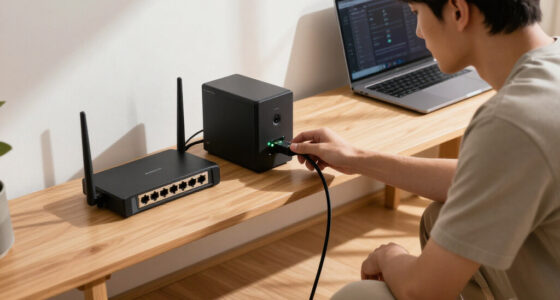
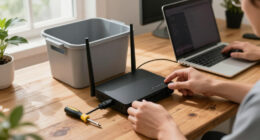
guest Wi-Fi network isolation router
As an affiliate, we earn on qualifying purchases.
As an affiliate, we earn on qualifying purchases.
Choose Visitor Credentials You Can Actually Expire
A guest Wi-Fi policy should define who can receive access, how credentials are issued, and when they expire. Temporary codes or individual credentials give staff more control than a shared password that stays taped inside a cupboard for years. Choose a method that fits the setting and the people who need to connect.
A café-style lobby may need a simple captive portal with posted terms, while a conference room may work better with a code that expires after the meeting. A contractor who needs access every Tuesday may need individual credentials tied to a named staff sponsor and a review date. For higher-risk environments, use stronger authentication and individual accounts where the equipment supports them.
Shared passwords are easy to read aloud. They are also hard to take back. When an employee leaves, a contractor finishes, or an event ends, staff may not know who still has the code. The policy should tell someone how to rotate a shared credential when circumstances call for it, and should favor access that expires automatically when practical.
For example, a community center hosting a Saturday workshop could issue a guest code that stops working that evening. The next group gets a fresh code, and staff do not need to wonder whether an old flyer still carries the current password. A captive portal can display the terms and manage the sign-in step, but the policy should say plainly that clicking “Accept” is not a network security control. Pair it with encryption, isolation, and sensible credential management.
As an affiliate, we earn on qualifying purchases.
Set Clear Limits for Who Can Connect and What They Can Do
A secure guest Wi-Fi policy should say who may use the network, what it is for, and what limits apply to each session. Those choices affect more than security: they determine whether visitors can complete ordinary tasks and whether the network remains usable when many people connect at once. Clear boundaries also help staff respond consistently when someone needs more access than a guest connection provides. Set limits around the actual use of your space, rather than borrowing rules that do not fit.
For a small office, guests might include clients attending a meeting and vendors waiting for a scheduled visit. At a public event, the network might serve hundreds of attendees and temporary staff. A policy can define whether personal phones, laptops, and contractor devices may connect, whether one person may register several devices, and how long a session lasts. Short sessions and device caps make old access less likely to linger and can preserve capacity, but they may interrupt a long meeting or force a visitor to reconnect after switching devices. Use them when they address a real security or capacity concern, and give staff a way to help legitimate users who hit the limit. Bandwidth limits can similarly prevent one large download from slowing a video meeting, though limits set too low may make basic work frustrating.
Acceptable-use terms should be visible before access begins. They should prohibit unlawful activity, harassment, attempts to access systems without permission, and activity that disrupts service. If the organization blocks certain sites or applications, explain the restriction and connect it to business needs, legal duties, or service reliability. Filtering may reduce disruption, but broad blocks can prevent ordinary work, create a poor visitor experience, and lead staff to make inconsistent exceptions. A restriction should be specific enough to apply consistently, and there should be a clear route for asking about legitimate access needs.
Picture a visitor who wants to stream a high-resolution video during a packed town-hall event. A fair-use limit may help keep the connection usable for everyone checking schedules or downloading meeting materials. The policy should tell guests what to expect, define who can make an exception, and give staff a simple way to explain the limits without turning a routine question into a confrontation.
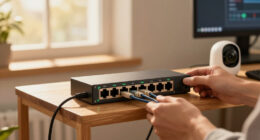
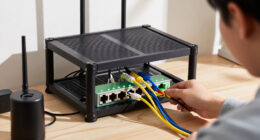
Wi-Fi access point with guest network
As an affiliate, we earn on qualifying purchases.
As an affiliate, we earn on qualifying purchases.
Protect Visitor Privacy by Collecting Less
A guest Wi-Fi policy should collect only the visitor information the organization has a clear reason to use. If a portal asks for a name, email address, phone number, or device identifier, explain why you need it, who can see it, how you protect it, and when you delete it. Each extra field creates work: it can expose visitors if records are mishandled, and it gives staff another set of data to secure and delete. A convenient sign-in screen can quietly become a record-keeping system, so give data collection deliberate boundaries.
Start with the simplest question: can visitors get online without providing personal information? A small office that only needs to let clients join a video call may not need their phone numbers. An event organizer may have a specific operational reason to count sessions, but that does not automatically justify collecting names and contact details. The policy should explain the purpose for each field and avoid collecting data “just in case.” If a purpose can be met with aggregated counts or short-lived technical records, those options may reduce privacy impact, though they may offer less detail when staff investigate a particular problem.
Consider a guest who connects at a clinic and sees a portal requesting a personal email address. If the organization does not explain whether it will send updates or how long it will retain the address, the visitor has to guess. State the purpose in plain language at the point of collection, restrict who can access records, protect stored information, and set a deletion schedule. Follow applicable privacy and data-protection requirements for your location and sector.
Logging has a tradeoff. A limited record can help staff investigate a service outage or a reported incident, but detailed records create privacy and retention responsibilities and may reveal patterns of a visitor’s activity. Include the categories you actually need, the people authorized to review them, and the retention period. Keep only what supports a defined purpose, and make sure access and deletion rules are practical enough to follow. Think of each stored field as a spare key: keep only the keys your team needs, and know who holds them.
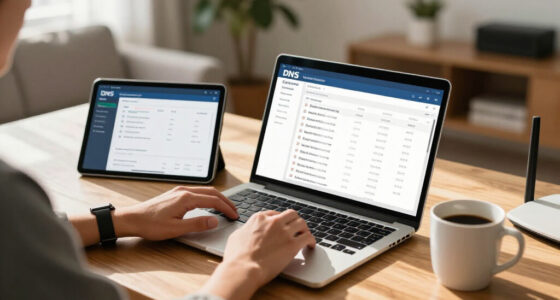
Wi-Fi credential expiration system
As an affiliate, we earn on qualifying purchases.
As an affiliate, we earn on qualifying purchases.
Give Staff a Simple Plan for Problems and Reviews
A secure guest Wi-Fi policy should name the person or team responsible for access, updates, monitoring, and incident response. It should also say how staff report suspected misuse and who can suspend access. Clear ownership matters because a technical alert or visitor complaint is useful only if someone has the authority and information to act on it. Without clear ownership, a policy may look complete on paper while nobody knows who can fix a problem.
Set a practical review routine for the network and its equipment. Staff should check that access points and network software receive updates, default administrative credentials have been changed, insecure legacy options are disabled where possible, and guest traffic remains isolated. These checks reduce the chance that an old configuration or known weakness quietly undermines the policy. The policy does not need to promise a universal review interval; the right timing depends on the organization, its equipment, and the changes it makes. It should trigger another review when the network design, business use, technology, or applicable requirements change.
Monitoring rules should be specific enough to guide action without encouraging staff to over-collect or investigate beyond their role. Define what activity is logged, what alerts staff review, and how they record a decision to suspend access. For example, if a visitor reports that the guest network is repeatedly disconnecting during a training session, the front desk should know whom to contact. If staff suspect misuse, they should know how to report it, preserve relevant details, and let the responsible person assess the issue rather than trying to inspect devices themselves.
Imagine a contractor receives Wi-Fi access for a three-day repair project. A named staff sponsor can confirm when the work ends, while the person managing network access expires the contractor’s credentials. That small handoff prevents temporary access from becoming permanent by accident and makes it easier to identify who should confirm the access is no longer needed. Review the policy alongside the configuration: a rule is only dependable when staff procedures and technical settings agree.
Use This Checklist Before You Publish the Policy
A useful guest Wi-Fi policy turns broad security goals into decisions staff can carry out. Before publishing it, check that it says how visitors connect, what they can reach, what information you collect, and who handles changes. Each answer should match the way the network is actually configured; otherwise, staff may promise a safeguard that does not exist or enforce a rule they cannot carry out. A short, readable policy backed by working controls beats a long document nobody can apply at the reception desk.
- Define the guest network. Name the separate network or VLAN, list blocked internal destinations, and state whether guest devices are isolated from one another.
- Choose access rules. Identify eligible visitors, credential types, expiration periods, device limits, and any bandwidth or session caps.
- Explain use and restrictions. Put acceptable-use terms where visitors see them before connecting, and describe meaningful blocks in plain language.
- Minimize personal data. List each field collected, its purpose, who can access it, how it is protected, and when it is deleted.
- Assign ownership. Name who issues and expires credentials, updates equipment, reviews logs, and receives incident reports.
- Check the real network. Confirm the configuration matches the written policy, including firewall rules, encryption settings, and administrative access.
For example, a co-working space might discover that its policy says guest codes expire daily, while the portal actually leaves sessions active for a week. The checklist brings that mismatch to light before a visitor relies on the written promise. It also shows whether the fix belongs to the person who edits the policy, the person who manages the portal, or both. Walk through the steps with the person who greets guests and the person who manages the network. Each should be able to explain their part without guessing.
Use this checklist again after a new access point, portal, contractor process, or event setup changes the way visitors connect. Regularly comparing written rules with actual practice helps catch drift as equipment and habits change. The policy should grow with actual practice, while keeping its central promise steady: visitors get the access they need, and business systems stay protected.
Frequently Asked Questions
Should guest Wi-Fi be separate from the main network?
Yes. Put guest traffic on a separate network or VLAN and use firewall rules to block access to staff devices, printers, administrative interfaces, and sensitive services. If visitors use the same physical access points as employees, the network should still keep their traffic separate.
Is a Wi-Fi password enough to protect the network?
No. A password can control who joins, but it does not determine what connected devices can reach. Use network segmentation, restrictive firewall rules, and guest-device isolation alongside suitable encryption.
Should we use an open network or a captive portal?
Choose based on the setting and risk. A captive portal can show acceptable-use terms and manage access, but it does not secure traffic or isolate visitors from internal systems by itself. Pair it with network controls and current security settings.
How often should we change the guest Wi-Fi password?
There is no single schedule that fits every organization. Use credentials you can rotate or expire easily, and change shared credentials when staff, circumstances, or access needs change. Avoid leaving a widely shared password unchanged indefinitely.
Should guests have to provide personal information?
Only ask for information you need for a clear purpose. Explain what you collect, why you collect it, who can access it, how it is protected, and how long you keep it. If a sign-in can work without personal details, skip those fields.
What should we log on the guest network?
Log only what you need for security, troubleshooting, or compliance. Define who may review the logs and how long records stay available, and account for privacy requirements that apply to your organization.
Conclusion
Give visitors a useful connection, but keep it behind its own network boundary. Make access temporary where practical, explain the rules before sign-in, and collect only the information your team can justify and protect.
Then give one person clear responsibility for checking that the written policy matches the live network. When a guest opens a laptop in your lobby, the welcome can be warm and the boundary firm, like a bright porch light beside a locked front door.
Halloween Picks
halloween
As an affiliate, we earn on qualifying purchases.