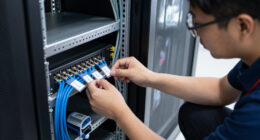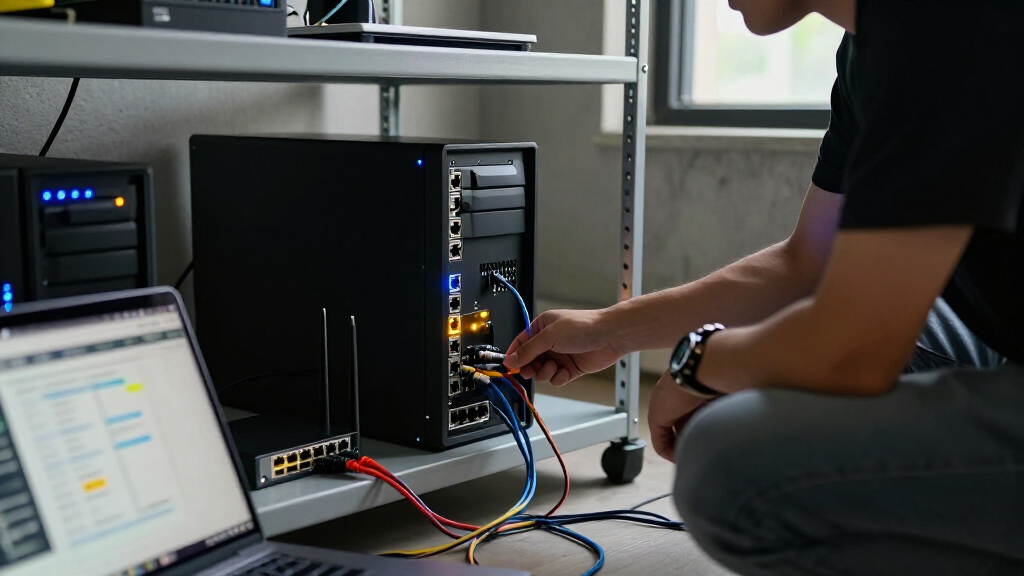
For most home labs, I’d start with the TP-Link Omada ES210X-M2: its 2.5GbE ports offer room to connect faster servers and storage without jumping to a larger switch. The NETGEAR GS308EP is a better fit when PoE+ ports matter, while the SODOLA 6-Port 2.5Gb switch stands out for a compact setup that needs a 10G SFP+ uplink. The main tradeoffs are speed versus port count, PoE versus simpler switching, and easy setup versus more involved management. This list also includes lower-cost gigabit choices for labs built around standard Ethernet. Read on for the full breakdown and a guide to matching switch features to your lab.

Get privacy and security gear delivered free with Prime
- Fast, free delivery on millions of items
- Prime Video, Amazon Music and more included
- Member-only deals all year
Key Takeaways
- 2.5GbE is the clearest upgrade path in this lineup: the TP-Link ES210X-M2, NETGEAR MS308E, SODOLA, and GoodTop models suit labs with faster-than-gigabit endpoints.
- The uplink can matter more than the port count: SODOLA and GoodTop combine 2.5GbE copper ports with a 10G SFP+ port, a useful layout for connecting a faster core or server.
- PoE narrows the choice: NETGEAR GS305EP and GS308EP add PoE+ for compatible access points and other devices, while the listed 2.5GbE options prioritize link speed instead.
- Five- and eight-port gigabit switches remain sensible for modest labs: the TP-Link TL-SG105E and TL-SG108E, plus NETGEAR’s GS305E and GS308E, cover VLAN-capable networks that do not need faster links.
- Port count alone does not define the best lab fit: management depth, PoE needs, link speed, and uplink type separate these picks more than a simple five-versus-eight-port comparison.
| TP-Link Omada ES210X-M2 8-Port 2.5G Easy-Managed Switch |  | Best for Omada Home Labs | Ports: 8 RJ45 ports and 2 SFP+ uplinks | RJ45 data rate: 2.5 Gbps | Switch type: Managed | VIEW LATEST PRICE | See Our Full Breakdown |
| NETGEAR GS305EP 5-Port Gigabit PoE+ Smart Managed Switch |  | Best for Small PoE Labs | Ports: 5 Gigabit Ethernet ports | PoE+ ports: 4 | PoE power budget: 63W total | VIEW LATEST PRICE | See Our Full Breakdown |
| NETGEAR GS308E 8-Port Gigabit Ethernet Easy Smart Managed Switch |  | Best Beginner Managed Switch | Ports: 8 RJ45 | Port speed: 1 Gbps | VLAN support: Up to 64 VLANs | VIEW LATEST PRICE | See Our Full Breakdown |
| NETGEAR MS308E 8-Port 2.5G Easy Smart Managed Ethernet Switch |  | Best 2.5GbE All-Copper Upgrade | Ports: 8 RJ45 Ethernet ports | Port speeds: 100 Mbps, 1 Gbps, or 2.5 Gbps | Switching bandwidth: 40 Gbps | VIEW LATEST PRICE | See Our Full Breakdown |
| SODOLA 6-Port 2.5Gb Web-Managed Ethernet Switch with 10G SFP+ |  | Best Compact SFP+ Lab Switch | Total ports: 6 | RJ45 ports: 4 x 100/1000/2500 Mbps | SFP+ ports: 2 x 10 Gbps | VIEW LATEST PRICE | See Our Full Breakdown |
| GoodTop 9-Port 2.5Gb Managed Switch with 8 RJ45 Ports and 1 10G SFP+ Port |  | Best for a Multi-Gig Home Lab | Ports: 8 x 2.5G RJ45, 1 x 10G SFP+ | Management: Web-managed | Management features: VLAN, QoS, link aggregation, spanning tree, MAC address management, DHCP client | VIEW LATEST PRICE | See Our Full Breakdown |
| NETGEAR GS308EP 8-Port Gigabit Ethernet PoE+ Smart Managed Switch |  | Best for PoE Devices | Ports: 8 Gigabit Ethernet ports | PoE: PoE+ on all 8 ports | Total PoE power budget: 62 W | VIEW LATEST PRICE | See Our Full Breakdown |
| TP-Link TL-SG105E 5-Port Gigabit Easy Smart Ethernet Switch |  | Best for a Small Starter Lab | Ports: 5 RJ45 Gigabit Ethernet ports | Port speeds: 10/100/1000 Mbps | Management features: QoS, VLAN, IGMP snooping, port mirroring, loop prevention, cable diagnostics | VIEW LATEST PRICE | See Our Full Breakdown |
| NETGEAR GS305E 5-Port Gigabit Easy Smart Managed Ethernet Switch |  | Best Compact Wall-Mount Pick | Ports: 5 Gigabit Ethernet ports | Data transfer rate: 1000 Mbps | Management features: VLAN, QoS, IGMP snooping | VIEW LATEST PRICE | See Our Full Breakdown |
| TP-Link TL-SG108E 8-Port Gigabit Easy Smart Switch |  | Best for an Expanding Gigabit Lab | Ports: 8 Gigabit Ethernet ports | Management: Web interface or free software | VLAN support: Up to 32 VLANs | VIEW LATEST PRICE | See Our Full Breakdown |
| managed switch for home lab | Ports | Management features | Cooling | Dimensions |
|---|---|---|---|---|
| TP-Link Omada ES210X-M2 8-Port | 8 RJ45 ports and 2 SFP+ uplinks | Omada SDN, VLAN, IGMP snooping, auto loop prevention | Fanless | 8.2 x 5 x 1 in |
| NETGEAR GS305EP 5-Port Gigabit | 5 Gigabit Ethernet ports | VLAN, QoS, IGMP snooping, per-port PoE controls | Fanless | 6.2 x 4 x 1.1 in |
| NETGEAR GS308E 8-Port Gigabit | 8 RJ45 | VLAN, QoS, IGMP snooping, port mirroring | — | — |
| NETGEAR MS308E 8-Port 2.5G Eas | 8 RJ45 Ethernet ports | — | Fanless | — |
| SODOLA 6-Port 2.5Gb Web-Manage | — | LACP, VLAN, QoS, IGMP snooping, port-based access control | Fanless | — |
| GoodTop 9-Port 2.5Gb Managed S | 8 x 2.5G RJ45, 1 x 10G SFP+ | VLAN, QoS, link aggregation, spanning tree, MAC address management, DHCP client | Fanless | 6.3 x 3.54 x 1.38 in |
| NETGEAR GS308EP 8-Port Gigabit | 8 Gigabit Ethernet ports | VLAN, QoS, port monitoring, per-port PoE controls | Fanless | — |
| TP-Link TL-SG105E 5-Port Gigab | 5 RJ45 Gigabit Ethernet ports | QoS, VLAN, IGMP snooping, port mirroring, loop prevention, cable diagnostics | — | 3.9 × 3.9 × 1 in |
| NETGEAR GS305E 5-Port Gigabit | 5 Gigabit Ethernet ports | VLAN, QoS, IGMP snooping | Fanless | 3.9 × 3.7 × 1.1 in |
| TP-Link TL-SG108E 8-Port Gigab | 8 Gigabit Ethernet ports | — | — | — |
More Details on Our Top Picks
TP-Link Omada ES210X-M2 8-Port 2.5G Easy-Managed Switch
The ES210X-M2 is a strong fit when a home lab needs multi-gig access without giving up fast links to a NAS or core switch. Its eight 2.5GbE ports offer more headroom than the gigabit NETGEAR GS308E, while two 10Gbps SFP+ uplinks can connect high-bandwidth equipment over fiber. Omada SDN management adds VLANs, IGMP snooping, and loop prevention, making this more capable as a managed-network building block than a basic easy-smart switch.
The tradeoff is that it has no PoE, so it cannot power access points or cameras, and eight copper ports may not cover a growing rack. Its fanless metal chassis is a plus for quiet placement, but buyers who do not need Omada management or multi-gig ports can choose a simpler gigabit model instead.
Pros:- Eight 2.5GbE RJ45 ports provide multi-gig connections for faster client and storage traffic.
- Two 10Gbps SFP+ uplinks support high-capacity fiber links to a NAS or network core.
- Omada SDN supports VLANs, IGMP snooping, and automatic loop prevention.
- Fanless metal construction allows quiet operation in a home office or lab.
Cons:- No PoE support for powering access points, cameras, or other network devices.
- Only eight RJ45 ports, which may constrain a lab with many wired endpoints.
- Multi-gig ports add little value when connected devices and uplinks are limited to gigabit.
Best for: Home-lab owners building an Omada-managed network with several 2.5GbE clients and a 10GbE NAS or core link.
Not ideal for: Buyers who need PoE for access points or cameras, or who need more than eight copper-connected devices on one switch.
- Ports:8 RJ45 ports and 2 SFP+ uplinks
- RJ45 data rate:2.5 Gbps
- Switch type:Managed
- Management features:Omada SDN, VLAN, IGMP snooping, auto loop prevention
- Cooling:Fanless
- Chassis:Metal
- Dimensions:8.2 x 5 x 1 in
- Warranty:5 years
Our verdict“Choose the ES210X-M2 for a quiet Omada home lab that needs eight 2.5GbE ports and 10GbE uplinks, but skip it if PoE or a larger port count matters more.”
NETGEAR GS305EP 5-Port Gigabit PoE+ Smart Managed Switch
The GS305EP earns its place for a compact lab where powering devices matters more than port count or multi-gig speed. Four of its five Gigabit ports provide PoE+ with a 63W total budget, and per-port controls let an owner manage connected equipment without adding separate injectors. VLAN, QoS, and IGMP snooping bring useful network controls in a fanless unit that can sit on a desk or mount on a wall.
Compared with the eight-port NETGEAR GS308E, this model gives up three ports and port mirroring in the supplied feature list, but adds PoE for compatible access points, cameras, or lab devices. Its main limitation is the small footprint of the network itself: one port is not PoE+, and Gigabit Ethernet will not match the 2.5GbE options in this roundup. Choose it for a few powered endpoints, not a fast storage backbone.
Pros:- Four PoE+ ports provide up to 63W of combined power for compatible devices.
- Per-port PoE controls support practical management of powered endpoints.
- VLAN, QoS, and IGMP snooping provide useful controls for a small lab.
- Fanless design and desktop or wall mounting suit quiet, compact setups.
Cons:- Only five total ports, leaving limited room for lab expansion.
- One of the five ports does not provide PoE+.
- Gigabit-only ports are slower than the 2.5GbE models in this roundup.
Best for: Home-lab owners connecting a few PoE access points, cameras, or other powered devices who also want basic VLAN and QoS controls.
Not ideal for: Buyers with many wired devices, a need for 2.5GbE throughput, or a requirement to power every connected port.
- Ports:5 Gigabit Ethernet ports
- PoE+ ports:4
- PoE power budget:63W total
- Data transfer rate:1,000 Mbps
- Management features:VLAN, QoS, IGMP snooping, per-port PoE controls
- Mounting:Desktop or wall mount
- Cooling:Fanless
- Dimensions:6.2 x 4 x 1.1 in
Our verdict“Pick the GS305EP when a small home lab needs managed Gigabit connectivity and PoE for a handful of devices, rather than higher speeds or a larger port count.”
NETGEAR GS308E 8-Port Gigabit Ethernet Easy Smart Managed Switch
The GS308E is the straightforward starting point for learning managed-switch basics in a home lab. Eight Gigabit ports, plug-and-play setup, and a browser-based interface make room for VLANs, QoS, IGMP snooping, and port mirroring without pushing the buyer into multi-gig hardware. Its fanless metal housing also suits a desk or wall-mounted setup where switch noise would be unwelcome.
Compared with the NETGEAR MS308E, the GS308E costs the lab multi-gig capacity and link aggregation, but its gigabit focus makes sense when endpoints are still 1GbE. It is also a better fit for learning basic segmentation than an unmanaged switch, though configuration takes more effort than simply plugging devices in. There is no PoE, and a lab with 2.5GbE clients or a fast NAS should look to the ES210X-M2 or MS308E instead.
Pros:- Eight Gigabit ports provide a useful connection count for a starter lab.
- VLANs, QoS, IGMP snooping, and port mirroring support common learning and troubleshooting tasks.
- Web configuration works through browsers on Windows, Mac, and Linux.
- Fanless metal housing supports silent desktop or wall-mounted placement.
Cons:- Gigabit-only ports lack the extra bandwidth available from the MS308E and ES210X-M2.
- No PoE support for powering network endpoints.
- Managed features require more setup than an unmanaged plug-and-play switch.
Best for: New home-lab builders who want eight quiet Gigabit ports and practical VLAN, QoS, and port-mirroring controls.
Not ideal for: Users whose lab already has 2.5GbE clients, needs PoE, or requires routing between VLANs on the switch.
- Ports:8 RJ45
- Port speed:1 Gbps
- VLAN support:Up to 64 VLANs
- Management features:VLAN, QoS, IGMP snooping, port mirroring
- Noise level:0 dBA
- Housing:Metal
- Mounting:Desktop or wall mount
- Warranty:3-year limited hardware warranty
Our verdict“Choose the GS308E to learn managed networking on an eight-port Gigabit lab, but move to a 2.5GbE model if faster clients are already part of the setup.”
NETGEAR MS308E 8-Port 2.5G Easy Smart Managed Ethernet Switch
The MS308E is the clearest choice for a home lab that wants eight multi-gig wired connections without adding SFP+ modules or changing cable runs. All eight RJ45 ports negotiate at up to 2.5Gbps, and the listed 40Gbps switching bandwidth suits simultaneous traffic across the switch. VLANs, QoS, port mirroring, and link aggregation cover the main Layer 2 tasks a growing lab is likely to use.
Compared with the TP-Link ES210X-M2, the MS308E trades two 10Gbps SFP+ uplinks and Omada SDN integration for an all-copper port layout. That makes it simpler when the network uses existing Cat5e or Cat6 cabling, but less flexible for a fiber-connected core. It is fanless and compact, yet it does not provide inter-VLAN routing or PoE. Buyers needing those functions will need other network equipment or a different switch.
Pros:- All eight RJ45 ports support speeds up to 2.5Gbps.
- 40Gbps switching bandwidth supports concurrent traffic across the switch.
- VLANs, QoS, port mirroring, and link aggregation serve common Layer 2 lab needs.
- Fanless metal case works with Cat5e or Cat6 cabling and can sit on a desk or wall.
Cons:- No SFP+ ports for direct fiber or 10Gbps SFP+ uplinks.
- Does not support inter-VLAN routing.
- No PoE for access points, cameras, or other powered devices.
Best for: Home-lab owners with several 2.5GbE clients who want an eight-port all-copper switch managed through a browser.
Not ideal for: Buyers needing SFP+ fiber uplinks, PoE, or Layer 3 routing between VLANs on the switch itself.
- Ports:8 RJ45 Ethernet ports
- Port speeds:100 Mbps, 1 Gbps, or 2.5 Gbps
- Switching bandwidth:40 Gbps
- Switch type:Managed Layer 2
- VLAN support:Up to 64 port-based and 802.1Q tagged VLANs
- Management:Web browser interface
- Cooling:Fanless
- Regional compatibility:United States and Canada
Our verdict“Choose the MS308E for eight 2.5GbE copper connections and Layer 2 controls, but pick the ES210X-M2 if SFP+ uplinks or Omada integration matter more.”
SODOLA 6-Port 2.5Gb Web-Managed Ethernet Switch with 10G SFP+
The SODOLA 6-port makes sense when a lab needs a small number of multi-gig clients plus fast SFP+ links to a NAS or core switch. It combines four 2.5GbE RJ45 ports with two 10Gbps SFP+ ports, and its web controls include VLAN, LACP, QoS, and IGMP snooping. That gives it a more flexible uplink mix than the all-copper NETGEAR MS308E, while its aluminum fanless body and magnetic feet suit a compact desktop setup.
The tradeoff is capacity: only four devices can connect over RJ45, so it is not a substitute for the eight-port TP-Link ES210X-M2 when a lab has many wired clients. The two SFP+ ports also require compatible connections, and the supplied data lists a one-year warranty. Choose it for a small, mixed-speed setup rather than a larger rack with growing port needs.
Pros:- Four 2.5GbE RJ45 ports pair with two 10Gbps SFP+ ports for mixed copper and fiber links.
- Web management includes VLAN, LACP, QoS, IGMP snooping, and port-based access control.
- Fanless aluminum housing supports quiet operation.
- Magnetic feet and included rubber feet offer flexible placement.
Cons:- Only four ports accept RJ45 connections; the other two require SFP+ connections.
- The one-year warranty is shorter than the five-year warranty listed for the ES210X-M2.
- No PoE support for powering access points or other devices.
Best for: Home-lab owners with up to four multi-gig copper clients who need two SFP+ links in a quiet, compact switch.
Not ideal for: Buyers needing more than four RJ45 connections, PoE, or the longer listed warranty of the TP-Link ES210X-M2.
- Total ports:6
- RJ45 ports:4 x 100/1000/2500 Mbps
- SFP+ ports:2 x 10 Gbps
- Management features:LACP, VLAN, QoS, IGMP snooping, port-based access control
- Management:Web-managed
- Chassis:Aluminum
- Cooling:Fanless
- Warranty:1 year
Our verdict“Pick the SODOLA when compact size and two SFP+ links matter more than having eight copper ports, and skip it if your lab needs room for many wired clients.”
GoodTop 9-Port 2.5Gb Managed Switch with 8 RJ45 Ports and 1 10G SFP+ Port
The GoodTop is the strongest fit here for a home lab built around 2.5Gb clients and a faster uplink. Eight multi-gig RJ45 ports give NAS devices, workstations, and Wi-Fi access points more headroom than the Gigabit TP-Link TL-SG108E, while its 10G SFP+ slot can connect to compatible aggregation or storage gear. Web management includes VLANs, QoS, link aggregation, and spanning tree, so there is room to segment and tune a growing network without moving to a larger switch.
The tradeoff is that this is a focused, compact option rather than a feature-rich rack switch: settings must be applied and saved separately, and the unit can run warm under load. Its fanless metal case suits a quiet desk or wall installation, but buyers seeking PoE should look to the NETGEAR GS308EP instead. The SFP+ slot is not a GPON or XGSPON interface.
Pros:- Eight 2.5Gb RJ45 ports provide more bandwidth than the Gigabit models in this lineup.
- 10G SFP+ slot supports a fast uplink to compatible network or storage equipment.
- Web management includes VLANs, QoS, link aggregation, and spanning tree.
- Fanless metal housing is compact and supports desk or wall placement.
Cons:- No PoE, so attached devices need separate power.
- Configuration changes require separate apply and save steps.
- Can become warm under full load and does not accept GPON or XGSPON modules.
Best for: Home-lab owners connecting several 2.5Gb workstations, NAS devices, or access points who also need a 10G SFP+ uplink.
Not ideal for: Buyers who need PoE for cameras or access points, or who want a rack-focused switch with more advanced management controls.
- Ports:8 x 2.5G RJ45, 1 x 10G SFP+
- Management:Web-managed
- Management features:VLAN, QoS, link aggregation, spanning tree, MAC address management, DHCP client
- Cooling:Fanless
- Power:12 W maximum; about 2.2 W idle
- Housing:Metal
- Dimensions:6.3 x 3.54 x 1.38 in
- Operating temperature:0–40 °C
Our verdict“Choose the GoodTop if your lab needs multiple 2.5Gb connections and a 10G SFP+ uplink in a silent, compact switch.”
NETGEAR GS308EP 8-Port Gigabit Ethernet PoE+ Smart Managed Switch
The GS308EP earns its place for labs where the switch must power equipment as well as connect it. PoE+ on all eight Gigabit ports can simplify wiring for access points, cameras, and other powered devices, while per-port PoE controls help manage what stays on. VLAN, QoS, and port monitoring add useful network controls, though the feature set is positioned as Easy Smart essentials rather than a deeper lab-management toolkit.
Its 62W total budget is the main constraint: several higher-draw devices can use that capacity quickly. Unlike the GoodTop, it has no multi-gig ports or 10G SFP+ uplink, so it is less suitable for a fast NAS or 2.5Gb backbone. The fanless metal design keeps it quiet for a desk or wall, but home-lab buyers who do not need PoE may get more value from the eight-port TL-SG108E’s broader listed Layer 2 tools.
Pros:- PoE+ is available on all eight Gigabit ports.
- Per-port PoE controls help manage powered devices.
- VLAN, QoS, and port monitoring cover common small-lab needs.
- Fanless metal design supports quiet desktop or wall placement.
Cons:- The 62W total PoE budget limits the number of high-draw devices it can support.
- Gigabit ports lack the extra bandwidth offered by the GoodTop’s 2.5Gb ports.
- Management is limited to Easy Smart essentials compared with switches offering broader controls.
Best for: Home-lab builders powering several Gigabit access points, cameras, or other PoE+ devices from one managed switch.
Not ideal for: Users connecting multi-gig workstations or a fast NAS, and buyers whose PoE devices collectively need more than the 62W budget.
- Ports:8 Gigabit Ethernet ports
- PoE:PoE+ on all 8 ports
- Total PoE power budget:62 W
- Data transfer rate:16 Gbps
- Management features:VLAN, QoS, port monitoring, per-port PoE controls
- Cooling:Fanless
- Mounting:Desktop or wall mount
- Model:GS308EP-100NAS
Our verdict“Pick the GS308EP when powering multiple PoE+ devices matters more than multi-gig speeds or advanced lab management.”
TP-Link TL-SG105E 5-Port Gigabit Easy Smart Ethernet Switch
The TL-SG105E is a practical entry point when a home lab needs only a handful of managed Gigabit connections. Its five ports keep the footprint small, while VLANs, IGMP snooping, port mirroring, and cable diagnostics provide useful ways to learn segmentation and troubleshoot links. For a modest setup with a router, a server, and a few wired devices, those controls make it more capable than an unmanaged desktop switch without demanding a larger installation.
Compared with the eight-port TL-SG108E, the TL-SG105E gives up three connections and listed link aggregation, making it less flexible as the lab grows. Management features require web configuration, so basic plug-and-play operation is simpler than setup for VLANs or monitoring. The alloy-steel case is compact and sturdy, but it is intended for desktop use rather than rack mounting. It also offers no PoE or multi-gig ports.
Pros:- Five Gigabit ports suit a compact starter network.
- VLAN, IGMP snooping, port mirroring, and cable diagnostics support useful lab tasks.
- Plug-and-play for basic switching before management features are configured.
- Compact alloy-steel case fits a desktop setup.
Cons:- Five ports leave less room to expand than the eight-port TL-SG108E.
- Managed features require web-interface configuration.
- No PoE, multi-gig ports, or rack-mount installation.
Best for: New home-lab users with a router, one or two servers, and a small number of wired clients who want to learn basic managed networking.
Not ideal for: Growing labs needing more than five wired connections, link aggregation, PoE, or speeds beyond Gigabit Ethernet.
- Ports:5 RJ45 Gigabit Ethernet ports
- Port speeds:10/100/1000 Mbps
- Management features:QoS, VLAN, IGMP snooping, port mirroring, loop prevention, cable diagnostics
- Interface:Auto-negotiation and Auto MDI/MDIX
- Data transfer rate:1 Gbps
- Case material:Alloy steel
- Dimensions:3.9 × 3.9 × 1 in
- Weight:0.43 kg
Our verdict“Choose the TL-SG105E for a small, budget-conscious learning lab that needs basic managed features but not room to grow.”
NETGEAR GS305E 5-Port Gigabit Easy Smart Managed Ethernet Switch
The GS305E is a compact choice for adding managed switching beside an existing router, especially when the switch needs to sit on a wall or in a tight workspace. Its five Gigabit Ethernet ports support VLANs, QoS, and IGMP snooping through a web interface, covering basic segmentation and traffic handling without taking up much room. Compared with the TP-Link TL-SG105E, it offers the same small-port-count role but adds explicit desktop and wall-mount options.
That convenience comes with a narrow scope: this is a switch for an existing network, not a router replacement, and it supplies no PoE. Its three listed management features are less extensive than the TL-SG105E’s port mirroring and cable diagnostics or the eight-port TL-SG108E’s broader Layer 2 set. The fanless metal case is quiet, but five Gigabit connections leave little capacity for a lab that is adding servers or test devices.
Pros:- Five Gigabit ports suit a compact wired setup.
- VLAN, QoS, and IGMP snooping provide basic managed-network controls.
- Fanless metal case runs silently.
- Supports both desktop and wall mounting.
Cons:- Requires an existing router and does not provide PoE.
- Five ports offer less growth room than the TL-SG108E.
- Regional compatibility is limited to the U.S. and Canada.
Best for: Home-lab users with an existing router who need a small managed switch that can be mounted on a wall near a few wired devices.
Not ideal for: Users who need PoE, more than five ports, multi-gig speeds, or a wider set of troubleshooting features.
- Ports:5 Gigabit Ethernet ports
- Data transfer rate:1000 Mbps
- Management features:VLAN, QoS, IGMP snooping
- Cooling:Fanless
- Mounting options:Desktop or wall mount
- Power adapter:12 V, 1 A
- Dimensions:3.9 × 3.7 × 1.1 in
- Regional compatibility:U.S. and Canada
Our verdict“Pick the GS305E for a quiet, wall-mountable managed switch when five Gigabit ports are enough and a router is already in place.”
TP-Link TL-SG108E 8-Port Gigabit Easy Smart Switch
The TL-SG108E is a sensible middle ground for a home lab that needs more wired connections and useful Layer 2 controls but is not ready for multi-gig hardware. Its eight Gigabit ports leave more room for servers, desktops, and test devices than the five-port TP-Link TL-SG105E. Management through a web interface or free software includes VLANs, QoS, IGMP snooping, port mirroring, loop prevention, and link aggregation, giving a growing lab more ways to organize traffic and inspect connections.
It is not the pick for a high-throughput backbone: the GoodTop provides 2.5Gb ports and a 10G SFP+ slot, which better suit fast NAS links. The TL-SG108E also lacks PoE, so powered devices need their own adapters; the NETGEAR GS308EP is a better fit when that is the priority. Its metal housing supports desktop or wall placement, but configuration still involves management software or a web interface rather than plug-and-play alone.
Pros:- Eight Gigabit ports accommodate more devices than the five-port models.
- Link aggregation, port mirroring, IGMP snooping, and loop prevention support varied lab setups.
- VLAN and QoS controls help separate and prioritize traffic.
- Metal housing supports desktop or wall mounting.
Cons:- Gigabit-only ports offer less bandwidth than the GoodTop’s 2.5Gb and 10G SFP+ connections.
- No PoE for access points, cameras, or other powered devices.
- Management features require web-interface or software configuration.
Best for: Home-lab owners adding several Gigabit servers and clients who want VLANs, monitoring, and link aggregation without moving to multi-gig equipment.
Not ideal for: Users building a 2.5Gb or 10Gb backbone, or anyone who needs the switch to power access points or cameras.
- Ports:8 Gigabit Ethernet ports
- Management:Web interface or free software
- VLAN support:Up to 32 VLANs
- QoS:Port-based, 802.1p, and DSCP
- Layer 2 features:Link aggregation, port mirroring, IGMP snooping, loop prevention
- Installation:Desktop or wall mount
- Construction:Metal housing with shielded ports
- Warranty:3 years
Our verdict“Choose the TL-SG108E if you need eight managed Gigabit ports and useful Layer 2 tools, but do not need PoE or multi-gig speeds.”
How We Picked
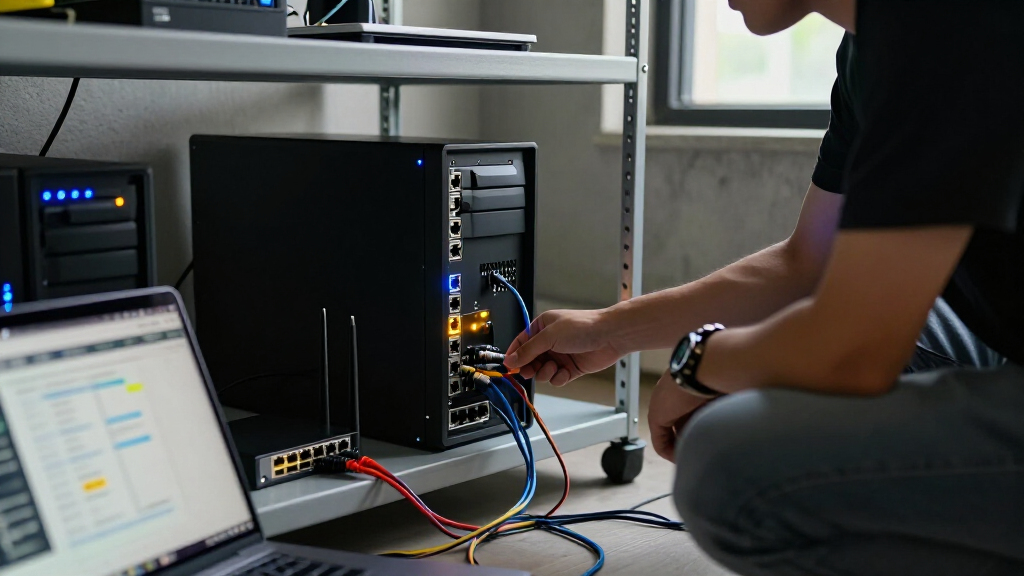
I ranked these switches around home-lab tasks: separating trusted and test devices with VLANs, linking servers and storage, powering compatible network gear, and managing the setup without unnecessary complexity. I compared port speed and count, PoE availability, uplink options, management style, and the likely room each model leaves for a growing lab. The product list includes both easy-managed gigabit switches and faster 2.5GbE options, so I treated those as different needs rather than assuming every buyer should pay for faster networking.
The TP-Link Omada ES210X-M2 ranks first because it combines 2.5GbE connectivity with a practical port count for a small lab. I placed PoE models higher for buyers who need to power devices, and models with 10G SFP+ uplinks higher for setups that value a fast connection to a core switch or server. The gigabit easy-managed models rank as straightforward picks for lighter labs, but they sit below faster options for buyers building around high-throughput endpoints. These rankings reflect the listed hardware and use-case fit, not hands-on testing.
Factors to Consider When Choosing Best Managed Switch For Home Lab
Before choosing a switch, map the links that will carry the most traffic and the devices that need power or network separation. A home lab can work well on gigabit Ethernet, but the wrong uplink or too few PoE ports can force an early replacement. I’d use the factors below to decide where a faster or more capable switch earns its place.
Match switch speed to the devices that exchange data
Start with the fastest pair of devices that will communicate often, such as a virtualization host and a NAS. A switch’s faster ports help only when the connected device also has a compatible network interface; a 2.5GbE switch will not make a gigabit-only endpoint faster. For occasional backups or internet access, gigabit may be enough, while frequent transfers between local systems can make 2.5GbE more useful. Check the speed of your server, storage, router, and any add-in network cards before buying. Avoid upgrading every port just because one system needs more bandwidth: a mixed-speed design can keep the switch budget and complexity in check.
Plan VLANs around your actual lab layout
VLAN support helps keep lab servers, smart-home gear, guest devices, and management traffic apart, but the switch is only one part of that setup. Your router or firewall must also support the VLANs and route traffic between them according to your rules. Before purchase, list the networks you want and identify which switch ports will be tagged or assigned to a single VLAN. A simple interface can be an advantage if you expect to make changes only occasionally; a more involved management platform can suit a network with several managed devices. Do not assume that the word “managed” means every model offers the same monitoring, configuration, or control options.
Count PoE devices and check power needs
PoE can simplify cabling for access points, cameras, and other compatible devices by carrying power and data over one Ethernet cable. Count the devices you plan to connect, then check their PoE standard and power draw against the switch’s supported output and overall power budget. A switch with several PoE ports may still fall short if attached devices need more power than its total budget allows. If you have no plans to power network gear, paying for PoE adds a feature you may not use. Leave some capacity for a future access point or camera if adding one later would be difficult.
Treat uplinks as part of the port plan
A 10G SFP+ port can connect a small switch to a faster core, server, or storage device, but it is not a universal shortcut to 10GbE. Check whether the far-end device has a compatible port and what transceiver or cable the connection requires. Also count the uplink as a port you may not be able to use for an ordinary copper endpoint. For a single-switch lab, several 2.5GbE copper ports may be more useful than a high-speed uplink. For a multi-switch setup, the uplink can reduce the chance that traffic between switches becomes the bottleneck.
Choose port count for growth, not just today
Count wired devices, then reserve ports for a router, access point, server, storage, and any link to another switch. Leave a few open ports if you expect to add test machines or a managed access point; filling every jack immediately makes lab changes less convenient. An eight-port model can provide useful headroom over a five-port one, but a larger count does not help if the ports lack the speed or PoE support you need. Small switches can also make sense when you want to place one beside a specific group of devices. Think about where the switch will sit and how its cables will be routed before choosing the largest option.
Check management, placement, and noise expectations
Home-lab switches vary in how much configuration they expose and how they are managed, so match the interface to how often you plan to adjust the network. A simpler web interface can be enough for basic VLAN and port settings, while a broader management system may be appealing when several compatible devices share one network. Verify the management method and supported features in the model documentation rather than relying on a product category label. Also check the switch’s dimensions, mounting options, ventilation needs, and power arrangement for your intended location. A model that fits a desk or cabinet is not automatically suitable for a closed, warm space.
Frequently Asked Questions
Is a gigabit managed switch enough for a home lab?
Yes, if most devices have gigabit network ports and your heavier transfers are infrequent. Gigabit can handle many everyday lab tasks, including management traffic and ordinary internet access. It may feel restrictive when a server and NAS move large files often or when multiple systems share a busy link. Compare the network interfaces in the devices that exchange the most data before choosing. In this roundup, the five- and eight-port gigabit models suit simpler setups, while the 2.5GbE picks give faster endpoints more room.
Do I need a 10G SFP+ port if my devices are mostly 2.5GbE?
Not necessarily. A 10G SFP+ port is most useful when you have a compatible faster device or want a high-speed connection to another switch. If your router, server, and other switches only support gigabit or 2.5GbE, the port may sit unused unless you plan an upgrade. Check the cable or transceiver requirements and the capabilities at the other end before treating it as a benefit. For a single-switch lab, extra usable copper ports may be more helpful than an uplink you cannot connect.
Can a managed switch create separate networks without a VLAN-capable router?
A managed switch can assign ports to VLANs, but it cannot by itself provide all the routing and firewall behavior needed for useful separation between networks. Your router or firewall needs matching VLAN support to route traffic and apply rules between them. Without that, devices on separate VLANs may be isolated from each other, which can be useful for some setups but may block access you expect. Check both devices’ VLAN features and plan which ports carry tagged traffic. A quick network diagram can prevent buying a switch that supports a design your router cannot handle.
Should I choose PoE if I might add an access point later?
PoE is convenient when an access point supports being powered over Ethernet and you want to avoid a separate power adapter or injector. If that upgrade is only a possibility, compare the added value of PoE against the speed or port count you could get from a non-PoE model. Check the access point’s power standard and draw, along with the switch’s per-port and total power limits. A PoE switch is not automatically the better choice if its network speed does not match your lab. For a definite plan to power multiple devices, the PoE-focused NETGEAR models in this list deserve a closer look.
Will a 2.5GbE switch speed up devices that have gigabit Ethernet ports?
No: each connection is limited by the capabilities of the connected device and cable path. A gigabit-only computer will still link at gigabit speed on a 2.5GbE switch. The faster switch can still help other compatible devices communicate at higher speeds, so a mixed-speed lab can benefit when only a few systems have 2.5GbE adapters. Check whether your NAS or server can use a faster network card before upgrading the switch. If none of your endpoints support more than gigabit, faster ports may offer little immediate benefit.
Conclusion
For most buyers, my best overall pick is the TP-Link Omada ES210X-M2, which balances 2.5GbE capability with a practical home-lab footprint. The best value for a basic managed setup is the TP-Link TL-SG105E when five gigabit ports are enough; choose the TL-SG108E instead if you need more connections. For beginners, those TP-Link easy-managed models offer a more straightforward starting point than a faster switch with an uplink you may not use. The best premium fit for a faster backbone is the SODOLA 6-Port 2.5Gb switch, while the best specific pick for PoE is the NETGEAR GS308EP; the GoodTop model is another option if its 10G SFP+ uplink and port layout better match your plan. Choose gigabit for a modest lab, 2.5GbE for faster local transfers, PoE for powered devices, and SFP+ when you have a clear high-speed uplink use.
Halloween Picks
halloween
As an affiliate, we earn on qualifying purchases.