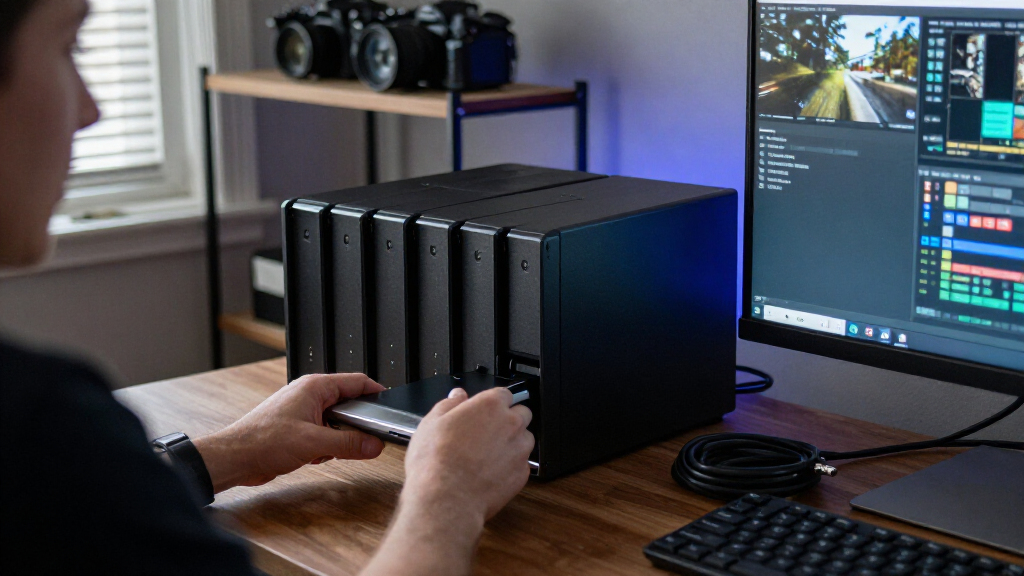

For a video team that moves large projects between workstations and shared storage, I would start with the UGREEN NAS DXP8800 Ultra: dual 10GbE and Thunderbolt 4 give it unusually flexible paths for fast transfers. The Synology DS1825+ makes more sense when expandable capacity and a managed business workflow matter more than fast networking out of the box. If you want a capable Intel-based alternative with dual 10GbE and a strong feature set, the UGREEN NASync DXP8800 Plus is another compelling fit.

Get privacy and security gear delivered free with Prime
- Fast, free delivery on millions of items
- Prime Video, Amazon Music and more included
- Member-only deals all year
The main tradeoff is not simply capacity. It is how you connect editors, what you can spend on drives and networking beyond the enclosure, and how much processing headroom your workflow needs. All four systems are diskless, so the final usable capacity and cost depend on the drives you select. I rank them for video storage by balancing transfer options, expandability, processing capability, and the compromises that matter when a NAS becomes part of an editing workflow.
Key Takeaways
- Best studio connectivity: The UGREEN DXP8800 Ultra combines dual 10GbE with Thunderbolt 4, giving teams multiple high-speed connection options without an optional network card.
- Best expansion path: The Synology DS1825+ supports expansion units for a stated capacity of up to 360 TB, while its faster networking requires an additional card.
- Best Intel-based alternative: The UGREEN DXP8800 Plus pairs a 10-core Core i5 with dual 10GbE, but its listed transfer speed depends on the network, drives, and workload.
- Best network-port flexibility: The QNAP TS-832PX-4G supplies 10GbE SFP+ and 2.5GbE ports, but its ARM processor and 4 GB of memory are less suited to heavy concurrent applications.
- Plan the whole storage system: None of these listings includes drives, and RAID choices, redundancy, and networking all affect usable capacity and editing performance.
| UGREEN NAS DXP8800 Ultra 8-Bay Network Attached Storage |  | Best Overall for Studio Connectivity | Drive bays: 8 SATA | M.2 slots: 2 NVMe | Listed maximum capacity: Up to 272 TB | VIEW LATEST PRICE | See Our Full Breakdown |
| Synology DS1825+ 8-Bay Diskless NAS |  | Best for Expandable Video Archives | Drive bays: 8 | Listed capacity: Up to 360 TB with expansion units | Networking: Optional 10GbE or 25GbE upgrade cards | VIEW LATEST PRICE | See Our Full Breakdown |
| UGREEN NASync DXP8800 Plus 8-Bay NAS |  | Best Intel-Based Alternative | Drive bays: 8 SATA | M.2 slots: 2 NVMe | Listed maximum capacity: Up to 272 TB | VIEW LATEST PRICE | See Our Full Breakdown |
| QNAP TS-832PX-4G 8-Bay NAS |  | Best for Mixed Network Environments | Drive bays: 8 × 3.5-inch SATA | Processor: AnnapurnaLabs Alpine AL324 ARM Cortex-A57 quad-core, 1.7 GHz | Memory: 4 GB DDR4 SODIMM; maximum 16 GB | VIEW LATEST PRICE | See Our Full Breakdown |
| 8 bay NAS for video storage | Drive bays | Networking | Processor | Memory |
|---|---|---|---|---|
| UGREEN NAS DXP8800 Ultra 8-Bay | 8 SATA | Dual 10GbE | Intel 150U, up to 5.4 GHz | 8 GB DDR5; expandable up to 96 GB |
| Synology DS1825+ 8-Bay Diskles | 8 | Optional 10GbE or 25GbE upgrade cards | — | — |
| UGREEN NASync DXP8800 Plus 8-B | 8 SATA | 2 × 10GbE | 12th-generation 10-core, 12-thread Intel Core i5 | 8 GB DDR5 |
| QNAP TS-832PX-4G 8-Bay NAS | 8 × 3.5-inch SATA | 2 × 10GbE SFP+; 2 × 2.5GbE/1GbE/100MbE | AnnapurnaLabs Alpine AL324 ARM Cortex-A57 quad-core, 1.7 GHz | 4 GB DDR4 SODIMM; maximum 16 GB |
More Details on Our Top Picks
UGREEN NAS DXP8800 Ultra 8-Bay Network Attached Storage
I put the UGREEN DXP8800 Ultra first because it combines two practical high-speed connection choices in one enclosure: dual 10GbE and Thunderbolt 4. A studio can build around network access for several users and keep Thunderbolt available for a compatible workstation or fast local workflow. That flexibility is a more direct fit for video teams than a system where the faster networking option has to be purchased separately.
Its Intel 150U processor and expandable DDR5 memory also give it a broader workload profile than the QNAP TS-832PX-4G, whose listed ARM processor and 4 GB of memory point toward a lighter application load. The Ultra supports up to 96 GB of memory and lists virtual machines, containers, backups, media management, and surveillance among its uses. For a studio that wants storage to share space with other services, that headroom can reduce the need to split workloads across several machines.
The tradeoff is that the hardware does not make the system a complete video-storage setup by itself. It ships without drives, and the stated 272 TB ceiling is not the same as usable protected capacity. Buyers also need suitable networking and clients to benefit from 10GbE; the presence of two ports does not guarantee a particular real-world transfer rate. Compared with the Synology DS1825+, the Ultra has faster connectivity included in the described configuration, while Synology offers a stated expansion-unit route to 360 TB. I would choose the Ultra for fast, flexible studio connections and choose Synology when that expansion path is the bigger priority.
There is a useful distinction between this model and the DXP8800 Plus. Both list dual 10GbE and Thunderbolt 4, but the Ultra is presented with expandable memory up to 96 GB and an Intel 150U, while the Plus specifies a 12th-generation 10-core Core i5. I would not select between them based on a processor label alone; the better match depends on the applications, memory needs, and verified platform details a buyer values. The Ultra’s clearest selling point here is its combination of connection options and memory expansion.
Pros:- Dual 10GbE and two Thunderbolt 4 ports offer flexible high-speed connections.
- Eight SATA bays plus two M.2 NVMe slots support a large storage pool with NVMe options.
- DDR5 memory can expand from 8 GB to as much as 96 GB.
- Supports RAID 0, 1, 5, 6, and 10, alongside JBOD and Basic.
Cons:- Diskless configuration means drives must be selected and purchased separately.
- Real transfer performance depends on drives, network equipment, connected clients, and file workload.
- A buyer may pay for expansion headroom and ports that a single-user archive workflow does not need.
Best for: Video studios and small production teams that need dual 10GbE, Thunderbolt 4, and memory expansion in one diskless enclosure.
Not ideal for: Buyers who want storage ready to use with included drives, or teams whose main requirement is a stated expansion-unit capacity beyond the listed 272 TB.
- Drive bays:8 SATA
- M.2 slots:2 NVMe
- Listed maximum capacity:Up to 272 TB
- Processor:Intel 150U, up to 5.4 GHz
- Memory:8 GB DDR5; expandable up to 96 GB
- Networking:Dual 10GbE
- Ports:2 Thunderbolt 4, SD 4.0, USB 3.2 Gen 2
- RAID modes:JBOD, Basic, RAID 0/1/5/6/10
Our verdict“I recommend the DXP8800 Ultra as the most balanced studio pick when built-in 10GbE, Thunderbolt 4, and room to expand memory matter more than an included drive set.”
Synology DS1825+ 8-Bay Diskless NAS
The Synology DS1825+ is my pick for teams that expect their archive to grow beyond one eight-bay chassis. Its stated support for up to 360 TB with expansion units gives it the clearest capacity-growth story in this lineup. That makes it a strong fit for production houses that retain completed projects, camera originals, and client deliverables for years, especially when storage needs grow in stages rather than all at once.
Synology also positions this model around sharing, synchronization, backup, data protection, and surveillance. Those functions matter when the NAS is not merely a scratch disk but a shared business asset used by multiple people. Compared with the UGREEN DXP8800 Ultra, the DS1825+ emphasizes expandable capacity and team data workflows rather than including several high-speed connection types in the base configuration. It can be equipped with optional 10GbE or 25GbE networking, but that means the fast-link plan involves an additional card.
That qualification affects its ranking for active video editing. A system’s bay count and possible capacity do not help an editor if the connection between the NAS and workstation is the limiting factor. The DS1825+ may suit a team that already plans its network upgrades, but the DXP8800 Ultra makes the connection story more straightforward with dual 10GbE and Thunderbolt 4 listed as built-in features. The DXP8800 Plus also includes dual 10GbE, so it is a more direct option for buyers seeking that feature without an optional card.
There are limits to what I can infer from the supplied details: they do not specify the DS1825+ processor or included memory, so I would not rank its application performance against the Intel-based UGREEN models from this information alone. It is also diskless, and the capacity figure includes expansion units, which add to the system plan rather than appearing automatically from the base enclosure. I would skip it if the goal is the simplest route to fast workstation connectivity, but choose it when long-term capacity growth and shared business data management lead the brief.
Pros:- Supports stated capacity up to 360 TB when expansion units are used.
- Designed for sharing, synchronization, backup, data protection, and surveillance.
- Optional 10GbE or 25GbE cards provide a path to faster networking.
- Eight-bay tabletop enclosure suits a central shared-storage role.
Cons:- Diskless configuration requires a separate drive purchase.
- 10GbE and 25GbE networking require optional upgrade cards.
- The stated maximum depends on expansion units, not only the base enclosure.
Best for: Businesses and production teams planning a growing video archive, with an interest in expansion units and integrated sharing, sync, backup, and protection workflows.
Not ideal for: Editors who want included 10GbE or Thunderbolt connectivity in the base setup, or buyers who need drives included.
- Drive bays:8
- Listed capacity:Up to 360 TB with expansion units
- Networking:Optional 10GbE or 25GbE upgrade cards
- Dimensions:9.57 × 13.5 × 6.54 inches
- Weight:6,000 g
- Mounting:Tabletop
- Enclosure materials:Metal and plastic
- Warranty:3 years
Our verdict“I would choose the DS1825+ for an expandable, business-oriented archive, provided the team budgets for drives and any faster network card it needs.”
UGREEN NASync DXP8800 Plus 8-Bay NAS
The UGREEN NASync DXP8800 Plus earns its place as a strong all-round alternative for video teams that want an Intel platform and fast network ports. Its 12th-generation 10-core, 12-thread Core i5 and dual 10GbE give it a credible foundation for large-file workflows, while support for Docker and virtual machines makes it more versatile than an archive-only enclosure. Eight SATA bays and two M.2 NVMe slots also leave room to plan storage and SSD use within the same chassis.
Against the QNAP TS-832PX-4G, the Plus offers a more powerful-sounding CPU specification and dual 10GbE Ethernet rather than QNAP’s combination of SFP+ and 2.5GbE ports. That difference makes the Plus a more natural fit for a buyer prioritizing an Intel-based system with high-speed Ethernet and additional applications. The QNAP, by contrast, may be attractive when its mix of optical 10GbE SFP+ and 2.5GbE connections matches existing network equipment.
Its listed read speed of up to 2,500 MB/s should be treated as a specification ceiling, not a promise for every editing setup. Actual transfer rates depend on the network, drives, file sizes, and other parts of the workflow. Two 10GbE ports can be aggregated for increased bandwidth, but link aggregation does not automatically make one workstation’s single file copy twice as fast. Buyers should plan the switch, client interfaces, and drive arrangement rather than making a decision from the headline number.
The DXP8800 Plus is close to the DXP8800 Ultra in the ranking, and for some buyers may be the better fit. The Ultra has the clearer memory-expansion figure, up to 96 GB, and the same listed dual 10GbE plus Thunderbolt 4 combination. The Plus’s supplied details name a 10-core Core i5 but do not give a memory-upgrade ceiling, so I would compare the two against the applications a team actually intends to run. Like the rest of this group, the Plus arrives without storage drives; its 272 TB maximum is not usable capacity after RAID or redundancy planning.
Pros:- 12th-generation 10-core, 12-thread Intel Core i5 processor.
- Dual 10GbE ports support high-speed network connections and can be aggregated.
- Eight SATA bays and two M.2 NVMe slots provide flexible storage planning.
- Supports Docker, virtual machines, and multiple RAID configurations.
Cons:- Drives are not included, so the storage pool must be built separately.
- The up-to-2,500 MB/s read figure depends on the whole system and workload.
- Wi-Fi is not supported, and the listed 8 GB memory has no supplied upgrade ceiling.
Best for: Editors and small creative teams who want an Intel Core i5 platform, dual 10GbE, eight bays, and support for Docker or virtual machines.
Not ideal for: Buyers who need an included drive set, want a stated memory ceiling, or would rather pay for expandable archive capacity than built-in dual 10GbE.
- Drive bays:8 SATA
- M.2 slots:2 NVMe
- Listed maximum capacity:Up to 272 TB
- Processor:12th-generation 10-core, 12-thread Intel Core i5
- Memory:8 GB DDR5
- Networking:2 × 10GbE
- Maximum read speed:Up to 2,500 MB/s, dependent on system configuration
- RAID modes:JBOD, Basic, RAID 0/1/5/6/10
Our verdict“I recommend the DXP8800 Plus to teams seeking an Intel Core i5 and dual 10GbE in an eight-bay NAS, while the Ultra is the clearer pick for specified memory expansion and Thunderbolt-oriented flexibility.”
QNAP TS-832PX-4G 8-Bay NAS
The QNAP TS-832PX-4G takes a more network-focused approach than the other models here. It includes two 10GbE SFP+ ports and two 2.5GbE ports, a combination that can suit a workplace with both a high-speed backbone and several faster-than-gigabit clients. That flexibility is its clearest distinction from the UGREEN systems, which list dual 10GbE Ethernet and offer more powerful-sounding Intel processor configurations.
For a video team, the SFP+ ports can be useful when the existing switch or network plan is built around SFP+ connections. QNAP also supports compatible PCIe cards for SSD caching and storage tiering, including M.2 SATA or NVMe options through a QM2 card. This gives buyers a way to add storage-related functionality later, though the PCIe card is an expansion path, not an included SSD cache or a substitute for choosing appropriate hard drives.
The compromise is processing and memory. This configuration has a quad-core 1.7 GHz ARM Cortex-A57 and 4 GB of DDR4 memory, expandable to 16 GB. Compared with the DXP8800 Plus’s 10-core Intel Core i5 or the DXP8800 Ultra’s expandable DDR5 memory, it is the less compelling choice for a system expected to run many demanding applications alongside video storage. For a shared file repository with a compatible network, that may be an acceptable trade. For media teams combining storage with virtual machines, containers, and other heavier services, I would favor one of the UGREEN models.
The listing also does not provide a maximum total storage capacity, so I would not compare it directly with the 272 TB figures for UGREEN or Synology’s stated expansion capacity. It has eight 3.5-inch SATA bays and is diskless, and its warranty is listed as two years. I rank it fourth because its network mix is appealing but the comparatively modest memory and processor make it less balanced for demanding video work. Choose it when SFP+ compatibility matters most; skip it when application headroom is a higher priority.
Pros:- Includes two 10GbE SFP+ ports and two 2.5GbE ports.
- Eight 3.5-inch SATA bays provide room for a multi-drive video pool.
- PCIe expansion can add compatible SSD caching or storage-tiering features.
- Memory can expand from 4 GB to a maximum of 16 GB.
Cons:- The 1.7 GHz ARM processor and 4 GB included memory are modest beside the Intel-based UGREEN models.
- Drives are sold separately.
- The supplied specifications do not state a maximum storage capacity.
Best for: Buyers with an SFP+-based network who need an eight-bay diskless NAS with both 10GbE SFP+ and 2.5GbE connectivity.
Not ideal for: Teams expecting heavy virtual-machine or container workloads, or buyers who want an Intel-based processor and more memory headroom in the supplied configuration.
- Drive bays:8 × 3.5-inch SATA
- Processor:AnnapurnaLabs Alpine AL324 ARM Cortex-A57 quad-core, 1.7 GHz
- Memory:4 GB DDR4 SODIMM; maximum 16 GB
- Networking:2 × 10GbE SFP+; 2 × 2.5GbE/1GbE/100MbE
- Expansion:PCIe cards, including compatible QM2 options
- Drive configuration:Diskless
- Warranty:2 years
- Enclosure:Black metal tabletop case
Our verdict“I would pick the TS-832PX-4G when its SFP+ and 2.5GbE port mix fits an existing network, but not as my first choice for a demanding multi-application editing server.”

How We Picked
I judged these systems specifically as video-storage NAS options, not as general-purpose servers. That means I gave the most weight to the parts that affect an editing team day to day: how quickly large media can move across a network, whether fast links are included or sold as upgrades, how much capacity the chassis can accommodate, and whether the hardware has room for simultaneous file services and applications.
I also separated headline capacity from practical capacity. The two UGREEN systems list support for up to 272 TB, while Synology describes capacity up to 360 TB with expansion units. Those figures do not tell a buyer how much space will remain after RAID, filesystem overhead, or a chosen redundancy plan. QNAP offers eight drive bays and PCIe expansion, but the supplied details do not state a maximum total capacity, so I do not assume one.
My ranking gives priority to built-in high-speed connectivity and processing headroom because a video NAS can become a bottleneck when several people read or write large files. That puts the DXP8800 Ultra first for its combination of dual 10GbE and Thunderbolt 4. Synology ranks next for its expansion route and business-oriented sharing and backup functions, though faster networking costs extra. The DXP8800 Plus follows closely with powerful Intel hardware and dual 10GbE, while QNAP earns a distinct role for mixed network environments but has a more modest processor and memory configuration.
I have not treated any listed speed as a guaranteed editing result. Real throughput depends on the drives, RAID layout, switch or direct connection, client hardware, and file sizes. I also account for missing drives as a real purchase-planning issue: every pick requires a separate drive decision before it can store footage. I did not infer software capabilities, compatibility, or performance beyond the supplied product details.
Factors to Consider When Choosing Best 8 Bay NAS For Video Storage
An eight-bay NAS is a starting point for a video storage system, not the whole system. I would choose the enclosure by matching its connectivity, capacity path, and application headroom to the way footage moves through the team. Then I would plan drives, RAID, backups, and network equipment around that choice.
Choose connectivity around your editing workflow
Network speed can determine whether a shared NAS feels responsive when editors open, scrub, or copy large media files. 10GbE is the clearest common target among the two UGREEN models, and both list dual 10GbE ports. The DXP8800 Ultra adds Thunderbolt 4, which gives buyers another connection option for compatible equipment. The Synology DS1825+ can reach 10GbE or 25GbE with optional cards, while QNAP includes 10GbE SFP+ and 2.5GbE ports.
Do not judge the connection by the NAS port alone. The workstation, switch, cabling, drive array, and number of simultaneous users all affect the result. A 10GbE port will not improve a workstation that only connects at ordinary gigabit speed unless the rest of the path is upgraded. I would map out which editors need fast access and verify that their computers and network gear can support the selected interface before choosing an enclosure.
Separate raw capacity from protected usable space
Eight drive bays can hold a substantial media library, but the combined drive labels do not equal the amount of footage you can safely store. RAID level changes usable capacity and fault tolerance; filesystem overhead and reserved working space reduce it further. RAID can help a volume remain available after a drive failure, but it is not a substitute for a separate backup. For valuable footage, plan an additional copy on another NAS, offline media, or an appropriate backup destination.
The supplied capacity figures are not directly interchangeable. UGREEN lists up to 272 TB for each DXP8800, while Synology states up to 360 TB when expansion units are used. The QNAP details specify eight bays but do not give a maximum capacity. I would verify supported drive sizes and expansion compatibility before calculating a project archive, and leave room for ongoing projects, proxies, exports, and temporary working files.
Budget for drives before comparing enclosures
Every NAS in this roundup is diskless. That gives a buyer control over the drive mix, but it also means the enclosure alone cannot answer whether the complete system fits the production plan. Compare drive types and capacities approved for the NAS, then decide how many disks to dedicate to the storage pool and how much capacity to reserve for redundancy. A mixed workload of active editing and long-term archive may need a different drive plan from a library that is mostly read-only.
Also account for SSDs separately. The UGREEN systems include two M.2 NVMe slots, while QNAP’s SSD caching and tiering route depends on compatible PCIe expansion. Cache is not automatically useful for every video workload; large sequential media reads can behave differently from many small-file operations. I would buy SSDs only after identifying a workload they are meant to improve, rather than treating an empty M.2 slot as a performance guarantee.
Match compute and memory to services beyond file sharing
A NAS used only to store and serve video has a different workload from one also running containers, virtual machines, surveillance, or several other services. The DXP8800 Ultra lists an Intel 150U and memory expansion up to 96 GB; the DXP8800 Plus lists a 10-core Intel Core i5 and 8 GB of DDR5. Those details make the UGREEN options the more compelling starting points here for buyers who want a capable multi-purpose system, though actual capability still depends on the software and configuration.
The QNAP’s 4 GB of memory, expandable to 16 GB, and quad-core ARM processor make it the more modest application choice in this group. Synology’s supplied specifications emphasize sharing, backup, and expansion but do not identify its processor or memory, so I would check the manufacturer’s current details for a workload that depends on those specifics. Keep the decision practical: paying for unused compute is not a benefit, while underestimating concurrent services can create a future bottleneck.
Think about growth, maintenance, and backup
If the library is likely to grow beyond the initial chassis, Synology’s stated expansion-unit capacity is a meaningful differentiator. UGREEN’s two models advertise up to 272 TB, while the QNAP details describe PCIe expansion for SSD features but do not give an expansion-unit capacity figure. I would check what expansion hardware and drive combinations the vendor supports before building a long-term growth plan around a single headline number.
Finally, plan for maintenance as part of ownership. Drive health monitoring, replacement drives, backup checks, and restore procedures matter just as much as the first transfer. RAID does not protect against deletion, theft, fire, or every form of data corruption. For irreplaceable footage, I would keep a second copy that is not dependent on the same enclosure and periodically verify that important projects can be restored.
Frequently Asked Questions
Is an 8-bay NAS a good fit for video editing?
It can be a good fit when a team needs shared storage and room for a large drive pool, but the bay count alone does not guarantee smooth editing. Network speed, the drive array, client computers, file formats, and the number of people working at once all affect performance. For active shared editing, I would pay close attention to the included network ports and upgrade costs, then confirm the full path from workstation to NAS can use them.
Which of these four NAS systems has the fastest built-in connectivity?
The DXP8800 Ultra and DXP8800 Plus both list dual 10GbE ports, and the Ultra also lists two Thunderbolt 4 ports. QNAP has two 10GbE SFP+ ports and two 2.5GbE ports, while the Synology DS1825+ needs an optional card for 10GbE or 25GbE. Actual performance depends on the complete network and storage setup, so port specifications should be read as connection options rather than guaranteed transfer results.
Does RAID replace a backup for video projects?
No. RAID can provide resilience against some drive failures, depending on the selected level and configuration, but it does not provide a separate copy if files are deleted, corrupted, or lost with the NAS. I would keep important footage in another location or on a separate backup system and test recovery procedures. Consider RAID, backup, and archive retention as separate parts of the storage plan.
Which model is best for a video archive that will keep growing?
The Synology DS1825+ is the clearest match if expansion beyond the base enclosure is the leading goal, since its listing gives a capacity figure up to 360 TB with expansion units. The two UGREEN systems list up to 272 TB, and the supplied QNAP details do not state a maximum total capacity. Compare supported expansion hardware, drive sizes, and the cost and complexity of future additions before settling on a target capacity.
Do these NAS systems include hard drives?
No. All four products in this comparison are described as diskless or as including no storage drives. You will need to select drives separately, and the final usable space will depend on their capacities and the RAID or redundancy layout. Include that drive plan in your system budget, and verify drive compatibility and the vendor’s current guidance before ordering a full set.
Conclusion
I would choose the UGREEN DXP8800 Ultra for a studio that wants dual 10GbE, Thunderbolt 4, and room to increase memory without buying a separate network card. For a business building a large, expanding archive with shared files, synchronization, and backup workflows, the Synology DS1825+ is the more natural fit, provided its optional networking and expansion-unit requirements suit the plan.
The UGREEN DXP8800 Plus is my pick for buyers who favor a 10-core Intel Core i5 and dual 10GbE in one eight-bay system. I would select the QNAP TS-832PX-4G when its combination of 10GbE SFP+ and 2.5GbE ports matches an existing network, rather than for compute-heavy services. No matter which model fits, I would reserve part of the plan for drives, redundancy, network upgrades where needed, and a separate backup of footage that cannot be replaced.
Halloween Picks
halloween
As an affiliate, we earn on qualifying purchases.