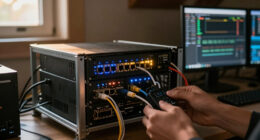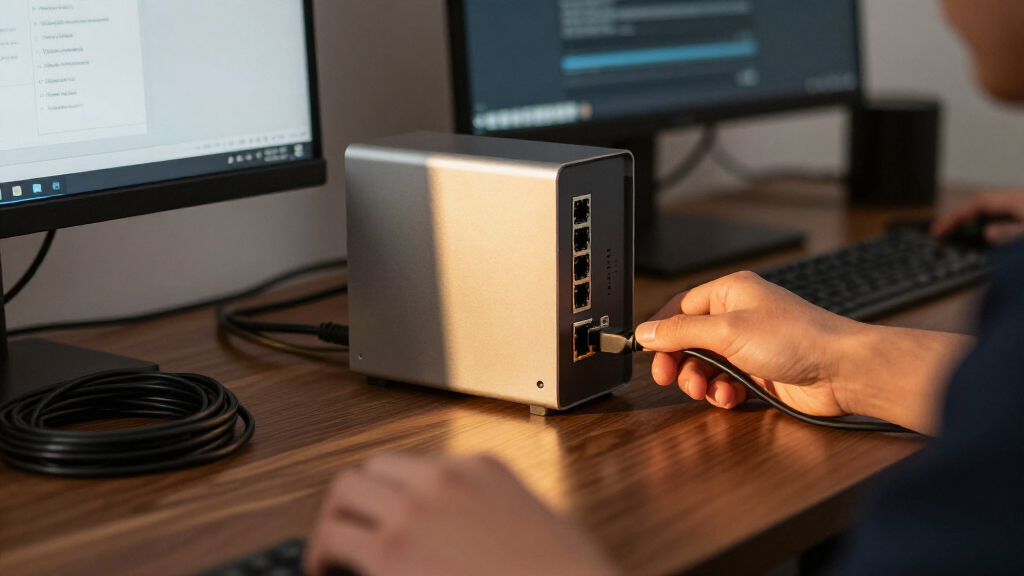

The best fanless 10GbE switch for most mixed home and office networks is the UGREEN 8-Port model, thanks to its combination of four RJ45 and four SFP+ ports. The TP-Link TL-SX105 is a simpler choice if you need five copper ports, while the MikroTik CRS305 suits fiber or DAC-heavy setups that can work with SFP+. The key tradeoff is between plug-and-play copper connectivity and the flexibility—and compatibility checks—of SFP+. Port count, heat, and management needs also shape the right fit. Read on for the full comparison and recommendations by network type.

Get privacy and security gear delivered free with Prime
- Fast, free delivery on millions of items
- Prime Video, Amazon Music and more included
- Member-only deals all year
Key Takeaways
- Mixed port types set UGREEN apart: its four 10Gb RJ45 and four 10Gb SFP+ ports accommodate copper devices and fiber or DAC links in one switch.
- The TP-Link TL-SX105 favors simplicity: five copper multi-gig ports make it a straightforward fit when SFP+ flexibility and extra ports are unnecessary.
- The MikroTik CRS305 is a different kind of pick: four SFP+ ports and one gigabit port prioritize fiber and DAC connections over direct 10Gb RJ45 access.
- Eight-port choices serve different needs: the TL-SX1008 focuses on copper connections, while UGREEN combines copper with SFP+; choose by cabling, not port count alone.
- Four-port and five-port models are not interchangeable: the CRS304-4XG-IN offers four 10Gb Ethernet ports, while the Omada DS105X and TRENDnet TEG-S750 provide five-port unmanaged layouts.
| MikroTik Cloud Router Switch CRS305 4 SFP+ 10Gbps Ports 1 Gbit Port |  | Best for SFP+ Workflows | Ports: 4 SFP+ ports and 1 1Gbps copper port | Maximum SFP+ link rate: 10Gbps per port | Switch type: Managed | VIEW LATEST PRICE | See Our Full Breakdown |
| Omada DS105X 5-Port 10G Unmanaged Switch |  | Best for Easy RJ45 Setup | Ports: 5 RJ45 | Supported speeds: 100Mbps, 1G, 2.5G, 5G, and 10G | Switching capacity: 100Gbps | VIEW LATEST PRICE | See Our Full Breakdown |
| TP-Link TL-SX1008 8-Port 10G Multi-Gig Ethernet Switch |  | Best for More Wired Devices | Ports: 8 | Supported speeds: 100Mbps, 1G, 2.5G, 5G, and 10G | Switch type: Unmanaged | VIEW LATEST PRICE | See Our Full Breakdown |
| TP-Link TL-SX105 5-Port 10G/Multi-Gig Unmanaged Ethernet Switch |  | Best Compact Fanless RJ45 Pick | Ports: 5 RJ45 | Supported speeds: 100Mbps, 1G, 2.5G, 5G, and 10G | Switch type: Unmanaged | VIEW LATEST PRICE | See Our Full Breakdown |
| UGREEN 8-Port 10Gb Ethernet Switch, Unmanaged, 4 x 10Gb RJ45 + 4 x 10Gb SFP+ |  | Best Mixed-Port Flexibility | Ports: 8 total | RJ45 ports: 4 x 10Gb | SFP+ ports: 4 x 10Gb | VIEW LATEST PRICE | See Our Full Breakdown |
| MikroTik CRS304-4XG-IN 10 Gigabit Ethernet Switch with 4 Ports |  | Best Compact Managed Pick | 10GbE ports: 4 | Additional port: 1 Gigabit management port | Switch type: Managed | VIEW LATEST PRICE | See Our Full Breakdown |
| TRENDnet 5-Port 10G Switch, 100Gbps Switching Capacity TEG-S750 |  | Best for Mixed-Speed Plug-and-Play Networks | Ports: 5 | Switch type: Unmanaged | Switching capacity: 100 Gbps | VIEW LATEST PRICE | See Our Full Breakdown |
| fanless 10GbE switch | Switch type | Ports | Case material | Dimensions |
|---|---|---|---|---|
| MikroTik Cloud Router Switch C | Managed | 4 SFP+ ports and 1 1Gbps copper port | Metallic | 5.55 x 4.53 x 1.1 inches |
| Omada DS105X 5-Port 10G Unmana | Unmanaged | 5 RJ45 | Metal | 8.9 x 5.2 x 1.4 inches |
| TP-Link TL-SX1008 8-Port 10G M | Unmanaged | 8 | Metal | 11.57 x 7.09 x 1.73 inches |
| TP-Link TL-SX105 5-Port 10G/Mu | Unmanaged | 5 RJ45 | Metal | 8.9 x 5.2 x 0.98 inches |
| UGREEN 8-Port 10Gb Ethernet Sw | Unmanaged | 8 total | Metal | — |
| MikroTik CRS304-4XG-IN 10 Giga | Managed | — | Metal | — |
| TRENDnet 5-Port 10G Switch | Unmanaged | 5 | — | 7 × 5.7 × 1.3 in |
More Details on Our Top Picks
MikroTik Cloud Router Switch CRS305 4 SFP+ 10Gbps Ports 1 Gbit Port
I’d pick the CRS305 when a quiet 10GbE setup needs fiber or DAC connections rather than a row of copper RJ45 ports. Its four 10Gbps SFP+ ports suit a NAS, server, and network uplink, while the separate 1Gbps copper port provides management access. Unlike the plug-and-play Omada DS105X, this MikroTik is managed and offers RouterOS or SwOS, giving technically confident owners more control over the network. That flexibility also means setup takes more networking knowledge, and neither operating system adds ports: five total connections make this a small-core switch, not a broad access switch. The fanless metal enclosure keeps it silent, but buyers should check SFP+ module and power-supply needs before planning a complete installation.
Pros:- Four SFP+ ports support up to 10Gbps per link for compatible fiber or DAC connections.
- Fanless metallic case supports silent placement in a home office or lab.
- RouterOS and SwOS boot options offer a choice of management approach.
- Dedicated 1Gbps copper port can provide a separate management connection.
Cons:- Only four ports provide 10Gbps connectivity; the fifth port is 1Gbps copper.
- Managed configuration and dual operating-system choices can be challenging for beginners.
- The supplied product details do not specify an included power supply.
Best for: Home-lab owners or small studios connecting several SFP+ NAS, server, or fiber links who want a silent managed switch.
Not ideal for: Buyers whose devices use RJ45 copper, need more than four 10Gbps links, or want a simple unmanaged setup without configuration.
- Ports:4 SFP+ ports and 1 1Gbps copper port
- Maximum SFP+ link rate:10Gbps per port
- Switch type:Managed
- Operating systems:RouterOS or SwOS
- Cooling:Fanless
- Case material:Metallic
- Dimensions:5.55 x 4.53 x 1.1 inches
- Weight:16 ounces
Our verdict“Choose the CRS305 if your 10GbE devices use SFP+ and you want silent, managed flexibility; choose the Omada DS105X for simpler RJ45 plug-and-play networking.”
Omada DS105X 5-Port 10G Unmanaged Switch
For someone who wants 10GbE over standard RJ45 without configuring a managed switch, the Omada DS105X is the straightforward pick here. Its five ports negotiate across 100Mbps, 1G, 2.5G, 5G, and 10G, so it can connect newer high-speed gear alongside slower existing devices. The fanless, unmanaged design keeps setup simple and operation quiet. Compared with the MikroTik CRS305, the DS105X trades SFP+ links and network controls for familiar copper connections and plug-and-play use; compared with the eight-port TP-Link TL-SX1008, it takes up less network capacity but has fewer connections. Its five-port limit can become restrictive as a NAS, workstation, and several other devices join the network, and unmanaged operation rules out advanced traffic controls.
Pros:- Five RJ45 ports support link speeds from 100Mbps through 10G.
- Unmanaged operation makes it suitable for plug-and-play installation.
- Fanless design avoids switch-fan noise in work and living spaces.
- Listed switching capacity is 100Gbps.
Cons:- Five ports may not cover a larger workstation, NAS, and access-point setup.
- Unmanaged design lacks advanced network configuration and monitoring features.
- RJ45-only interfaces do not provide the SFP+ connection option found on the CRS305 or UGREEN switch.
Best for: Home-office or gaming users who need a few multi-gig RJ45 connections and prefer setup without switch configuration.
Not ideal for: Growing labs that need eight or more ports, SFP+ connections, VLAN or other managed controls, or PoE.
- Ports:5 RJ45
- Supported speeds:100Mbps, 1G, 2.5G, 5G, and 10G
- Switching capacity:100Gbps
- Switch type:Unmanaged
- Cooling:Fanless, silent operation
- Case material:Metal
- Dimensions:8.9 x 5.2 x 1.4 inches
- Weight:2.1 pounds
Our verdict“Pick the DS105X for quiet, uncomplicated 10GbE RJ45 networking; step up to the TL-SX1008 if you need more ports or the CRS305 for SFP+ and management options.”
TP-Link TL-SX1008 8-Port 10G Multi-Gig Ethernet Switch
The TL-SX1008 earns its place for buyers who would rather add eight multi-gig connections now than outgrow a five-port switch soon. All eight ports support auto-negotiated speeds from 100Mbps to 10G, which helps connect a mix of older equipment and high-bandwidth workstations, storage, or servers. Compared with the five-port TP-Link TL-SX105, the TL-SX1008 has room for three more devices, making it a better fit as a wired network hub. It is also simpler than the managed MikroTik CRS305, but that simplicity comes with no management features and no SFP+ ports. The product details establish its metal case and unmanaged operation but do not confirm fanless cooling, so buyers seeking a guaranteed silent switch should verify that point rather than assume it.
Pros:- Eight ports provide more room for wired devices than the DS105X or TL-SX105.
- Supports auto-negotiated speeds from 100Mbps through 10G.
- Metal case suits desktop or rackmount-style placement.
- Listed limited-lifetime warranty.
Cons:- Unmanaged operation does not provide advanced network controls.
- Fanless operation is not confirmed in the supplied product details.
- RJ45-only port information does not offer the SFP+ flexibility of the CRS305 or UGREEN model.
Best for: Small offices, studios, or home labs with several multi-gig RJ45 devices that need eight wired ports and straightforward unmanaged switching.
Not ideal for: Noise-sensitive buyers who require confirmed fanless operation, or network administrators who need management features or SFP+ links.
- Ports:8
- Supported speeds:100Mbps, 1G, 2.5G, 5G, and 10G
- Switch type:Unmanaged
- Auto-negotiation:Supported
- Case material:Metal
- Dimensions:11.57 x 7.09 x 1.73 inches
- Weight:3.3 pounds
- Warranty:Limited lifetime
Our verdict“Choose the TL-SX1008 when eight multi-gig RJ45 ports matter more than management or confirmed silent cooling; the TL-SX105 is a smaller five-port alternative.”
TP-Link TL-SX105 5-Port 10G/Multi-Gig Unmanaged Ethernet Switch
The TL-SX105 is the clearest fit for a desk or small work area where five quiet RJ45 links are enough. It combines fanless operation with auto-negotiation across 100Mbps, 1G, 2.5G, 5G, and 10G, so a fast workstation and NAS can share a switch with existing slower devices. Against the eight-port TL-SX1008, this model gives up three ports in exchange for a smaller footprint; against the Omada DS105X, it offers a similar unmanaged approach with a stated three-year warranty and wall-mountable placement. Neither is a managed switch, and the TL-SX105’s five-port ceiling leaves little room to grow. The supplied details also say the power cord and mounting hardware are not included, which may add setup friction for buyers expecting a complete mounting kit.
Pros:- Fanless operation supports quiet placement near a desk.
- Five RJ45 ports negotiate from 100Mbps through 10G.
- Metal case and wall-mountable design provide placement flexibility.
- Listed three-year warranty.
Cons:- Five ports offer less room to expand than the eight-port TL-SX1008.
- Unmanaged operation lacks advanced network controls.
- Product details state that the power cord and mounting hardware are not included.
Best for: A home-office user or small workstation owner with up to five RJ45 devices who wants fanless multi-gig switching and flexible placement.
Not ideal for: Buyers planning a larger wired network, needing managed controls or SFP+, or expecting power and mounting accessories to be supplied.
- Ports:5 RJ45
- Supported speeds:100Mbps, 1G, 2.5G, 5G, and 10G
- Switch type:Unmanaged
- Cooling:Fanless
- Case material:Metal
- Mounting:Wall-mountable
- Dimensions:8.9 x 5.2 x 0.98 inches
- Warranty:3 years
Our verdict“Choose the TL-SX105 for a quiet, compact five-device RJ45 setup; choose the TL-SX1008 if port capacity matters more than footprint.”
UGREEN 8-Port 10Gb Ethernet Switch, Unmanaged, 4 x 10Gb RJ45 + 4 x 10Gb SFP+
The UGREEN stands apart from the all-RJ45 TP-Link TL-SX1008 by combining four 10Gb RJ45 ports and four 10Gb SFP+ ports. That split lets a buyer connect copper-based PCs or storage alongside SFP+ gear, without choosing one interface type for the whole switch. All eight ports are listed for 10Gbps, and unmanaged operation keeps setup simple. But this roundup is specifically about fanless 10GbE switches, and the UGREEN’s description mentions a smart fan and efficient cooling rather than fanless operation. I would not treat it as a confirmed silent pick. It also offers no management features or PoE, so its appeal is interface flexibility, not network control or powering devices. Compared with the CRS305, it has more ports and RJ45 options, but less stated configuration flexibility.
Pros:- Four RJ45 and four SFP+ ports accommodate a mix of copper and SFP+ links.
- All eight listed ports support 10Gbps connectivity.
- Unmanaged design supports straightforward setup.
- Metal case and listed 24-month warranty.
Cons:- Smart-fan cooling is described, so fanless operation is not established.
- Unmanaged operation lacks advanced network configuration.
- No PoE support is listed.
Best for: A small lab or studio connecting a mix of 10Gb RJ45 devices and SFP+ equipment that does not require managed features.
Not ideal for: Buyers who require confirmed fanless operation, PoE, advanced switch management, or a compact five-port unit.
- Ports:8 total
- RJ45 ports:4 x 10Gb
- SFP+ ports:4 x 10Gb
- Maximum listed data rate:10Gbps
- Switch type:Unmanaged
- Cooling:Smart fan and thermal design
- Case material:Metal
- Weight:965g
- Warranty:24 months
Our verdict“Choose the UGREEN for an eight-port mix of RJ45 and SFP+ 10GbE connections only if fan noise is acceptable; for a confirmed fanless SFP+ option, consider the CRS305.”
MikroTik CRS304-4XG-IN 10 Gigabit Ethernet Switch with 4 Ports
The MikroTik CRS304-4XG-IN suits buyers who want four fanless 10GbE RJ45 ports in a compact, mountable unit and value management options over extra port count. Its multiple power inputs give it a resilience advantage for installations where a single power connection is a concern, while the separate Gigabit management port keeps administration apart from the four high-speed links. Compared with the TRENDnet TEG-S750, it offers managed functionality and more flexible mounting, but TRENDnet provides a fifth port and simpler unmanaged setup. This MikroTik is also a different fit from the fiber-oriented CRS305: its listed interfaces are RJ45, so it avoids separate SFP+ modules for copper connections but does not provide the same direct fiber-port option. The tradeoff is a four-port limit and a steeper learning curve for advanced configuration.
Pros:- Fanless operation keeps noise out of offices and shared living spaces.
- Four 10GbE RJ45 ports provide direct copper connections without separate transceiver modules.
- Multiple power inputs add flexibility for installations that need an alternate power connection.
- Versatile mounting options support more placement choices than a basic desktop-only design.
Cons:- Four 10GbE ports may be limiting as a network grows.
- No SFP+ ports are listed for direct fiber connections.
- Advanced managed configuration may be a poor fit for buyers seeking plug-and-play simplicity.
Best for: Technically confident home-lab users or small offices that need a silent, mountable four-port 10GbE copper switch with management and power-input flexibility.
Not ideal for: Buyers who need five or more 10GbE connections, direct SFP+ fiber links, or an unmanaged switch that requires little configuration.
- 10GbE ports:4
- Additional port:1 Gigabit management port
- Switch type:Managed
- Interfaces:RJ45; PoE listed
- Data transfer rate:40 Gbps
- Switching layers:Layer 1
- Case material:Metal
- Weight:0.7 kg
Our verdict“Choose the CRS304-4XG-IN if you want a compact, silent, managed copper switch and can work within its four-port limit.”
TRENDnet 5-Port 10G Switch, 100Gbps Switching Capacity TEG-S750
The TRENDnet TEG-S750 is the straightforward choice for a silent 10GbE network that also has devices operating at 2.5G or 5G. Its five unmanaged ports suit buyers who want to connect compatible devices without configuring switch features, and support for multiple copper link speeds can help a mixed-speed setup use existing cabling rated for the job. Compared with the managed MikroTik CRS304-4XG-IN, TRENDnet is easier to deploy but gives up configuration control and has one more port. It also differs from the TP-Link TL-SX105 by highlighting 2.5G and 5G-BASE-T support, a useful match for network devices that have not moved to 10GbE. Its metal housing and fanless design favor quiet desktop placement; the tradeoffs are its five-port ceiling and lack of advanced management.
Pros:- Fanless design supports quiet placement in a home office or workspace.
- Supports 10G, 5G, and 2.5G BASE-T connections for mixed-speed copper networks.
- Five ports provide one more connection than the four-port MikroTik CRS304-4XG-IN.
- Metal housing and listed lifetime manufacturer protection support a durable, low-maintenance setup.
Cons:- Unmanaged operation limits configuration and traffic-control options.
- Five ports may not provide enough room for a growing network.
- The listed 10G capability depends on compatible devices and suitable cabling; it does not create a 10G internet connection by itself.
Best for: Home-office owners or small teams connecting a mix of 10G, 5G, and 2.5G copper devices who prefer an unmanaged switch.
Not ideal for: Network administrators who need VLANs or other advanced controls, or buyers planning a larger 10GbE network with more than five connections.
- Ports:5
- Switch type:Unmanaged
- Switching capacity:100 Gbps
- Supported connection speeds:10G, 5G, and 2.5G BASE-T
- Recommended cabling:Cat6a or better
- Housing:Metal
- Dimensions:7 × 5.7 × 1.3 in
- Operating temperature range:32°F to 104°F
- Warranty:Lifetime manufacturer protection
Our verdict“Pick the TEG-S750 for silent, simple copper networking across mixed link speeds, but skip it if you need managed controls or more than five ports.”
How We Picked
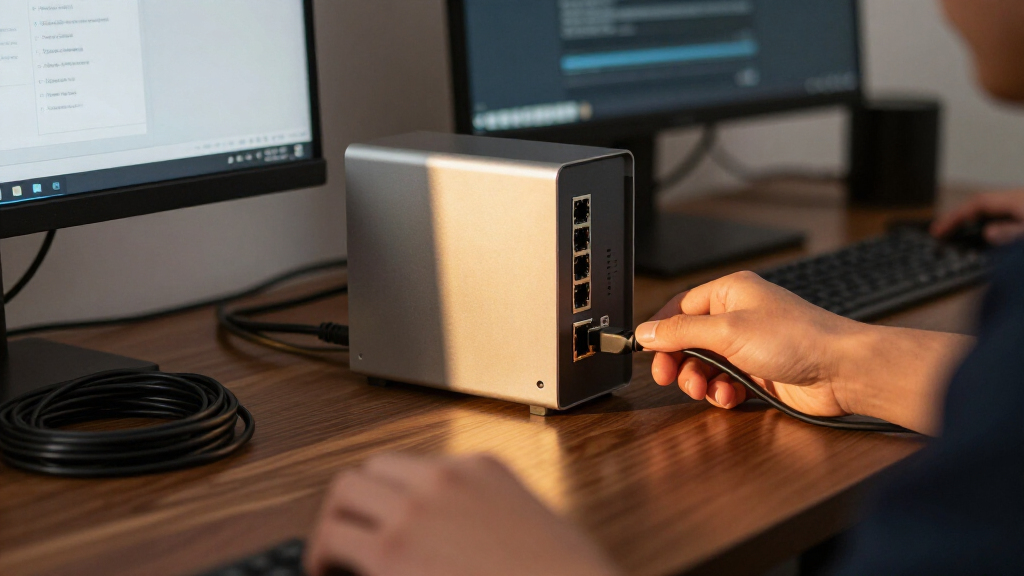
I ranked these switches around the needs behind a fanless 10GbE purchase: quiet operation, useful port layout, straightforward setup, and the ability to connect the devices a buyer already owns. I gave weight to whether ports are RJ45 or SFP+, because that choice affects cabling, transceiver compatibility, and the cost and effort of building a network. I also looked at port count and whether a product’s design suits a simple desk-side upgrade or a more flexible network layout.
The order reflects how broadly each switch fits common 10GbE setups, not a claim that one port type is universally superior. The UGREEN 8-Port leads for its mixed connectivity, followed by copper-focused options that are easier for typical Ethernet deployments. SFP+-centric and four-port models rank lower for general use, but may be better fits for buyers with matching fiber or DAC equipment. The supplied product details do not establish measured noise, heat, or performance differences, so I do not claim comparative test results for those areas.
| fanless 10GbE switch | Switch type | Cooling | Case material |
|---|---|---|---|
| MikroTik Cloud Router Switch C | Managed | Fanless | Metallic |
| Omada DS105X 5-Port 10G Unmana | Unmanaged | Fanless, silent operation | Metal |
| TP-Link TL-SX1008 8-Port 10G M | Unmanaged | — | Metal |
| TP-Link TL-SX105 5-Port 10G/Mu | Unmanaged | Fanless | Metal |
| UGREEN 8-Port 10Gb Ethernet Sw | Unmanaged | Smart fan and thermal design | Metal |
| MikroTik CRS304-4XG-IN 10 Giga | Managed | — | Metal |
| TRENDnet 5-Port 10G Switch | Unmanaged | — | — |
Factors to Consider When Choosing Best Fanless 10GbE Switch
Before choosing a model, map your network rather than counting only the devices you own today. A quiet 10GbE switch can still be a poor fit if its port types do not match your cabling, if uplinks consume ports you need, or if a fanless chassis has nowhere to release heat. These broader checks can prevent an expensive mismatch.
Match RJ45 and SFP+ to Your Cabling
RJ45 is the familiar copper Ethernet connector, so it often makes the simplest choice when your 10GbE devices already have copper ports. SFP+ accepts compatible modules or direct-attach cables, giving more options for fiber or short equipment-rack links. Do not assume an SFP+ port will connect to any Ethernet cable: check supported modules, cable type, and link distance before buying. A switch with both types can reduce the need for separate devices, but only if you actually plan to use both. For a small copper-only network, paying for unused SFP+ flexibility may add complexity without improving the setup.
Count Ports After Planning Uplinks
Count every device that needs a 10GbE link, then reserve ports for connections to other switches, storage, or a router when those links need 10GbE too. Buyers often count computers and NAS devices but forget that a switch-to-switch connection also occupies a port. A four-port model can be a good focused upgrade, yet leave little room to grow once an uplink is connected. A larger switch is not automatically better if its extra ports use the wrong connector type. Sketching the connections first makes differences like four, five, and eight ports much easier to judge.
Check Multi-Gig Compatibility Across the Network
10GbE capability does not make every connected link run at 10Gbps; the endpoint, cabling, and any intermediate equipment also matter. Some listed models are described as multi-gig, which can help when devices negotiate at speeds below 10GbE. Check the exact supported link rates on the switch and on each device rather than assuming all ports behave alike. A 10GbE switch can connect to slower equipment, but the link will be limited by what both ends support. This is especially relevant when mixing newer workstations with older access points, routers, or network storage.
Treat Fanless Design as a Heat and Placement Decision
Fanless means there is no fan noise, not that the switch produces no heat. A tightly enclosed cabinet, stacked equipment, or a blocked ventilation area can make passive cooling less effective. Leave open space around the unit and follow the maker’s placement guidance, especially if it will run continuously under heavy traffic. Do not judge thermal suitability from port count alone; enclosure design and operating conditions matter too. A quiet switch placed where it cannot shed heat may be a worse choice than a larger unit with room to breathe.
Decide Whether Unmanaged Operation Fits
Unmanaged switches favor quick setup: they are suited to buyers who want connected devices to communicate without configuring network features. That simplicity can be limiting if you need VLAN separation, traffic controls, monitoring, or other managed-network tools. Check the exact product’s management capabilities instead of assuming that a brand’s broader product range applies to every model. A home media or workstation network may need little configuration, while a small business could benefit from features that make troubleshooting and segmentation easier. Paying for management only makes sense if you are prepared to configure and maintain it.
Compare the Whole Connection Cost, Not Just the Switch
Port compatibility can change the total cost and effort of a 10GbE upgrade. RJ45 connections may let you reuse existing copper infrastructure, while SFP+ links can call for compatible modules or DAC cables. Confirm what is included and what your endpoints accept before settling on a switch; module support can vary. Also check whether your router, network card, and storage device can use the intended speed, since a new switch cannot upgrade those components by itself. Buying for a complete link plan helps avoid a switch that sits idle while other parts of the network catch up.
Frequently Asked Questions
Should I choose a switch with RJ45 ports or SFP+ ports for a home 10GbE network?
Choose RJ45 when your devices and existing cabling use copper Ethernet and you want a familiar connection path. SFP+ makes more sense if your endpoints accept it or you plan to use compatible fiber modules or DAC cables. The MikroTik CRS305 is built around SFP+, while the TP-Link TL-SX105 is a copper-focused option; UGREEN offers both port types. Check the ports on your network cards and storage equipment first. The best connector is the one you can use across the whole link without adding unwanted adapters.
Will a 10GbE switch make all my network devices run at 10Gbps?
No. Each connection is limited by the capabilities of both connected devices, the switch port, and the cabling or module used. A gigabit device remains a gigabit device when connected to a 10GbE switch, and an older router can still limit traffic between networks. A 10GbE switch can help move data quickly between capable local devices, such as a workstation and network storage, even if internet service is slower. Check negotiated speeds on the links you care about rather than treating the switch’s headline speed as an end-to-end guarantee.
Is a four-port 10GbE switch enough if I also need an uplink?
It depends on how many devices need direct 10GbE connections. An uplink uses a port when it connects the switch to another switch or device at 10GbE, leaving fewer ports for workstations, storage, or servers. Four ports can suit a compact setup with only a few high-speed endpoints, but it leaves less room for expansion than the five- and eight-port options in this roundup. Draw the connections you need now and add likely near-term devices before choosing. If you would need to add another switch soon, a larger port layout may be simpler.
Can I put a fanless 10GbE switch in a closed cabinet?
A fanless design removes fan noise, but the switch still needs to release heat. A closed cabinet with little airflow can trap heat, particularly when the switch is working continuously or sits beside other warm equipment. Check the manufacturer’s operating and placement guidance, and leave room around ventilation areas. If the cabinet has poor airflow, consider improving ventilation or placing the switch in a more open location. Do not treat silence as proof that placement and temperature are not concerns.
When does a mixed RJ45 and SFP+ switch make more sense than an all-copper model?
A mixed-port switch is useful when your network has both copper-connected devices and SFP+ endpoints, or when you expect to add fiber or DAC links later. It can avoid dedicating a second switch to a different connection type. If every device uses RJ45 and you do not expect that to change, an all-copper model may be simpler to plan and connect. Check module compatibility and the connection type at each endpoint before choosing mixed ports. Flexibility is helpful when it matches a real network plan, not just because the port list looks broader.
Conclusion
For a broad mix of 10GbE connections, I would start with the UGREEN 8-Port as the best overall pick because its RJ45 and SFP+ ports cover more cabling scenarios. The TP-Link TL-SX105 is my best value-style choice for buyers who want a compact, copper-only unmanaged switch, while the TP-Link TL-SX1008 suits setups that need more copper ports. For beginners, the five-port unmanaged TP-Link models offer a simpler path than planning around SFP+ compatibility. Buyers with fiber or DAC links should look at the MikroTik CRS305; those needing four 10Gb Ethernet ports can compare the CRS304-4XG-IN. Choose the Omada DS105X or TRENDnet TEG-S750 if their five-port unmanaged layouts better match your device count. The best fanless 10GbE switch is ultimately the one whose port types, capacity, and placement fit the complete network you intend to build.
Halloween Picks
halloween
As an affiliate, we earn on qualifying purchases.