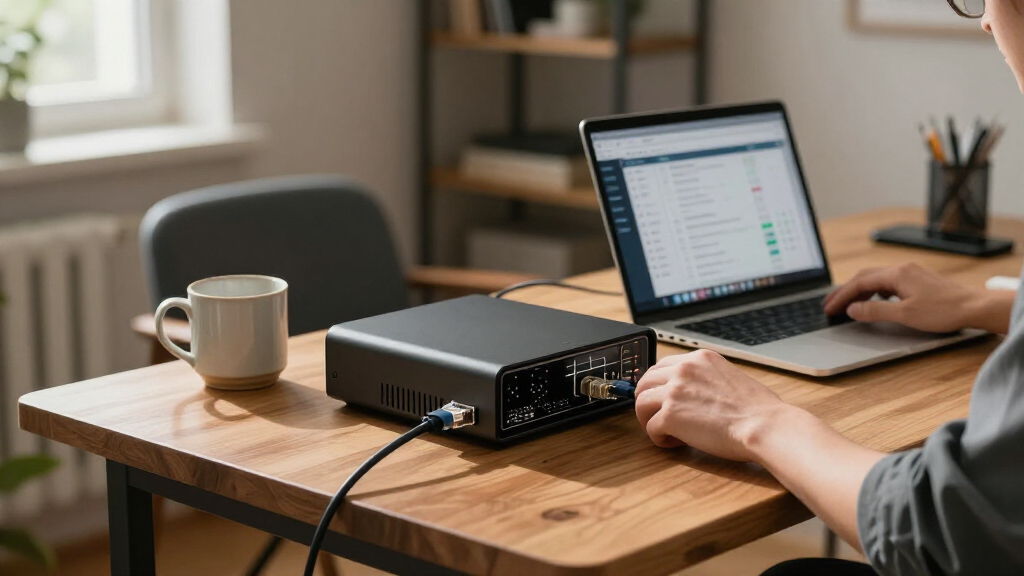

The best firewall appliance for a remote office balances dependable security, manageable setup, and enough capacity for the people and devices connecting at once. I rank the Fortinet FortiGate-50G as the best overall for offices that want a purpose-built branch firewall, while the Firewalla Purple SE suits buyers who value simpler management and the WatchGuard Firebox T125-W stands out for built-in Wi-Fi 7. The main tradeoff is between guided, vendor-managed security and a more flexible appliance that asks you to handle more configuration yourself. Support terms, licensing, wireless needs, and growth capacity can matter as much as port count. Read on for the full breakdown and a guide to matching a firewall to your office.

Get privacy and security gear delivered free — and shop member deals
- Fast, free delivery on millions of items
- Access to Prime Big Deal Days deals on October 6–7
- Prime Video, Amazon Music and more included
Key Takeaways
- The FortiGate-50G is the strongest all-around branch-office fit: it is purpose-built for small offices and has five Gigabit Ethernet ports, while the smaller FortiGate-30G is a better match when the network is simpler.
- Wireless requirements change the shortlist: the WatchGuard Firebox T125-W combines firewall and Wi-Fi 7, while the SonicWall TZ270W adds wireless capability without requiring a separate access point.
- Ease of administration divides the lineup: Firewalla Purple SE is aimed at buyers seeking approachable management; Protectli Vault FW4B offers more configuration freedom but expects more technical ownership.
- Security subscriptions and support are part of the purchase decision: some listed models include a defined security or support term, while the SonicWall TZ280 is hardware only and the Cisco Firepower 1120 is renewed.
- Port count and user claims are not direct performance guarantees: compare expected encrypted traffic, VPN connections, and growth needs rather than choosing solely by the number of ports or a stated user figure.
| Firewalla Purple SE Cyber Security Firewall for Home & Business |  | Best for App-Based, Subscription-Free Security | Model: Firewalla Purple SE | IPS throughput: 500 Mbps | LAN port bandwidth: 100 Mbps | VIEW LATEST PRICE | See Our Full Breakdown |
| Fortinet FortiGate-30G Firewall for Small Offices with 4 Gigabit Ethernet RJ45 Ports (FG-30G) |  | Best for Compact, Managed Small Offices | Model: FG-30G | Ports: 4 GE RJ45 (1 WAN, 3 internal) | IPS throughput: 800 Mbps | VIEW LATEST PRICE | See Our Full Breakdown |
| SonicWall TZ270W Wireless Gen7 Firewall (02-SSC-2823) |  | Best for Integrated Wi-Fi and Threat Analysis | Model: 02-SSC-2823 | Firewall throughput: 2 Gbps | Wireless: 802.11ac Wave 2 (Wi-Fi 5), dual-band | VIEW LATEST PRICE | See Our Full Breakdown |
| WatchGuard Firebox T125-W Wi-Fi 7 Firewall with 1-Year Standard Support |  | Best for Wi-Fi 7 and Included Support | Model: WGT126000+WGT1260061 | Ports: 1x 2.5Gb + 4x 1Gb Ethernet | UTM throughput: 510 Mbps | VIEW LATEST PRICE | See Our Full Breakdown |
| Fortinet FortiGate-50G Firewall for Branch and Small Offices with 5 Gigabit Ethernet RJ45 Ports (FG-50G) |  | Best for Higher-Throughput Branches | Model: FG-50G | Ports: 5x GE RJ45 (1 WAN, 4 internal) | IPS throughput: 2.25 Gbps | VIEW LATEST PRICE | See Our Full Breakdown |
| Zyxel USGFLEX100H Firewall with 1 Year Gold Security Pack (25 Users, 8x Gigabit Ports, TAA Compliant) |  | Best Ready-to-Run UTM for a Remote Office | SPI firewall throughput: 4,000 Mbps | IPS throughput: 1,500 Mbps | VPN throughput: 900 Mbps | VIEW LATEST PRICE | See Our Full Breakdown |
| Protectli Vault FW4B – 4 Port Firewall Micro Appliance / Mini PC (Intel Quad Core, AES-NI, 8GB RAM, 120GB mSATA SSD) |  | Best for Open-Source Firewall Control | Processor: Intel Celeron J3160 quad-core, up to 2.2 GHz, AES-NI | Memory: 8GB DDR3L | Storage: 120GB mSATA SSD | VIEW LATEST PRICE | See Our Full Breakdown |
| SonicWall TZ280 2.5 Gbps Next-Gen Firewall Appliance (Hardware Only) |  | Best for Higher-Throughput Branch Connectivity | Firewall inspection throughput: Up to 2.5 Gbps | Threat prevention throughput: 1 Gbps | IPSec VPN throughput: 1.2 Gbps | VIEW LATEST PRICE | See Our Full Breakdown |
| Cisco FPR1120-NGFW-K9 Firepower 1120 NGFW Firewall Appliance (Renewed) |  | Best for Cisco-Centric Remote Access | Model: FPR1120-NGFW-K9 | Series: Firepower 1000 | Form factor: 1RU | VIEW LATEST PRICE | See Our Full Breakdown |
| firewall appliance for remote office | Ports | Model | Operating system |
|---|---|---|---|
| Firewalla Purple SE Cyber Secu | 1 | Firewalla Purple SE | Linux |
| Fortinet FortiGate-30G Firewal | 4 GE RJ45 (1 WAN, 3 internal) | FG-30G | — |
| SonicWall TZ270W Wireless Gen7 | 8 | 02-SSC-2823 | — |
| WatchGuard Firebox T125-W Wi-F | 1x 2.5Gb + 4x 1Gb Ethernet | WGT126000+WGT1260061 | Fireware |
| Fortinet FortiGate-50G Firewal | 5x GE RJ45 (1 WAN, 4 internal) | FG-50G | FortiOS |
| Zyxel USGFLEX100H Firewall wit | 8 x 1G RJ-45, WAN/LAN assignable | — | — |
| Protectli Vault FW4B | — | — | Not pre-installed |
| SonicWall TZ280 2.5 Gbps Next- | — | — | SonicOS 8 |
| Cisco FPR1120-NGFW-K9 Firepowe | 9 | FPR1120-NGFW-K9 | — |
More Details on Our Top Picks
Firewalla Purple SE Cyber Security Firewall for Home & Business
I’d shortlist the Firewalla Purple SE for a remote office that wants straightforward monitoring and security controls without a recurring service fee. Its app provides IDS/IPS, VPN, ad blocking, and content controls, and the appliance can sit behind an existing router in bridge mode or take on routing duties. That flexibility makes it less demanding to integrate than replacing an office’s full network setup, though Simple Mode may not work with every router. Compared with the Fortinet FortiGate-30G, Purple SE is more approachable for an owner-managed network, but its listed 500 Mbps IPS throughput and 100 Mbps LAN port make it a weaker fit for higher-speed connections. Router Mode also calls for separate modem and Wi-Fi access points.
Pros:- IDS/IPS, VPN server and client, and ad blocking are included without a monthly fee.
- Can operate as a router or bridge alongside an existing router.
- Mobile app offers network insight, parental controls, and content filtering.
- A practical fit for small teams without dedicated network administrators.
Cons:- IPS throughput is limited to 500 Mbps, which can constrain faster connections.
- The listed LAN port bandwidth is 100 Mbps and the appliance has one port.
- Router Mode requires a separate modem and Wi-Fi access points, while Simple Mode may not suit every router.
Best for: Small remote offices where an owner or generalist wants app-managed security, VPN features, and network visibility without a monthly subscription.
Not ideal for: Offices with gigabit-plus traffic, demanding LAN speeds, or a need for a conventional multiport business appliance; its listed LAN bandwidth is 100 Mbps and it has one port.
- Model:Firewalla Purple SE
- IPS throughput:500 Mbps
- LAN port bandwidth:100 Mbps
- Ports:1
- RAM:3 GB
- Management:Mobile app
- Operating system:Linux
- Connectivity:Ethernet
Our verdict“Choose the Purple SE for a small, app-managed office that values subscription-free controls more than high throughput or multiple Ethernet ports.”
Fortinet FortiGate-30G Firewall for Small Offices with 4 Gigabit Ethernet RJ45 Ports (FG-30G)
The FortiGate-30G suits a small remote office that wants a familiar business firewall platform in a compact, fanless box. It combines firewalling, SD-WAN, and Wi-Fi controller functions, while zero-touch deployment can simplify adding a branch to centrally managed policies. Its four Gigabit Ethernet ports are more office-ready than the single port listed for the Firewalla Purple SE, and its 800 Mbps IPS throughput gives it more headroom for inspected traffic. The tradeoff is scale: the 30G is less suitable for a growing site than the FortiGate-50G, which lists substantially higher IPS and threat-protection throughput. FortiGuard subscriptions may also be needed for advanced services, so the appliance’s security capabilities should be weighed alongside ongoing licensing needs.
Pros:- Combines firewall, SD-WAN, and Wi-Fi controller functions in one appliance.
- Four Gigabit Ethernet ports provide more wired flexibility than the Firewalla Purple SE.
- Zero-touch deployment can simplify remote installation and policy rollout.
- Compact, fanless design fits a small office network closet or desk.
Cons:- Four ports may be restrictive as a branch adds wired devices.
- Its 800 Mbps IPS throughput is below the FortiGate-50G’s listed capacity.
- Advanced security features typically require FortiGuard subscription licenses.
Best for: Small branch managers or IT generalists who need a centrally managed, fanless firewall with SD-WAN and several Gigabit Ethernet connections.
Not ideal for: Growing offices with heavy inspected traffic, more than a few wired devices, or no budget for FortiGuard licensing for advanced services.
- Model:FG-30G
- Ports:4 GE RJ45 (1 WAN, 3 internal)
- IPS throughput:800 Mbps
- Threat protection throughput:500 Mbps
- Form factor:Compact, fanless
- Features:Integrated firewall, SD-WAN, and Wi-Fi controller
- Deployment:Zero-touch deployment
Our verdict“Pick the FortiGate-30G for a small, centrally managed branch that needs a quiet all-in-one appliance but does not require the 50G’s extra throughput.”
SonicWall TZ270W Wireless Gen7 Firewall (02-SSC-2823)
For a remote office that wants security inspection and wireless access in one chassis, the SonicWall TZ270W has a compelling mix: integrated dual-band Wi-Fi 5, VPN, SD-WAN, and Capture ATP sandboxing with RTDMI for analyzing suspicious files. Its stated 2 Gbps firewall throughput and capacity for 750,000 concurrent connections give it a different profile from the lower-throughput Firewalla Purple SE. It also lists eight ports, more than either FortiGate in this group. The main catch is that this is hardware only; security services require a separate subscription, so buyers need to account for licensing before relying on its threat protection. Wi-Fi 5 is also an older wireless generation than the Wi-Fi 7 built into the WatchGuard Firebox T125-W.
Pros:- Combines firewall and dual-band Wi-Fi 5 in one appliance.
- Capture ATP and RTDMI provide sandboxing and threat analysis features.
- Supports VPN, SD-WAN, and TLS 1.3 decryption.
- Eight ports and support for 750,000 concurrent connections offer useful network capacity.
Cons:- No service subscription is included; security services require a separate purchase.
- Wi-Fi is 802.11ac Wave 2 rather than Wi-Fi 7 as on the WatchGuard Firebox T125-W.
Best for: Small offices that want an integrated firewall and Wi-Fi access point, plus sandbox-based threat analysis and room for many concurrent connections.
Not ideal for: Buyers who need security subscriptions included, want Wi-Fi 6 or newer, or prefer a simple appliance with minimal licensing decisions.
- Model:02-SSC-2823
- Firewall throughput:2 Gbps
- Wireless:802.11ac Wave 2 (Wi-Fi 5), dual-band
- Concurrent connections:750,000
- Ports:8
- LAN port bandwidth:1000 Mbps
- Features:VPN, SD-WAN, TLS 1.3 decryption, Capture ATP, cloud management
- Antennas:2 internal
Our verdict“Choose the TZ270W if you want integrated Wi-Fi and advanced threat analysis in one appliance and are prepared to arrange the required service subscription.”
WatchGuard Firebox T125-W Wi-Fi 7 Firewall with 1-Year Standard Support
The WatchGuard Firebox T125-W is the clearest choice here for a remote office prioritizing newer built-in wireless and a defined support window. Its Wi-Fi 7 and five Ethernet ports make it more current on connectivity than the Wi-Fi 5 SonicWall TZ270W, while one year of Standard Support includes software updates and 24×7 emergency assistance. It also offers more than 100 dashboards and reports, including PCI and HIPAA reporting, which can help teams document network activity. The tradeoff is that its listed 510 Mbps UTM throughput is modest beside the FortiGate-50G’s 2.25 Gbps IPS figure, and IPS, gateway antivirus, and web filtering require an optional Security Suite. I’d favor it for a supported branch deployment, not a high-throughput office seeking all security services included.
Pros:- Wi-Fi 7 is newer than the Wi-Fi 5 wireless on the SonicWall TZ270W.
- One year of Standard Support includes software updates and 24×7 emergency assistance.
- More than 100 dashboards and reports include PCI and HIPAA reporting.
- Five Ethernet ports include one 2.5Gb port, and the appliance supports SD-WAN.
Cons:- IPS, gateway antivirus, and web filtering require a paid Security Suite add-on.
- Listed UTM throughput is 510 Mbps, below the FortiGate-50G’s stated IPS throughput.
- Five ports may not be enough for a branch with many wired devices.
Best for: A remote or branch office that wants Wi-Fi 7, included first-year support, compliance-oriented reporting, and SD-WAN compatibility in a compact appliance.
Not ideal for: Offices with heavy inspected traffic or buyers expecting IPS, gateway antivirus, and web filtering to be included without a Security Suite add-on.
- Model:WGT126000+WGT1260061
- Ports:1x 2.5Gb + 4x 1Gb Ethernet
- UTM throughput:510 Mbps
- Wi-Fi generation:Wi-Fi 7 (802.11be), dual-band
- Operating system:Fireware
- Support:1 year Standard Support; 24×7 emergency and business-hours routine support
- Security suite:Optional Basic or Total Security Suite
- Reporting:100+ dashboards and reports, including PCI and HIPAA
Our verdict“Choose the T125-W for a supported remote office that values Wi-Fi 7 and reporting, but look elsewhere if high inspected throughput or included security suites matter more.”
Fortinet FortiGate-50G Firewall for Branch and Small Offices with 5 Gigabit Ethernet RJ45 Ports (FG-50G)
When inspected traffic and room to grow matter more than built-in wireless, I’d put the FortiGate-50G ahead of the smaller 30G. Its listed 2.25 Gbps IPS throughput, 1.1 Gbps threat-protection throughput, and 1.3 Gbps SSL inspection throughput give a remote branch more capacity for security checks than the 30G’s 800 Mbps IPS figure. Five Gigabit Ethernet ports and integrated SD-WAN suit a compact wired office, while zero-touch deployment and centralized management can reduce the work of bringing a site online. Unlike the WatchGuard Firebox T125-W, it does not list built-in Wi-Fi, and FortiGuard subscriptions are typically needed for full access to enterprise security features. Its five-port layout may also call for a separate switch as the office grows.
Pros:- 2.25 Gbps IPS throughput exceeds the FortiGate-30G’s listed 800 Mbps.
- Provides 1.1 Gbps threat-protection and 1.3 Gbps SSL inspection throughput.
- Zero-touch deployment and centralized management can simplify remote branch administration.
- Compact, fanless design combines firewall and SD-WAN functions.
Cons:- Five Gigabit Ethernet ports may require a separate switch as the network expands.
- No built-in Wi-Fi is listed, unlike the WatchGuard Firebox T125-W.
- FortiGuard subscriptions are typically required for full enterprise security features.
Best for: A small or branch office with faster internet and security-inspection demands that needs centralized Fortinet management and can use separate Wi-Fi access points.
Not ideal for: Offices seeking an all-in-one firewall and wireless appliance, a large number of built-in Ethernet ports, or full security services without subscription licensing.
- Model:FG-50G
- Ports:5x GE RJ45 (1 WAN, 4 internal)
- IPS throughput:2.25 Gbps
- Threat protection throughput:1.1 Gbps
- SSL inspection throughput:1.3 Gbps
- Operating system:FortiOS
- Design:Compact, fanless
- Features:Integrated firewall and SD-WAN; zero-touch deployment
Our verdict“Pick the FortiGate-50G for a wired branch that needs stronger inspection throughput than the 30G and can accommodate subscription services and separate Wi-Fi.”
Zyxel USGFLEX100H Firewall with 1 Year Gold Security Pack (25 Users, 8x Gigabit Ports, TAA Compliant)
The Zyxel USG FLEX 100H is a strong fit for a remote office that wants security services and cloud management in one package rather than assembling a firewall from separate parts. Its included one-year Gold Security Pack covers anti-malware, sandboxing, and web filtering, while the Nebula portal gives an administrator a way to manage the appliance remotely. Compared with the Protectli Vault FW4B, which leaves software selection and setup to the buyer, the Zyxel is much closer to a managed, ready-to-configure solution.
Its fanless design suits a quiet office, and assignable ports allow WAN failover or load balancing. The tradeoff is licensing: only 25 users are licensed, despite hardware capacity for up to 50, and the security pack needs renewal after its first year. Eight Gigabit ports also lack the faster uplinks some growing offices may want.
Pros:- One-year Gold Security Pack includes anti-malware, sandboxing, and web filtering
- Nebula cloud portal supports remote administration
- Fanless chassis fits quiet offices and compact network closets
- Eight assignable Gigabit ports support flexible WAN and LAN layouts
Cons:- Only 25 users are licensed despite hardware support for up to 50
- Gold Security Pack renewal is needed to continue its included security services
- No 2.5G or 10G uplink; all eight ports are Gigabit
Best for: A 25-person remote office that wants bundled threat protection, quiet operation, and cloud-based administration without building its own firewall stack.
Not ideal for: An office expecting more than 25 licensed users, avoiding recurring security subscriptions, or needing multi-gigabit uplinks.
- SPI firewall throughput:4,000 Mbps
- IPS throughput:1,500 Mbps
- VPN throughput:900 Mbps
- Ports:8 x 1G RJ-45, WAN/LAN assignable
- Licensed users:25
- VPN capacity:50 IPSec tunnels; 25 SSL VPN users
- Management:Zyxel Nebula cloud portal
- Design and compliance:Compact, fanless; TAA compliant
Our verdict“Choose the Zyxel if you want a quiet, centrally managed UTM with security services included for the first year and your office fits the 25-user license.”
Protectli Vault FW4B – 4 Port Firewall Micro Appliance / Mini PC (Intel Quad Core, AES-NI, 8GB RAM, 120GB mSATA SSD)
The Protectli Vault FW4B suits a technically capable remote office that wants to choose and manage its own firewall software. It ships with no operating system, but the hardware is tested with pfSense, OPNsense, and other options, so the buyer can shape the setup around existing skills and policies. That flexibility is the main distinction from the Zyxel USG FLEX 100H, which bundles a defined UTM service and cloud management for a more guided path.
Four Intel Gigabit ports, AES-NI, and a fanless case make this a quiet, adaptable platform for a small site or VPN gateway. The tradeoff is the work involved: the office must install, configure, and maintain the software rather than receiving a bundled security service. Its four ports also give less room for network segmentation than the Zyxel’s eight. This pick makes sense when control matters more than turnkey administration.
Pros:- Compatible with several popular open-source firewall platforms
- AES-NI hardware support can assist encrypted traffic processing
- Fanless construction allows silent operation
- Four Intel Gigabit Ethernet ports support common WAN and LAN layouts
Cons:- No operating system is pre-installed, so deployment requires software setup
- Security services and management depend on the chosen software rather than a bundled package
- Four ports offer less built-in expansion than the Zyxel USG FLEX 100H
Best for: A small office with an IT administrator who wants to select pfSense, OPNsense, or another supported firewall platform and manage updates directly.
Not ideal for: A business without someone to install and maintain firewall software, or one seeking bundled threat protection and centralized cloud management.
- Processor:Intel Celeron J3160 quad-core, up to 2.2 GHz, AES-NI
- Memory:8GB DDR3L
- Storage:120GB mSATA SSD
- Network ports:4 x Intel Gigabit Ethernet
- USB:2 x USB 3.0
- Cooling:Fanless
- Operating system:Not pre-installed
- Tested software compatibility:pfSense, OPNsense, Untangle, and other open-source solutions
Our verdict“Choose the Protectli if your office has the skills to install and maintain its preferred firewall software and values control over a turnkey security bundle.”
SonicWall TZ280 2.5 Gbps Next-Gen Firewall Appliance (Hardware Only)
The SonicWall TZ280 is the throughput-focused choice here for a remote office that expects busy internet links or heavier inspection needs. It specifies 2.5 Gbps firewall inspection, 1 Gbps threat prevention, and 1.2 Gbps IPSec VPN, plus eight Gigabit Ethernet ports and two SFP ports. That combination gives it more interface flexibility than the Protectli Vault FW4B, whose four-port design is better suited to a simpler, software-managed setup.
Zero-touch deployment and cloud management through Network Security Manager can help when a small team supports a branch remotely. The key drawback is that this listing is hardware only: security services, firmware updates, and support require a separate subscription, and protection features are inactive without one. The Zyxel USG FLEX 100H is a more complete starting package because it includes a year of security services, while the TZ280 makes more sense when its performance and SFP connections justify arranging subscriptions separately.
Pros:- Specified firewall inspection throughput of 2.5 Gbps
- Threat prevention throughput of 1 Gbps and IPSec VPN throughput of 1.2 Gbps
- Eight 1GbE ports plus two 1G SFP ports provide varied connectivity
- Zero-touch deployment and cloud management support remote administration
Cons:- Hardware-only unit; security services, firmware updates, and support require a separate subscription
- Protection features are inactive without the required service subscription
- Its bundled value is less straightforward than the Zyxel USG FLEX 100H, which includes a year of security services
Best for: A branch office with a fast connection, SFP-based network needs, and an administrator prepared to provision SonicWall security and support subscriptions.
Not ideal for: A small office seeking active threat protection out of the box or one that wants subscription costs and service coverage included in the appliance package.
- Firewall inspection throughput:Up to 2.5 Gbps
- Threat prevention throughput:1 Gbps
- IPSec VPN throughput:1.2 Gbps
- Ethernet ports:8 x 1GbE
- SFP ports:2 x 1G SFP
- Management:On-box or cloud Network Security Manager
- Operating system:SonicOS 8
- Subscription status:Security services, firmware updates, and support sold separately
Our verdict“Choose the TZ280 if your office needs its specified throughput and SFP connectivity and you are ready to provision SonicWall subscriptions separately.”
Cisco FPR1120-NGFW-K9 Firepower 1120 NGFW Firewall Appliance (Renewed)
The Cisco Firepower 1120 is the specialized pick for a remote office already built around Cisco remote-access tools. Its support for AnyConnect VPN and Duo multi-factor authentication can fit a familiar access and identity workflow for remote staff. Compared with the SonicWall TZ280, which advertises higher specified firewall and VPN throughput, the Firepower’s strongest case here is its Cisco ecosystem fit rather than a clearly stated performance advantage.
Firepower Threat Defense can add content inspection, IPS, and URL filtering, but those capabilities require additional software licensing. This listing is also renewed and carries only a 90-day limited warranty, making it a less reassuring choice for an office that needs long-term coverage. The Zyxel USG FLEX 100H is a more straightforward option when bundled security services and a longer stated warranty matter more than Cisco-specific remote access. Check licensing and support eligibility before choosing this unit.
Pros:- Supports Cisco AnyConnect remote-access VPN
- Duo MFA support can align with Cisco-oriented identity workflows
- Compact 1RU form factor fits rack-based office networks
- FTD software can add IPS, content inspection, and URL filtering
Cons:- Renewed condition with a 90-day limited warranty
- Advanced FTD security features require additional licensing
- Provided product data does not specify VPN or threat-prevention throughput
Best for: A small or midsize office already using Cisco AnyConnect and Duo that can verify FTD licensing and accept a renewed appliance.
Not ideal for: A buyer who needs a new appliance, a longer warranty, clearly bundled threat protection, or published performance figures for capacity planning.
- Model:FPR1120-NGFW-K9
- Series:Firepower 1000
- Form factor:1RU
- Ports:9
- LAN port bandwidth:1,000 Mbps
- Maximum upstream data transfer rate:800 Mbps
- Remote-access support:Cisco AnyConnect VPN and Duo MFA
- Condition and warranty:Renewed; 90-day limited warranty
Our verdict“Choose the renewed Firepower 1120 only if Cisco remote access is a priority and you have confirmed the required FTD licensing and support.”
How We Picked
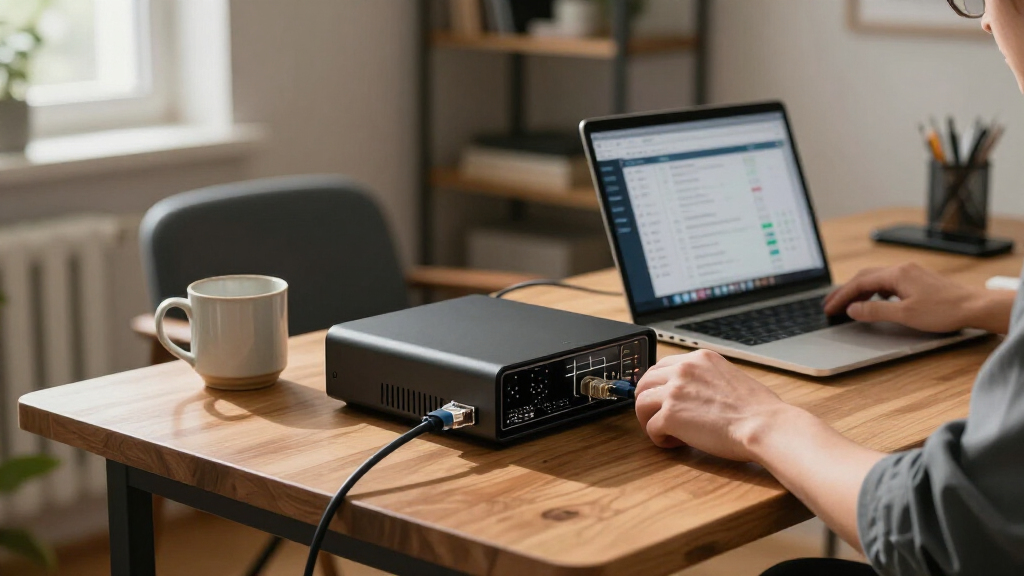
I ranked these appliances for the realities of a remote office: protecting a small team, supporting secure remote access, fitting into a limited network closet, and remaining manageable without a full-time network engineer. I weighed the product’s intended office role, port and wireless options, support or security bundle details provided for the listed model, and the level of technical involvement a buyer should expect. I also treated hardware-only and renewed listings as meaningful purchasing tradeoffs rather than assuming they include the same protection or support as bundled options.
The FortiGate-50G leads because its branch-office positioning and five Gigabit ports give it a practical balance of connectivity and room to grow. The FortiGate-30G follows for less complex deployments, while wireless-integrated choices rank well when avoiding a separate access point matters. Firewalla and Protectli serve distinct management preferences, not interchangeable security models. The Zyxel, SonicWall TZ280, and renewed Cisco remain relevant for particular network, licensing, or platform needs, but their package details and ownership demands make them less straightforward as default picks.
| firewall appliance for remote office | Operating system |
|---|---|
| Firewalla Purple SE Cyber Secu | Linux |
| Fortinet FortiGate-30G Firewal | — |
| SonicWall TZ270W Wireless Gen7 | — |
| WatchGuard Firebox T125-W Wi-F | Fireware |
| Fortinet FortiGate-50G Firewal | FortiOS |
| Zyxel USGFLEX100H Firewall wit | — |
| Protectli Vault FW4B | Not pre-installed |
| SonicWall TZ280 2.5 Gbps Next- | SonicOS 8 |
| Cisco FPR1120-NGFW-K9 Firepowe | — |
Factors to Consider When Choosing Best Firewall Appliance For Remote Office
Before choosing a model, I would map the office’s actual traffic and operating responsibilities. A firewall is part of a wider setup that includes internet service, wireless access, endpoint protection, backups, and someone who can respond when a rule or VPN stops working. These factors help prevent both overspending on unused capabilities and buying a device that becomes a bottleneck or an ongoing management burden.
Match Capacity to Real Traffic, Not Just Headcount
A vendor’s user guidance or port count does not tell you how the appliance will perform with your office’s traffic mix. Video calls, cloud backups, large file transfers, and encrypted VPN sessions all place different demands on a gateway. Check the manufacturer’s published throughput figures for the security services you plan to enable, not only basic firewall throughput. Leave room for busy periods and future staff or devices rather than sizing exactly to today’s average. A common mistake is enabling every inspection feature after purchase without checking how those services affect throughput. If your connection is modest and the office is small, a lower-capacity model may be sensible; a growing branch should favor measurable headroom.
Decide Who Will Own Configuration and Troubleshooting
Security appliances vary in how much networking expertise they expect from the person maintaining them. A guided interface can reduce routine setup friction, but it may offer less freedom than a platform designed for hands-on rule, routing, and segmentation control. Before buying, identify who will manage firmware updates, review alerts, change access policies, and diagnose a failed VPN connection. If that person is not on site, check how remote administration and account recovery work. Avoid treating a feature-rich dashboard as a substitute for a support plan or a documented configuration. Paying for a more approachable management experience can be a better use of budget than buying advanced features nobody has time to operate.
Plan Remote Access Around the Work, Not the Product Label
Remote-office protection often depends on secure access between staff, the office network, and cloud services. List how many people need VPN access at once, which applications require access to local resources, and whether contractors need narrower permissions than employees. Confirm that the appliance supports the intended remote-access method and that licensing, client software, and setup requirements fit your team. A firewall can provide connectivity without making every user or device equally trusted; separate access policies help limit the damage from a compromised account. Test the expected connection path before deployment, especially if the office uses multiple internet links or unusual routing. Do not assume that a product marketed for small offices automatically covers your specific remote-work workflow.
Treat Subscriptions, Support, and Renewal Status as Part of the Hardware
Compare what is included at purchase with what requires a separate renewal: security services, technical support, firmware access, and management tools may have different terms. A bundle with a defined support period can make planning easier, but it does not mean every service remains active indefinitely. Hardware-only listings can leave buyers with extra setup and licensing decisions, so verify compatibility and ongoing service costs before ordering. For renewed equipment, check the seller’s warranty, return terms, device condition, and whether the vendor will support the serial number and software version. A low initial acquisition cost can be offset by support gaps or required subscriptions. Write down the full ownership requirements for the intended service period before comparing options.
Choose Wireless Integration Deliberately
A firewall with built-in Wi-Fi can simplify a small office installation by reducing separate devices and configuration points. That convenience may be less useful when the office needs several access points, roaming across rooms, guest networks, or a wireless system already managed by IT. Check whether the appliance’s radio coverage and management model suit the building rather than treating a Wi-Fi generation label as a coverage guarantee. Keep guest and business devices on appropriately separated networks, regardless of whether wireless comes from the firewall or a separate access point. A separate access point can make later coverage upgrades easier, while an integrated unit can reduce equipment and cabling. Choose based on the layout and support plan, not on the appeal of an all-in-one box alone.
Leave Space for Growth and Recovery
Remote offices often add cloud services, cameras, printers, access points, and staff devices after the network is installed. Count the ports needed today, then reserve some capacity for additions so a basic expansion does not force a redesign. Consider whether the office needs VLANs, a backup internet link, or a second location connected through a site-to-site VPN. Also plan for outages: keep configuration backups, record administrator credentials securely, and decide how the team will work if the firewall fails. A compact or low-complexity device can be a good fit, but only if recovery and replacement are practical. Buying with a modest growth margin is usually less disruptive than replacing an undersized gateway later.
Frequently Asked Questions
Can I install a remote-office firewall without hiring a network administrator?
It depends on the complexity of the office network and the management model of the appliance. A small, single-site setup with straightforward internet access may be manageable by a technically capable owner, especially with guided configuration. VPN policies, VLANs, multiple internet links, and detailed security rules raise the chance of misconfiguration. Before buying, check whether setup support and ongoing vendor assistance are available for the exact model and service plan. If nobody can maintain updates or respond to alerts, a simpler interface alone will not solve the operational gap.
Should I choose a firewall with built-in Wi-Fi or buy a separate access point?
Built-in Wi-Fi can reduce equipment and simplify a small office with modest coverage needs. A separate access point is often easier to position for coverage and can be expanded or replaced without changing the firewall. Think about building layout, the number of rooms, guest access, and whether wireless management needs to be centralized. A Wi-Fi 7 label describes a wireless standard, not guaranteed range or performance through walls. If the office already has a suitable wireless system, paying for integrated radios may add little value.
Do I need to buy a security subscription with the firewall?
Some appliances rely on subscriptions for security services, support, or management features beyond basic packet filtering. The exact package varies by model and listing, so verify which protections are active at purchase and what happens when a term ends. Compare renewal requirements with the office’s need for functions such as threat inspection, content controls, and vendor assistance. A hardware-only listing should not be assumed to include those services. If uninterrupted protection matters, plan renewals and assign someone to track them.
Is a renewed enterprise firewall a sensible choice for a small remote office?
It can suit a buyer who already understands the platform and can verify support, software eligibility, and hardware condition. For a first firewall, renewed enterprise equipment may add uncertainty around warranty coverage, licensing, and configuration effort. Ask whether the device can receive current firmware and whether the seller offers a clear return policy. Also check that its capabilities match the office’s internet speed and remote-access needs rather than assuming a business-class label guarantees fit. When support continuity matters more than platform familiarity, a current model with clearly stated coverage is usually easier to plan around.
How many Ethernet ports should a remote-office firewall have?
Count the connections that must terminate directly at the firewall, such as the internet handoff, a local switch, a separate wireless access point, or a secondary WAN link. Many offices use a switch to add local device connections, so firewall port count is not the same as the maximum number of office devices. Keep at least one connection available for likely expansion or recovery needs. Check whether ports can be assigned to different network roles, since a port’s flexibility may matter more than the total count. For a growing office, planning the switch and firewall together avoids buying a gateway based on an incomplete port tally.
Conclusion
For most small branches, I recommend the Fortinet FortiGate-50G as the best overall: its branch-office focus and five Gigabit ports make it the most balanced choice in this group. The Firewalla Purple SE is my best value-oriented pick for buyers who favor approachable management over a more hands-on appliance, while the FortiGate-30G makes sense when the network is smaller and simpler. Beginners should look first at the Firewalla’s management approach, then confirm that its feature set and support arrangements fit their needs. For integrated wireless, compare the WatchGuard Firebox T125-W and SonicWall TZ270W against your coverage plan; choose the Protectli Vault FW4B when flexibility and technical control matter more than guided administration. Buyers seeking a premium, established security platform may prefer the Zyxel USGFLEX100H or Cisco Firepower 1120, but should verify service terms, renewal status, and support before committing. If you need the simplest decision, start with the FortiGate-50G; if your priority is wireless, hands-on customization, or an existing vendor ecosystem, choose around that specific need.
Fall Picks
fall essentials
As an affiliate, we earn on qualifying purchases.